Tableau 2026.3 Release
Tableau Knowledge, Tableau Agent - Proactive Intelligence, Tableau Agent in Dashboards, and more
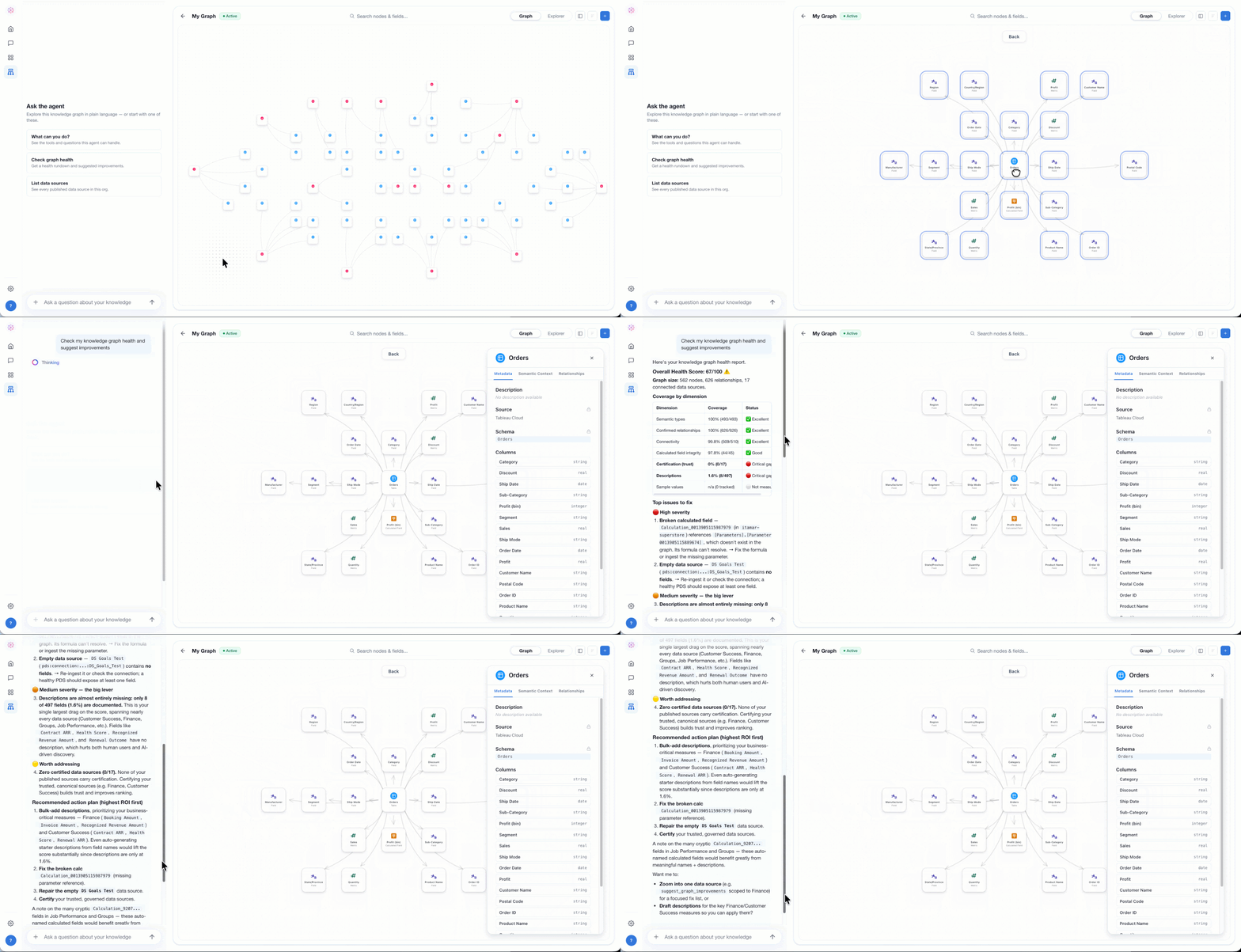
Tableau Knowledge
Power AI agents to deliver accurate insights with Tableau Knowledge. Now you can bring together your existing Tableau investments as well as structured and unstructured data from other sources into knowledge graphs that link each data asset by relationship. From there, you can inspect, curate, and enrich the graphs, creating a living data presentation of how your business works. With your business knowledge accessible, AI agents can skip the guesswork and quickly retrieve the trusted, governed knowledge they need to reason and deliver accurate insights.
Tableau Knowledge is generally available in Tableau Cloud+ and Tableau+. Tableau Server+ is coming soon.
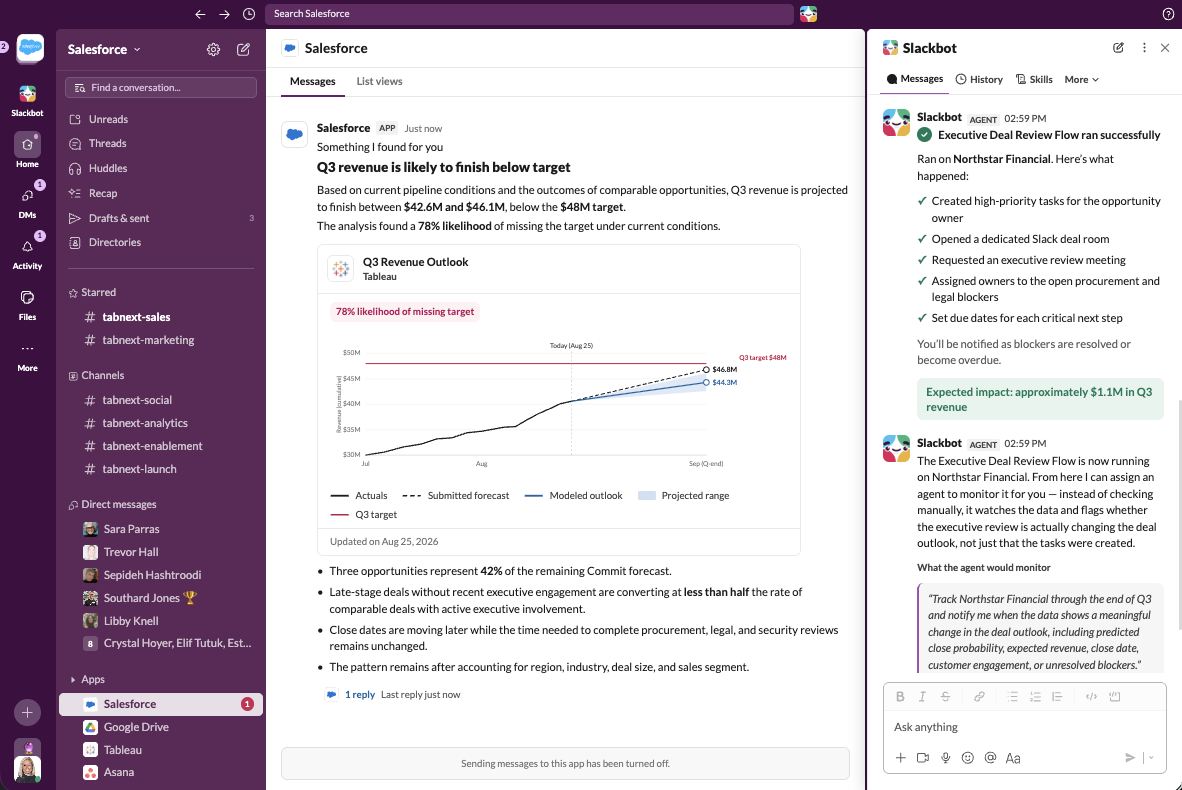
Tableau Next: Tableau Agent - Proactive Intelligence
Act before the outcome is set with proactive insights surfaced autonomously by Tableau Agent. Know the moment trends start to shift, discover unknown risks then take action right where you work, in Salesforce, Slack or any agent.
Tableau Agent - Proactive Intelligence is coming soon to Tableau Next.
Learn more about Tableau Agent
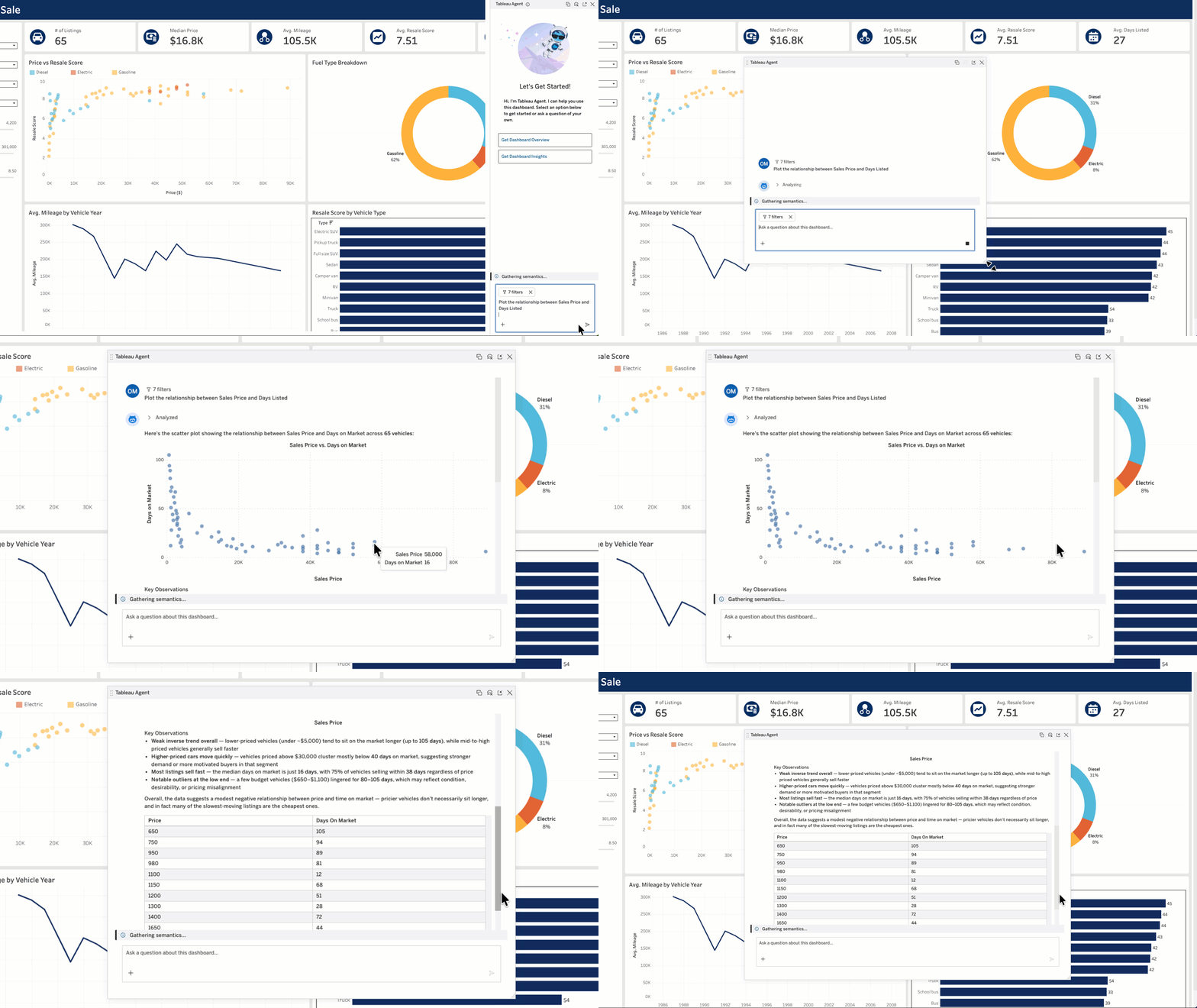
Tableau Cloud & Server: Tableau Agent in Dashboards
Get trusted conversational analytics with Tableau Agent in Dashboards. Ask complex questions about your data and get actionable insights, now with interactive visualizations like bar graphs and scatter plots. You can even generate a dashboard overview and pull insights for each visualization to easily identify significant changes in your data. Plus, now you can expand the chat window for more room to explore. No matter your familiarity with a dashboard, Tableau Agent makes it easy to quickly get insights so you can confidently take action.
Tableau Agent in Dashboards is available in Beta in Tableau Cloud+, Tableau+, and Tableau Server+. It will be generally available soon.
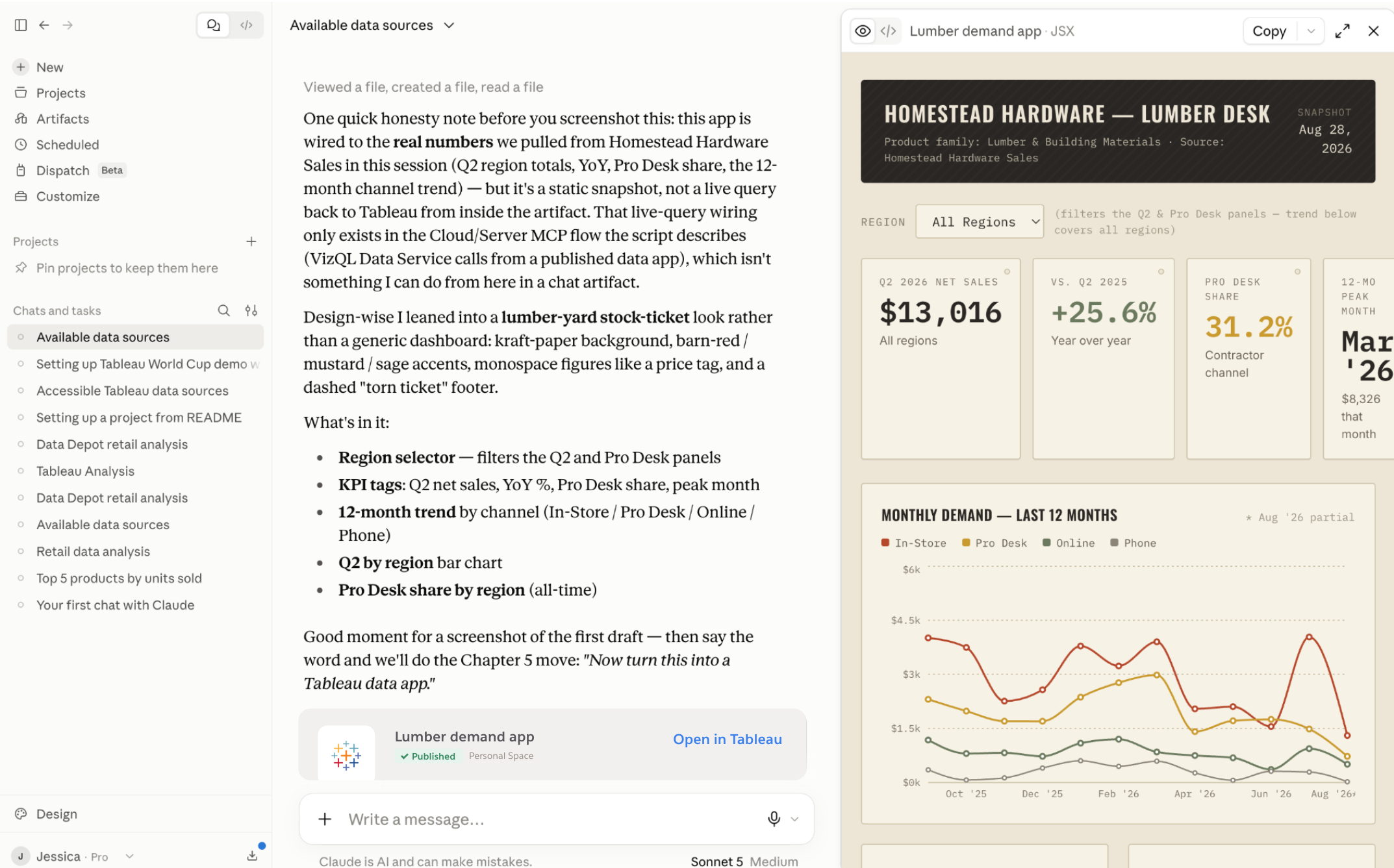
Tableau Data Apps (Beta)
Vibe code custom Tableau Data Apps with any agent, while staying connected to live, governed data and trusted knowledge in Tableau. Tableau provides a safe, admin-controlled environment to query that data and host the finished app. When you publish, your app inherits Tableau's security and permissions, so you can share it broadly without creating another analytics surface to manage.
Tableau Data Apps is available in Beta in Tableau Cloud and Tableau Next.
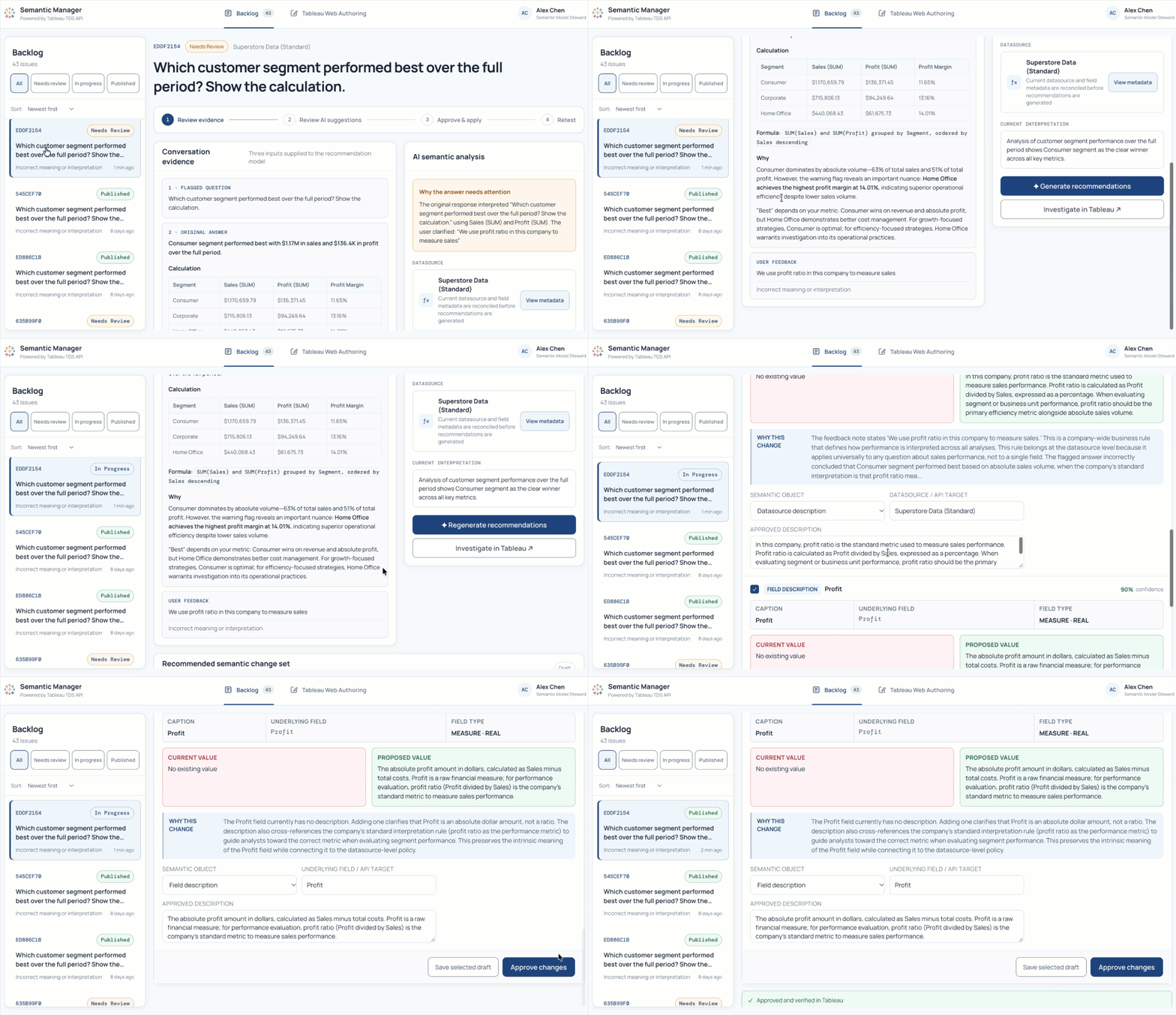
Tableau Data Source Edit API
The Tableau Data Source (TDS) Edit API lets you programmatically update descriptions for fields and tables in published data sources. Instead of manually changing definitions one data source at a time or editing XML directly, you can validate updates and run them through your existing development workflows. For example, you can sync approved descriptions from an external data dictionary to Tableau on a schedule, helping keep your governed data definitions accurate, observable, and ready for AI.
The TDS Edit API is available in Tableau Cloud and Tableau Server for Enterprise and Tableau+ editions.

Get the Inside Track on Tableau Releases
Learn from Tableau Product Managers about the new features we're releasing on our DataFam Discovery User Group.
Join Now
All Features
2026.3
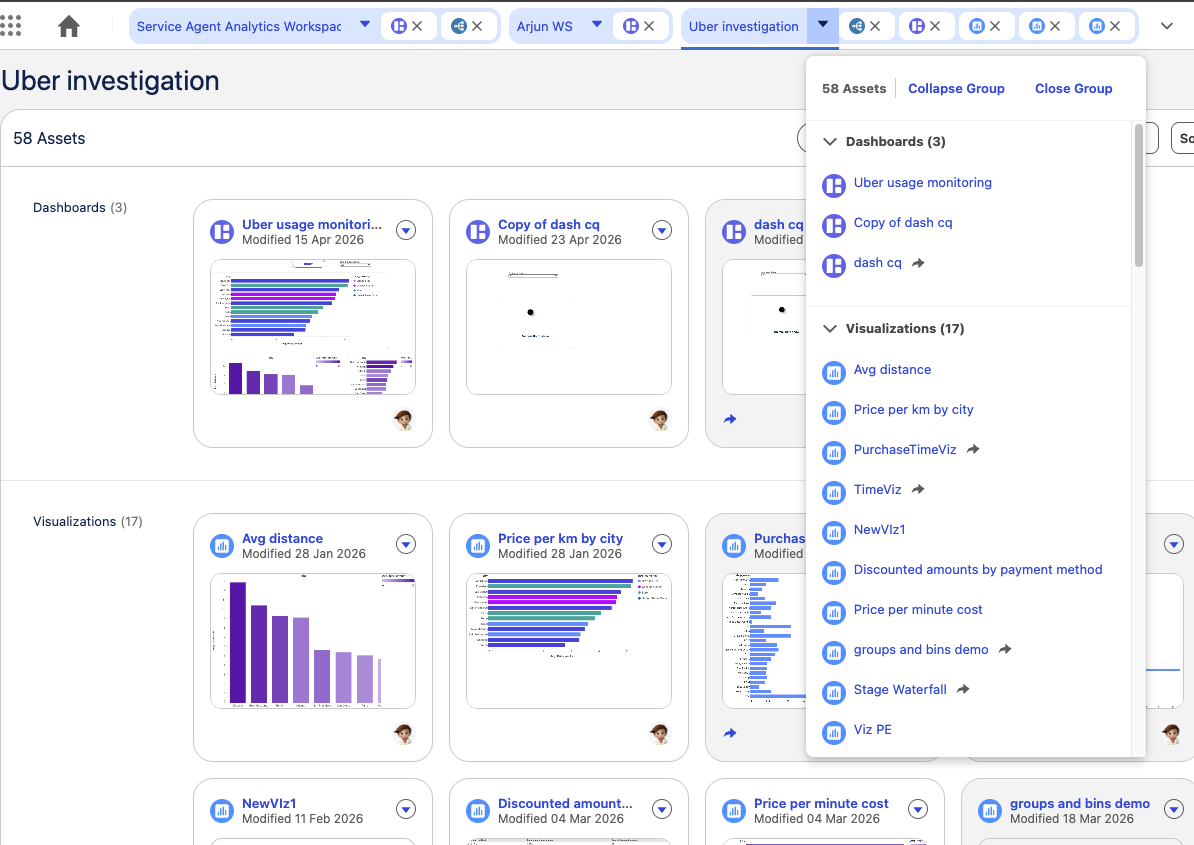
Tableau Next: Dynamic Grouping by Workspace
Keep open assets automatically organized into grouped tabs by parent workspace. Manage complex multi-asset workflows smoothly with tab reordering and overflow handling.
Dynamic Grouping by Workspace is generally available in Tableau Next.
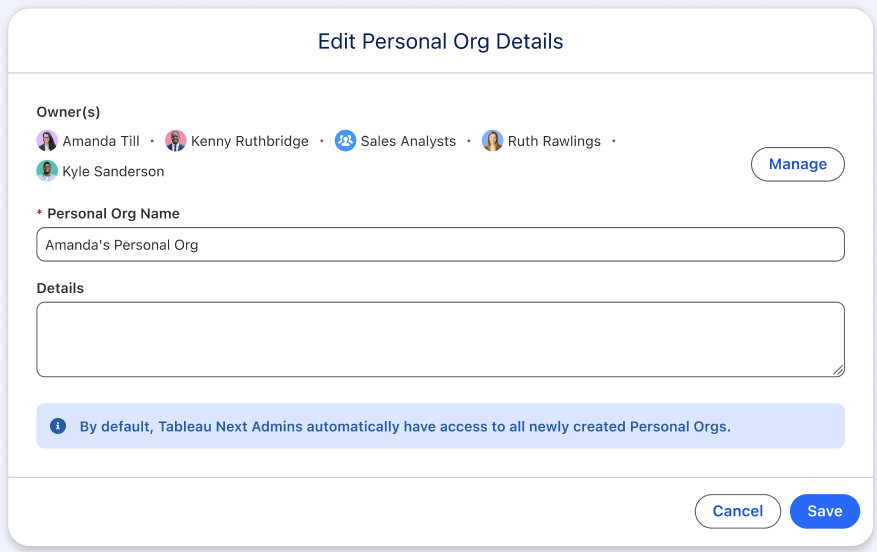
Tableau Next: Team Orgs
Accelerate team collaboration by giving multiple analyst owners equal access within shared exploratory spaces. Eliminate silos so teams can co-author, iterate, and share self-service analytics seamlessly.
Team Orgs is generally available in Tableau Next.
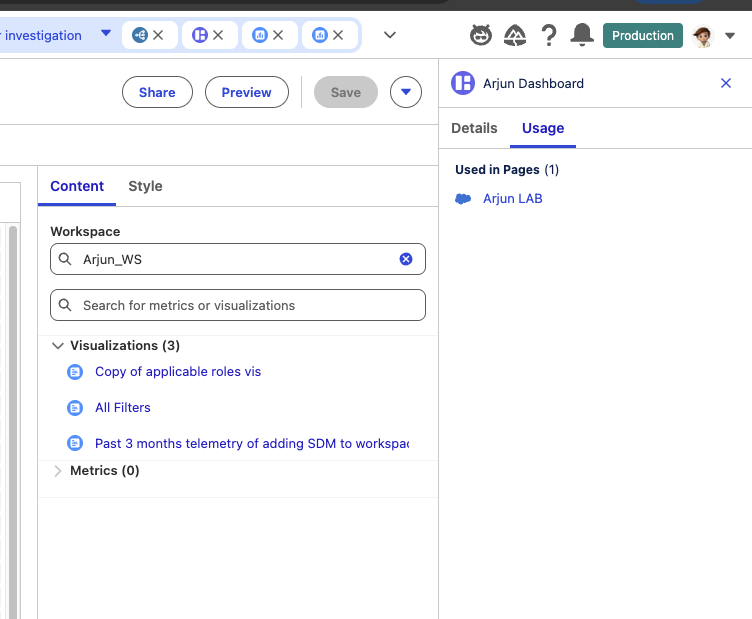
Tableau Next: Assets Used Lineage
View where dashboards are embedded across Lightning pages directly from the detail panel. Jump straight into live record pages to review usage and optimize active assets.
Asset Used Lineage is generally available in Tableau Next.
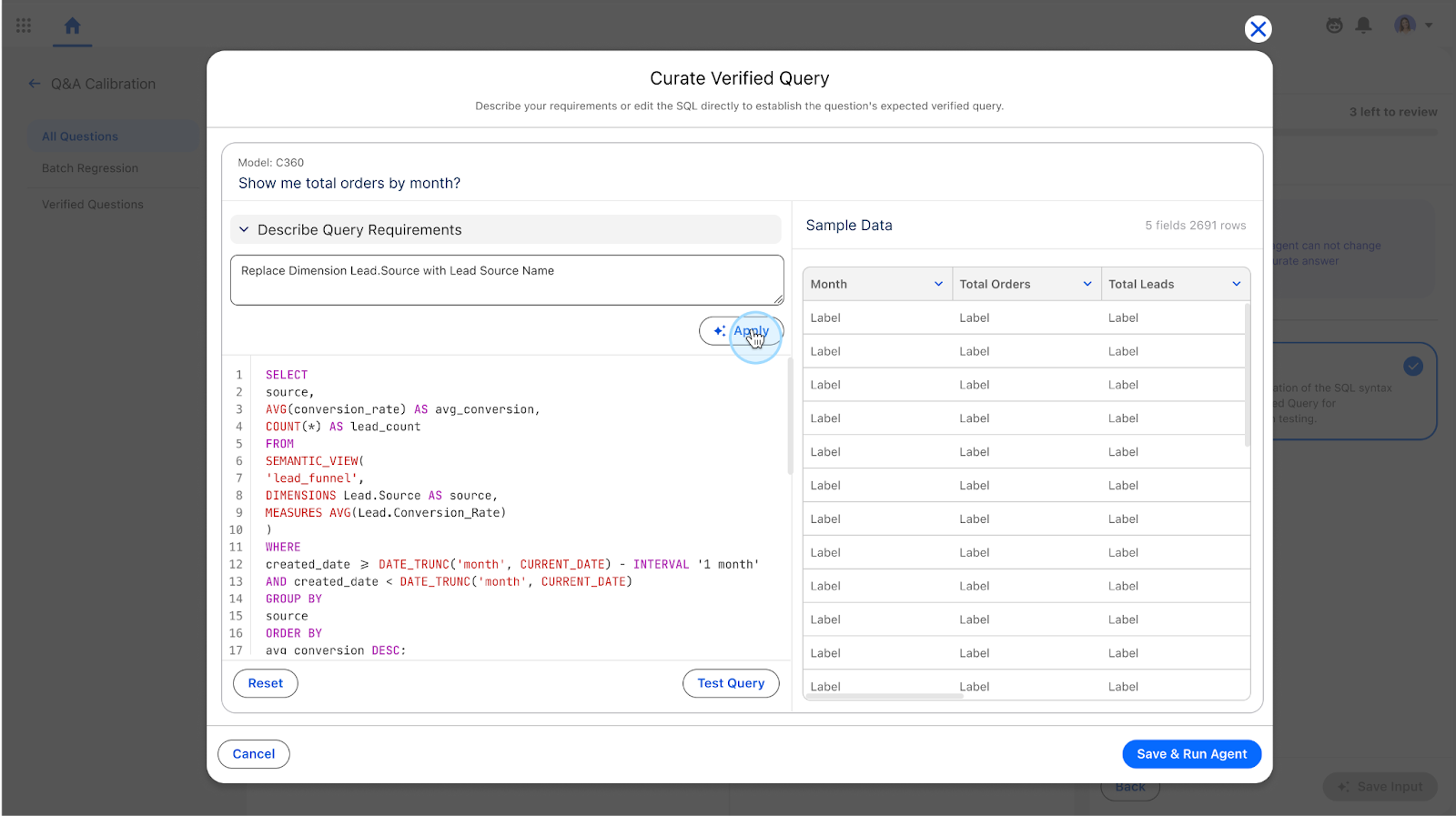
Tableau Next: Verified Query Curation (Beta)
Ground agent responses directly by establishing fixed SQL overrides for complex business logic. Enforce precise query results across high-value scenarios without risking broader model regressions.
Verified Query Curation is available in Beta in Tableau Next.
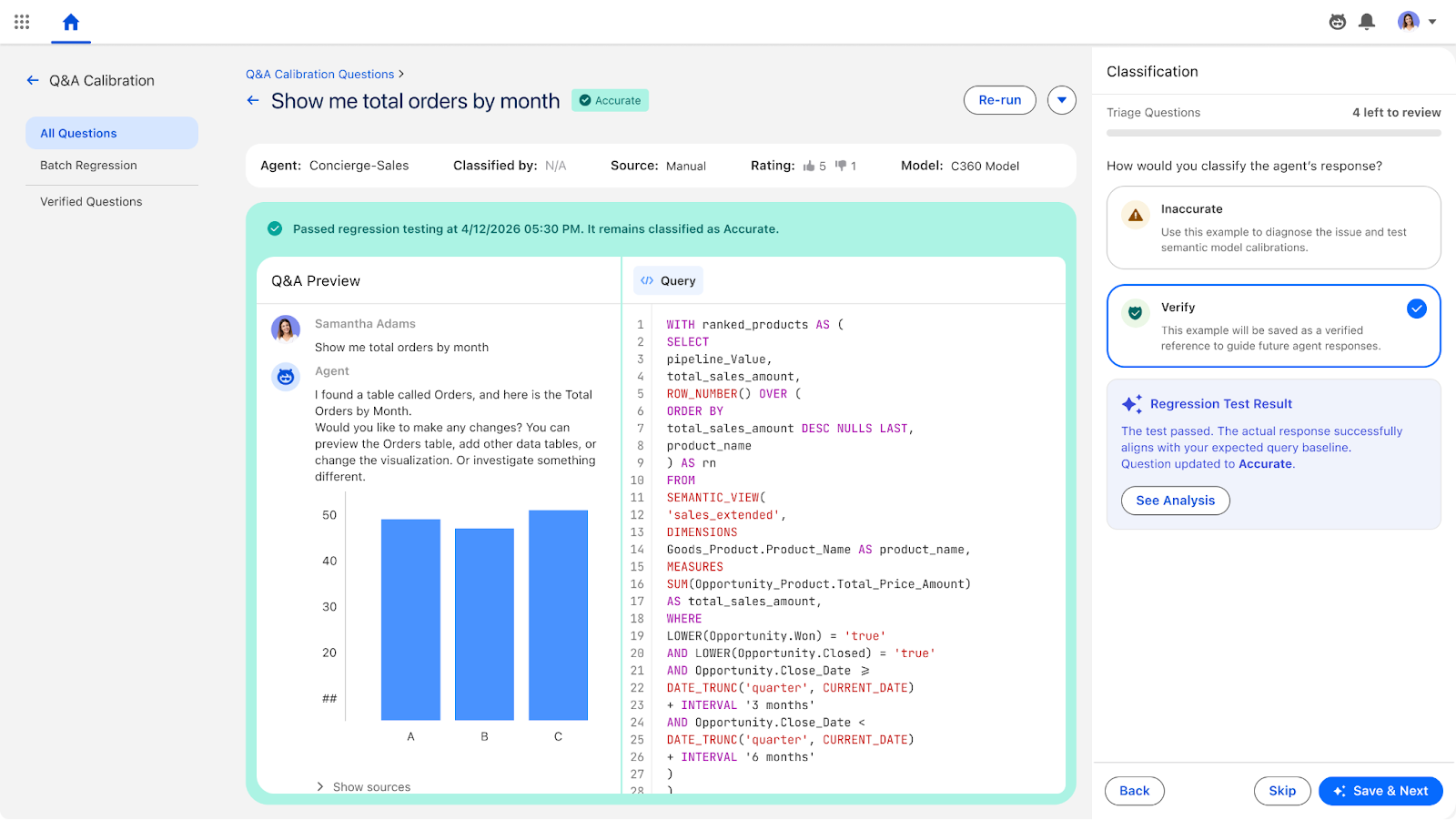
Tableau Next: Single Question Regression Testing (Beta)
Automatically evaluate semantic model changes against golden query datasets to detect accuracy drops. Protect user trust by preventing logical regressions from reaching production environments.
Single Question Regression Testing is available in Beta in Tableau Next.
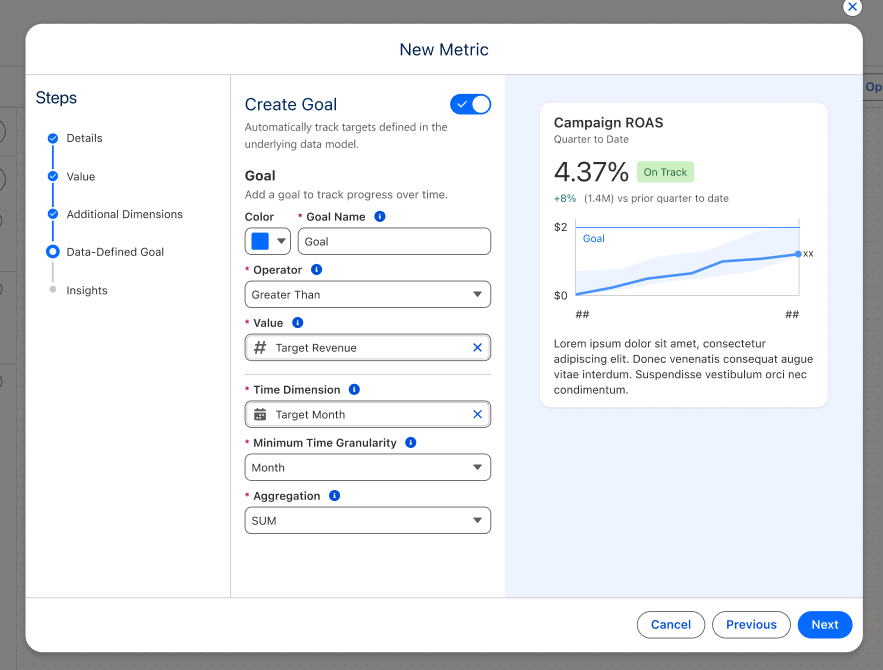
Tableau Next: Dynamic Goals
Eliminate manual goal maintenance across thousands of territories or products by connecting metrics directly to governed semantic models. Targets scale automatically and adjust dynamically based on user filters, time periods, and business context.
Dynamic Goals is generally available in Tableau Next.
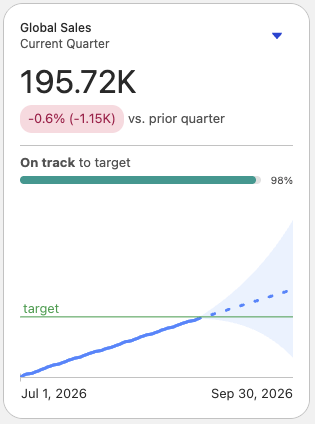
Tableau Next: Metric Card Enhancements
Elevate key performance indicators with improved typography, bold visual hierarchy, and prominent period comparisons. Surface goals and critical insights clearly across dashboards and following feeds.
Metric Card Enhancements is generally available in Tableau Next.
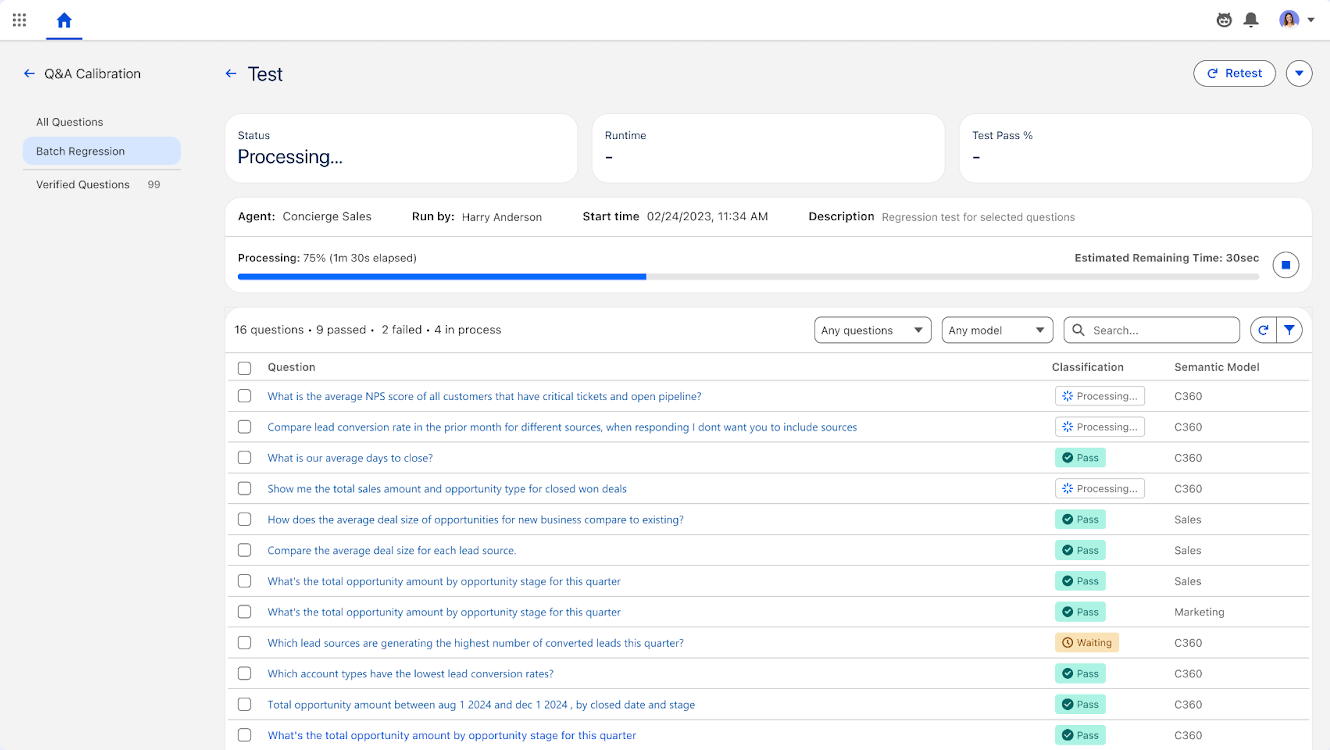
Tableau Next: Batch Regression Testing
Run automated bulk test suites across verified question sets to validate model updates. Automatically feed SQL variances into auto-calibration for instant remediation.
Batch Regression Testing is generally available in Tableau Next.
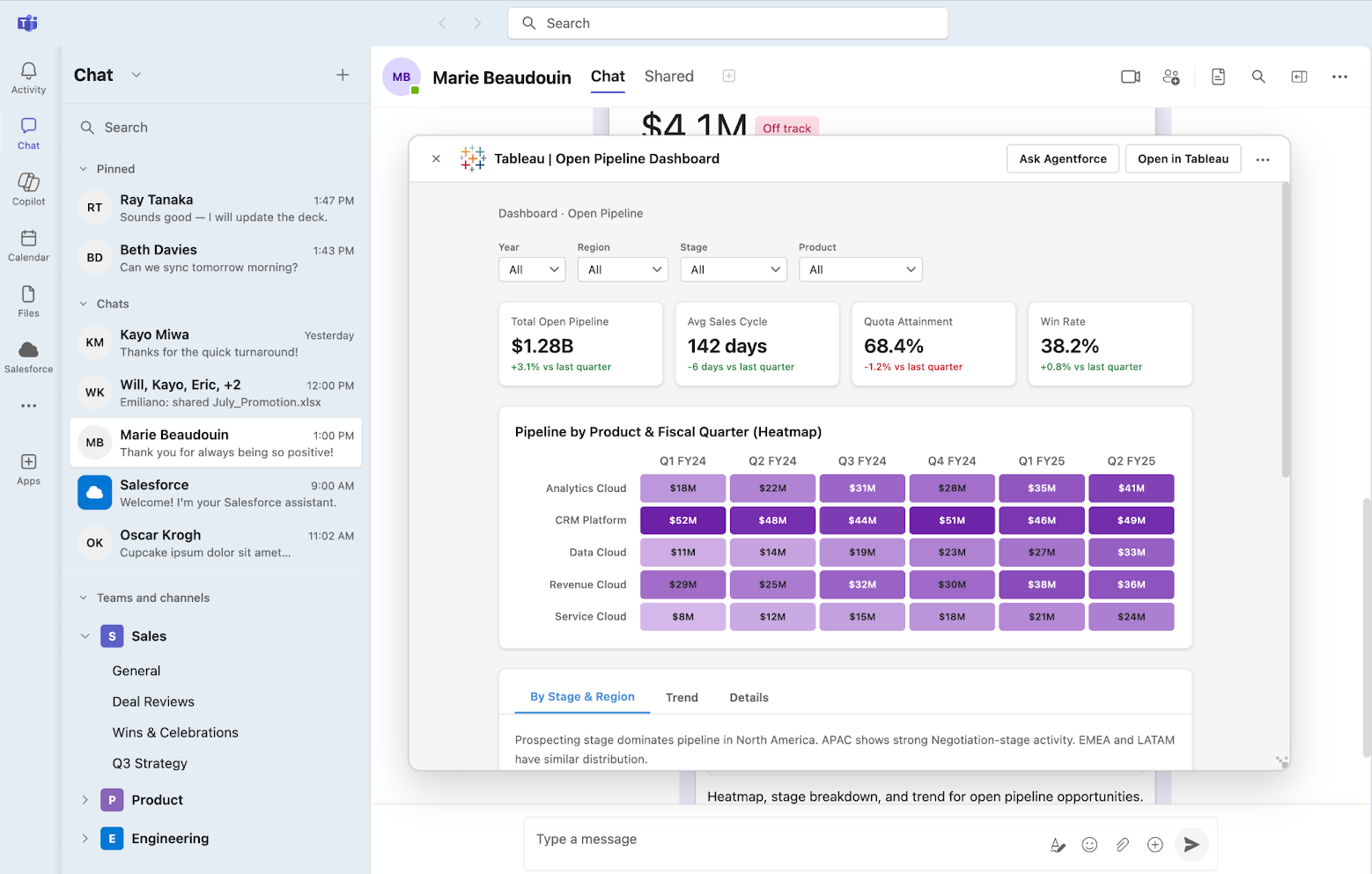
Tableau Next in Microsoft Teams
Share live dashboards, vizzes, and metrics directly within Microsoft Teams chats. Ask Tableau Agent data questions and get trusted insights from Tableau Next, without leaving your flow of work.
Tableau Next is generally available in Microsoft Teams.
Tableau Next: Tableau Agent - Proactive Intelligence
Receive proactive data alerts in Salesforce, Slack, and mobile when pre-defined thresholds are crossed. And if you don't know what to look for, Tableau Agent monitors your data and surfaces autonomous insights in Slack, so you can act before the outcome is set.
Tableau Agent - Proactive Intelligence is coming soon to Tableau Next.

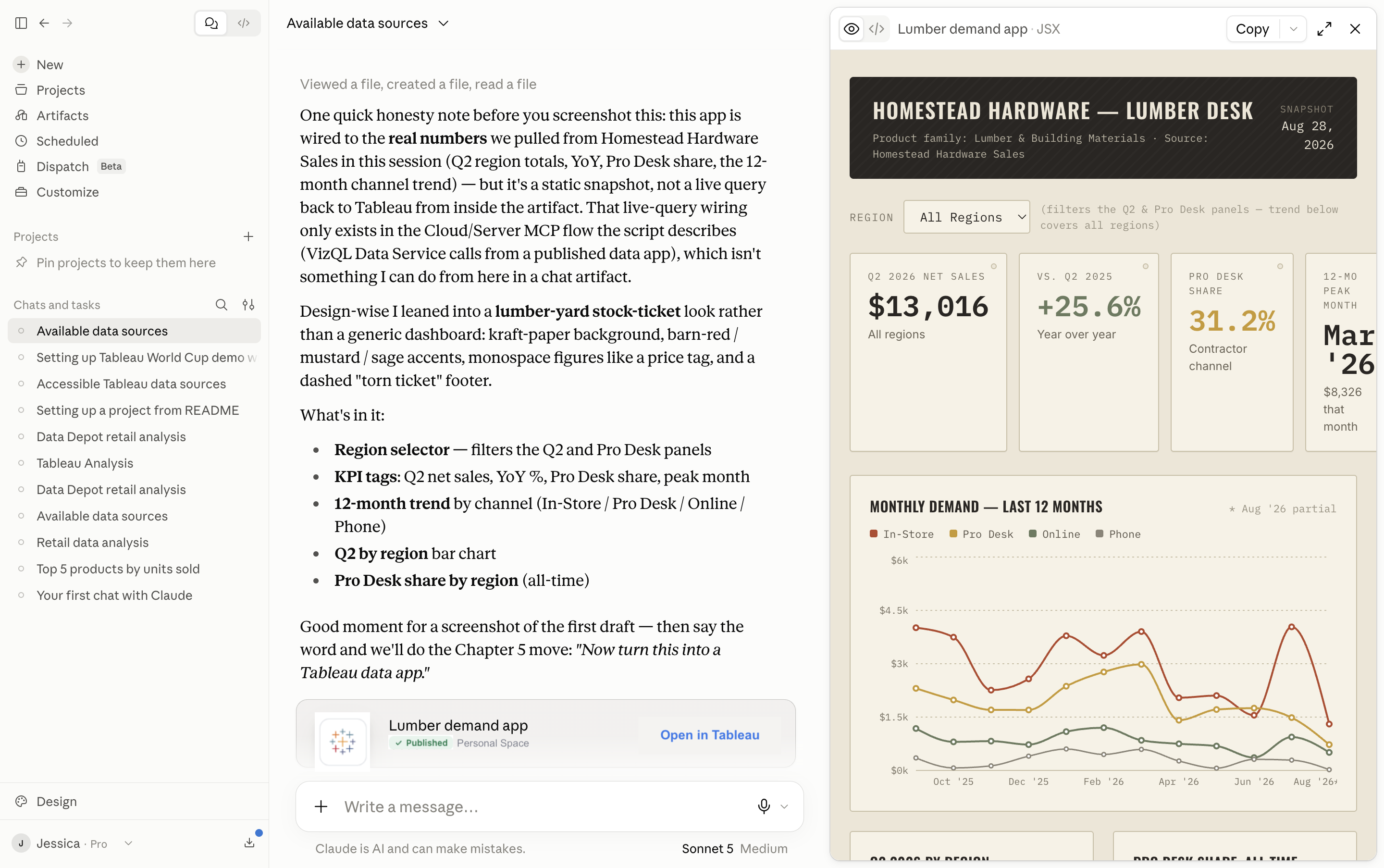
Tableau Data Apps: Tableau Cloud (Beta)
Tableau Data Apps let you build with code while using Tableau for querying, connectivity, governance, and app hosting. Turn any idea into a custom data app, then host it on Tableau Cloud or Tableau Server in a safe, admin-controlled environment. Once published, the app carries the same governance and permissions as any other Tableau asset, so it can be shared broadly without becoming a new security or compliance risk.
Tableau Data Apps Beta is coming to Tableau Cloud in October 2026, with general availability for Tableau Server in November 2026.
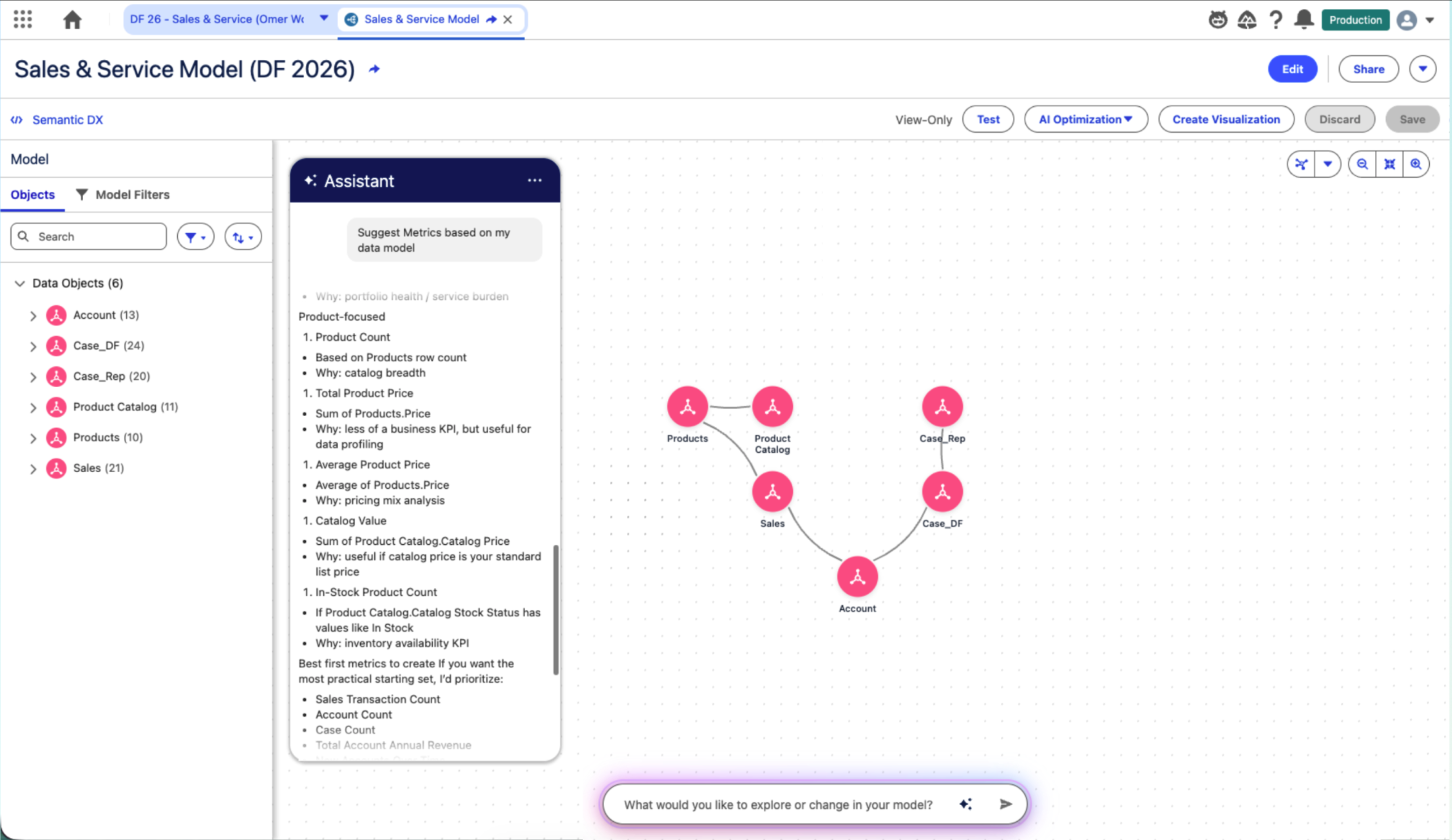
Tableau Next: Tableau Agent - Semantic Modeling (Beta)
Build, explore and optimize semantic models in natural language with Tableau Agent. Create calculations, automate batch edits, understand and improve the model's health so it is AI-ready.
Tableau Agent - Semantic Modeling is available in Beta in Tableau Next
Improved Exports for Tableau Server
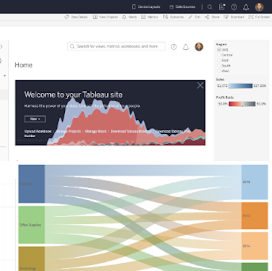
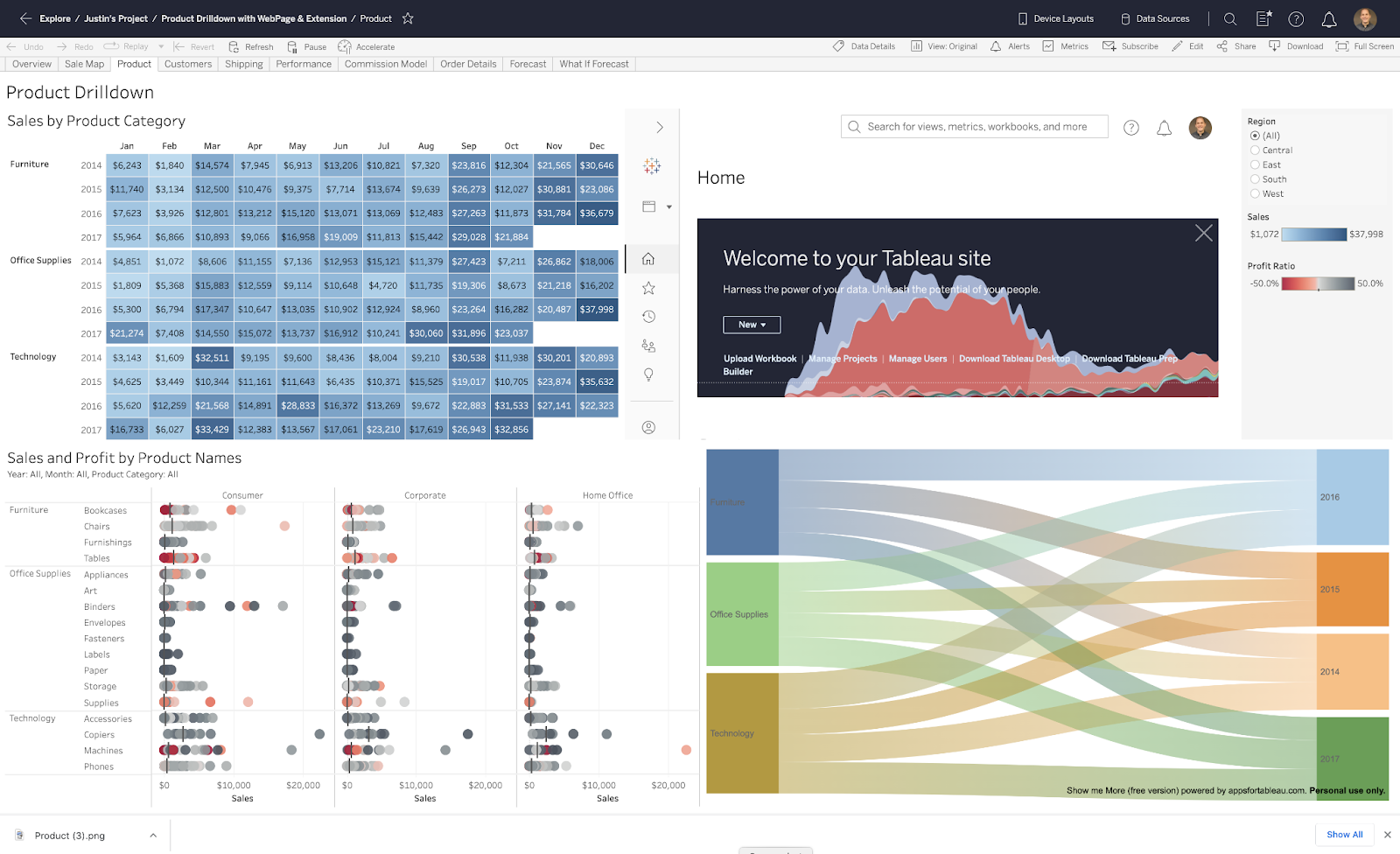
Improved Exports for Tableau Server ensures dashboard image exports, subscriptions, and data-driven alerts accurately reflect composable content, such as extensions and web pages, not just native visualizations. Built on the Web Content Snapshot Service architecture, this happens automatically behind the scenes, so export, subscription, and alert jobs render dashboards the way authors intended, with no extra setup required.
Improved Exports for Tableau Server is coming to Tableau Server in November or early December.
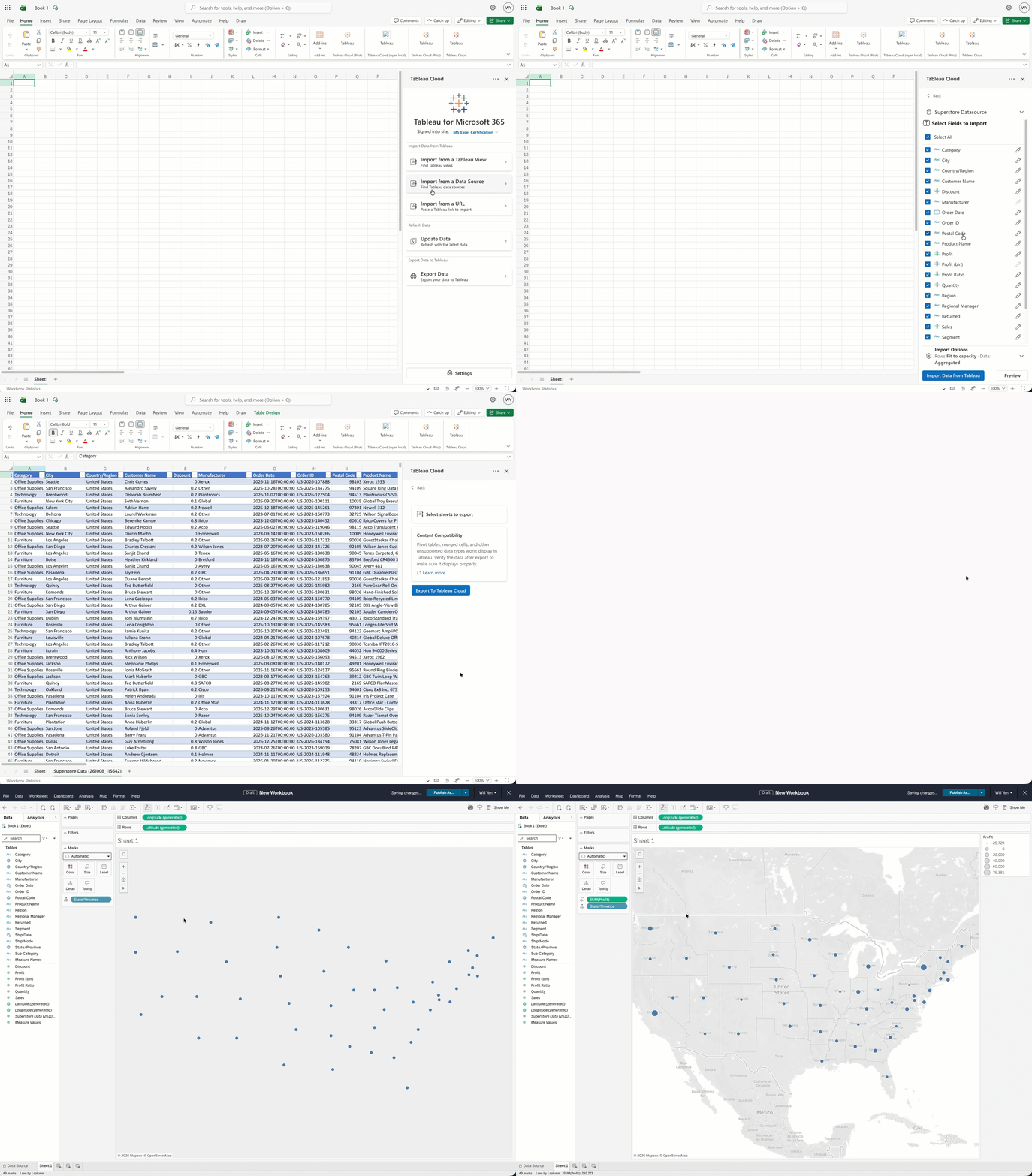
Tableau Add-in for Microsoft Excel
Bring data from Tableau worksheets and published data sources directly into Microsoft Excel to aggregate, model, and analyze, then refresh with a single-click. Tableau Cloud customers even have the ability to send data back to Tableau as a published data source. By extending our Microsoft 365 integration to Excel, we're ensuring your trusted data is accessible wherever your team works.
Tableau Add-in for Microsoft Excel is generally available in Tableau Cloud and Server.
Virtual Connections Enhancements
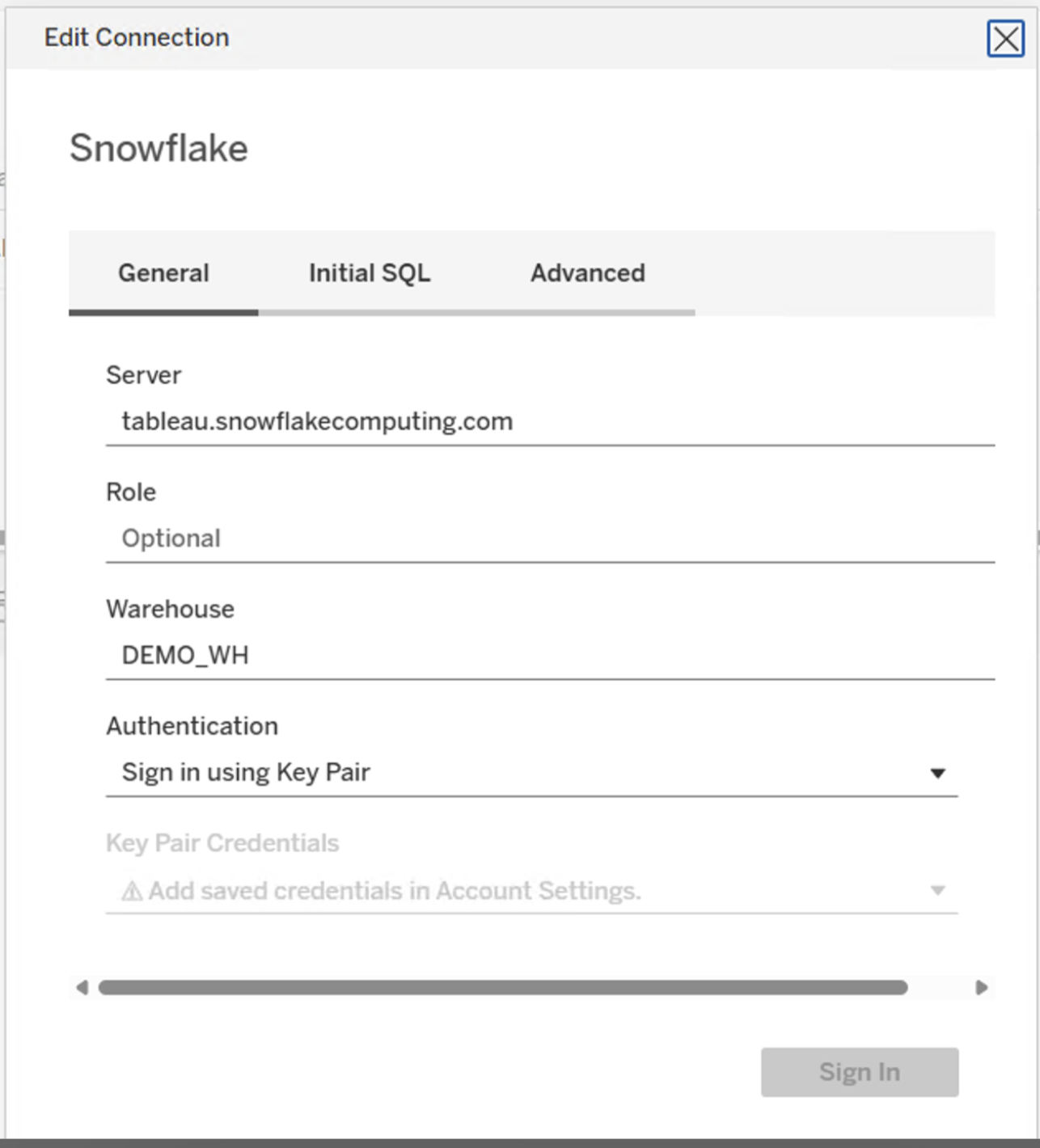
Virtual Connections now support Snowflake Key Pair authentication, giving you a more secure way to connect to your Snowflake data. Plus VConns now includes 11 new APIs to download and publish extracts programmatically. Together, these enhancements ensure your VConns deployments are more operable at scale, with the flexibility and governance enterprises need.
Virtual Connection Enhancements is generally available in Tableau Cloud and coming soon Tableau Server.

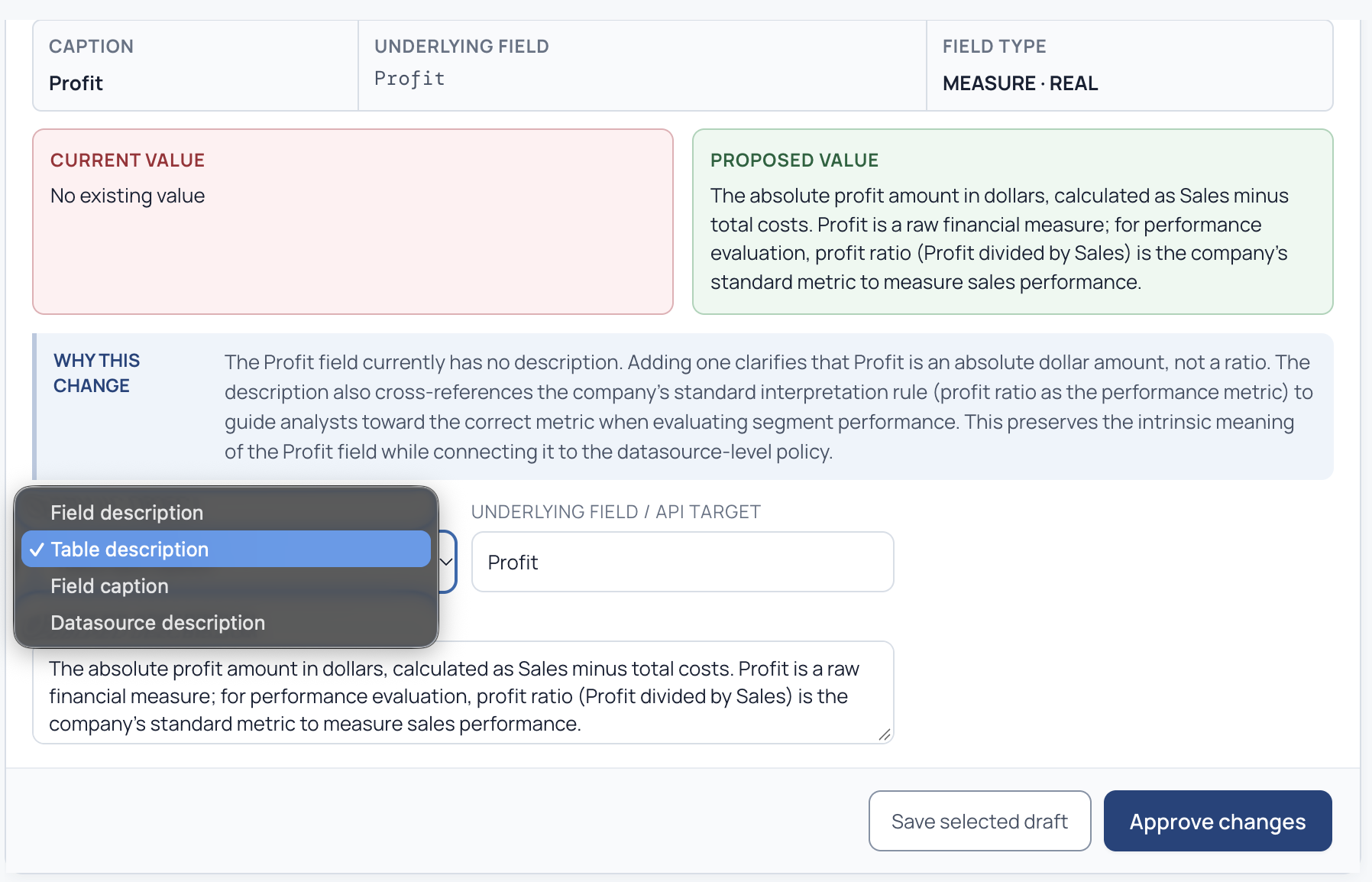
Tableau Data Source Edit API
he Tableau Data Source (TDS) Edit API lets you programmatically update descriptions for fields and tables in published data sources. Instead of manually changing definitions one data source at a time or editing XML directly, you can validate updates and run them through your existing development workflows. For example, you can sync approved descriptions from an external data dictionary to Tableau on a schedule, helping keep your governed data definitions accurate, observable, and ready for AI.
The TDS Edit API is available in Tableau Cloud and Tableau Server for Enterprise and Tableau+ editions.

VizQL Data Service: Query Workbook Data Sources
VizQL Data Service (VDS) now lets you query data sources in published workbooks, including embedded data sources and workbook-specific calculations, groups, bins, and parameters. Query data through an interactive session alongside an embedded visualization, or query a published workbook's data source directly without opening a dashboard. This lets you build agents, applications, and backend workflows on the data that already powers your dashboards, without republishing or creating a second copy to maintain. VDS Query Workbook Data Sources is generally available in Tableau Cloud and Tableau Server.

Rserve over HTTP
Rserve over HTTP gives you a modern, recommended way to connect Tableau to your R models. By wrapping your Rserve server with RestRserve and reconnecting with HTTP, you can use R models in Model Calculations while supporting payloads up to 100 MB, jobs up to 15 minutes, and faster requests. The migration does not require changes to existing workbooks, helping you move to a modern HTTP connection with less disruption. Rserve over HTTP is available in Tableau Cloud and Tableau Server.
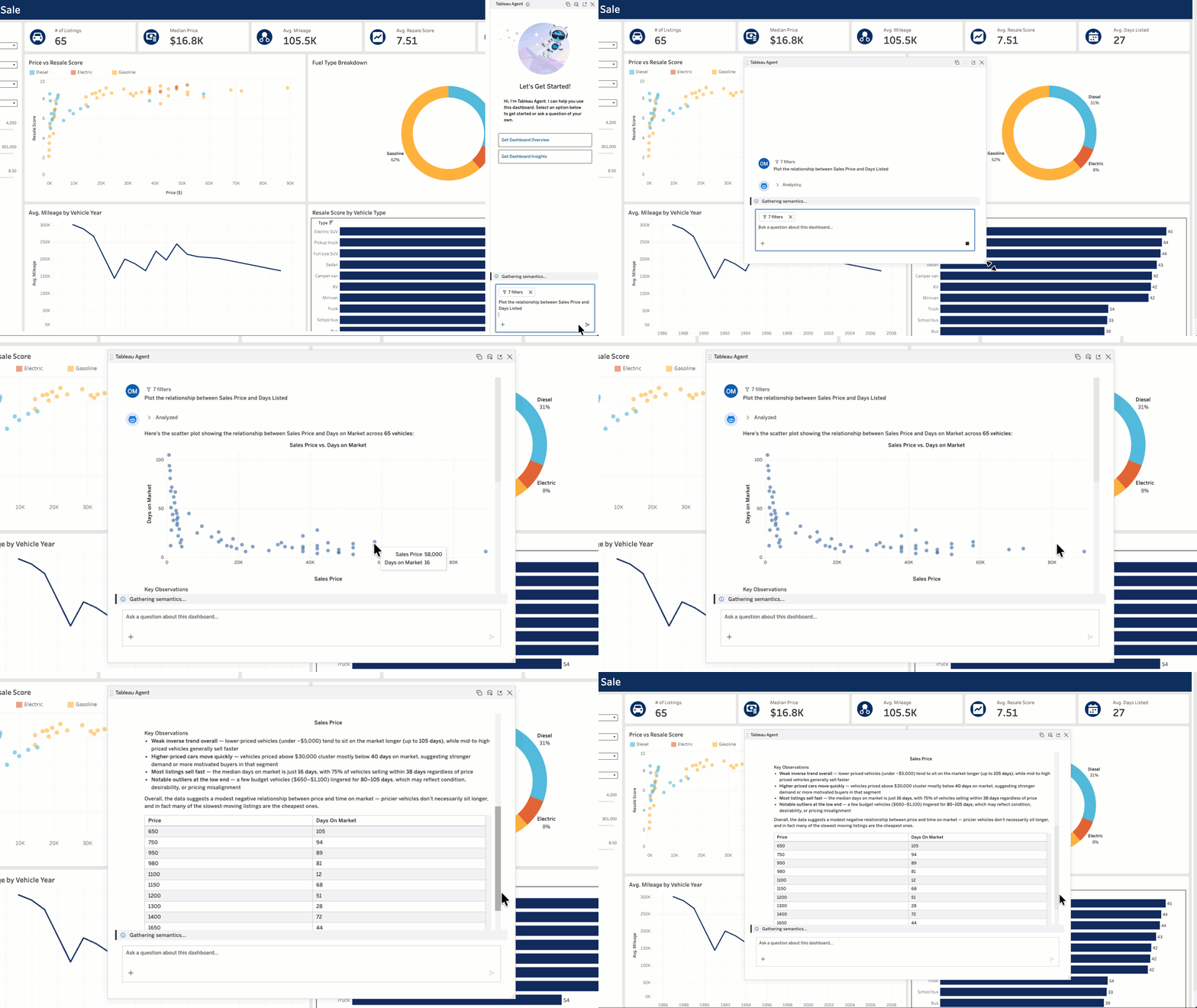
Tableau Agent in Dashboards
Get trusted conversational analytics with Tableau Agent in Dashboards. Ask complex questions about your data and get actionable insights, now with interactive visualizations like bar graphs, pie charts, and scatter plots. You can also generate a dashboard overview and pull insights for each visualization to easily identify significant changes in your data. Plus, you can now expand the chat window for more room to explore. No matter your familiarity with a dashboard, Tableau Agent makes it easy to quickly get insights so you can confidently take action.
For Cloud customers, Tableau Agent in Dashboards is in open beta in Tableau Cloud+/Tableau+ and will be generally available soon.
For Server customers, Tableau Agent in Dashboards is in open beta in Tableau Server+ and will be generally available later this year.
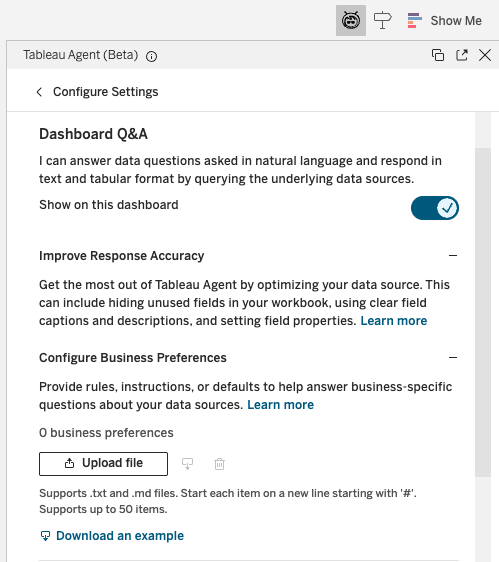
Tableau Agent in Dashboards: Workbook Business Preferences
Equip Tableau Agent in Dashboards with your organization's language using Workbook Business Preferences. Simply upload a markdown file containing business rules, KPI definitions, and other org-specific knowledge to a Tableau workbook. With this added context to reason with, Tableau Agent in dashboards becomes more familiar with your business, returning more accurate, relevant insights.
Tableau Agent in Dashboards: Workbook Business Preferences is in open beta in Tableau Cloud+/Tableau+, open beta in Tableau Server+, and will soon be generally available in both.

Bring Your Own LLM (Beta)
If you need to scale generative AI within your own on-premises infrastructure, you no longer have to compromise on your data residency policies. With the BYOLLM (Bring Your Own Large Language Model) Beta for Tableau Server, your admins configure the connection once, and all Tableau Server AI traffic is automatically routed through your existing corporate LLM gateway. This means your teams can use Tableau's AI-powered capabilities while meeting the model preferences, cost controls, logging requirements, and API key management policies set by your central AI team. BYOLLM for Tableau Server is available in Beta for Standard, Enterprise, and Tableau+ editions.
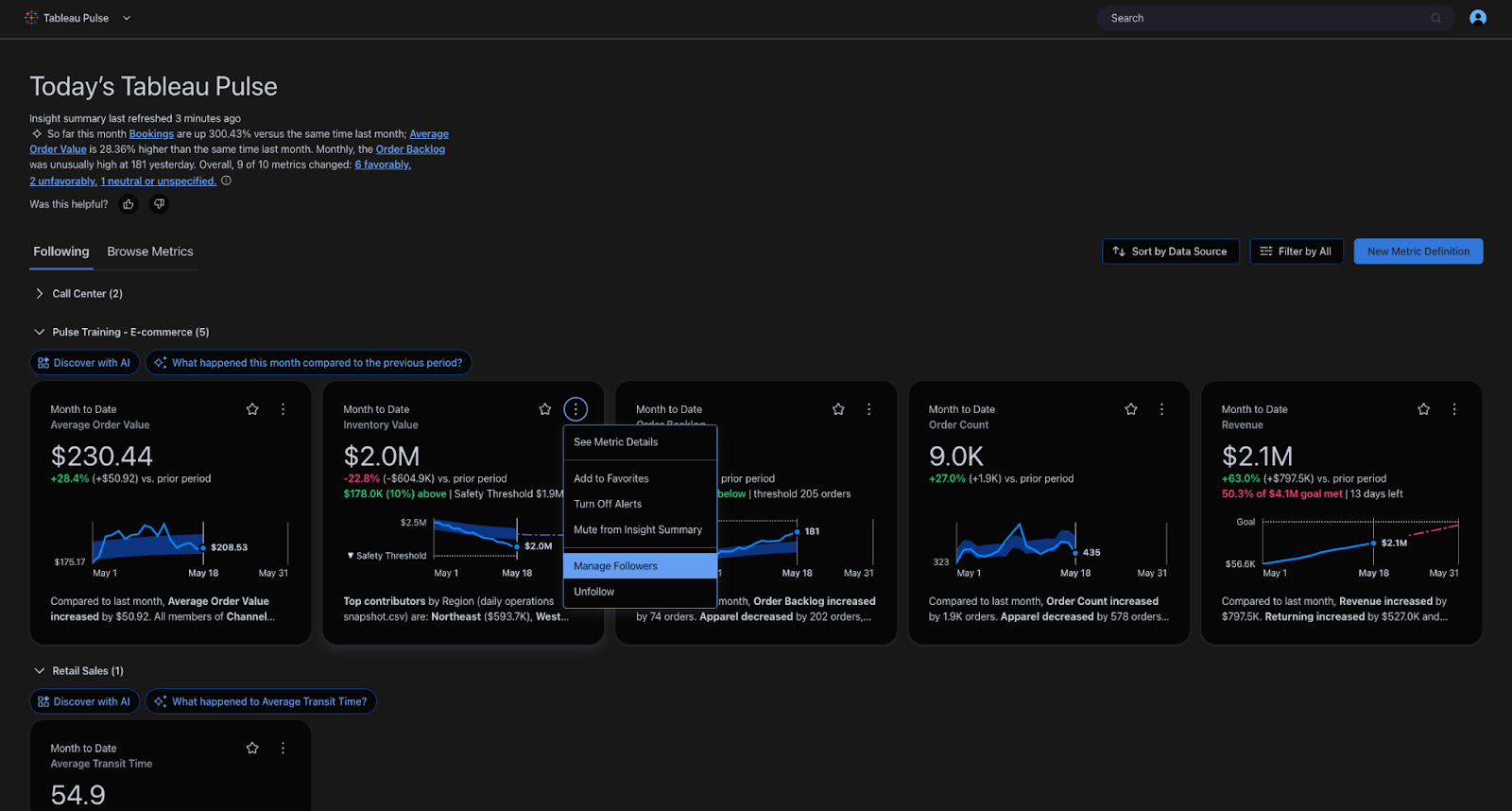
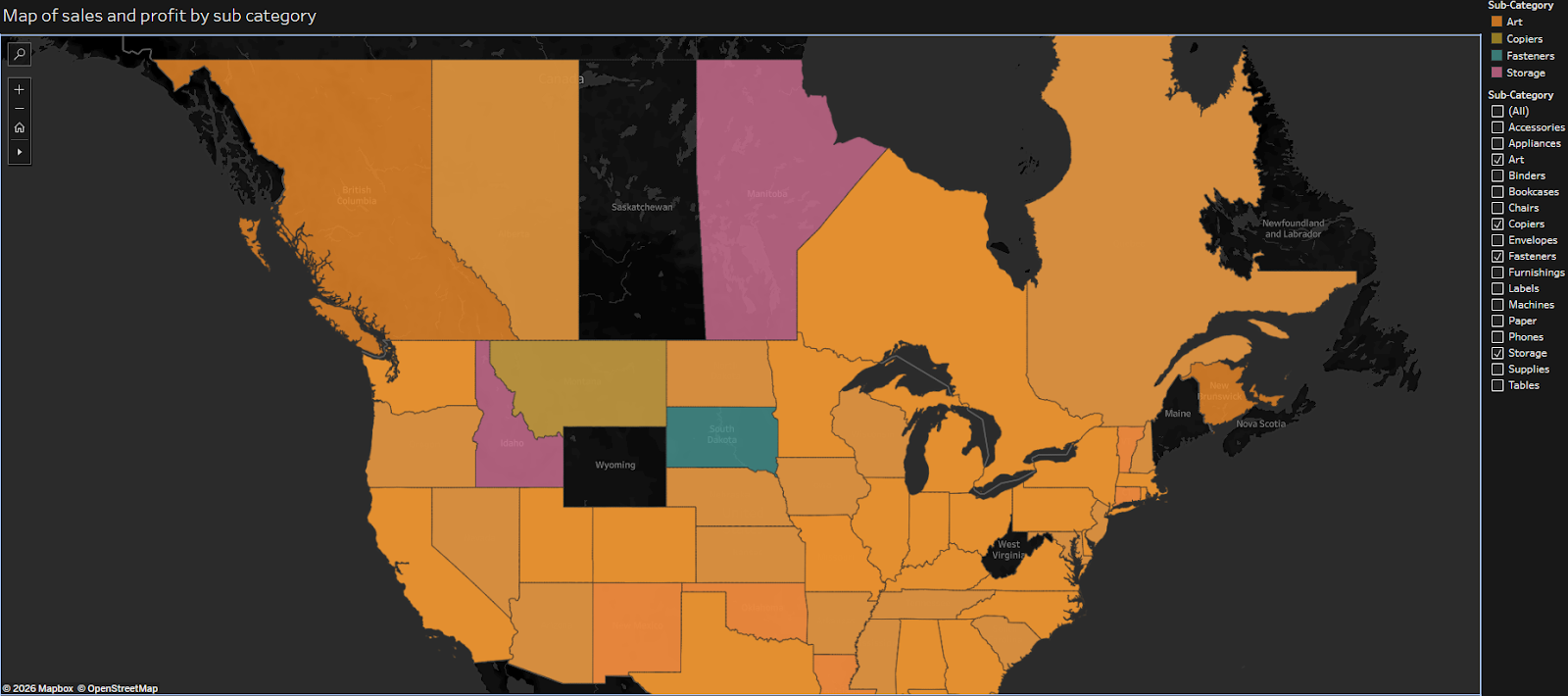
Dark Mode for Vizzes
Dark Mode for Vizzes lets you view dashboards and visualizations in a dark theme for a more comfortable and accessible viewing experience. Turn it on from the Accessibility section of your account settings to personalize how visualizations render. This experience currently applies to viewing only. Authoring is not yet included.
Dark Mode for Vizzes is coming soon in Tableau Cloud and Tableau Server.
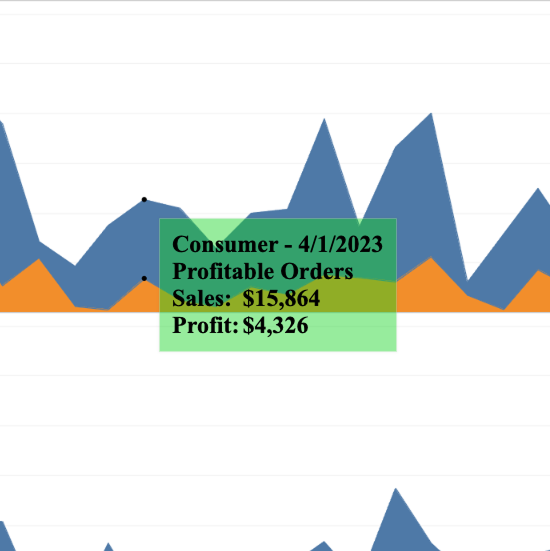
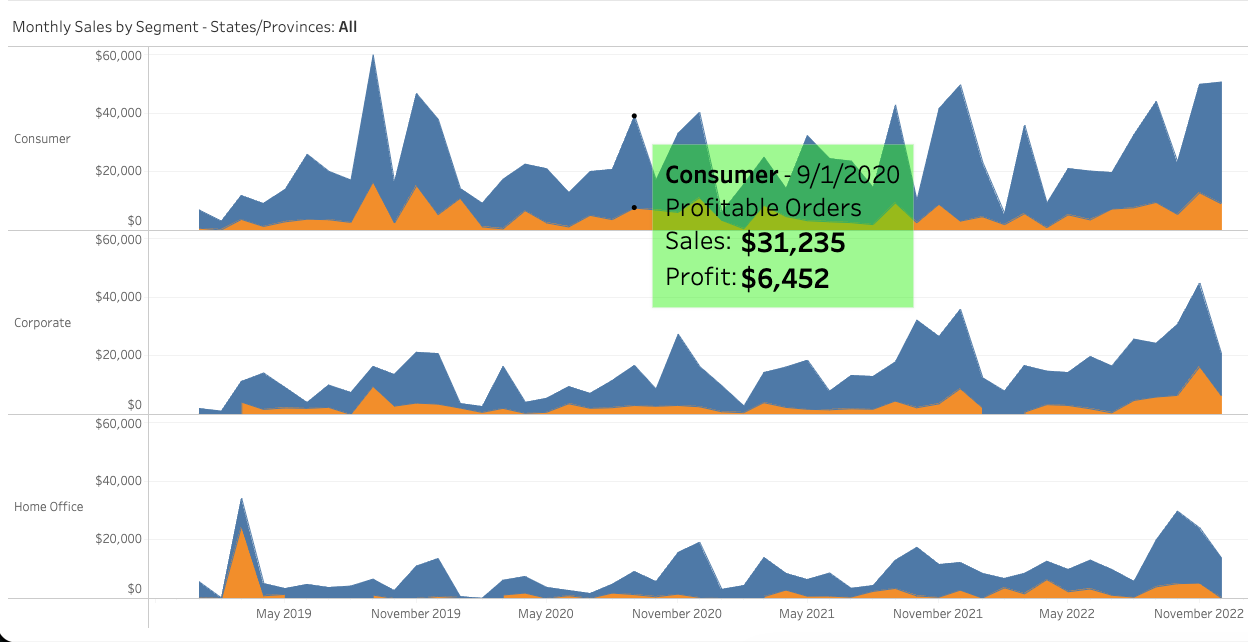
Transparent Tooltips
Transparent Tooltips give you more control over how tooltips look in your visualizations. You can set a tooltip's background color to match your view or adjust its opacity to let the visualization show through while you inspect the underlying details. Configure tooltip color and transparency from the Shading pane or Tooltip Editor to create clearer, more polished visualizations. Transparent Tooltips are available in Tableau Desktop, Tableau Cloud, and Tableau Server.
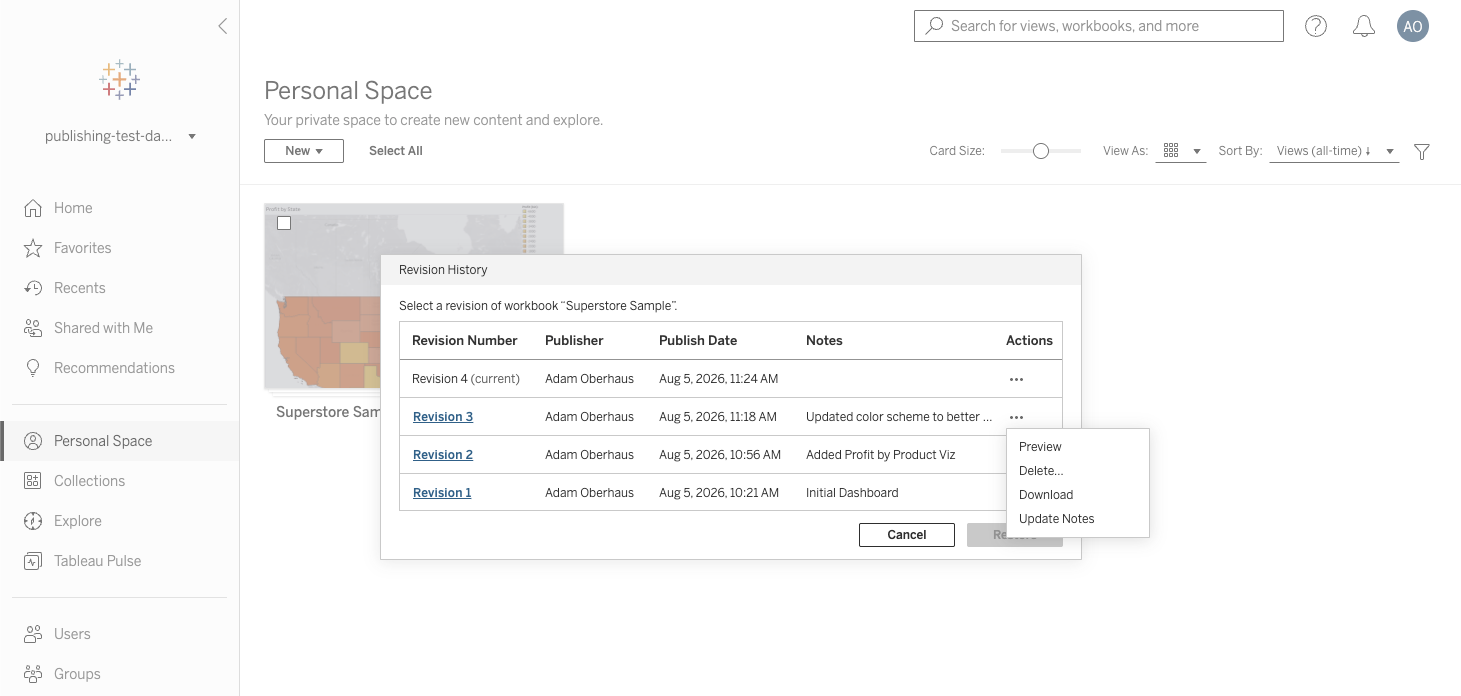
Revision Notes for Workbooks & Data Sources
Track what changed and why for every published workbook and data source revision with Revision Notes. Authors and content owners can now view and edit Revision Notes directly from the revision history dialog box. With a built-in audit trail, you can satisfy governance and compliance requirements and reduce reliance on third-party version-tracking add-ons.
Revision Notes for Workbooks & Data Sources is generally available in Tableau Cloud and Server.
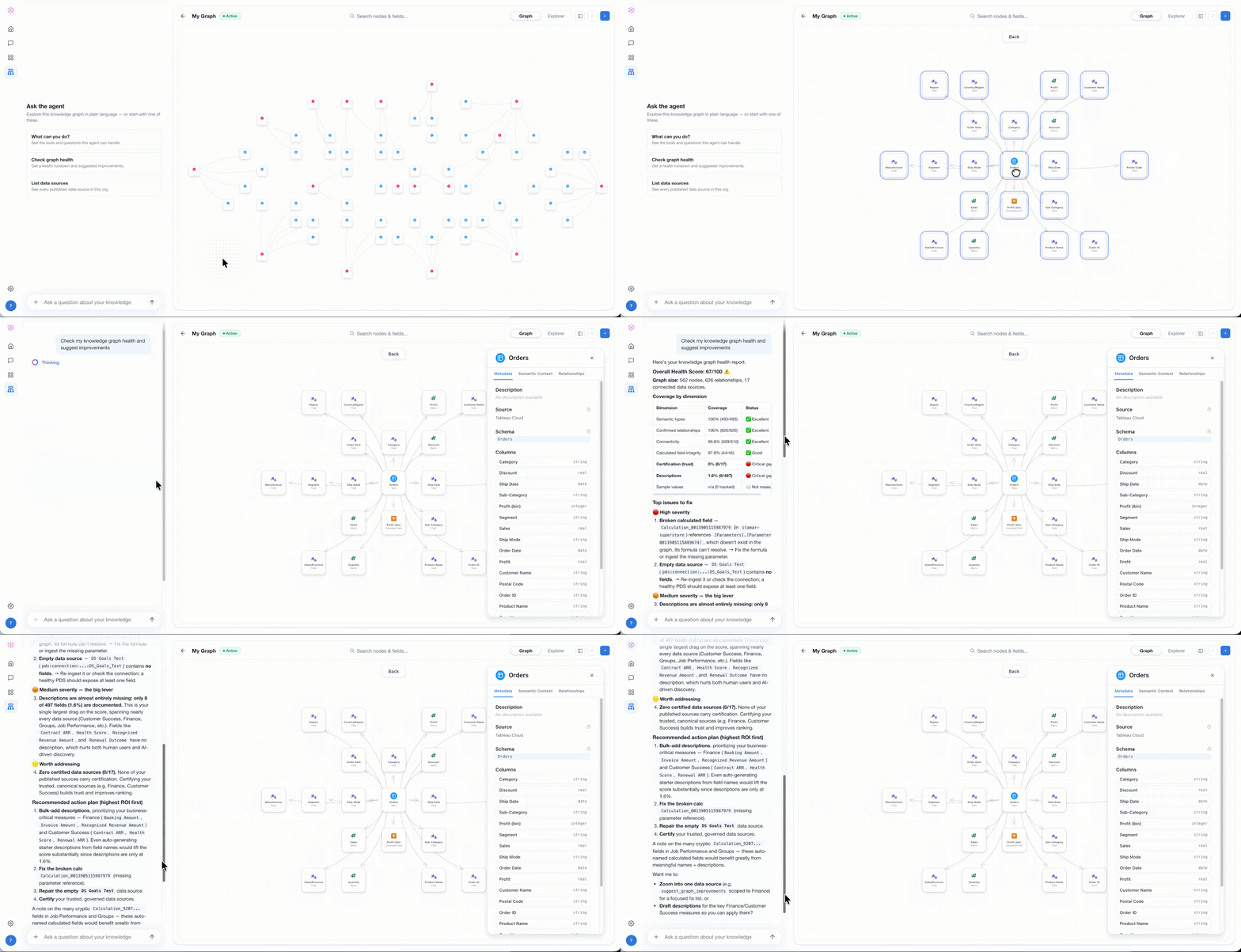
Tableau Knowledge
Power accurate AI agents with a complete understanding of how your business works. Tableau Knowledge unifies all the structured and unstructured data you've already built into knowledge graphs that link each data asset by relationship. From there, your team can inspect, curate, and enrich each graph, creating living data representations of your organization. With your business knowledge accessible, AI agents can skip the guesswork and quickly retrieve the trusted, governed knowledge they need to reason and deliver accurate insights.
Tableau Knowledge is generally available in the Tableau Cloud+ Edition and Tableau+ Bundle, with Tableau Server+ coming soon.
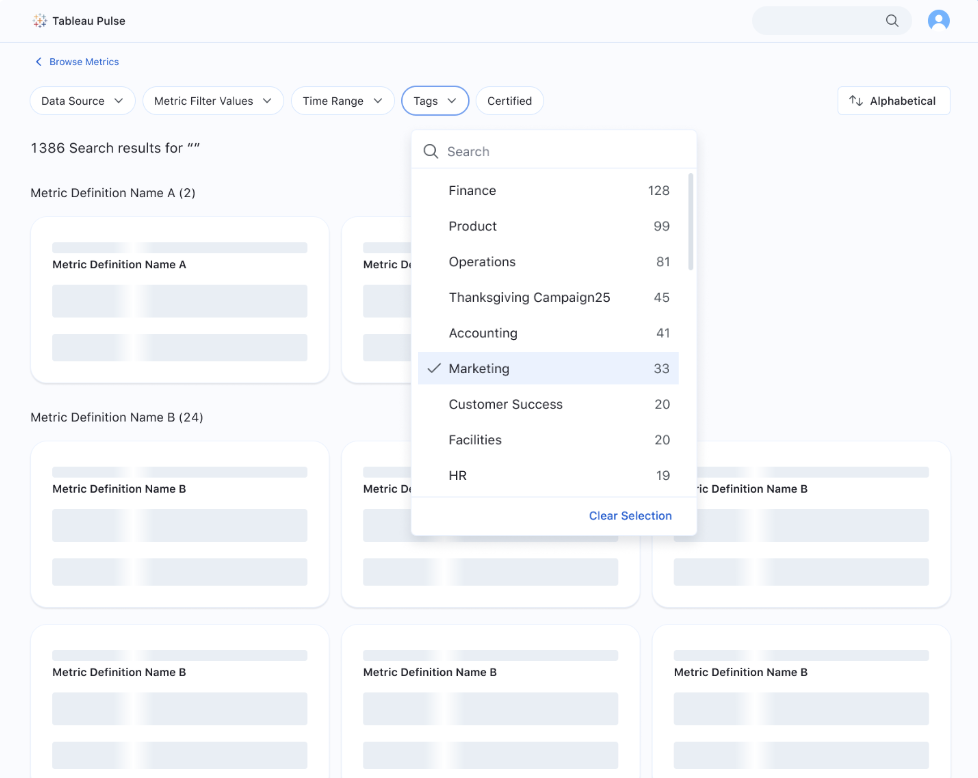
Tableau Pulse: Organize Metrics by Tags
Group Pulse metrics around shared topics or subject areas with the ability to organize metrics by tags. Analysts can now tag metric definitions with meaningful business terms that users can organize their metrics by. With tagging, users can group related metrics even when they come from different definitions or data sources, making it easier to quickly access the related metrics that matter in the moment.
Tableau Pulse: Organize Metrics by Tags is generally available in Tableau Cloud.
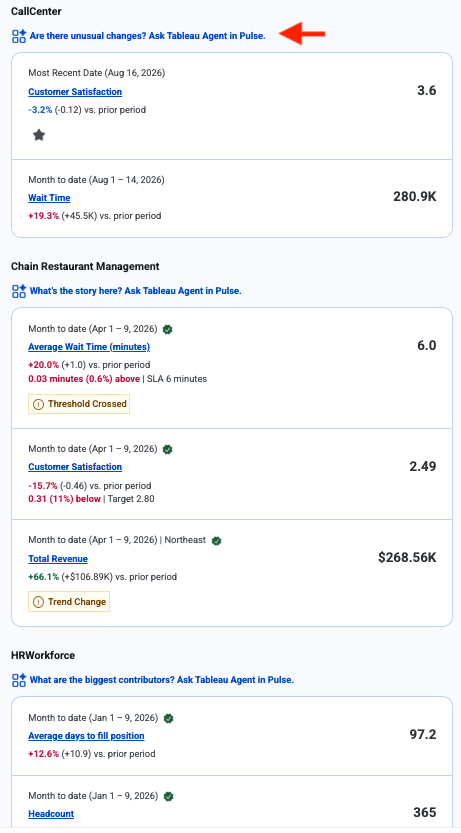
Tableau Agent in Pulse: Email Digest Entry Points
Go from your Pulse email digest to conversational analytics in a single click with Email Digest Entry Points. When metrics in your digest share a data source or definition, users see suggested questions that link directly to Tableau Agent in Pulse, with the relevant context already loaded. Instead of visiting the Pulse homepage first, users can start digging into changes and patterns right from the inbox where they already get their metrics delivered.
Tableau Agent in Pulse: Email Digest Entry Points is generally available in the Tableau Cloud+ Edition and Tableau+ Bundle.
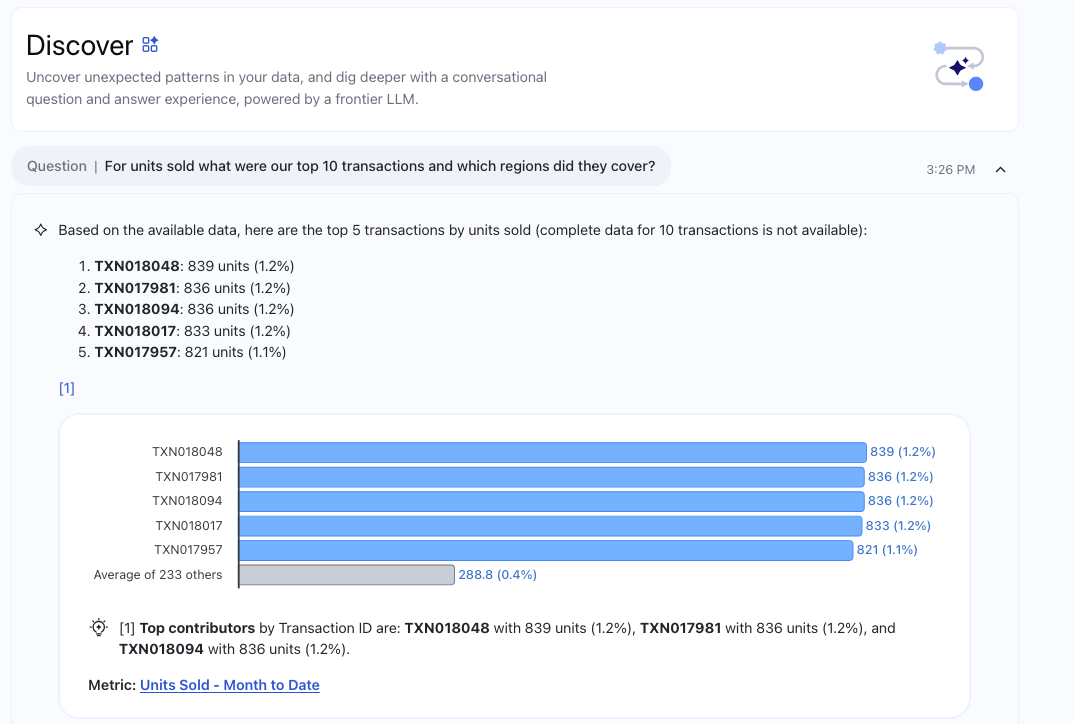
Tableau Agent in Pulse: Ranking & Breakdown Questions
Ask Tableau Agent in Pulse questions like ""What are the top 10 accounts by sales?"" or ""How many deals are on track?"" and get a ranked list or breakdown of results. Tableau Agent in Pulse now has access to contributor lists beyond the top/bottom 5, plus goals and thresholds. With support for common ranking and breakdown questions, you can instantly pinpoint what’s driving business performance and take action faster.
Tableau Agent in Pulse: Ranking & Breakdown Questions is generally available in the Tableau Cloud+ Edition and Tableau+ Bundle.
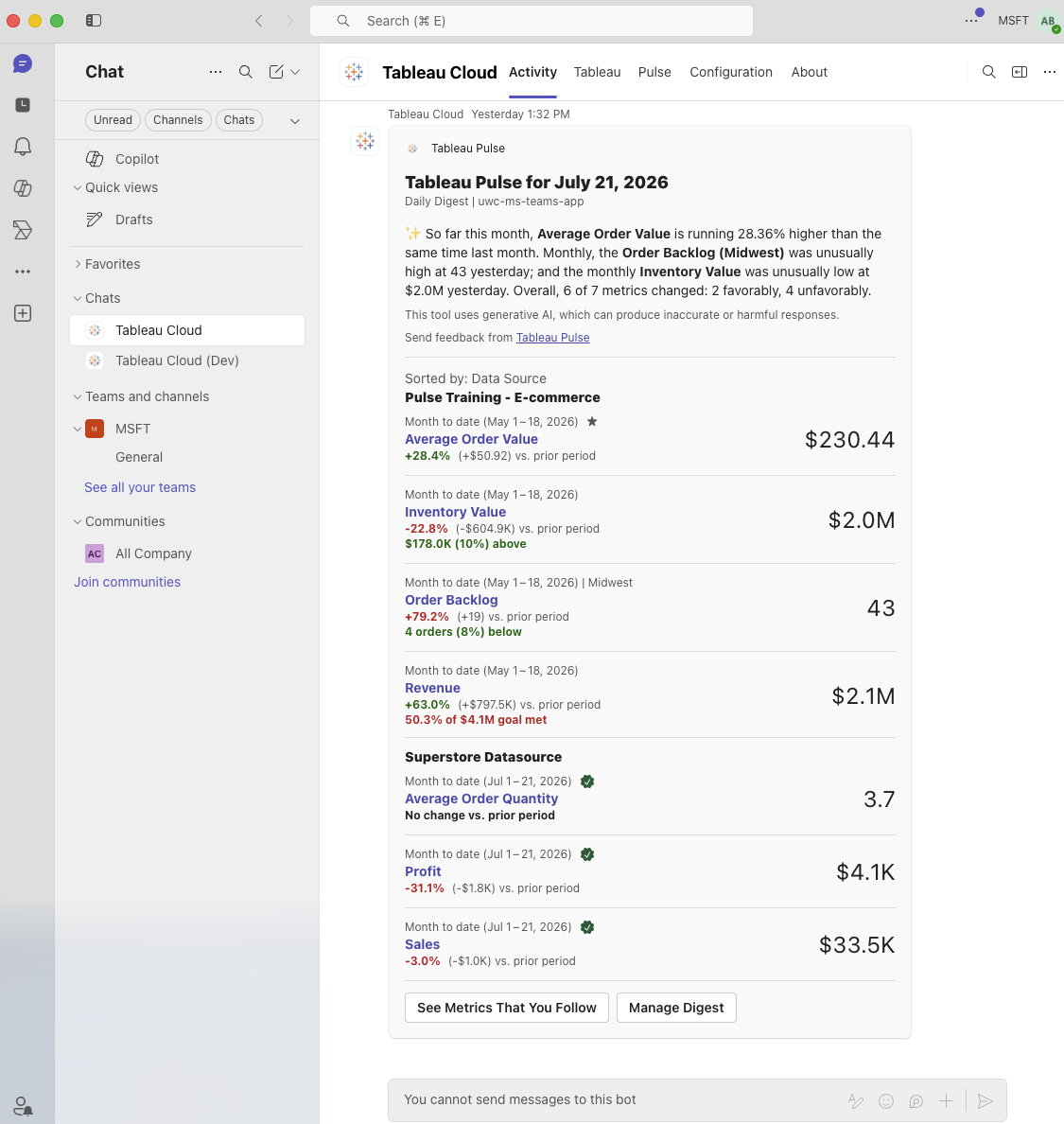
Tableau Pulse: Digests & Alerts in Microsoft Teams
Get proactive updates where you work with Pulse digests and off-cycle alerts now deliverable to Microsoft Teams. In addition to email and Slack, users now have the option to enable Microsoft Teams in their Pulse preferences. Once enabled, users will get real-time Pulse insights sent to them in Teams and can seamlessly click through to the Tableau App for Microsoft Teams to view the metric details.
Tableau Pulse: Digests & Alerts in Microsoft Teams is generally available in Tableau Cloud.
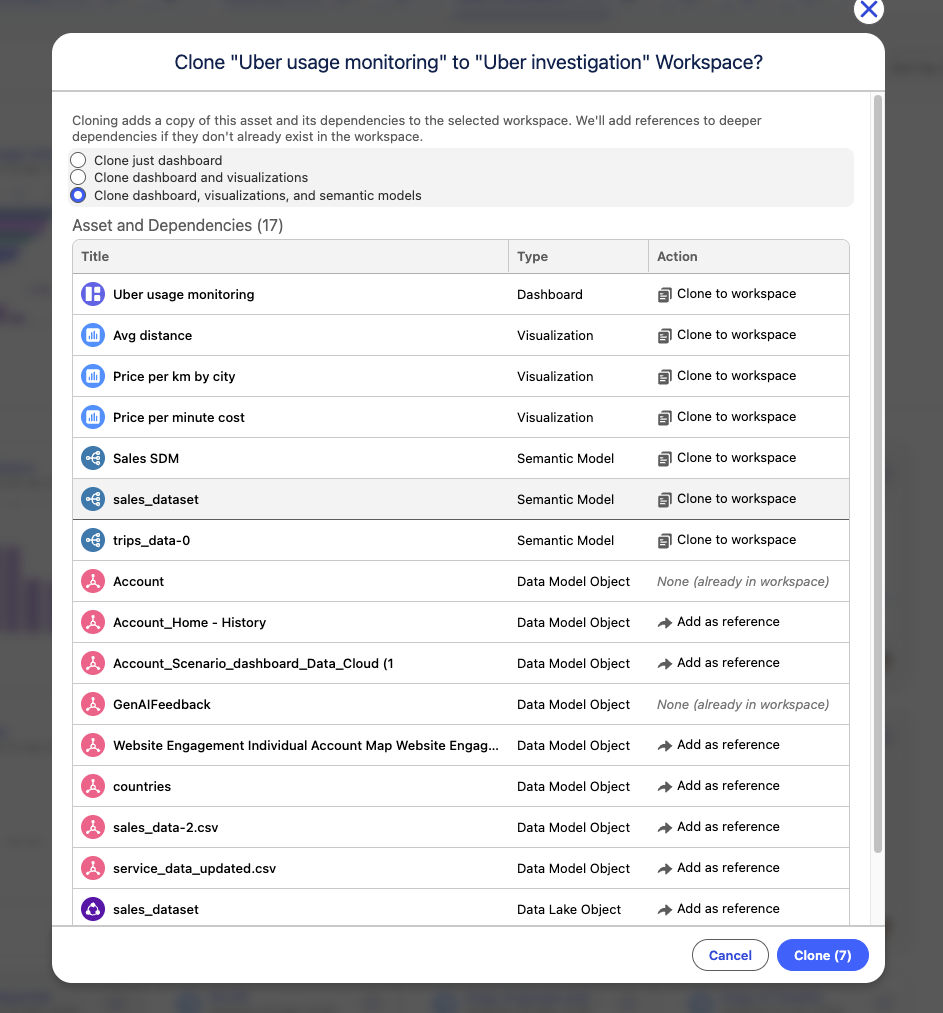
Tableau Next: Deep Cloning
Safely duplicate assets alongside their connected lineage for isolated editing. Preserve data dependencies and review asset impact before committing changes to production.
Deep Cloning is generally available in Tableau Next.
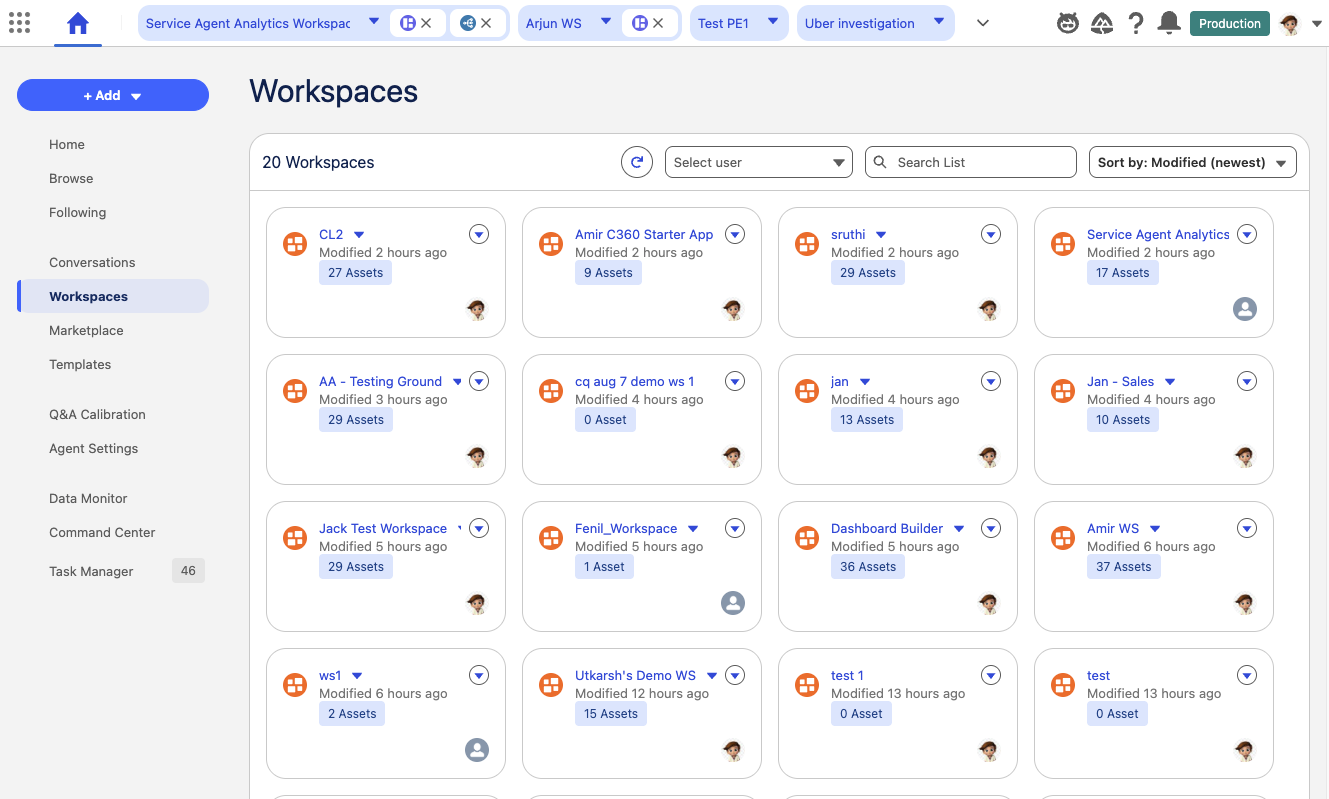
Tableau Next: Workspaces Home
Centralize workspace discovery with a single starting page to search, preview, and access assets. Inspect workspace structures and asset counts quickly without navigating multiple screens.
Workspaces Home is generally available in Tableau Next.
Tableau MCP: Admin Tools
Manage administrative tasks like stale content cleanup and extract tuning through natural language tools. Query Admin Insights data sources using preferred agent interfaces to automate routine site maintenance.
Tableau MCP: Admin Tools is generally available in Tableau Cloud.
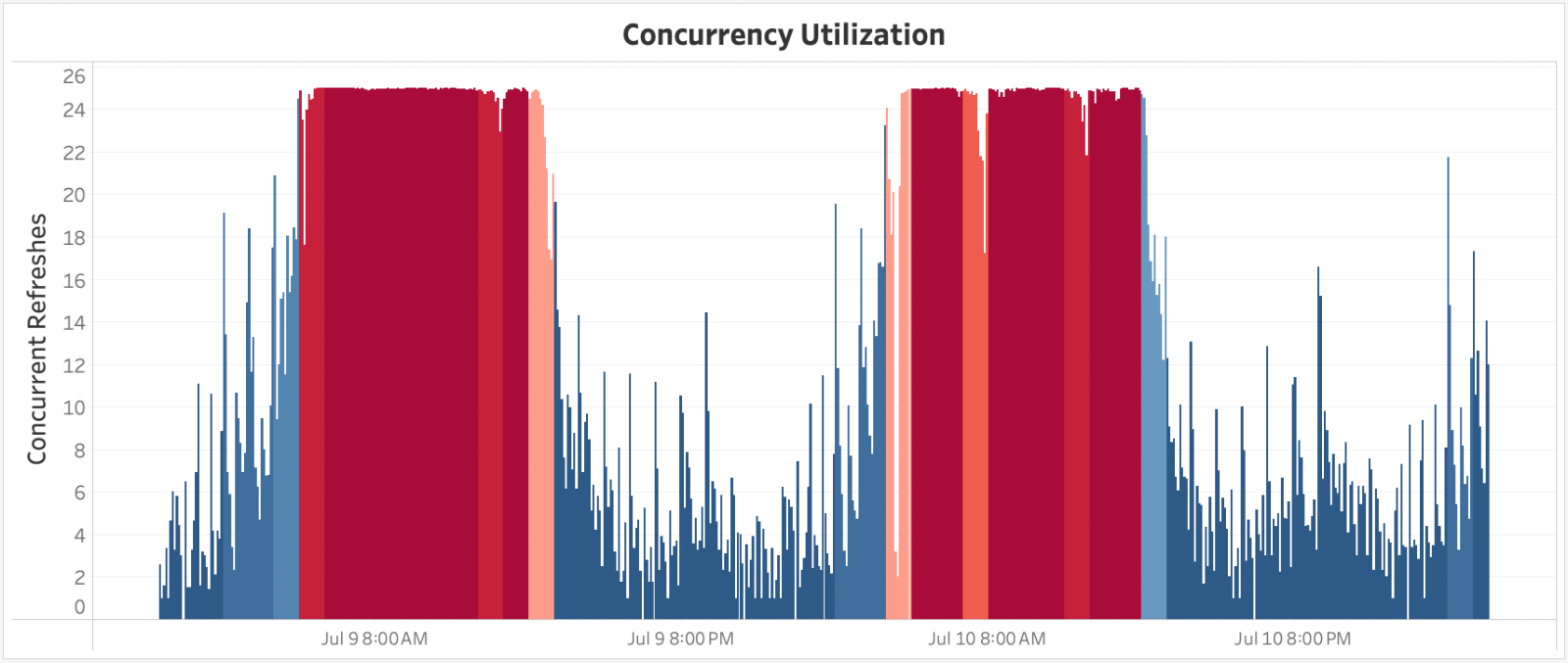
Capacity Utilization Event Logs
Track peak resource utilization across extract refreshes and API calls using dedicated activity event logs. Export performance logs into monitoring tools to optimize site capacity and prevent execution bottlenecks.
Capacity Utilization Event Logs is generally available in Tableau Cloud.

Tableau Cloud SCIM on Custom Domains
Automate user provisioning and group syncs across customized corporate URL endpoints. Connect Identity Providers smoothly to maintain branded domain structures without manual setup.
Tableau Cloud SCIM on Custom Domains is generally available in Tableau Cloud.

Tableau Advanced Cross Region Continuity (ACRC)
Replicate site data continuously to secondary regions for automated failover during regional cloud outages. Preserve content, user permissions, and analytics workflows to satisfy strict business continuity mandates.
Tableau Advanced Cross Region Continuity is generally available in Tableau Cloud.
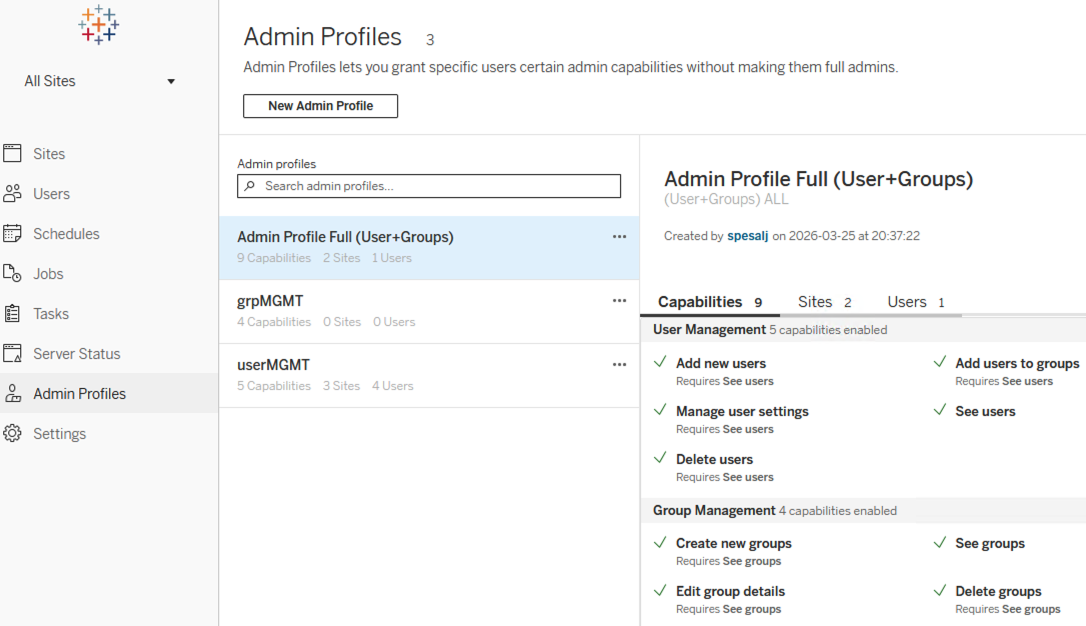
Tableau Cloud Admin Profiles
Delegate targeted site management permissions to Creator and Explorer roles without granting full admin rights. Tailor user and group administration capabilities using custom API profile configurations.
Tableau Cloud Admin Profiles is generally available in Tableau Cloud.

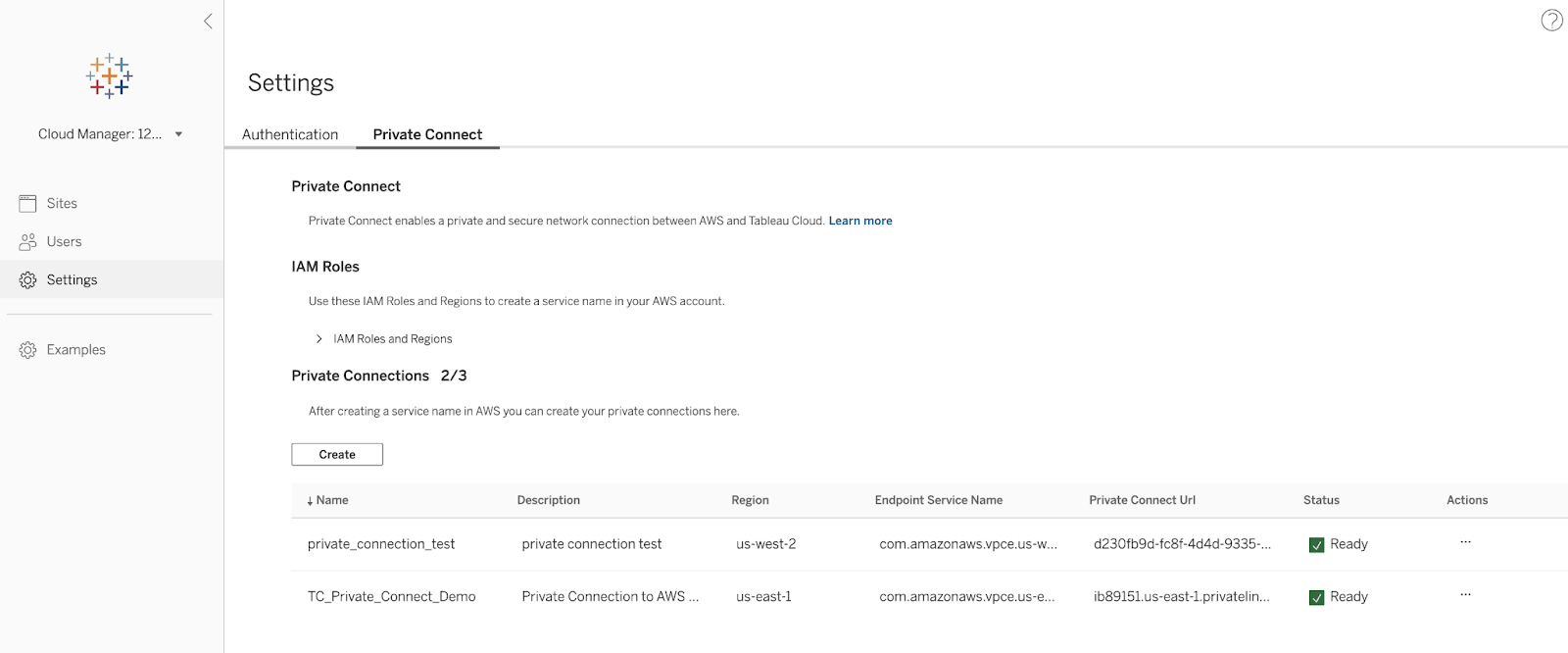
Inbound Private Connect AWS
Connect client browsers securely to Tableau Cloud using private AWS VPC endpoints. Protect sensitive data transmissions by bypassing public internet routing entirely.
Inbound Private Connect is generally available in Tableau Cloud.
Outbound Private Connect AWS Databricks
Establish secure outbound connections between Tableau Cloud and AWS-hosted Databricks data. Route analytical queries over AWS PrivateLink to prevent data exposure to public networks.
Private Connect for AWS Databricks is generally available in Tableau Cloud.
Outbound Private Connect Azure
Query Azure-hosted databases privately from Tableau Cloud without traversing the public internet. Route analytics queries to Snowflake and Databricks instances over secure Azure Private Link connections.
Azure Private Connect is generally available in Tableau Cloud.
Pre-built Container Images
Deploy Tableau Server using pre-built Docker container images directly from Docker Hub. (Note, some customization may be necessary.)
Pre-built Container Images are available only with Tableau Server plus.

Tableau Server Custom Certificates
Replace automatically generated internal self-signed certificates with custom enterprise SSL certificates. Manage internal security policies easily using simple administrative command-line tools.
Tableau Server Custom Certificates is generally available in Tableau Server.
Tableau Next MCP: Admin Tools
Perform administrative actions using natural language prompts backed by automated validation checks.
Tableau Next MCP Admin Tools is generally available in Tableau Next.
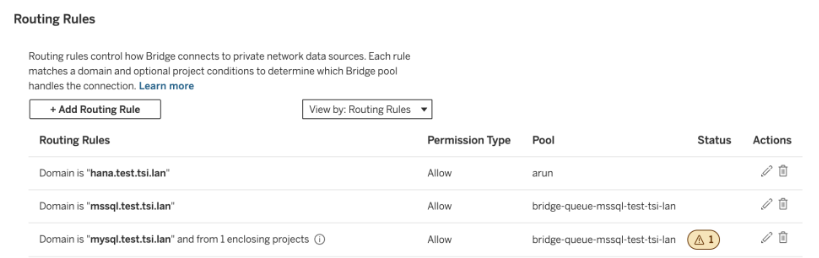
Tableau Bridge: Routing Rules
Admins can now separate Tableau Bridge workloads by content type, not only by domain. Routing Rules, the new name for the Private Network allowlist, let you map Bridge pools to projects as well as domains. For example, you can put critical content like executive dashboards in their own project and send that traffic to a dedicated pool, keeping it apart from everyday workloads. That gives your most important dashboards more reliable performance, makes each pool's cost trackable for chargeback, and lets you size Bridge machines to fit each workload.
Tableau Bridge: Single Use Refresh Tokens will be gradually rolling out to Tableau Cloud in October.

Tableau Bridge: Single Use Refresh Tokens
Use single-use refresh tokens with your Tableau Bridge data sources. If your database and Tableau Cloud site are set up for single-use refresh tokens, they now work automatically with data sources that use Bridge, so extract refreshes don't fail.
Tableau Bridge: Single Use Refresh Tokens is now generally available in Tableau Cloud.
Tableau Bridge: Graceful Shutdown of Linux Clients
Shut down a Linux Bridge client without losing any PDS extract jobs. Admins can now run a command on the Linux container to initiate a graceful shutdown where the Bridge client finishes the PDS extract jobs already in progress and stops accepting new jobs. That makes it safe to upgrade the client, scale down, or other planned maintenance without causing PDS Extract failures.
Tableau Bridge: Graceful Shutdown is now generally available in Tableau Cloud.
Tableau Bridge: Prep Flows with Snowflake
You can now run Tableau Prep flows that use Snowflake with Tableau Bridge. Before, Prep flows that ran through Bridge couldn't include Snowflake connections, or the flows would fail. Now you can connect to a Snowflake database in Prep and schedule the flow to run through Bridge, including over Snowflake PrivateLink. That means you can bring all your data into Prep and Bridge, Snowflake included, without failed flow runs.
Tableau Bridge: Prep Flows with Snowflake is now generally available in Tableau Cloud.

Tableau MCP: Query View Data for All Sheets
When you call the get-view-data tool in Tableau MCP, you can now retrieve data from all sheets in a dashboard, including sheets on hidden tabs. This gives your AI agents more complete context behind the analysis. Instead of working from only a portion of a view's data, you can bring more complete results into the tools and workflows where you ask questions, investigate patterns, and make decisions. Results include only the data the requesting user is permitted to see, so access stays secure by default.
Query View Data for All Sheets in Tableau MCP is available for Tableau Cloud and Tableau Server.
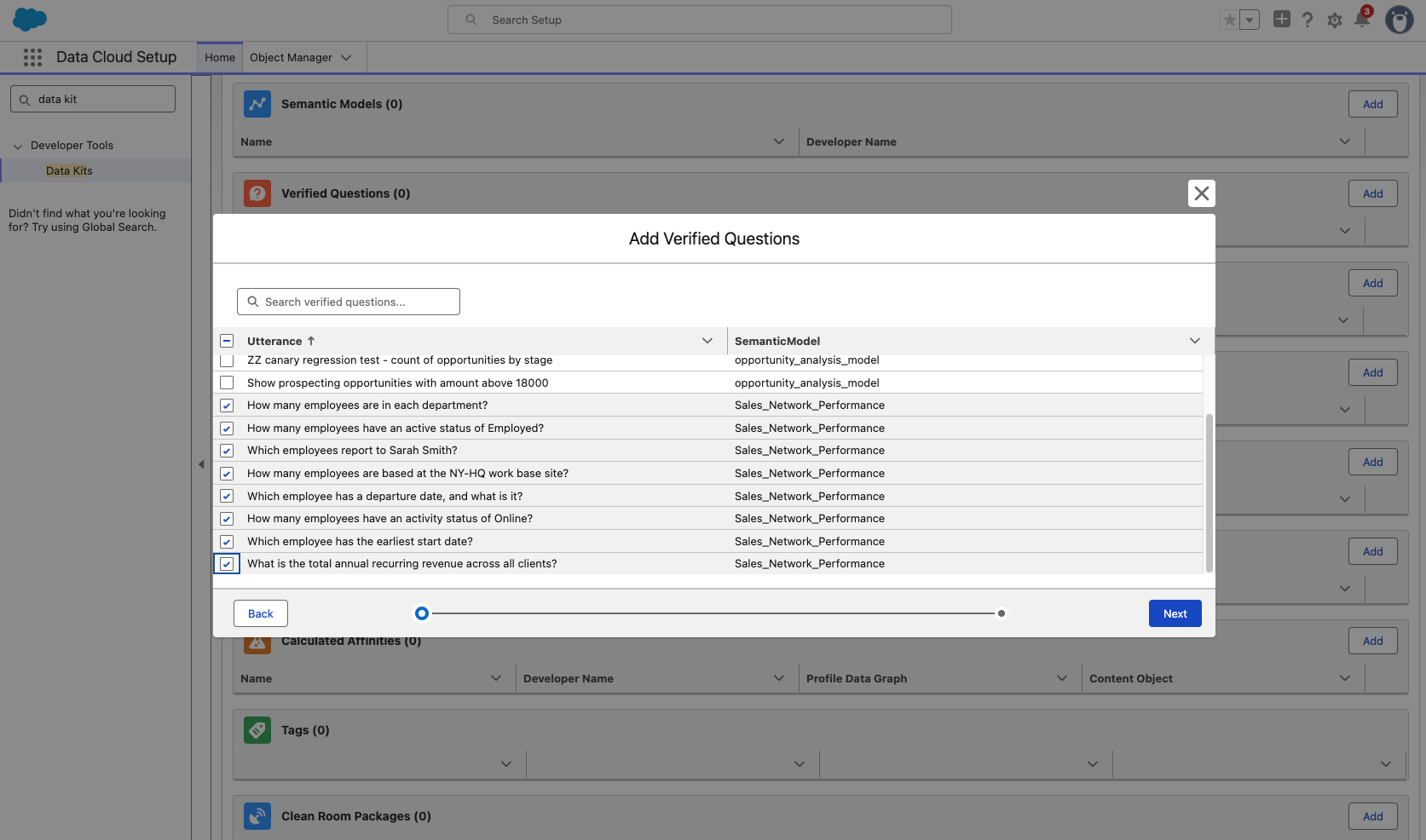
Tableau Next: Verified Questions in Data Kit (Beta)
Preserve curated verified questions automatically when cloning, extending, or deploying semantic models. Eliminate manual question re-creation to accelerate cross-environment deployments.
Verified Questions in Data Kit is available in Beta in Tableau Next.

Tableau Next: Dashboard Accessibility
Create dashboards with keyboard controls. Meet strict WCAG 2.1 AA mandates to ensure accessible, mouse-free dashboard creation.
Dashboard Accessibility is generally available in Tableau Next.
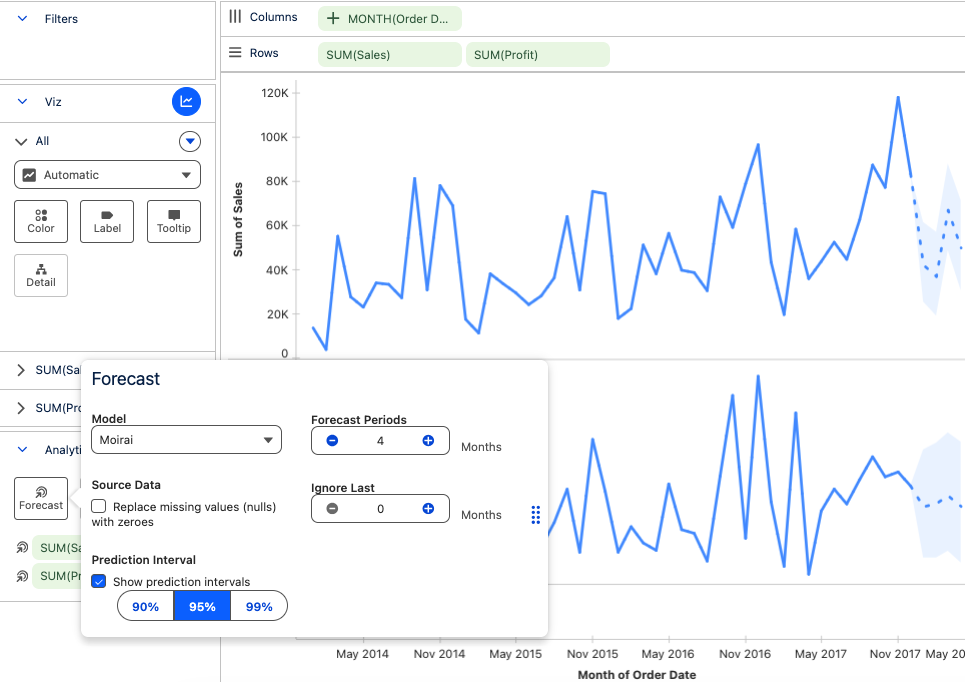
Tableau Next: Moirai Forecasting
Apply a universal time-series model to forecast complex trends across various domains and variables. Generate accurate forecasts easily by dropping date fields and measures onto the analytics canvas.
Moirai Forecasting is generally available in Tableau Next.

Tableau Next: Embedded Dashboard Enhancements
Deliver tablet-friendly embedded layouts in Lightning pages while hiding titles to maximize space. Keep essential actions like sharing and downloading available without cluttering the screen.
Embedded Dashboard Enhancements is generally available in Tableau Next.
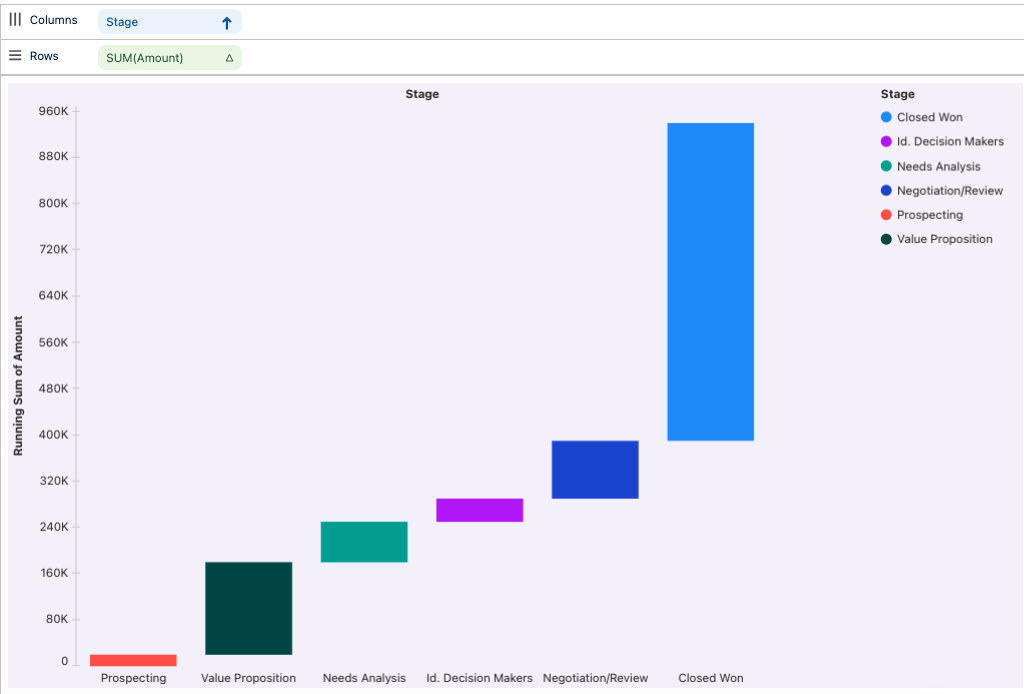
Tableau Next: Show Me, Waterfall
Easily generate guided waterfall visualizations to analyze cascading data changes. Pinpoint drivers behind performance shifts to focus decision-making on key stages.
Show Me, Waterfall is generally available in Tableau Next.
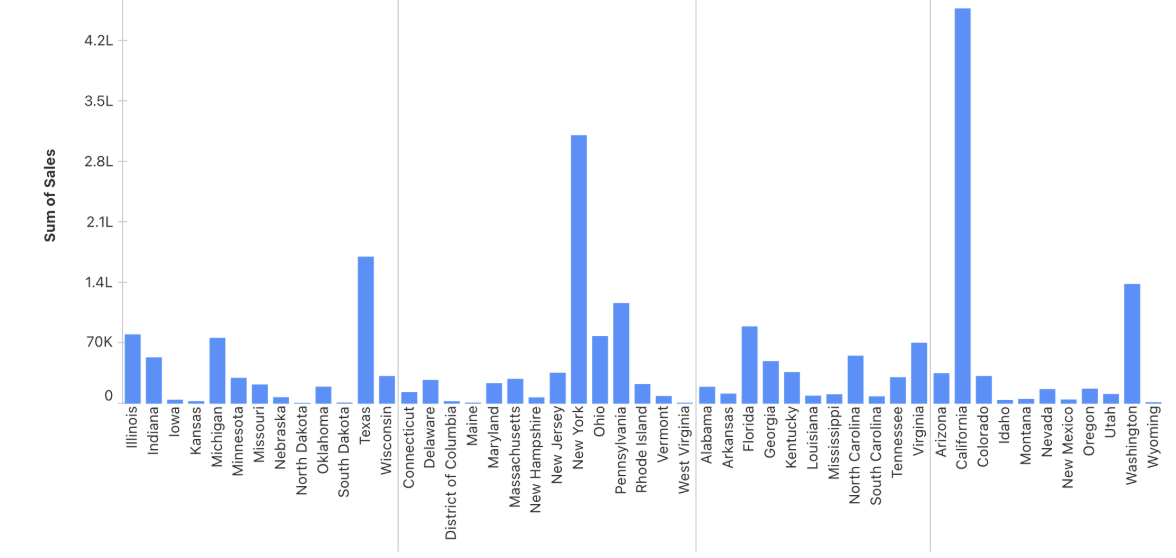
Tableau Next: Adaptive Visualizations
Ensure charts automatically adjust canvas spacing, rotation, and whitespace across any device or window size. Guarantee optimal visual legibility whether viewed in Slack, Concierge, or small panels.
Adaptive Visualizations is generally available in Tableau Next.
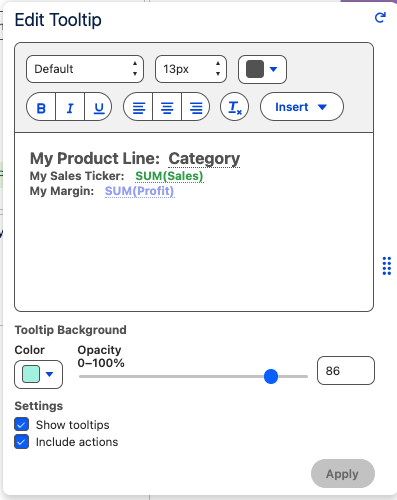
Tableau Next: Custom Tooltips
Author visually compelling tooltips with rich text, embedded fields, and custom opacity. Enhance data storytelling on hover by connecting contextual actions directly to data marks.
Custom Tooltips are generally available in Tableau Next.
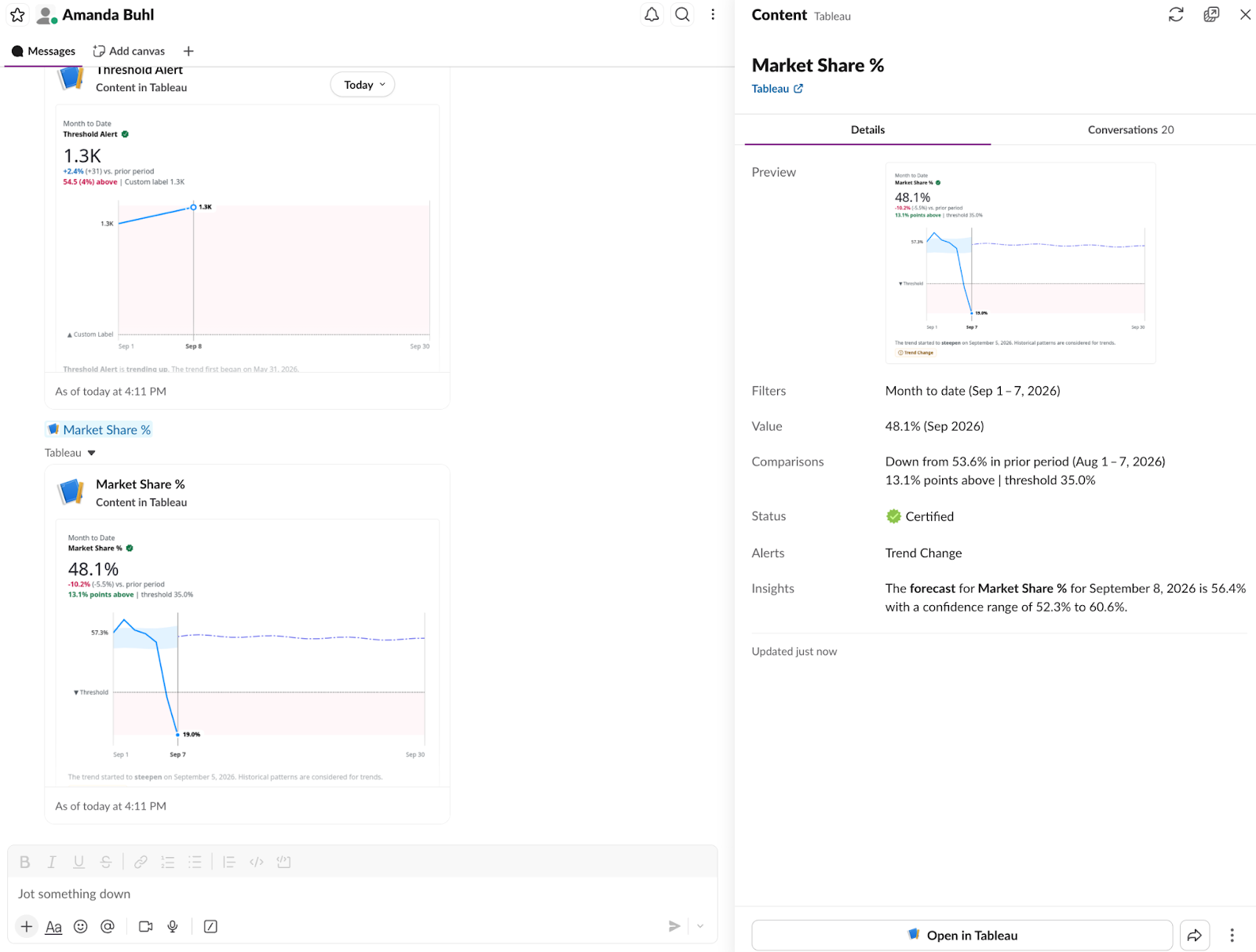
Tableau Pulse: Metric Unfurl in Slack
Share Pulse metrics in Slack and get the top insights at a glance with metric unfurl. Instead of a plain URL, Pulse metric links sent in Slack now expand into rich cards that show the metric, alerts, certification badge, and more. Clicking the card, opens the side panel where you can view filters, insights, and conversations where this metric was shared. From there, you can route to the exact Pulse page to set goals/thresholds and manage followers. With Tableau Pulse: Metric Unfurl in Slack, your teams can stay informed and act on insights right where they collaborate.
Tableau Pulse: Metric Unfurl in Slack is generally available in Tableau Cloud.
At the moment, link unfurling may not work in DMs in multi-workspace or Enterprise Grid orgs, but is expected to work in channels and canvases. This is a known issue we are actively working on.
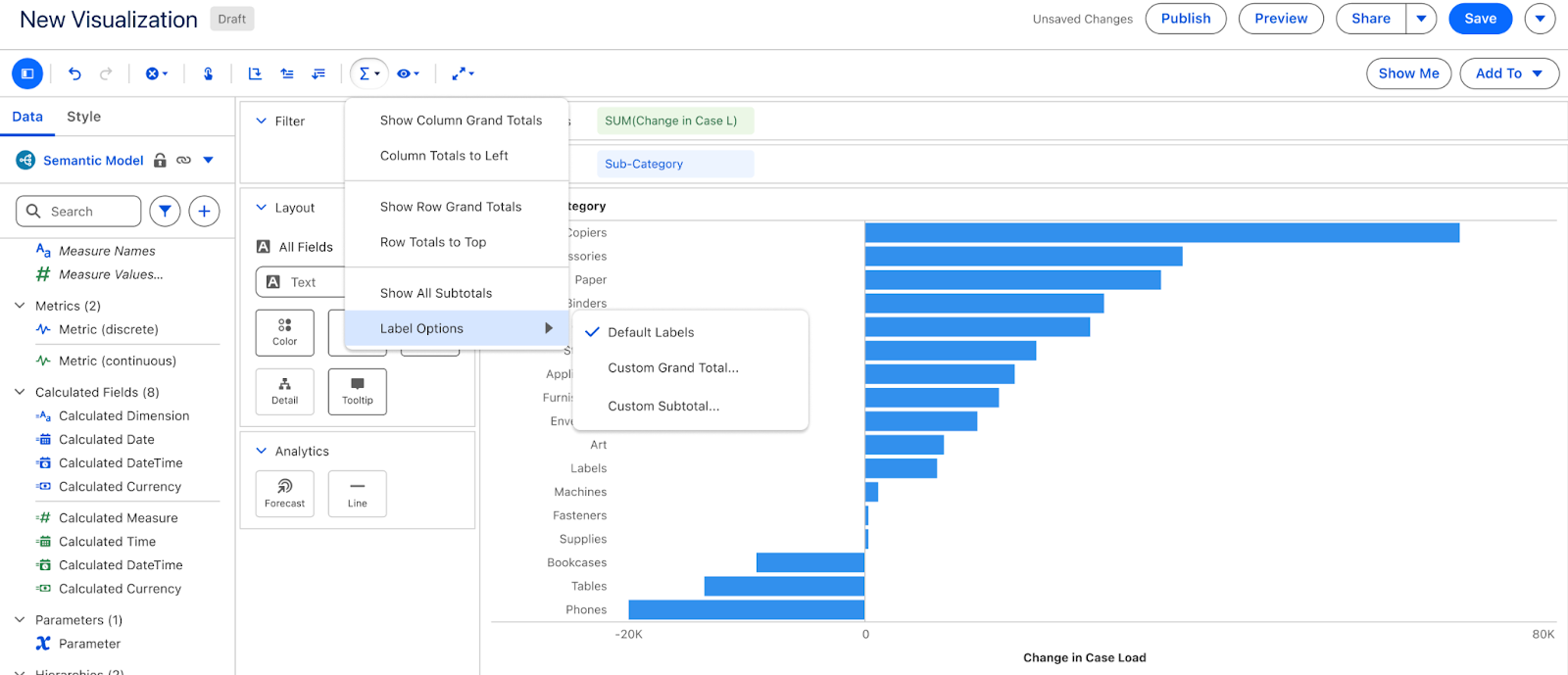
Tableau Next: Visualizations Totals and Subtotals
Display customizable totals and subtotals across row and column levels in charts. Provide part-to-whole context instantly so viewers digest high-level scale at a glance.
Visualizations Totals and Subtotals are generally available in Tableau Next.

Tableau Next: Dashboard Formatting (Beta)
Speed up dashboard creation by formatting multiple widgets at once. The styling panel dynamically displays matching type options or common universal properties based on your selection. Effortlessly maintain visual consistency across your entire layout.
Dashboard Formatting is generally available in Tableau Next.
Tableau Next: Adaptive Dashboards (Beta)
Ensure consistent visual clarity across desktop, mobile, and embedded screens with intelligent layout controls and horizontal scrolling. Authors can preview custom resolutions in advance, while smart text-wrapping and overflow menus keep navigation uncrowded. Tableau Next gives creators total command over how their dashboards reflow without sacrificing usability.
Multi-Screen Dashboard Preview & Controls are generally available in Tableau Next.
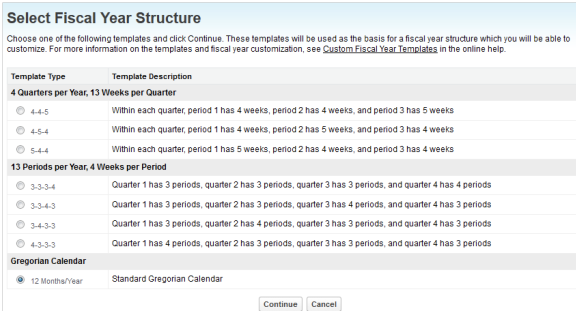
Tableau Next: Custom Fiscal Calendar
Streamline operational alignment by structuring date hierarchies around custom financial calendars, rather than standard Gregorian years. Ensure all time-series visualizations, metrics, and filter controls calculate performance directly against customized organizational business cycles.
Custom Fiscal Calendar is generally available in Tableau Next.
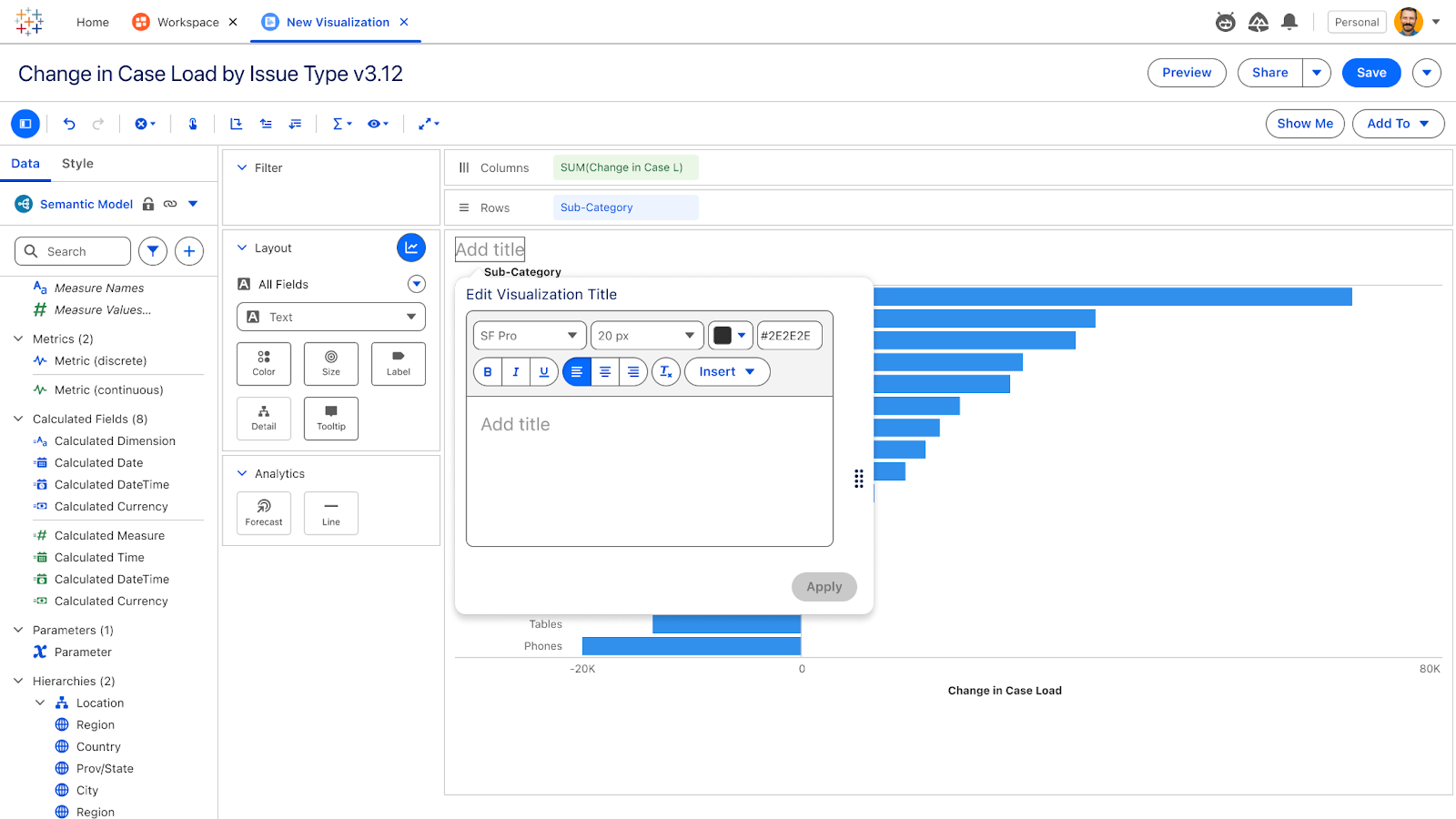
Tableau Next: Viz Titles
Format and style chart titles using rich text controls to highlight visual intent clearly. Toggle title visibility on dashboards to replace redundant text widgets.
Viz Titles is generally available in Tableau Next.
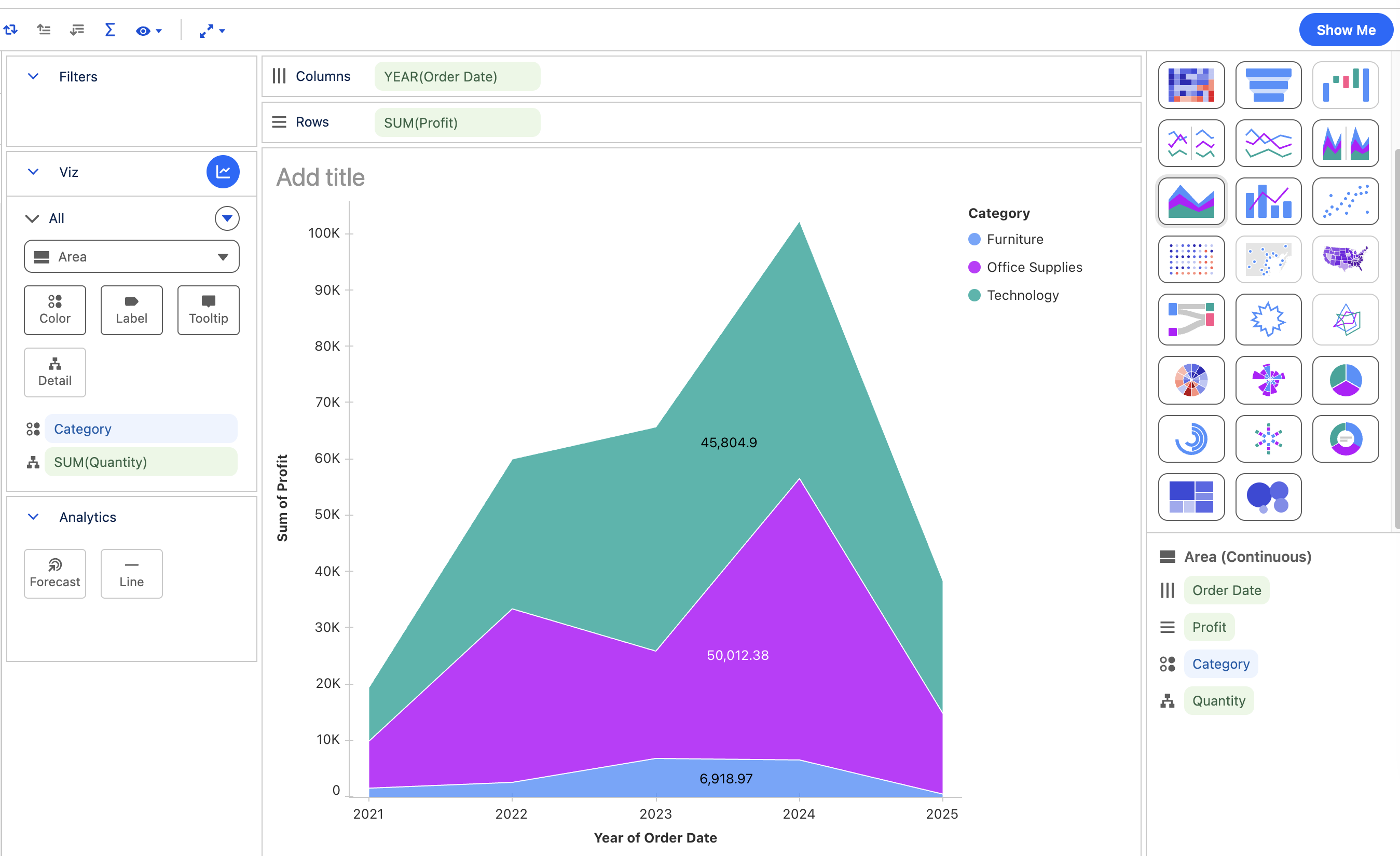
Tableau Next: Area Charts
Build stacked area charts using guided Show Me recipes to analyze volume trends over time. Emphasize cumulative changes alongside category contributions to convey proportional shifts.
Area Charts is generally available in Tableau Next.
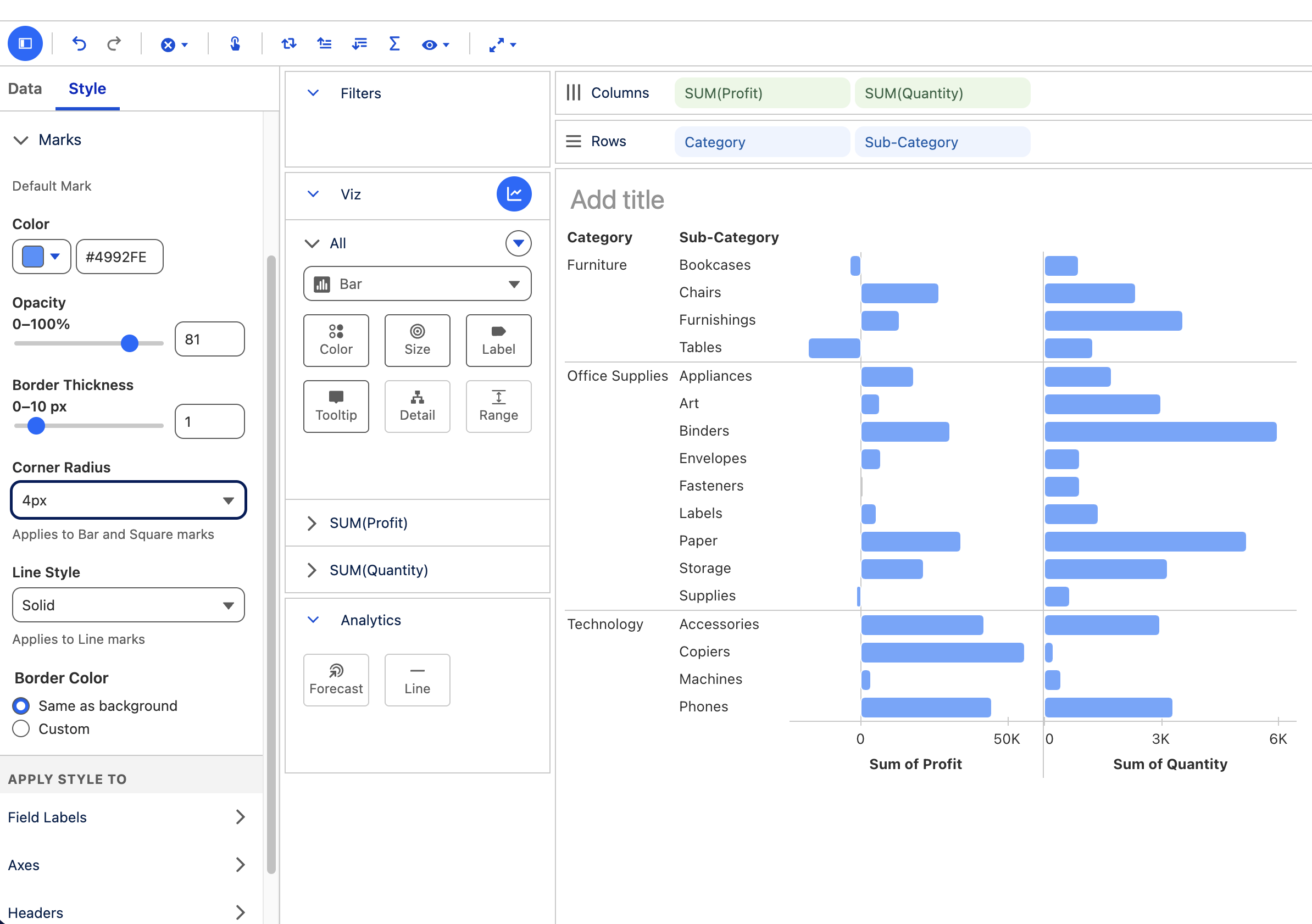
Tableau Next: Viz Formatting
Customize fonts, lines, borders, mark styles, and add rounded corners using a unified formatting panel. Ensure visual assets align with corporate brand guidelines while strengthening data storytelling.
Viz Formatting is generally available in Tableau Next.
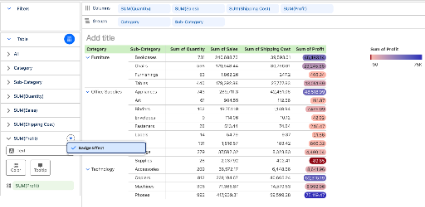
Tableau Next: Text Badges in Data Tables
Add text badges as a style effects to quickly read data. Text badges help users spot outliers instantly without reading row after row of raw numbers.
Data Tables: Text Badges are generally available in Tableau Next
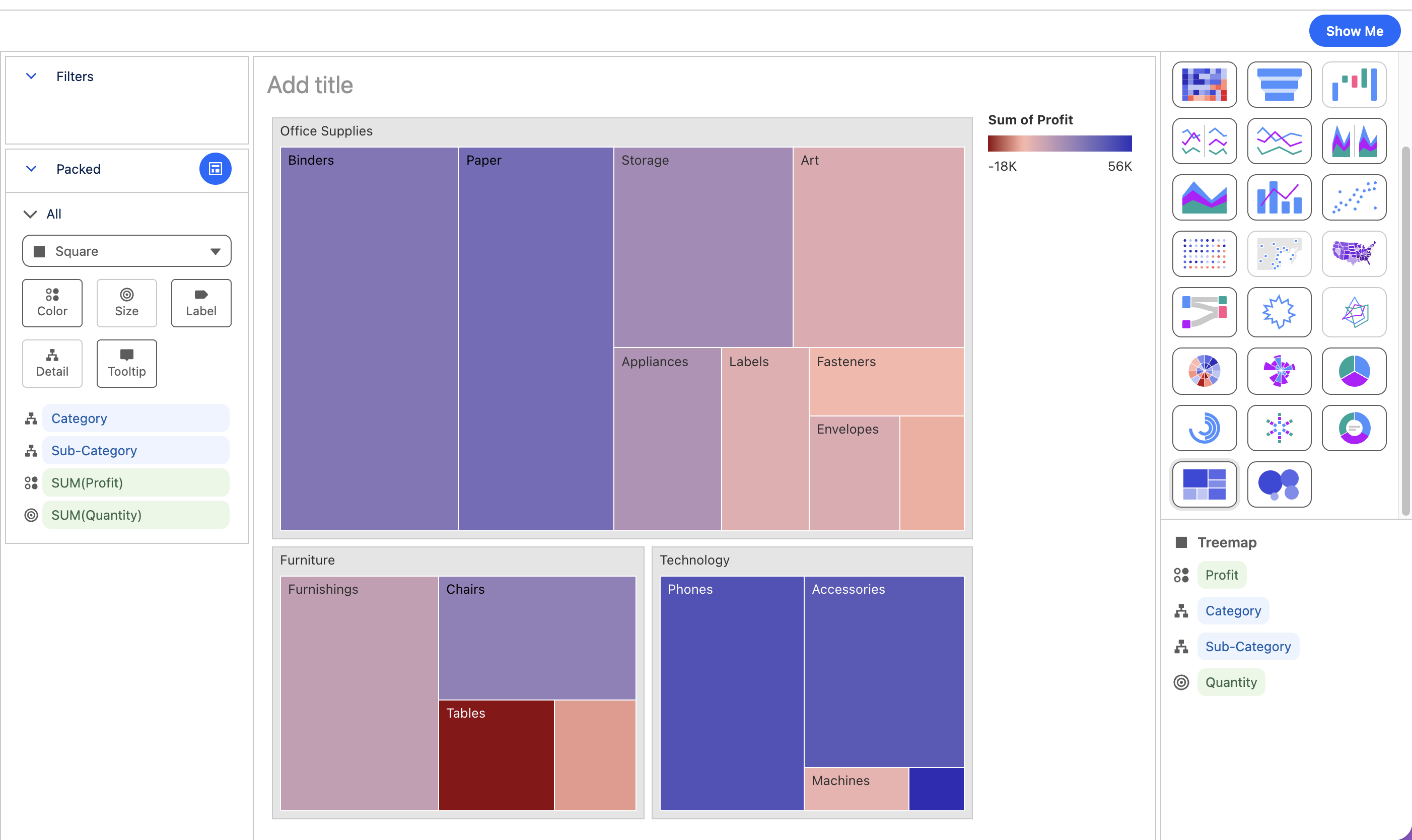
Tableau Next: Treemaps and Bubble Charts
Represent non-axis data relationships clearly using treemaps, bubble charts, and custom color stepping. Encode magnitude through area size to highlight concentrations of value effortlessly.
Treemaps and Bubble Charts are generally available in Tableau Next
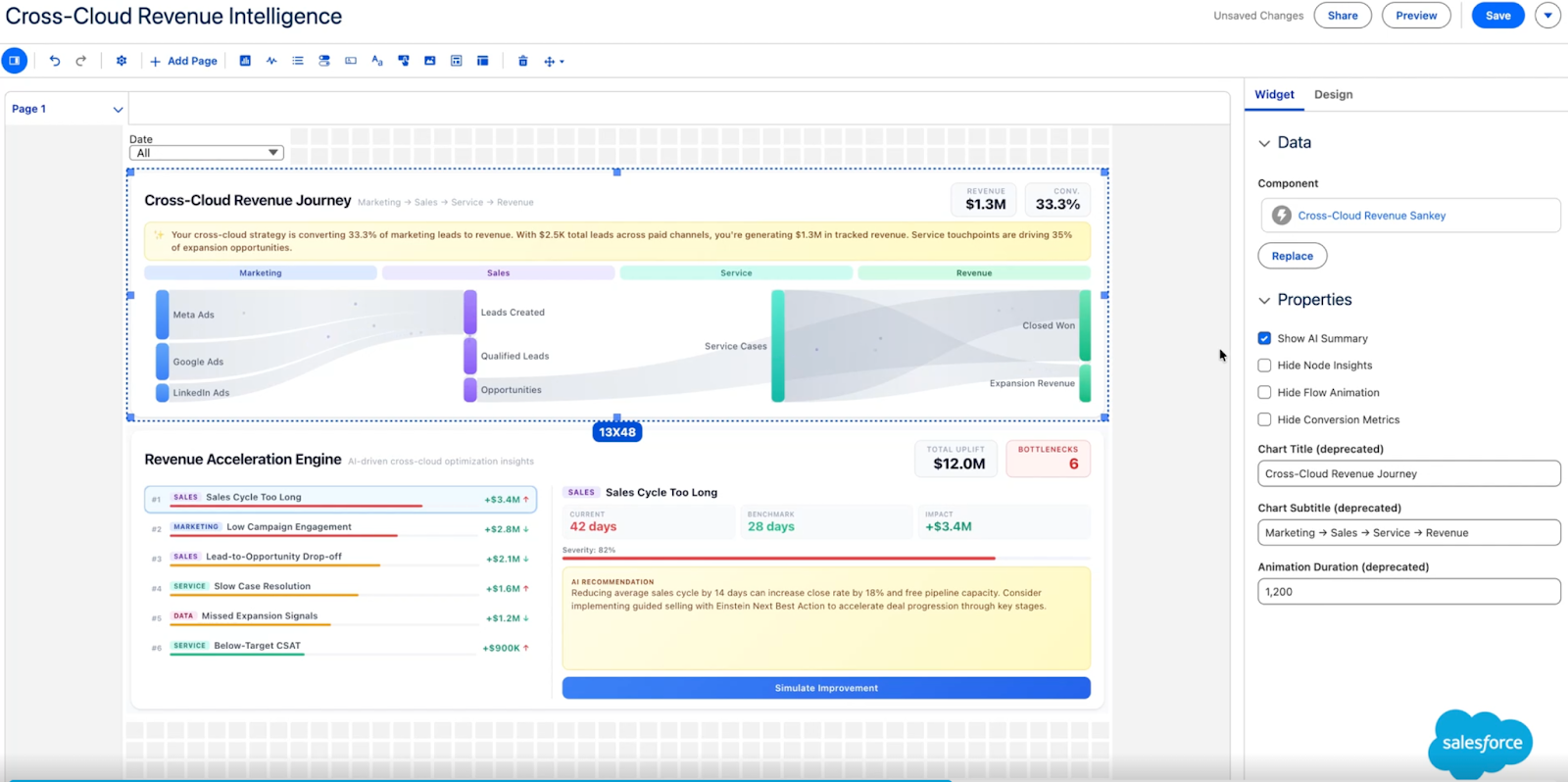
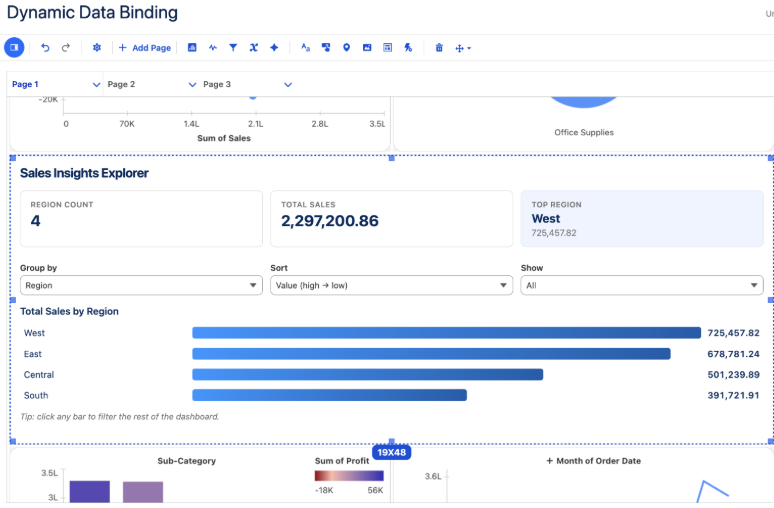
Tableau Next: Dashboard Extensions
Maximize extension reusability by binding custom components directly to varying semantic models through an interactive property panel. Eliminate hardcoded development barriers to rapidly deploy pre-built extension tools across multiple datasets.
Dashboard Extensions is generally available in Tableau Next.
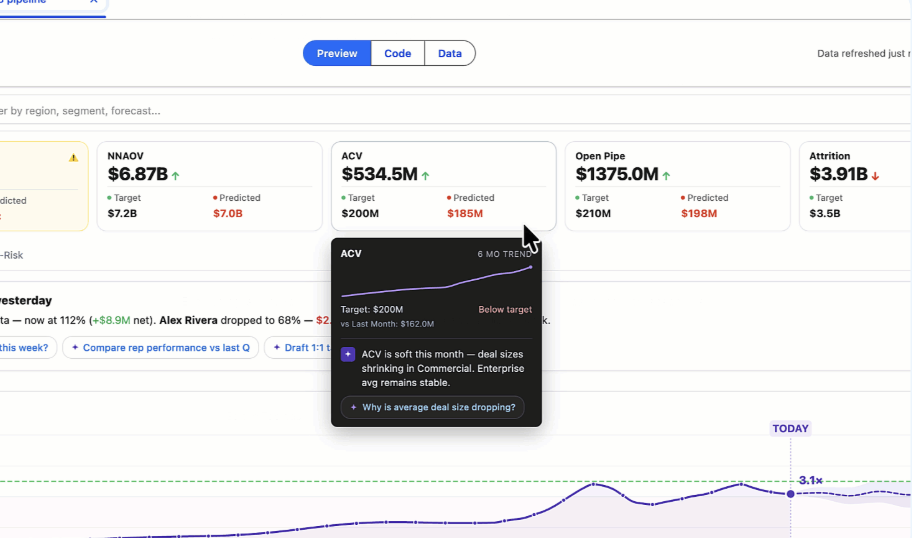
Tableau Next: Tableau Data Apps
Build conversationally from any 3rd party LLM and stay connected to live, governed data and trusted semantics in Tableau. Maintain control with built-in governance, query inspection, and data verification.
Tableau Data Apps is available in Beta in Tableau Next.
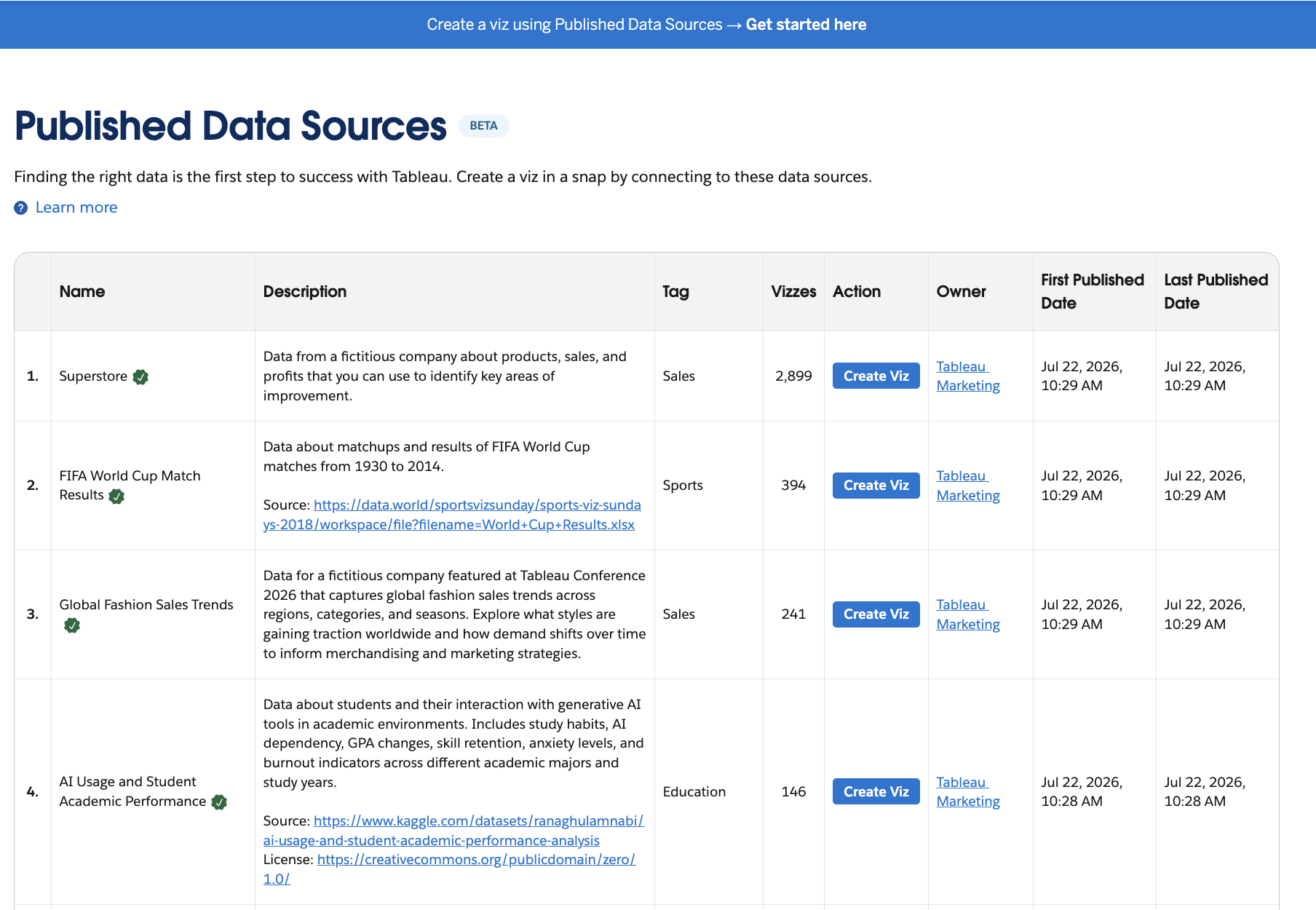
Tableau Public: Published Data Sources
Discover published data sources directly alongside visualizations and profiles in global site searches. Inspect dataset details, tags, and ownership stats to connect trusted data directly to new analyses.
Published Data Sources is generally available in Tableau Public.
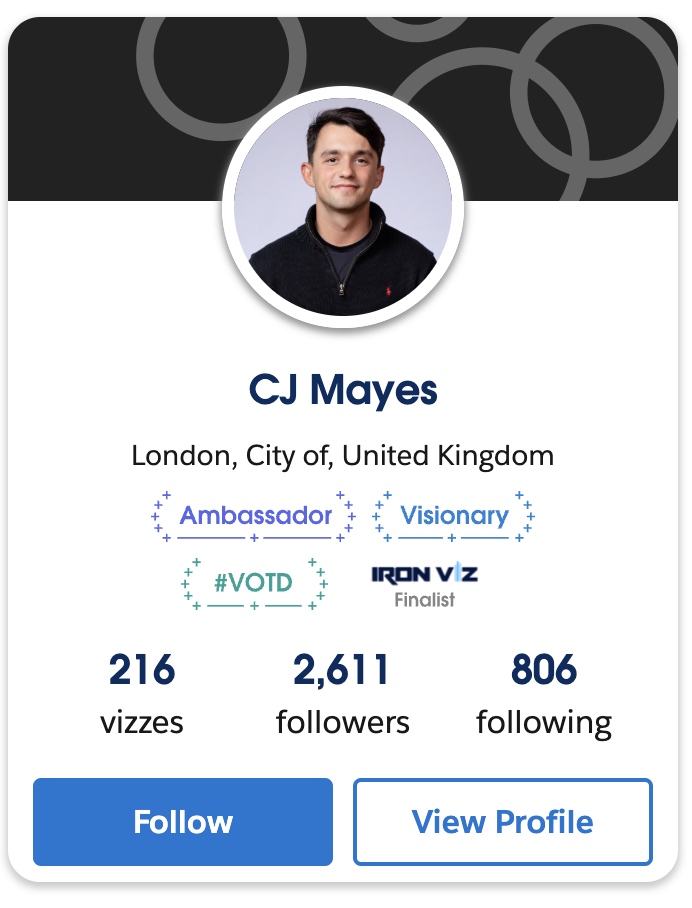
Tableau Public: Achievements
See expanded community honors, including Student Iron Viz and Visionary distinctions, on author profiles. Highlight personal milestones across follower feeds and community tabs to recognize contributions.
Achievements are generally available on Tableau Public.

Tableau Next: Support for Agentic Flows
Embed semantically grounded analytics directly inside custom enterprise agent workflows. Power multi-step business actions with trustworthy data insights delivered straight to agentic tools.
Support for Agentic Flows is generally available in Tableau Next.
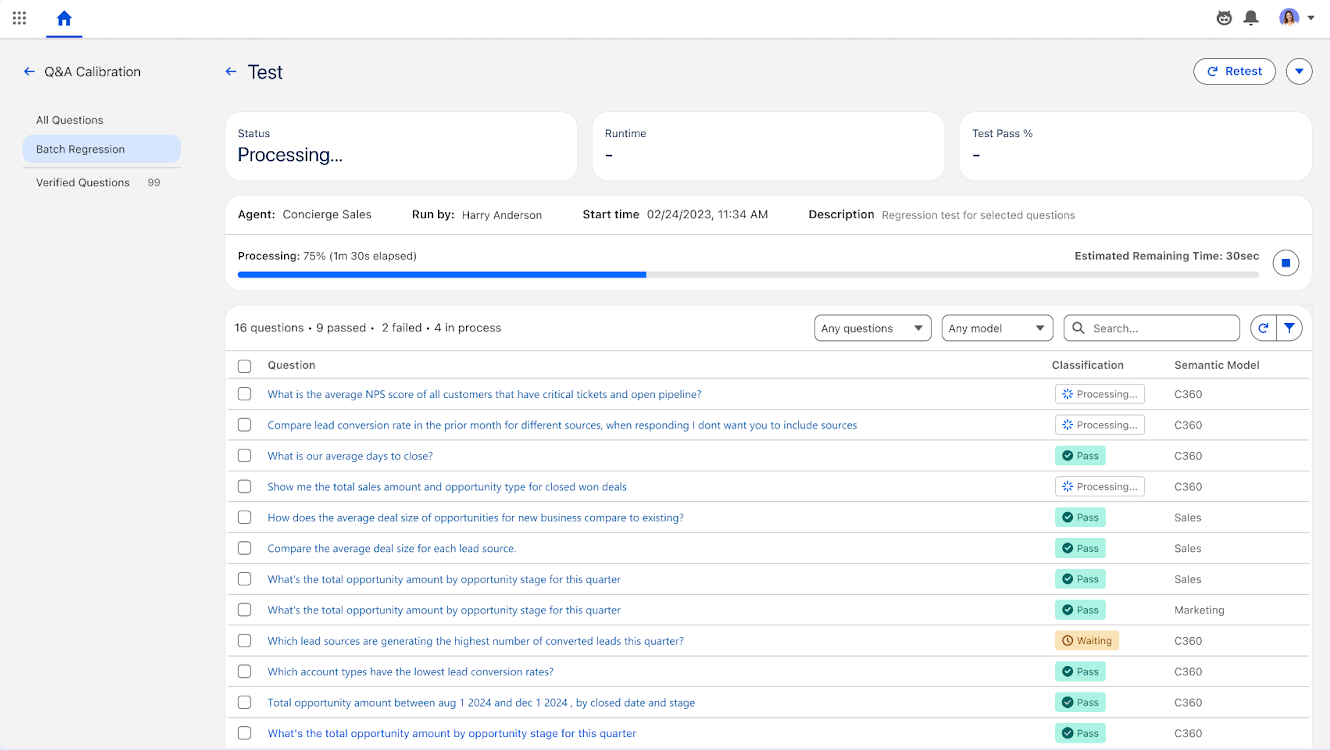
Tableau Next: Q&A Calibration
Test agent responses to queries, validate their accuracy, and get recommendations to improve them with Q&A Calibration. Classify results, apply guided suggestions to fix gaps, and batch automate data descriptions to strengthen your model over time.
Q&A Calibration is generally available in Tableau Next
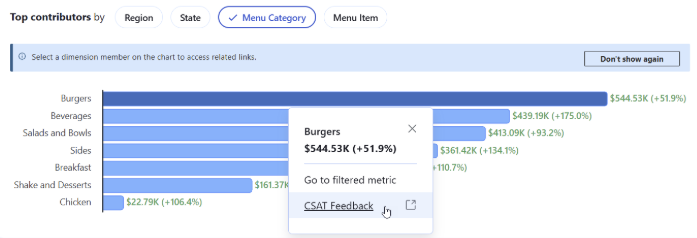
Tableau Pulse: Data-based Actions
Tableau Pulse users can now jump directly from a metric’s contributing dimensions to the underlying data with Data-based Actions. When creating or editing a metric, Analysts can add links to the dimensions and can even use dimensions as variables so each link is specific to the viewer. With Data-based Actions, your workforce can perform deeper analysis on trends, going from “what changed” to “why” and “what next” faster.
Tableau Pulse: Data-based Actions is generally available in Tableau Cloud.