Tableau 2025.3

Q&A 校准、Tableau Server 中的 Tableau Agent、仪表板叙述等

下载最新版本 了解之前的版本

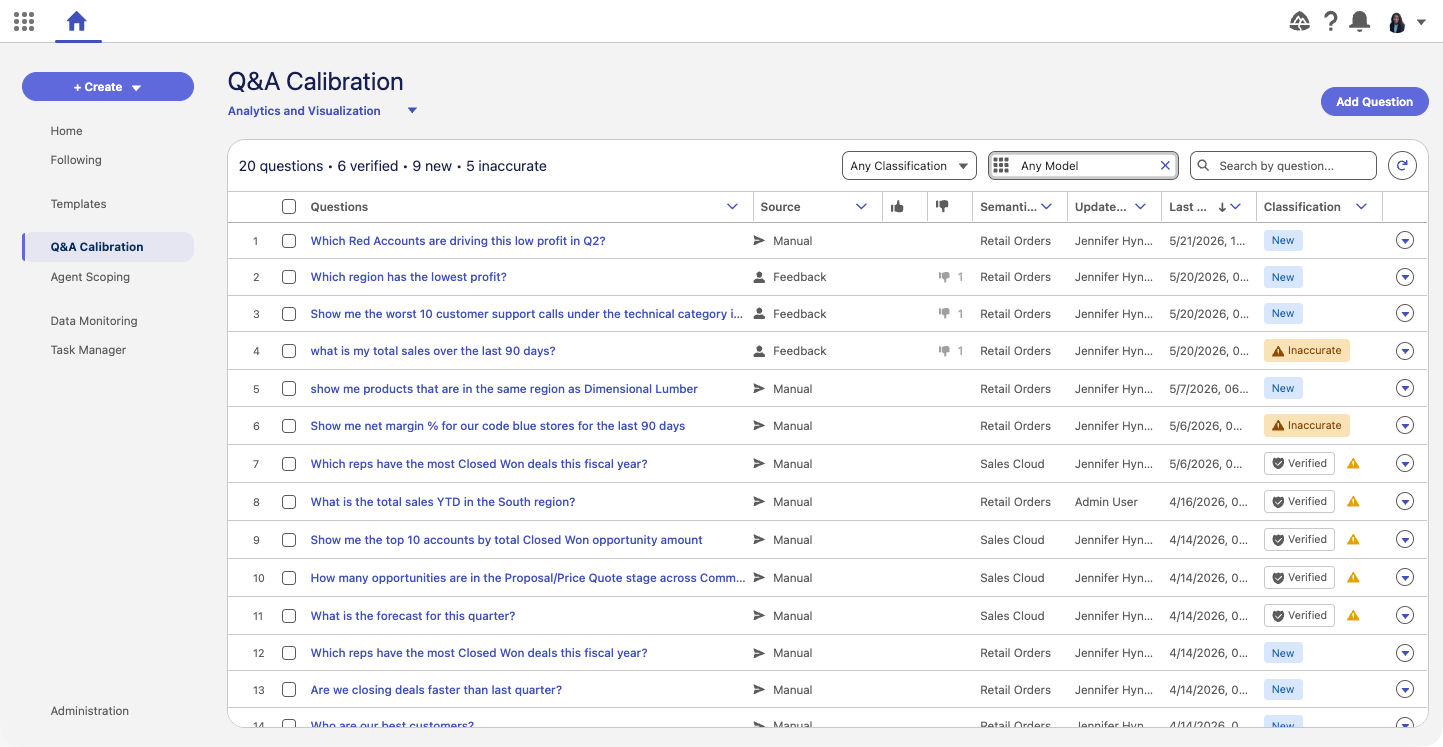
Tableau Next:Q&A 校准

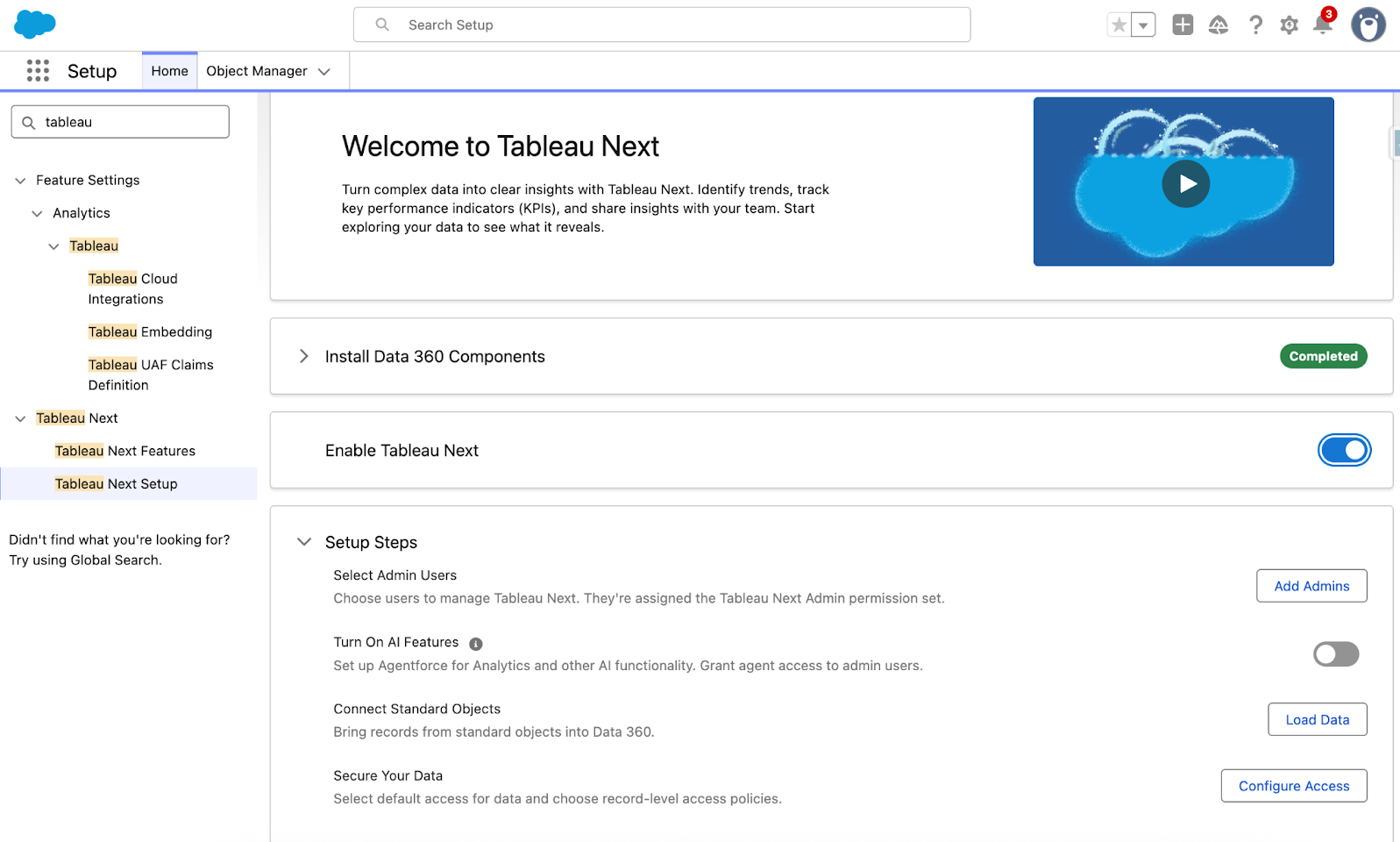
通过 Q&A 校准提高智能体处理分析问题时的准确性。测试回答内容,对其准确性进行分类,并应用引导式建议答案以获得更准确的智能体回答。以 Beta 版形式提供。

详细了解 Tableau Next

Tableau Server 中的 Tableau Agent

与您的 AI 助手 Tableau Agent 协作,在 Tableau Server 上更快地获得见解。在每个分析阶段(从数据准备到探索和可视化)使用自然语言获得支持。Server 中的 Tableau Agent 支持 Tableau Prep 和 Web 制作功能。若要访问该功能,只需先使用您的 API 密钥连接您自己的 OpenAI 模型(2025.3 仅支持 OpenAI),然后再在 Web 制作或 Desktop 中启动 Tableau Agent。已在 Tableau Server 中正式发布。

了解有关 Tableau Server 的更多信息

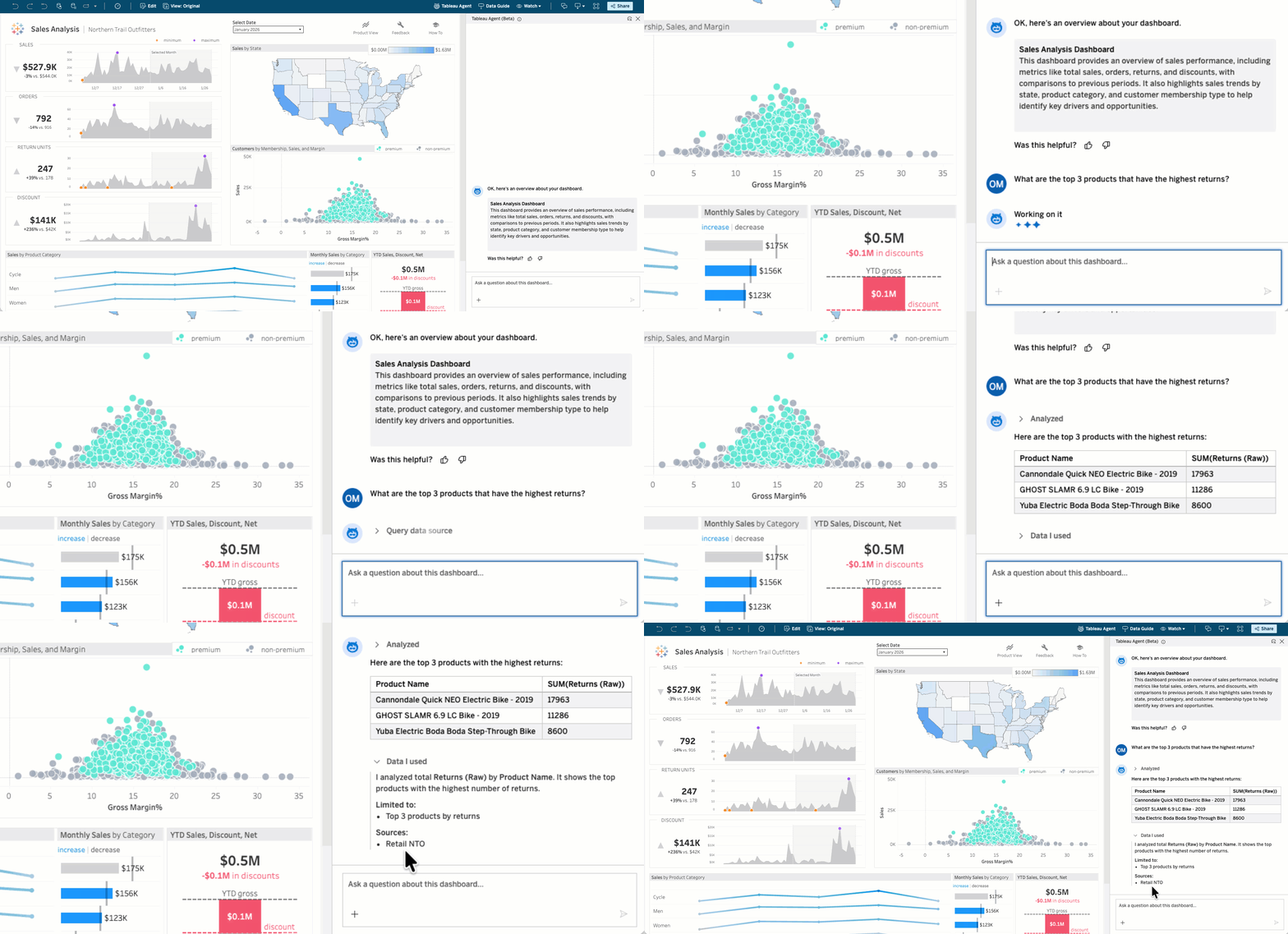
Tableau Agent:仪表板叙述

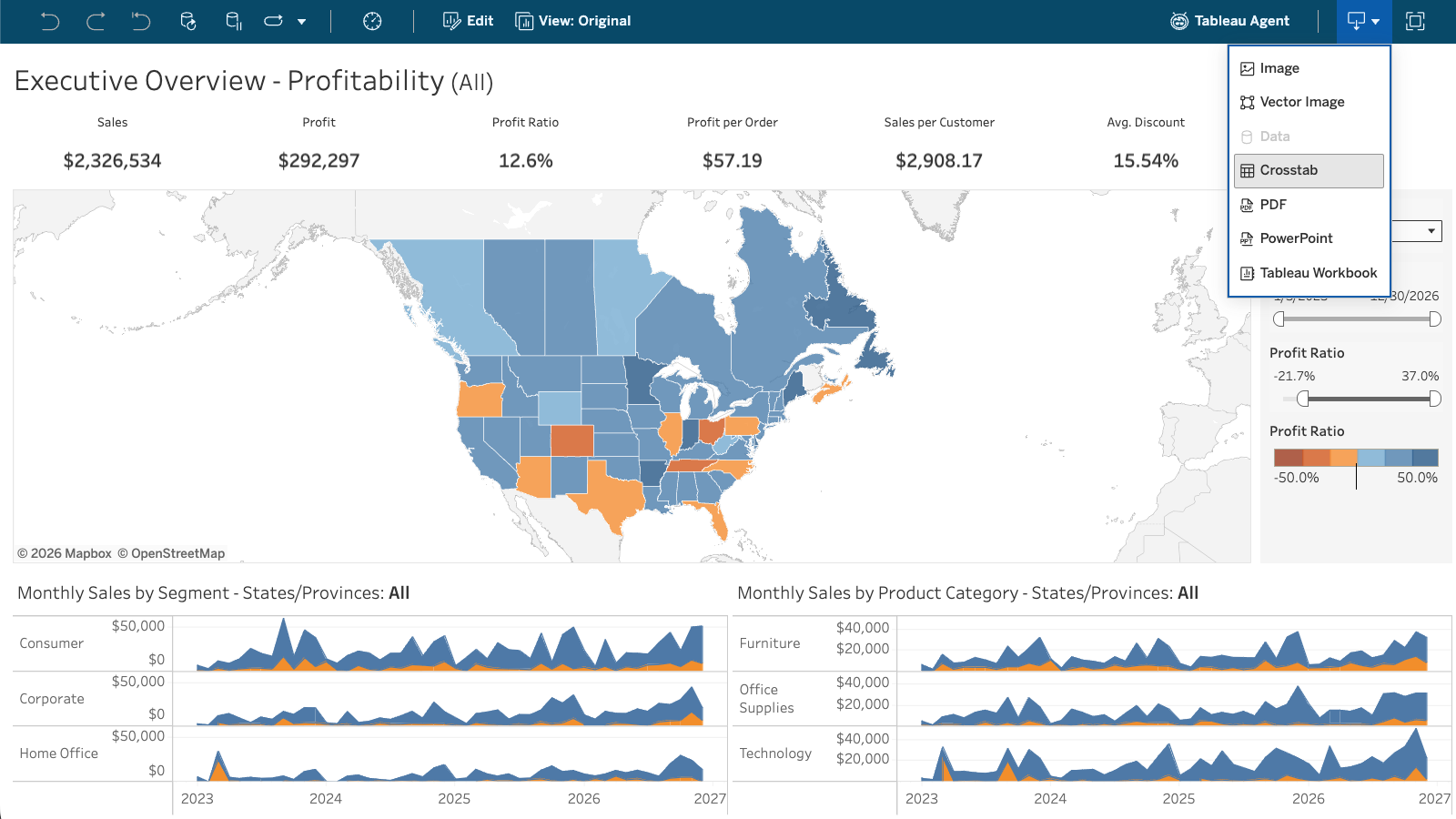
利用直观的 AI 解释,让数据发现变得更加轻松。Tableau Agent 通过仪表板叙述提供简洁的概述,帮助您评估其内容与问题的相关性。在您深入探索仪表板的过程中,Tableau Agent 会为每个可视化生成上下文见解,突出显示有意义的趋势。Tableau Cloud 和 Desktop 即将推出 Beta 版本。

详细了解 Tableau Agent

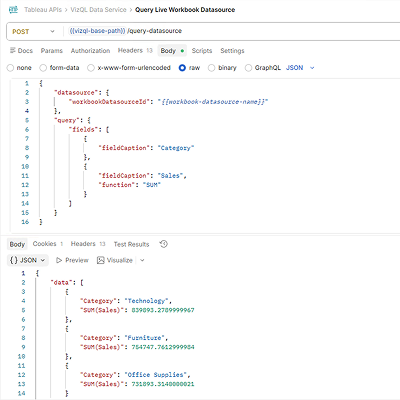
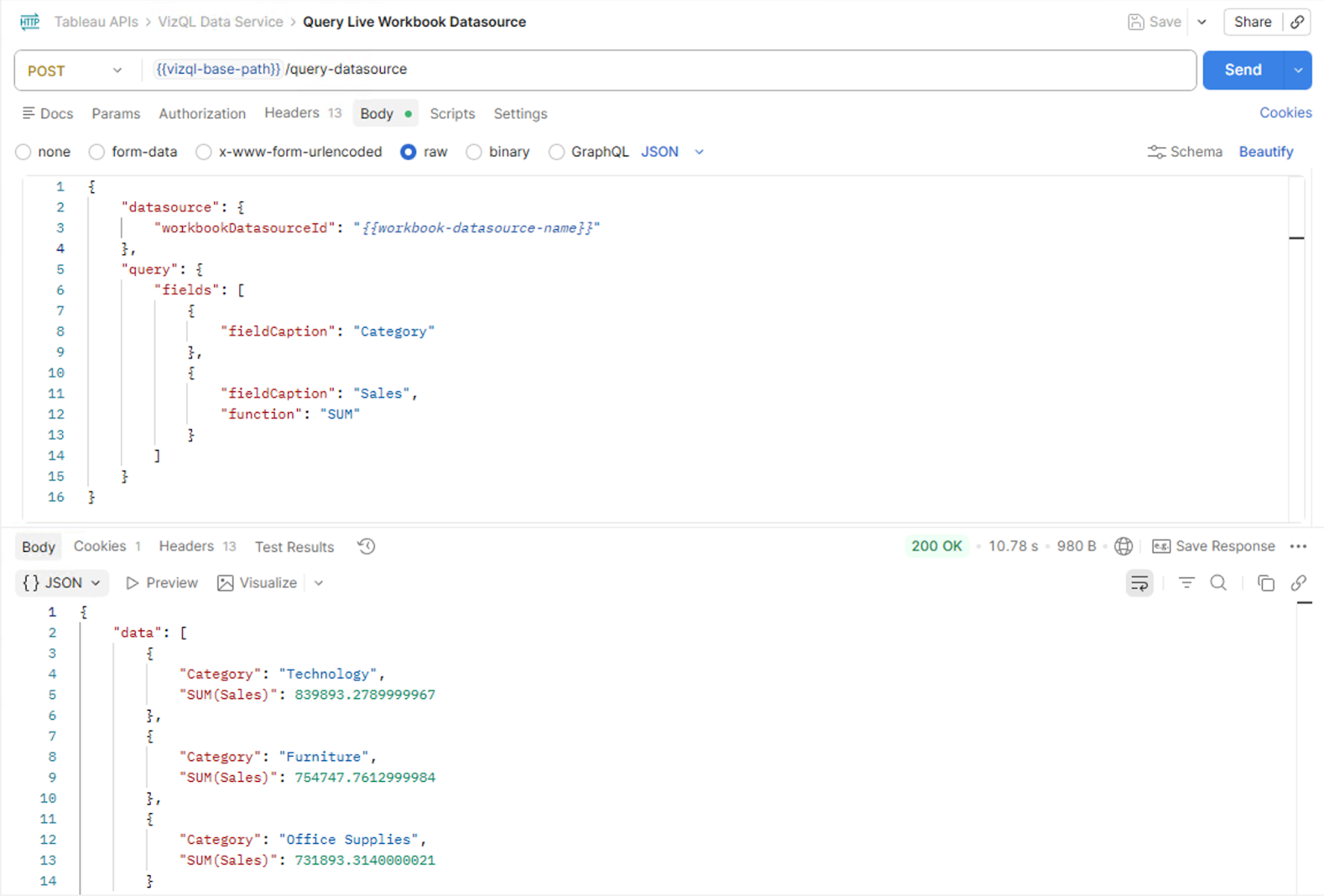
平台数据 API

无需进行 AWS S3 集成即可通过编程方式访问 Tableau Cloud 活动和事件数据。使用新的 API 检索统一的事件日志,以便在您自己的数据仓库中进行自定义监控、SIEM 数据采集或分析。已在 Tableau Cloud 中正式发布。
注:近实时日志记录和 S3 集成功能仅在 Tableau Enterprise 或 Tableau+ 套装中提供。

深入了解 Tableau 版本的核心信息

在 DataFam Discovery 用户组中通过 Tableau 产品经理了解我们发布的新功能。 
立即加入

探索相关资源及更多内容

网络讲座

DataFam LIVE:探索智能体分析

了解智能体分析的含义,以及 Tableau 如何通过 Tableau Next 实现智能体分析

博客文章

关于 Hyperforce 上的 Tableau Cloud,您需要了解什么

了解 Tableau Cloud 迁移到 Hyperforce 的价值

博客文章

探索 AI 驱动的语义层

了解语义层和良好的数据管理如何实现值得信赖的智能体分析。探索集成 AI 的好处以及所需的技术架构。

博客文章

认识 Tableau Next

了解 Tableau Next,这是一个智能体分析平台,它可以将数据转化为具有可操作性的见解,无论您在哪里工作。

全部功能

2025.3

image

适用于数据提取的外部密钥管理

使用您自己的 AWS 加密密钥对 Tableau Cloud 数据提取进行加密

适用于数据提取的外部密钥管理

使用外部密钥管理增强 Tableau Cloud 中数据提取的安全性。直接与 AWS 密钥管理服务 (KMS) 集成,即可完全控制保护数据的加密密钥。

私有连接:更多的连接器

通过保持数据连接的私密性来增强安全性

私有连接:更多的连接器

通过保持数据连接的私密性并与公共互联网隔离来增强安全性。Tableau Cloud 客户现在可以使用 AWS Private Link 将其 AWS 托管的数据库(例如 PGSQL、MySQL、MSSQL、OracleDB 和 Aurora)连接到 Tableau Cloud,这样就能实现安全、私密的专用连接,避免暴露在公共互联网上。

此外,Private Connect 可以跨区域连接 Redshift、PGSQL、MySQL、MSSQL、OracleDB 和 Aurora。同时还提供虚拟连接支持。

自定义域名

使用您自己的品牌域名更轻松、更安全地访问 Tableau Cloud

自定义域名

通过为您的 Tableau Cloud 站点使用自定义域名,为您的用户提供品牌化的无缝体验。在嵌入式场景中消除对第三方 Cookie 的需求,并为用户提供简单易记的 URL 来访问其分析内容。

平台数据 API

通过新的 API 以编程方式访问活动和事件数据

平台数据 API

无需进行 AWS S3 集成即可通过编程方式访问 Tableau Cloud 活动和事件数据。使用新的 API 检索统一的事件日志,以便在您自己的数据仓库中进行自定义监控、SIEM 数据采集或分析。
注:近实时日志记录和 S3 集成功能仅在 Tableau Enterprise 或 Tableau+ 套装中提供。

通过 REST API 配置 SAML

通过编程方式进行 SAML 配置和证书轮换

通过 REST API 配置 SAML

借助新的 SAML 配置 REST API,提升多站点安全管理工作的效率和规模。在 Tableau Cloud Manager 或 Tableau Cloud 站点中以编程方式配置 SAML,并创建脚本以实现身份提供程序 (IdP) 证书的自动轮换。

image

SAML 和 OIDC 的用户属性函数

用户属性通过 SAML 和 OIDC 动态传递,以实现更灵活的行级别安全性

SAML 和 OIDC 的用户属性函数

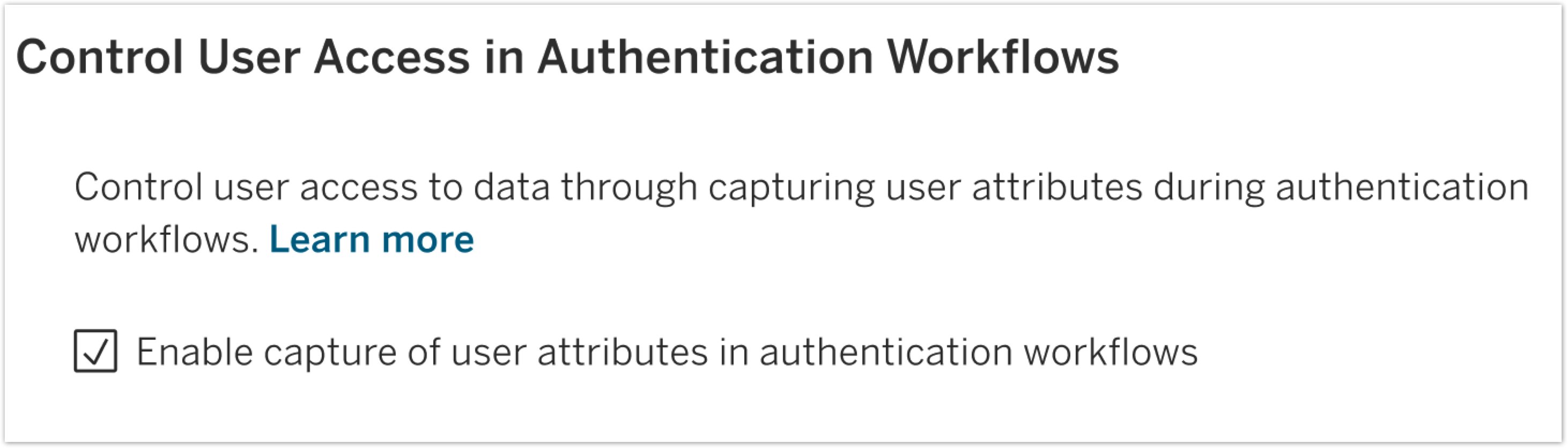
通过直接从身份提供程序传递的用户属性来增强行级别安全性。使用基于属性的访问控制 (ABAC) 保护数据,通过用户属性函数 (UAF) 使用 SAML 或 OIDC 身份验证令牌动态传递来自身份提供程序 (IdP) 的用户属性。这样可以确保用户只能看到他们被授权查看的数据。

Tableau Cloud 统一访问令牌

在所有 Tableau Cloud 站点中实施统一的 API 身份验证流程

Tableau Cloud 统一访问令牌

利用统一的 JWT 身份验证解决方案简化多站点管理并实现强大的自动化功能。这种安全的现代方法取代了难以管理的个人访问令牌,使您能够在整个 Tableau Cloud 环境中实现 API 访问的集中化管理。

image

Prep:写入 Databricks

将 Tableau Prep 流程的输出直接写入 Databricks

Prep:写入 Databricks

通过将准备好的数据直接输出到 Databricks 来简化您的数据管道。同时使用 Tableau Prep 和 Databricks 的用户现在可以将流程输出内容直接写入 Databricks 数据库,从而节省时间和精力。

Tableau Agent:获取字段说明

利用字段说明为人工智能提供业务背景,从而获得更准确的见解

Tableau Agent:获取字段说明

为 Tableau Agent 提供更深层次的业务背景,让 AI 能够生成质量和相关性更高的见解。现在,这个智能体不仅利用基本的元数据,还会利用数据目录中的字段说明,从而提供更准确、更有意义的回答内容。

Agent:Prep 中的新语言支持

在 Tableau Prep 中以更多语言使用 Agent

Agent:Prep 中的新语言支持

通过对荷兰语、瑞典语、泰语以及繁体和简体中文的多语言支持,将 AI 驱动型数据准备功能扩展到更多用户。

可视化扩展改进

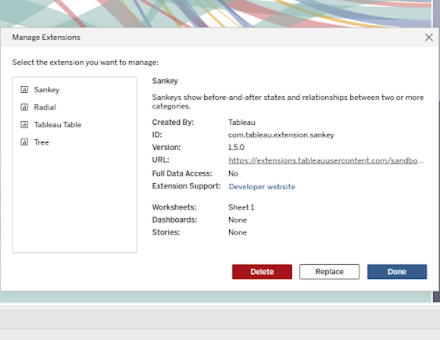
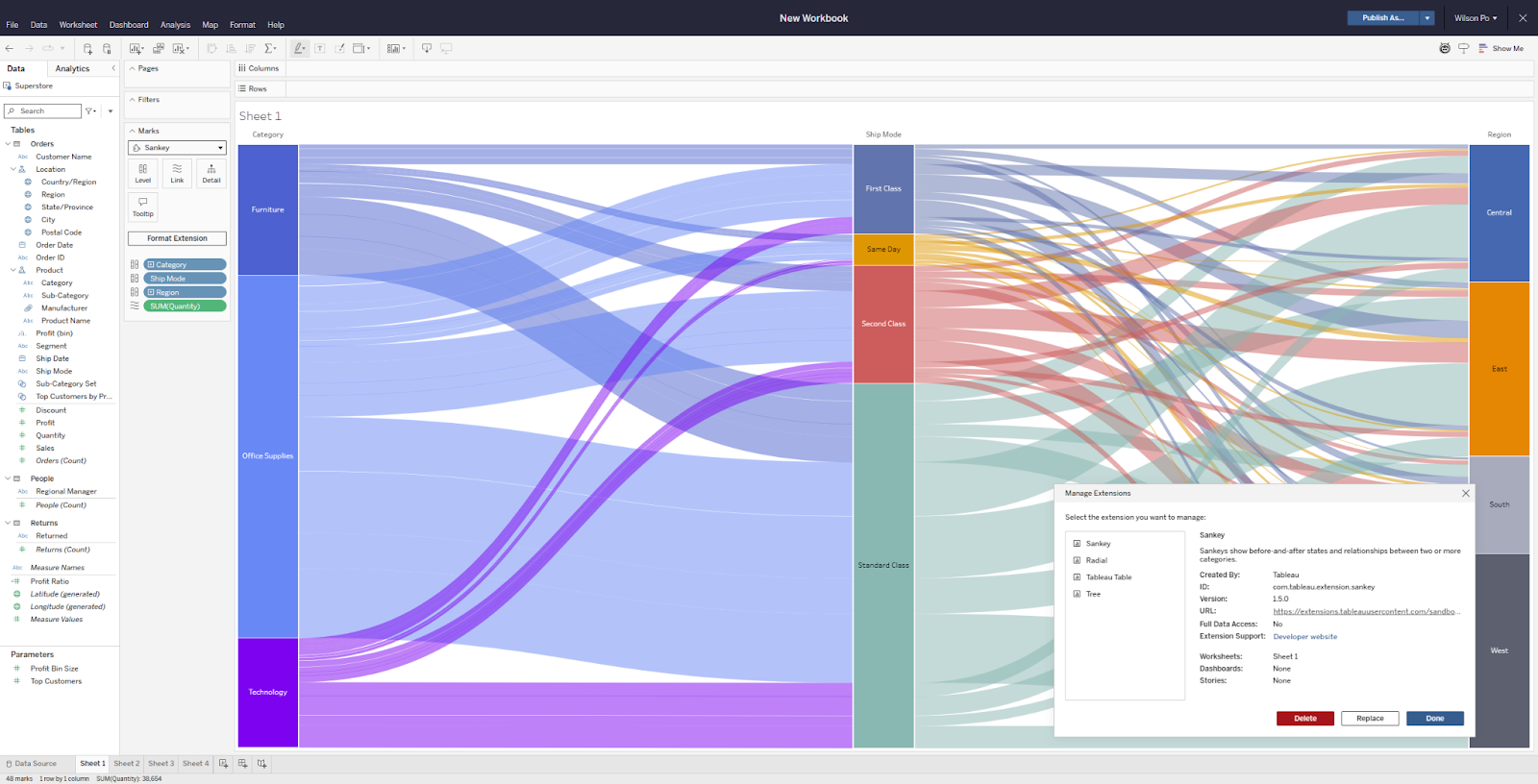
通过桑基图和表可视化扩展提高控制力

可视化扩展改进

使用更新后的桑基图和表可视化扩展,在创作时获得更大的灵活性和控制力。每项功能都有改进,让操作更加轻松舒适,包括更丰富的桑基标签和颜色映射控件;在表格方面,改进了列筛选体验,还可以对整个表格的空值显示方式进行一次性自定义。这些改进将在 Tableau Desktop、Cloud、Server 和 Public 中提供。

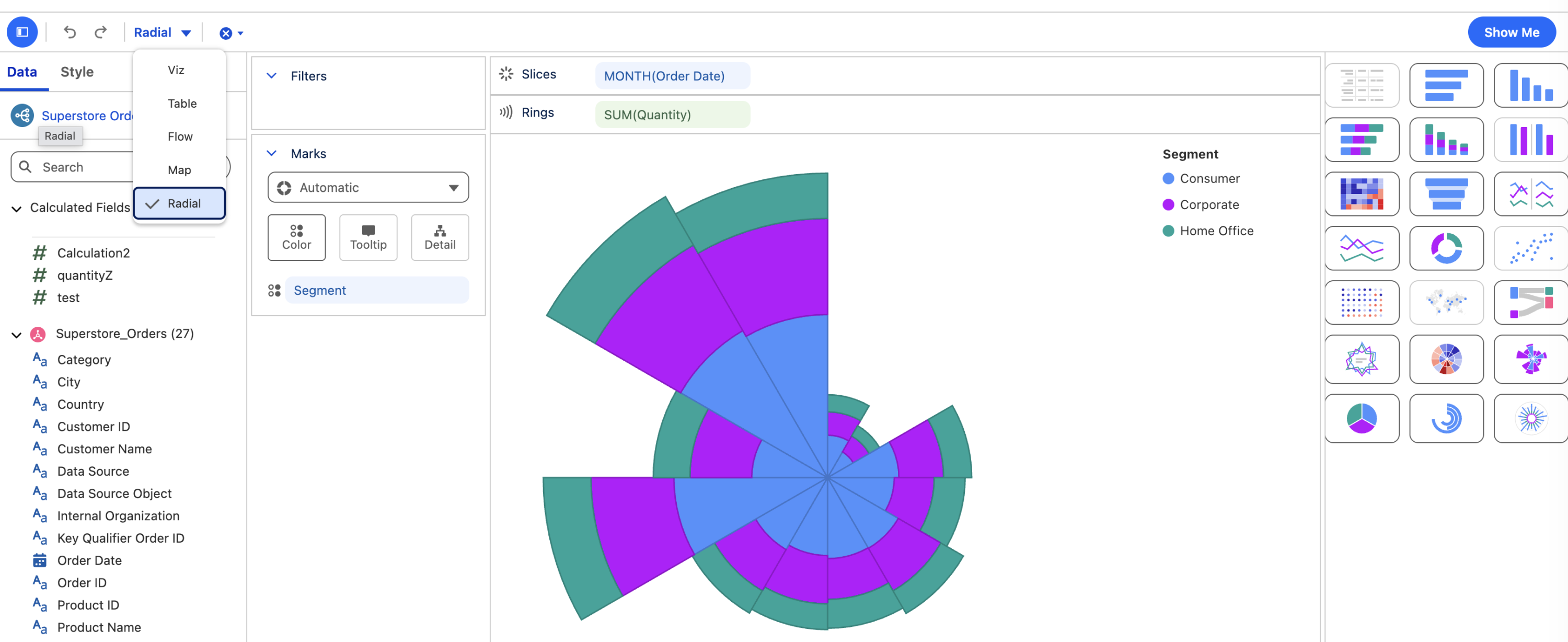
径向可视化扩展

现在支持环形图和旭日图!

径向可视化扩展

轻松创建令人信服的环形图和旭日图,直观展示部分与整体的关系。可以直接在标记卡下拉菜单中或通过“智能显示”将这个新的可视化扩展添加到工作簿中。在 Tableau Desktop、Cloud、Server 和 Public 上,通过拖放操作制作深受利益相关者欢迎的径向数据可视化,帮助他们了解层次关系。

自定义调色板

确保品牌一致性和风格

自定义调色板

通过在 Tableau Desktop 中直接创建和保存自定义调色板,确保品牌一致性并得心应手地设置可视化风格。通过这项新体验,创作者能够构建和修改可以在整个工作簿,甚至多个不同工作簿中重复使用的调色板。自定义调色板会保存到首选项文件中,并在后续 Tableau Desktop 会话中保留。

“智能显示”中的即时可视化

更快地开始可视化分析

“智能显示”中的即时可视化

借助此前已在 Tableau Cloud 上发布的更新版智能显示体验,Tableau Server 用户现在可以简化自己的数据分析。打开智能显示后,只需点击几下即可查看数据可视化。默认情况下支持所有可视化类型,您可以选择所需的字段,或者让 Tableau 帮助您上手。

工作簿调色板分配

为整个工作簿设置默认调色板

工作簿调色板分配

使用新的调色板设置,确保整个工作簿的颜色保持一致。创作者现在只需对默认的分类、发散和顺序调色板进行一次性设置,即可在所有可视化和仪表板中应用一致的样式,从而节省时间和精力。此功能可在 Tableau Desktop、Tableau Cloud 和 Tableau Server Web 制作中使用。

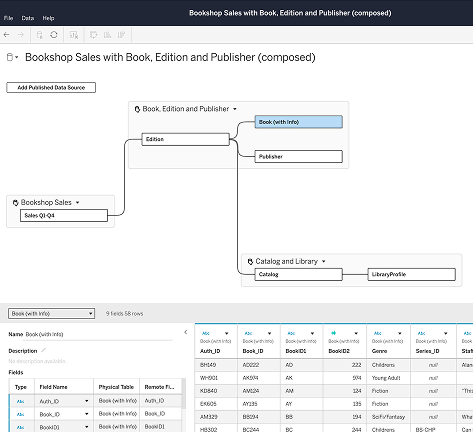
添加关联表

更快地为分析添加更多数据!

添加关联表

以更高的效率和准确度制作数据模型。在数据模型中自动添加关联表并定义它们之间的关系,利用数据库中定义的外键约束,简化 Tableau Desktop、Server 和 Cloud 中的设置。

Tableau Semantics 连接器更新

可在 Tableau Server 中使用并包含更多功能

Tableau Semantics 连接器更新

在 Tableau Server 中无缝利用 Tableau Semantics 模型中的更多语义定义。此外,Tableau Desktop、Server 和 Cloud 用户也可以使用该连接器的新功能。现在,在改进和扩展 Tableau 数据源时,您可以跨用户和工作簿重复使用精选的 Tableau Semantics 数据源。将语义模型中定义的群组和数据桶添加到可视化中,使用户能够利用精选业务逻辑。使用多事实语义模型创建可视化,实现跨领域分析。无需配置即可在可视化中显示图像。

image

Tableau MCP:OAuth 支持

在生产环境中集中托管 Tableau MCP

Tableau MCP:OAuth 支持

在使用 Tableau MCP 时,确保符合企业级治理和安全标准。得益于 HTTP 传输和 OAuth 的支持,您可以集中托管和管理远程 Tableau MCP 服务器,该服务器接受来自不同用户的请求,并遵守 Tableau Server 上的行级别安全策略。

Tableau Server 上的 SCIM 支持

自动执行用户和群组配置

Tableau Server 上的 SCIM 支持

通过之前已在 Tableau Cloud 上发布的功能,现在您可以使用身份提供程序 (IdP) 作为数据源,将用户和组配置到 Tableau Server。通过使用 SCIM,您可以避免手动管理多个应用程序的用户和群组,确保各项标准始终得到遵守,从而提高效率。

OpenID Connect RP 发起的单点注销

通过一次性注销提高安全性

OpenID Connect RP 发起的单点注销

在配置 OpenID Connect 时,Tableau Server 管理员现在可以启用单点注销 (SLO),从而提供更好的业务用户体验并提高整个组织的安全性。启用此功能后,从 Tableau Server 注销的用户也会从其身份提供程序 (IdP) 和相关应用程序中注销,从而消除孤立会话和会话劫持的风险。

View Reactions on Tableau Public

Tableau Public 上的观后反馈

使用表情回复提供反馈,与可视化内容和作者互动

View Reactions on Tableau Public

Tableau Public 上的观后反馈

在 Tableau Public 上使用全新的表情回复提供反馈,与可视化内容和作者互动。此功能为可视化查看者提供了一种有趣的方式来直接向作者提供反馈。

Tableau Public Authors Carousel

Tableau Public:作者频道

通过新的作者类别发现并关注有才华的创作者

Tableau Public Authors Carousel

在 Tableau Public 上查找作者

在 Tableau Public 的主页上查找 Tableau 社区的创作者。查找并关注有才华的作者,以便通过新鲜有趣的内容来激发灵感。

Tableau Server 中的 Tableau Agent

帮助您更快获得见解的 AI 助手

Tableau Server 中的 Tableau Agent

与您的 AI 助手 Tableau Agent 协作,在 Tableau Server 上更快地获得见解。在每个分析阶段(从数据准备到探索和可视化)使用自然语言获得支持。Server 中的 Tableau Agent 将支持 Tableau Prep 和 Web 制作功能。为了获得开箱即用体验,在 Web 制作或 Desktop 中启动 Tableau Agent 之前,请使用您的 API 密钥连接到 OpenAI。

受信任的扩展

Tableau 管控的扩展更加易于使用

受信任的扩展

管理员和分析师可以快速地找到 Tableau Exchange 中提供的受信任的扩展,并自信地采用这些扩展。带有全新蓝色勾号徽章的扩展由 Tableau 部署和协调:它们已经过 Tableau 代码审查、网络测试,并由 Tableau 托管以确保可用性和安全性。
管理员现在可以通过新的设置允许或阻止扩展运行,使其更加符合这项 Tableau 支持的标准。所有受信任的扩展也会在 Tableau Public 中自动全面启用
受信任的扩展在 Tableau Desktop、Cloud、Server 和 Public 中提供。

Tableau Agent:仪表板叙述

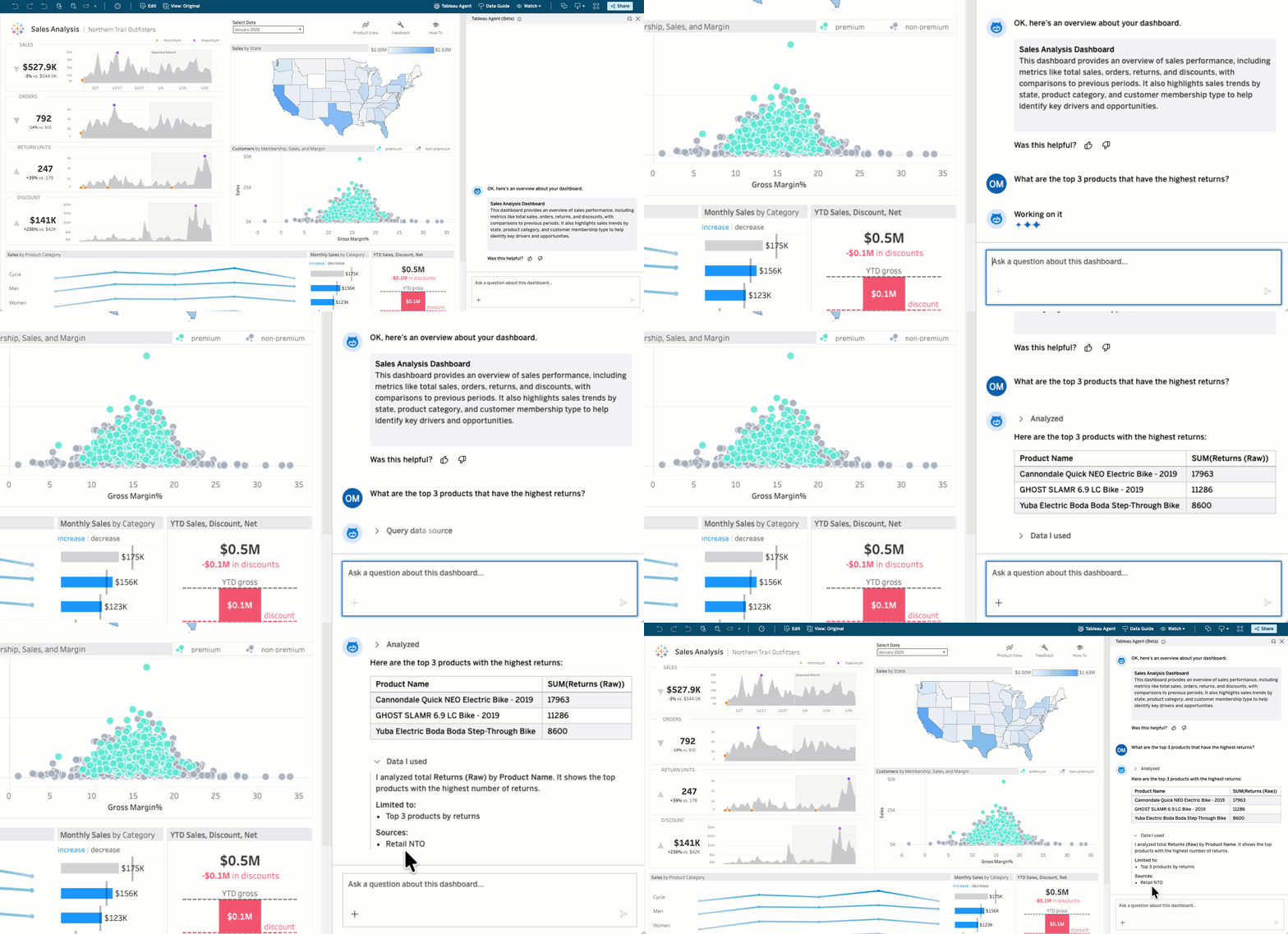
利用 AI 生成的直观解释,让数据发现变得更加轻松。Tableau Agent 通过仪表板叙述提供仪表板内容的简洁概述以及关于每个可视化的见解,突出显示有意义的趋势。

Tableau Cloud 和 Desktop 即将推出 Beta 版本。

Tableau Agent:仪表板叙述

利用 AI 生成的直观解释,让数据发现变得更加轻松。Tableau Agent 通过仪表板叙述提供仪表板内容的简洁概述以及关于每个可视化的见解,突出显示有意义的趋势。

Tableau Cloud 和 Desktop 即将推出 Beta 版本。

New Connectors for Private Connect

Securely connect to more on-premise data sources with Private Connect

Tableau Cloud settings pane private connect feature

New Connectors for Private Connect

Securely connect more of your AWS data to Tableau Cloud without exposure to the public internet. Private Connect now supports AWS hosted MariaDB, Dermio Server, Teradata Server, Heroku, and Teradata Vantage Cloud, allowing you to use a dedicated and private connection to more of your data sources.


This feature addresses or partially addresses the following request on the Salesforce IdeaExchange: Implement AWS PrivateLink in Tableau Cloud.

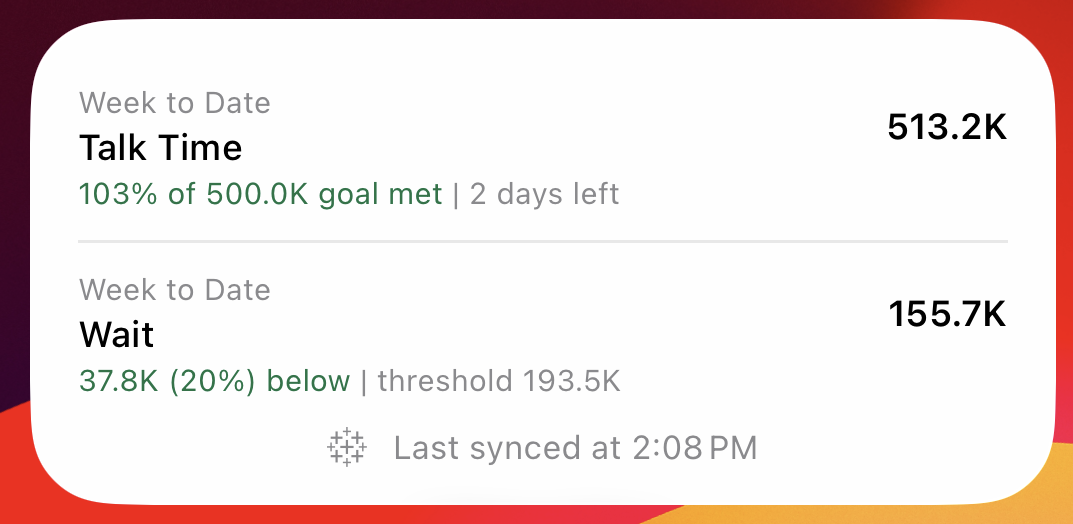
Toggle button to determine how you receive Pulse digest

Tableau Pulse:禁用提醒和摘要

在站点级别控制 Pulse 摘要和提醒设置

Toggle button to determine how you receive Pulse digest

Tableau Pulse:禁用提醒和摘要

通过在站点级别禁用摘要和提醒来管理 Pulse 用户体验。此功能提高了管理员的控制能力,并有助于管理分阶段推广。

Pulse digest release date changer

Tableau Pulse:自定义摘要频率

自定义 Pulse 摘要的日期和频率

Pulse digest release date changer

Tableau Pulse:自定义摘要频率

自定义摘要投递方式。为每周或每月摘要设置具体日期,确保见解在最有用的时间准时送达。

Tableau Pulse: Mobile Push Notifications

Get important Tableau Pulse alerts on the go without running the Tableau mobile app in the background. With mobile push notifications from Tableau Pulse, business users can better track important updates in real time, wherever they are.

Available on both Android and iOS.

Tableau Pulse: Mobile Push Notifications

Get important Tableau Pulse alerts on the go without running the Tableau mobile app in the background. With mobile push notifications from Tableau Pulse, business users can better track important updates in real time, wherever they are.

Available on both Android and iOS.

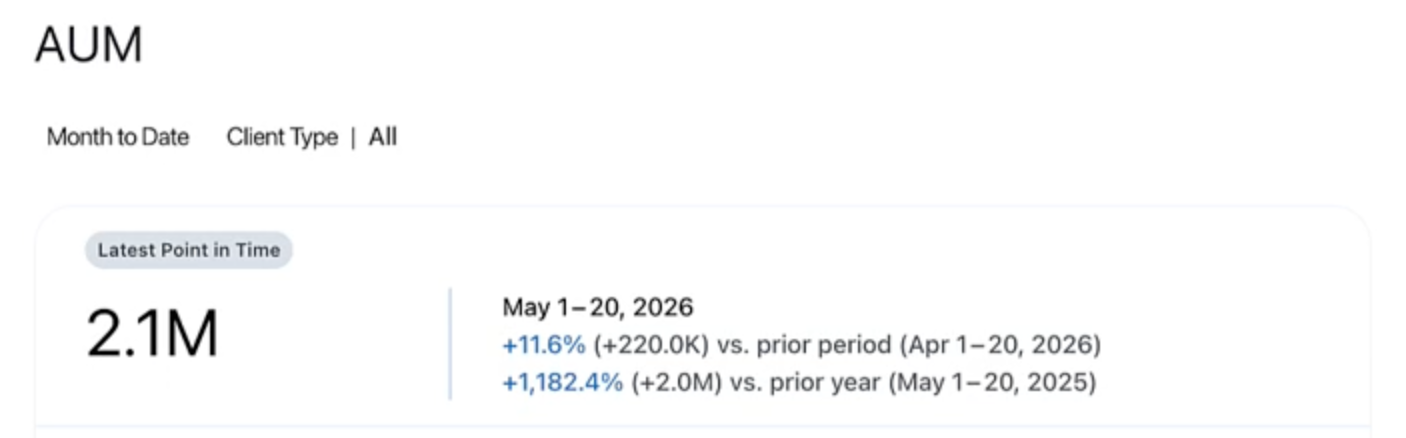
Tableau Pulse: Pacing and Historical Context on Metric Card

Quickly evaluate a Tableau Pulse metric based on pacing and historical context. Now business users can see both the metric's progress to a set goal and its performance relative to the prior period directly on the metric card. Instead of having to click into the metric details, users can obtain a fuller sense of the metric's performance directly from the Tableau Pulse home page.

Tableau Pulse: Pacing and Historical Context on Metric Card

Quickly evaluate a Tableau Pulse metric based on pacing and historical context. Now business users can see both the metric's progress to a set goal and its performance relative to the prior period directly on the metric card. Instead of having to click into the metric details, users can obtain a fuller sense of the metric's performance directly from the Tableau Pulse home page.

Tableau Pulse: Link to Metric Datasource

Easily explore the data behind a Tableau Pulse metric for deeper insights. Instead of only getting the datasource name in Tableau Pulse and having to search for the actual data, business users can now click into the datasource directly from the metric in Tableau Pulse.

Tableau Pulse: Link to Metric Datasource

Easily explore the data behind a Tableau Pulse metric for deeper insights. Instead of only getting the datasource name in Tableau Pulse and having to search for the actual data, business users can now click into the datasource directly from the metric in Tableau Pulse.

Tableau Pulse: Q&A for Goals and Thresholds

Get intuitive answers around set goals and thresholds from Tableau Pulse. Tableau Pulse uses frontier LLMs to detect patterns, highlight risks, and now, explain changes across multiple metrics relative to their set goals and thresholds. In addition to getting pacing context from the individual metric, business users can now ask questions and get responses, enriched with these insights.

Tableau Pulse: Q&A for Goals and Thresholds

Get intuitive answers around set goals and thresholds from Tableau Pulse. Tableau Pulse uses frontier LLMs to detect patterns, highlight risks, and now, explain changes across multiple metrics relative to their set goals and thresholds. In addition to getting pacing context from the individual metric, business users can now ask questions and get responses, enriched with these insights.

Tableau Pulse: Pace to Goal Insight

Instantly determine whether a Tableau Pulse metric is on pace to meet a set goal by the end of the period. When users click into the metric details, they will see the metric labeled as either 'On Track' (in green) or 'Off Track' (in red). At the chart level, users get a written progress summary and the explanatory chart, color coded to indicate pacing status. With this additional insight, business users can better prioritize their time and make smarter decisions, faster.

Tableau Pulse: Pace to Goal Insight

Instantly determine whether a Tableau Pulse metric is on pace to meet a set goal by the end of the period. When users click into the metric details, they will see the metric labeled as either 'On Track' (in green) or 'Off Track' (in red). At the chart level, users get a written progress summary and the explanatory chart, color coded to indicate pacing status. With this additional insight, business users can better prioritize their time and make smarter decisions, faster.

Tableau Next: Semantic Model Global Filter

Apply consistent, model-wide data filters to your semantic model

Tableau Next: Semantic Model Global Filter

Apply a wide, consistent filter directly to your entire semantic model, limiting the scope of all returned data for universal consistency. This reduces repetitive setup of the same filter logic across different definitions and ensures users only see relevant, authorized data.

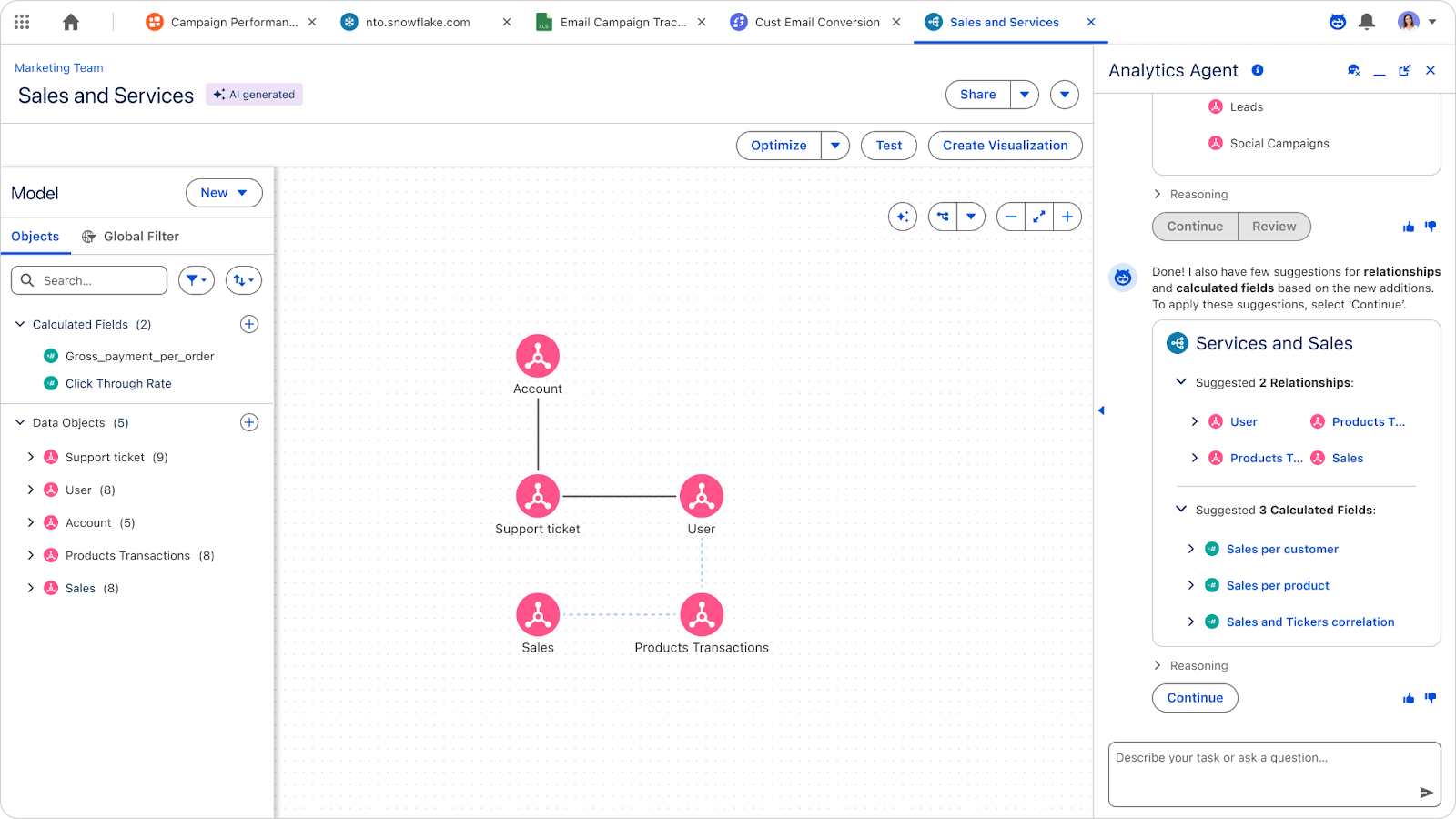
Tableau Next: Create Semantic Data Model

Automatically generate tailored, AI-ready semantic models

Tableau Next: Create Semantic Data Model

Automatically generate a tailored semantic model based on a business goal, complete with relevant objects, relationships, and calculated fields. This accelerates semantic model creation and prepares your models to be AI-ready.

Tableau Next: C360 Semantic Model Support

Ask questions about unified, cross-enterprise data

Tableau Next: C360 Semantic Model Support

Empower customers with trusted, cross-cloud insights. Ask natural language questions aout data in the C360 semantic data model to gain trusted, cross-cloud insights.

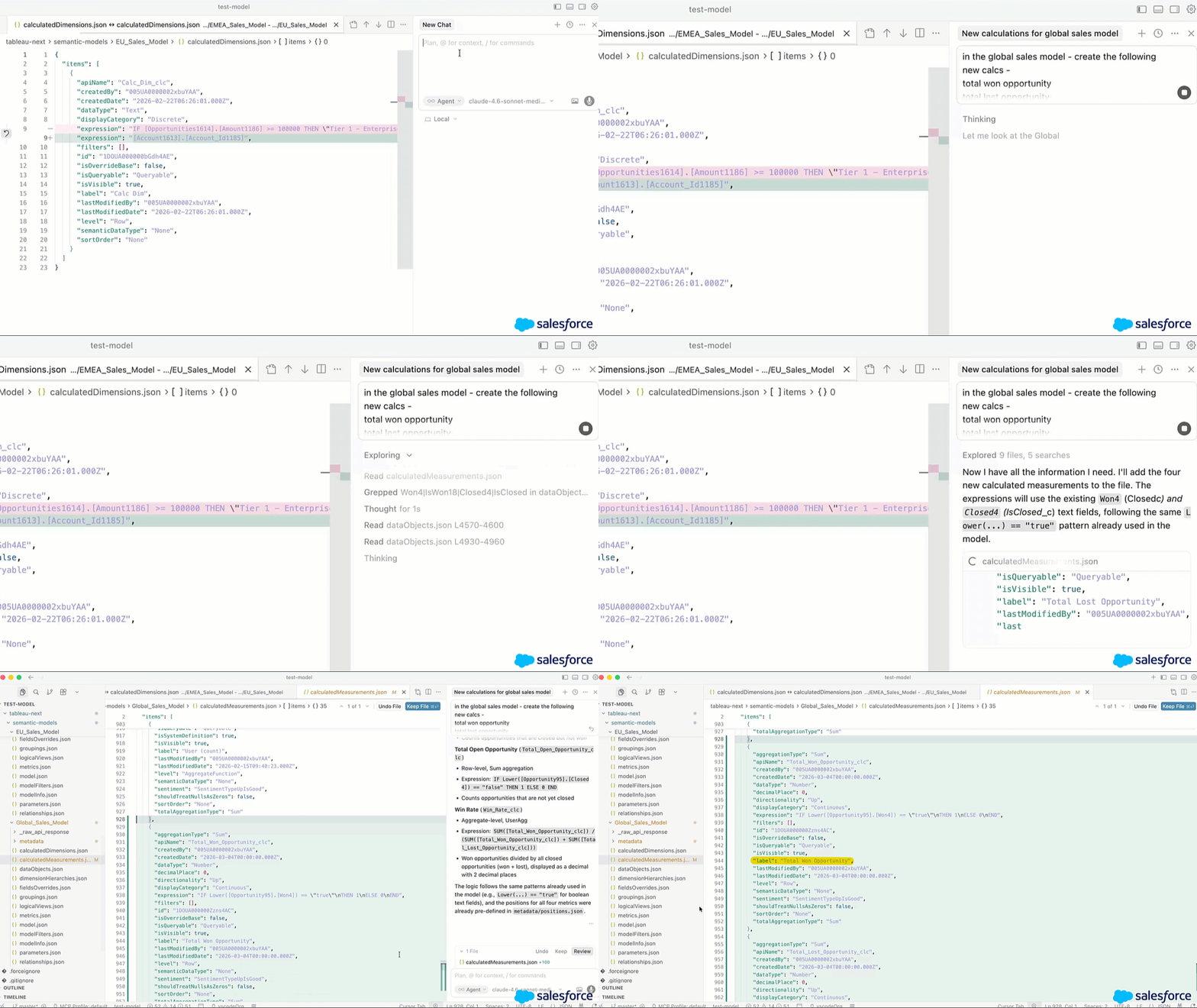
Tableau Next: Q&A Calibration

Test and improve agent accuracy

Tableau Next: Q&A Calibration

Improve your agent's accuracy on analytics questions with Q&A Calibration. Test responses against a set of questions, classify them as accurate or inaccurate, and apply guided suggestions to calibrate and verify answers.

Tableau Next: Asset Details

Understand how assets are used in the organization

Tableau Next: Asset Details

Assess asset usage and context within your organization's ecosystem without needing to open it. View assets such as thumbnails, workspaces, and semantic models directly in the Detail Panel. This brings clarity into how assets are being used and leveraged in the flow of work.

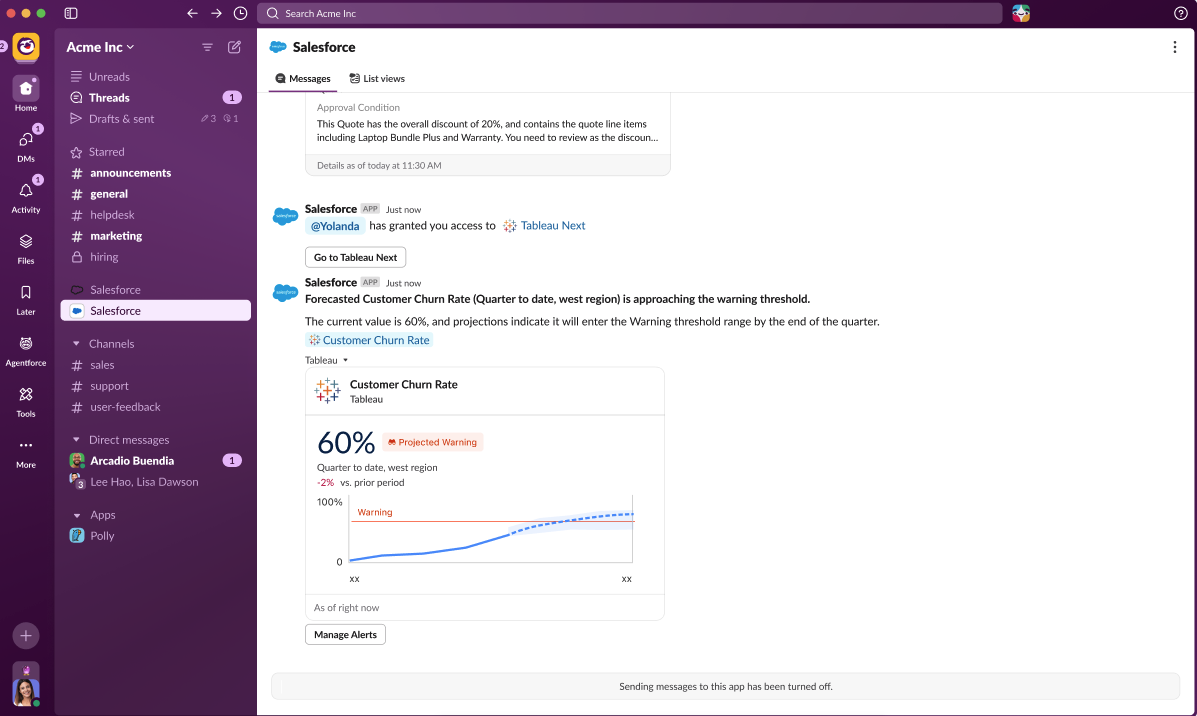
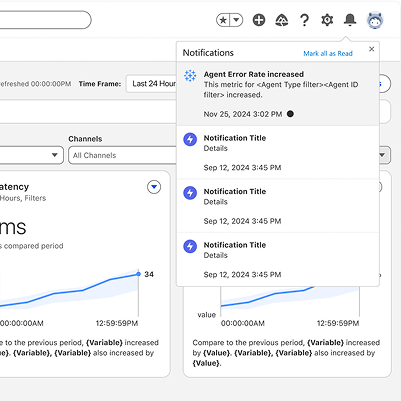
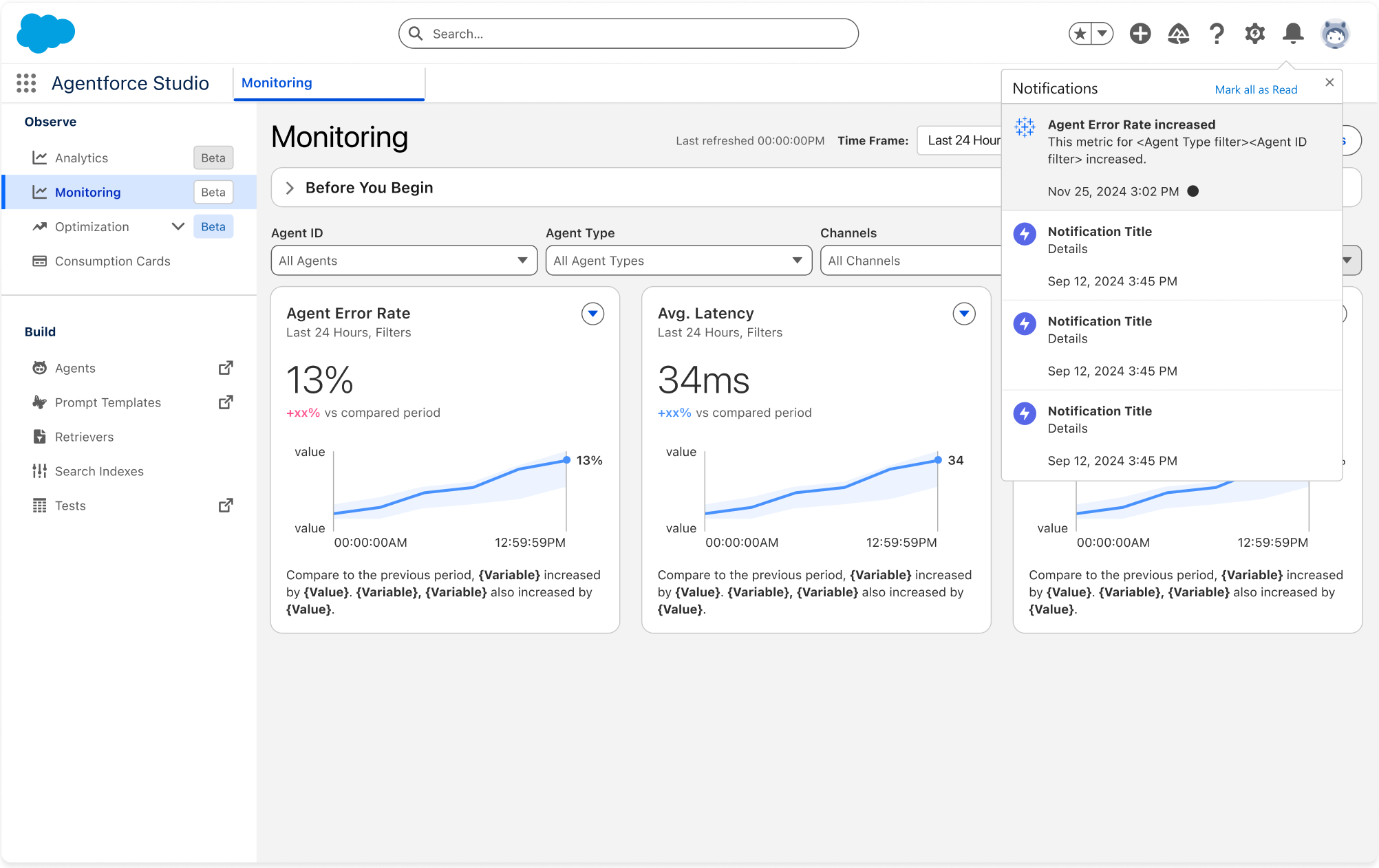
Tableau Next: Agent Performance Alerts

Proactive data alerts on Agent performance

Tableau Next: Agent Performance Alerts

Gain near real-time visibility and trust signals on your deployed AI agents through proactive data alerts on agent performance. Set alerts and receive notifications to get ahead of potential agent issues.

Tableau Next: Heat Map

Find hotspots and relationships in your data

Tableau Next: Heat Map

Find relationships and hotspots in your data. Heat Map visualiations make it easier to spot complex patterns and gain a deeper understanding of your data.

Tableau Next: Dual and Sync Axis

Identify relationships with two measures

Tableau Next: Dual and Sync Axis

Compare two different measures on the same chart using different Mark Types. Visually analyze the correlation between metrics in a single view for better understanding.

Tableau Next: Funnel Chart

Analyze conversion across stages

Tableau Next: Funnel Chart

Clearly track conversion rates to easily identify and address customer drop-off points. This enhanced visualization enables users to optimize specific business processes and address key challenges.

Tableau Next: Financial Services Insights App

Build the banking business with this pre-built app for Salesforce

Tableau Next: Financial Services Insights App

Leverage this pre-built app for Salesforce to empower your branch managers and retail bankers with insights to build the banking business. Increase referral conversions, accelerate loan applications, and build customer retention.

Tableau Next: Productivity Shortcuts

Increase efficiency

Tableau Next: Productivity Shortcuts

Increase your authoring efficiency with new productivity shortcuts. Double-click data fields to quickly add them to your visualization and hide or show labels from the Toolbar. These shortcuts enables you to quickly create new vizzes and explore your data more efficiently.

Tableau Next: Semantic Model AI Optimization

Optimize your semantic model for better agent performance with Semantic Model AI Optimization in Tableau Semantics. Get a health score along with AI-powered suggestions, ensuring agents interpret and respond to your queries more accurately.

Tableau Next: Semantic Model AI Optimization

Optimize your semantic model for better agent performance with Semantic Model AI Optimization in Tableau Semantics. Get a health score along with AI-powered suggestions, ensuring agents interpret and respond to your queries more accurately.

Now available in Beta.

11 月

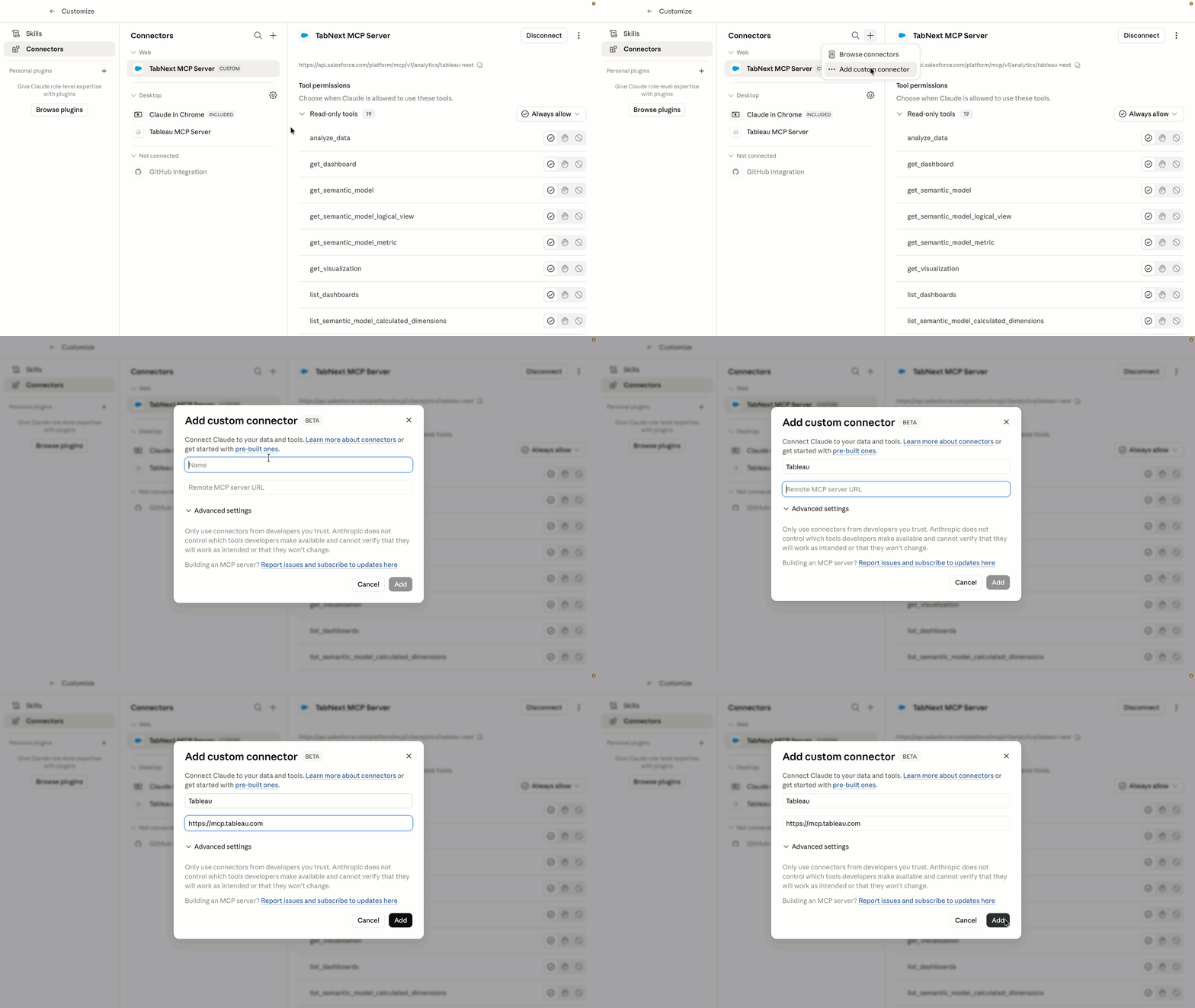
Tableau Next:MCP 服务器

利用智能体分析增强您的自定义 AI

Tableau Next:MCP 服务器

利用智能体分析增强您的自定义 AI。这项安全集成使您的智能体能够掌握复杂的分析任务,并从上下文丰富的受控语义层提供准确的答案。借助 Agentforce 信任层,您可以自信地实现决策自动化,并将组织的数据转化为实际行动。

注:以 Beta 版形式提供。

Tableau Next private marketplace template picker

Tableau Next: Sale Insights App

Drive smarter revenue growth with this pre-built app for Salesforce.

Tableau Next: Sale Insights App

Leverage this pre-built app for Salesforce to empower your sales leaders with insights to drive smarter revenue growth. Uncover deal trends, drive forecast accuracy, track conversions, and understand seller performance to focus reps on the right opportunities.

Tableau Next:可视化计算

直接在可视化中创建临时计算

Tableau Next:可视化计算

直接在可视化构建器中创建临时计算,加快数据探索速度。无需创建持久字段即可即时测试猜想和运行假设方案,从而更快地将见解转化为行动。

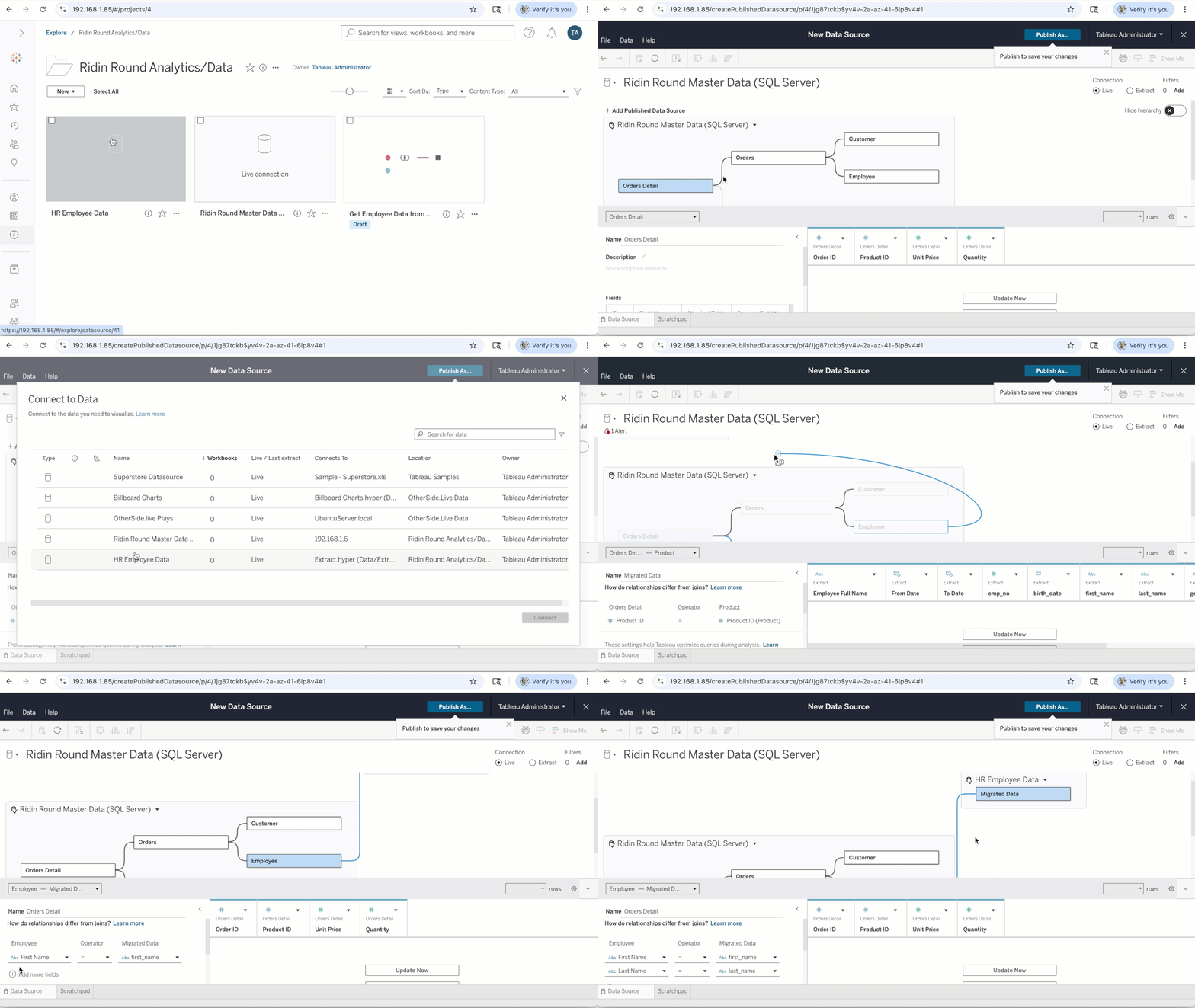
将已发布的数据源导入 Tableau Semantics

无需迁移即可在 Tableau Next 中直接使用您信任的已发布数据源

将已发布的数据源导入 Tableau Semantics

无需迁移即可开启您的智能体分析之旅,并最大限度地利用您现有的数据投资。将 Tableau Cloud 和 Server 中的已发布数据源 (PDS) 无缝导入 Tableau Semantics,让您能够直接在 Tableau Next 中利用它们,在其基础上进行分析。

Tableau Pulse: Legend in Anchor Chart

Clarify anchor charts, and the features included (e.g., goals, forecast), with a legend that helps you understand the data being reported. The legend clearly defines what each line and symbol means, making it easier for business users to interpret the chart.

Tableau Pulse: Legend in Anchor Chart

Clarify anchor charts, and the features included (e.g., goals, forecast), with a legend that helps you understand the data being reported. The legend clearly defines what each line and symbol means, making it easier for business users to interpret the chart.

Tableau Pulse: Support for User Functions

Apply row level security to a Pulse metric even if you cannot edit the underlying data source directly. The Advanced Editor now supports key user functions (e.g., USERNAME, ISMEMBEROF, FULLNAME) that were previously blocked, so analysts can ensure that users only see the data they are authorized to view.

Tableau Pulse: Support for User Functions

Apply row level security to a Pulse metric even if you cannot edit the underlying data source directly. The Advanced Editor now supports key user functions (e.g., USERNAME, ISMEMBEROF, FULLNAME) that were previously blocked, so analysts can ensure that users only see the data they are authorized to view.

Tableau Next: Concierge in Lightning

Conversational analytics for embedded Tableau Next dashboards

Tableau Next: Concierge in Lightning

Enable conversational analytics in the flow of work with Concierge in Lightning. The agent will automatically inherit all context (like filters and data sources) from your embedded Tableau Next dashboard, so you can ask plain-language questions and get accurate responses without leaving your workflow.

Tableau Semantics: Description Generation

Automatically generate the descriptions within a semantic model

Tableau Semantics: Description Generation

Accelerate semantic modeling and improve agent accuracy by automating description generation of objects, fields, and metrics within a semantic model.

Tableau Next: External Embedding with SDK

Embed agentic analytics across any application

Tableau Next: External Embedding with SDK

Easily embed agentic analytics across any web application. Expedite development time with previews and easy customization via the SDK. Empower business users with live metrics, vizzes and dashboards to unlock data-driven action in any flow of work.