Tableau August 2026 Release
Tableau Next Semantic Model Builder, MCP Authoring, and more
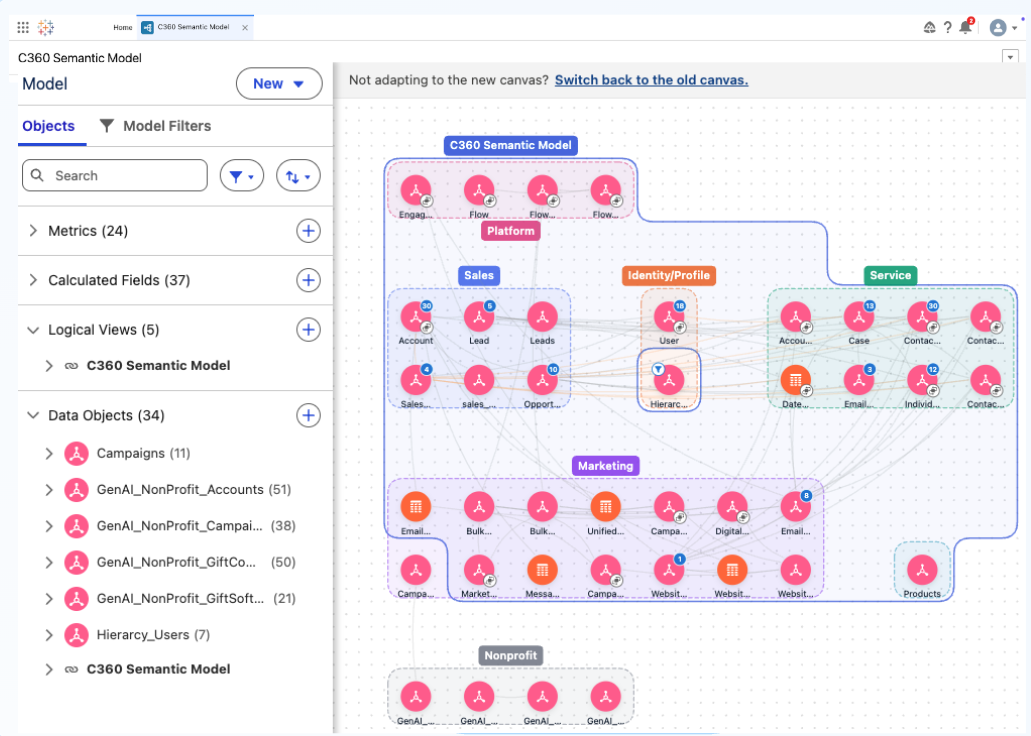
Tableau Next: Semantic Model Builder, Smart Canvas
Author and explore semantic models at any scale with an enhanced canvas experience in Tableau Semantics. Smart auto-layout, infinite navigation, inline editing, and domain-based grouping handle enterprise complexity so your team can iterate faster.
Semantic Model Builder - Smart Canvas is generally available in Tableau Next
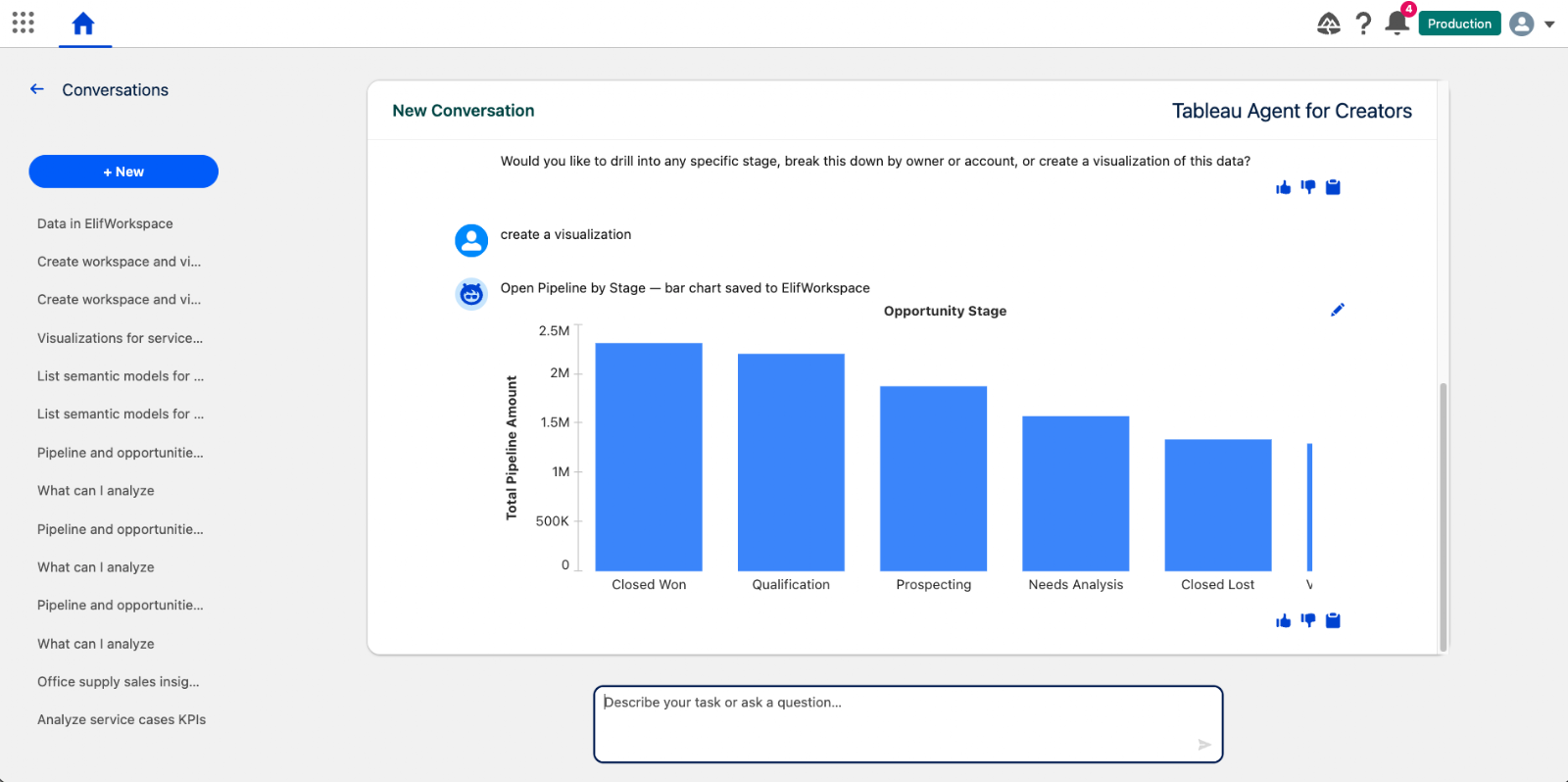
Tableau Next: Tableau Agent - Data Connection and Analytics Creation (Beta)
Accelerate data discovery, semantic modeling, and viz building conversationally with Tableau Agent. Automatically locate semantic models, enrich data relationships, and generate editable visual assets to move from data to insight faster.
Tableau Agent - Data Connection and Analytics Creation is available in Beta in Tableau Next.
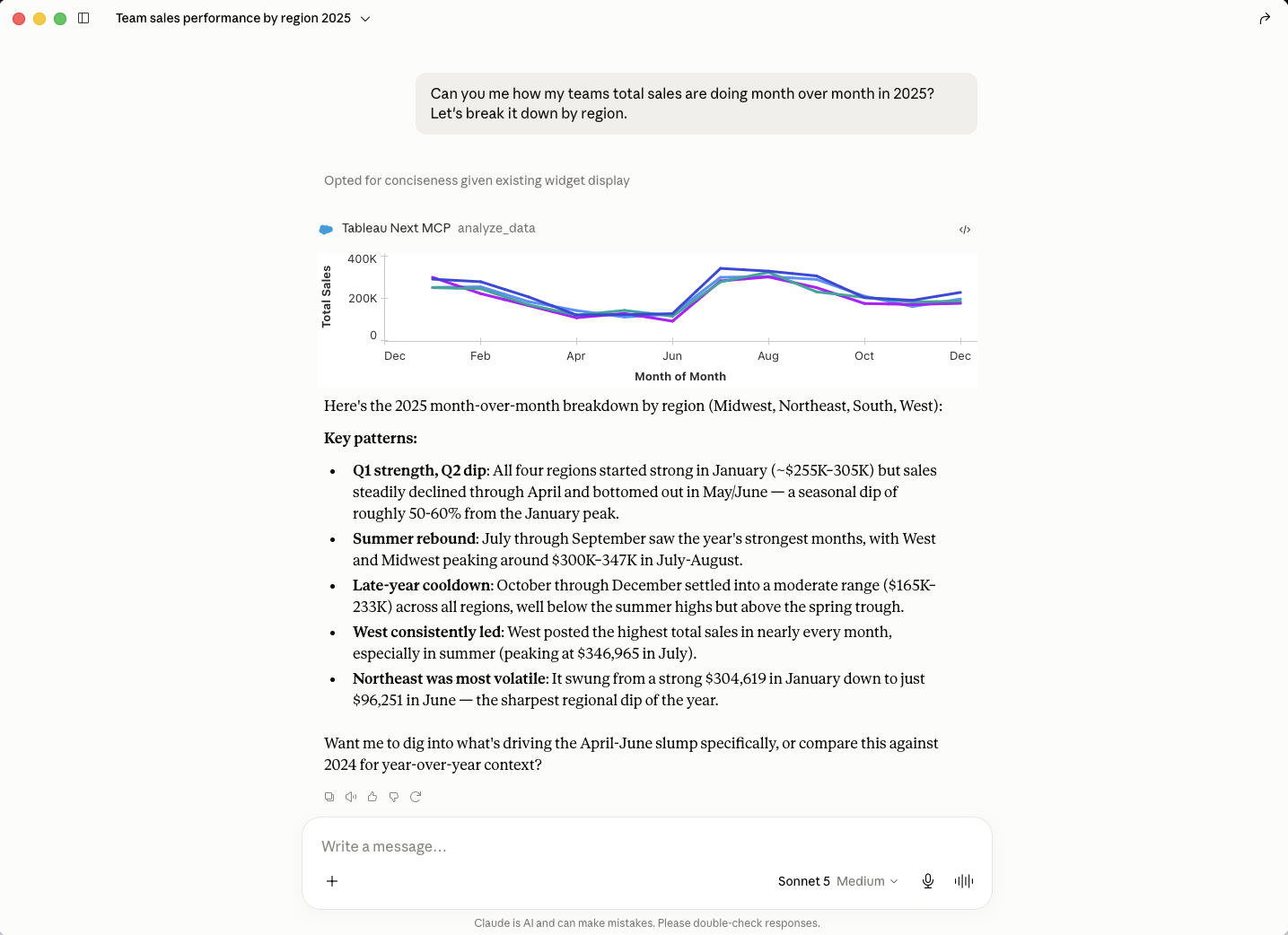
Tableau Next MCP: Authoring (Beta)
Gain early access to next-generation AI analytics capabilities across dashboards, semantic modeling, and proactive alerting. Opt-in to test emerging tools and shape product quality while accelerating conversational workflows.
Tableau Next MCP: Authoring is coming soon in Beta.
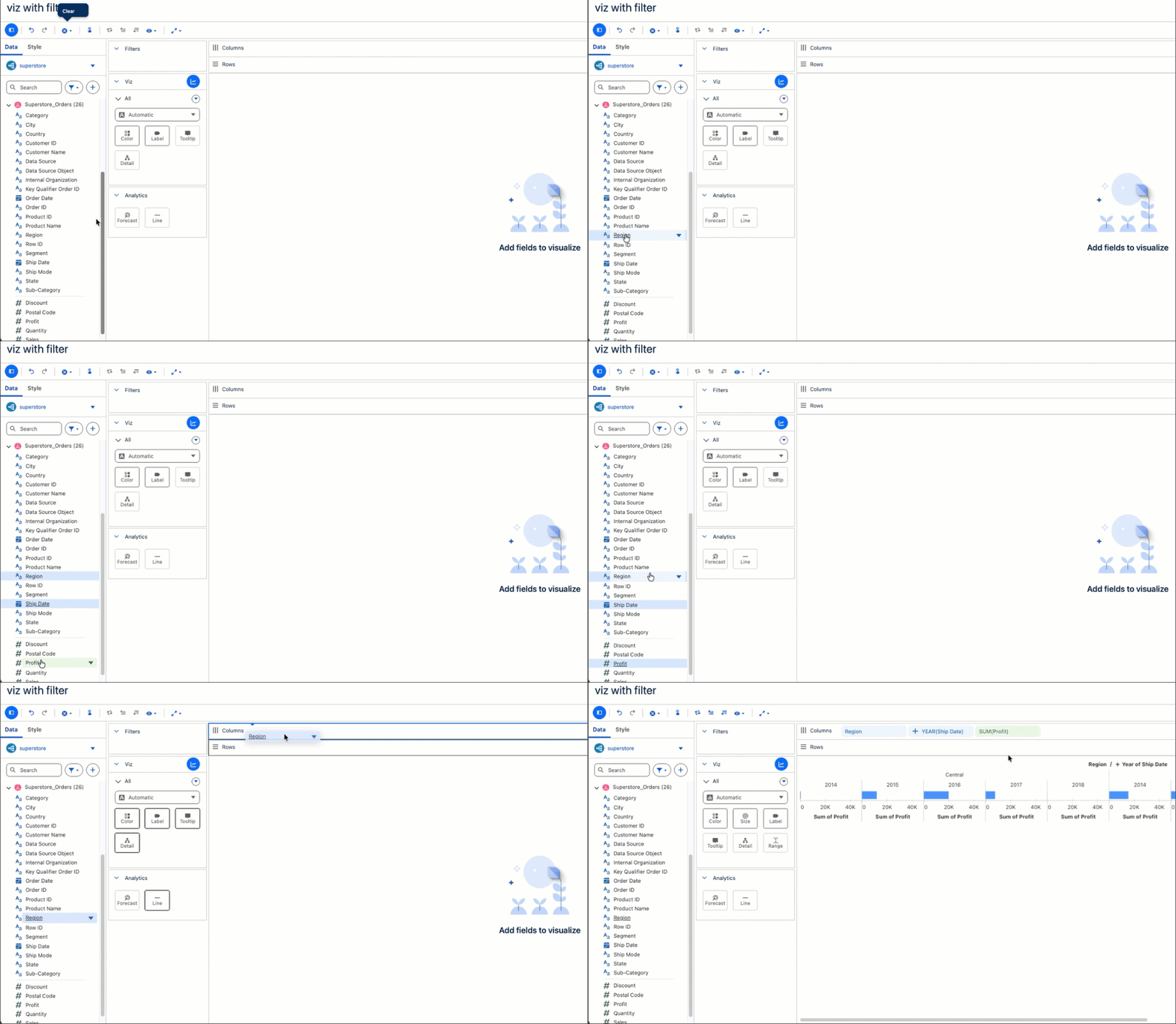
Tableau Next: Viz and Dashboard Authoring Enhancements
Tableau Next takes the friction out of building, from your first viz to the finished dashboard. Select multiple fields at once, drop them onto the canvas, and build complex charts like waterfalls faster. Duplicate widgets, copy styles, and manage multi-page dashboards with simple right-clicks, so you spend less time on layout and more time on analysis.
Viz and Dashboard Authoring Enhancements are generally available in Tableau Next.
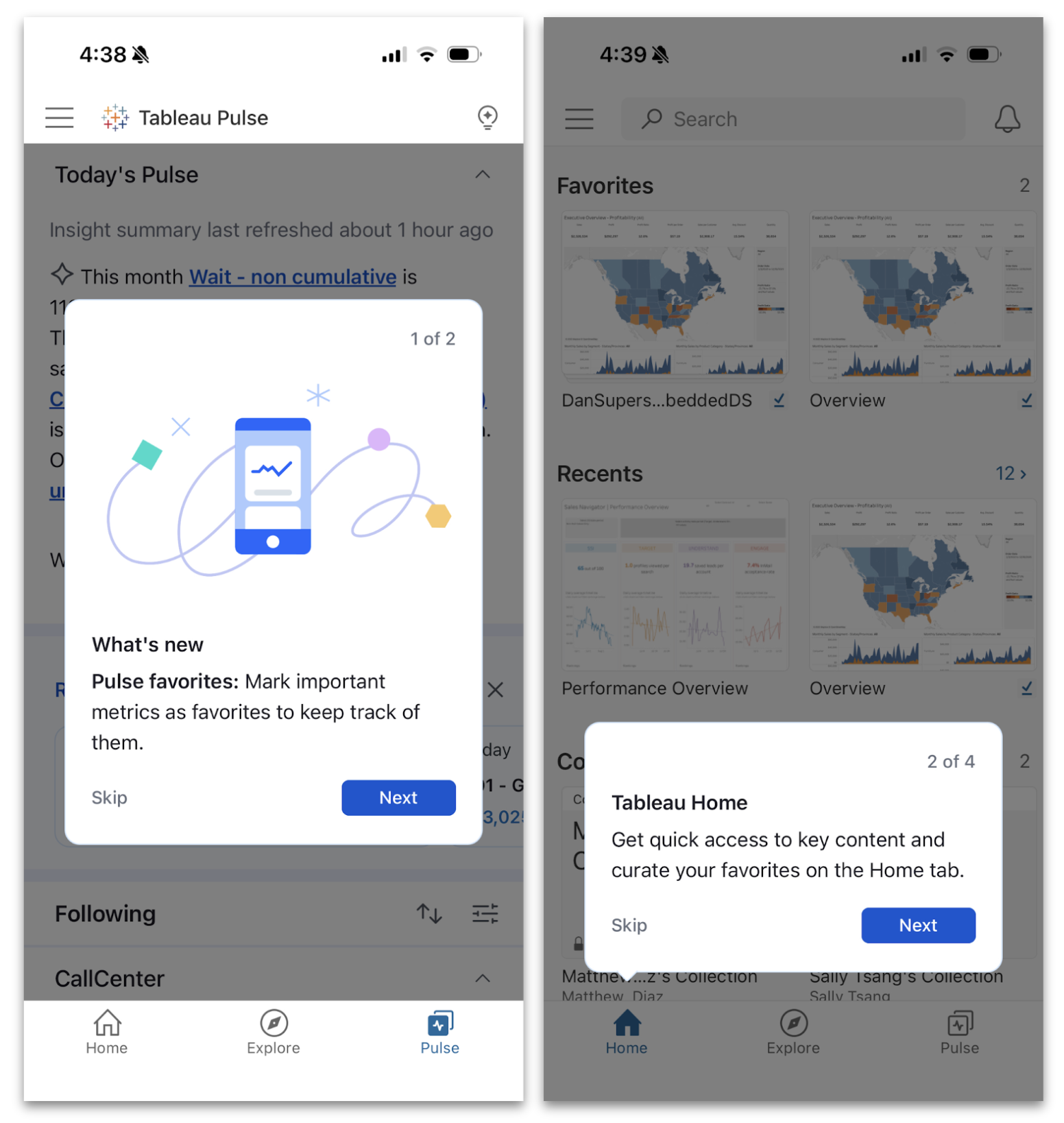
Tableau Mobile Enhancements for Clarity, Confidence, and Comfort
We're making it even easier to stay connected to your data on the go with a more intuitive mobile experience at every step. Unlock value faster by walking through key features with guided onboarding prompts, confirm a viz's data lineage and metadata with data details, and enjoy a more relaxed view of your Pulse insights in dark mode. With these updates, you're not just checking in on your phone, you're making smarter decisions from anywhere, with less friction
Guided Onboarding Prompts, Data Details, and Dark Mode in Tableau Pulse are generally available in Tableau Mobile.

Get the Inside Track on Tableau Releases
Learn from Tableau Product Managers about the new features we're releasing on our DataFam Discovery User Group.
Join Now
All Features