Tableau August 2026 Release
Tableau Next Semantic Model Builder, MCP Authoring, and more
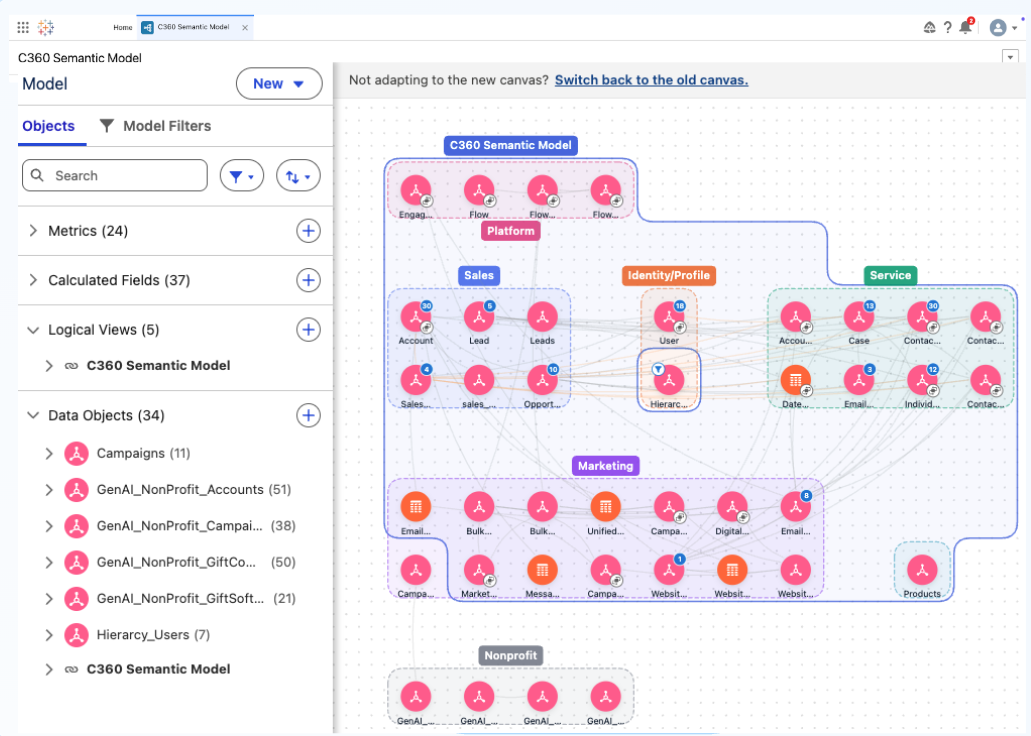
Tableau Next: Semantic Model Builder, Smart Canvas
Author and explore semantic models at any scale with an enhanced canvas experience in Tableau Semantics. Smart auto-layout, infinite navigation, inline editing, and domain-based grouping handle enterprise complexity so your team can iterate faster.
Semantic Model Builder - Smart Canvas is generally available in Tableau Next
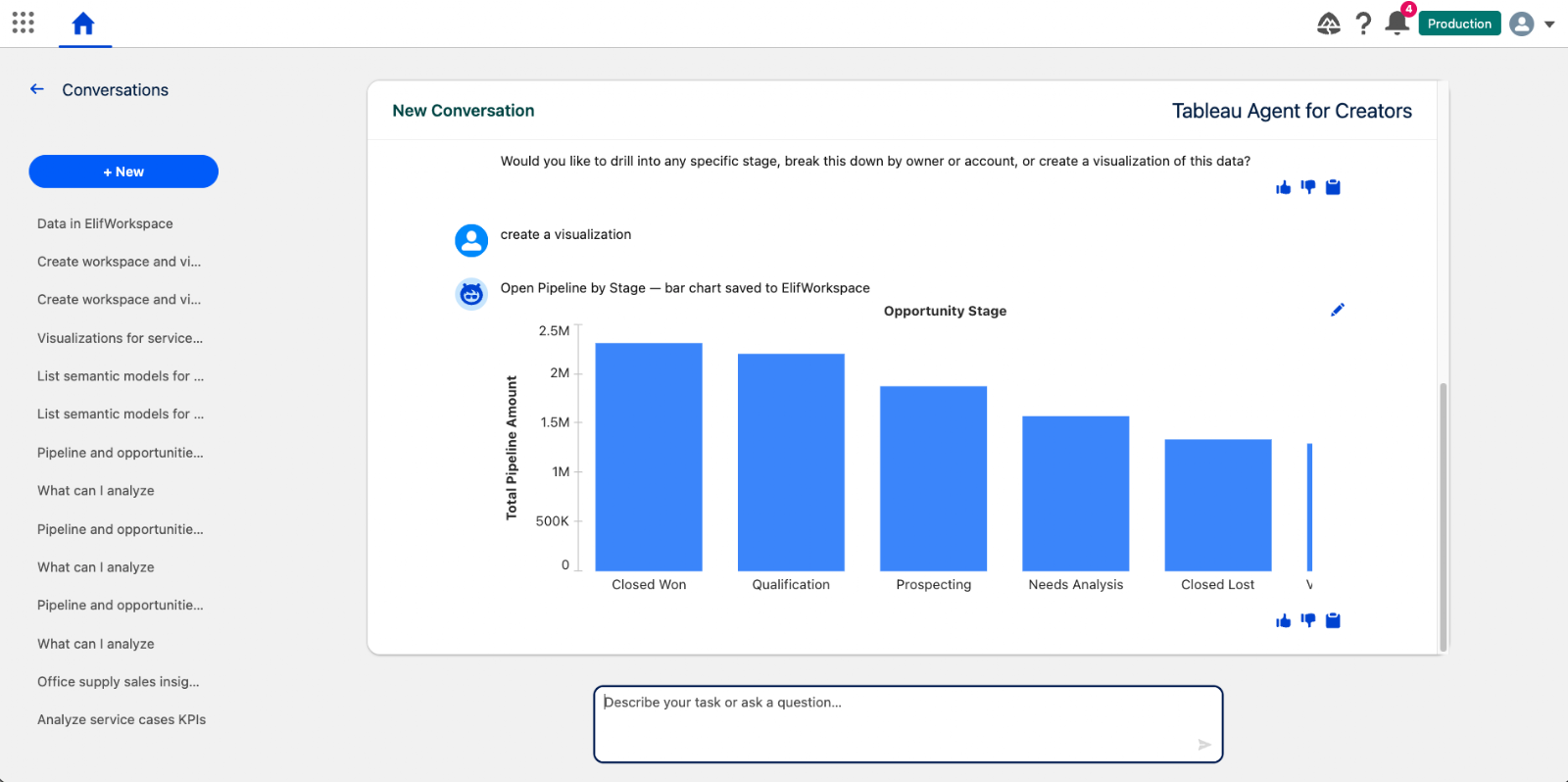
Tableau Next: Tableau Agent - Data Connection and Analytics Creation (Beta)
Accelerate data discovery, semantic modeling, and viz building conversationally with Tableau Agent. Automatically locate semantic models, enrich data relationships, and generate editable visual assets to move from data to insight faster.
Tableau Agent - Data Connection and Analytics Creation is available in Beta in Tableau Next.
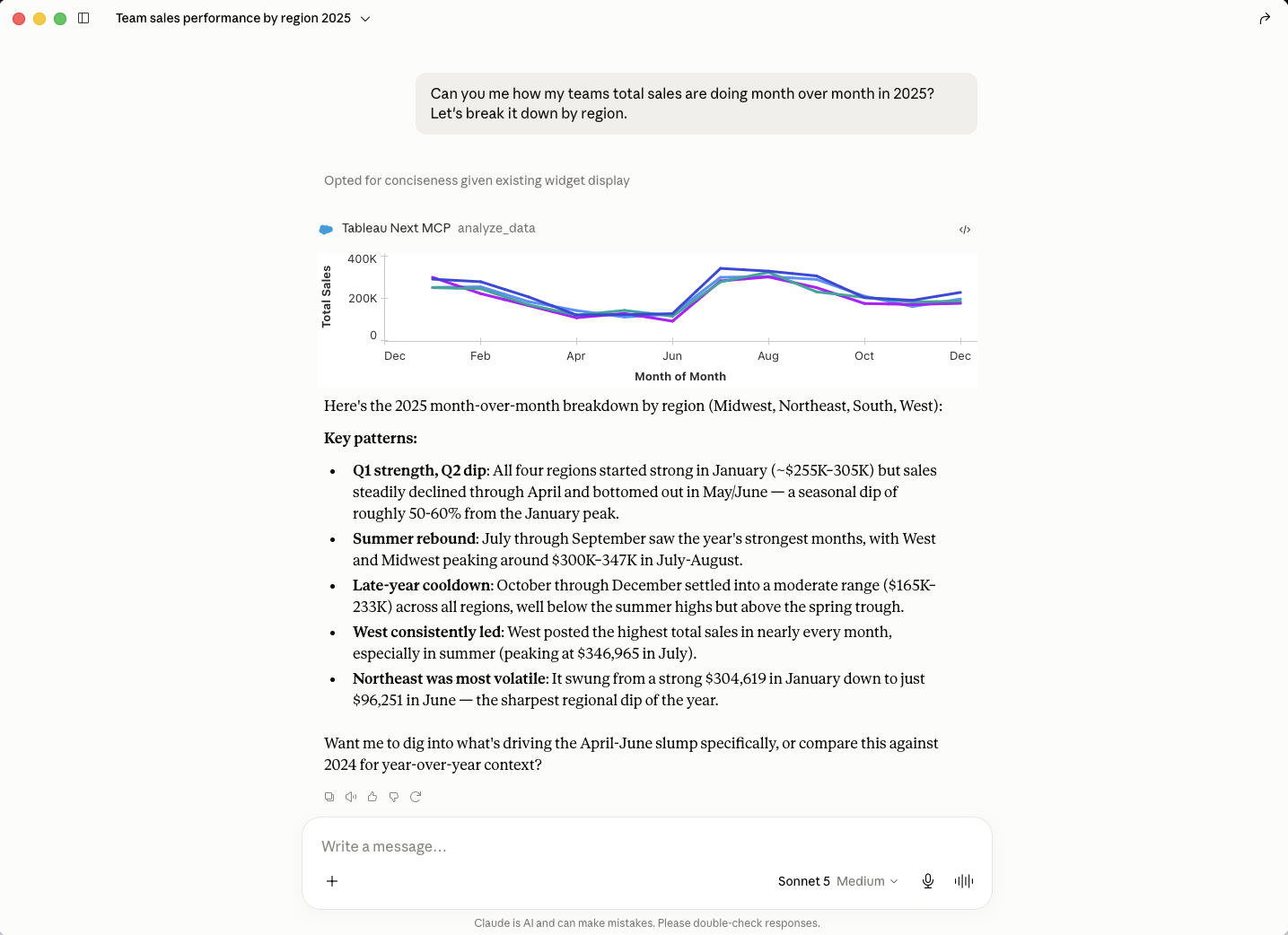
Tableau Next MCP: Authoring (Beta)
Gain early access to next-generation AI analytics capabilities across dashboards, semantic modeling, and proactive alerting. Opt-in to test emerging tools and shape product quality while accelerating conversational workflows.
Tableau Next MCP: Authoring is coming soon in Beta.
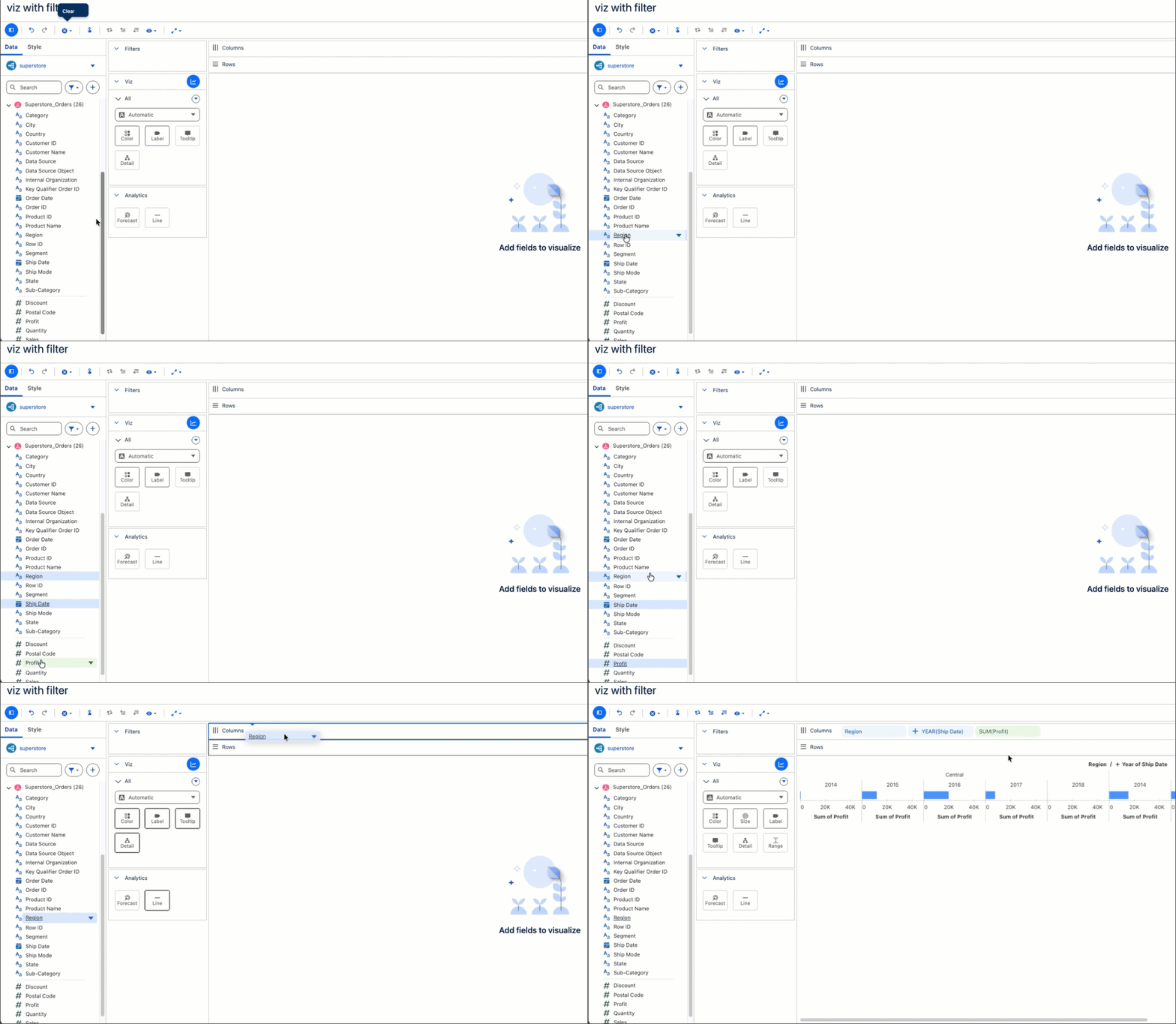
Tableau Next: Viz and Dashboard Authoring Enhancements
Tableau Next takes the friction out of building, from your first viz to the finished dashboard. Select multiple fields at once, drop them onto the canvas, and build complex charts like waterfalls faster. Duplicate widgets, copy styles, and manage multi-page dashboards with simple right-clicks, so you spend less time on layout and more time on analysis.
Viz and Dashboard Authoring Enhancements are generally available in Tableau Next.
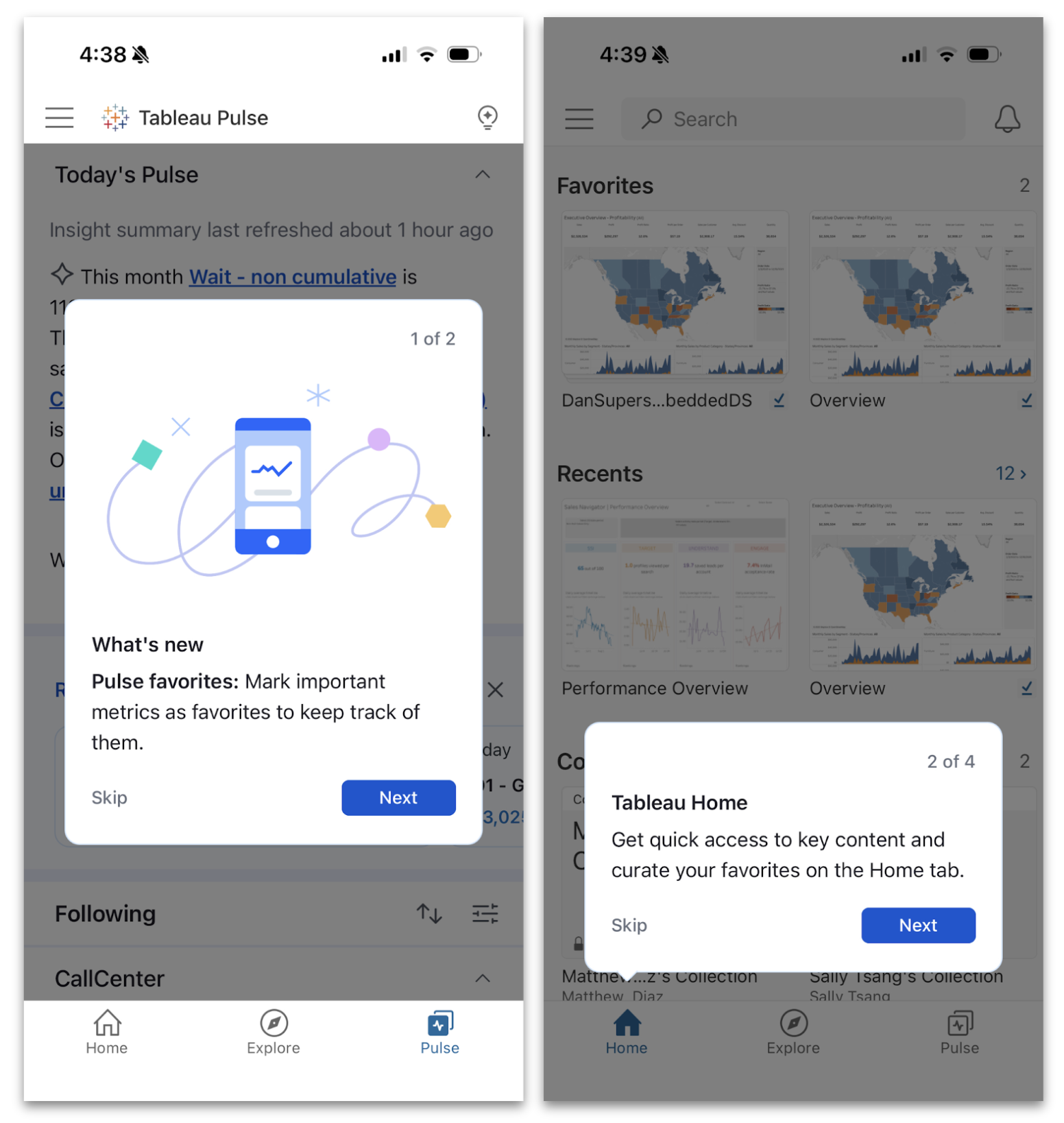
Tableau Mobile Enhancements for Clarity, Confidence, and Comfort
We're making it even easier to stay connected to your data on the go with a more intuitive mobile experience at every step. Unlock value faster by walking through key features with guided onboarding prompts, confirm a viz's data lineage and metadata with data details, and enjoy a more relaxed view of your Pulse insights in dark mode. With these updates, you're not just checking in on your phone, you're making smarter decisions from anywhere, with less friction
Guided Onboarding Prompts, Data Details, and Dark Mode in Tableau Pulse are generally available in Tableau Mobile.

Get the Inside Track on Tableau Releases
Learn from Tableau Product Managers about the new features we're releasing on our DataFam Discovery User Group.
Join Now
All Features
2026.2

Hosted Tableau MCP
Tableau MCP now runs as a fully cloud-hosted service on Tableau Cloud, removing the need for customers to self-host and maintain their own MCP server. This means you can connect any MCP-compatible AI agent to your trusted Tableau analytics faster and with significantly less overhead. With built-in OAuth 2.1 support, governance, and reliability, you get secure, enterprise-ready AI integration right out of the box.
Hosted Tableau MCP for Tableau Cloud is coming soon, across all editions.
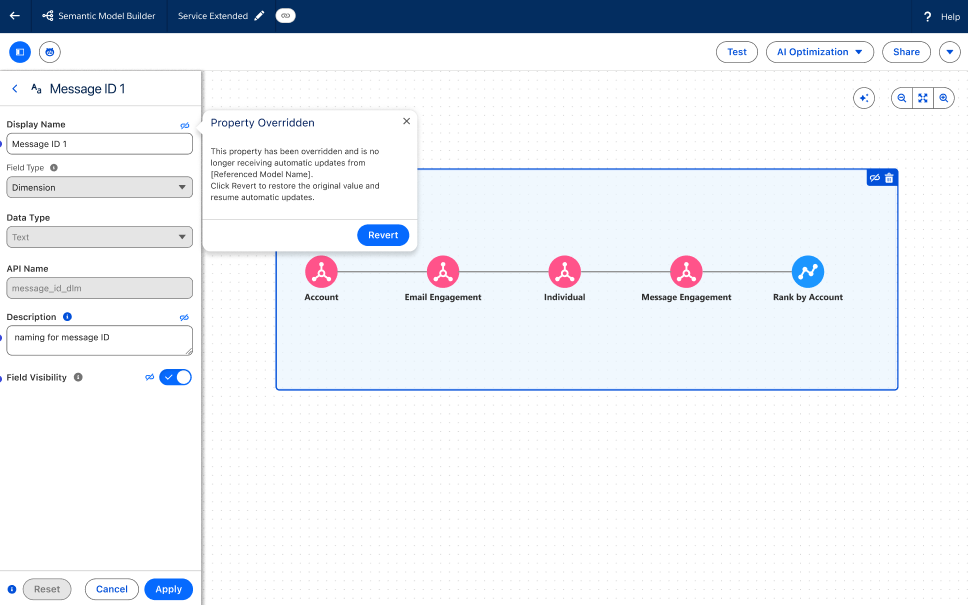
Tableau Semantics: Composability Overrides
Adapt inherited business logic to meet specific requirements by modifying properties like display names and visibility in extended semantic models. This ensures OOTB content reflects unique organizational needs while preserving a single source of truth.
Composability Overrides is generally available with Tableau Next.
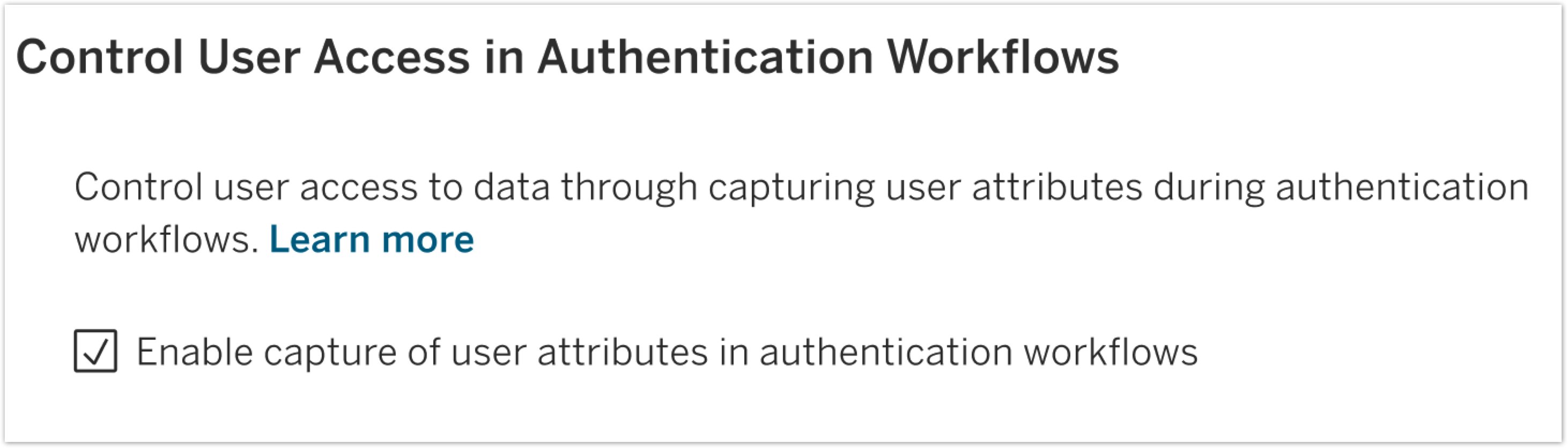
User Attribute Function for SAML and OIDC
Strengthen data security by using attributes passed directly from your Identity Provider for row-level security. This allows for dynamic, attribute-based access control that ensures users only see the data relevant to their role.
User Attribute Function for SAML and OIDC is generally available in Tableau Server.
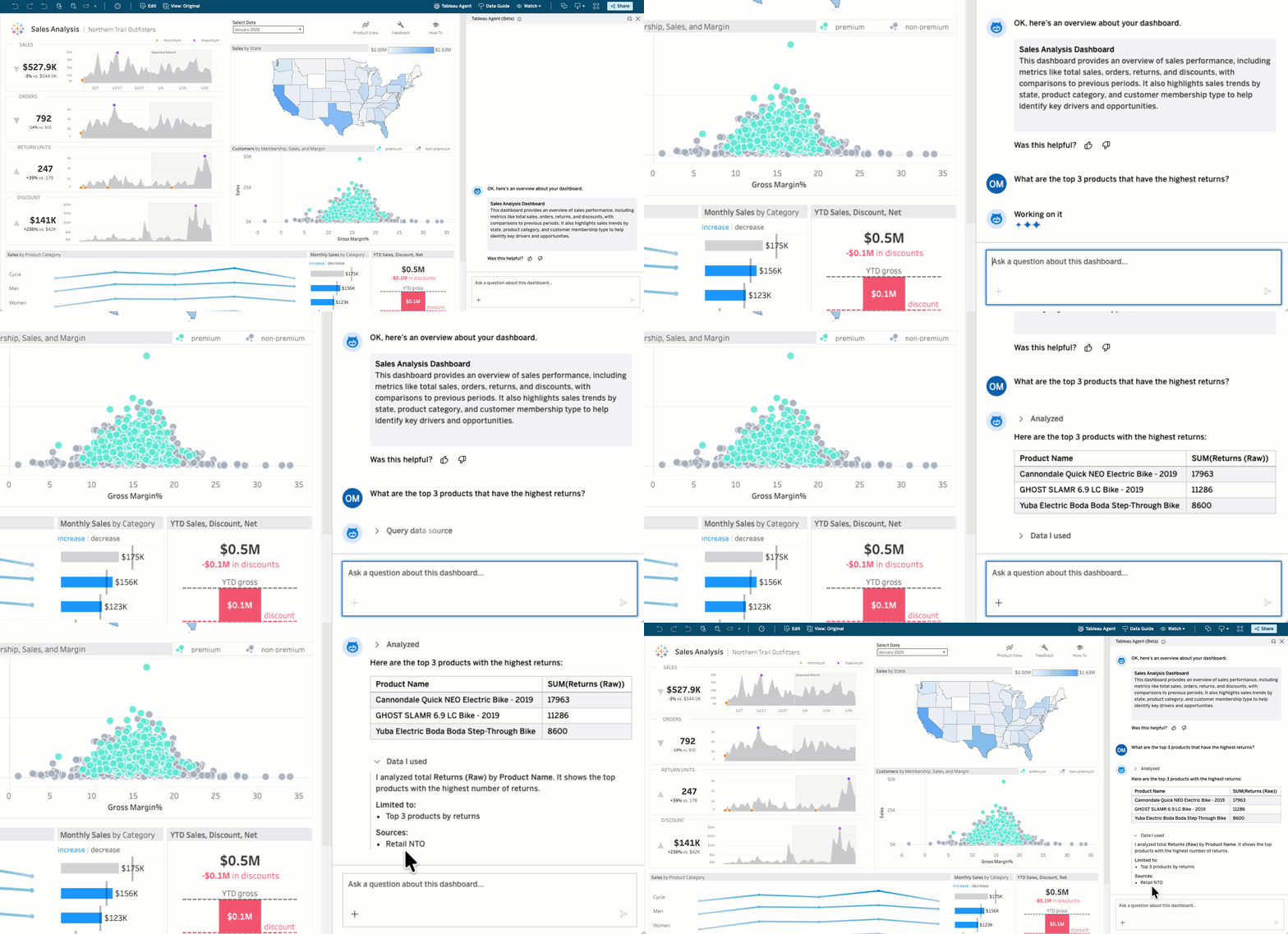
Tableau Agent in Dashboards: Conversational Analytics (Beta and Pilot)
Business users no longer have to wait to get answers to their data questions. With Tableau Agent in Dashboards, anyone can ask their data questions in plain language and get actionable information immediately. This self-service capability enables every user to get deeper insights from their dashboards by intuitively querying the underlying data source.
Tableau Agent in Dashboards: Conversational Analytics will be available in July as a Beta in Tableau Cloud and a Pilot in Tableau Server.
Semantic Search (Pilot)
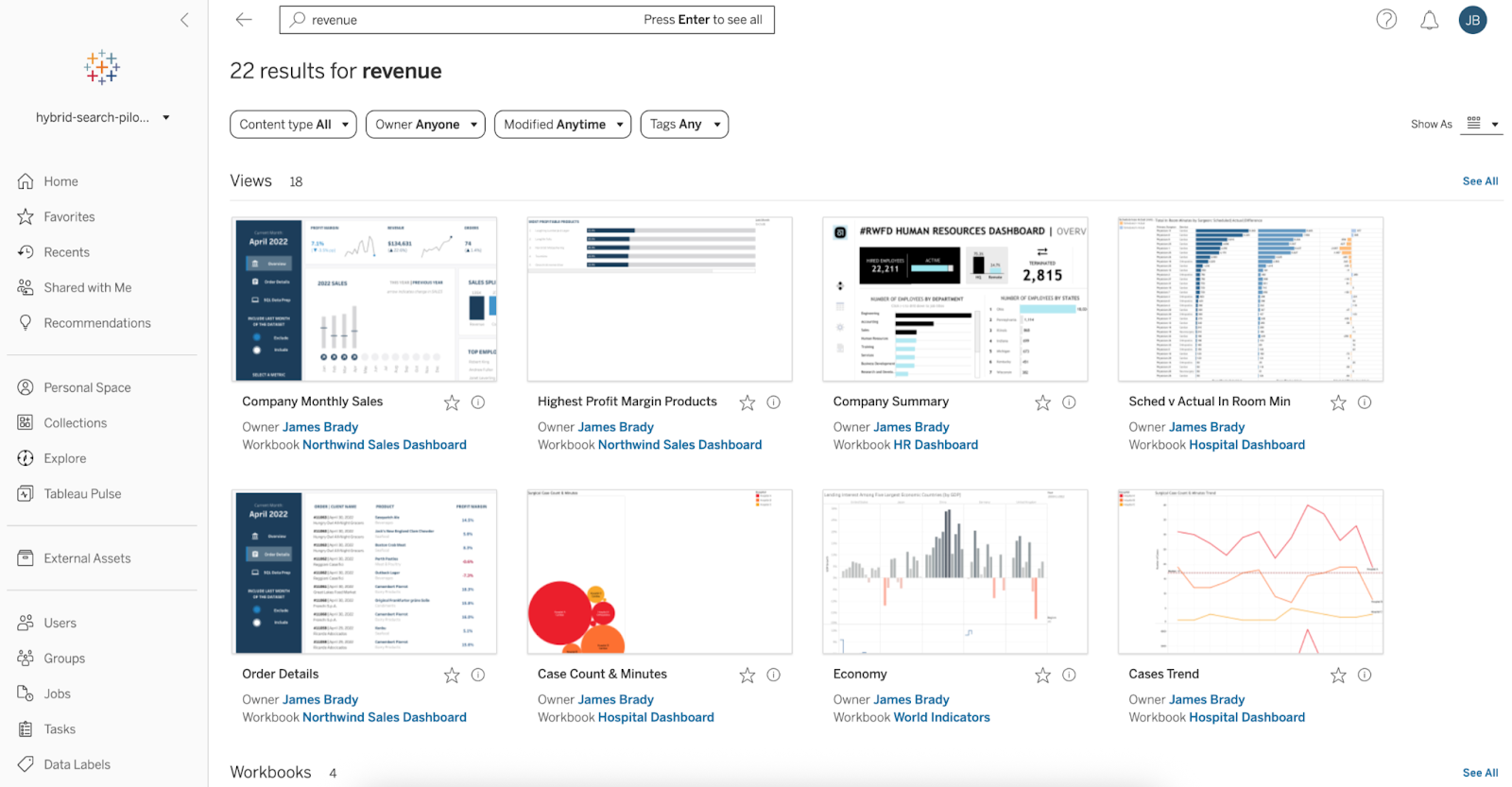
Find the right Tableau content faster, using natural language. With Semantic Search, you can search for relevant dashboards, data sources, and workbooks using plain language and business concepts—exact keyword match not required. This intuitive search capability drives discovery of existing artifacts, eliminating duplication.
Semantic Search is available in Pilot in Tableau Cloud.
VizQL Data Service: Live Dashboard Query
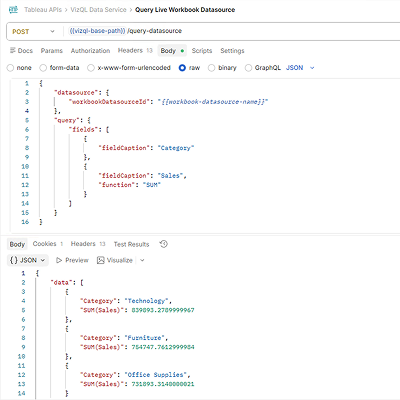
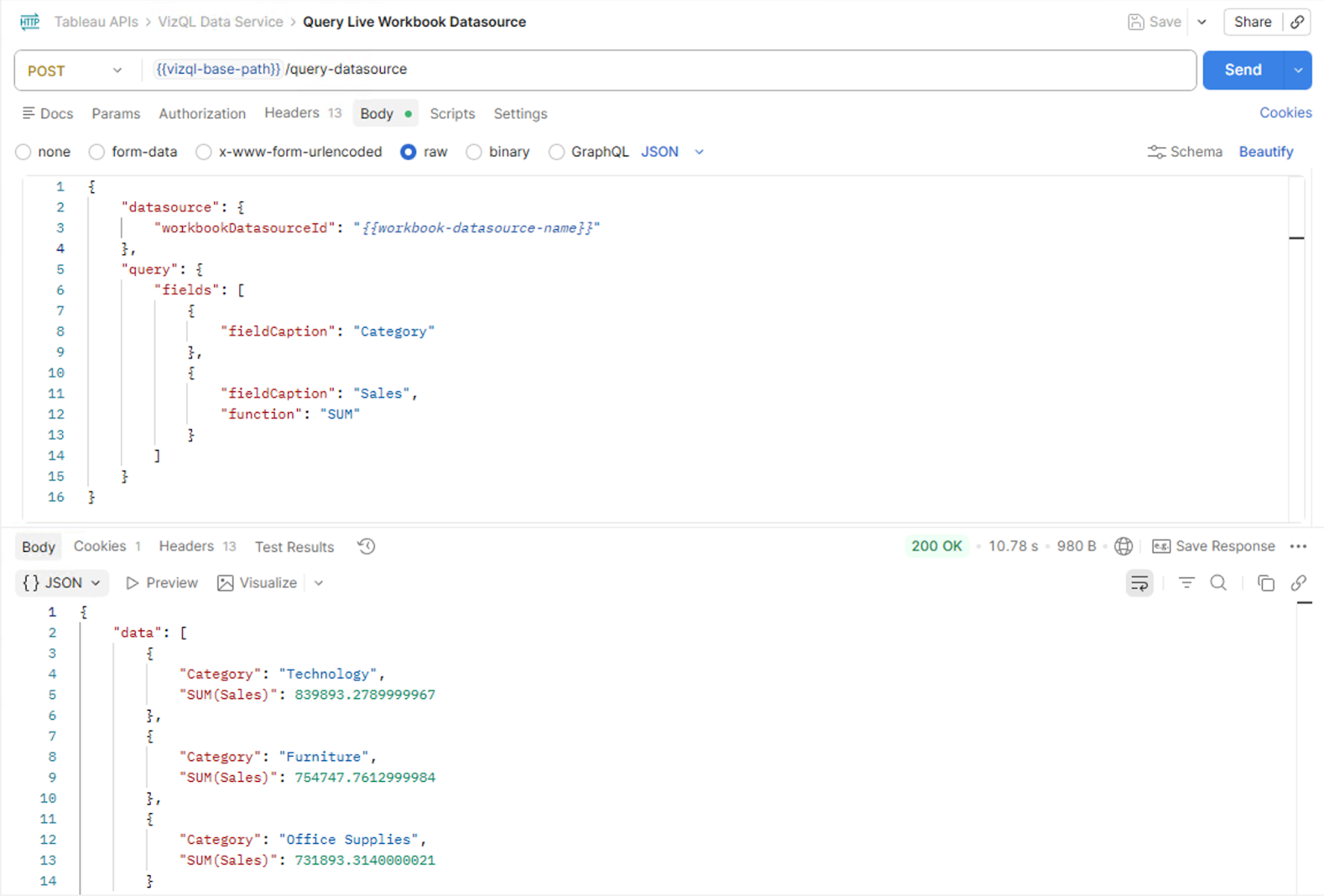
Building powerful embedded analytics experiences just got easier. With the new VizQL Data Service live dashboard query capability, you can query the data sources behind a Tableau workbook, including embedded ones, directly from your embedding applications. A new Embedding API method provides an identifier for the user's active dashboard session, which is then passed to VizQL Data Service to return data that matches exactly what the viewer sees in their dashboard. This makes it possible to build custom agentic experiences, AI-powered Q&A interfaces, and other deeply integrated applications that tap into live, session-aware Tableau data.
VizQL Data Service Live Dashboard Query is generally available in Tableau Cloud and Tableau Server.
Enhancing Accessibility in Custom Views
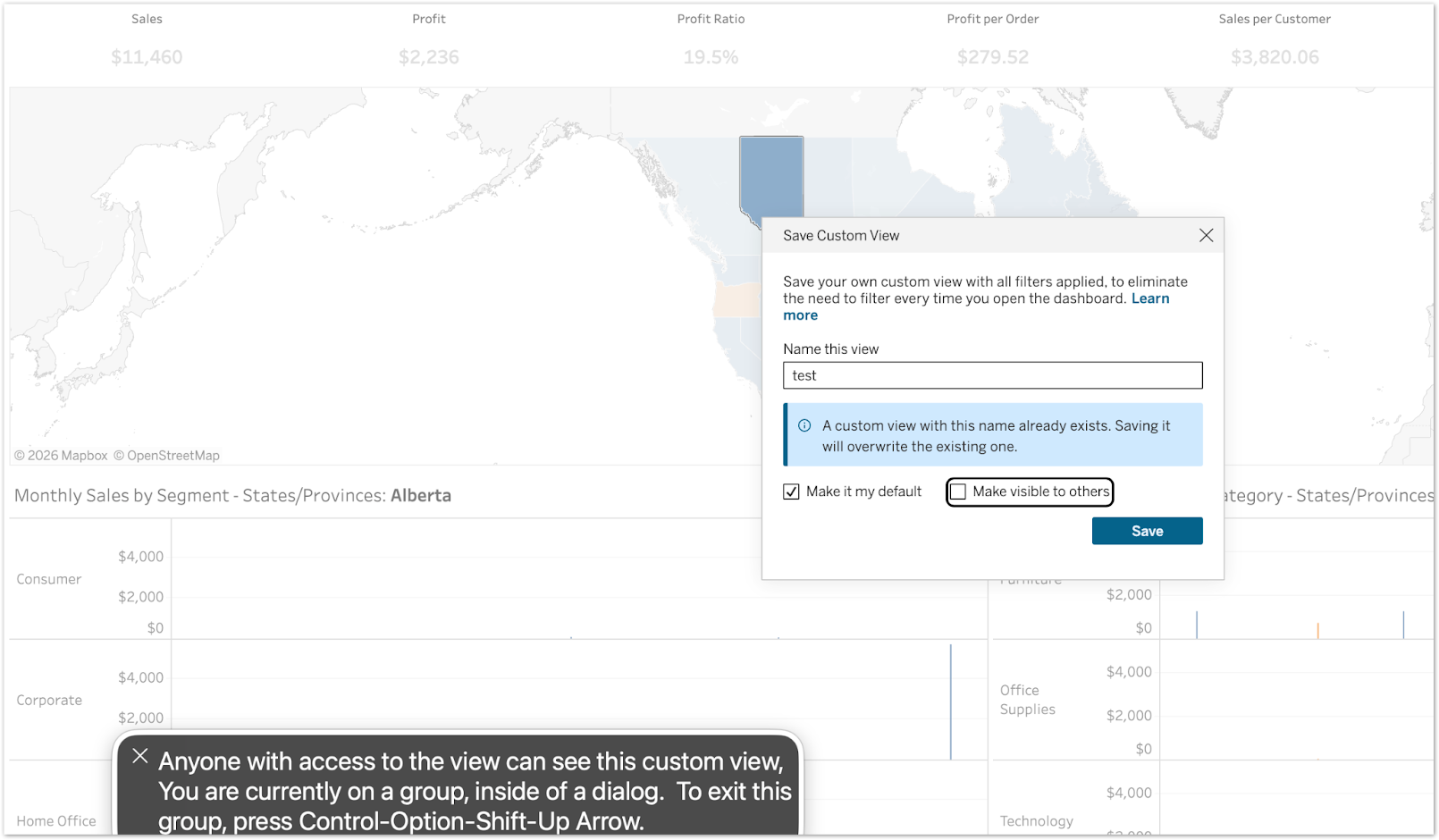
Ensure an equitable experience for users with vision impairments by providing screen reader support for critical configuration options. Descriptive text for setting default or shared views is now announced during keyboard focus, preventing accidental exposure of personal data.
Enhancing Accessibility in Custom Views is generally available in Tableau Cloud and Server.
Manage Workbook Extensions
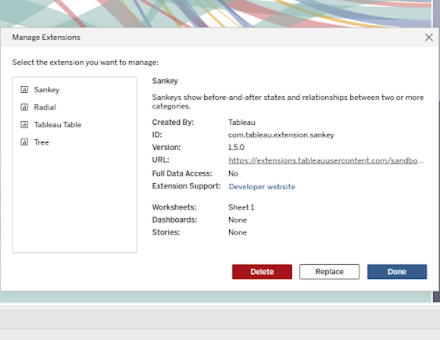
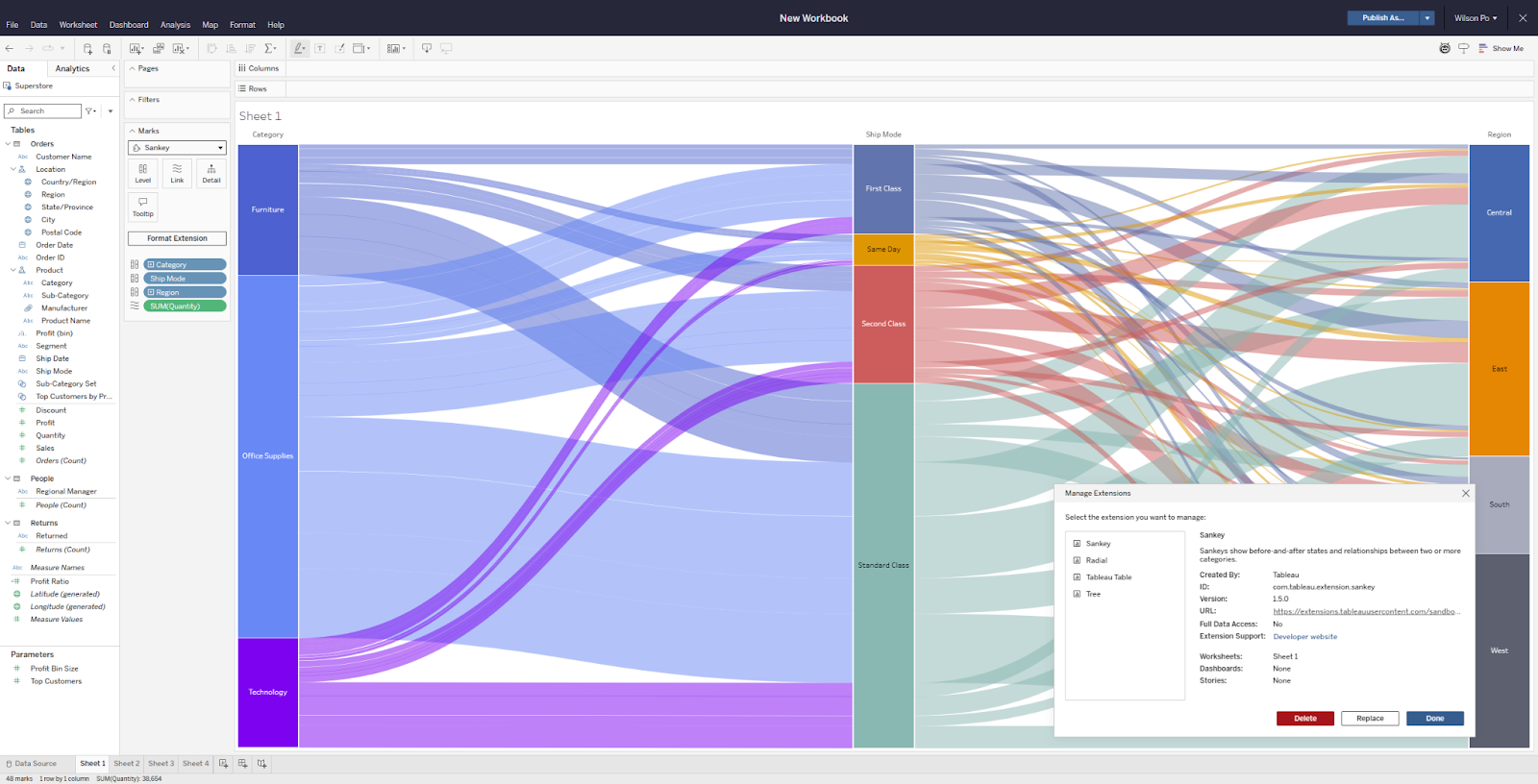
As workbook complexity grows, keeping track of which extensions are in use and where can become a real challenge. With Manage Workbook Extensions, you get a dedicated menu to inspect, delete, and swap out any dashboard or viz extension used in your workbook, all in one place. Whether you're working with extensions from the Tableau Exchange, privately developed ones, or licensed partner solutions, you can now replace them on the fly.
Manage Workbook Extensions is generally available in Tableau Desktop, Tableau Cloud, Tableau Server, and Tableau Public.
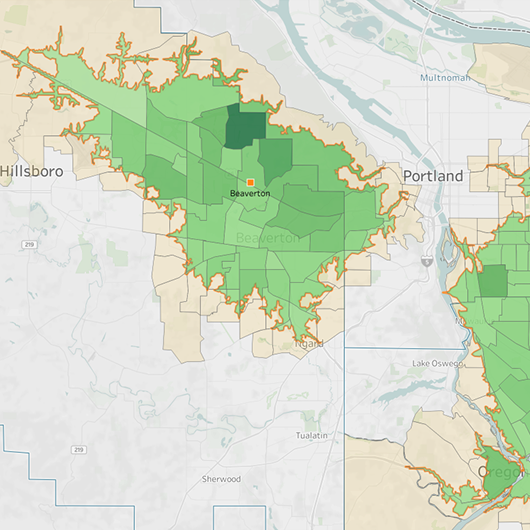
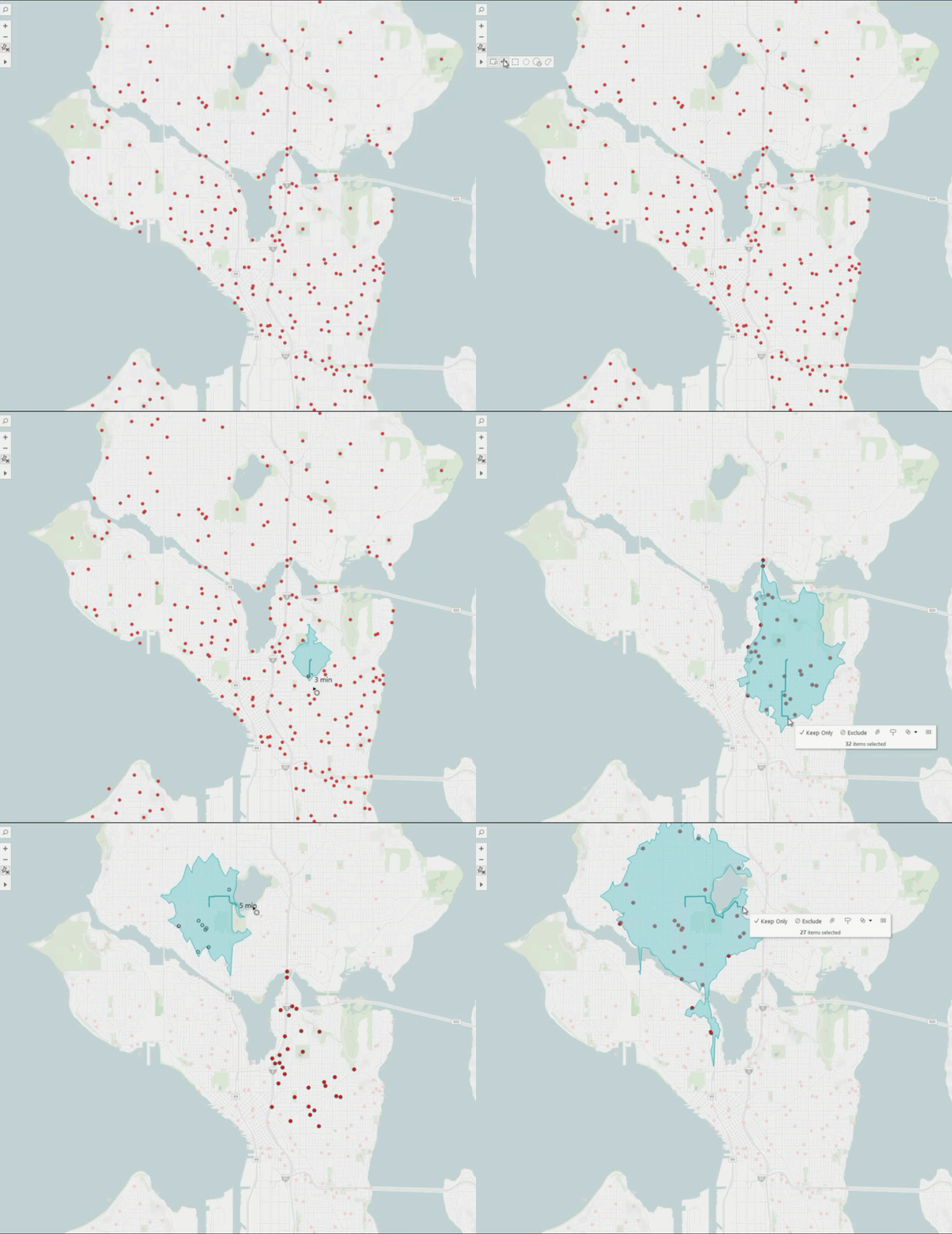
Tableau Maps: Drive Time Area
Traditional maps assume straight-line distances, which can lead to inaccurate assumptions about coverage, accessibility, and reach. With the Drive Time Area feature in Tableau Maps, you can draw an isochrone polygon directly on your map that reflects how far you can realistically travel within a given time, based on actual road networks and traffic conditions. Simply select the Drive Time tool from the map toolbar, click a point, and drag outward to generate your coverage area. Whether you're optimizing store locations, planning delivery zones, managing emergency response, or refining service coverage, Drive Time Area helps you make decisions grounded in real-world conditions.
Maps: Drive Time Area is generally available for Tableau Desktop, Tableau Cloud, Tableau Server, and Tableau Public.
SVG Image Download
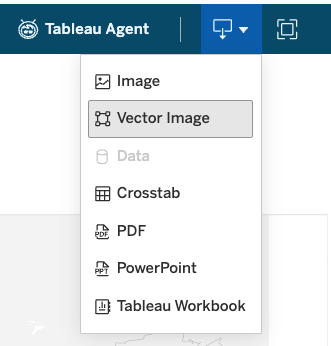
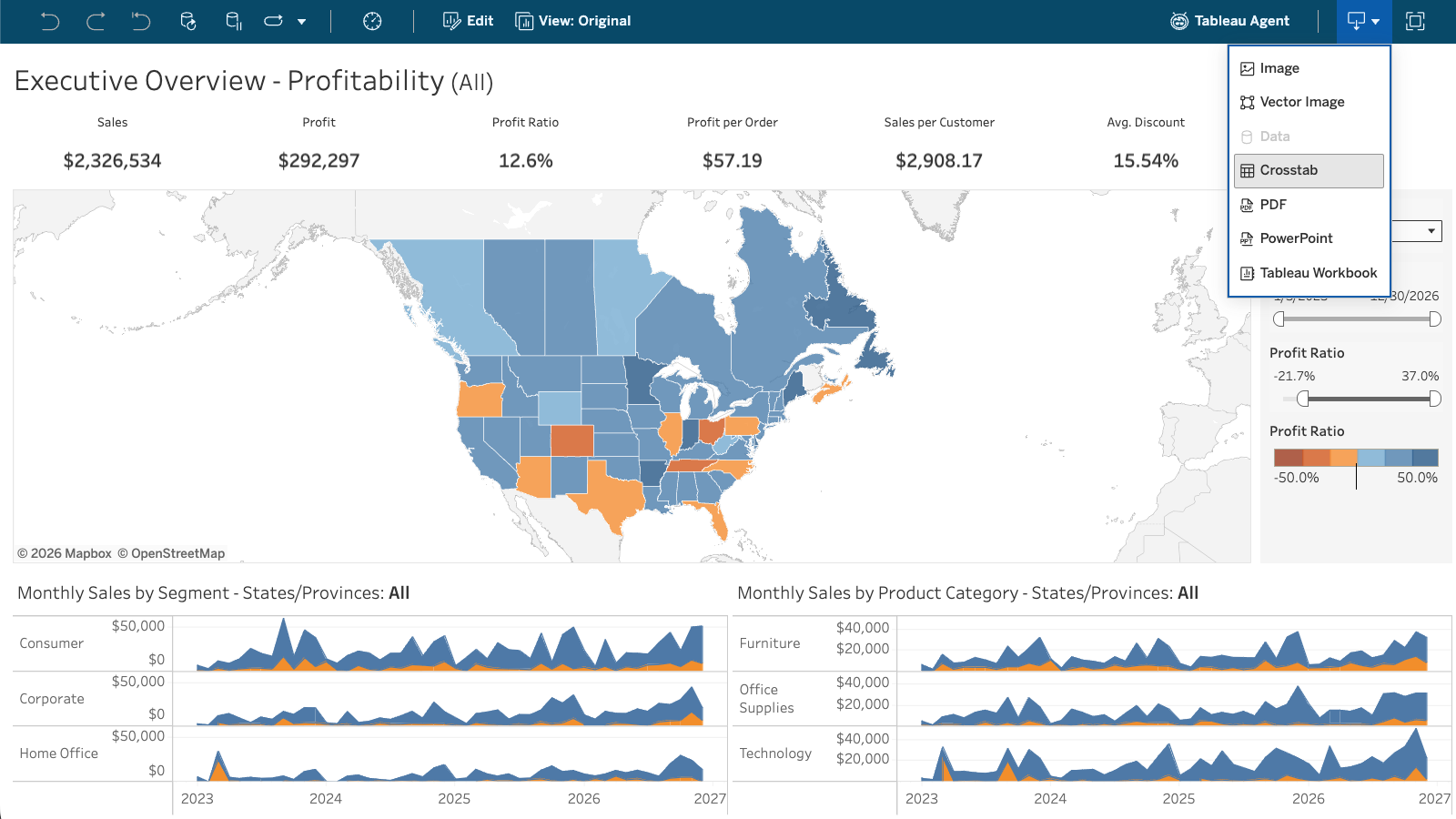
When you share Tableau dashboards and visualizations outside of Tableau, image quality matters. With SVG image download, you can now export your dashboards and vizzes as scalable vector graphics, so your visuals stay sharp and clear at any size, without the blurriness that can come with PNG exports. SVG files are available through the REST API, via the Vector Image option in web viewing, or through the Dashboard Download button. Whether you're embedding visuals in presentations, reports, or other content, your Tableau analytics now look exactly as intended.
SVG image download is generally available for Tableau Desktop, Tableau Cloud, Server and Tableau Public.

Tableau Bridge: Notifications in Tableau Cloud
Stay on top of data freshness with notifications for Tableau Bridge job failures delivered directly within Tableau Cloud. These automated alerts empower site admins and data owners to resolve connectivity issues faster, ensuring data pipelines stay current.
Tableau Bridge: Notifications is generally available in Tableau Cloud.

Tableau Bridge: Data Source Edits in Web Authoring
Creators working with on-prem data no longer have to switch to Tableau Desktop to build or update a Tableau Bridge data source. With this update, creators can create and edit published Bridge data sources, that use named connectors, directly on Tableau Cloud, keeping the entire workflow in one place.
Tableau Bridge: Data Source Edits in Web Authoring is generally available in Tableau Cloud.
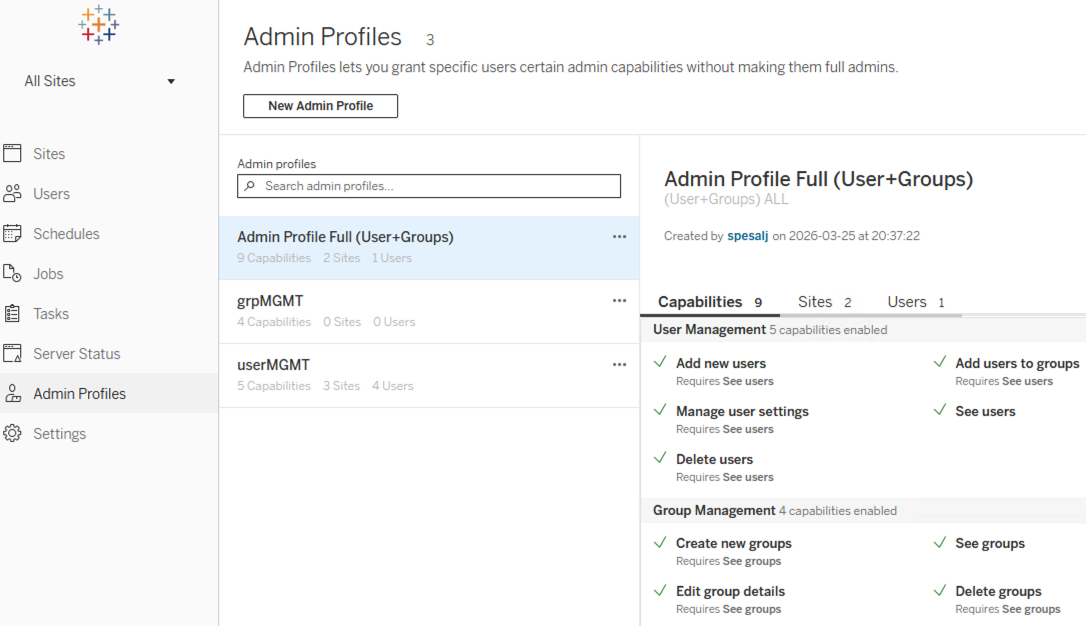
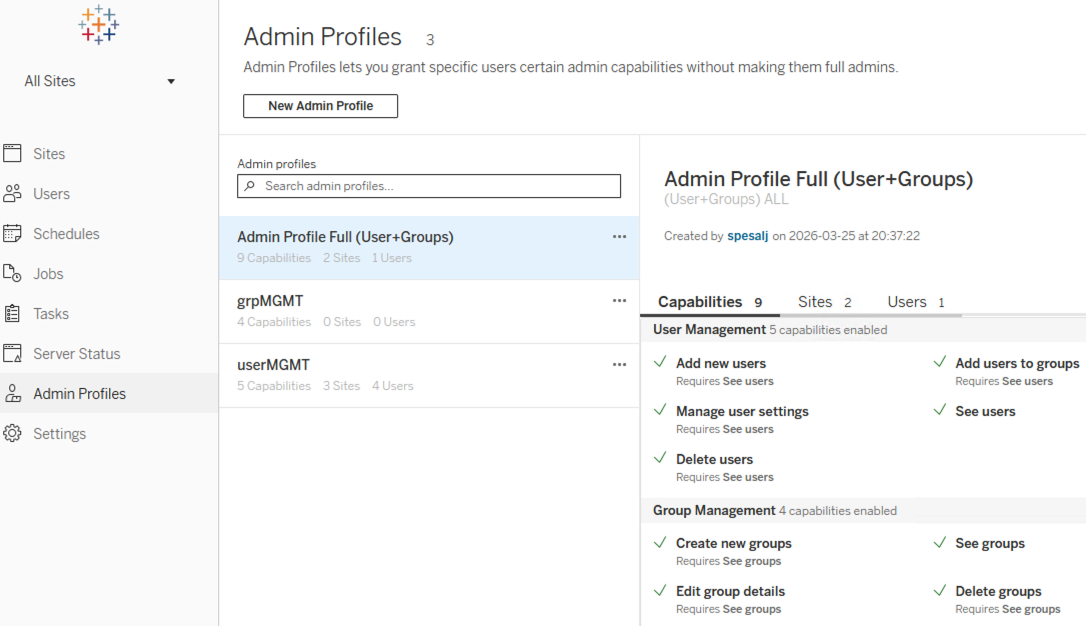
Tableau Server Admin Profiles
Delegate specific user and group management capabilities to non-admin roles like IT departments or regional leads. This custom profile management reduces the need for full site administrators while maintaining granular control and security.
Tableau Server Admin Profiles is generally available in Tableau Server.
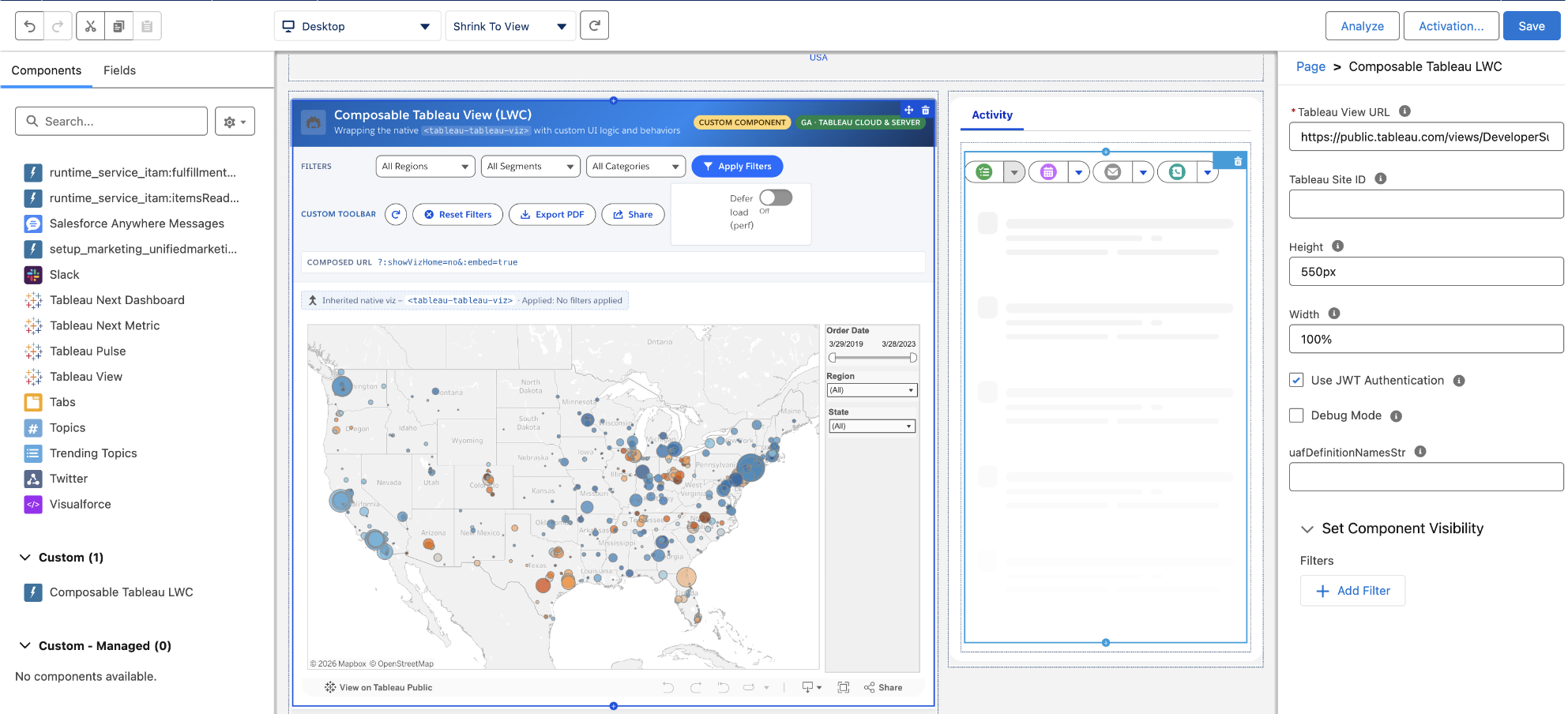
Composable Tableau Views and Tableau Pulse Metrics (LWC)
Customize how Tableau dashboards and Pulse metrics are embedded in Salesforce by wrapping the native component with your own UI logic and behaviors. With Composable Tableau Views and Tableau Pulse Metrics - Lightning Web Component (LWC), developers can programmatically set filters, add custom toolbars, and fine-tune performance while inheriting the seamless integration.
Composable Tableau Views and Tableau Pulse Metrics (LWC) is generally available in Tableau Cloud and Server.
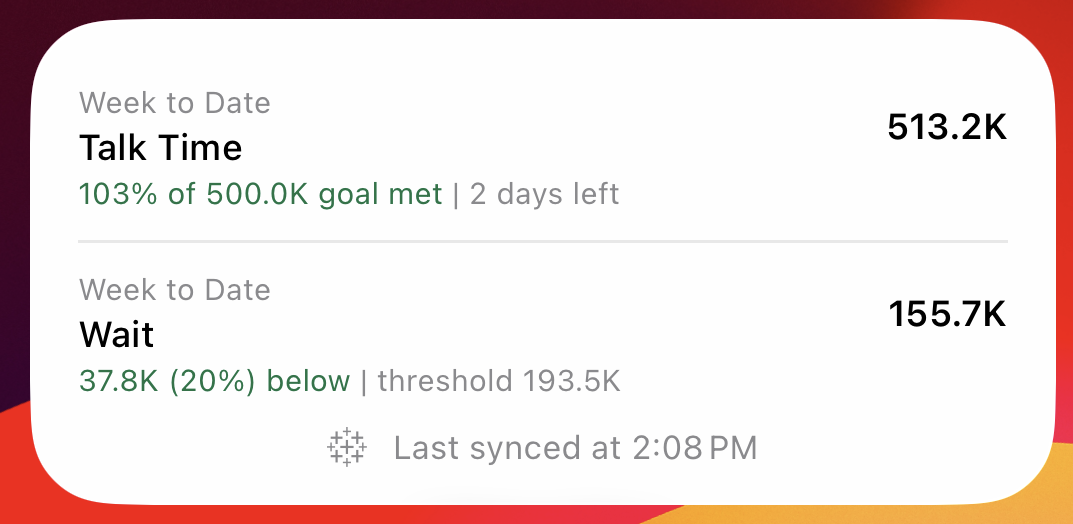
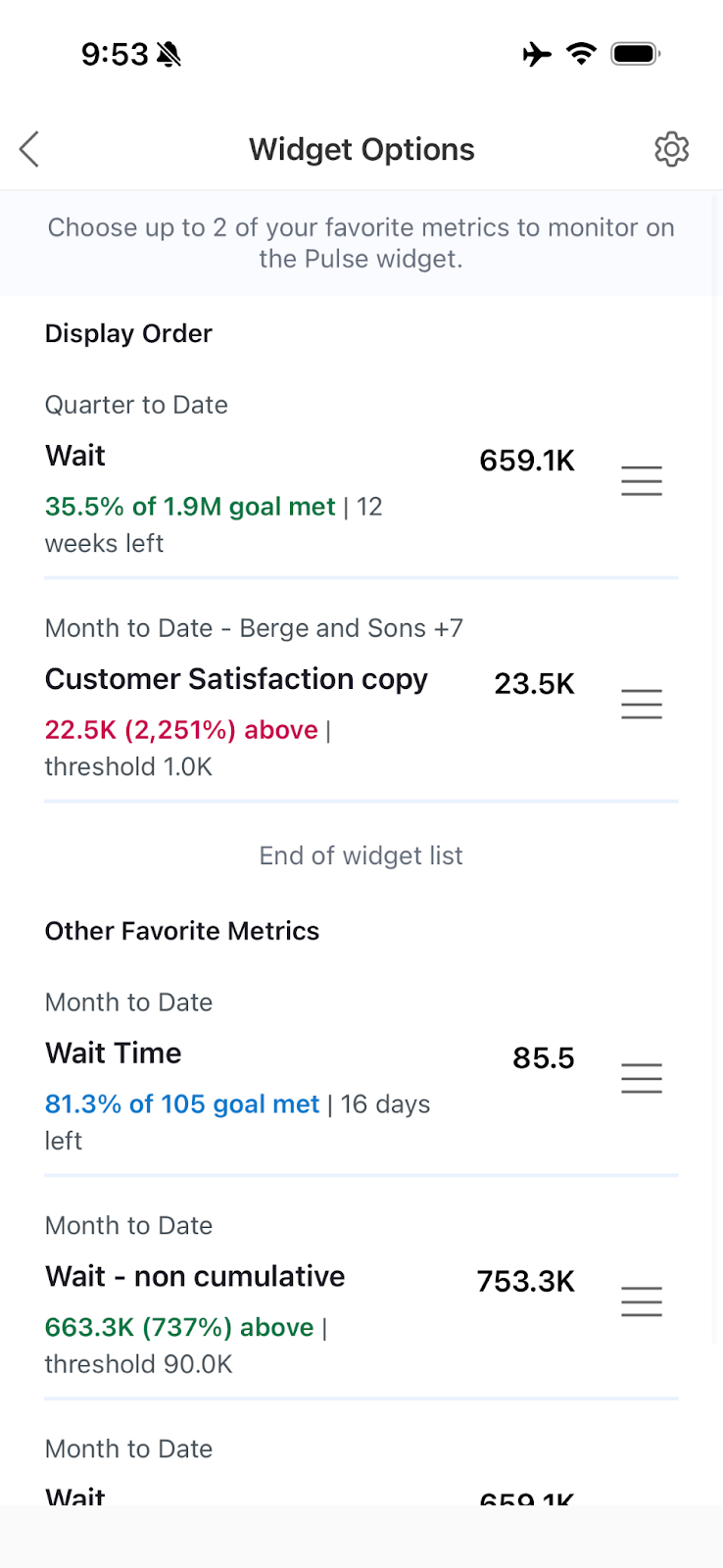
Tableau Pulse: Mobile Widget for Metrics
Keep your most critical data and insights always visible, directly from your mobile home screen. With the mobile widget for Tableau Pulse metrics, you can customize which high-priority metrics appear front and center, helping you stay informed and act quickly without having to open the Tableau app first.
Tableau Pulse: Mobile Widget for Metrics is generally available in Tableau Cloud.
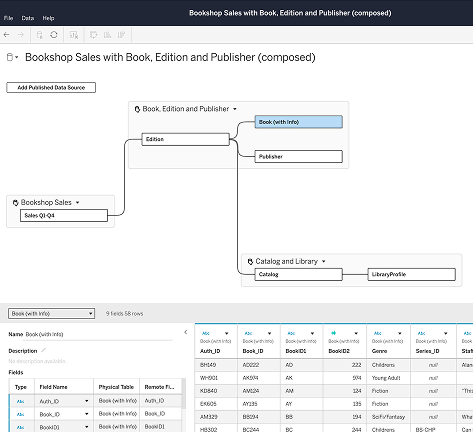
Composable Data Sources
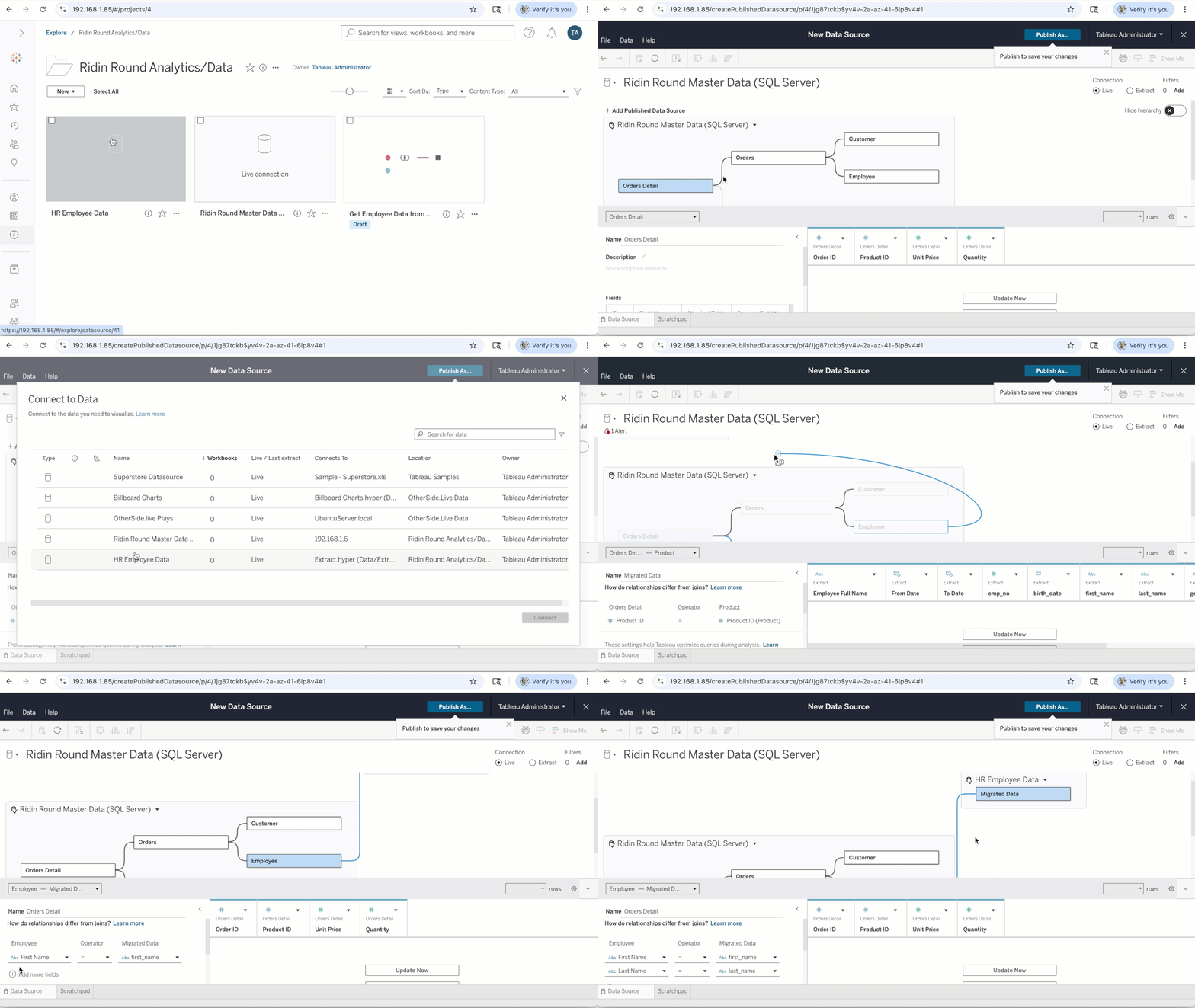
Rebuilding data sources from scratch for every new use case slows teams down and creates inconsistency across your org. With Composable Data Sources, you can combine your existing Tableau Published Data Sources into a single, unified model, extend it with the business logic and context your use case needs, and publish it for reuse across workbooks, Tableau Pulse metrics, and APIs. When an upstream published data source changes, your composed data source picks it up automatically on refresh.
Composable Data Sources is rolling out across June and July for Tableau Cloud, Tableau Server, and Tableau Desktop.
Learn More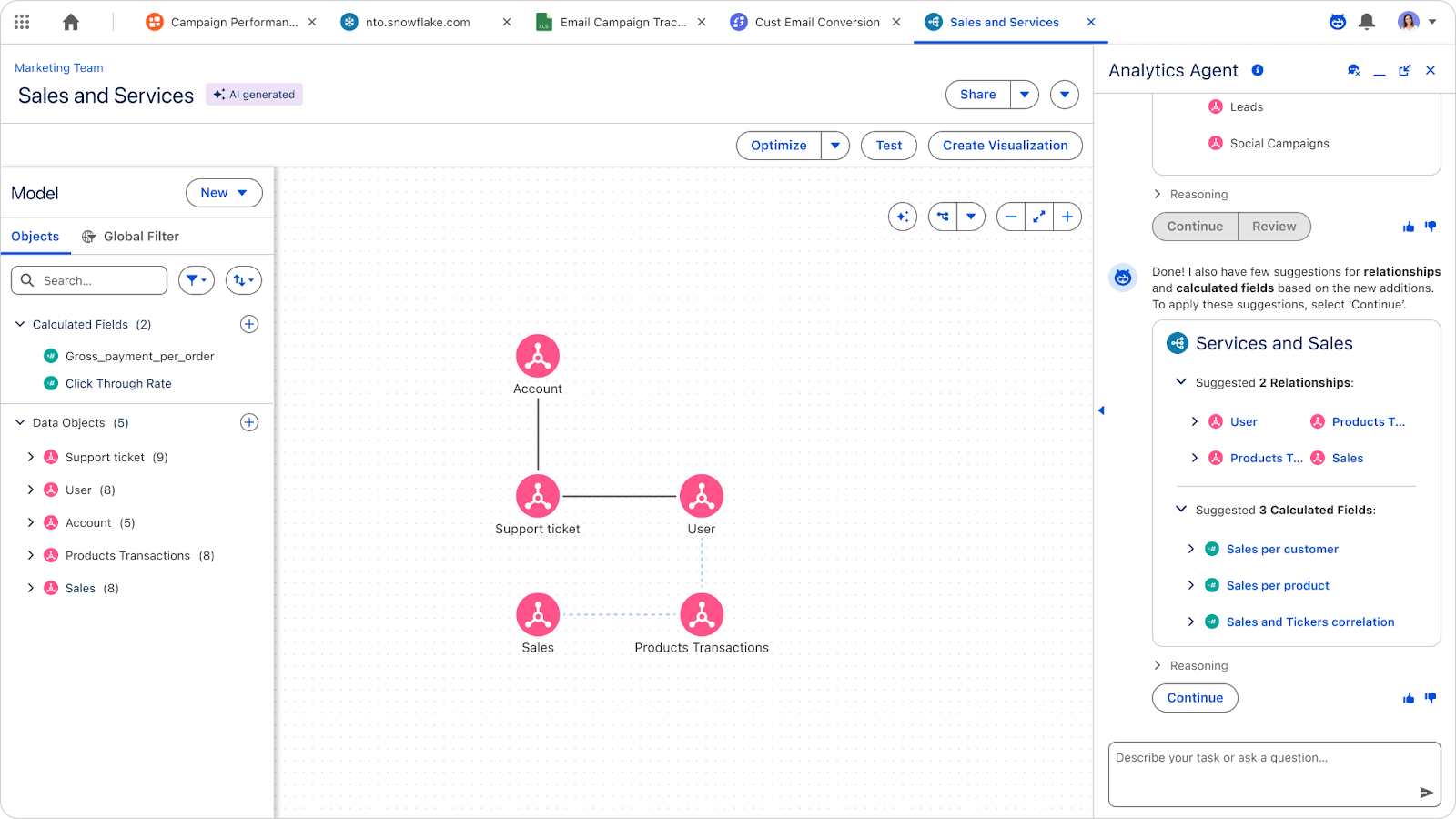
Tableau Next: Auto Semantic Model Creation (Beta)
Accelerate time to insight by using AI to automatically generate semantic models, relationships, and calculated fields from plain language. This feature reduces technical barriers for new users and provides a strong head start for data professionals on complex modeling tasks.
Auto Semantic Model Creation is available in Beta with Tableau Next.
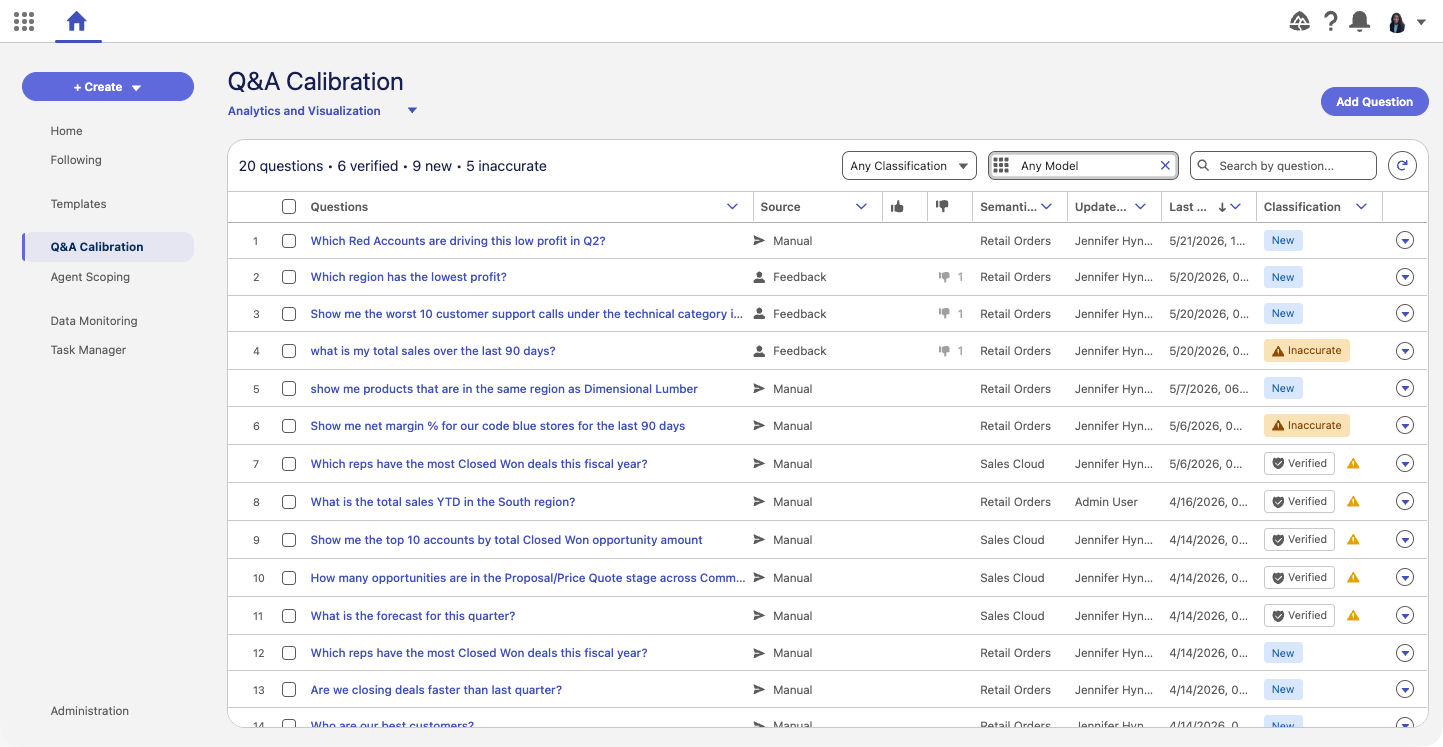
Tableau Next: Q&A Calibration (Beta)
Empower Data SMEs to systematically validate and optimize AI-generated answers to ensure they align with unique organizational preferences. This tool enables batch regression testing and question generation to maintain high accuracy and consistency as data models evolve.
Q&A Calibration is available in Beta with Tableau Next.
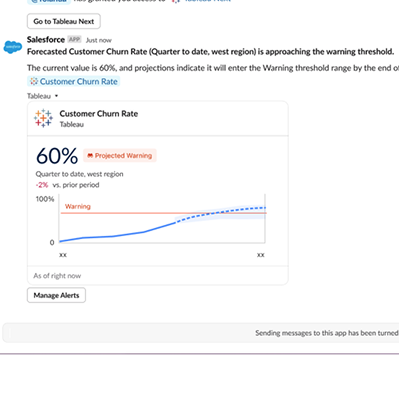
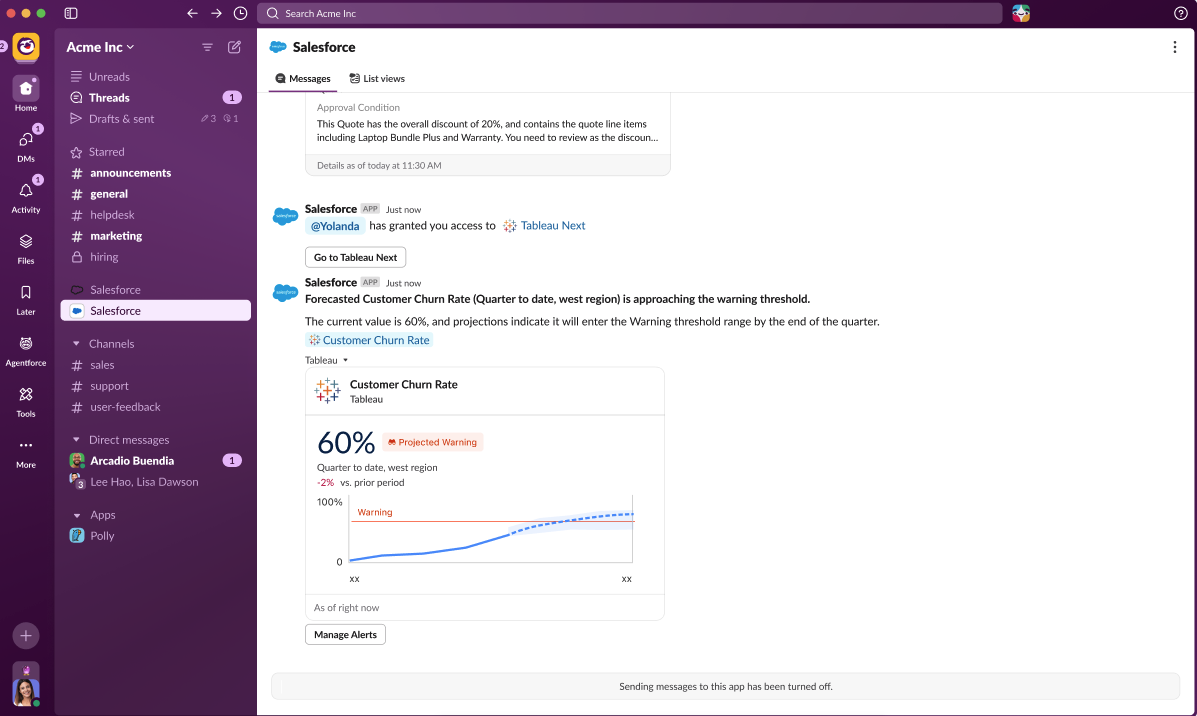
Tableau Next: Pace to Threshold Insights (Beta)
When you're monitoring a metric tied to a critical limit, knowing that you've already crossed a threshold is not enough. With pace to threshold insights, you can see whether your metric is on track to hit or exceed a set threshold within your selected time range, and when that's expected to happen. The insight surfaces automatically on your metric card and details page when a threshold is configured and forecasting is enabled. Whether you're tracking consumption limits, budget ceilings, or service-level targets, pace to threshold insights helps you act before limits are breached, turning static thresholds into proactive signals.
Pace to Threshold Insights is available in Beta with Tableau Next.
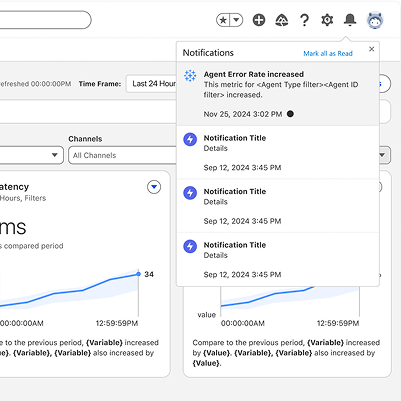
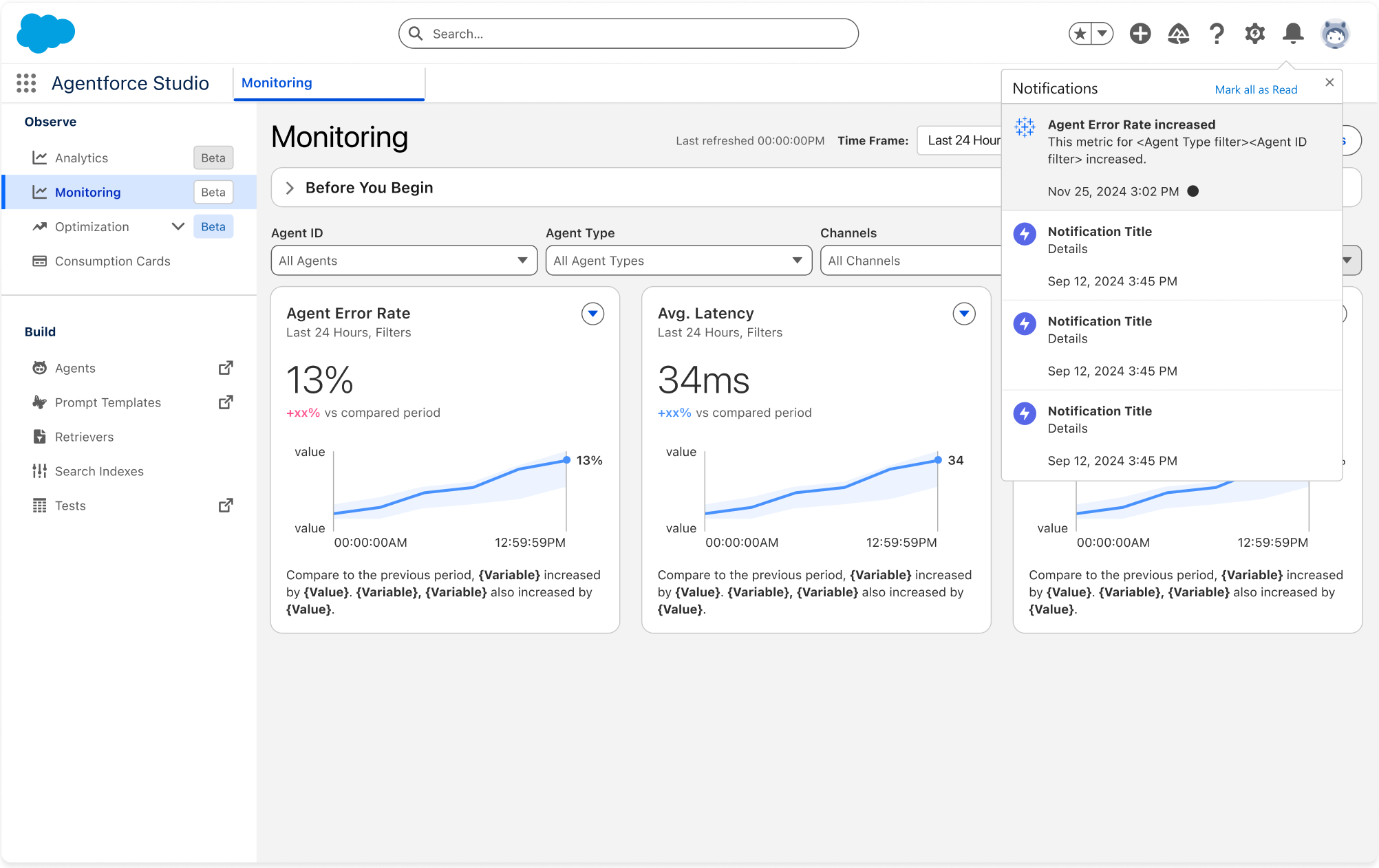
Tableau Next: Alerts in Agentforce Health Monitoring
When you're managing deployed AI agents, knowing when something goes wrong in near real-time is critical. With Non-Agentic Data Alerts in Agentforce Health Monitoring, you can create proactive alerts directly from your health monitoring dashboard to track key signals like agent error rates. When conditions are met, you receive notifications within minutes, so you can take action before issues escalate.
Alerts in Agentforce Health Monitoring is generally available with Tableau Next.
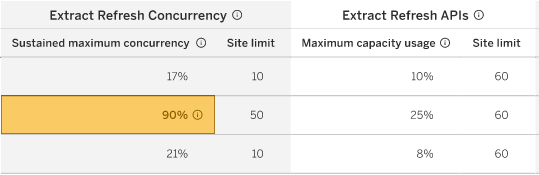
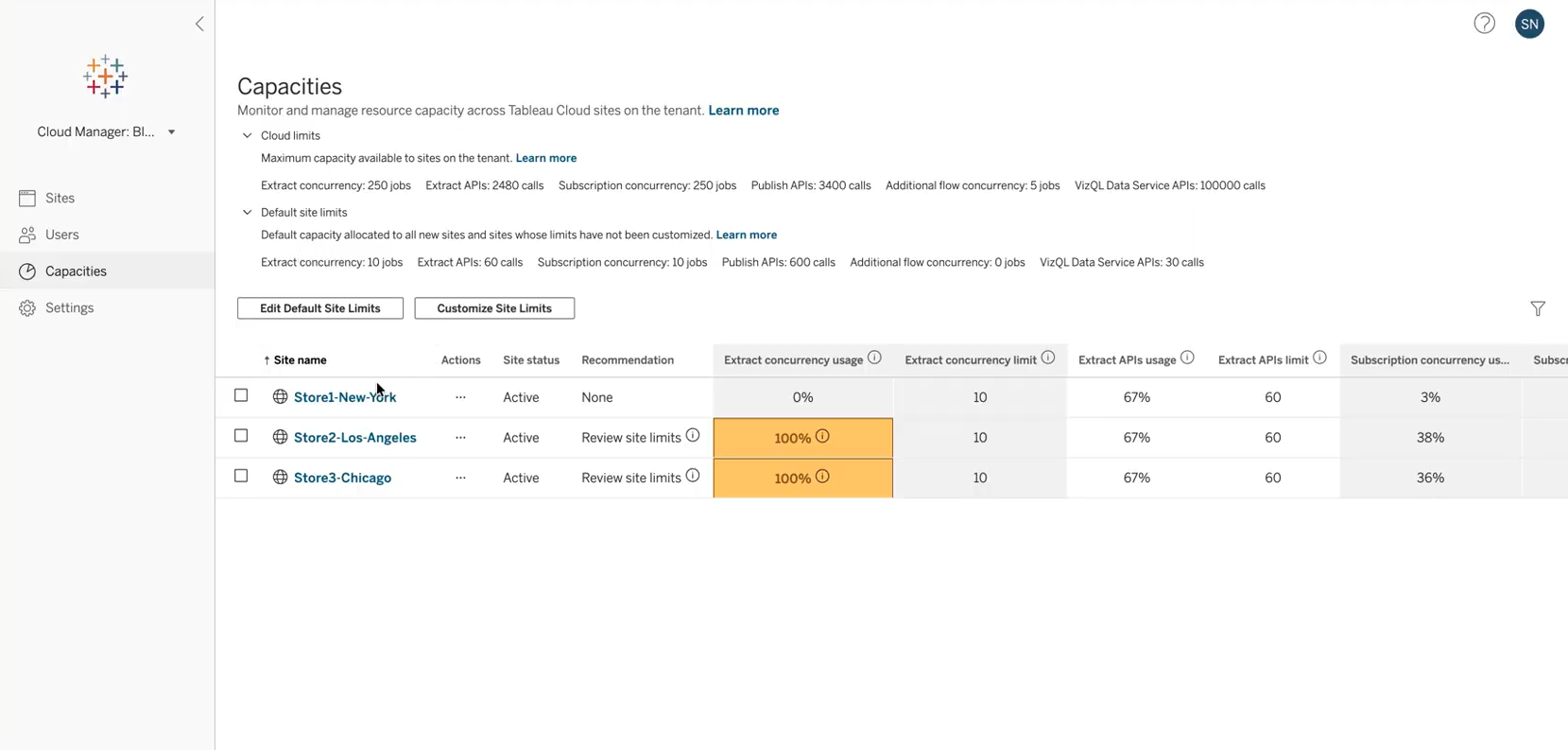
Cloud Capacity Management
Provide flexible capacity governance for Tableau Cloud administrators, allowing them to view and transparently manage capacity limits like extract refresh concurrency and publishing API, as well as view consumption metrics on their usage of these limits. Administrators can shift capacity limits between sites to ensure their production environments receive higher limits, promoting flexible product usage.
Cloud Capacity Management is generally available in Tableau Cloud
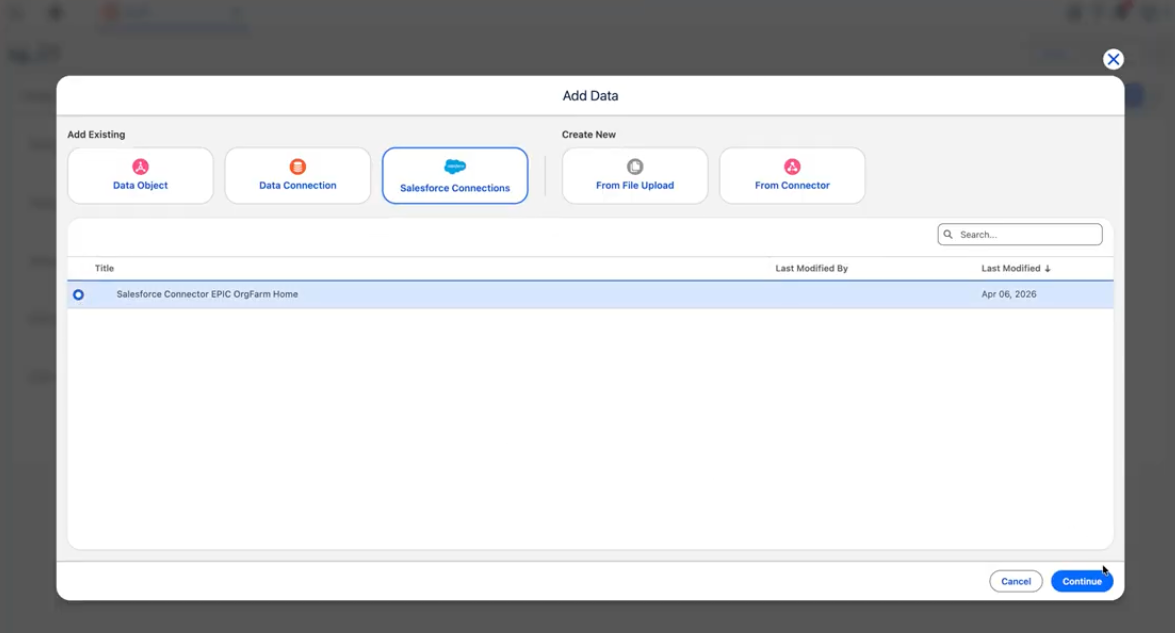
Tableau Next: Salesforce Connector (Beta)
Simplify your data ingestion by browsing and connecting to Salesforce standard and custom objects directly within Tableau. This native integration allows you to quickly set primary keys and categories for analysis without leaving the platform.
The Salesforce connector is available in Beta in Tableau Next.
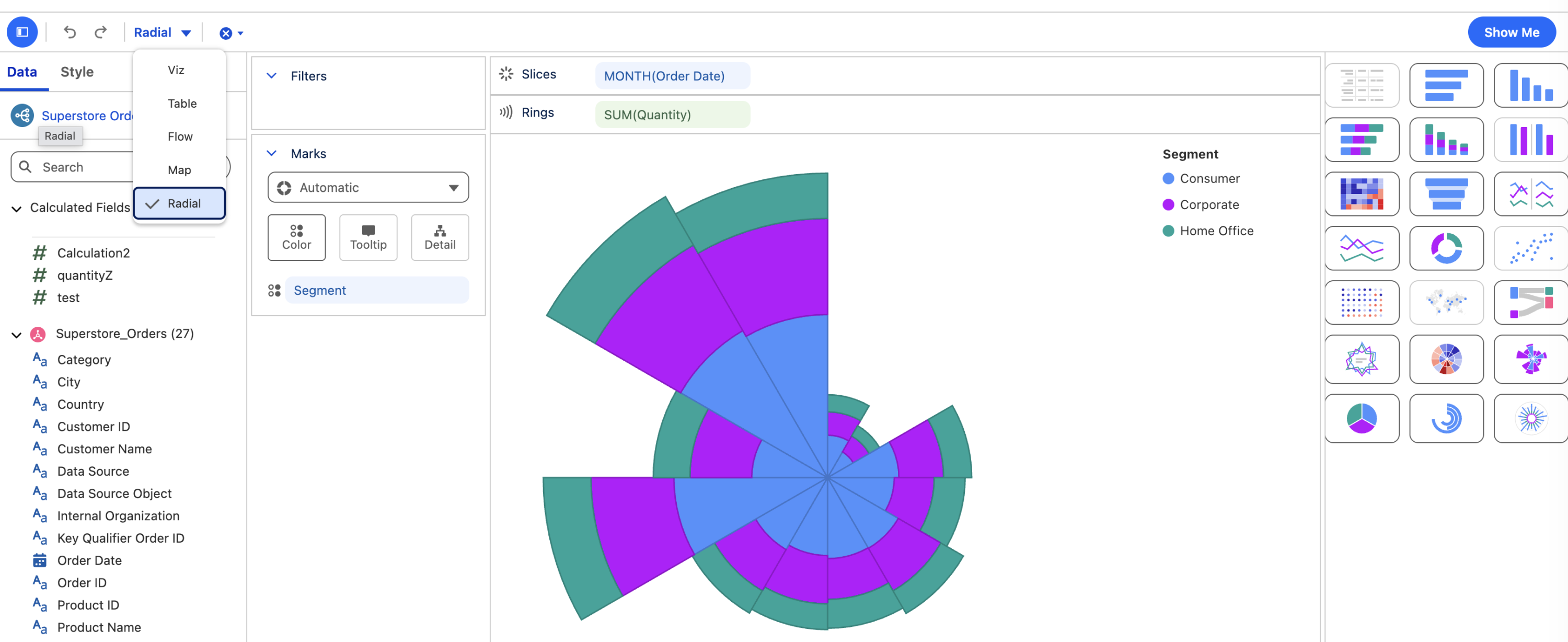
Tableau Next: Radial Layout
Uncover patterns that linear charts miss by plotting data radially across five new chart types — including radial heat maps, bar, line, and nightingale charts — with Radial Layout. Compact and visually engaging, these formats give analysts a more intuitive way to communicate trends and proportions.
Radial Layout is generally available in Tableau Next.
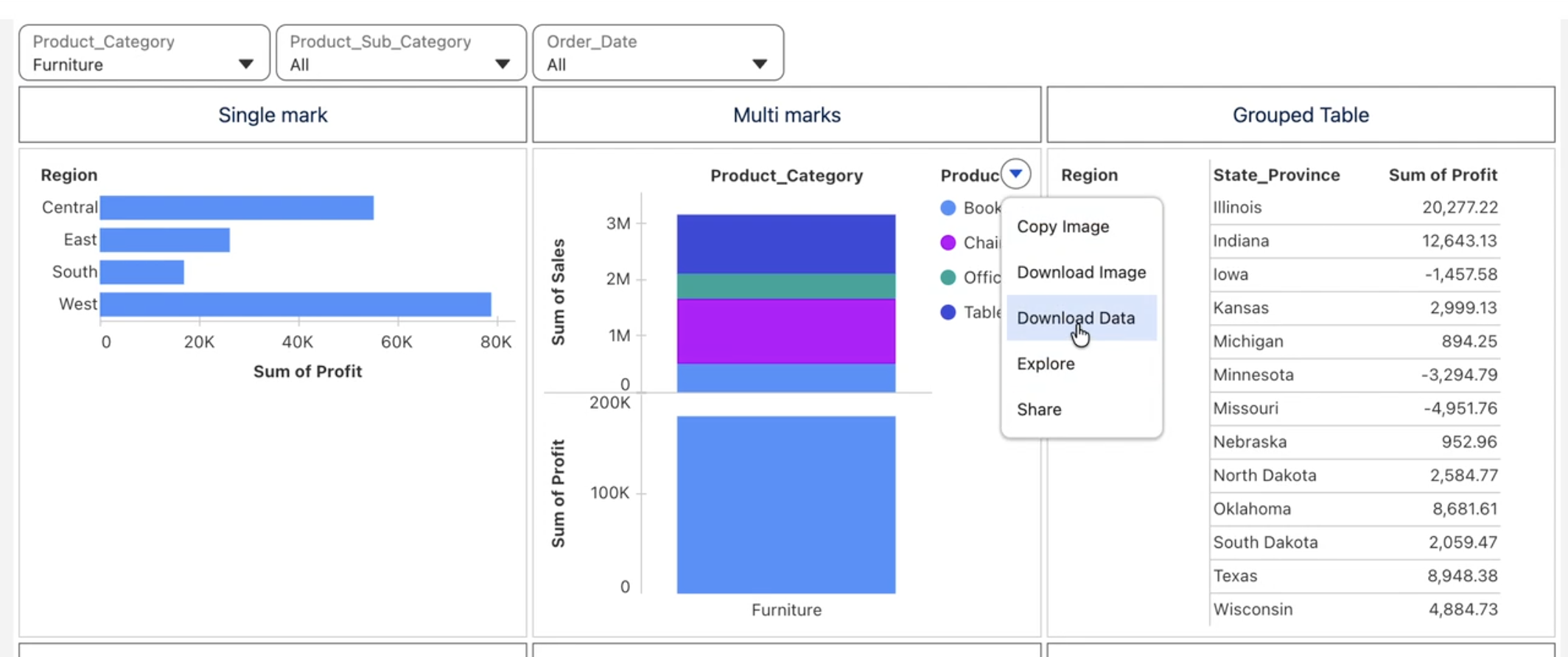
Tableau Next: Enhanced Data Exploration
Export viz data instantly for further analysis or sharing with Download to CSV. Keep narrative and numbers in sync by embedding live, auto-updating metric values directly into descriptive text with Metrics in Text Widgets in Dashboards.
Download to CSV and Metrics in Text Widgets in Dashboards are generally available in Tableau Next.
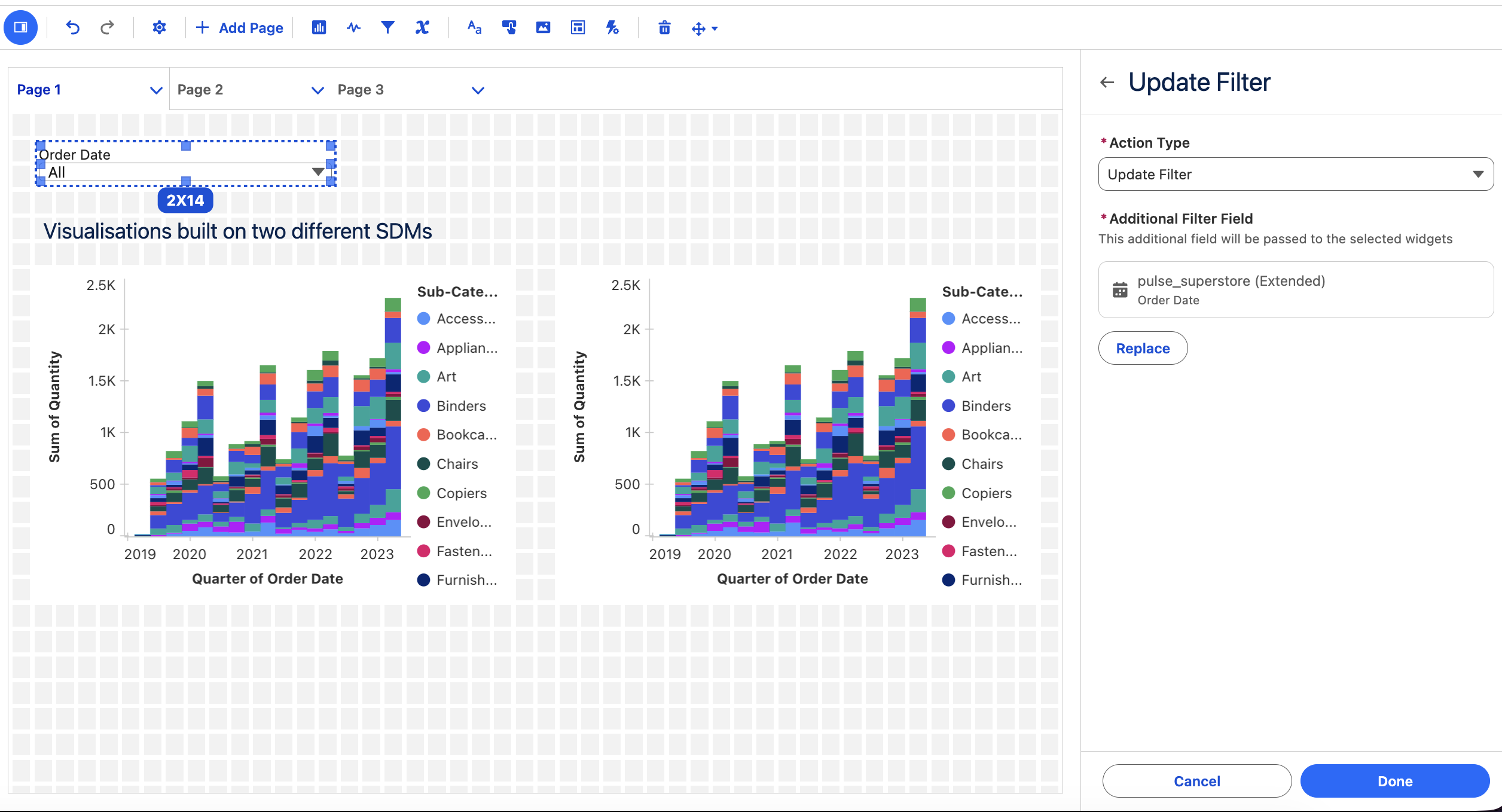
Tableau Next: Actions - Filter, Parameter and Multi-Select
Drive multiple data models from one global selector with Filter Actions, trigger parameter changes from visual interactions with Parameter Actions, and act on multiple data points at once with multi-select — streamlining workflows and eliminating repetitive clicks. Scope parameter updates to only relevant visualizations with Targeted Parameters, keeping insights fast and focused.
Filter, Parameter, and multi-select actions are generally available in Tableau Next.
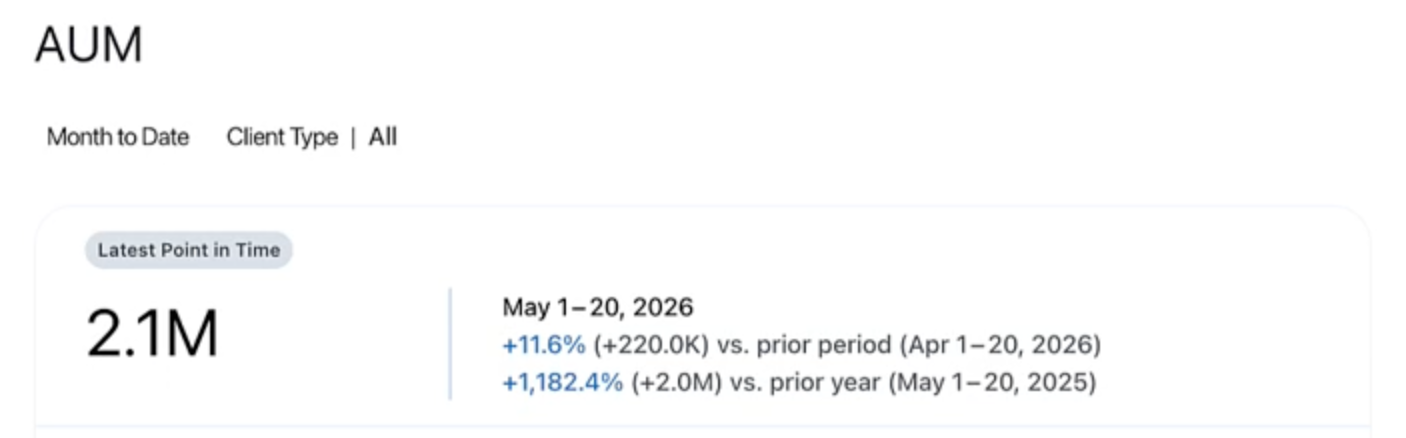
Tableau Pulse: Point-in-Time Metrics
Ensure snapshot metrics, like inventory levels or headcount, reflect their values as of the last day of the period. Instead of writing a calculation in the advanced editor, Analysts can now define a Pulse metric as ""point-in-time," rather than as an aggregate over the period. With Tableau Pulse: Point-in-Time Metrics, teams can reliably track performance with reporting that aligns with their business operations.
Tableau Pulse: Point-in-Time Metrics is generally available in Tableau Cloud.
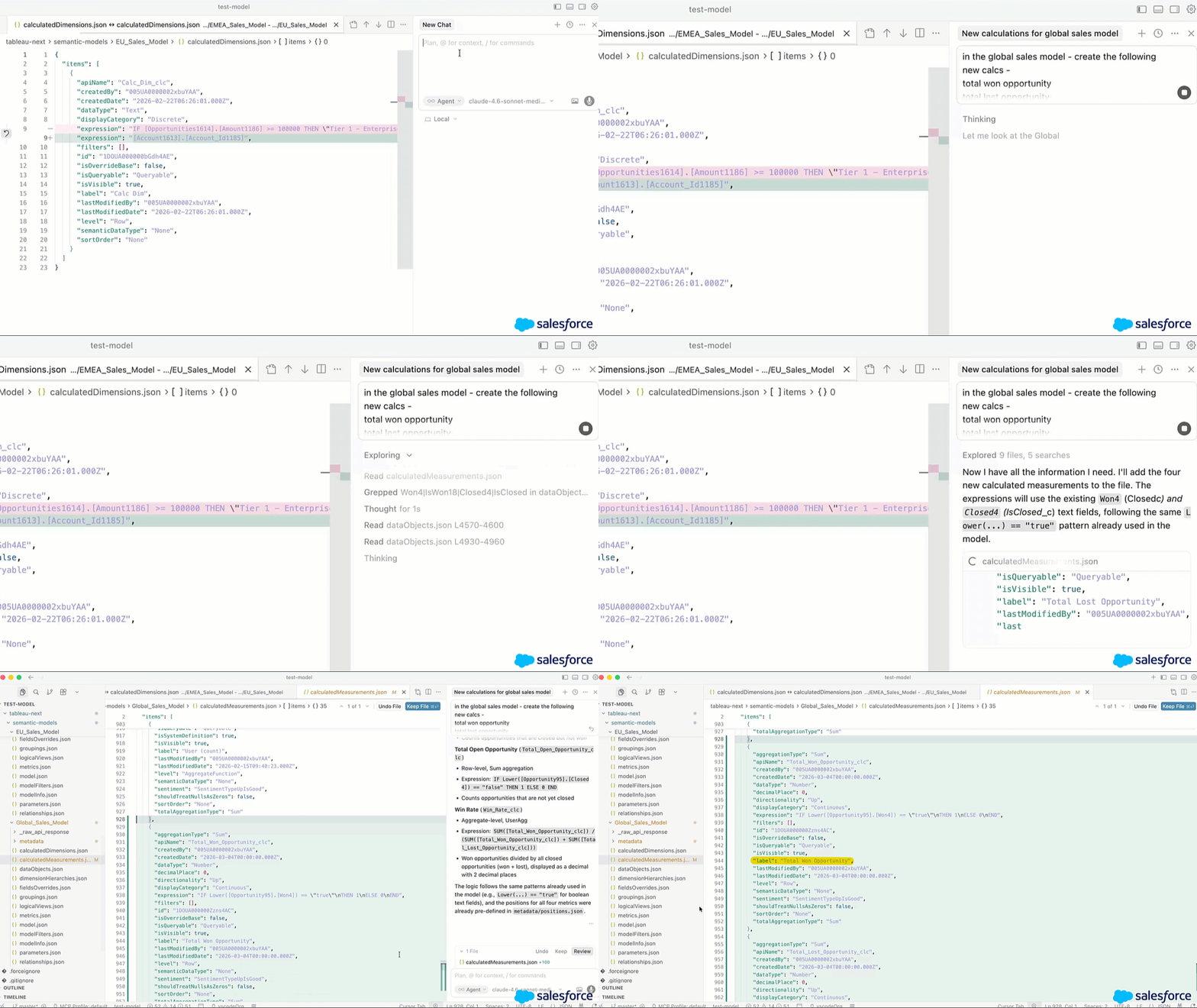
Tableau Next: Tableau Semantics DX Extension
Edit and deploy Tableau semantic models as code, right from the developer tools you already use. Create, edit, and bulk-manage semantic models directly from VS Code, Cursor, or Agentforce Vibes. Git integration and CI/CD support mean teams can version-control business logic, collaborate, and deploy changes consistently across Tableau Semantics.
Tableau Semantics DX Extension is generally available in Tableau Next.
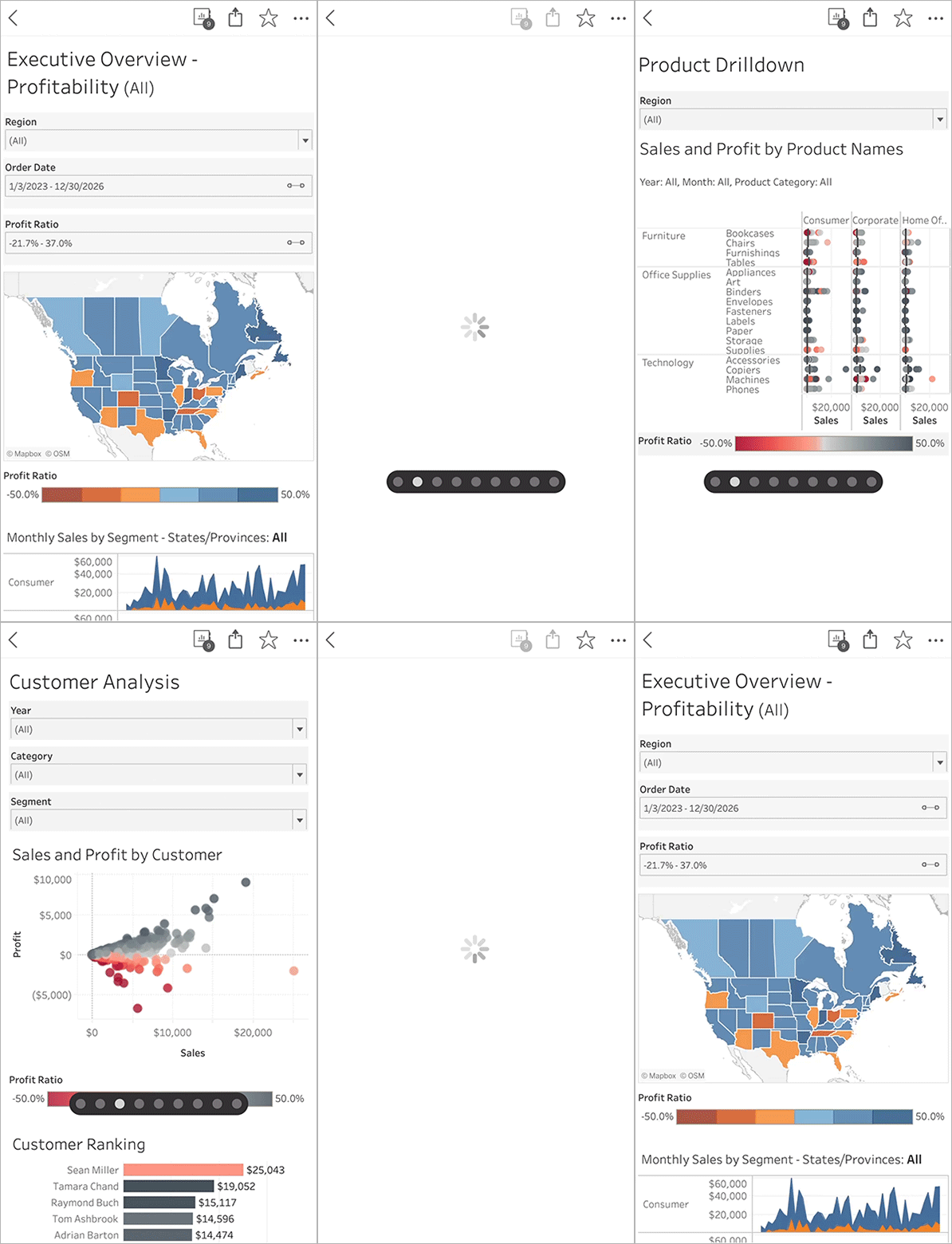
Tableau Mobile: Swipe Between Sheets
Navigate multi-sheet workbooks seamlessly within the Tableau mobile app. In addition to using the dropdown menu to open a specific sheet, users can three-finger swipe left or right to move between adjacent sheets. With the ability to effortlessly move between sheets on mobile, teams can easily review the data needed to make confident decisions wherever business takes them.
Tableau Mobile: Swipe Between Sheets is generally available in Tableau Cloud and Server.
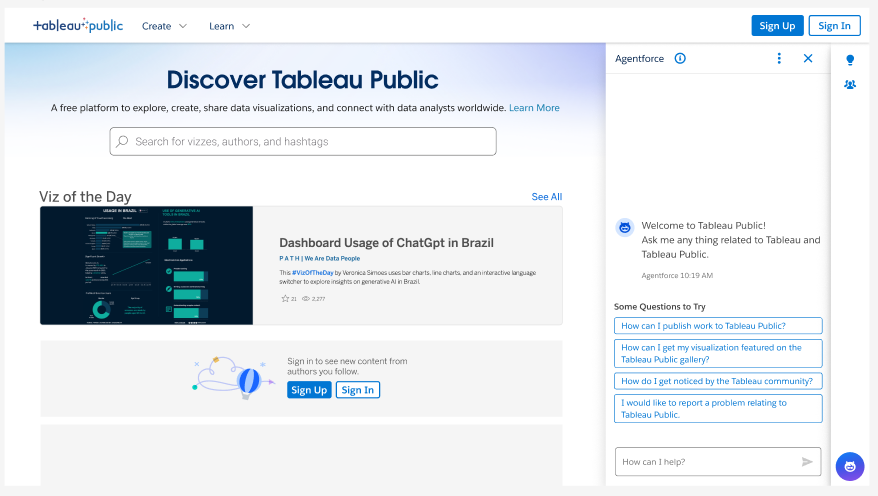
Help Agent on Tableau Public
Accelerate your Tableau Public journey with an intelligent, interactive guide designed to help you find answers and master new features faster. Whether you are a beginner navigating your first visualization or an expert looking for community best practices, the Tableau Public Help Agent provides instant, personalized education.
Help Agent on Tableau Public is generally available in Tableau Public
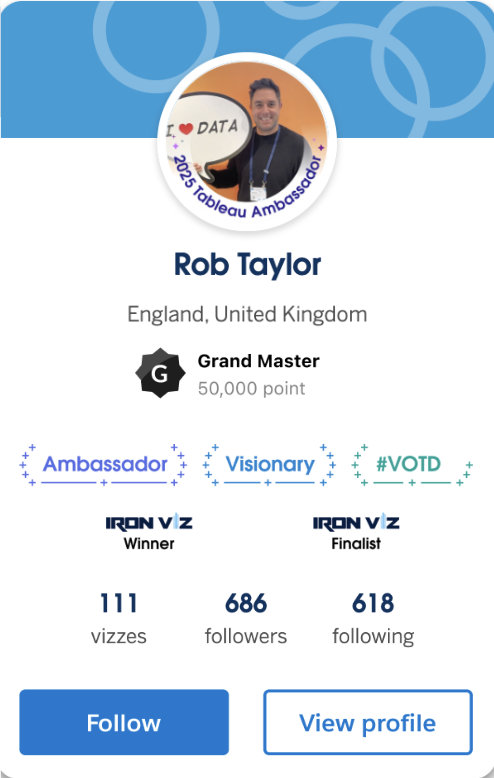
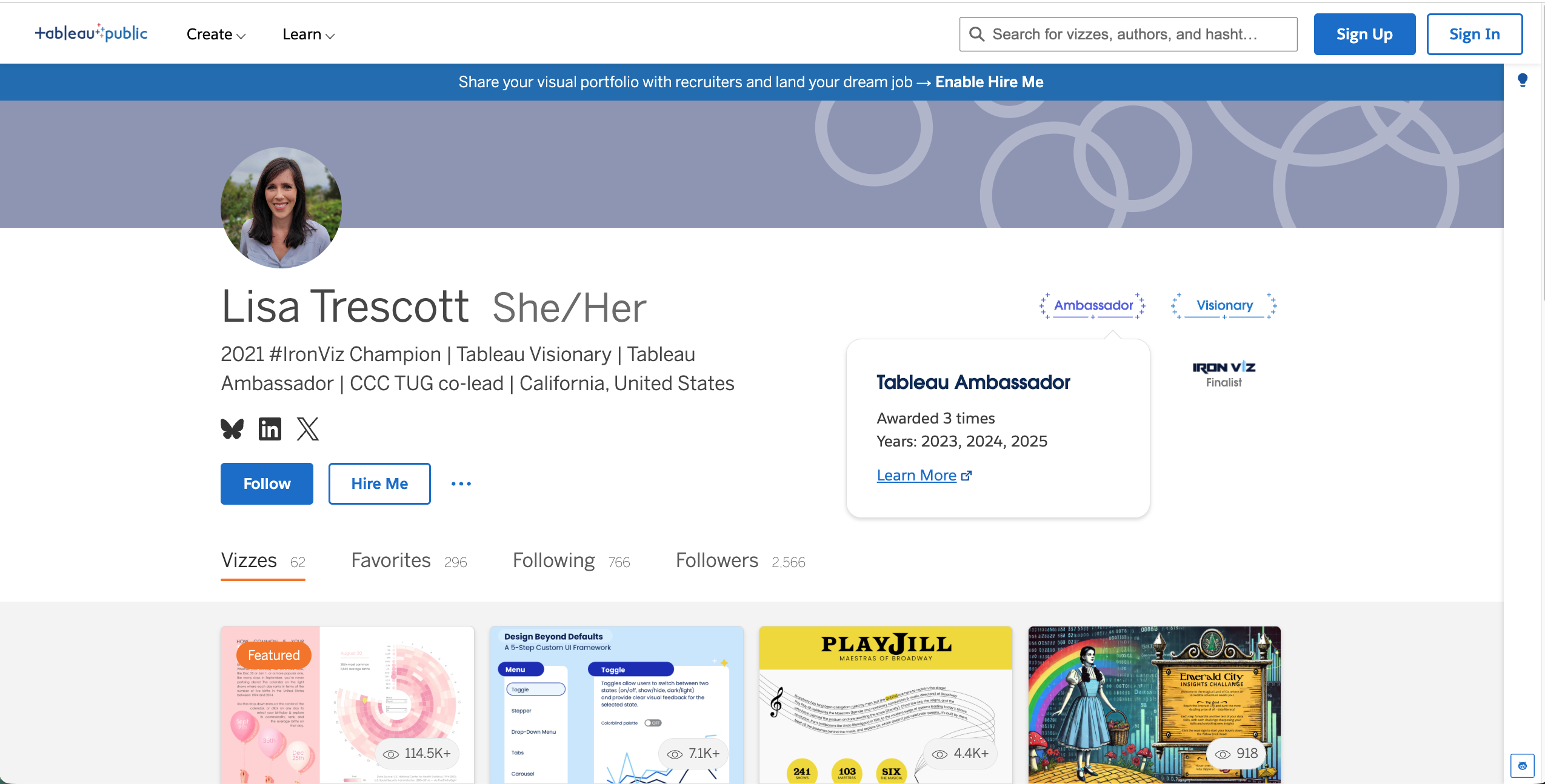
Achievements and Badges on Tableau Public
Celebrate your milestones and highlight your expertise with official platform badges. Badges on Tableau Public reward your dedication to learning data skills, growing your career, and connecting with the community. It gives you a prestigious, trusted way to showcase your achievements to potential employers and the DataFam, including Viz of the Day selections and more.
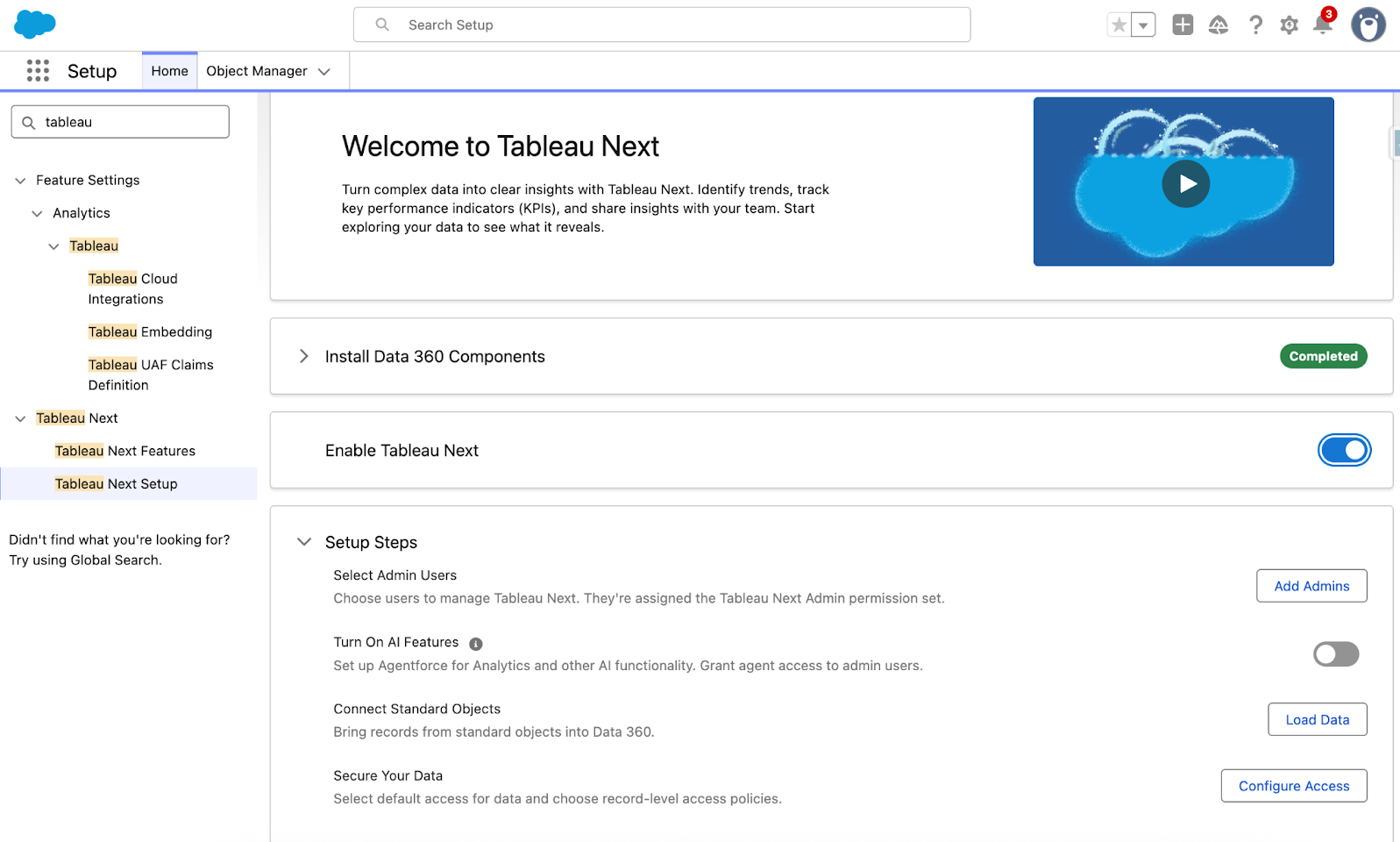
Tableau Next: Guided Setup
A new guided setup accelerates the implementation experience. Administrators can install metadata, establish standard security policies, and enable key AI features — all through a streamlined, automated setup process. With the guided setup, your team gets a faster path to value so they can focus on what matters: turning data into decisions.
Guided setup is generally available in Tableau Next.
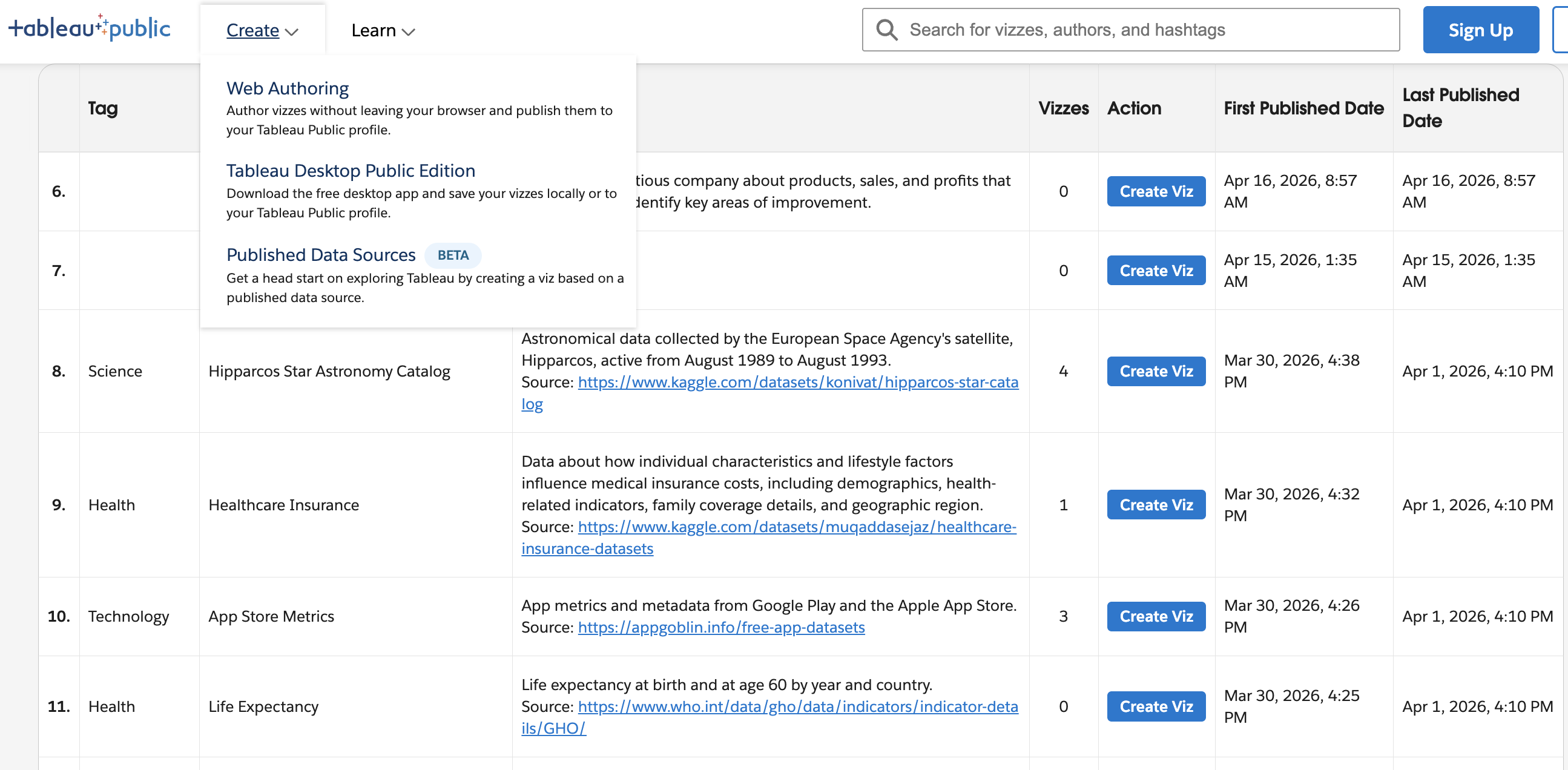
Tableau-owned Published Data Sources on Tableau Public
Discover and connect to data faster with a centralized library of reusable data sources spanning a variety of topics. Published Data Sources reduce manual data imports and gives everyone a faster, more consistent path to exploring data.
The first phase of Published Data Sources is generally available in Tableau Public.