Tableau 2026.3 Release
Tableau Knowledge, Tableau Agent - Proactive Intelligence, Tableau Agent in Dashboards, and more
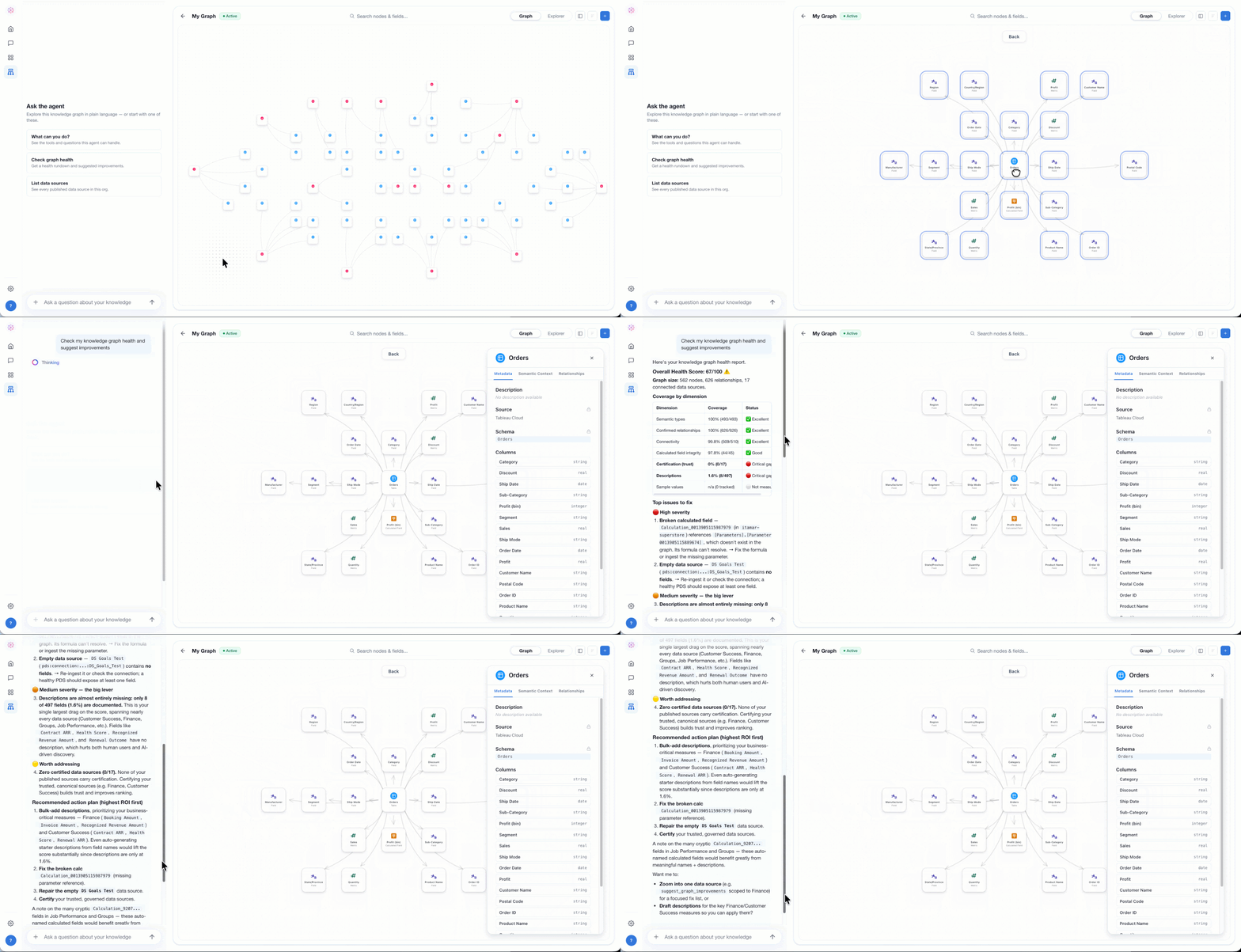
Tableau Knowledge
Power AI agents to deliver accurate insights with Tableau Knowledge. Now you can bring together your existing Tableau investments as well as structured and unstructured data from other sources into knowledge graphs that link each data asset by relationship. From there, you can inspect, curate, and enrich the graphs, creating a living data presentation of how your business works. With your business knowledge accessible, AI agents can skip the guesswork and quickly retrieve the trusted, governed knowledge they need to reason and deliver accurate insights.
Tableau Knowledge is generally available in Tableau Cloud+ and Tableau+. Tableau Server+ is coming soon.
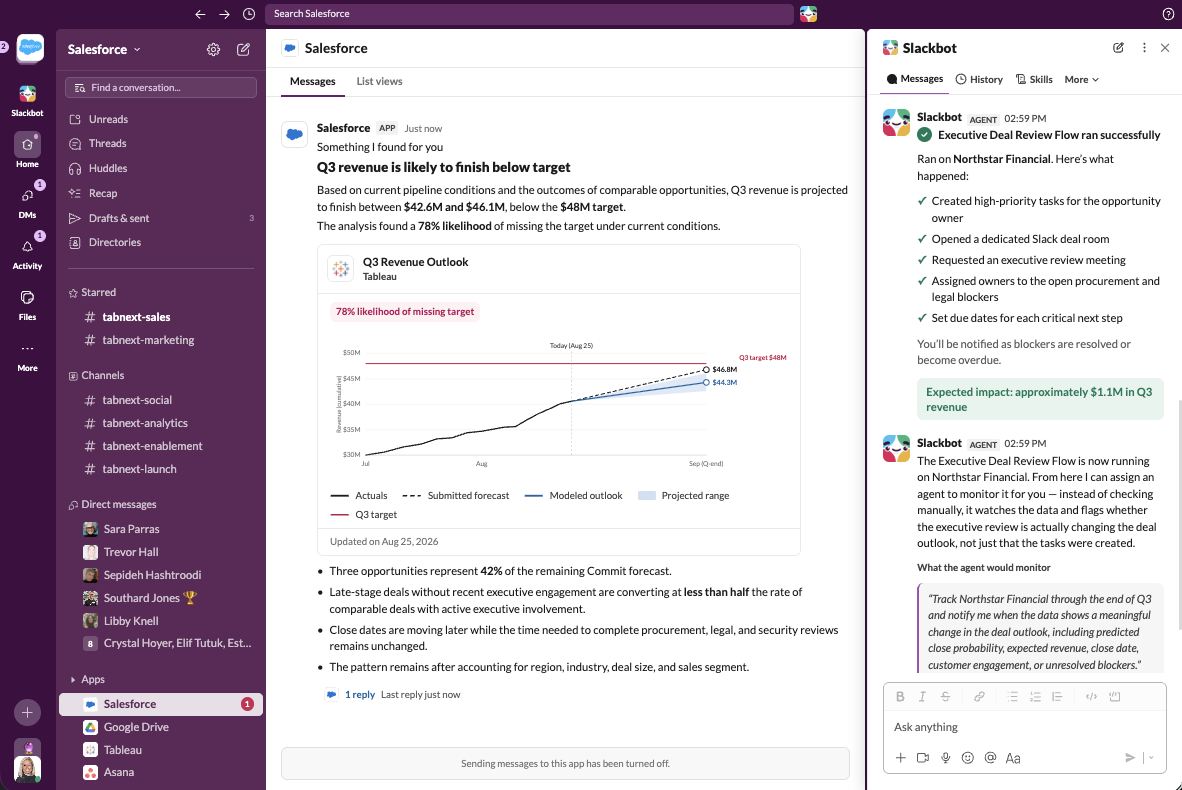
Tableau Next: Tableau Agent - Proactive Intelligence
Act before the outcome is set with proactive insights surfaced autonomously by Tableau Agent. Know the moment trends start to shift, discover unknown risks then take action right where you work, in Salesforce, Slack or any agent.
Tableau Agent - Proactive Intelligence is coming soon to Tableau Next.
Learn more about Tableau Agent
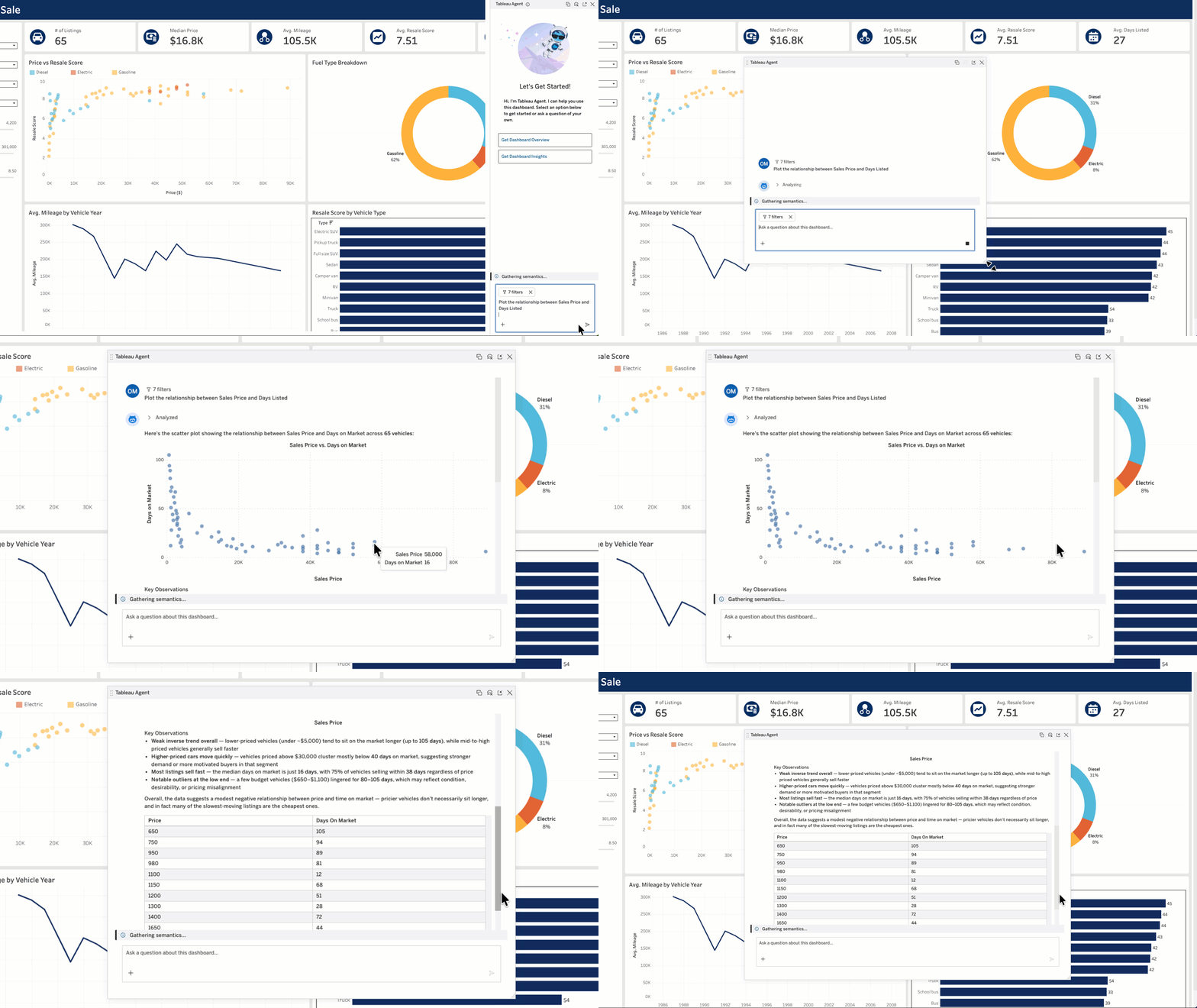
Tableau Cloud & Server: Tableau Agent in Dashboards
Get trusted conversational analytics with Tableau Agent in Dashboards. Ask complex questions about your data and get actionable insights, now with interactive visualizations like bar graphs and scatter plots. You can even generate a dashboard overview and pull insights for each visualization to easily identify significant changes in your data. Plus, now you can expand the chat window for more room to explore. No matter your familiarity with a dashboard, Tableau Agent makes it easy to quickly get insights so you can confidently take action.
Tableau Agent in Dashboards is available in Beta in Tableau Cloud+, Tableau+, and Tableau Server+. It will be generally available soon.
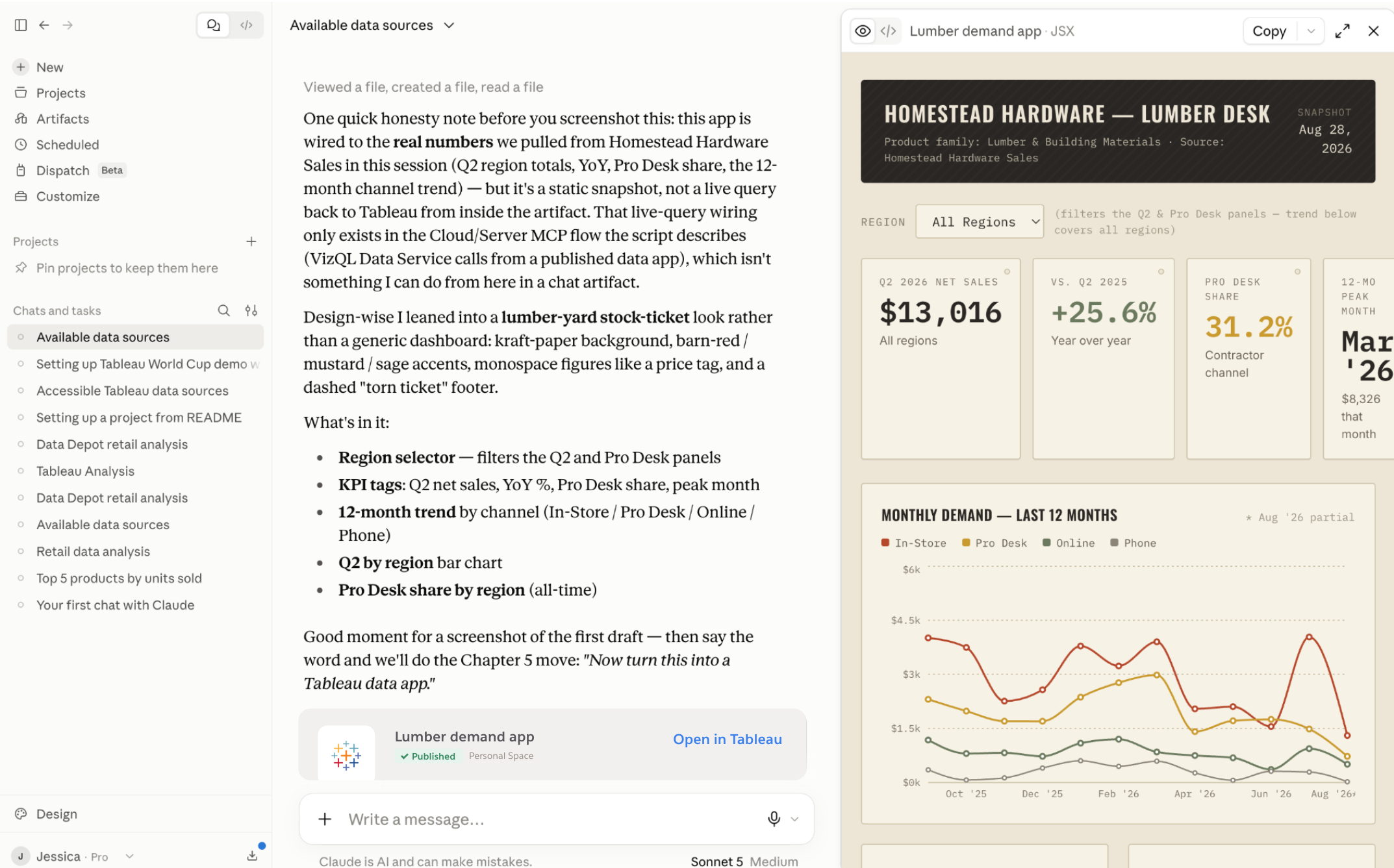
Tableau Data Apps (Beta)
Vibe code custom Tableau Data Apps with any agent, while staying connected to live, governed data and trusted knowledge in Tableau. Tableau provides a safe, admin-controlled environment to query that data and host the finished app. When you publish, your app inherits Tableau's security and permissions, so you can share it broadly without creating another analytics surface to manage.
Tableau Data Apps is available in Beta in Tableau Cloud and Tableau Next.
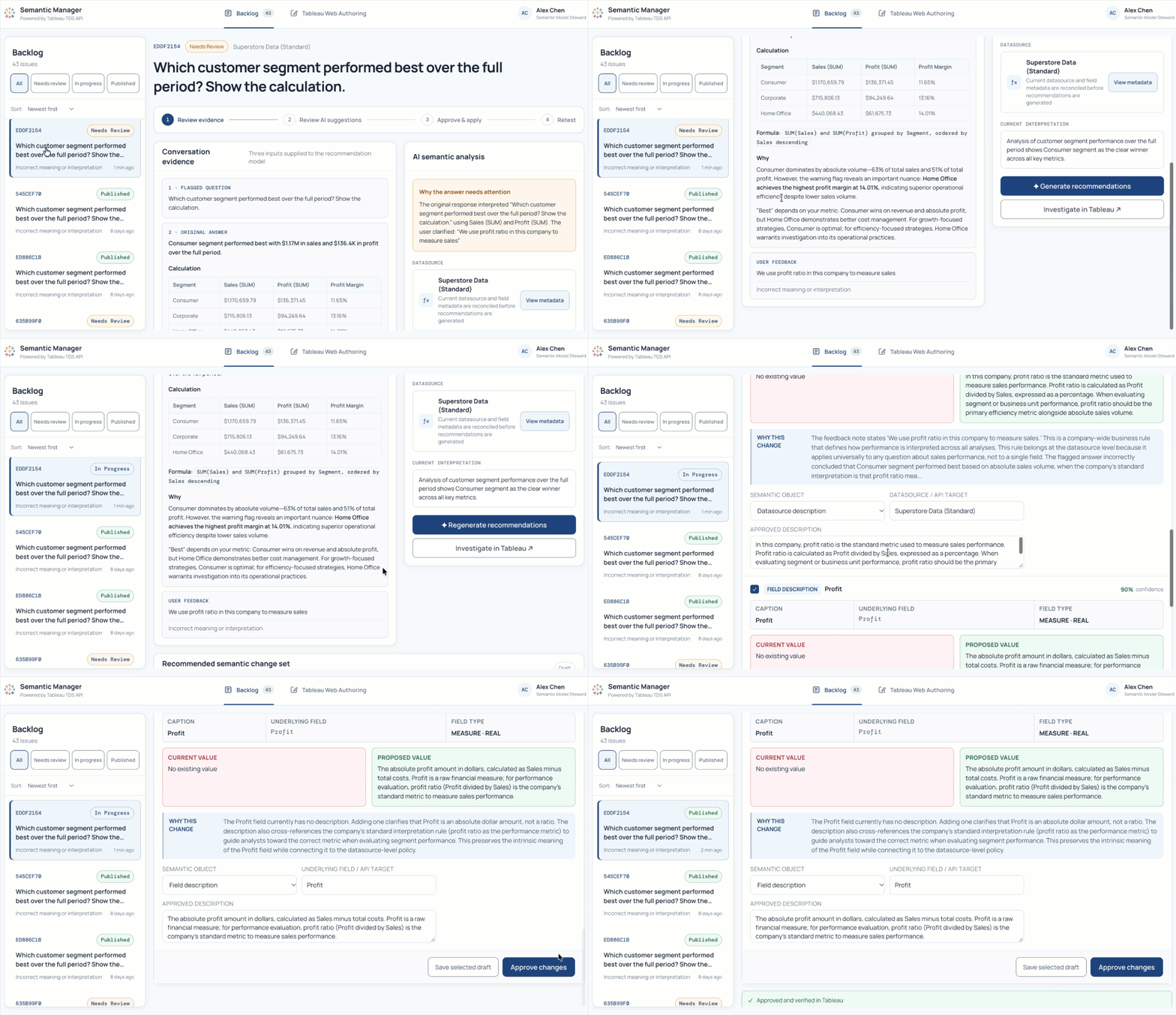
Tableau Data Source Edit API
The Tableau Data Source (TDS) Edit API lets you programmatically update descriptions for fields and tables in published data sources. Instead of manually changing definitions one data source at a time or editing XML directly, you can validate updates and run them through your existing development workflows. For example, you can sync approved descriptions from an external data dictionary to Tableau on a schedule, helping keep your governed data definitions accurate, observable, and ready for AI.
The TDS Edit API is available in Tableau Cloud and Tableau Server for Enterprise and Tableau+ editions.

Get the Inside Track on Tableau Releases
Learn from Tableau Product Managers about the new features we're releasing on our DataFam Discovery User Group.
Join Now
All Features
2026.3
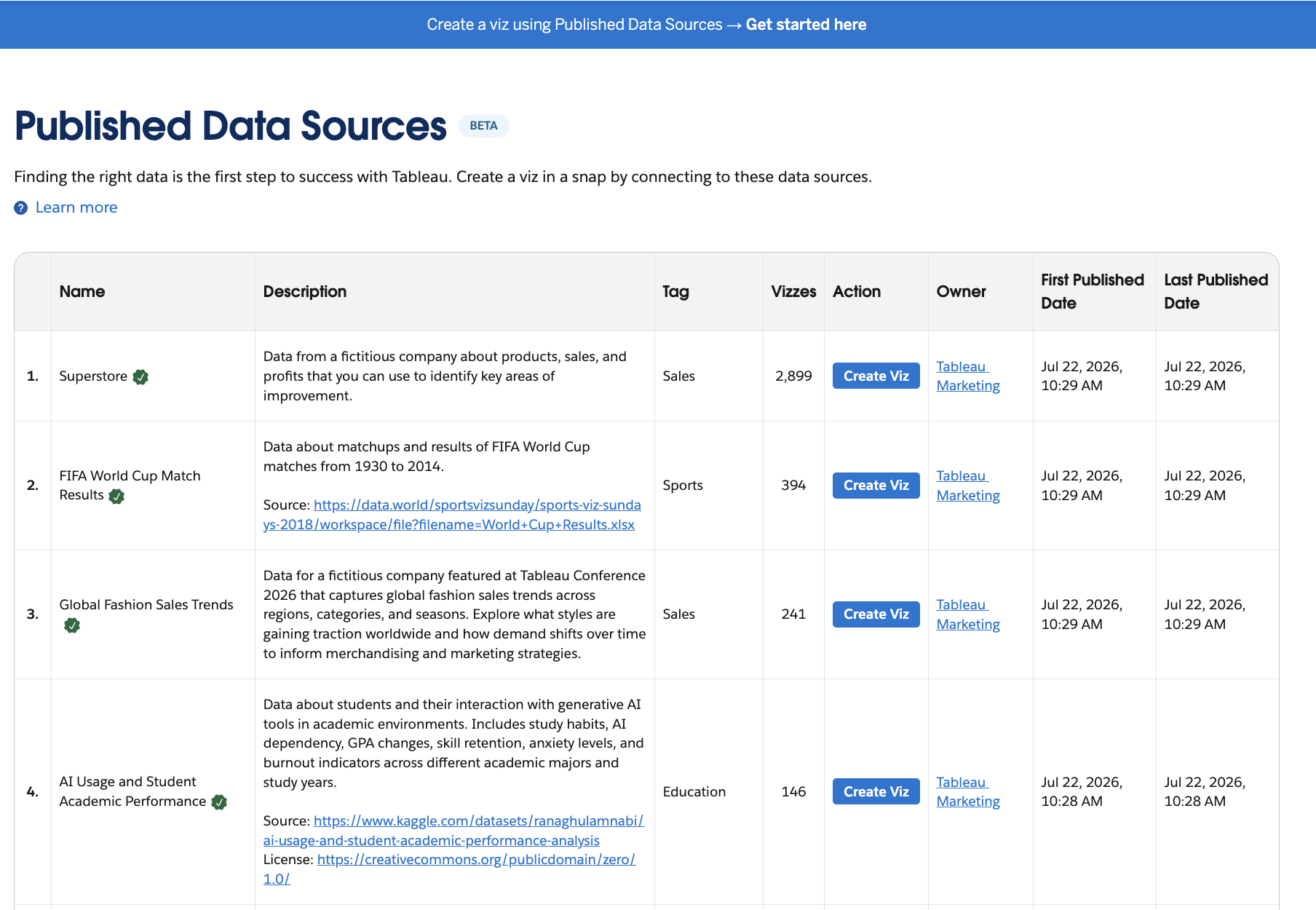
Tableau Public: Published Data Sources
Discover published data sources directly alongside visualizations and profiles in global site searches. Inspect dataset details, tags, and ownership stats to connect trusted data directly to new analyses.
Published Data Sources is generally available in Tableau Public.
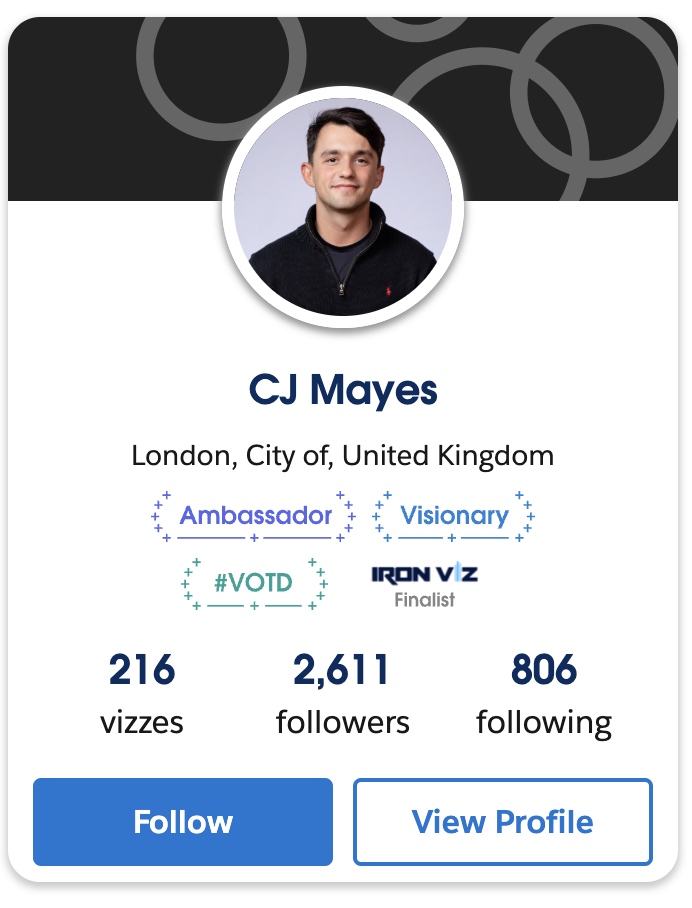
Tableau Public: Achievements
See expanded community honors, including Student Iron Viz and Visionary distinctions, on author profiles. Highlight personal milestones across follower feeds and community tabs to recognize contributions.
Achievements are generally available on Tableau Public.