Tableau March 2026 release
Rule-based semantic model authoring, viz enhancements, Enhanced Q&A improvements and more

Tableau Next: Rule-based semantic model authoring
Scale your semantic models with governed, rule-based access that balances security with developer speed. Analysts can safely extend central models without exposing sensitive data, allowing teams to collaborate and innovate quickly while staying compliant.
Rule-based semantic model authoring is generally available in Tableau Next

Tableau Next: Visualisation enhancements
Drive more accurate business decisions with flexible, high-precision forecasting and real-time granular analysis. Tableau Next enhances your visualisations, allowing you to project revenue and KPIs across any mark type – from bars to doughnuts – without redesigning your dashboards. Instantly pinpoint peak performance patterns by drilling into real-time data at the minute level, with precise time-based insights reflected across every axis and tooltip.
Visualisation date-time support and forecasting for all mark types are generally available in Tableau Next.
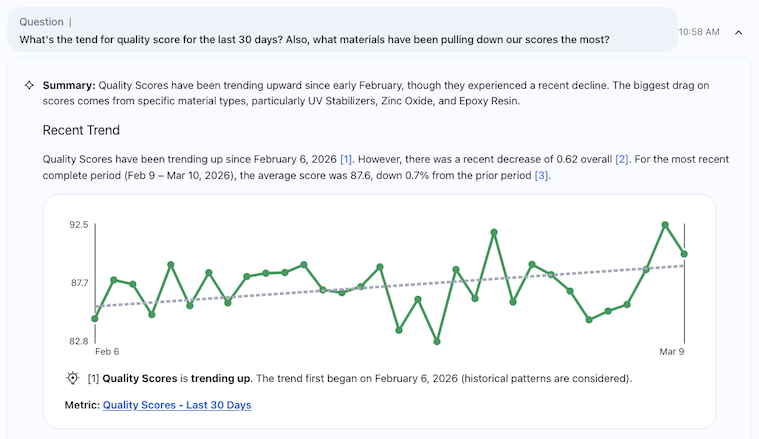
Tableau Pulse: Enhanced Q&A improvements
Visualise the "Why" behind your metrics instantly with Enhanced Q&A insight briefs. Now, the most impactful visualisation is automatically rendered beneath its referenced insight, so you can see the data exactly as it's described. Plus, the ‘Analyse with AI' entry point is now available on mobile, so you can ask your own questions first from any device. Together, these updates streamline and clarify critical insights for all users.
Enhanced Q&A insight briefs with visuals are generally available in the Tableau+ edition of Tableau Cloud.
Enhanced Q&A custom homepage queries (mobile) are generally available across all Tableau Cloud editions.
Starburst connector JWT auth update
Unlock Starburst Galaxy connectivity with JWT auth for Galaxy servers. The modern auth method accelerates connection initialisation by eliminating validation queries, supports flexible server addressing through IP input and enables workload attribution through client tags. With JWT auth, users can analyse data across multiple sources faster and more securely.
The Starburst connector is generally available in Tableau Server, Tableau Desktop and Tableau Prep.
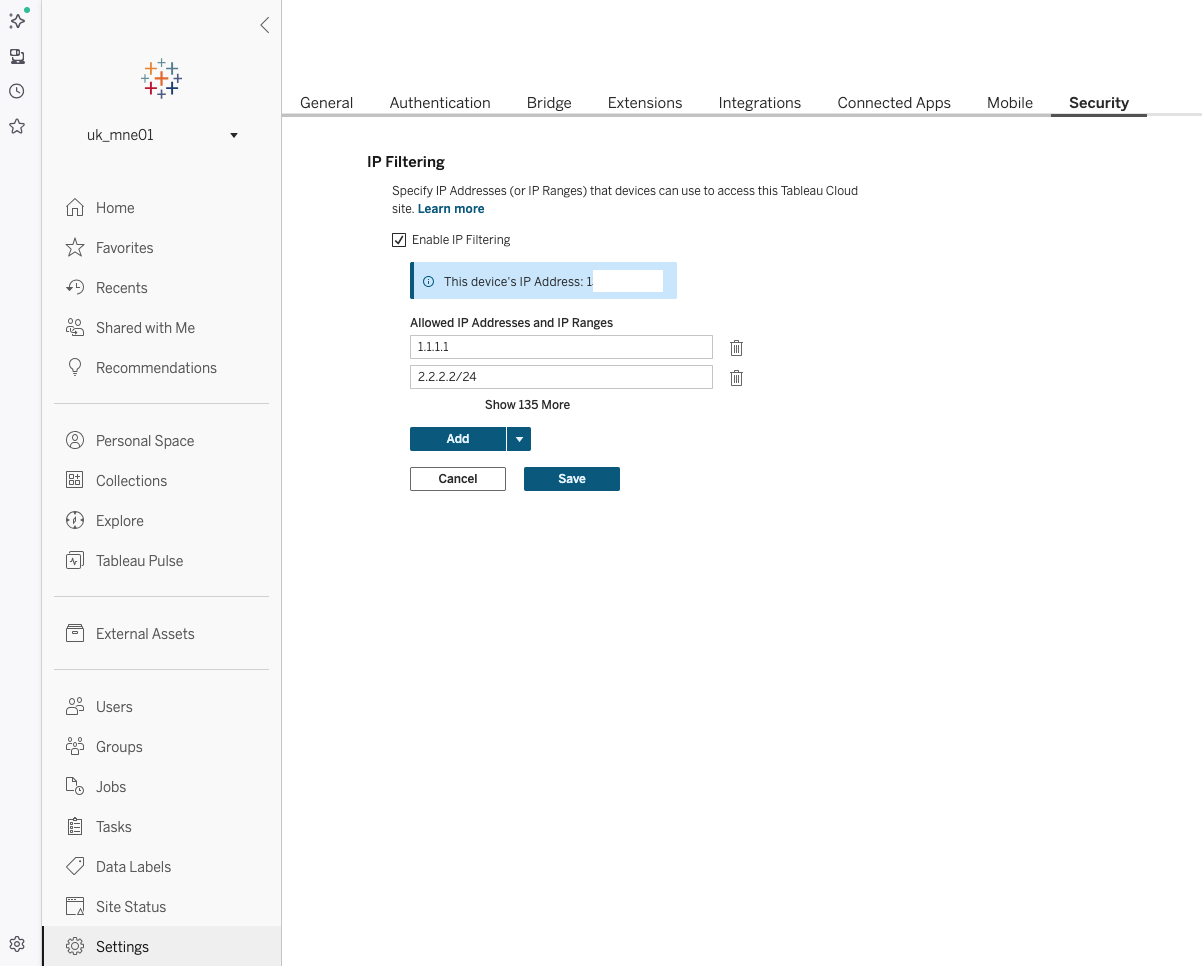
IP filtering self-service
Enhance site security by defining approved IP addresses or ranges to ensure only authorised locations can access your data. Administrators can now directly manage these restrictions within site settings to protect inbound traffic and maintain strict governance.
IP filtering self-service is generally available across all Tableau Cloud editions, with the exception of South Korea, Switzerland and India, which are scheduled to be added by the end of March

Get the inside track on Tableau releases
Learn from Tableau Product Managers about the new features we’re releasing on our DataFam Discovery User Group.
Join now
All features
2026.1
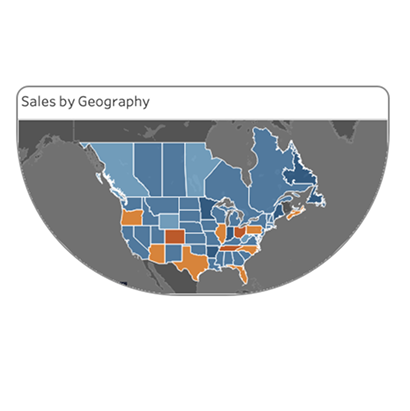
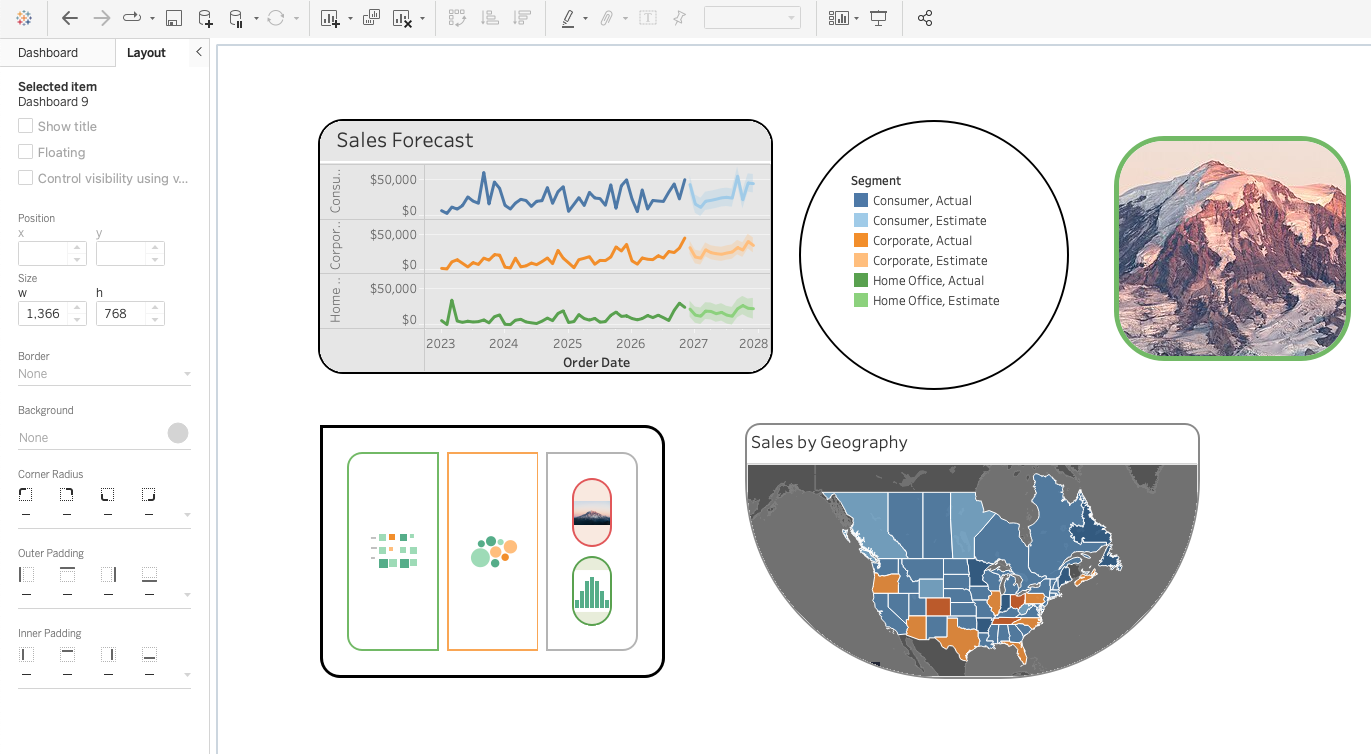
Rounded corners
Set a corner radius for dashboard objects directly in Tableau Desktop and Web Authoring. Say goodbye to jumping through hoops with annotations or images. Just set the radius value to create a simple rounded corner or a more extreme corner radius to create different shapes.
Rounded corners are generally available in Tableau Desktop, Tableau Cloud and Tableau Public
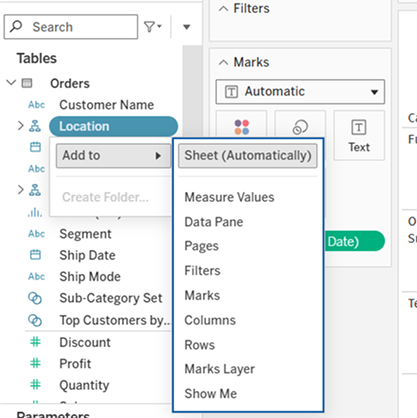
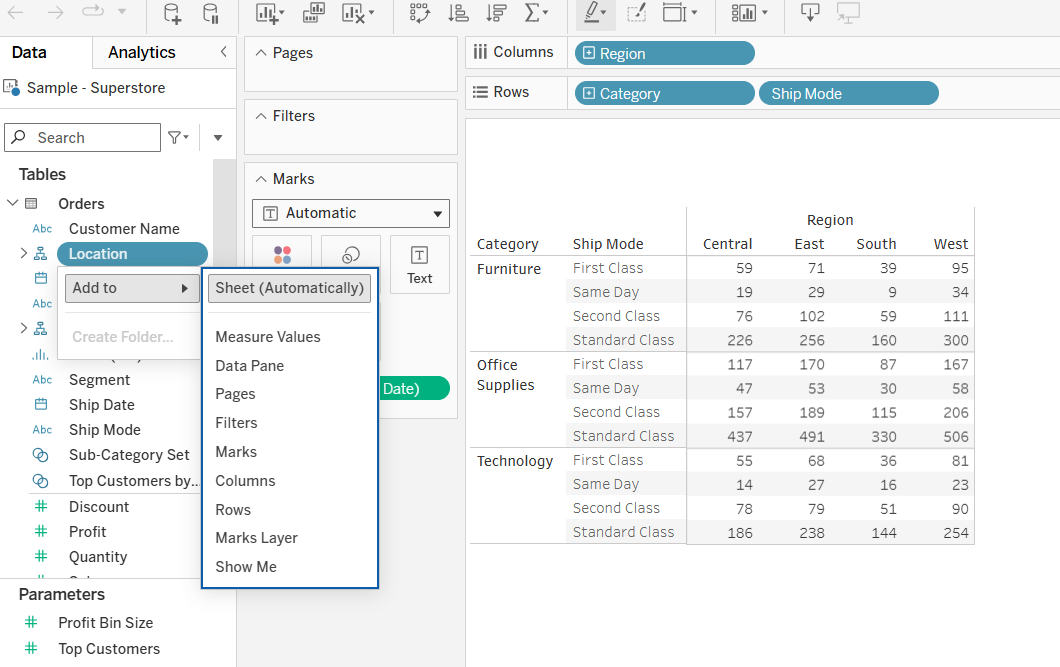
Accessible visualisation authoring
Increasing accessibility to empower everyone to become creators of data visualisations. Within Web Authoring, navigate to a pill and, using your keyboard and assistive technology, select the context menu option to drop that pill into a drop zone, including the columns and rows shelves, Show Me, Pages, Filters or Marks cards.
Accessible visualisation authoring is generally available in Tableau Cloud and Tableau Public
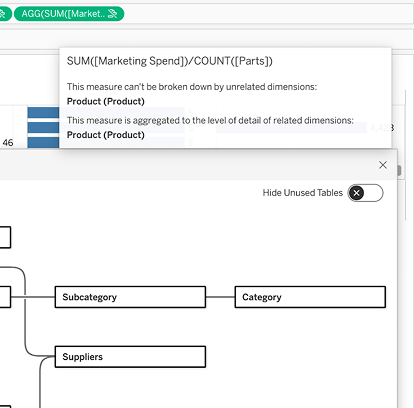
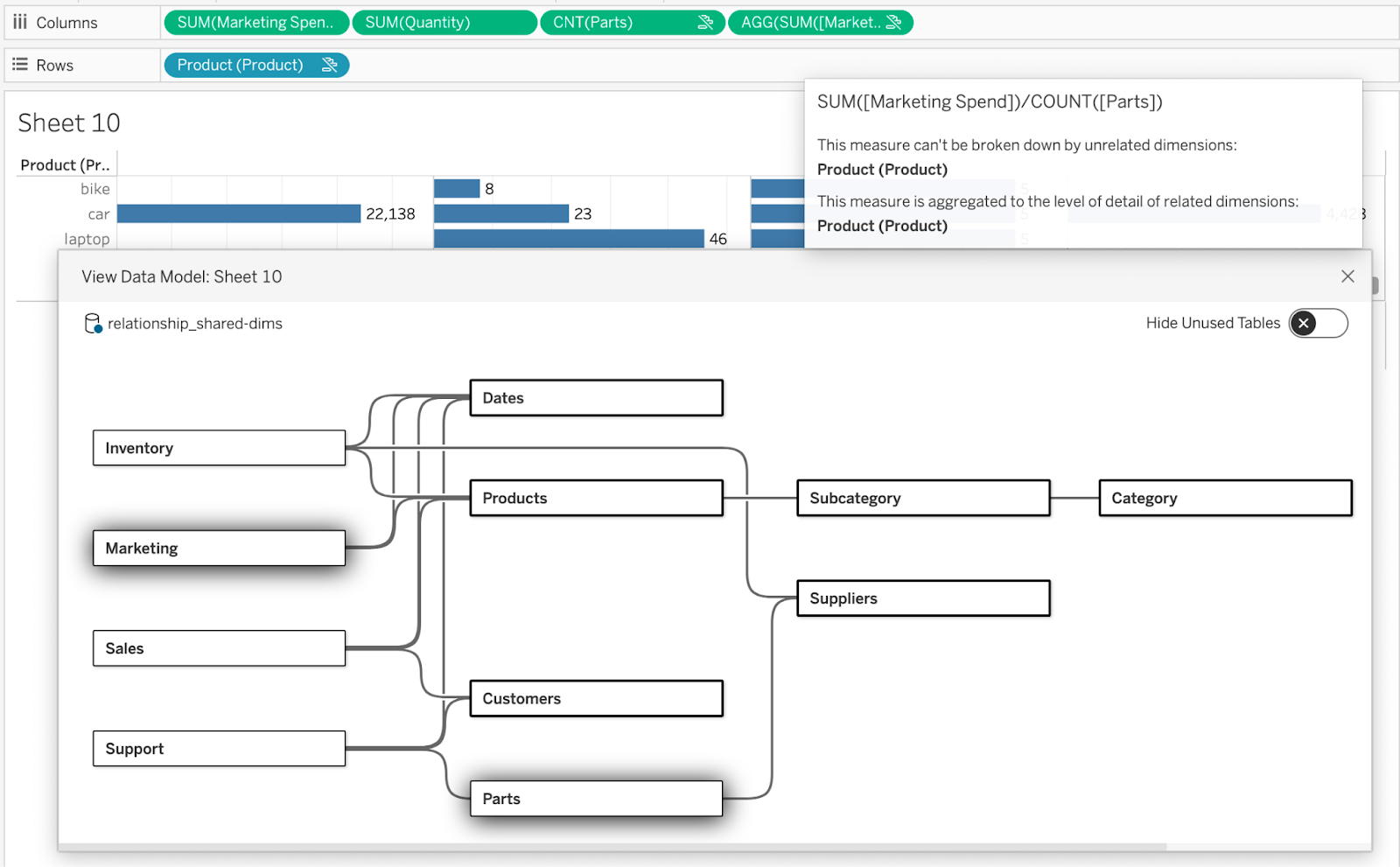
View Data Model enhancements
Be aware of how Tableau data models are used within a viz or worksheet, and which tables supply data to which pills in the viz. If a complex calculation is used within a pill, hovering over the pill highlights the participating tables in the View Data Model – confirming the logic's correctness. Diagnose and evaluate your analysis right in your flow of work, and avoid the swivel-chair process between worksheet and data source tabs.
View Data Model enhancements are generally available in Tableau Cloud, Tableau Desktop, and Tableau Public
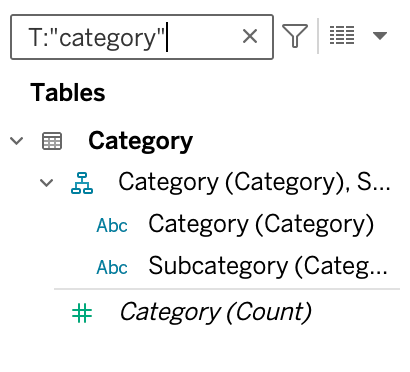
Smart filter on table name
Increase analytic efficiency in large data models by enabling users to filter tables by exact name. Use the same table smart filter “T:” followed by double quotes around the exact table name to bypass substring searches.
Smart filters on table names are generally available in Tableau Cloud, Tableau Desktop and Tableau Public
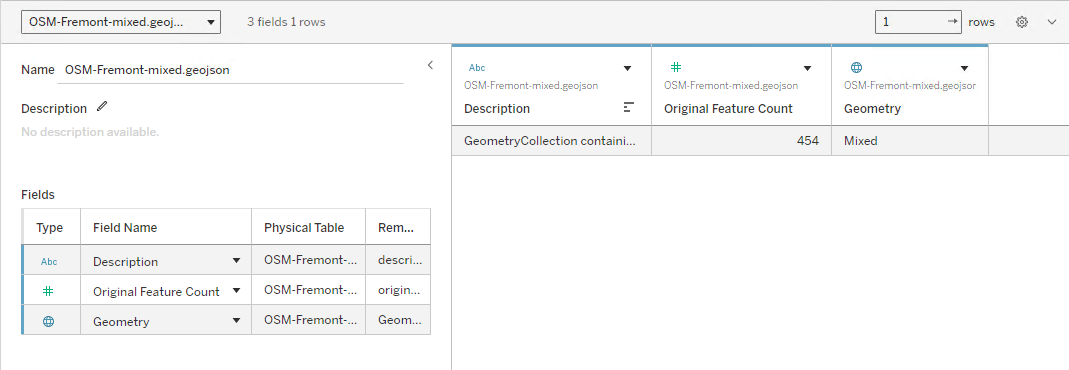
Tableau Maps: Mixed Geometry Support
Stop wrestling with rigid data and start mapping the real world as it is. Mixed Geometry Support eliminates tedious data prep by allowing Tableau to visualise points, lines and polygons simultaneously from a single column. It’s a "drag-and-drop" solution for complex spatial data, giving you instant, high-fidelity maps without the workarounds.
Tableau Maps: Mixed Geometry Support is generally available in Tableau Cloud, Tableau Desktop and Tableau Public
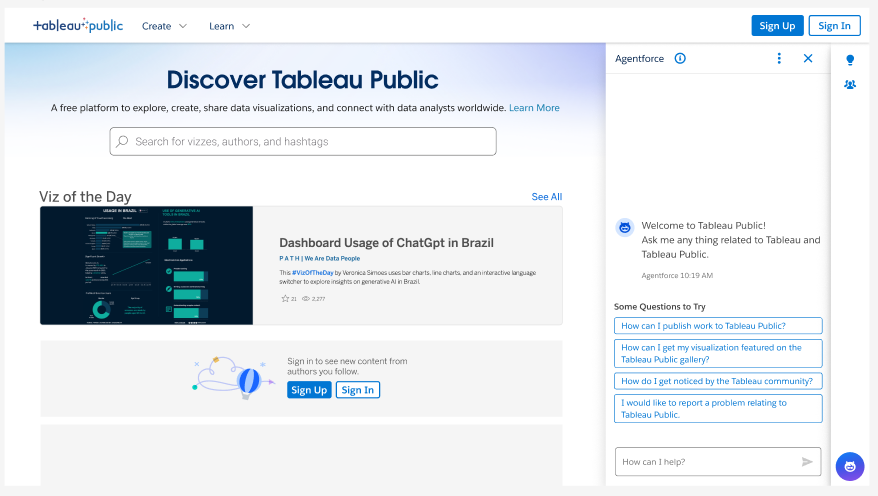
Help Agent on Tableau Public
Accelerate your Tableau Public journey with an intelligent, interactive guide designed to help you find answers and master new features faster. Whether you’re a beginner navigating your first visualisation or an expert looking for community best practices, the Tableau Public Help Agent provides instant, personalised education.
Help Agent on Tableau Public is generally available in Tableau Public