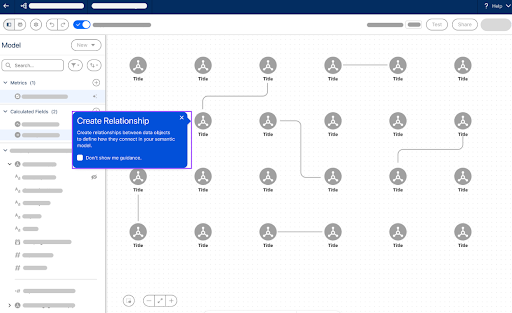
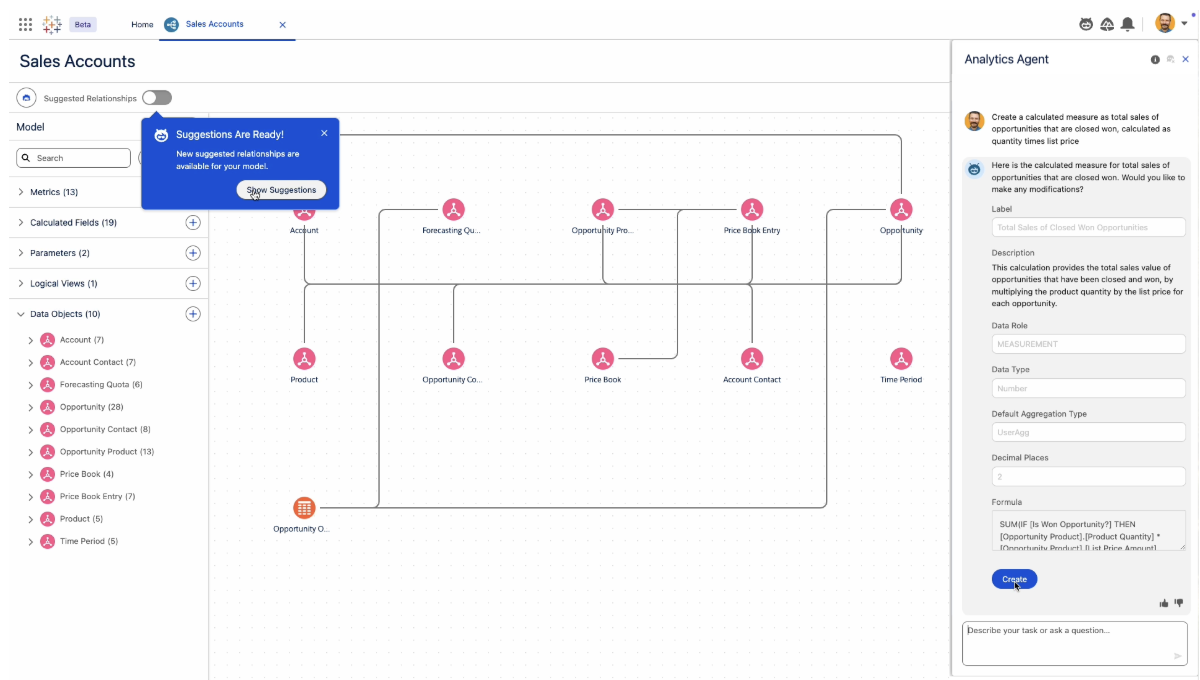
Tableau Next:Data Pro
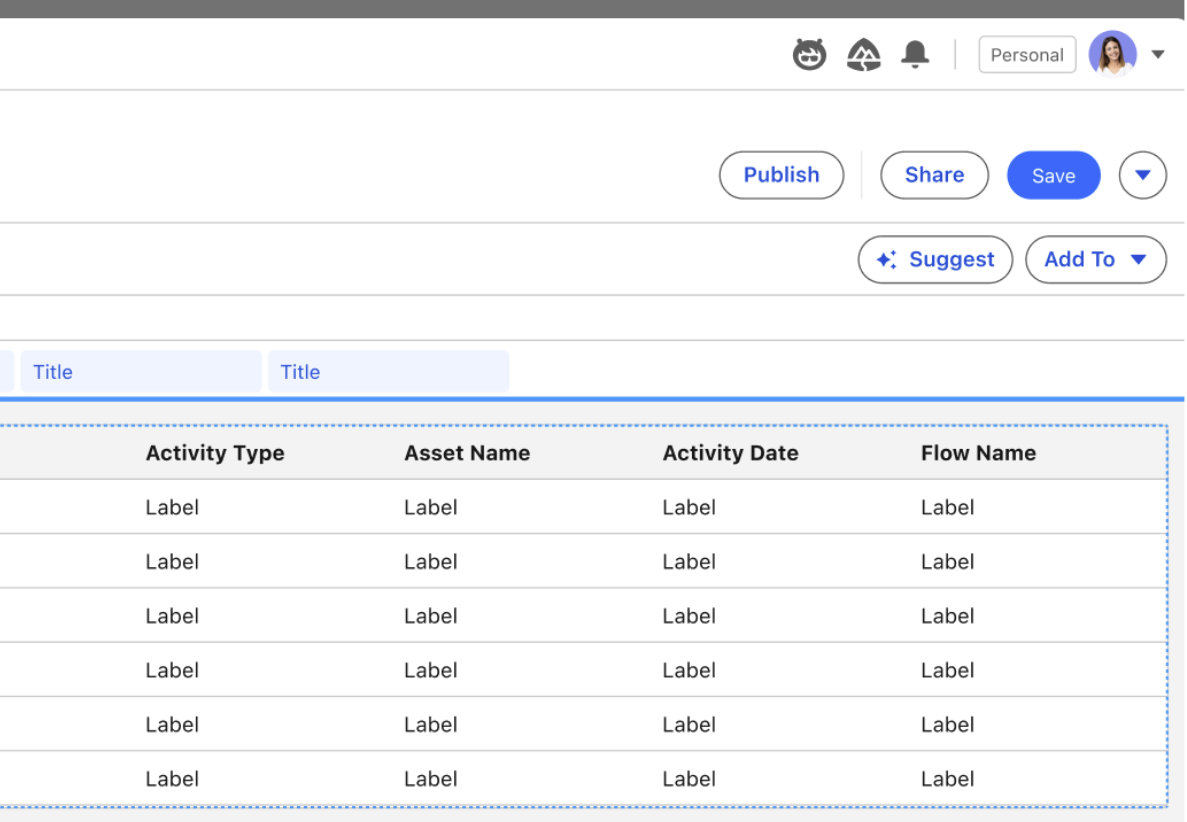
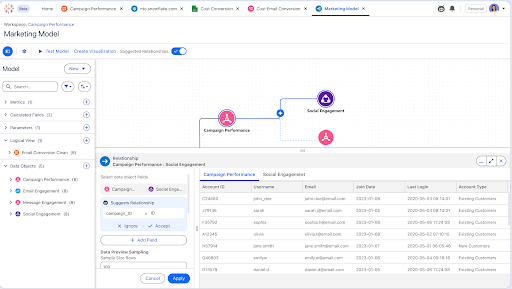
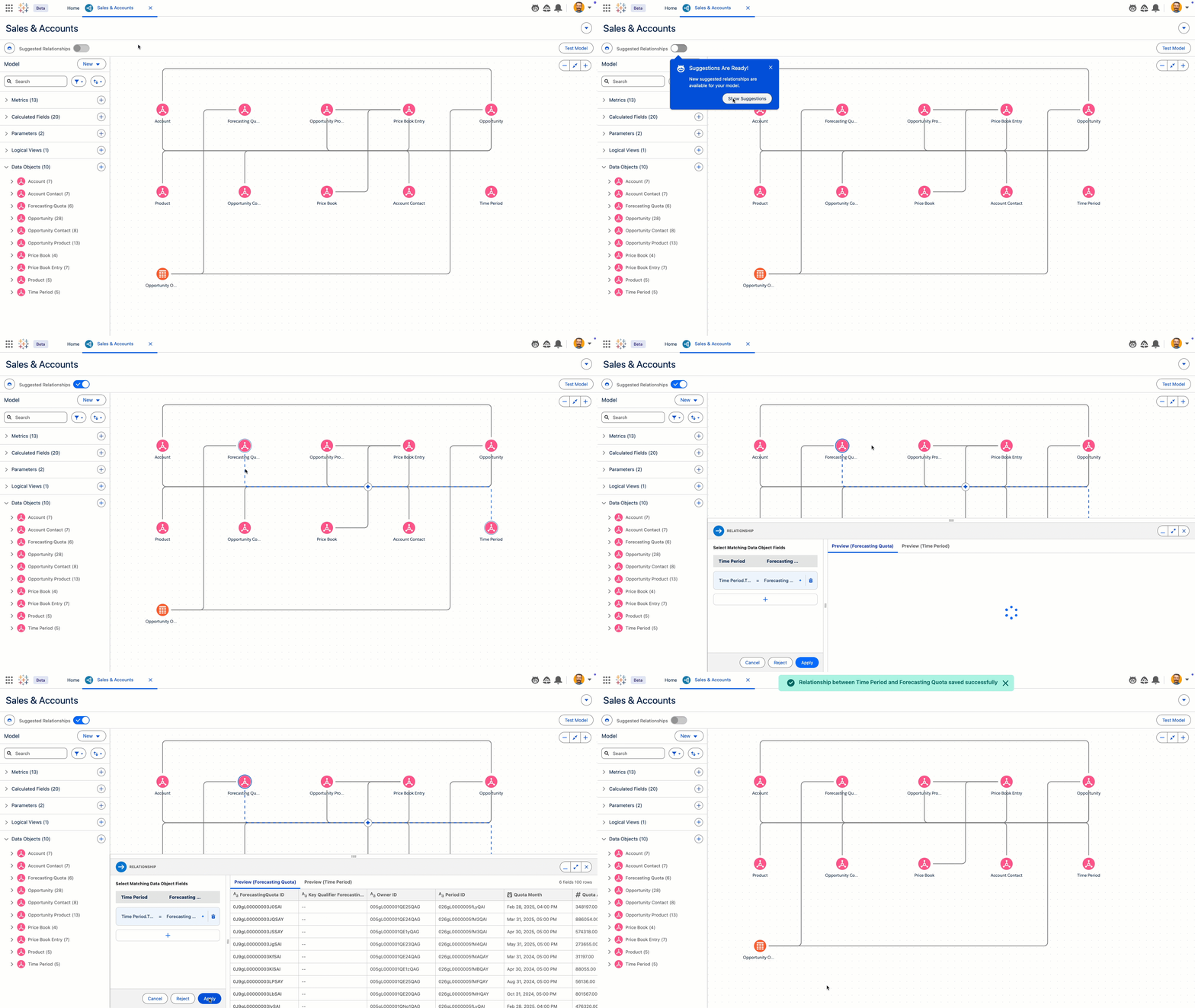
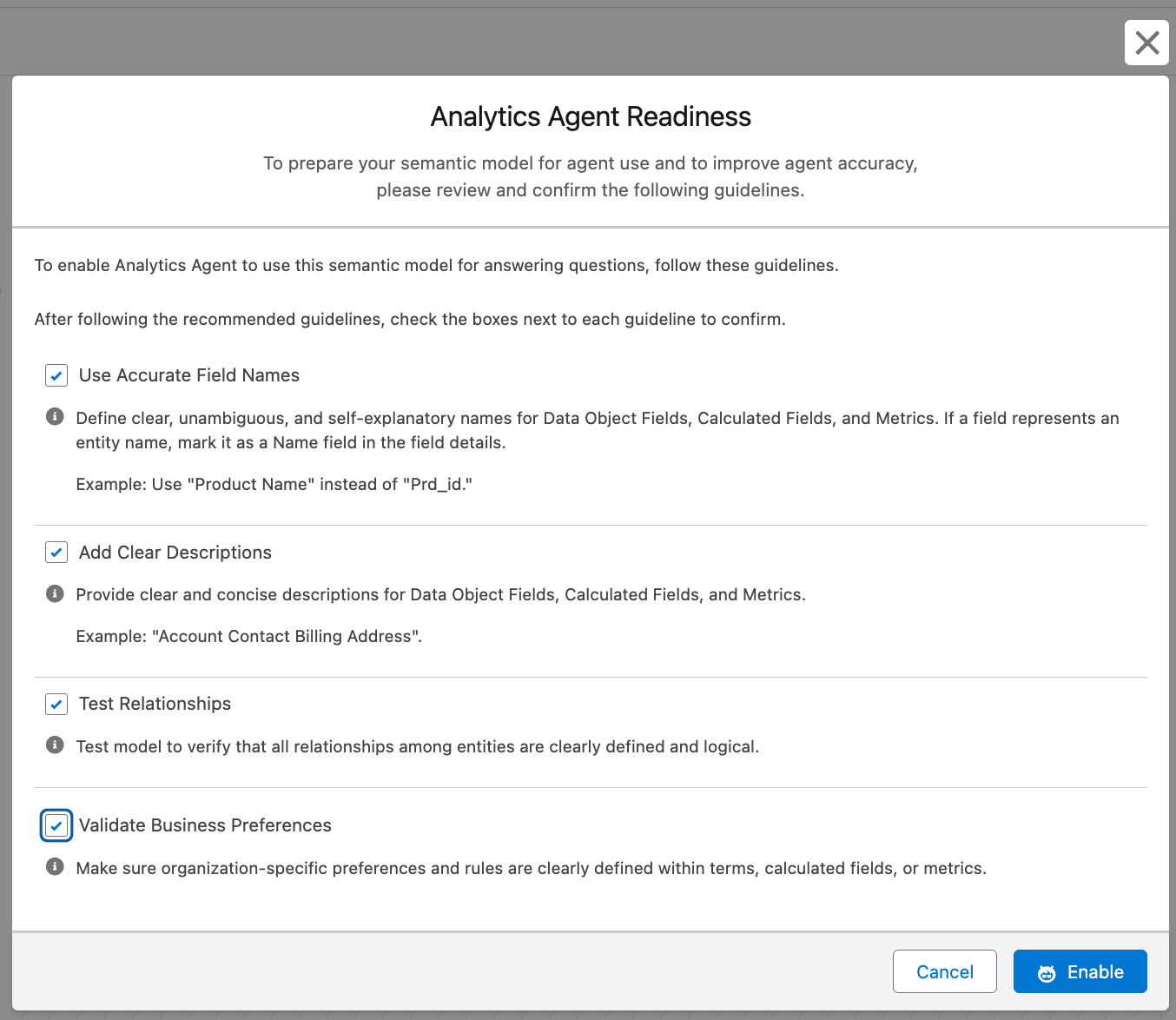
加速取得見解並賦予執行自助式分析的能力。Data Pro 是 Tableau Next 的預建分析技能,可以透過 Agentforce 實現語義資料建模,進而減少人工工作量並降低資料建模的門檻。Data Pro 一般在 Tableau Next 中提供。
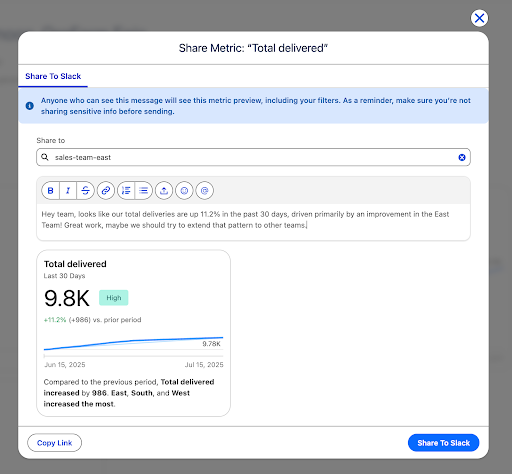
Tableau Next 與 Slack 整合
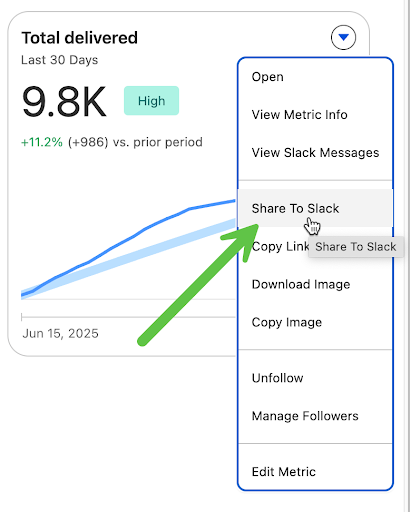
加速團隊協作與決策制定。只要按一下,就能直接將 Tableau Next 中的見解無縫分享到 Slack 中,無需嵌入或複製程式碼,讓您能夠立即根據資料採取行動,更快速取得見解,進而加速實現價值。一般在 Tableau Next 中提供。
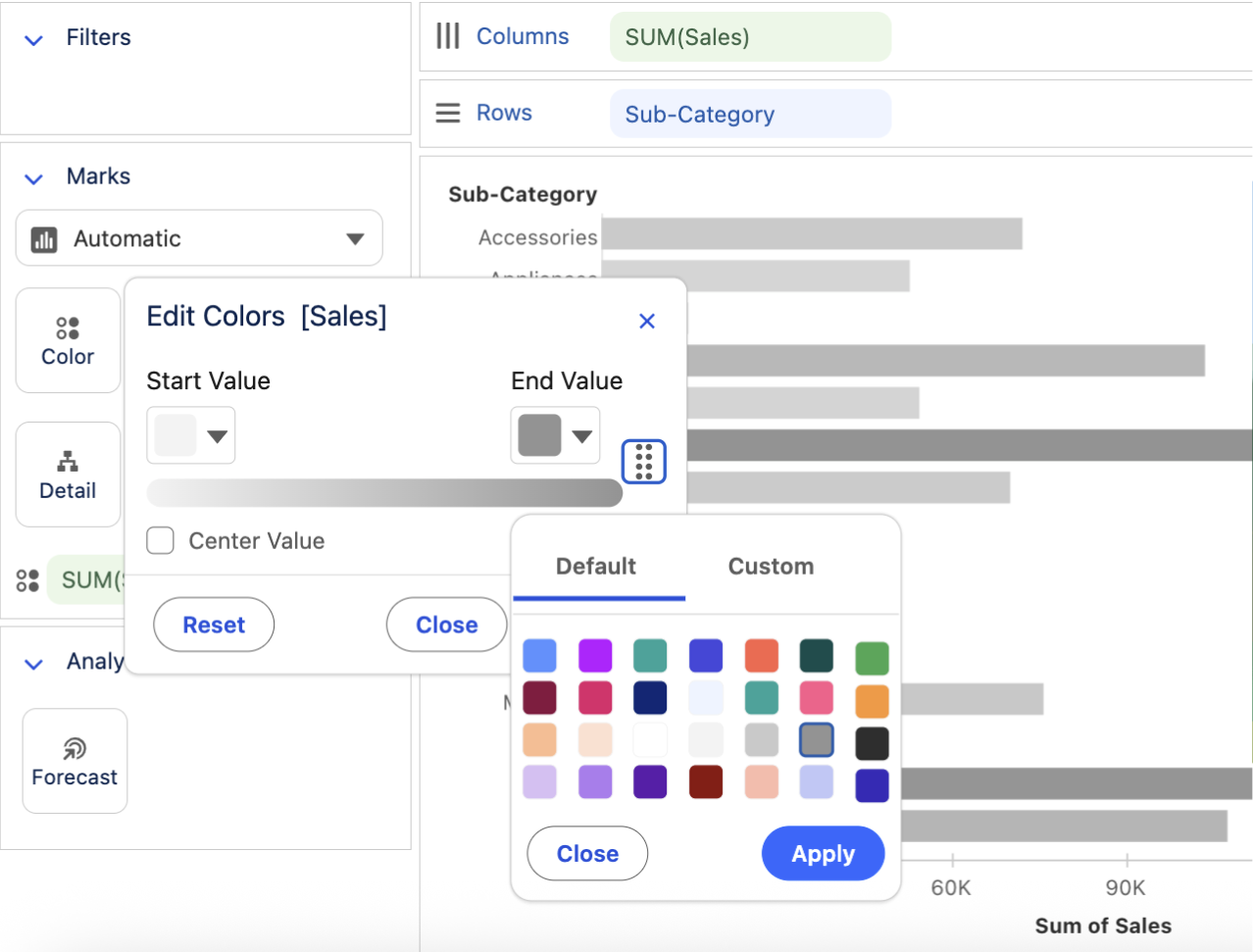
Tableau Next 視覺效果增強
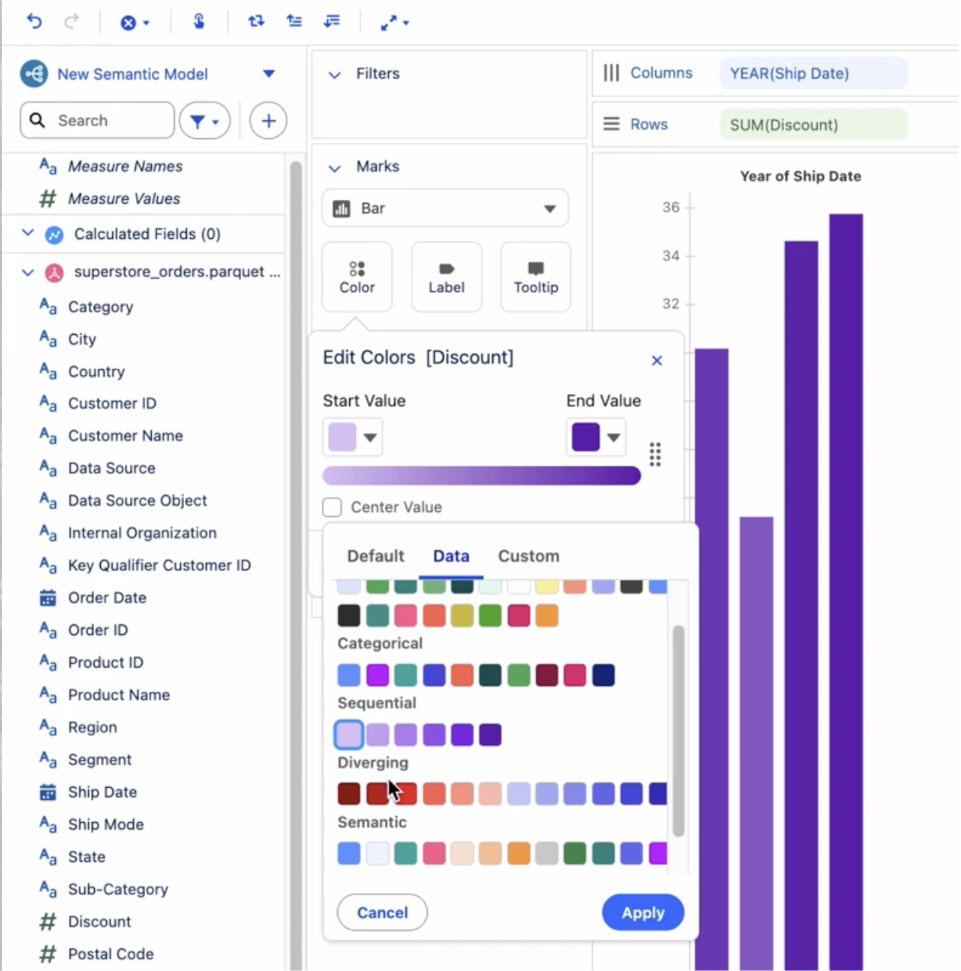
在 Tableau Next 中改善視覺化內容,透過自訂顏色快速分析資料並識別趨勢與異常值。完成視覺效果後,使用按鈕即可快速將視覺化內容新增至儀表板,並分享給更多人。一般在 Tableau Next 中提供。
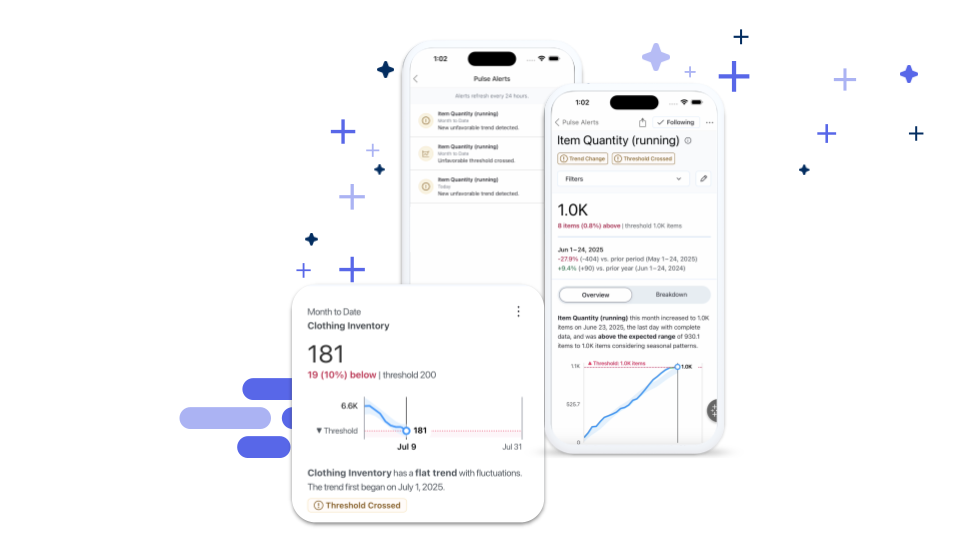
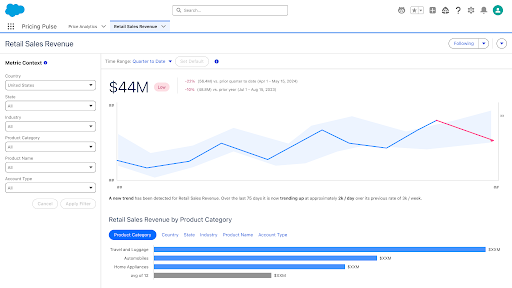
Tableau Pulse:閾值警示
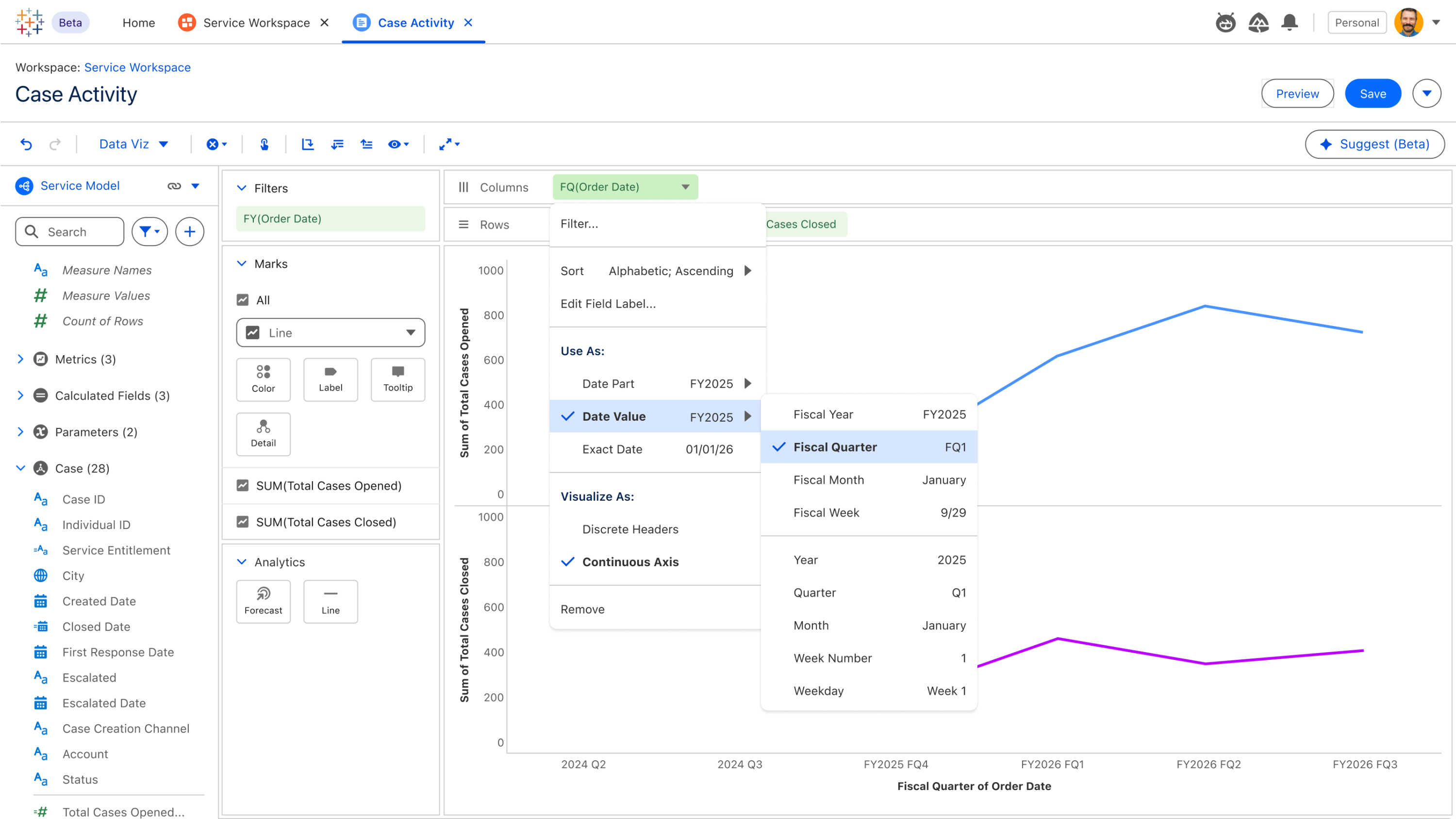
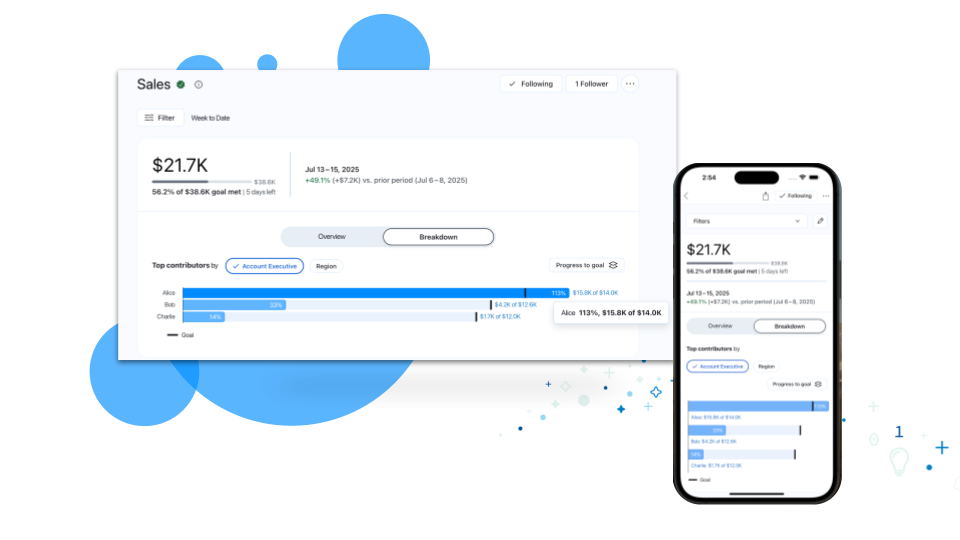
當指標進入不利的閾值範圍時,隨時掌握一切狀況。現在,一旦指標觸及這個關鍵範圍時,Pulse 將會透過網頁、電子郵件及行動裝置上顯示的警示反映此一狀態。一般在 Tableau Cloud 中提供。

讓內部專家為您介紹 Tableau 版本
加入 DataFam Discovery 使用者群組,讓 Tableau 產品經理為您介紹我們發佈的新功能。
立即加入
所有功能
八月

C360 Semantic Model - AI-Ready Verified Questions & Business Preferences
Get accurate insights from Tableau Agent on day one with built-in business preferences and pre-verified cross-cloud questions for sales, service, and marketing. Built on Salesforce's domain expertise, teams start fast with trusted insights to common questions, with room to tune further as needs evolve.
Verified Questions & Business Preferences for Customer 360 are generally available in Tableau Next
External Key Management
Maintain direct control over your encryption key lifecycle by leveraging customer-managed KMS keys for extract encryption at rest. Centralized key management reinforces compliance, security posture, and data sovereignty across enterprise deployments.
External Key Management is generally available in Tableau Cloud.
Inbound Private Connect
Establish dedicated, private connections from your corporate network to Tableau Cloud via AWS PrivateLink to protect sensitive analytics traffic. All web sessions, API calls, and publishing workflows route securely across private IP space without traversing the public internet.
Inbound Private Connect is generally available in Tableau Cloud.
Tableau Mobile: Dark Mode in Tableau Pulse
Work comfortably on Tableau, no matter your theme settings. Tableau Pulse now supports Dark Mode on mobile, increasing accessibility and eliminating the jarring visual transition from other parts of Tableau, where some users have dark mode enabled, to Pulse. Once enabled in your device's settings, Dark Mode applies throughout the entire Pulse mobile UI.
Dark Mode in Tableau Pulse is generally available in Tableau Mobile.
Tableau Mobile: Data Details
Check a viz's data lineage and metadata right from your phone, no desktop browser needed. Just tap 'View Data Details' on any viz to view workbook, project, author details, and more. With Data Details available on mobile, you can surface data provenance information from anywhere, at any time.
Data Details is generally available in Tableau Mobile.
Tableau Mobile: Guided Onboarding Prompts
Getting started on Tableau Mobile is now effortless with guided onboarding prompts on mobile. The prompts automatically introduce mobile users to key features, eliminating the friction of navigating a new app. From an interactive 5-step tour for new users to targeted tips for Pulse features, mobile users can get started faster without sifting through help docs or contacting support..
Guided Onboarding Prompts is generally available in Tableau Mobile.
Tableau Next Apps for Salesforce: Verified Questions & Business Preferences for Service Insights
Get accurate insights from Tableau Agent on day for questions service teams ask most — case volume, escalations, wait and handle time, and agent performance. Built-in business preferences apply service-specific logic, like how escalations and priority are defined, so you can get started fast, with room to tune further as needs evolve.
Verified Questions and Business Preferences for Service Insights are generally available in Tableau Next.
Tableau Next Apps in AgentExchange
Tableau Next Apps brings an embedded AgentExchange marketplace directly into Tableau Next. Customers can browse, discover, and install partner-built analytics apps including industry-specific dashboards, dashboard extensions, semantic models, and MCP server registrations all without leaving their workflow.
Agent Exchange Integration is generally available in Tableau Next.
Tableau Next MCP: Authoring
Gain early access to next-generation AI analytics capabilities across dashboards, semantic modeling, and proactive alerting. Opt-in to test emerging tools and shape product quality while accelerating conversational workflows.
Tableau Next: Authoring is coming soon in beta.
Tableau Next: Admin Home & Settings Experience
Streamline administrative workflows and reduce navigation effort through a centralized landing page equipped with quick actions and consolidated settings menu navigation. Interactive Agentforce assistance guides administrators conversationally through complex setup tasks across integrated environments.
Admin Home and Settings Experience is generally available in Tableau Next.
Tableau Next: Agentic Data Monitoring
Verify data freshness and workspace asset status using natural language questions. Save time and reduce human error by replacing manual checks with conversational data monitoring.
Agentic Data Monitoring is generally available in Tableau Next.
Tableau Next: Auto-Enable Preference Setup
Connect analytics to team collaboration instantly upon org provisioning without manual toggles. Automated domain configuration and setup guidance eliminate setup friction and get teams sharing insights faster.
Auto-Enable Preference Setup is generally available in Tableau Next.
Tableau Next: Calculated Field and Metric Overrides
Customize formulas and KPI calculations inherited from base semantic models without breaking overall model synchronization. Ensure extended models reflect unique organizational requirements while maintaining non-overridden definitions automatically.
Calculated Field and Metric Overrides is generally available in Tableau Next.
Tableau Next: Dark Mode for Embedded Components
Synchronize embedded dashboards automatically with dark mode. Eliminate harsh visual contrast and deliver accessible, WCAG-compliant design experiences.
Dark Mode for Embedded Components is generally available in Tableau Next.
Tableau Next: Dashboard Authoring Enhancements
Duplicate widgets, copy visual styles, and manage multi-page tabs through right-click grid interactions. Streamline layout design and dashboard organization with intuitive drag-and-drop actions.
Dashboard Authoring Enhancements is generally available in Tableau Next.
Tableau Next: Dashboard Extensions, Dynamic Data Binding
Build custom Lightning Web Component extensions once and map them across different semantic models via property panels. Scale custom visualizations effortlessly without editing code for each new dataset.
Dashboard Extensions, Dynamic Data Binding is generally available in Tableau Next.
Tableau Next: Dashboard MCP Support
Generate, assemble, and update multi-page dashboards conversationally using natural language through Model Context Protocol (MCP) integration. Conversational tools automatically format visual widgets and map underlying semantic models into complete dashboard layouts.
Dashboard MCP Support is generally available in Tableau Next.
Tableau Next: Data Interpreter, Review Results
Inspect cleaned and restructured data directly before publishing to ensure underlying tables were parsed accurately. Interactive summaries detail automated transformations, offering complete transparency into structural fixes and data preparation steps.
Data Interpreter, Review Results is generally available in Tableau Next.
Tableau Next: Enhanced Explore
Accelerate self-service discovery and workflows with data interaction directly within your worksheets. Download aggregate visualization data directly to CSV for external analysis, and keep your business aligned with your metrics.
Enhanced Explore is generally available in Tableau Next.
Tableau Next: Formatting Visualizations and Dashboards
Gain granular control over fonts, colors, line styles, and alignment across visual components. Apply unified design formatting to ensure brand consistency and clarity with data storytelling.
Formatting Visualizations and Dashboards is generally available in Tableau Next.
Tableau Next: Headless Regression Testing (Beta)
Maintain AI analytics accuracy without slowing down deployment. Programmatically test complex semantic data models against curated datasets to catch SQL logic variances before changes reach production users.
Headless Regression Testing is coming soon in beta in Tableau Next.
Tableau Next: Ingestion Support for DLO Creation
Control whether external data sources are read live or copied into Data Cloud with custom refresh frequencies. Improve visualization performance and optimize governance by seamlessly integrating source tables into Data Cloud.
Ingestion Support for DLO Creation is generally available in Tableau Next.
Tableau Next: Inherit and Override Business Preferences
Accelerate time to value and improve analytical accuracy with out-of-the-box business preferences inherited from base semantic models. Users retain full flexibility to override and customize these settings with organization-specific logic and terminology.
Inherit and Override Business Preferences is generally available in Tableau Next.
Tableau Next: List View UX Update
Transform dashboard filter inputs and parameters into space-saving list layouts or card widgets. Customize layout styles while preserving active user selections.
List View UX Update is generally available in Tableau Next
Tableau Next: Organizational Hierarchy Support (Beta)
Flatten complex Salesforce role, manager, and territory structures right in the semantic layer, simplifying team-level reporting and cutting down on manual data manipulation. Dashboard authors and business users can then filter metrics by personalized scopes like "Me," "My Team," or "Org," and drill down or roll up across managerial chains.
Organizational Hierarchy Support is available in Beta in Tableau Next.
Tableau Next: Pace to Threshold Insight
Anticipate metric breaches before they occur by tracking forecasts against defined limits. Surface actionable timelines directly on metric cards to make SLA, budget, or capacity targets proactive.
Pace to Threshold Insight is generally available in Tableau Next.
Tableau Next: PDS Integration Authentication
Connect to Tableau Cloud PDS using standard cross-cloud dropdown selection instead of manual site parameters. Speed up deployment, reduce setup errors, and unlock personal environment support for testing.
PDS Integration Authentication is coming soon in Tableau Next.
Tableau Next: Predictive Insights (Beta)
Embed machine learning predictions, explainable drivers, and recommendations directly inside charts and dashboards. Shift from historical reporting to forward-looking decision-making without leaving the flow of work.
Predictive Insights is available in beta in Tableau Next.
Tableau Next: Radar Chart
Compare performance across multiple dimensions at a glance to identify opportunities quickly. Build radar charts natively without writing tedious calculated fields.
Radar Chart is generally available in Tableau Next.
Tableau Next: Regional Themed Maps
Map geographic fields using dedicated spatial mark types to uncover location-based patterns. Transform location data into interactive choropleth maps to spot territory opportunities and monitor performance.
Regional Themed Maps is generally available in Tableau Next.
Tableau Next: Semantic Model Builder - Smart Canvas
Author and explore semantic models at any scale with an enhanced canvas experience in Tableau Semantics. Smart auto-layout, infinite navigation, inline editing, and domain-based grouping handle enterprise complexity so your team can iterate faster.
Semantic Model Builder - Smart Canvas is generally available in Tableau Next
Tableau Next: Tableau Agent - Data Connection and Analytics Creation (Beta)
Accelerate data discovery, semantic modeling, and viz building conversationally with Tableau Agent. Automatically locate semantic models, enrich data relationships, and generate editable visual assets to move from data to insight faster.
Tableau Agent - Data Connection and Analytics Creation is available in beta in Tableau Next.
Tableau Next: Viz Authoring Enhancements
Accelerate visual creation through multi-field selection, instant "Add To" canvas menus, and additional layout options. Build complex charts like waterfall views effortlessly and shorten time-to-insight.
Viz Authoring Enhancements is generally available in Tableau Next.