
Tableau - Août 2025
Data Pro, Tableau Next pour Slack, améliorations des visualisations, seuils d’alerte et bien plus
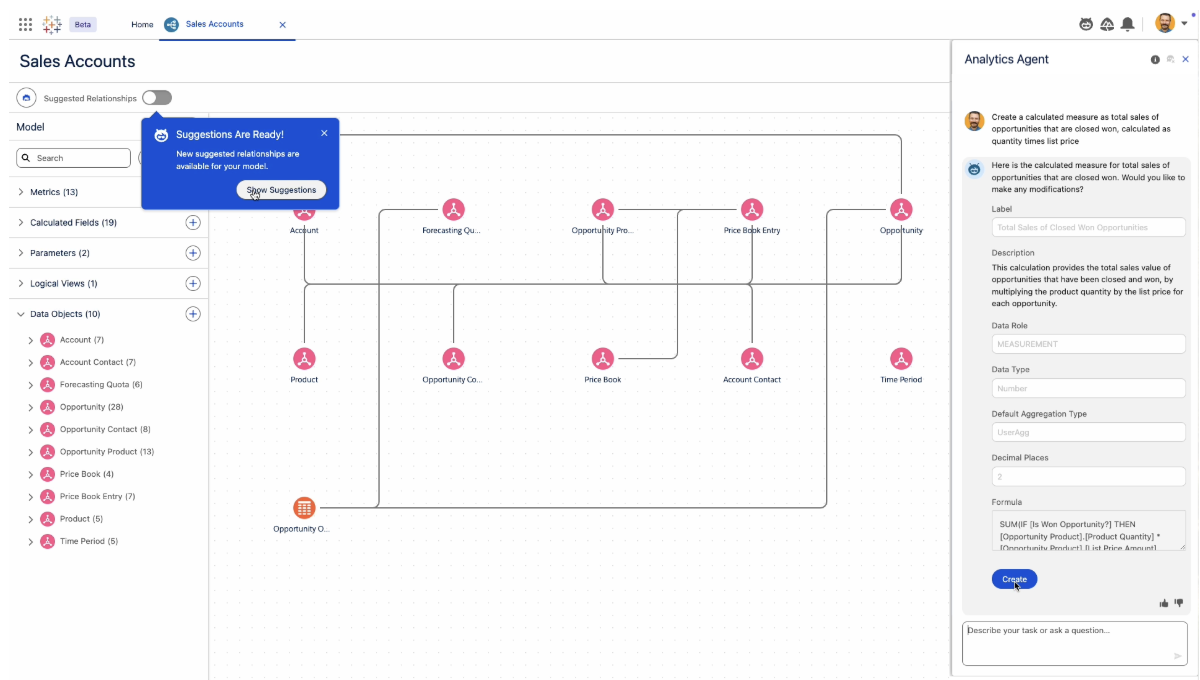
Tableau Next : Data Pro
Générez plus rapidement des insights pour une analytique en libre service. Data Pro, une compétence analytique intégrée à Tableau Next, facilite la modélisation sémantique des données grâce à Agentforce, pour la rendre plus accessible. Data Pro est disponible pour tous les utilisateurs de Tableau Next.
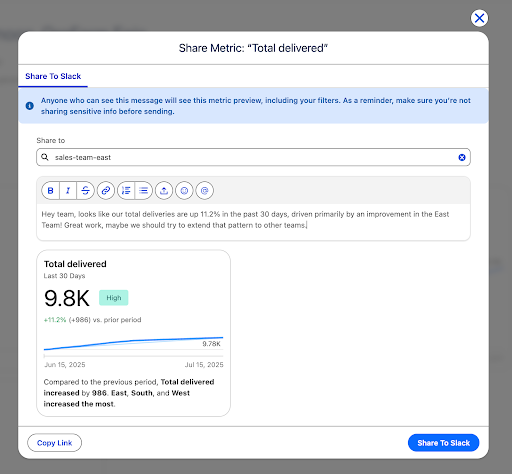
Intégrations de Tableau Next pour Slack
Accélérez la collaboration et la prise de décision. En un clic, partagez les insights de Tableau Next dans Slack, sans incrustation ni copie de code, pour bénéficier plus rapidement d’insights sur vos données, agir et accélérer votre retour sur investissement. Disponible pour tous les utilisateurs de Tableau Next.
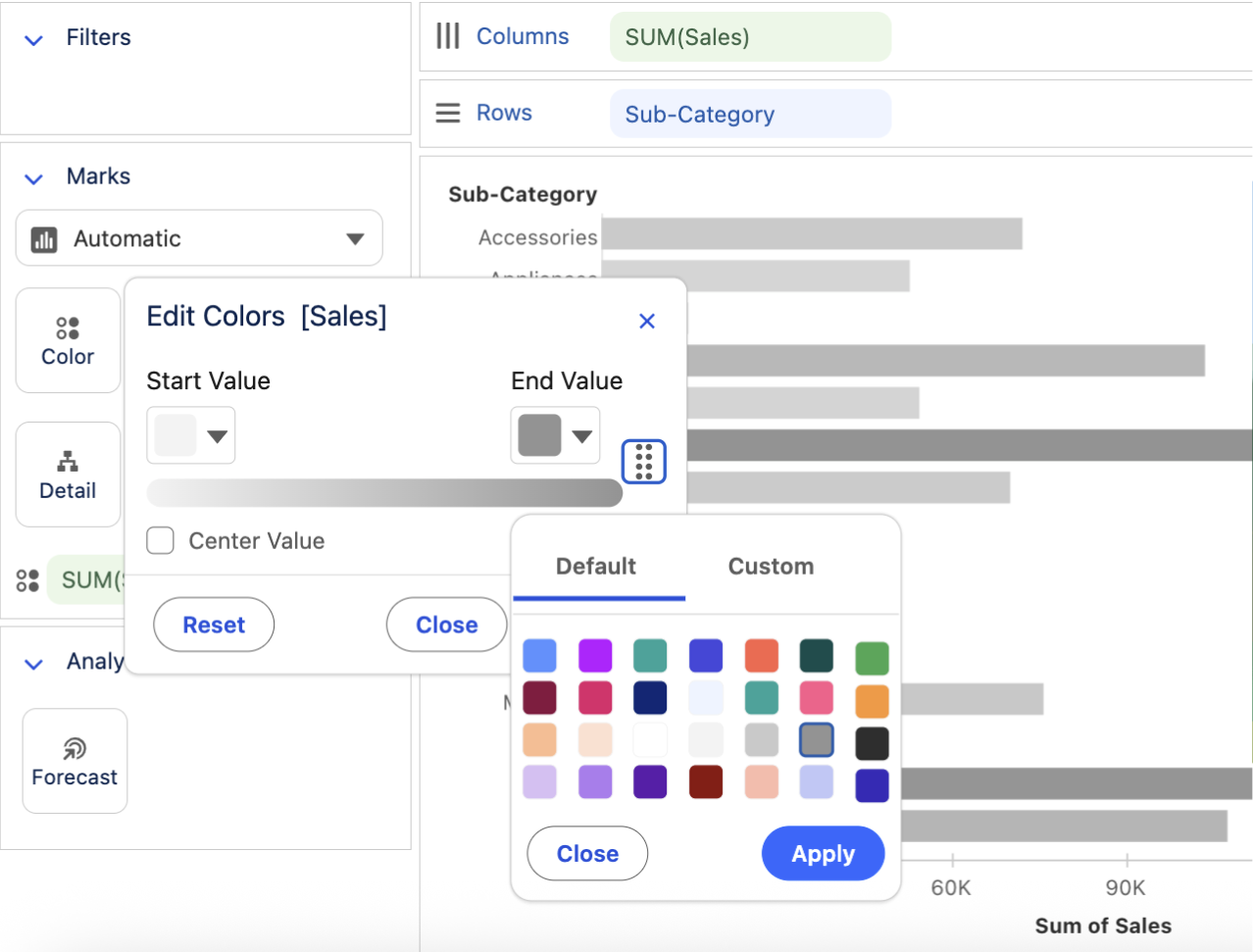
Améliorations des visualisations de Tableau Next
Améliorez vos visualisations dans Tableau Next pour analyser vos données rapidement et repérer les tendances grâce à des couleurs de surlignage personnalisées. Une fois votre visualisation terminée, ajoutez-là d’un clic à votre tableau de bord pour la partager. Disponible pour tous les utilisateurs de Tableau Next.
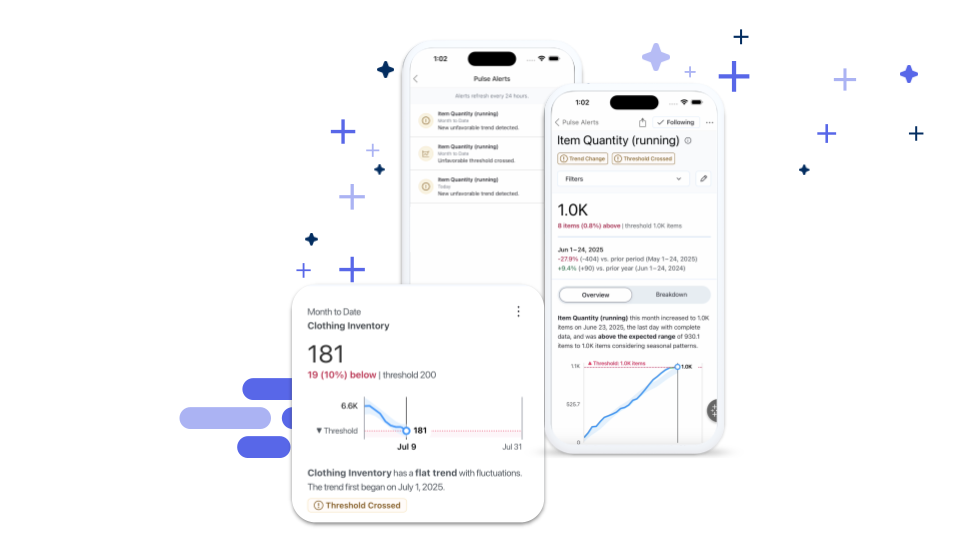
Tableau Pulse : Seuils d’alerte
Faites-vous prévenir quand vos métriques passent un seuil inquiétant. Désormais, quand une métrique passe un seuil critique, Tableau Pulse transmet une alerte sur le Web, par e-mail et sur mobile. Disponible pour tous les utilisateurs de Tableau cloud.

Découvrez les nouvelles versions de Tableau avec nos experts
Rejoignez le groupe d'utilisateurs « DataFam Discovery » pour découvrir les nouvelles fonctionnalités présentées par les chefs de produit Tableau.
Rejoindre le groupe
Toutes les fonctionnalités
août

Tableau MCP: OAuth Support
Ensure enterprise-grade governance and security standards while using Tableau MCP. With the support of HTTP transport and OAuth you can centrally host and manage a remote Tableau MCP server that accepts requests from distinct users and respects row-level security policies on your Tableau Server.

Tableau MCP: Tableau Pulse tools support
A new way to integrate Tableau into custom and 3rd party agents and applications. Tableau MCP supports Tableau Pulse tools that make it possible to bring the intelligent and contextual capabilities of Tableau Pulse into 3rd party and custom AI Agents.
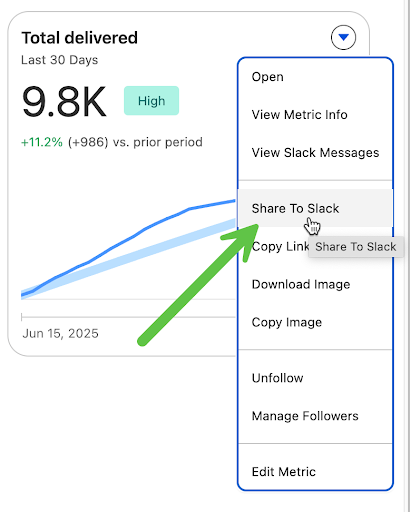
Tableau Next and Slack Integrations
Accelerate team collaboration and decision-making. Seamlessly share insights from Tableau Next directly into Slack, without embedding or copying code, empowering users to instantly act on data and analysts to gain faster feedback for quicker time to value.
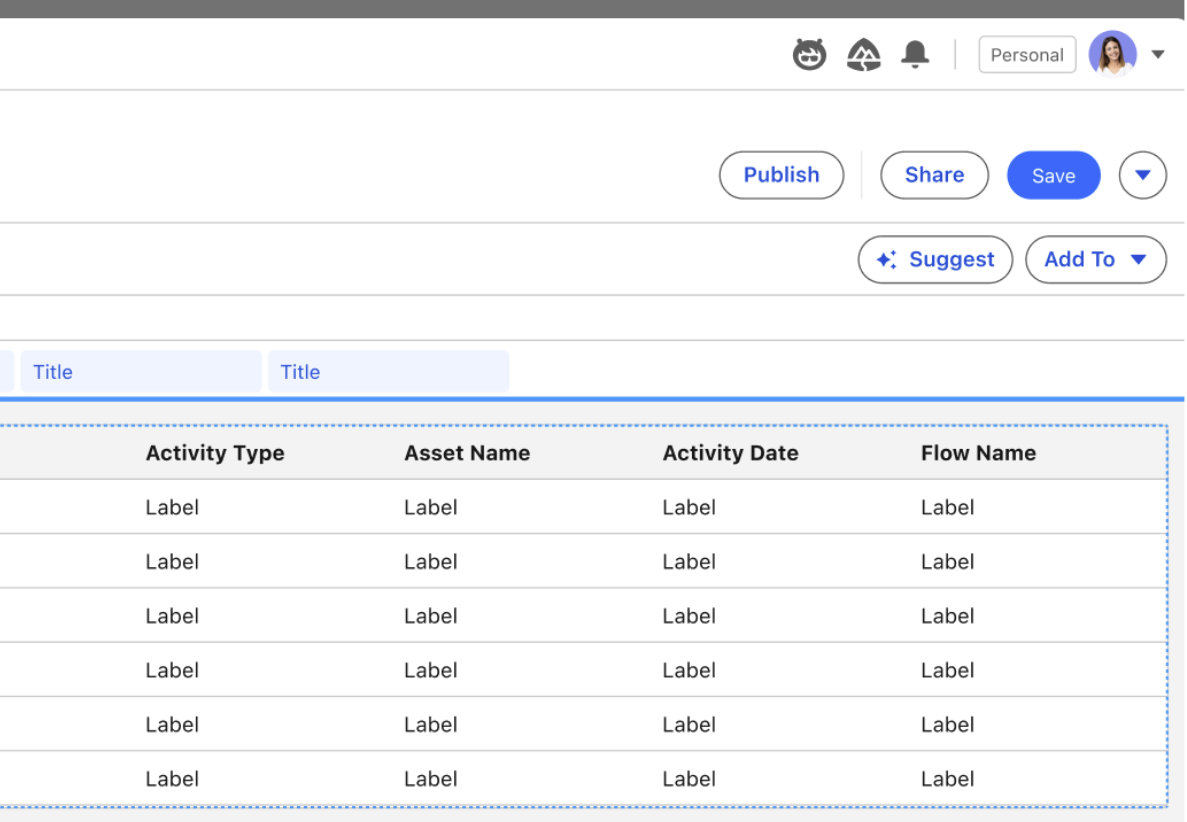
Tableau Next: "Add to" Dashboard from Viz Builder
Easily add a completed visualization to the dashboard of choice in just a couple of clicks, directly from the visualization builder. Speed up dashboard authoring with faster and more user-friendly experience.
Tableau Next: Define Continuous Colors
Easily distinguish trends, outliers, and patterns by applying custom colors to continuous values in visualizations. This allows for dynamic visualization of trends, like customer sentiment over time, enabling quicker analysis and strategic adjustments.
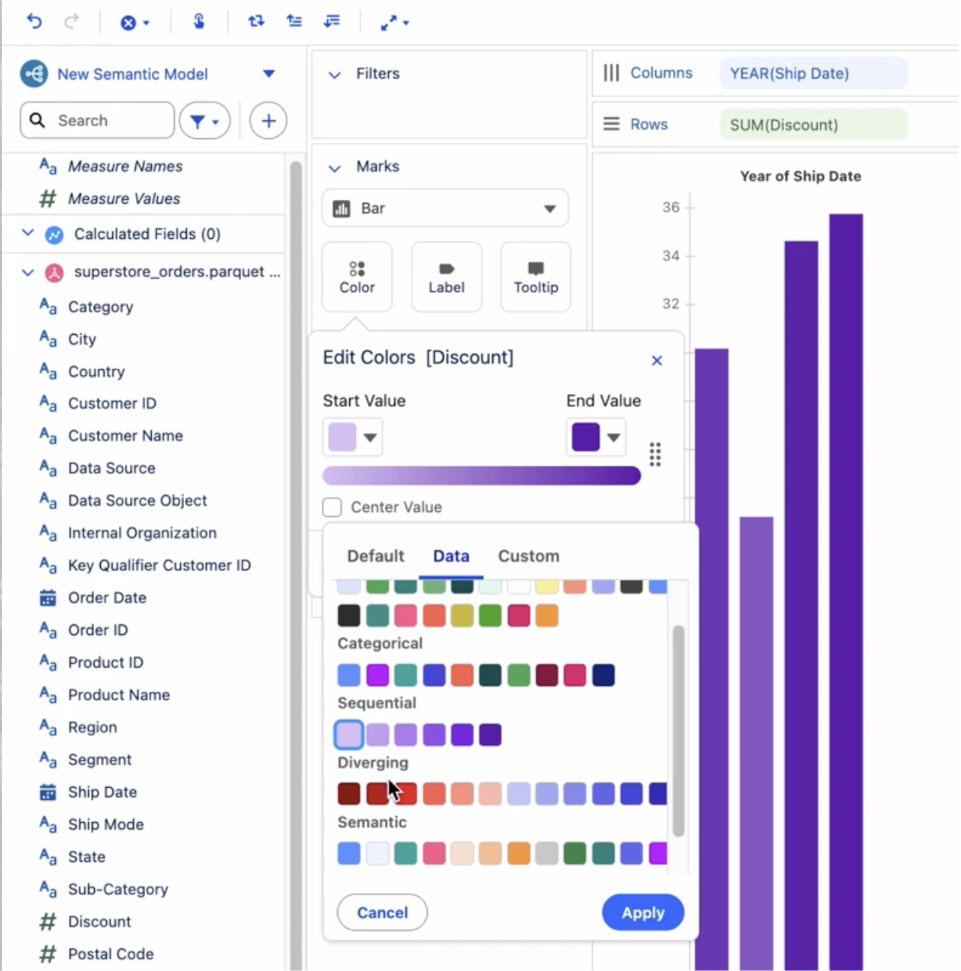
Tableau Next: Enhanced Color Picker
Improve chart readability and speed analysis by easily customizing chart colors. Assign discrete colors to dimensions and continuous gradients to measures to help distinguish data types, gain clearer insights, and follow visualization best practices.
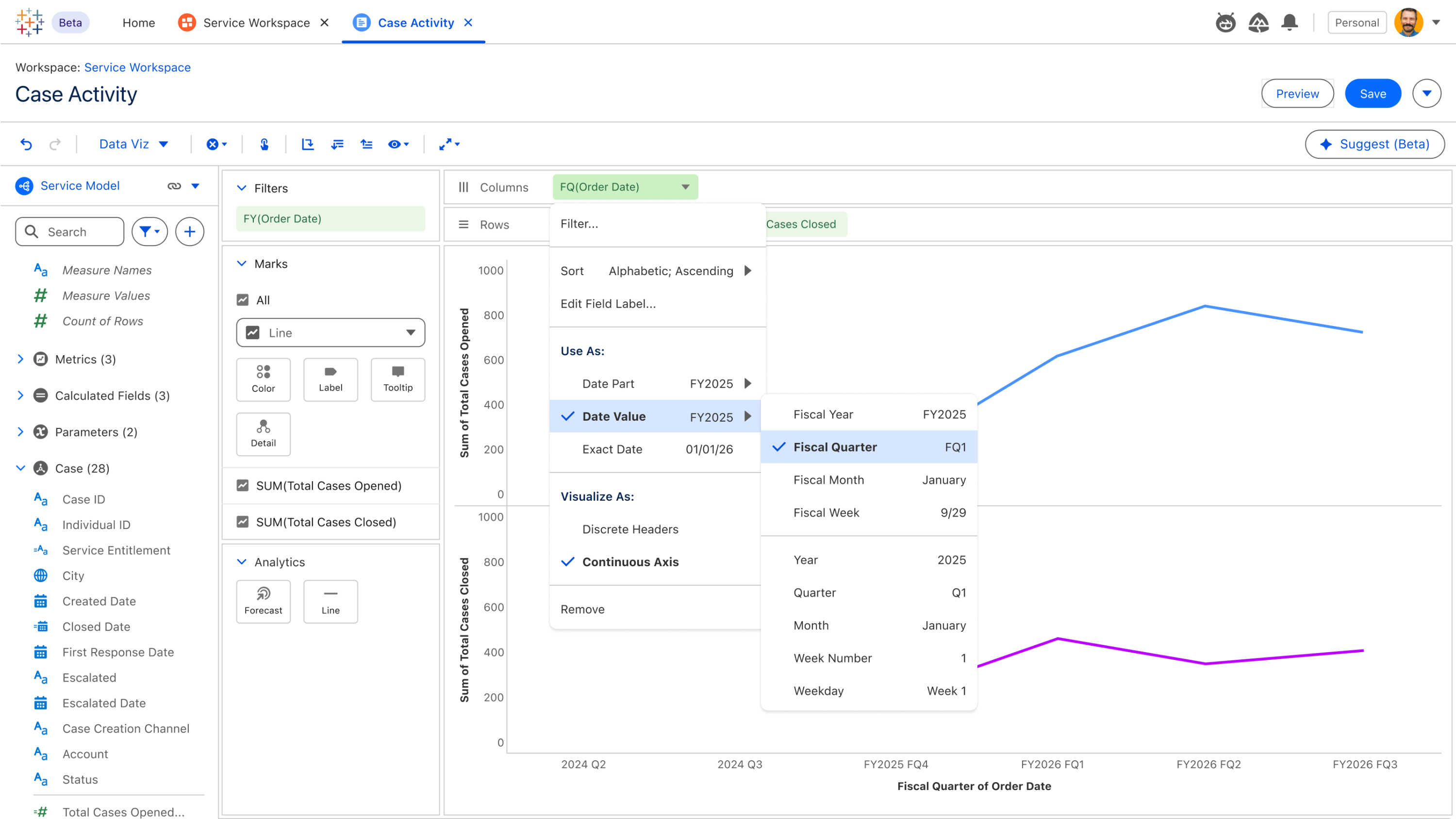
Tableau Next: Fiscal Calendar Support
Gain precise financial insights by leveraging Tableau Semantics' fiscal calendar support, enabling seamless aggregation, filtering, and calculations based on your specific fiscal periods. Group metrics like Sales, Leads, Defect Rates, and Scheduled Deliveries by fiscal timeframes, ensuring insights perfectly align with business reporting for accurate decision-making.
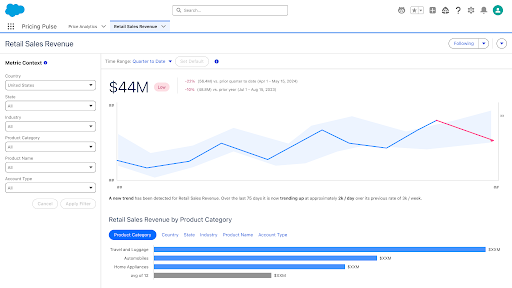
Tableau Next: Metrics Year Over Year Comparison
Instantly understand your business performance relative to prior years. With Year over Year comparisons available by default, effortlessly identify seasonal trends and broader performance shifts at a glance, enabling more meaningful insights into your metrics.
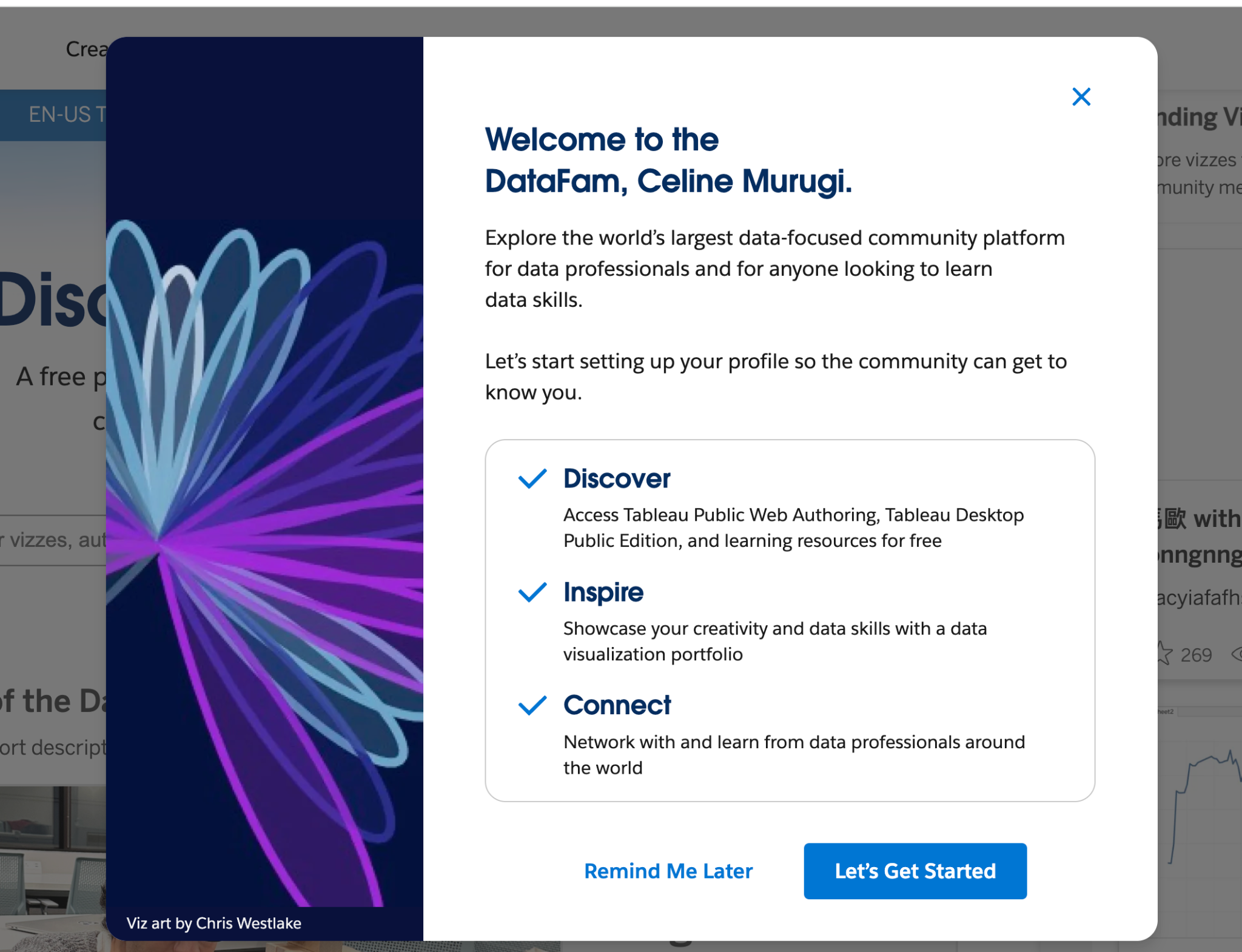
Tableau Public: New Welcome Modal
Discover Tableau Public with ease! At first login, seamlessly explore core functionalities like profile curation and the 'Hire Me' button. Users can dismiss it at will or choose 'Remind Me Later,' opting to postpone the modal to their next session. This intuitive onboarding experience aims to decrease the barrier to entry and help users feel supported.
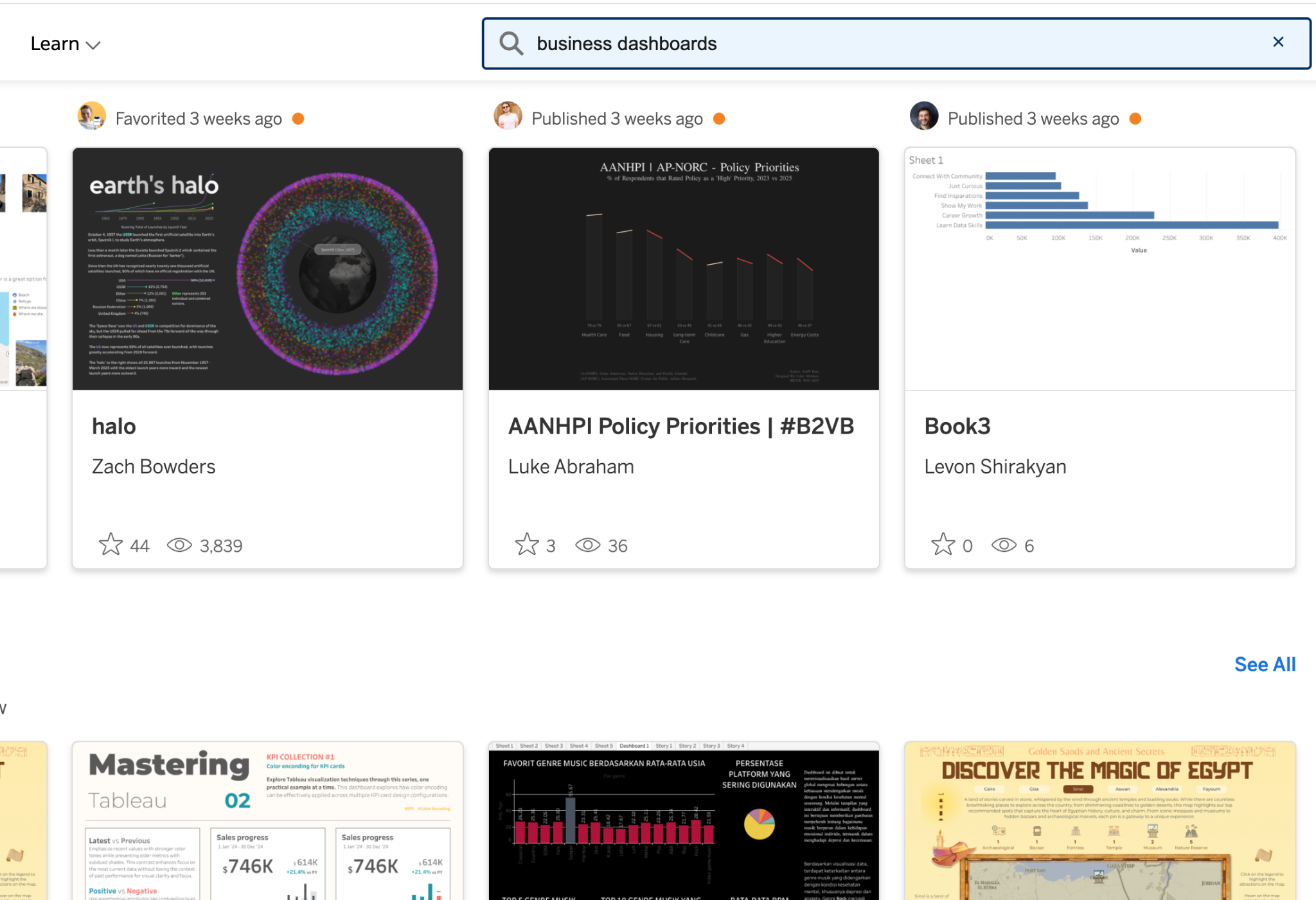
Tableau Public: Search Improvements
Tableau Public's search bar is now more easily accessible by being right at the top of the screen, no matter where you navigate. It's easy to spot, helping you find content quicker and easier so you can browse without distractions.
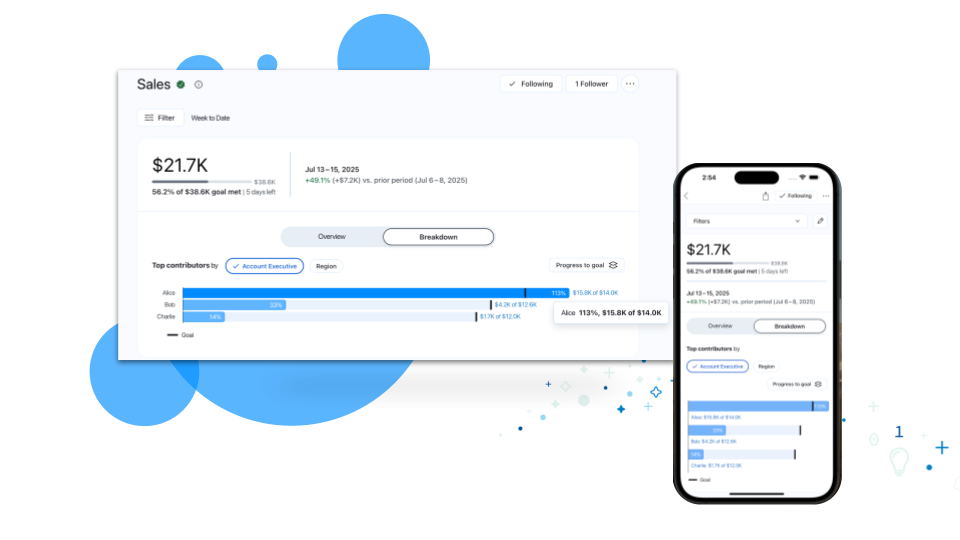
Tableau Pulse: Breakdown Chart Enhancements
Get deeper insights into your metrics. Enhancements to breakdown charts now reveal how specific dimensions are driving your metrics toward goals or thresholds, empowering you to make more informed business decisions.
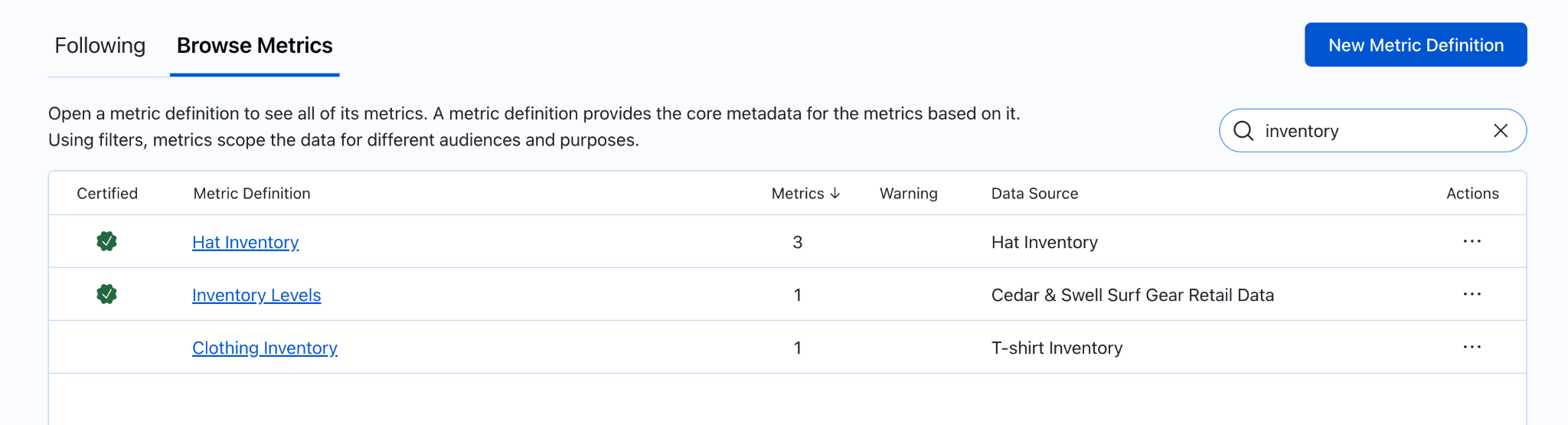
Tableau Pulse: Metric definitions browsing enhancements
Navigate your growing catalog of metric definitions with ease. Enhancements to the Browse Metrics list lets you search, sort by certified status, and even by the number of metrics, ensuring you quickly and easily find the definition you need.

Tableau Pulse: Off-Cycle Slack Alerts
Catch critical insights in Slack. Now, you'll get Slack notifications (up to one per day) for triggered metric alerts, even if you get your digest weekly or monthly.
Tableau Pulse: Threshold Alerts
Stay informed when your metrics cross into an unfavorable threshold range. Now, when a metric enters this critical range, Pulse will reflect this with alerts displayed in web, email, and mobile.

Tableau Pulse: Update User Preferences via API
Ensure every user's Pulse experience is relevant and personalized. Site Admins can now manage user digest preferences, cadences, and homepage layouts via API to guarantee a consistent, tailored experience for everyone.
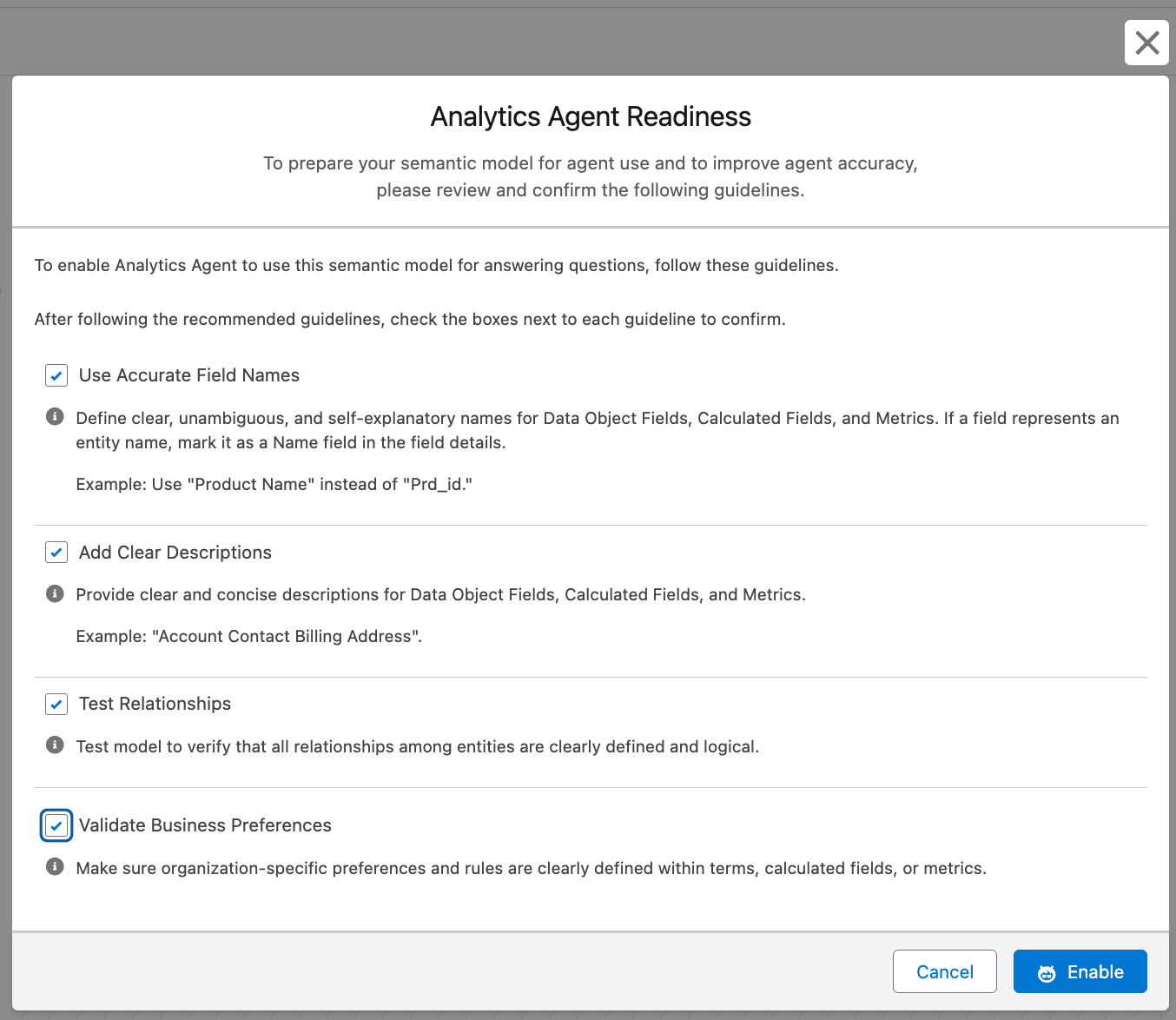
Tableau Semantics: Analytics Agent Readiness
Boost trust and reliability in agent responses by empowering semantic data model creators with a readiness flag, enabling them to control models used for Concierge, ensure alignment with best practices, and deliver accurate insights.
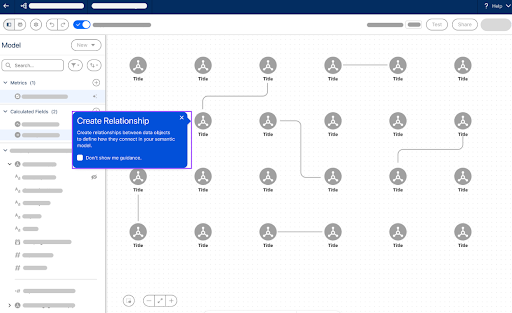
Tableau Semantics: Guided Onboarding
Accelerate your semantic data modeling and time to value with intuitive, step-by-step guidance on building and exploring semantic data models.

Tableau Semantics: Share SDM
Empower agility while maintaining data integrity with secure, easy-to-manage semantic model access. Semantic models are secure by default (owner-accessible only), allowing content owners to use a simple Share button to grant permission-aware access for collaboration viewing, ensuring only approved users see your data.
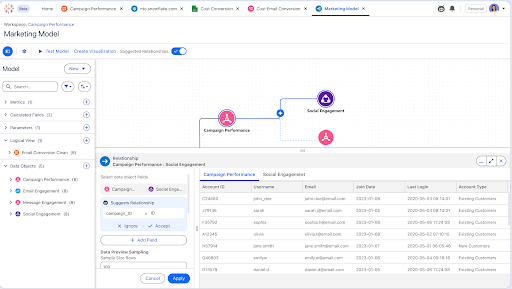
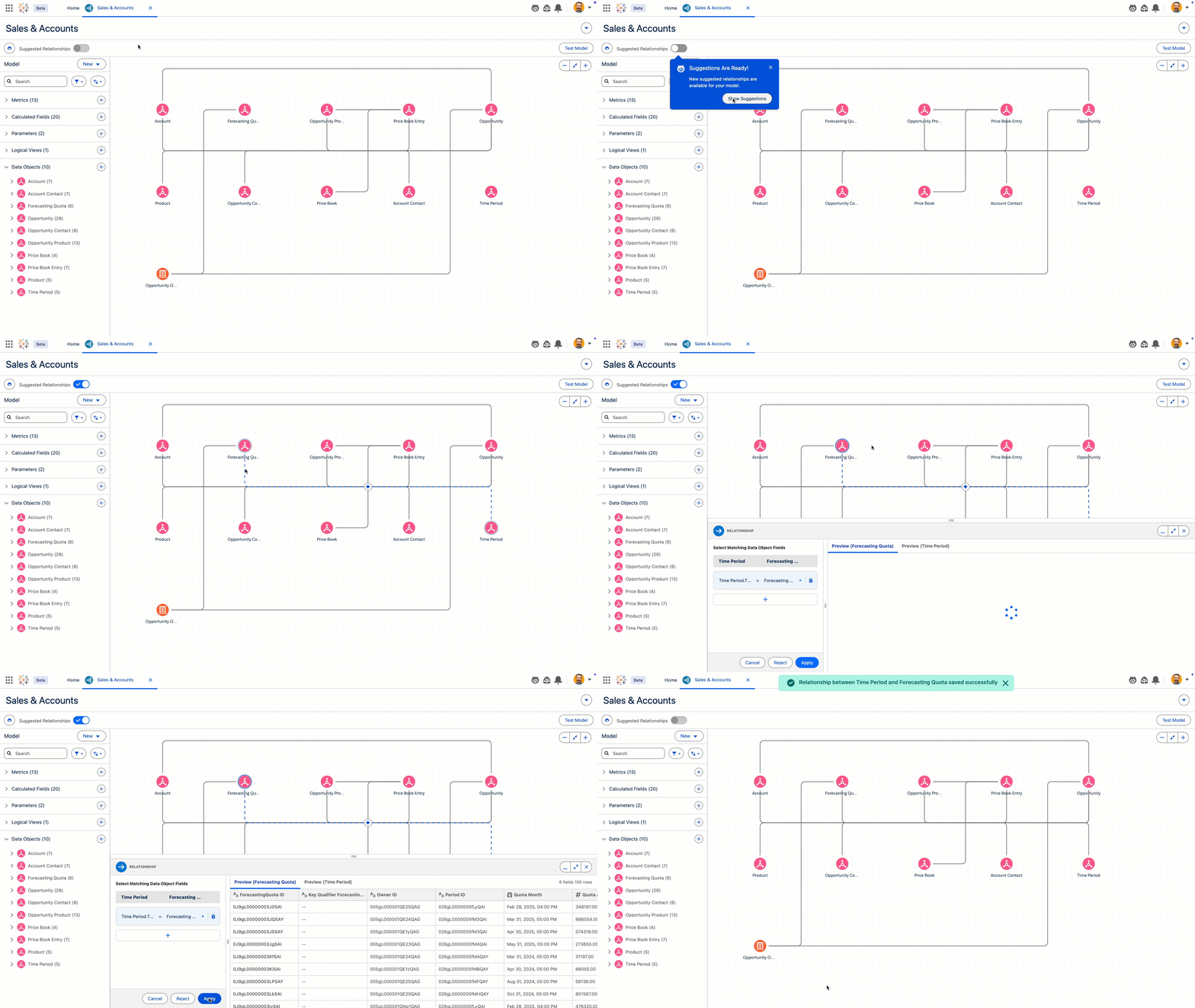
Tableau Next : Data Pro
Data Pro, une compétence d'Agentforce, accélère les flux de travail analytiques tels que la préparation et la modélisation des données. Data Pro inclura également bientôt des fonctionnalités de sélection de modèles sémantiques, avec des suggestions de relations et la création de champs calculés.
Data Pro sera disponible en version bêta.