
Tableau รุ่น August 2025
Data Pro, Tableau Next และ Slack, การปรับปรุง Viz, Threshold Alerts และอื่นๆ
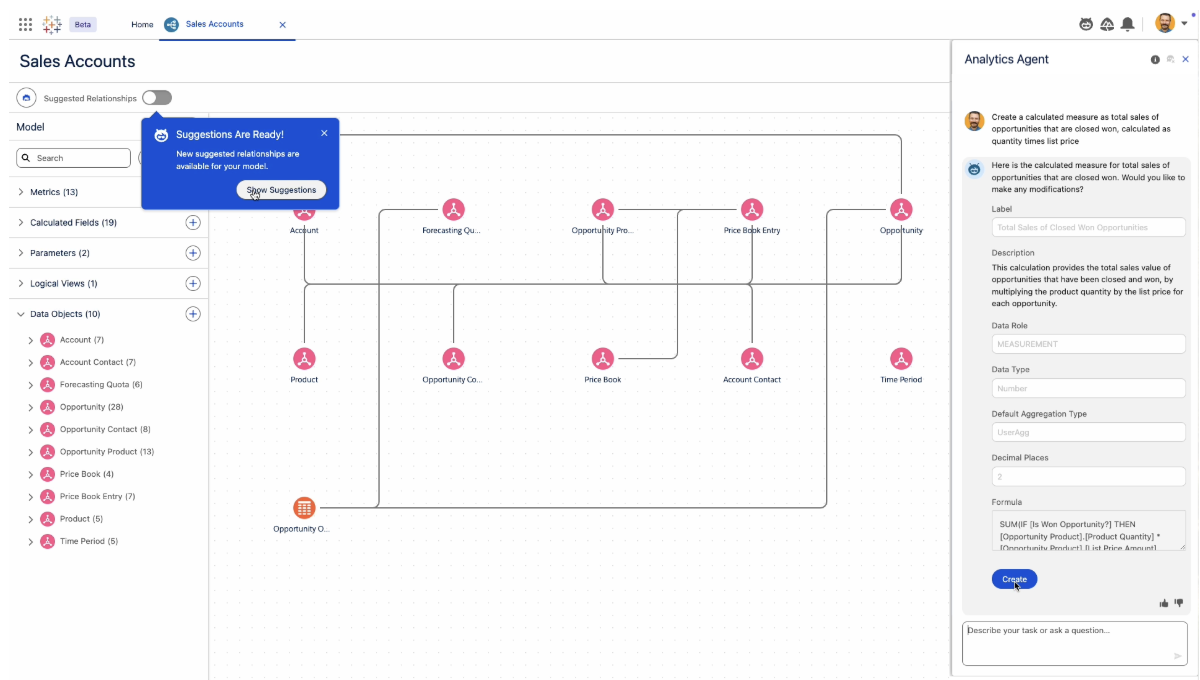
Tableau Next: Data Pro
เร่งเวลาเพื่อให้เข้าใจอย่างลึกซึ้งและส่งเสริมการวิเคราะห์แบบบริการตนเอง Data Pro ซึ่งเป็นทักษะการวิเคราะห์ที่สร้างไว้ล่วงหน้าของ Tableau Next ช่วยให้สามารถสร้างแบบจำลองข้อมูลเชิงความหมายด้วย Agentforce ได้ ช่วยลดความพยายามด้วยตนเองและลดอุปสรรคในการสร้างแบบจำลองข้อมูล Data Pro สามารถใช้งานได้ทั่วไปใน Tableau Next
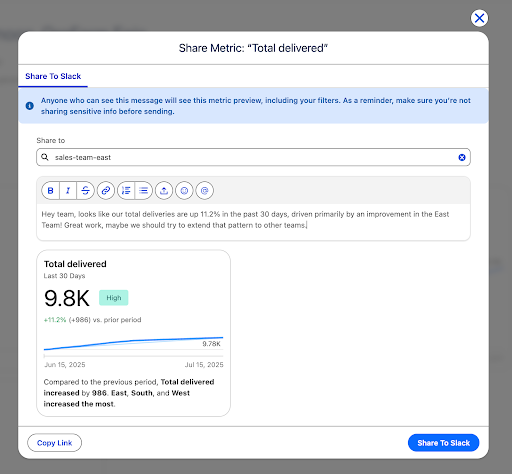
การผสานรวม Tableau Next และ Slack
เร่งความร่วมมือและการตัดสินใจของทีม เพียงคลิกเดียว คุณก็สามารถแชร์ข้อมูลเชิงลึกจาก Tableau Next ไปยัง Slack ได้อย่างราบรื่นโดยตรง โดยไม่ต้องฝังหรือคัดลอกโค้ด ช่วยให้คุณสามารถดำเนินการกับข้อมูลได้ทันที และรับข้อมูลเชิงลึกได้รวดเร็วยิ่งขึ้น เพื่อให้มีเวลาสร้างมูลค่าที่เร็วขึ้น พร้อมให้ใช้งานโดยทั่วไปแล้วใน Tableau Next
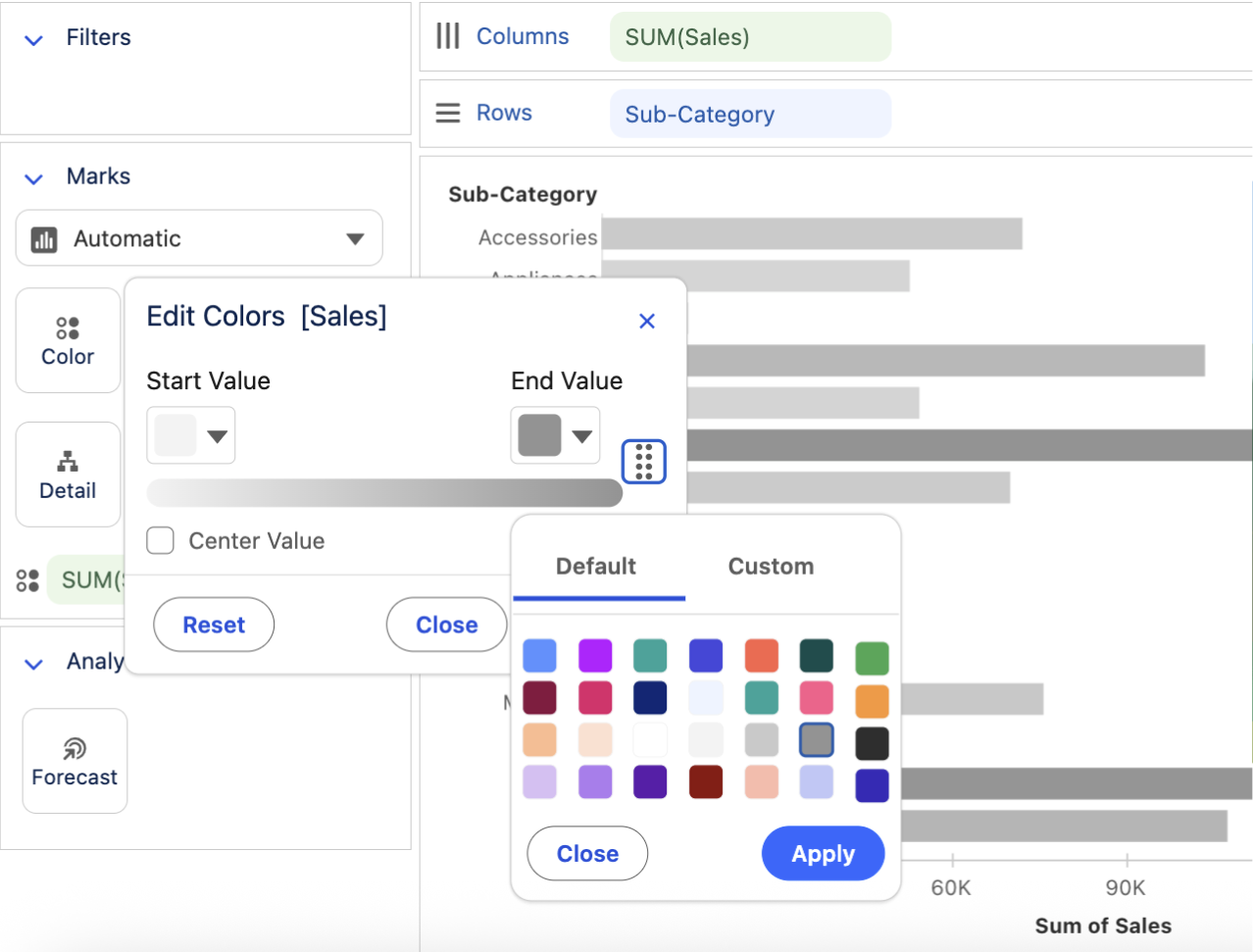
การปรับปรุง Tableau Next Viz
ปรับปรุงการแสดงภาพของคุณใน Tableau Next เพื่อวิเคราะห์ข้อมูลของคุณอย่างรวดเร็ว และระบุแนวโน้มและค่าผิดปกติด้วยสีที่กำหนดเอง หลังจากสร้างภาพของคุณเสร็จแล้ว ให้ใช้ปุ่มเพื่อเพิ่มภาพของคุณไปยังแดชบอร์ดอย่างรวดเร็วและแบ่งปันให้กว้างขวางยิ่งขึ้น พร้อมให้ใช้งานโดยทั่วไปแล้วใน Tableau Next
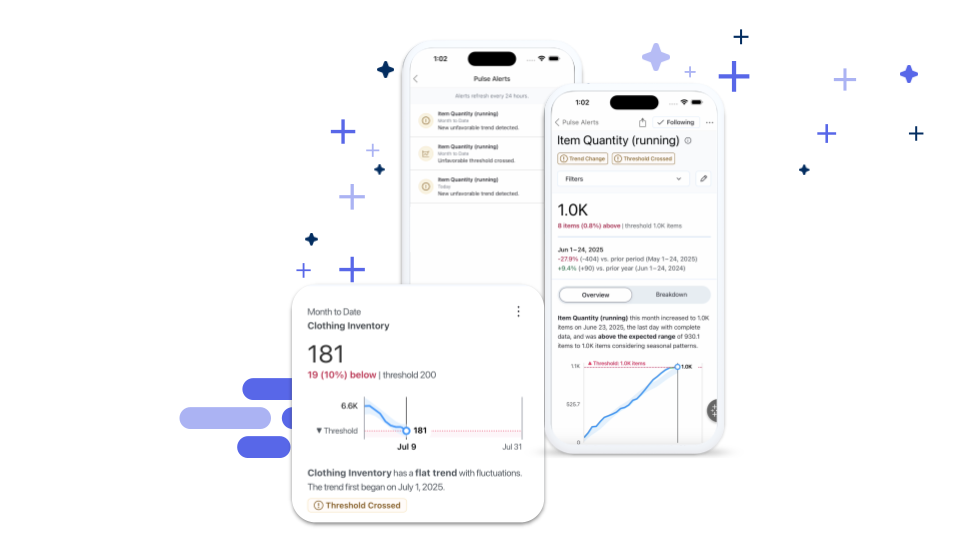
Tableau Pulse: Threshold Alerts
ติดตามข้อมูลเมื่อค่าเมตริกของคุณข้ามเข้าสู่ช่วงเกณฑ์ที่ไม่พึงประสงค์ ขณะนี้ เมื่อค่าเมตริกเข้าสู่ช่วงที่สำคัญนี้ Pulse จะแสดงการแจ้งเตือนดังกล่าวบนเว็บ อีเมล และมือถือ พร้อมใช้งานทั่วไปใน Tableau Cloud

รับข้อมูลวงในเกี่ยวกับรุ่นของ Tableau
เรียนรู้จากผู้จัดการผลิตภัณฑ์ของ Tableau เกี่ยวกับฟีเจอร์ใหม่ๆ ที่เราเปิดตัวในกลุ่มผู้ใช้ DataFam Discovery ของเรา
เข้าร่วมตอนนี้
ฟีเจอร์ทั้งหมด
สิงหาคม

Tableau MCP: OAuth Support
Ensure enterprise-grade governance and security standards while using Tableau MCP. With the support of HTTP transport and OAuth you can centrally host and manage a remote Tableau MCP server that accepts requests from distinct users and respects row-level security policies on your Tableau Server.

Tableau MCP: Tableau Pulse tools support
A new way to integrate Tableau into custom and 3rd party agents and applications. Tableau MCP supports Tableau Pulse tools that make it possible to bring the intelligent and contextual capabilities of Tableau Pulse into 3rd party and custom AI Agents.
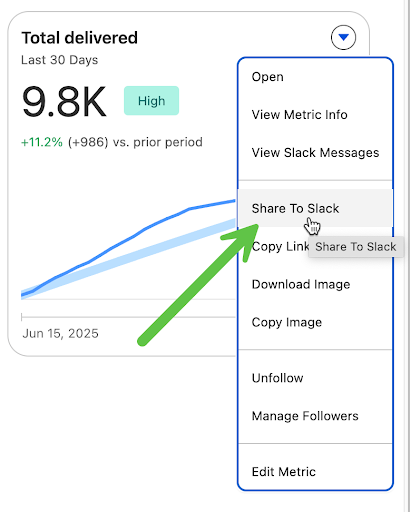
Tableau Next and Slack Integrations
Accelerate team collaboration and decision-making. Seamlessly share insights from Tableau Next directly into Slack, without embedding or copying code, empowering users to instantly act on data and analysts to gain faster feedback for quicker time to value.
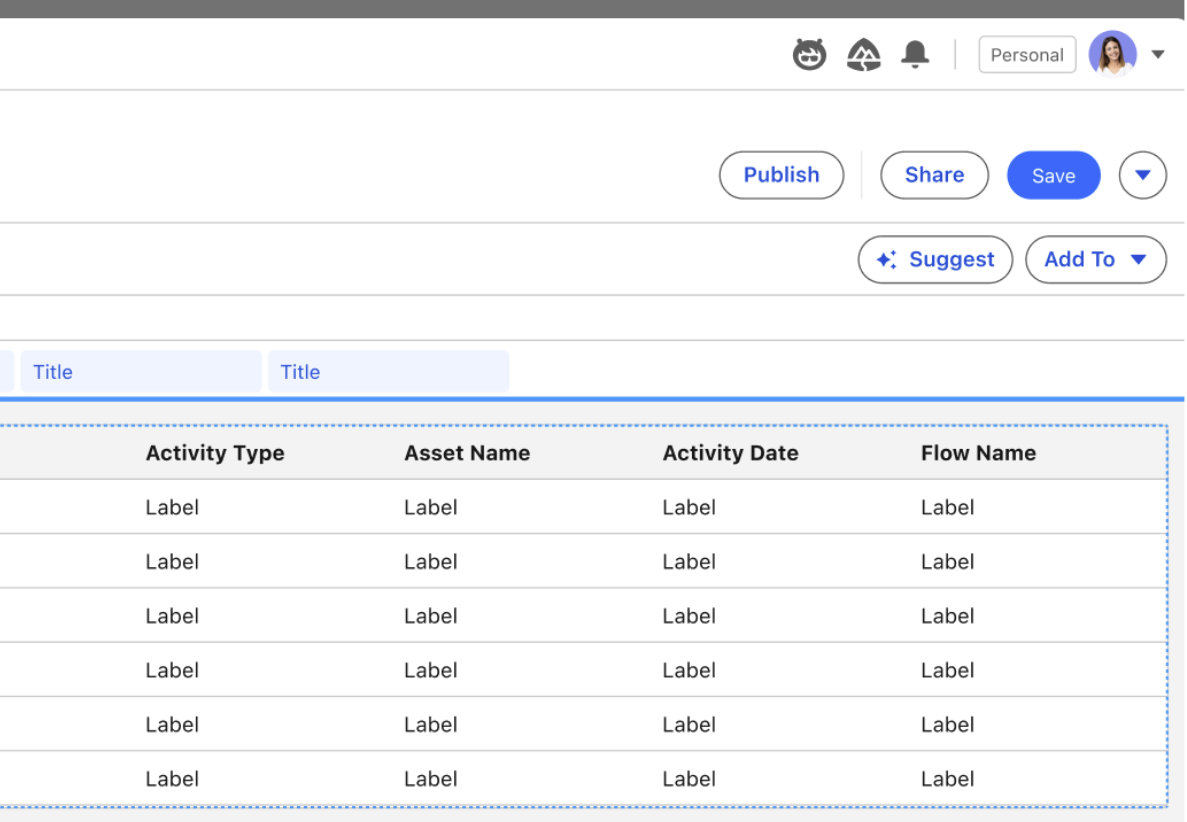
Tableau Next: "Add to" Dashboard from Viz Builder
Easily add a completed visualization to the dashboard of choice in just a couple of clicks, directly from the visualization builder. Speed up dashboard authoring with faster and more user-friendly experience.
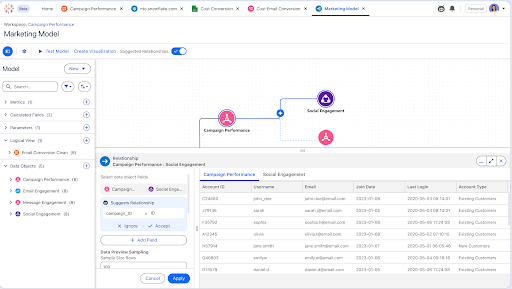
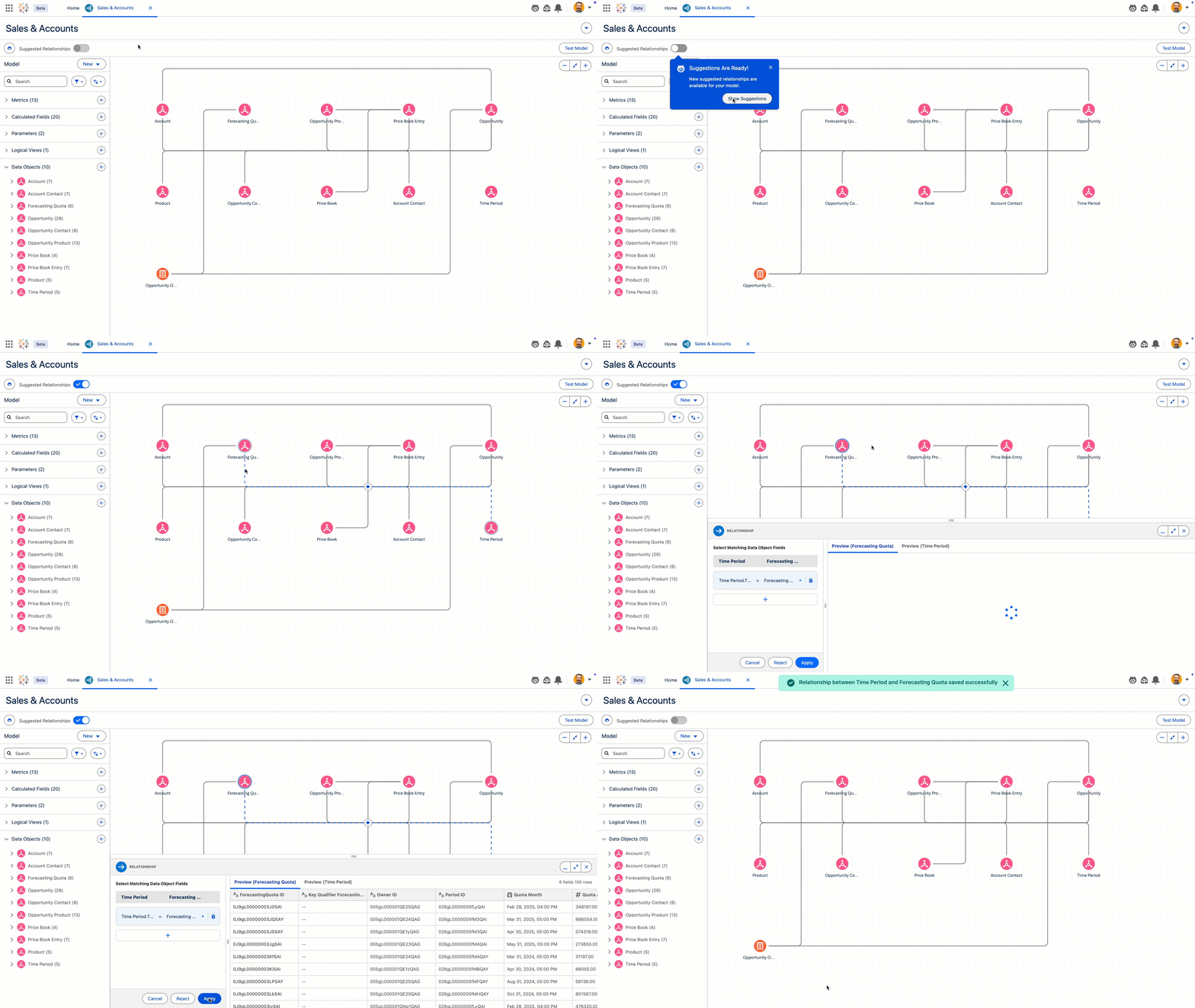
Tableau Next: Data Pro
Data Pro ซึ่งเป็นทักษะของ Agentforce จะเร่งเวิร์กโฟลว์การวิเคราะห์ เช่น การเตรียมข้อมูลและการสร้างโมเดล ในระยะเวลาอันใกล้ Data Pro จะมีความสามารถในการดูแลโมเดลความหมาย อย่างการเสนอแนะความสัมพันธ์และการสร้างฟิลด์ที่คำนวณแล้ว
Data Pro จะพร้อมใช้งานในเวอร์ชันเบต้า
Tableau Next: Define Continuous Colors
Easily distinguish trends, outliers, and patterns by applying custom colors to continuous values in visualizations. This allows for dynamic visualization of trends, like customer sentiment over time, enabling quicker analysis and strategic adjustments.
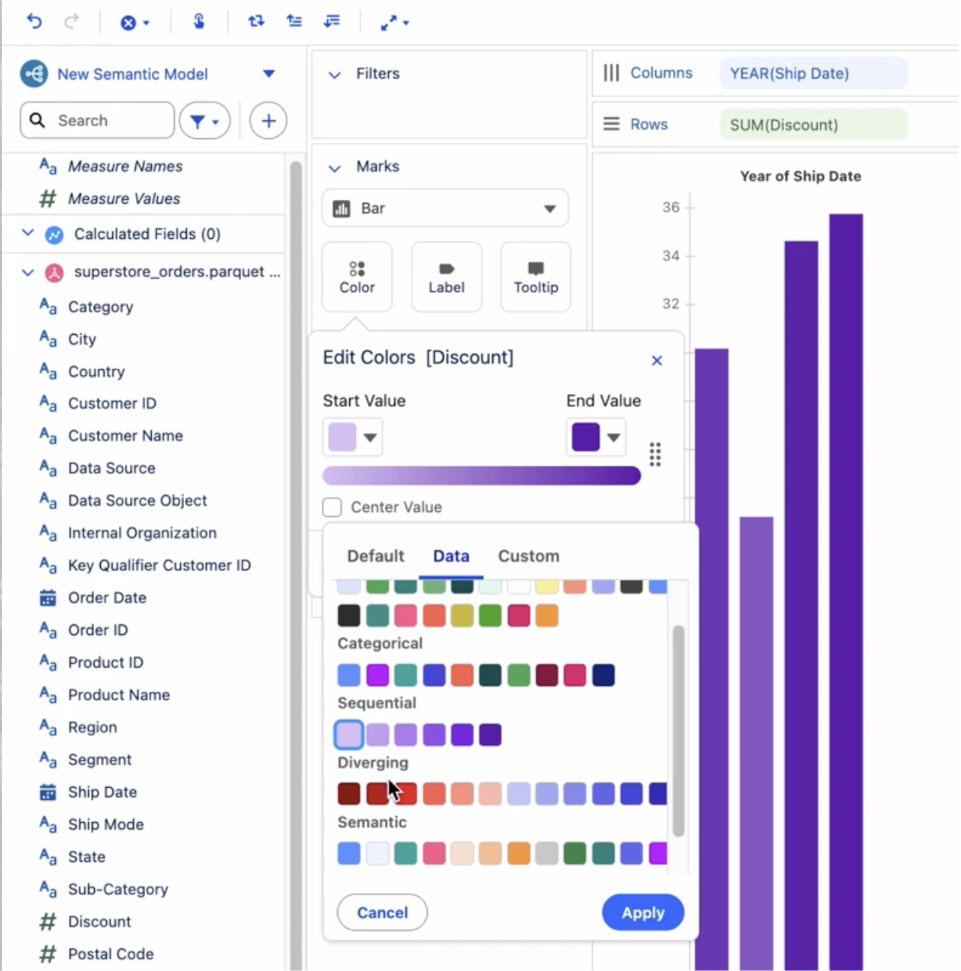
Tableau Next: Enhanced Color Picker
Improve chart readability and speed analysis by easily customizing chart colors. Assign discrete colors to dimensions and continuous gradients to measures to help distinguish data types, gain clearer insights, and follow visualization best practices.
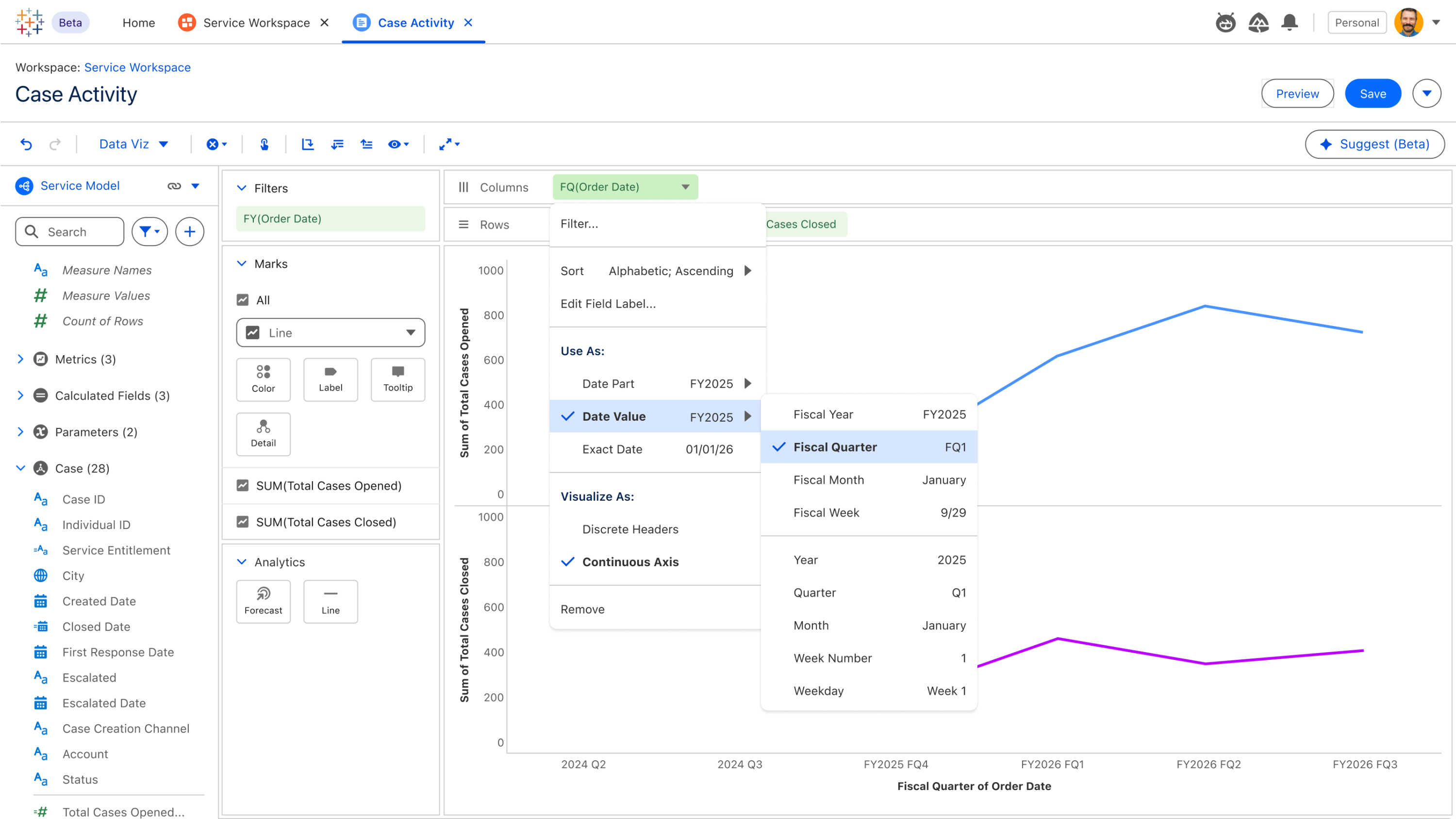
Tableau Next: Fiscal Calendar Support
Gain precise financial insights by leveraging Tableau Semantics' fiscal calendar support, enabling seamless aggregation, filtering, and calculations based on your specific fiscal periods. Group metrics like Sales, Leads, Defect Rates, and Scheduled Deliveries by fiscal timeframes, ensuring insights perfectly align with business reporting for accurate decision-making.
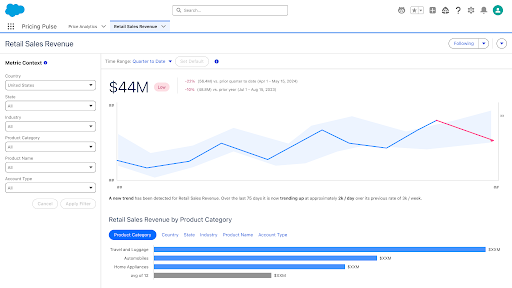
Tableau Next: Metrics Year Over Year Comparison
Instantly understand your business performance relative to prior years. With Year over Year comparisons available by default, effortlessly identify seasonal trends and broader performance shifts at a glance, enabling more meaningful insights into your metrics.
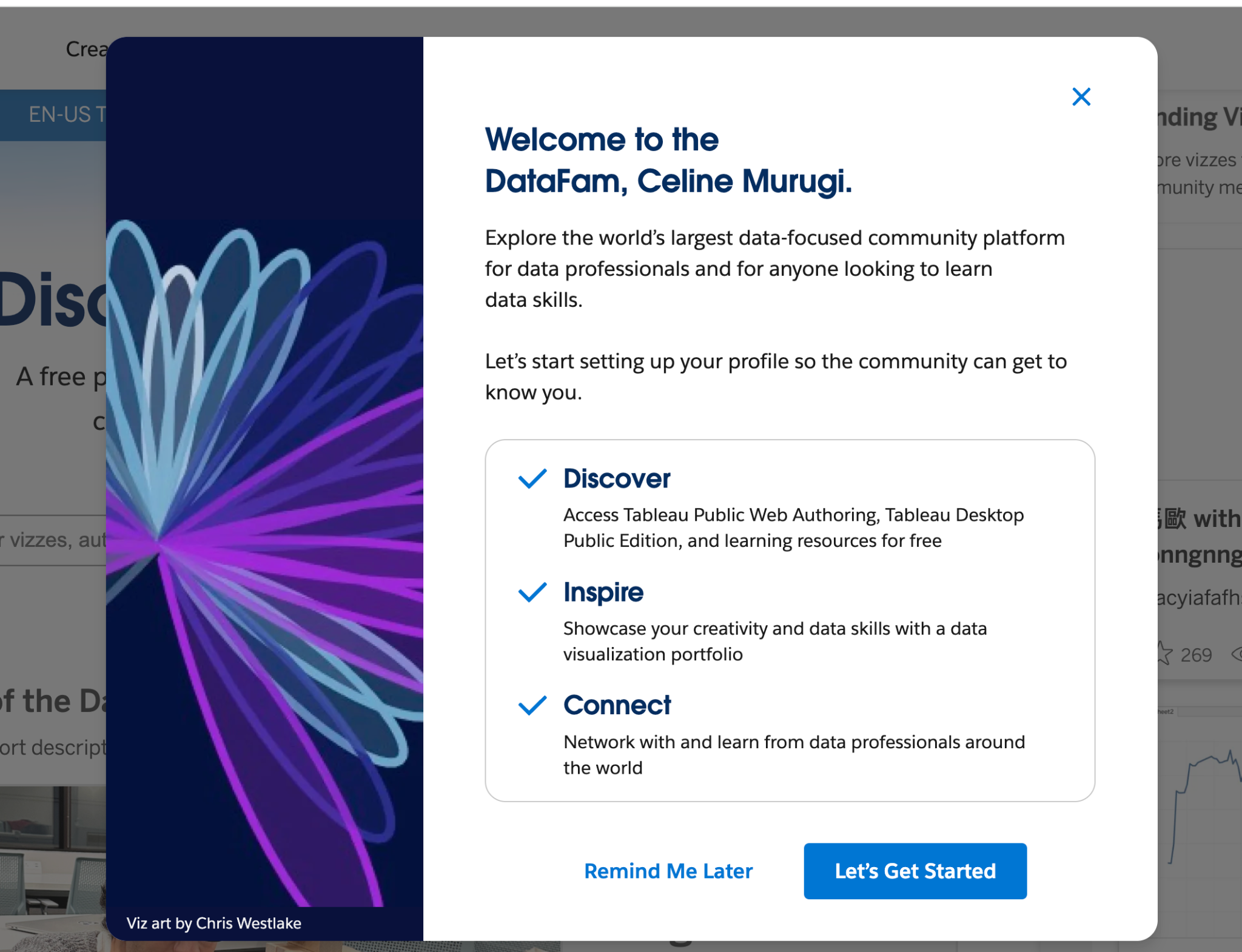
Tableau Public: New Welcome Modal
Discover Tableau Public with ease! At first login, seamlessly explore core functionalities like profile curation and the 'Hire Me' button. Users can dismiss it at will or choose 'Remind Me Later,' opting to postpone the modal to their next session. This intuitive onboarding experience aims to decrease the barrier to entry and help users feel supported.
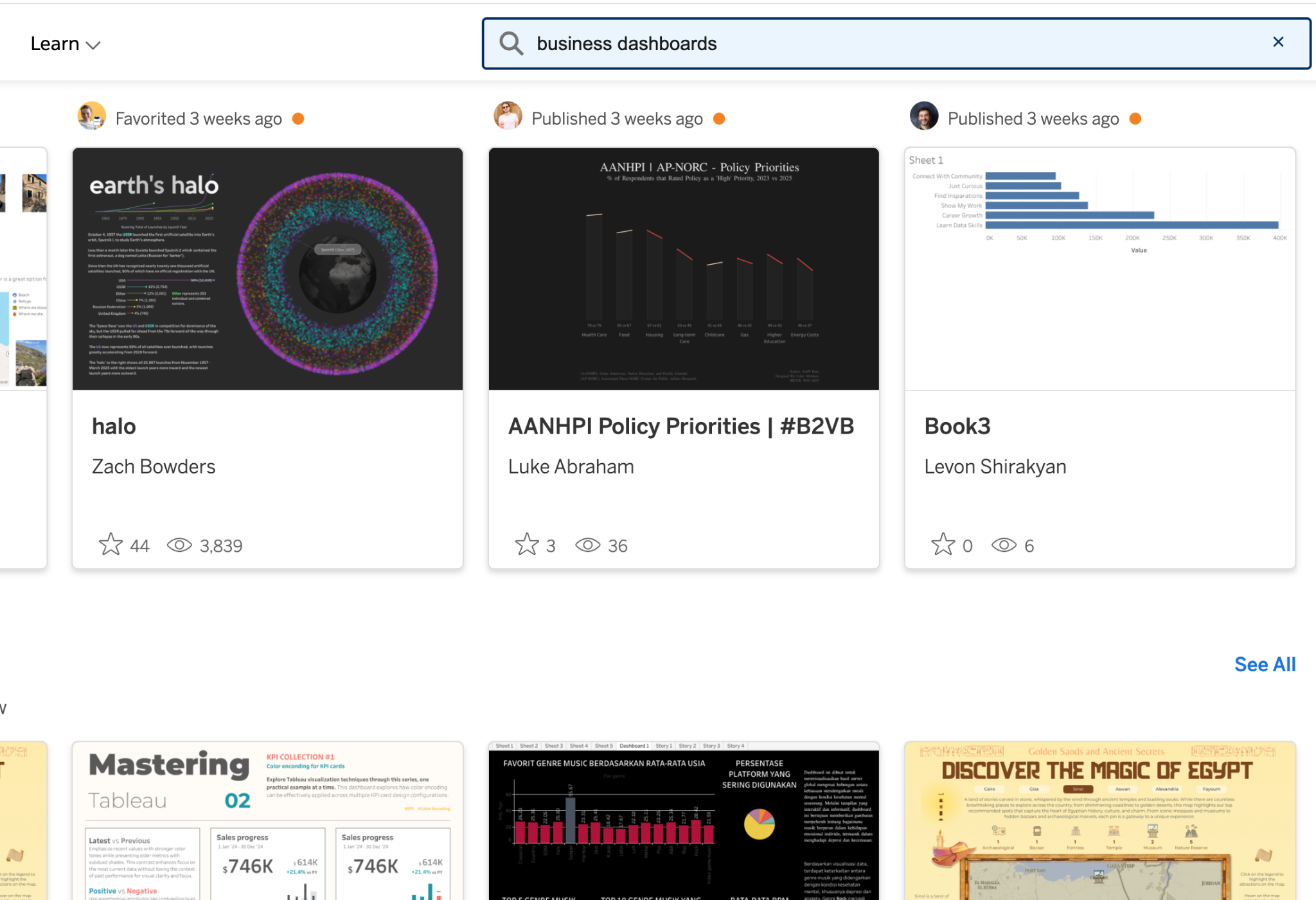
Tableau Public: Search Improvements
Tableau Public's search bar is now more easily accessible by being right at the top of the screen, no matter where you navigate. It's easy to spot, helping you find content quicker and easier so you can browse without distractions.
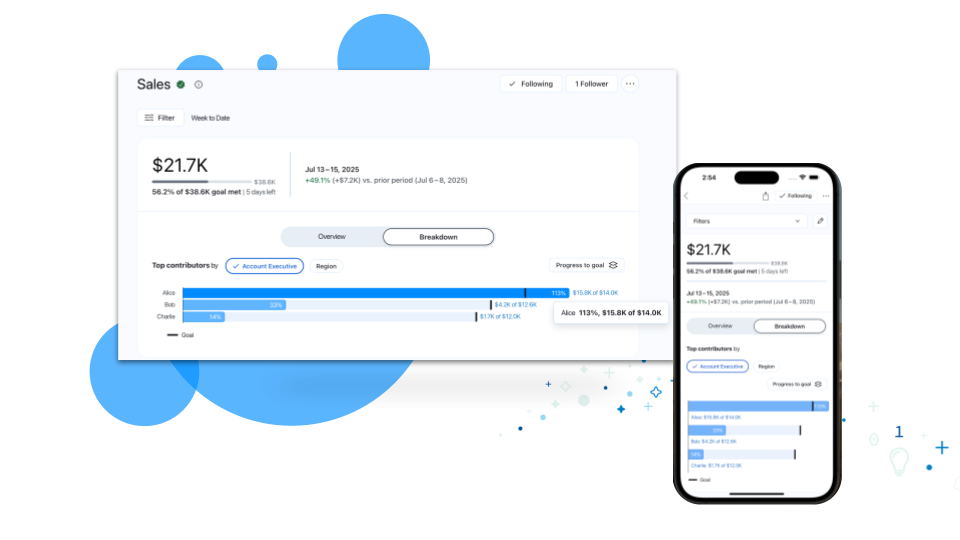
Tableau Pulse: Breakdown Chart Enhancements
Get deeper insights into your metrics. Enhancements to breakdown charts now reveal how specific dimensions are driving your metrics toward goals or thresholds, empowering you to make more informed business decisions.
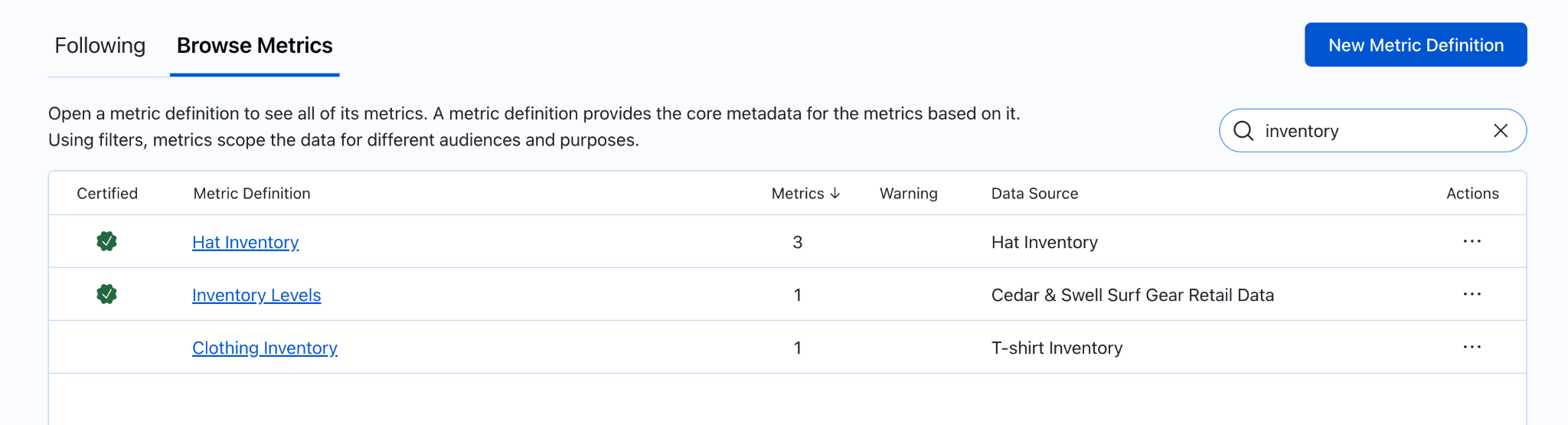
Tableau Pulse: Metric definitions browsing enhancements
Navigate your growing catalog of metric definitions with ease. Enhancements to the Browse Metrics list lets you search, sort by certified status, and even by the number of metrics, ensuring you quickly and easily find the definition you need.

Tableau Pulse: Off-Cycle Slack Alerts
Catch critical insights in Slack. Now, you'll get Slack notifications (up to one per day) for triggered metric alerts, even if you get your digest weekly or monthly.
Tableau Pulse: Threshold Alerts
Stay informed when your metrics cross into an unfavorable threshold range. Now, when a metric enters this critical range, Pulse will reflect this with alerts displayed in web, email, and mobile.

Tableau Pulse: Update User Preferences via API
Ensure every user's Pulse experience is relevant and personalized. Site Admins can now manage user digest preferences, cadences, and homepage layouts via API to guarantee a consistent, tailored experience for everyone.
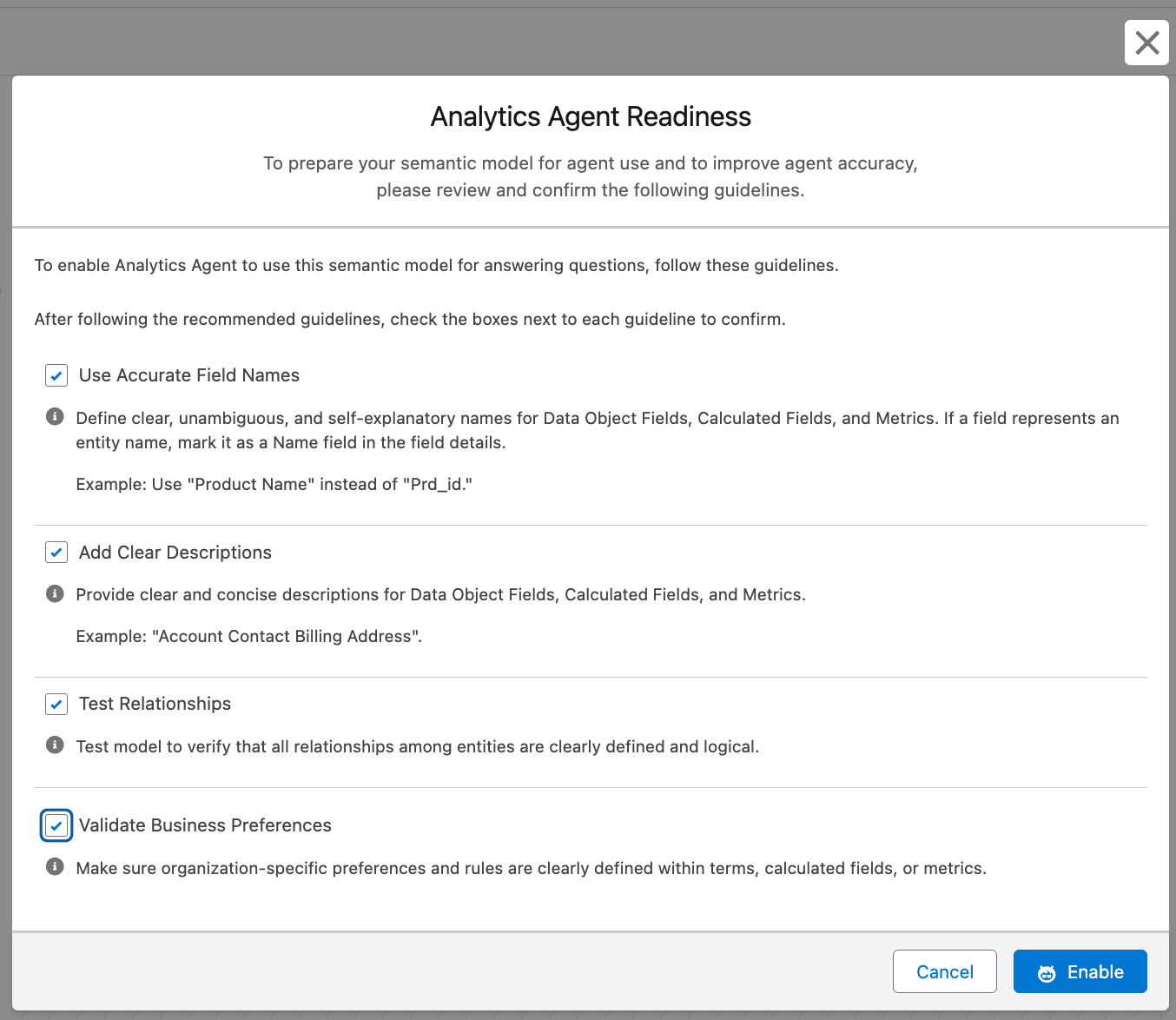
Tableau Semantics: Analytics Agent Readiness
Boost trust and reliability in agent responses by empowering semantic data model creators with a readiness flag, enabling them to control models used for Concierge, ensure alignment with best practices, and deliver accurate insights.
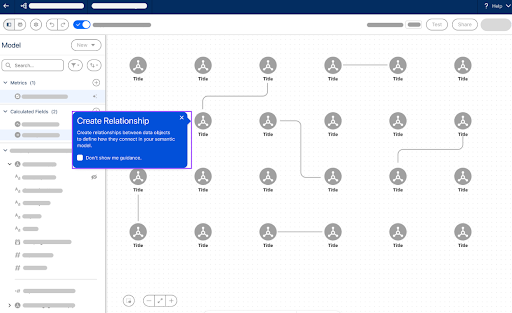
Tableau Semantics: Guided Onboarding
Accelerate your semantic data modeling and time to value with intuitive, step-by-step guidance on building and exploring semantic data models.

Tableau Semantics: Share SDM
Empower agility while maintaining data integrity with secure, easy-to-manage semantic model access. Semantic models are secure by default (owner-accessible only), allowing content owners to use a simple Share button to grant permission-aware access for collaboration viewing, ensuring only approved users see your data.