Tableau 2026.2 リリース
Tableau Next のガイド付きのセットアップ、ダッシュボードの Tableau Agent、コンポーザブルデータソースなど
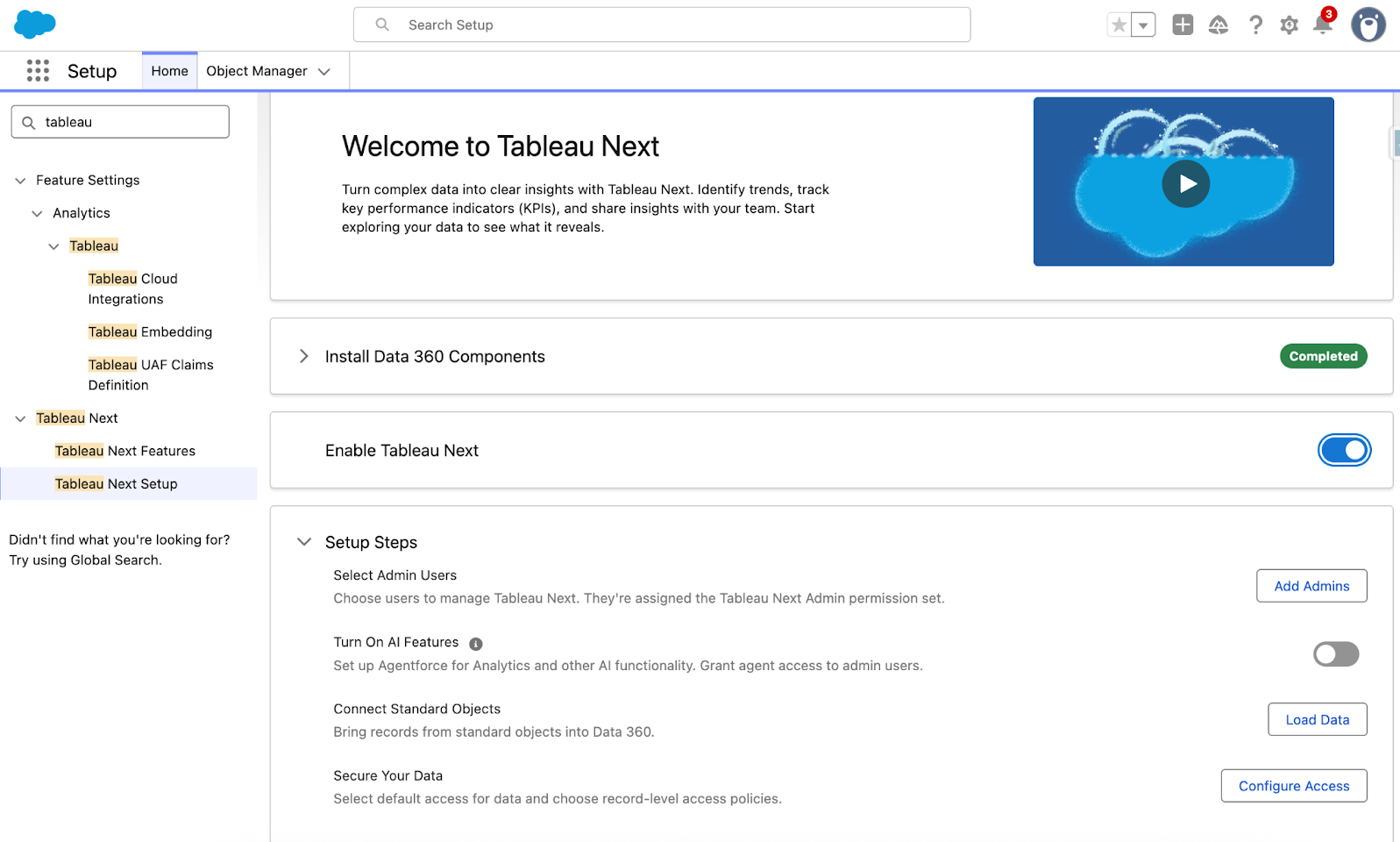
Tableau Next: ガイド付きのセットアップ
新たに登場したガイド付きのセットアップ機能で、導入にかかる時間を短縮できます。管理者はスムーズな自動セットアッププロセスを通じて、メタデータの組み込み、標準セキュリティポリシーの定義、主な AI 機能の有効化を行うことが可能。ガイド付きのセットアップにより、価値創出までの時間が短縮されるため、データを利用した意思決定という重要な業務に集中できるようになります。
ガイド付きのセットアップ機能は Tableau Next で一般提供されます。
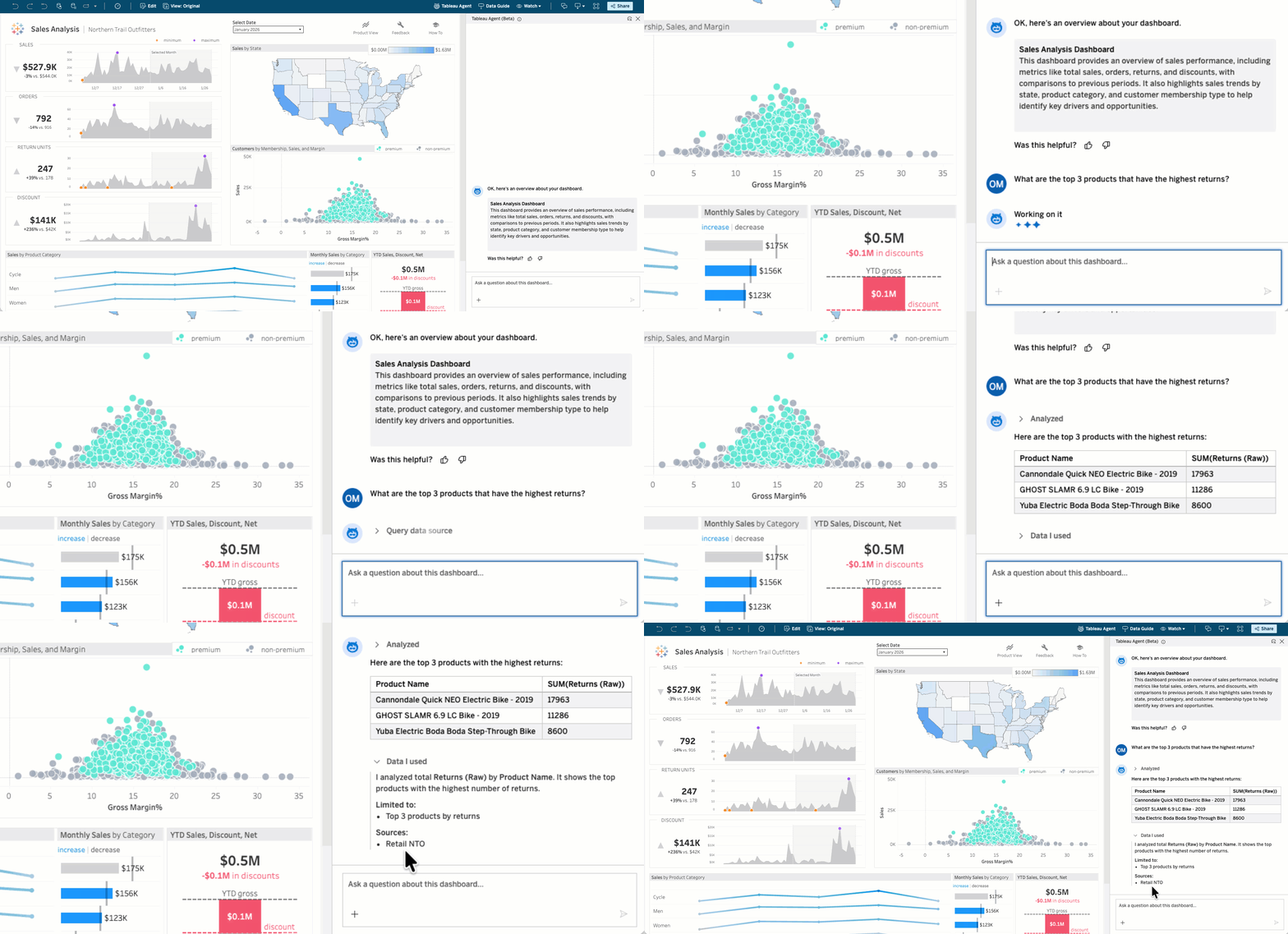
ダッシュボードの Tableau Agent: 会話型分析 (ベータ版)
ビジネスユーザーが、データに関する質問の回答を待たずに得られようになりました。ダッシュボードの Tableau Agent では、誰もがデータに関する質問をわかりやすい言葉で投げかけて、アクションにつながる情報をすぐに得ることができます。このセルフサービス機能により、すべてのユーザーは参照元データソースに対してクエリを直感的に実行して、掘り下げたインサイトをダッシュボードから取得できるようになります。
ダッシュボードの Tableau Agent: 会話型分析の機能は、7 月に Tableau Cloud でベータ版として、また Tableau Server ではパイロット版として提供されます。
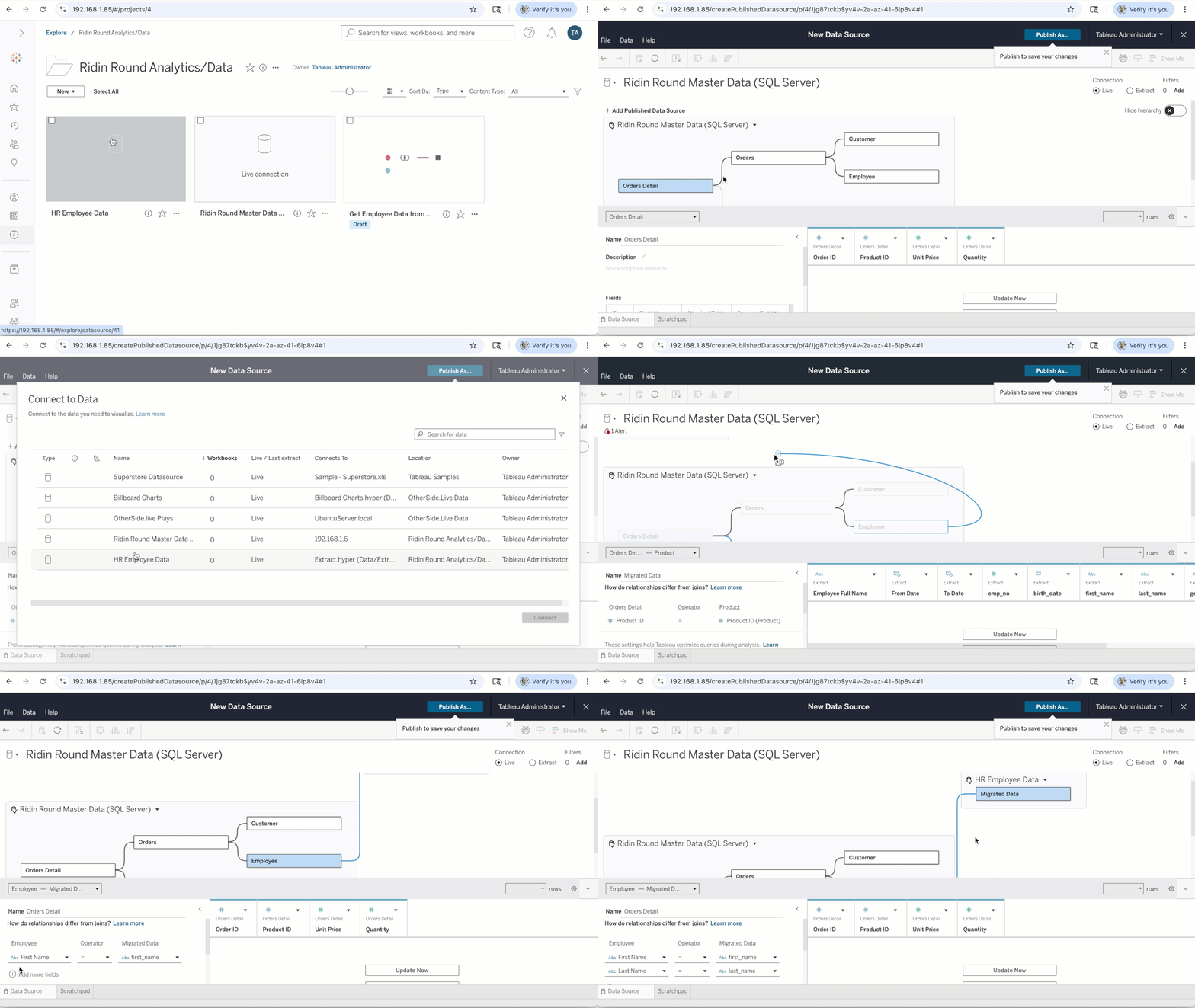
コンポーザブルデータソース
新しいユースケースのたびにデータソースを一から作成し直していると、業務の遅れを招き、組織全体で一貫性がとれなくなります。コンポーザブルデータソースにより、すでにある Tableau のパブリッシュされたデータソースを単一の統合モデルに組み合わせて、ユースケースに必要なビジネスロジックとビジネスコンテキストで拡張した後、ワークブックや Tableau Pulse メトリクス、API で再利用できるようにパブリッシュすることが可能。パブリッシュされたアップストリームデータソースが変更された場合、その変更は更新時に、作成されたデータソースに自動で反映されます。
コンポーザブルデータソース機能は 6 月から 7 月にかけて、Tableau Cloud、Tableau Server、Tableau Desktop に導入されます。
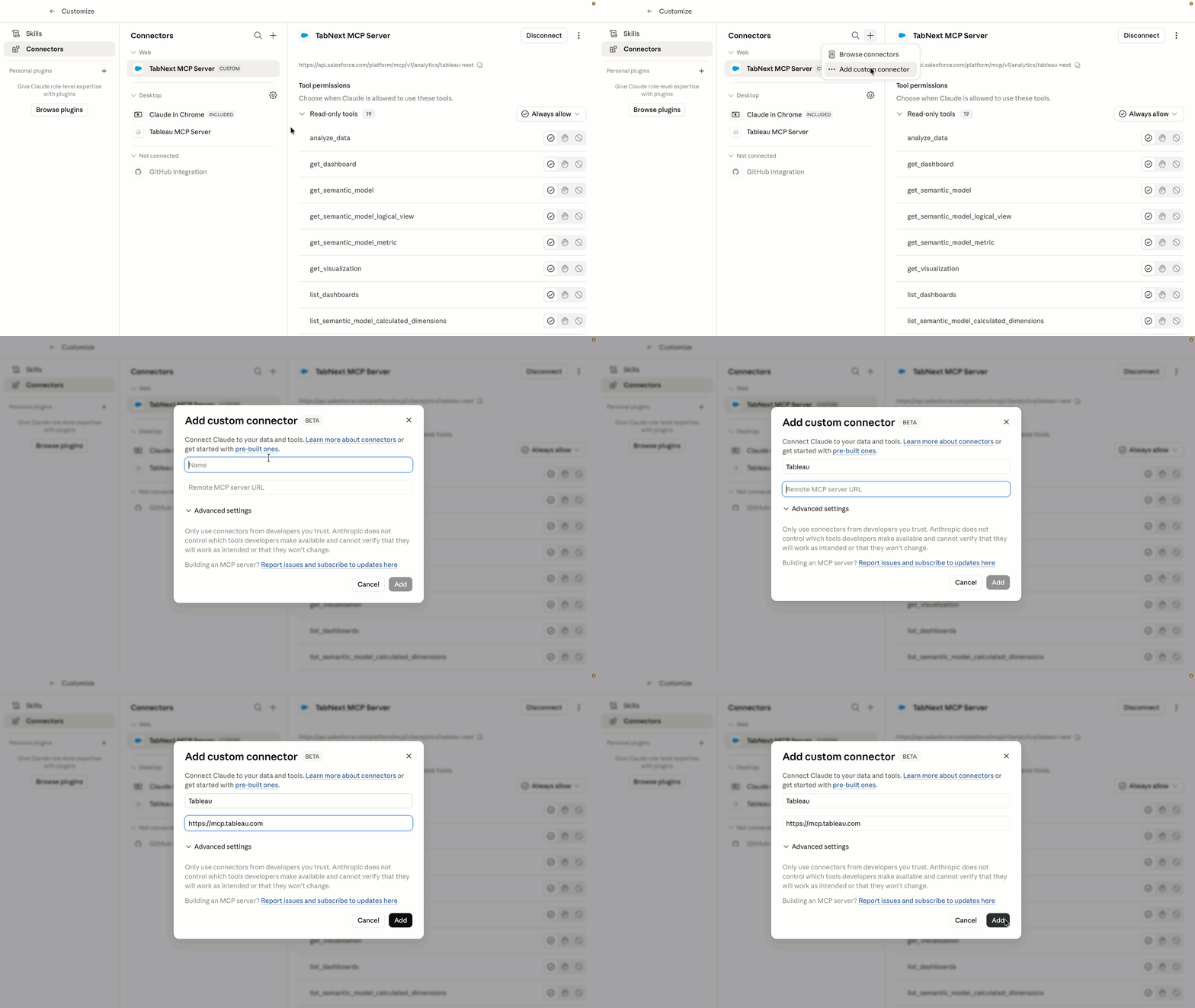
ホスティング型の Tableau MCP
Tableau MCP が、Tableau Cloud で完全クラウドホスティング型のサービスとして実行されるようになり、ユーザーによる独自の MCP サーバーのセルフホスティングと維持が不要になりました。そのため、経費を大幅に抑えながら、信頼できる Tableau 分析環境にあらゆる MCP 対応 AI エージェントをすぐ接続することができます。OAuth 2.1 サポートが組み込まれており、ガバナンスと信頼性も確保されているため、エンタープライズ対応のセキュアな AI インテグレーションがすぐに実現します。
この機能強化された Tableau MCP は、Tableau Cloud で一般提供されます。
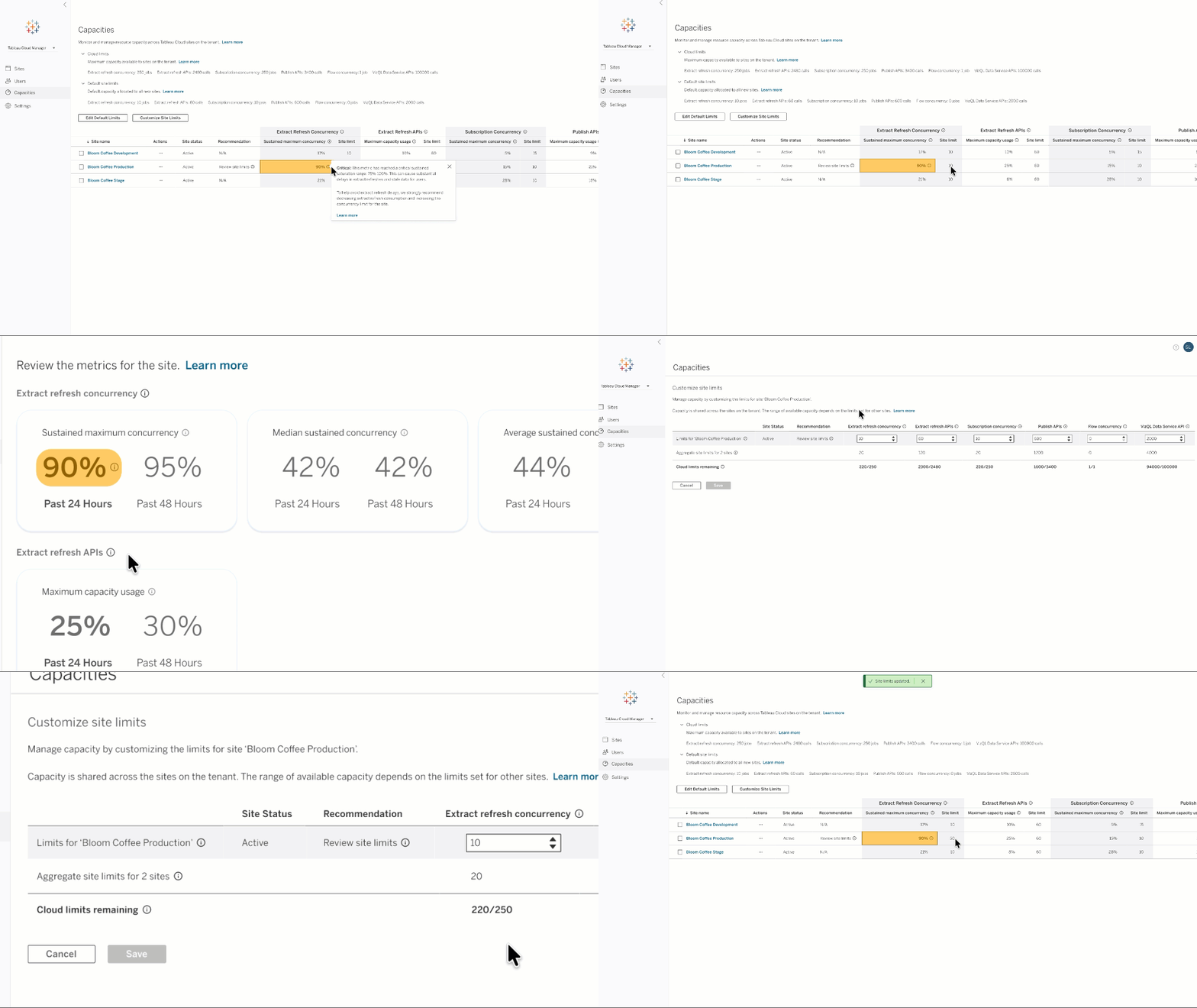
Cloud のキャパシティ管理
Tableau Cloud 管理者向けの柔軟なキャパシティ管理機能で、抽出更新の並列処理やパブリッシュ API などのキャパシティ制限を表示し、透過的に管理できるようになるほか、その制限値に対する使用量を示した使用状況メトリクスも表示できます。管理者は、キャパシティ制限をサイト間で変更してサイトの実稼働環境の制限を引き上げ、柔軟なプロダクト使用を推し進めることが可能です。
Cloud のキャパシティ管理機能は、Tableau Cloud で一般提供されます。

Tableau リリースについていち早く知るために
Tableau の DataFam Discovery ユーザーグループでは、リリースされる新機能を Tableau プロダクトマネージャーが紹介しています。
参加する
すべての機能
8 月
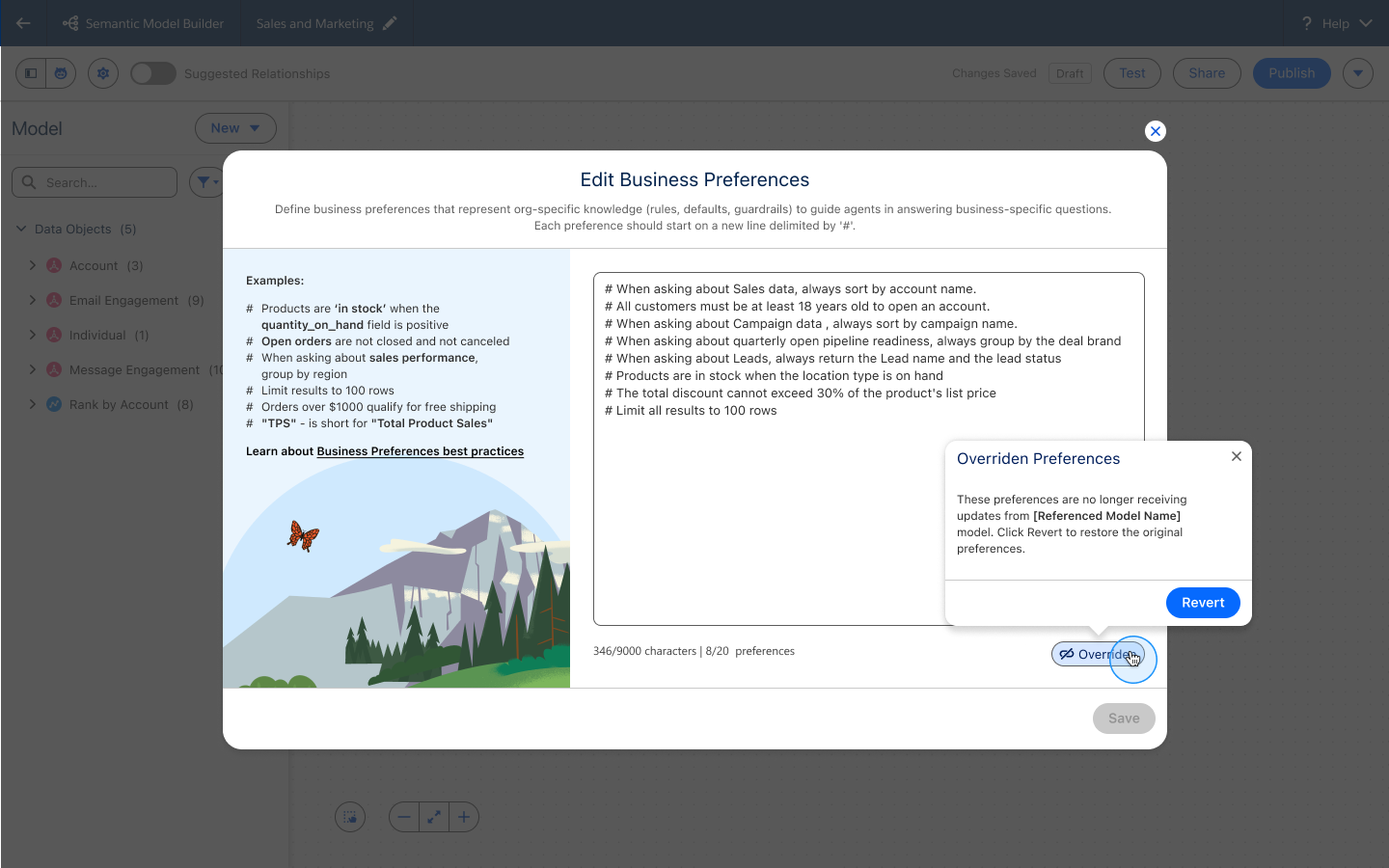
Tableau Next: Inherit and Override Business Preferences
Accelerate time to value and improve analytical accuracy with out-of-the-box business preferences inherited from base semantic models. Users retain full flexibility to override and customize these settings with organization-specific logic and terminology.
Inherit and Override Business Preferences is generally available in Tableau Next.

Tableau Next: Headless Regression Testing (Beta)
Maintain AI analytics accuracy without slowing down deployment. Programmatically test complex semantic data models against curated datasets to catch SQL logic variances before changes reach production users.
Headless Regression Testing is coming soon in beta in Tableau Next.
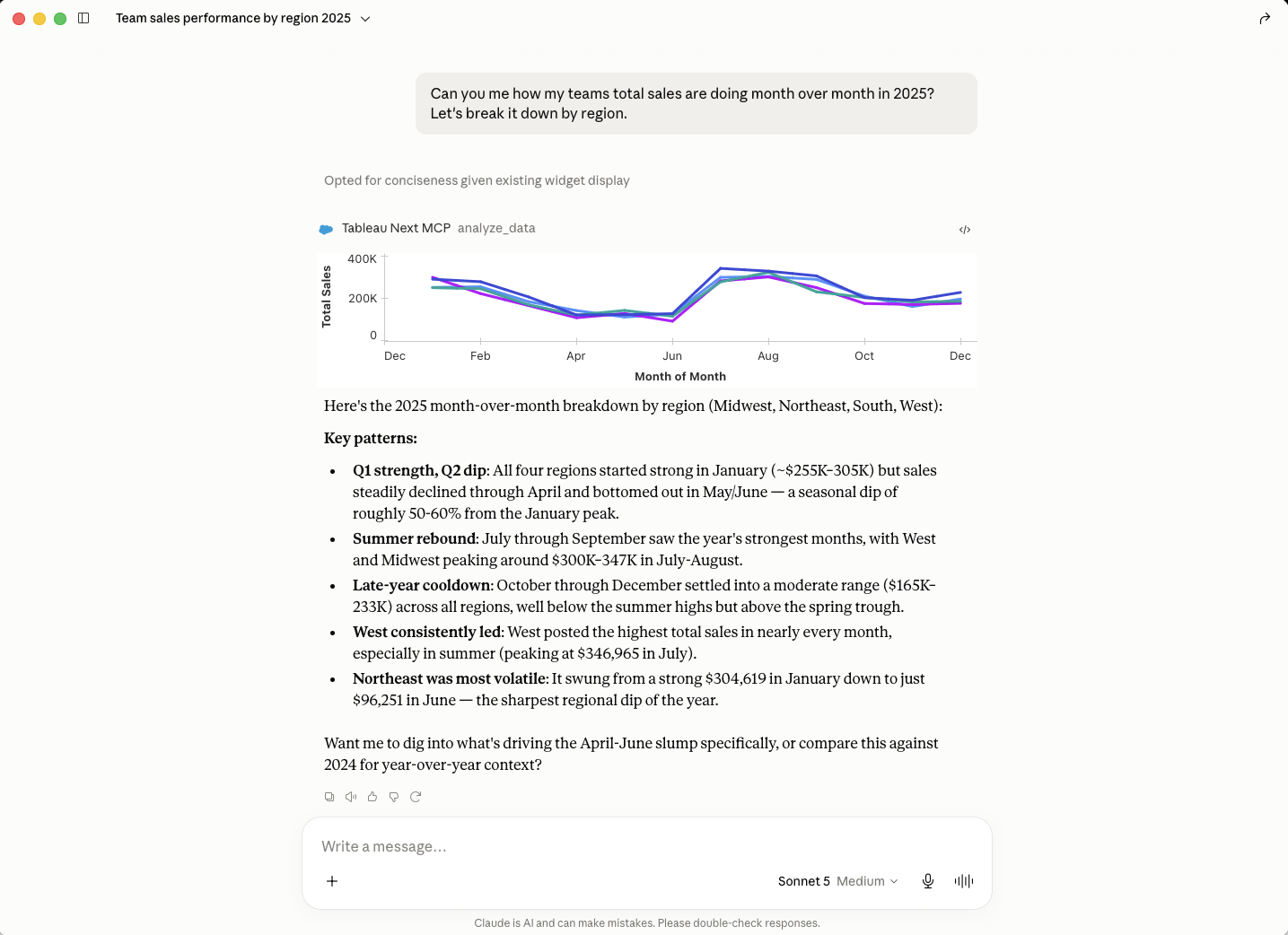
Tableau Next MCP: Authoring
Gain early access to next-generation AI analytics capabilities across dashboards, semantic modeling, and proactive alerting. Opt-in to test emerging tools and shape product quality while accelerating conversational workflows.
Tableau Next: Authoring is coming soon in beta.
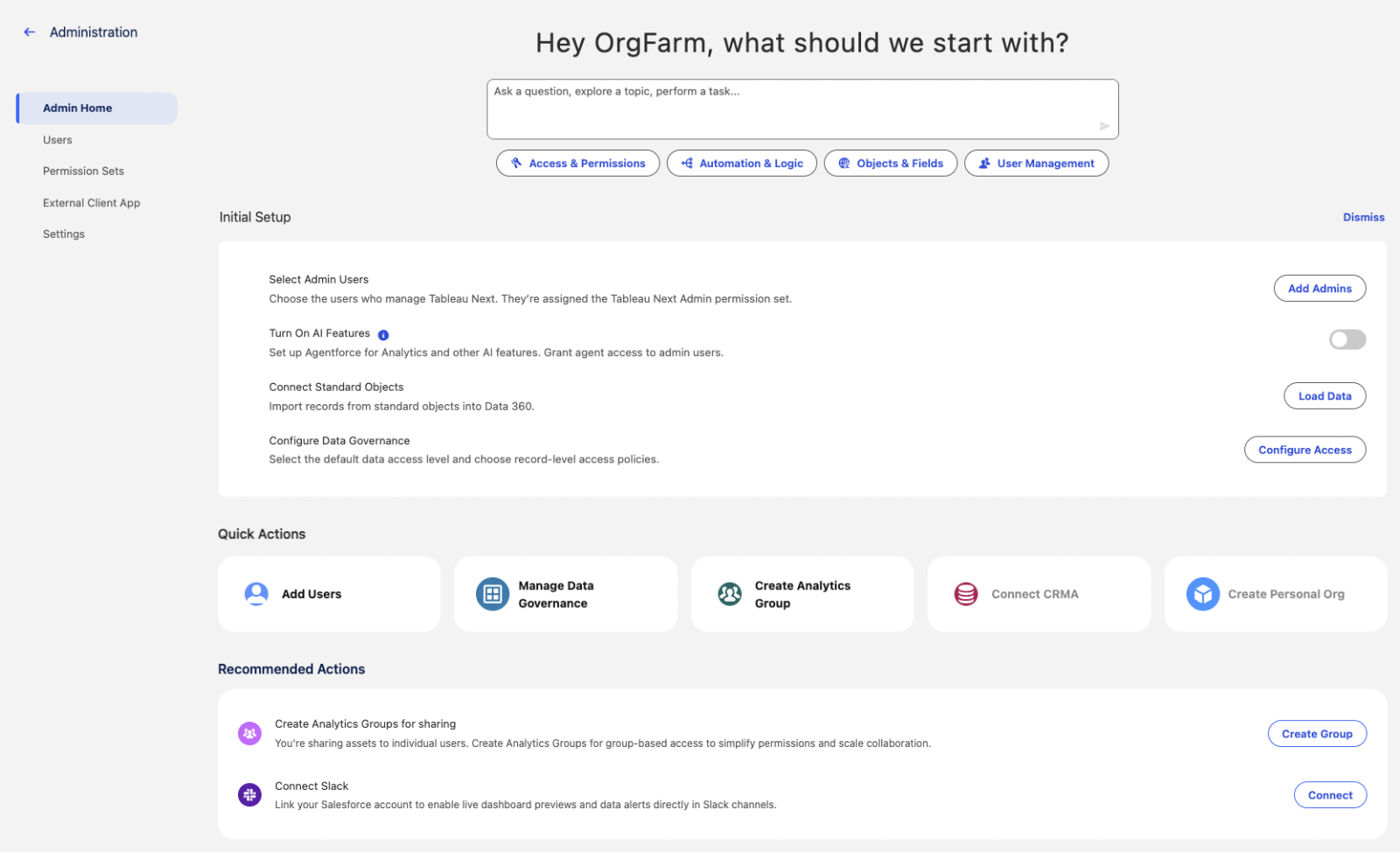
Tableau Next: Admin Home & Settings Experience
Streamline administrative workflows and reduce navigation effort through a centralized landing page equipped with quick actions and consolidated settings menu navigation. Interactive Agentforce assistance guides administrators conversationally through complex setup tasks across integrated environments.
Admin Home and Settings Experience is generally available in Tableau Next.
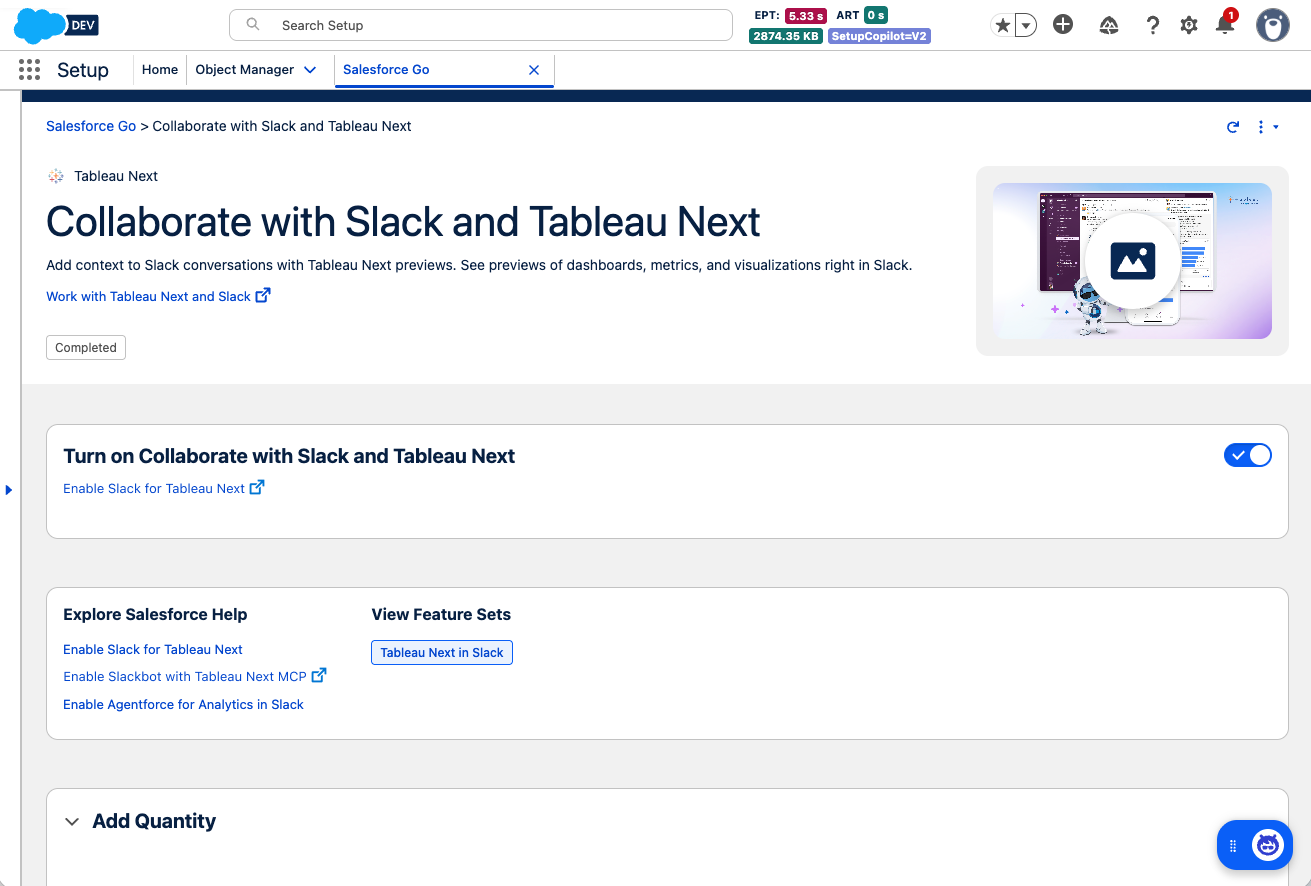
Tableau Next: Auto-Enable Preference Setup
Connect analytics to team collaboration instantly upon org provisioning without manual toggles. Automated domain configuration and setup guidance eliminate setup friction and get teams sharing insights faster.
Auto-Enable Preference Setup is generally available in Tableau Next.
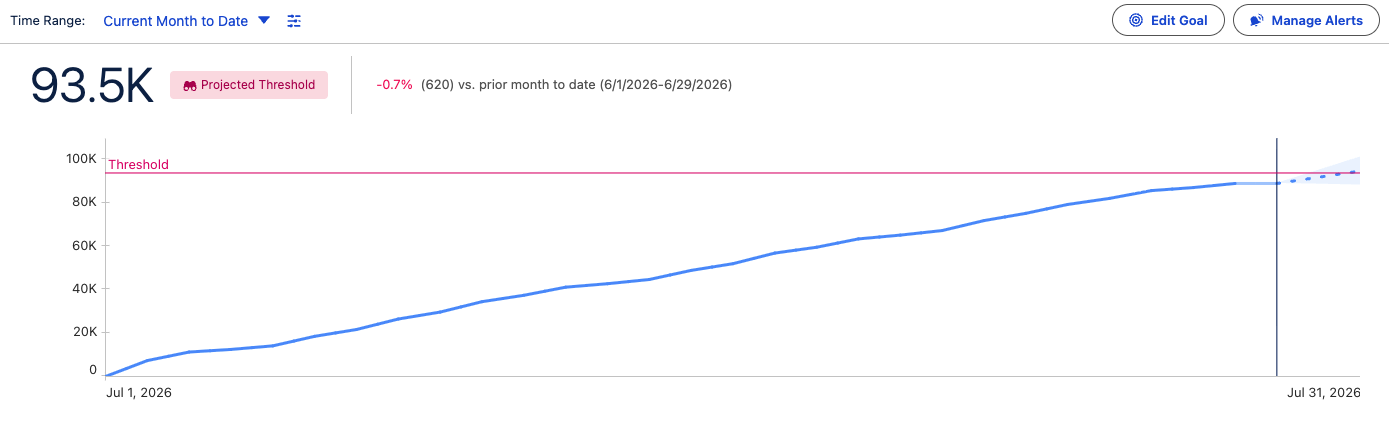
Tableau Next: Pace to Threshold Insight
Anticipate metric breaches before they occur by tracking forecasts against defined limits. Surface actionable timelines directly on metric cards to make SLA, budget, or capacity targets proactive.
Pace to Threshold Insight is generally available in Tableau Next.
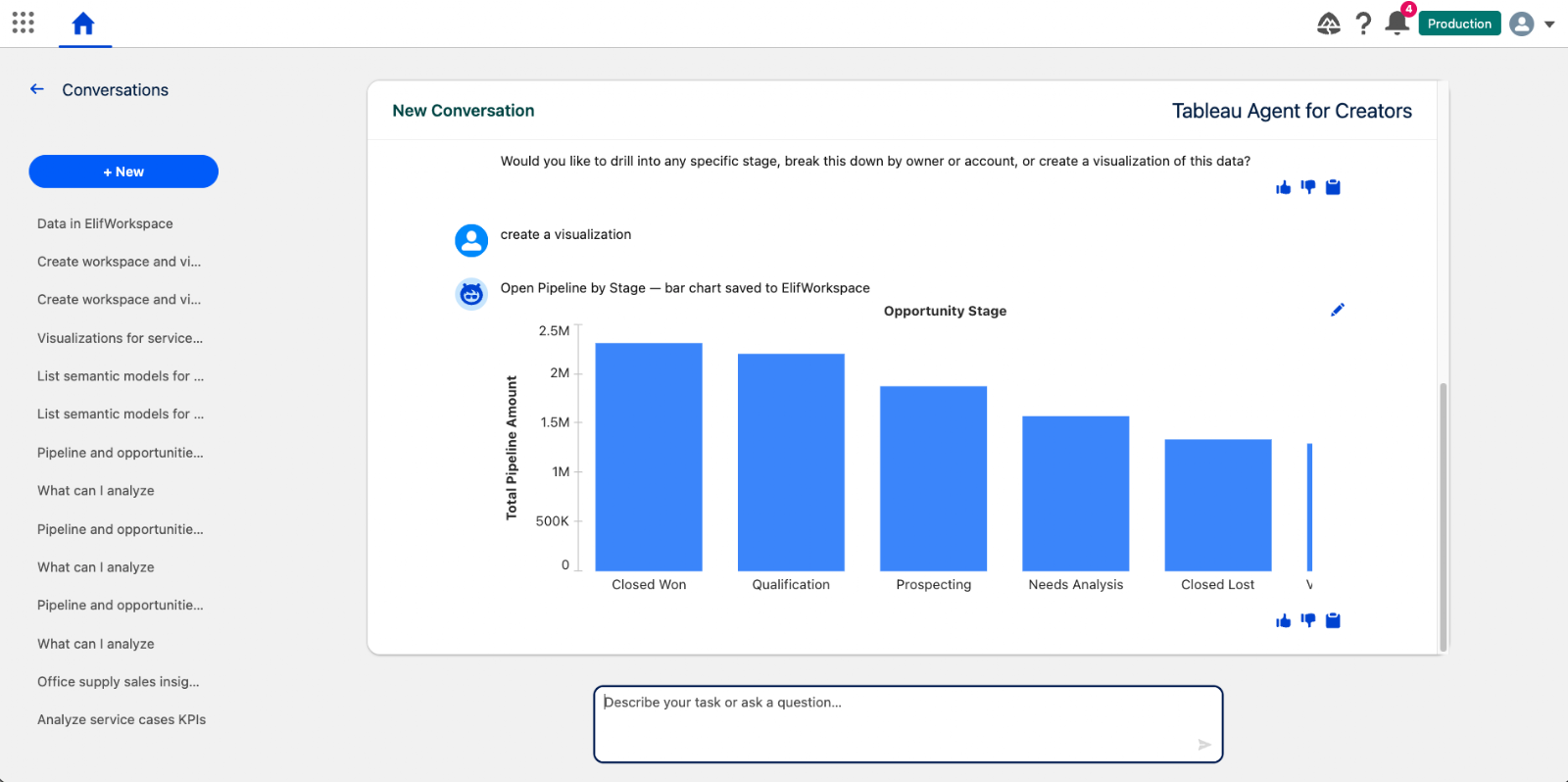
Tableau Next: Tableau Agent - Data Connection and Analytics Creation (Beta)
Accelerate data discovery, semantic modeling, and viz building conversationally with Tableau Agent. Automatically locate semantic models, enrich data relationships, and generate editable visual assets to move from data to insight faster.
Tableau Agent - Data Connection and Analytics Creation is available in beta in Tableau Next.
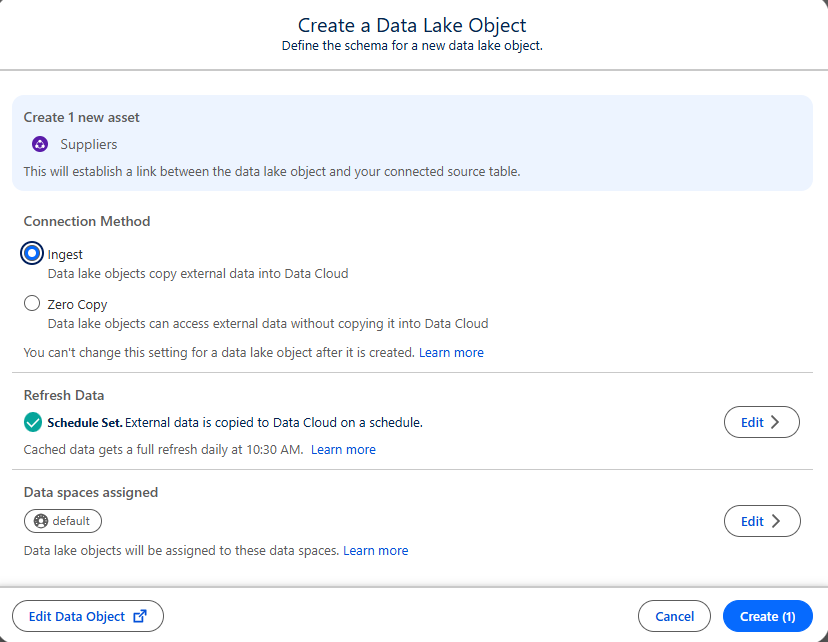
Tableau Next: Ingestion Support for DLO Creation
Control whether external data sources are read live or copied into Data Cloud with custom refresh frequencies. Improve visualization performance and optimize governance by seamlessly integrating source tables into Data Cloud.
Ingestion Support for DLO Creation is generally available in Tableau Next.
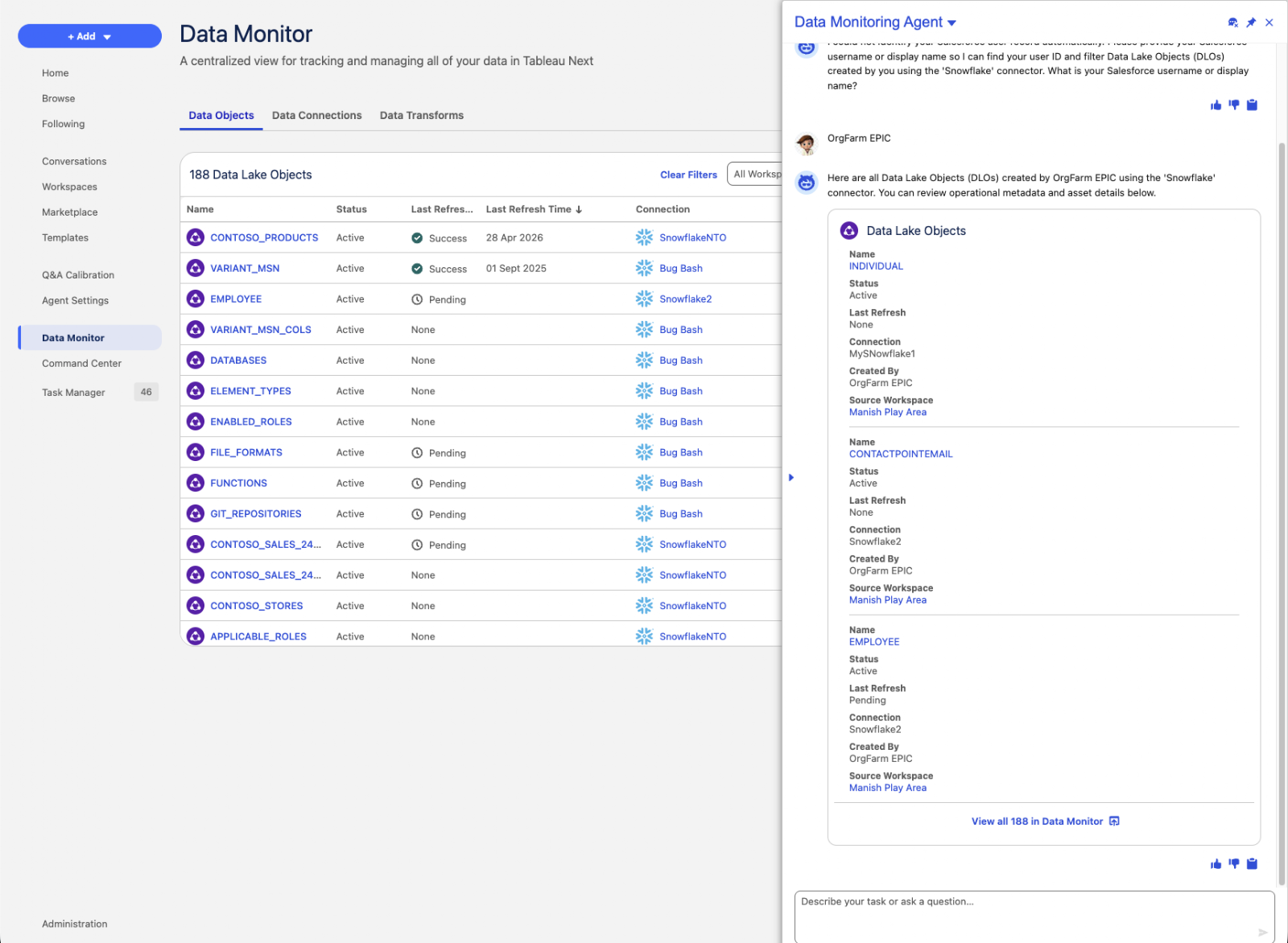
Tableau Next: Agentic Data Monitoring
Verify data freshness and workspace asset status using natural language questions. Save time and reduce human error by replacing manual checks with conversational data monitoring.
Agentic Data Monitoring is generally available in Tableau Next.
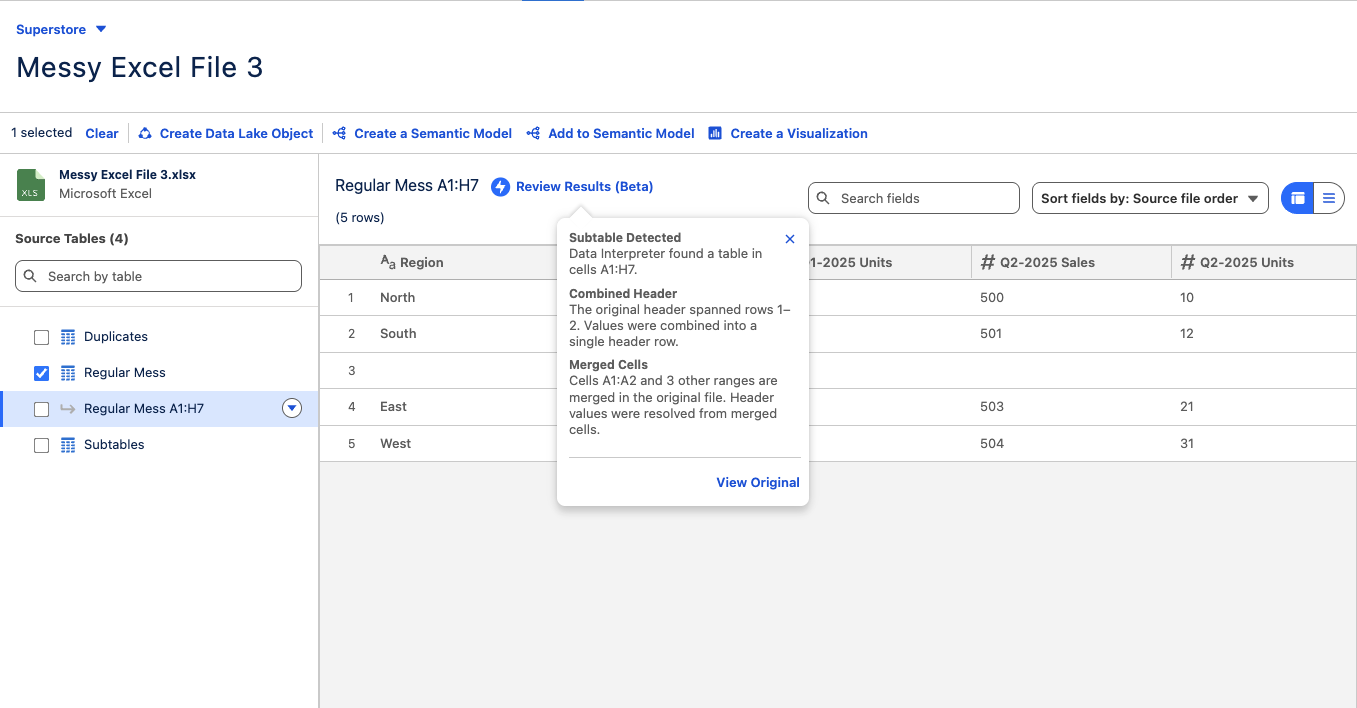
Tableau Next: Data Interpreter, Review Results
Inspect cleaned and restructured data directly before publishing to ensure underlying tables were parsed accurately. Interactive summaries detail automated transformations, offering complete transparency into structural fixes and data preparation steps.
Data Interpreter, Review Results is generally available in Tableau Next.
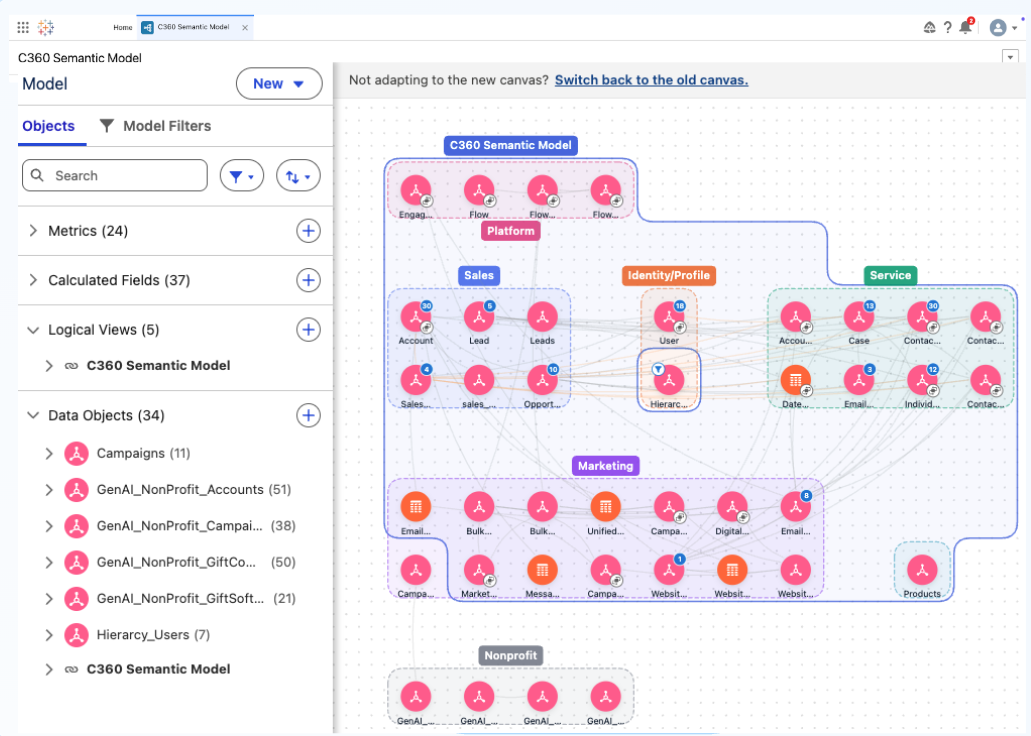
Tableau Next: Semantic Model Builder - Smart Canvas
Author and explore semantic models at any scale with an enhanced canvas experience in Tableau Semantics. Smart auto-layout, infinite navigation, inline editing, and domain-based grouping handle enterprise complexity so your team can iterate faster.
Semantic Model Builder - Smart Canvas is generally available in Tableau Next
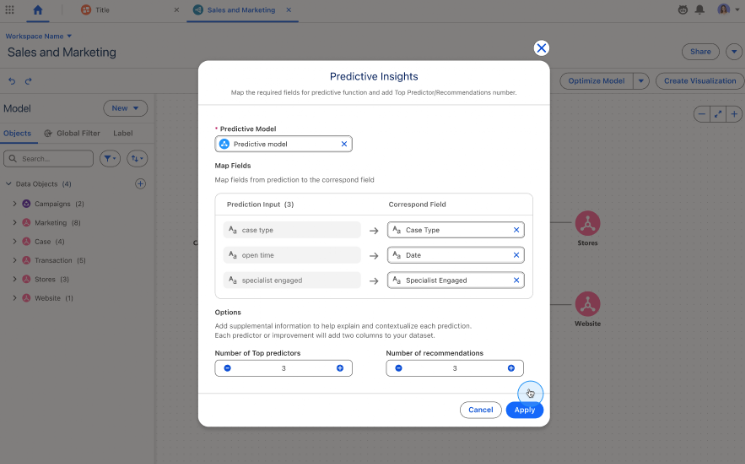
Tableau Next: Predictive Insights (Beta)
Embed machine learning predictions, explainable drivers, and recommendations directly inside charts and dashboards. Shift from historical reporting to forward-looking decision-making without leaving the flow of work.
Predictive Insights is available in beta in Tableau Next.
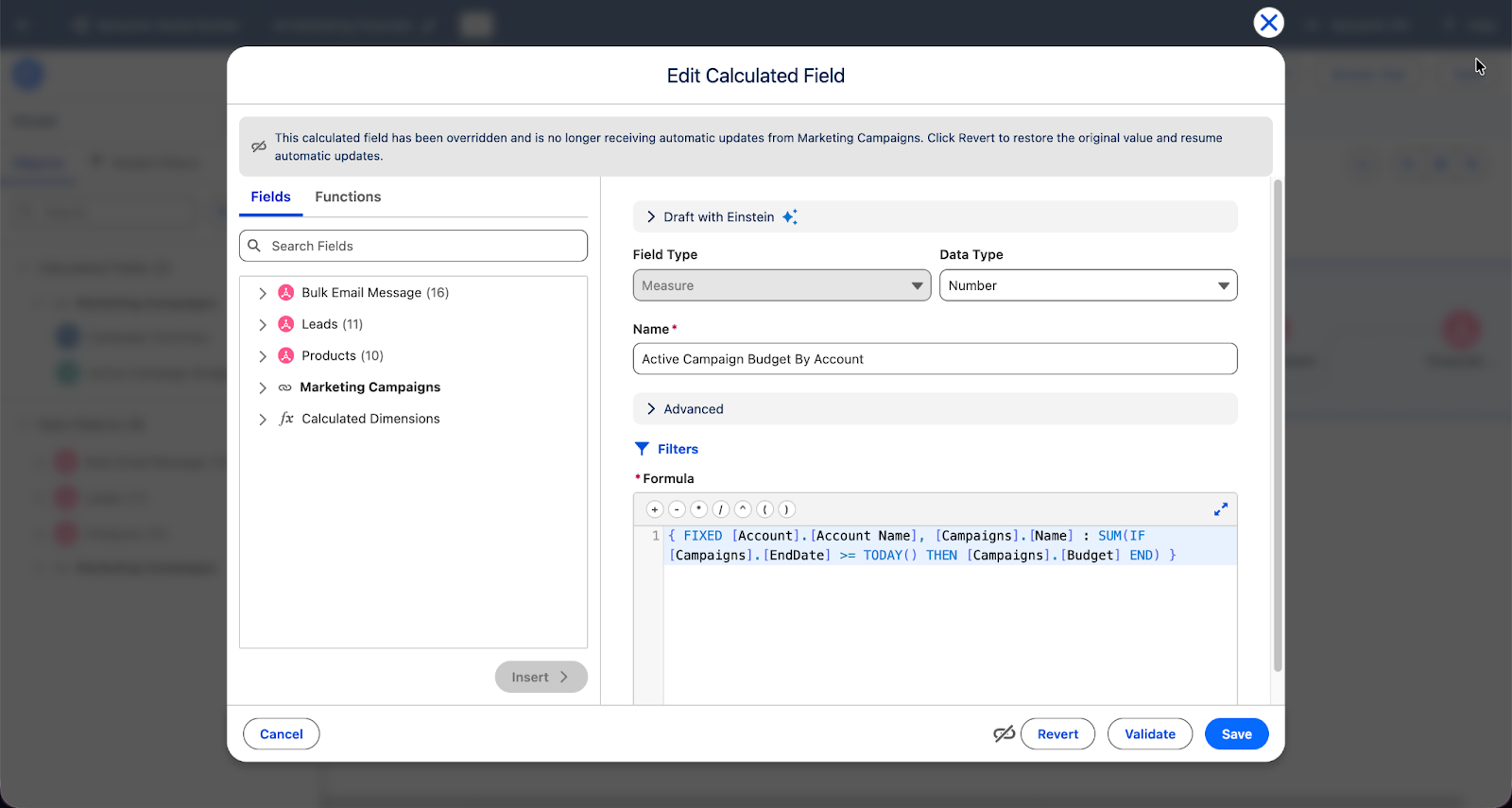
Tableau Next: Calculated Field and Metric Overrides
Customize formulas and KPI calculations inherited from base semantic models without breaking overall model synchronization. Ensure extended models reflect unique organizational requirements while maintaining non-overridden definitions automatically.
Calculated Field and Metric Overrides is generally available in Tableau Next.
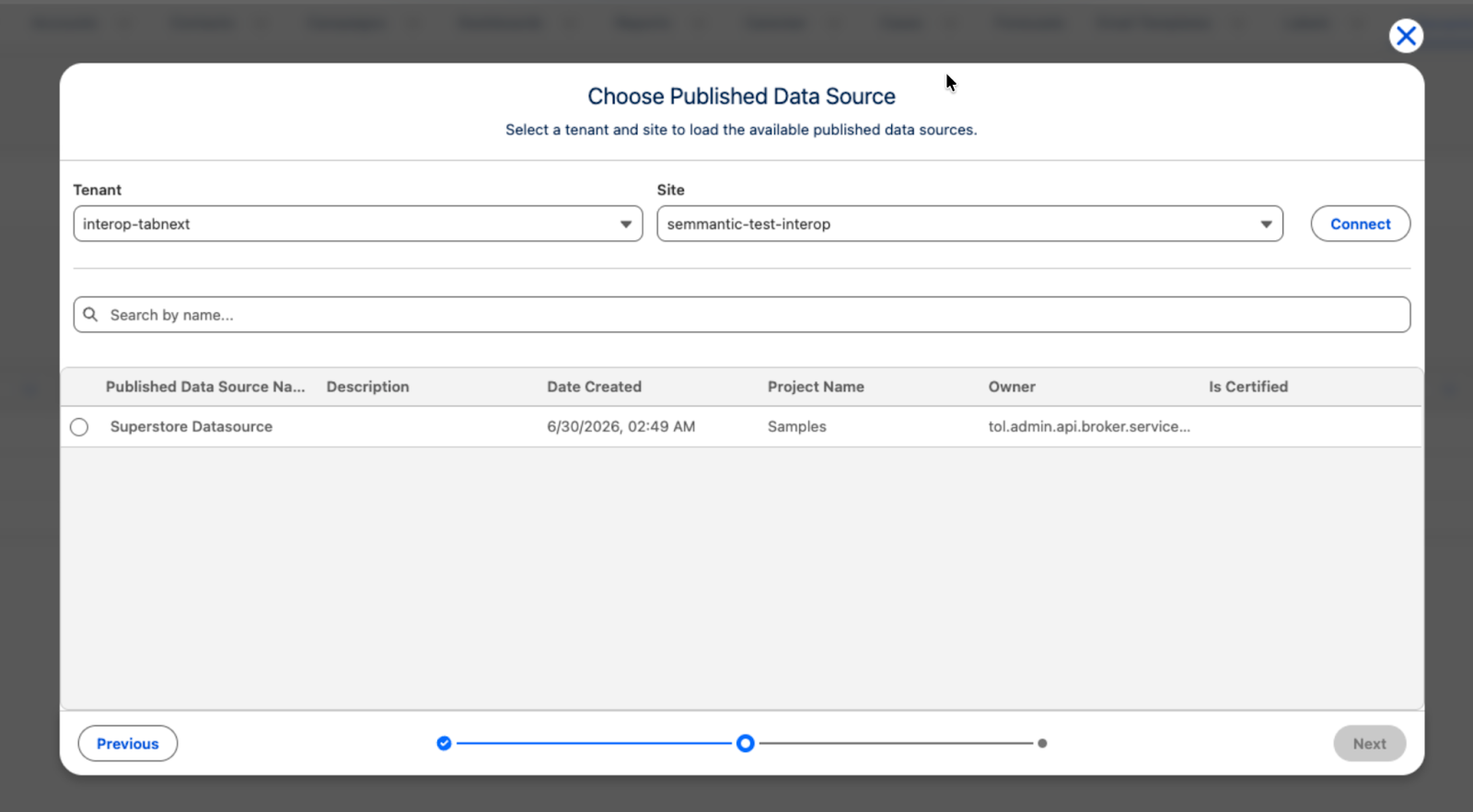
Tableau Next: PDS Integration Authentication
Connect to Tableau Cloud PDS using standard cross-cloud dropdown selection instead of manual site parameters. Speed up deployment, reduce setup errors, and unlock personal environment support for testing.
PDS Integration Authentication is coming soon in Tableau Next.
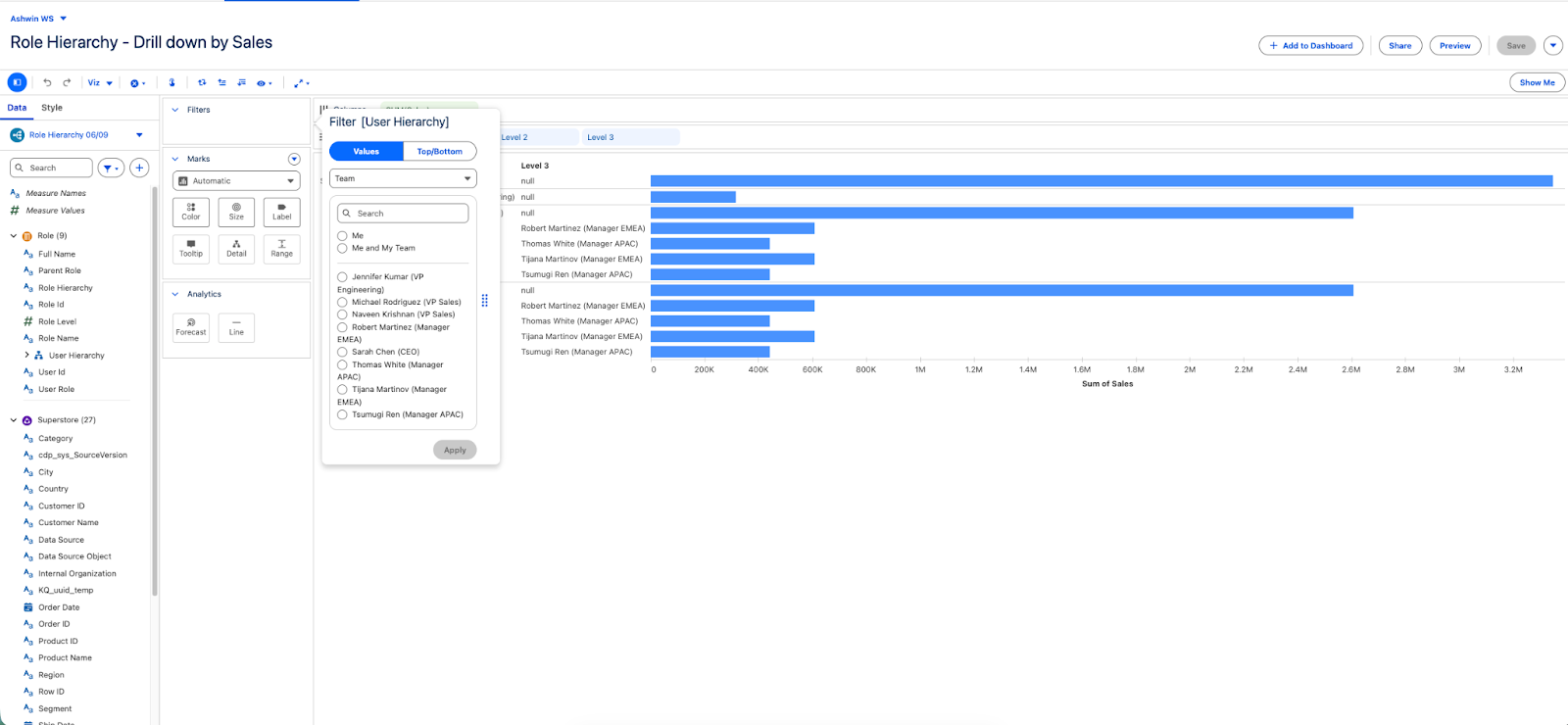
Tableau Next: Organizational Hierarchy Support (Beta)
Flatten complex Salesforce role, manager, and territory structures right in the semantic layer, simplifying team-level reporting and cutting down on manual data manipulation. Dashboard authors and business users can then filter metrics by personalized scopes like "Me," "My Team," or "Org," and drill down or roll up across managerial chains.
Organizational Hierarchy Support is available in Beta in Tableau Next.
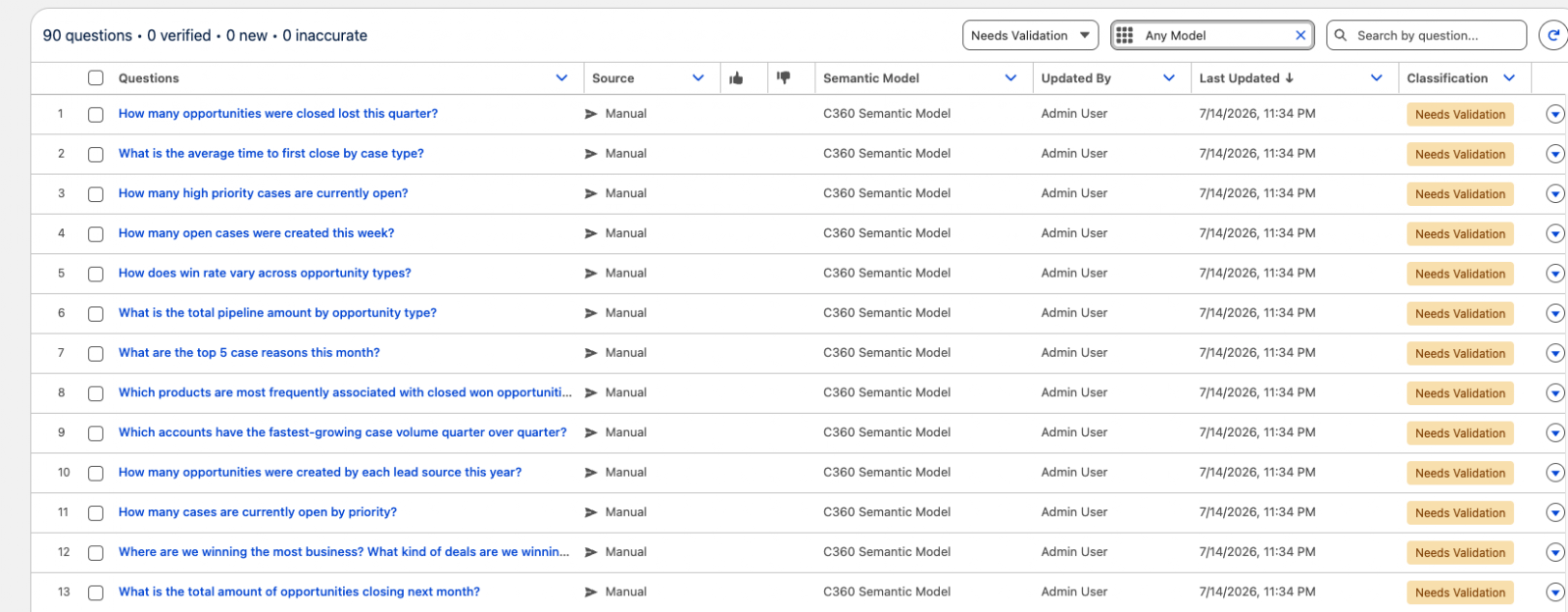
C360 Semantic Model - AI-Ready Verified Questions & Business Preferences
Get accurate insights from Tableau Agent on day one with built-in business preferences and pre-verified cross-cloud questions for sales, service, and marketing. Built on Salesforce's domain expertise, teams start fast with trusted insights to common questions, with room to tune further as needs evolve.
Verified Questions & Business Preferences for Customer 360 are generally available in Tableau Next
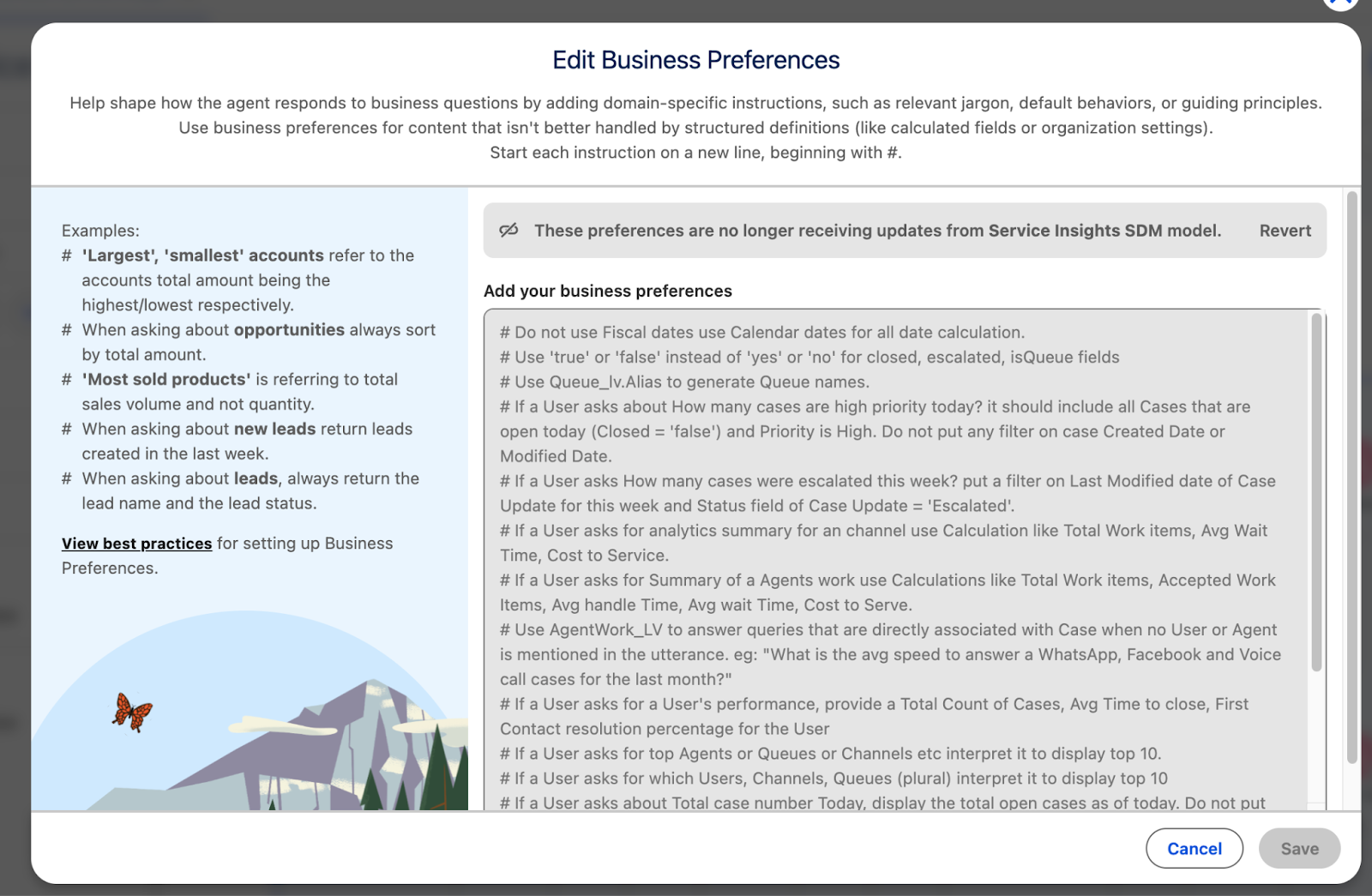
Tableau Next Apps for Salesforce: Verified Questions & Business Preferences for Service Insights
Get accurate insights from Tableau Agent on day for questions service teams ask most — case volume, escalations, wait and handle time, and agent performance. Built-in business preferences apply service-specific logic, like how escalations and priority are defined, so you can get started fast, with room to tune further as needs evolve.
Verified Questions and Business Preferences for Service Insights are generally available in Tableau Next.
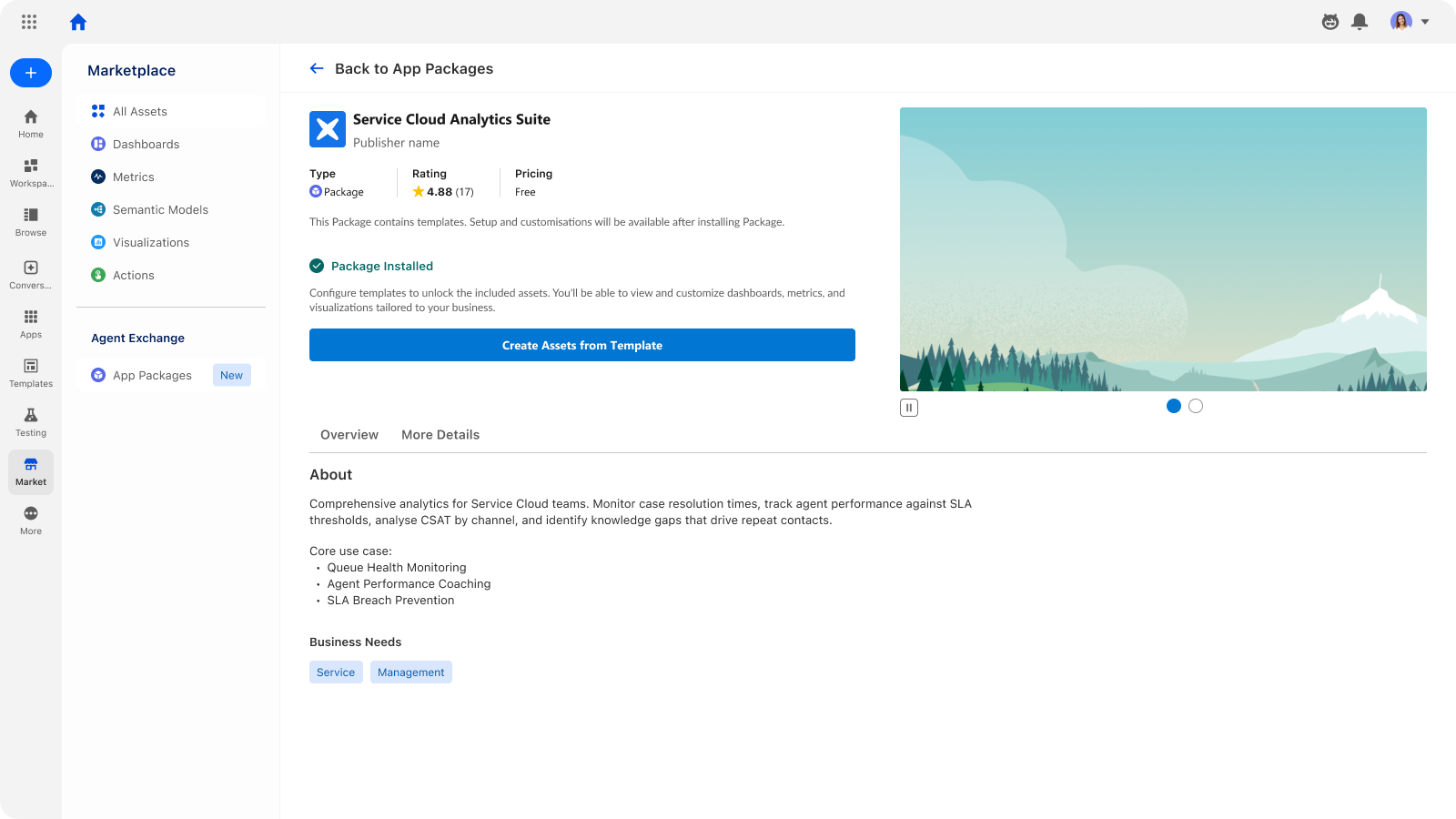
Tableau Next Apps in AgentExchange
Tableau Next Apps brings an embedded AgentExchange marketplace directly into Tableau Next. Customers can browse, discover, and install partner-built analytics apps including industry-specific dashboards, dashboard extensions, semantic models, and MCP server registrations all without leaving their workflow.
Agent Exchange Integration is generally available in Tableau Next.
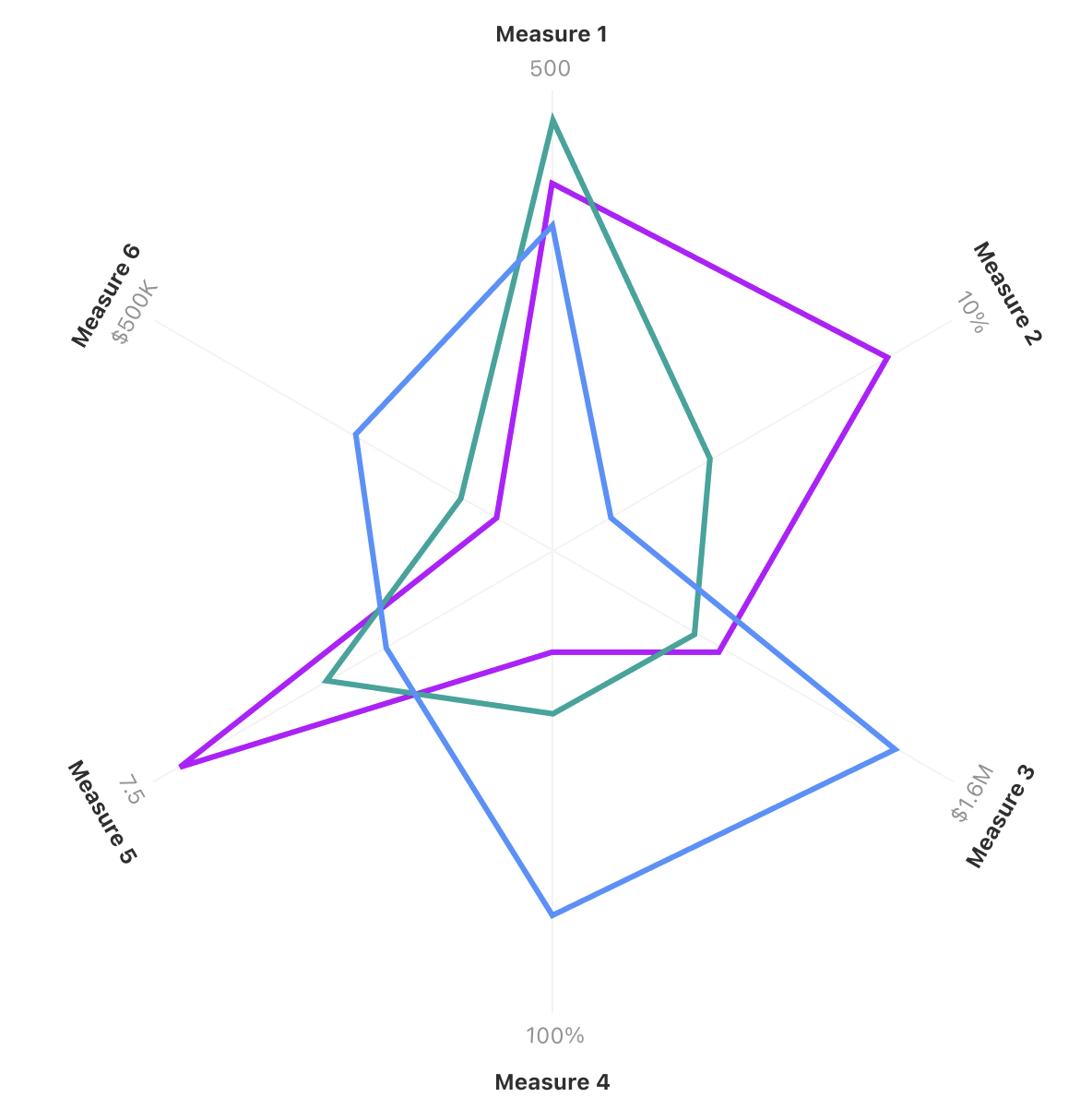
Tableau Next: Radar Chart
Compare performance across multiple dimensions at a glance to identify opportunities quickly. Build radar charts natively without writing tedious calculated fields.
Radar Chart is generally available in Tableau Next.
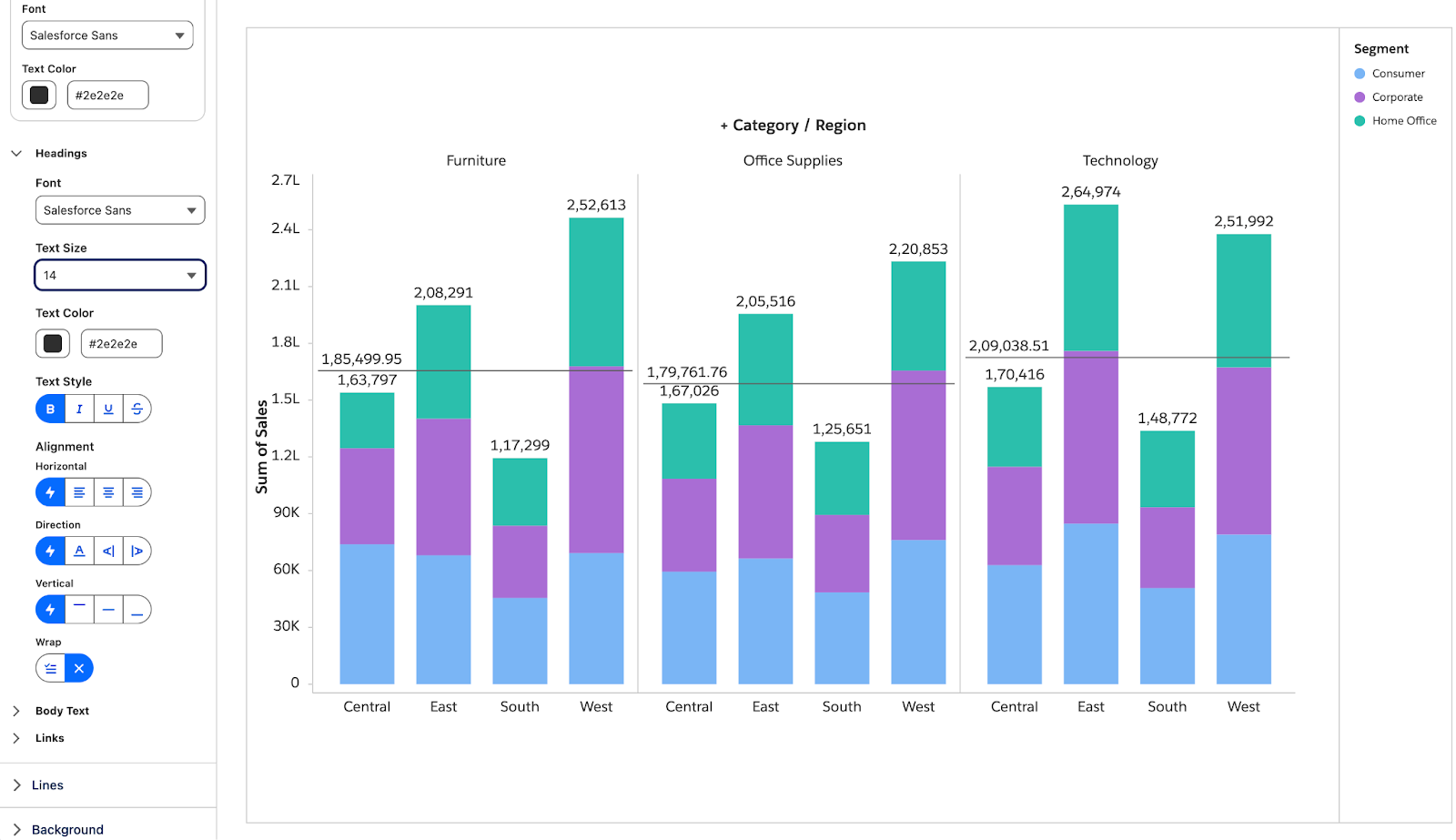
Tableau Next: Formatting Visualizations and Dashboards
Gain granular control over fonts, colors, line styles, and alignment across visual components. Apply unified design formatting to ensure brand consistency and clarity with data storytelling.
Formatting Visualizations and Dashboards is generally available in Tableau Next.
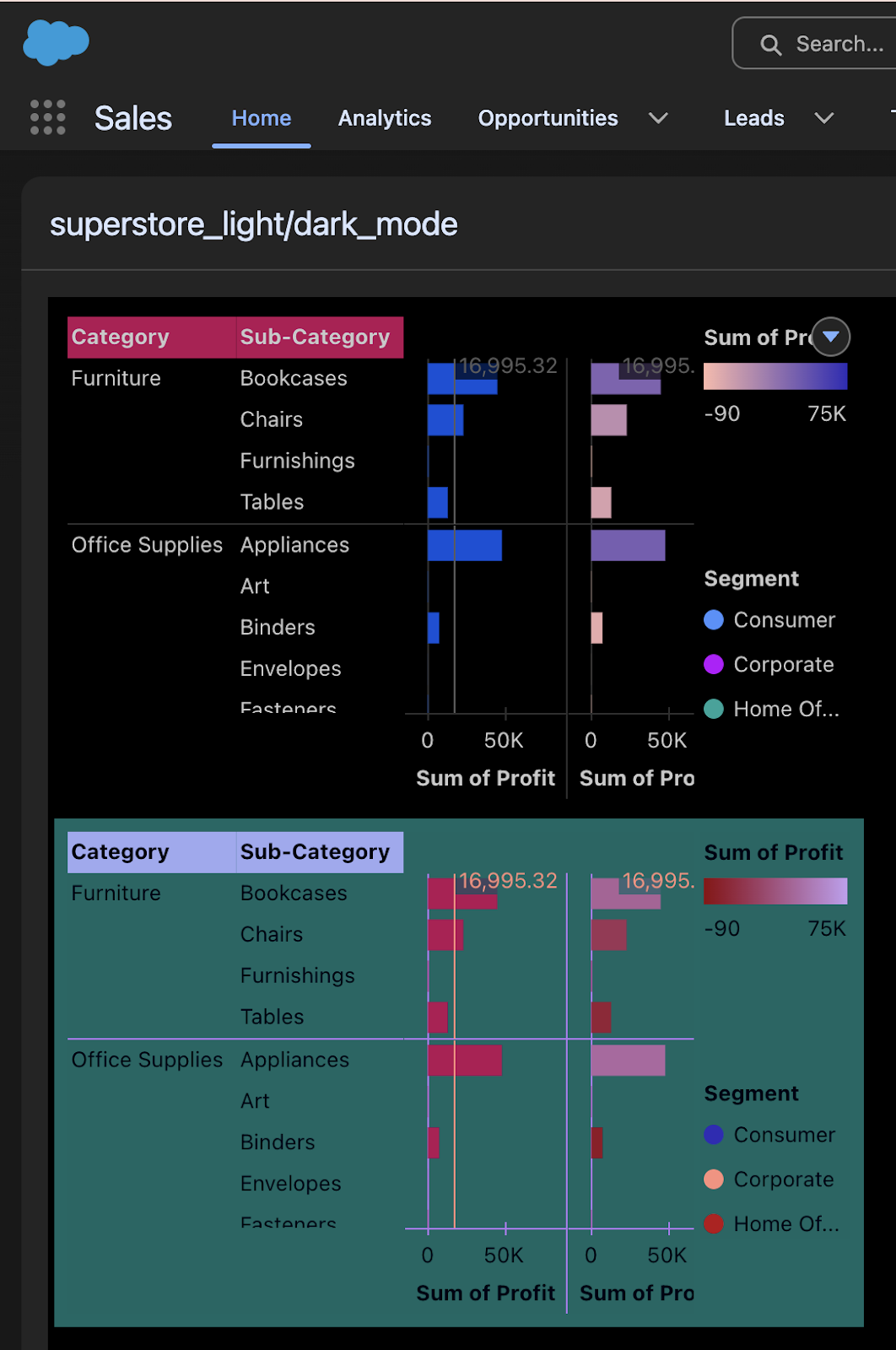
Tableau Next: Dark Mode for Embedded Components
Synchronize embedded dashboards automatically with dark mode. Eliminate harsh visual contrast and deliver accessible, WCAG-compliant design experiences.
Dark Mode for Embedded Components is generally available in Tableau Next.

Tableau Next: List View UX Update
Transform dashboard filter inputs and parameters into space-saving list layouts or card widgets. Customize layout styles while preserving active user selections.
List View UX Update is generally available in Tableau Next
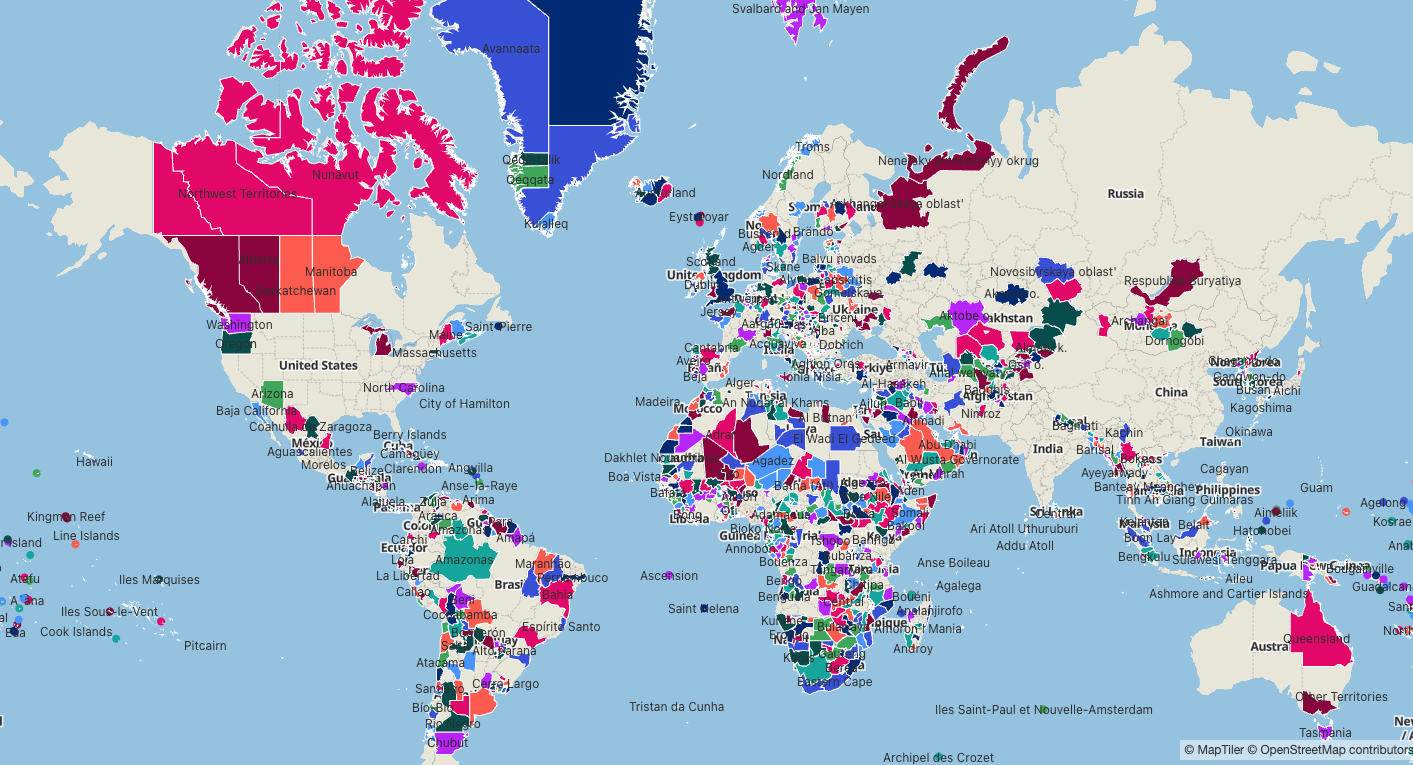
Tableau Next: Regional Themed Maps
Map geographic fields using dedicated spatial mark types to uncover location-based patterns. Transform location data into interactive choropleth maps to spot territory opportunities and monitor performance.
Regional Themed Maps is generally available in Tableau Next.
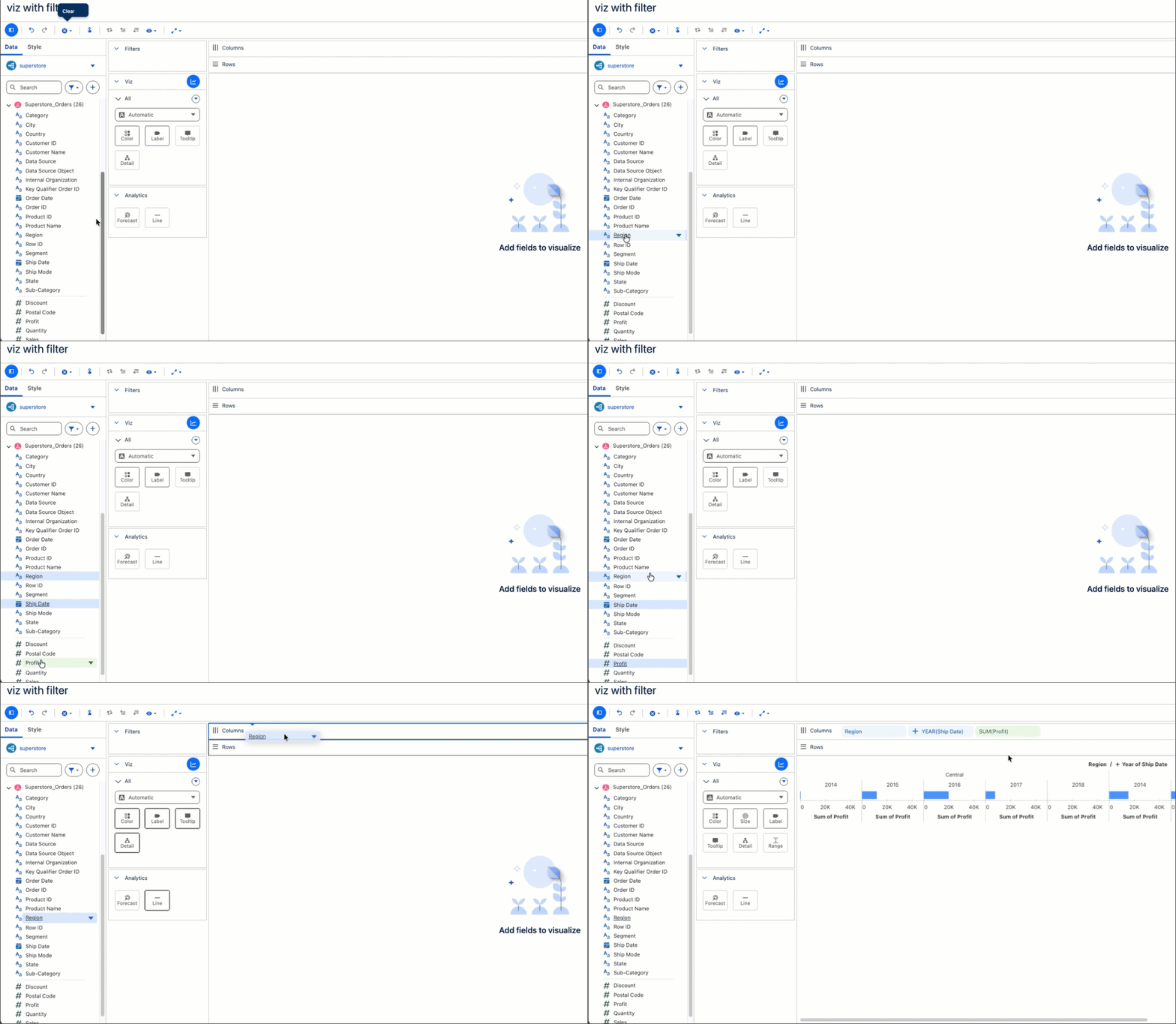
Tableau Next: Viz Authoring Enhancements
Accelerate visual creation through multi-field selection, instant "Add To" canvas menus, and additional layout options. Build complex charts like waterfall views effortlessly and shorten time-to-insight.
Viz Authoring Enhancements is generally available in Tableau Next.
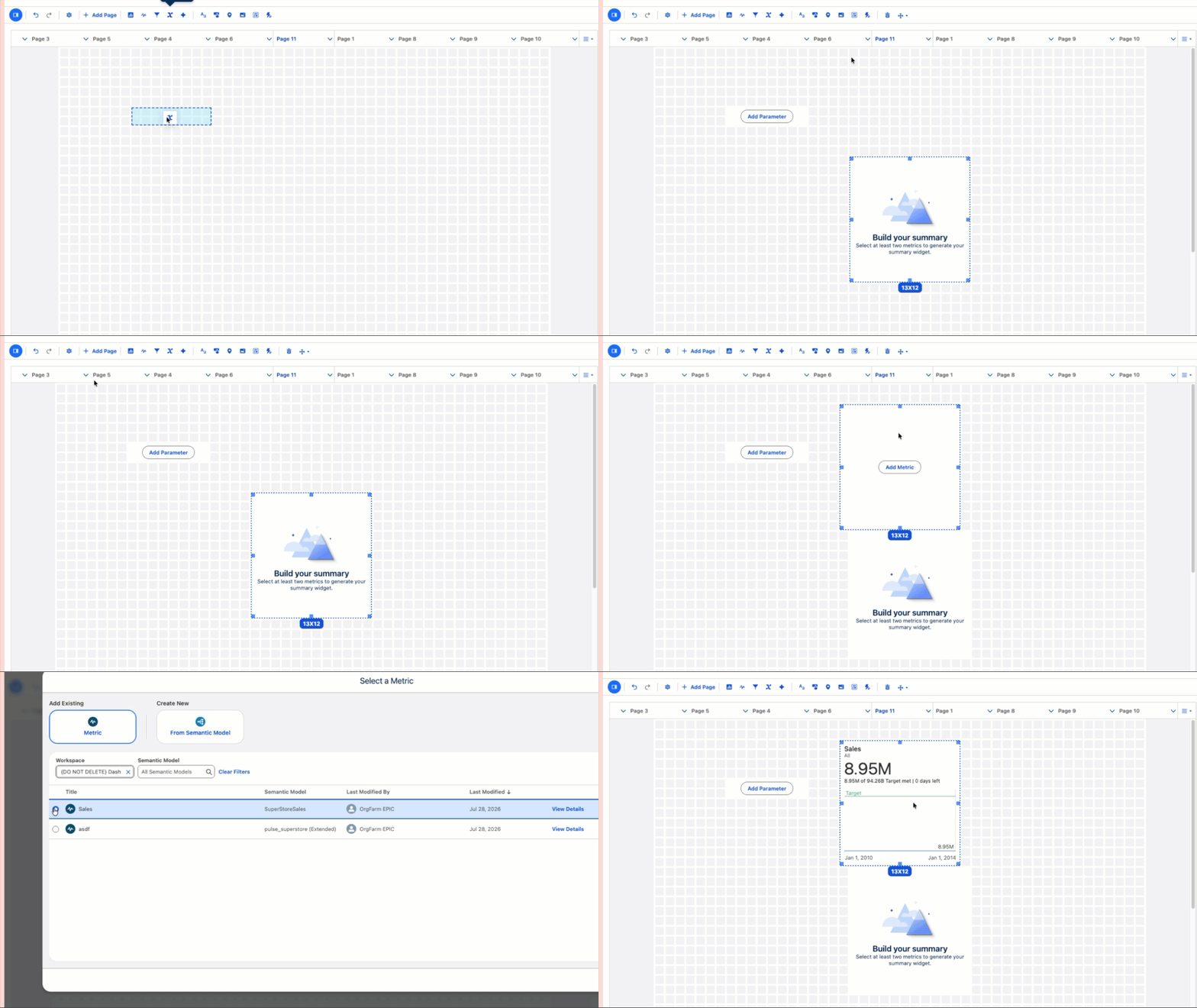
Tableau Next: Dashboard Authoring Enhancements
Duplicate widgets, copy visual styles, and manage multi-page tabs through right-click grid interactions. Streamline layout design and dashboard organization with intuitive drag-and-drop actions.
Dashboard Authoring Enhancements is generally available in Tableau Next.
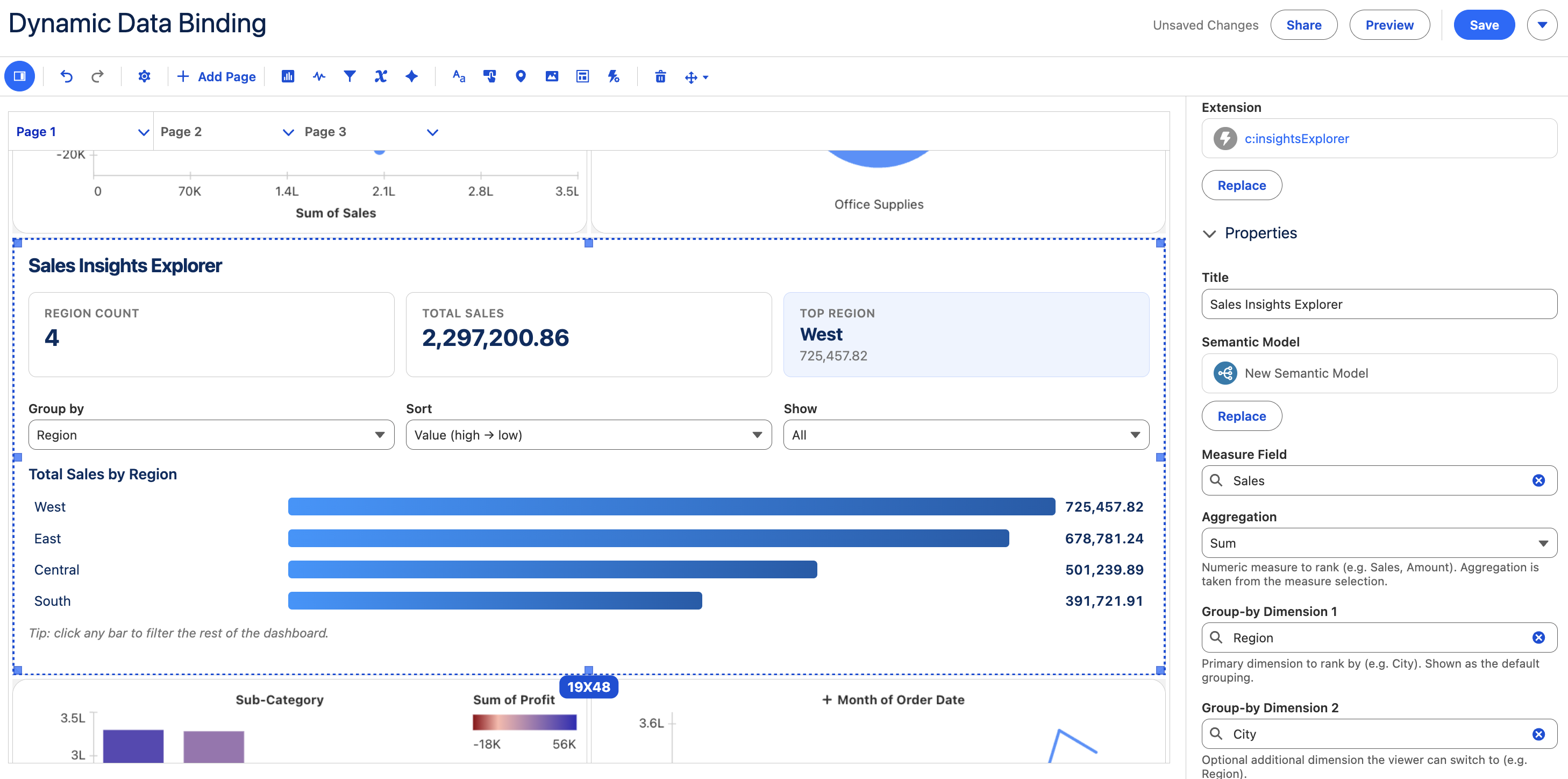
Tableau Next: Dashboard Extensions, Dynamic Data Binding
Build custom Lightning Web Component extensions once and map them across different semantic models via property panels. Scale custom visualizations effortlessly without editing code for each new dataset.
Dashboard Extensions, Dynamic Data Binding is generally available in Tableau Next.

Tableau Next: Dashboard MCP Support
Generate, assemble, and update multi-page dashboards conversationally using natural language through Model Context Protocol (MCP) integration. Conversational tools automatically format visual widgets and map underlying semantic models into complete dashboard layouts.
Dashboard MCP Support is generally available in Tableau Next.
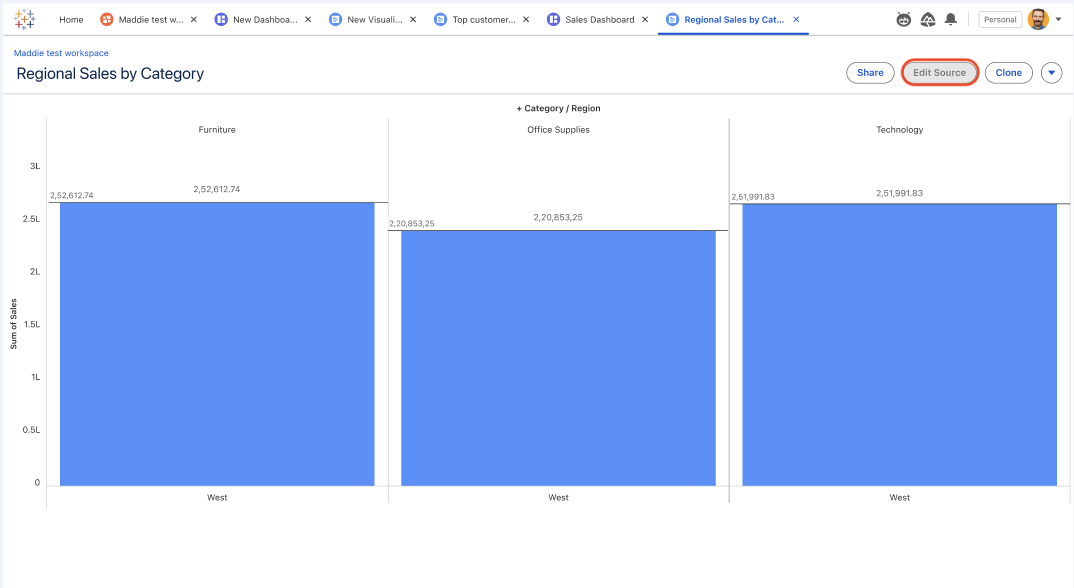
Tableau Next: Enhanced Explore
Accelerate self-service discovery and workflows with data interaction directly within your worksheets. Download aggregate visualization data directly to CSV for external analysis, and keep your business aligned with your metrics.
Enhanced Explore is generally available in Tableau Next.
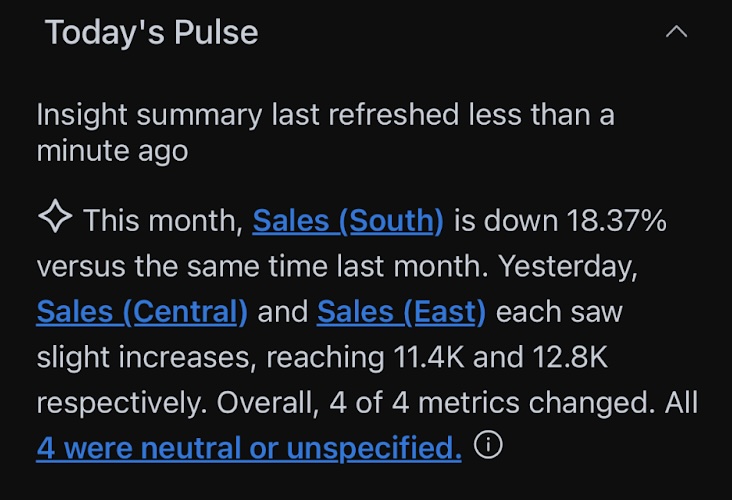
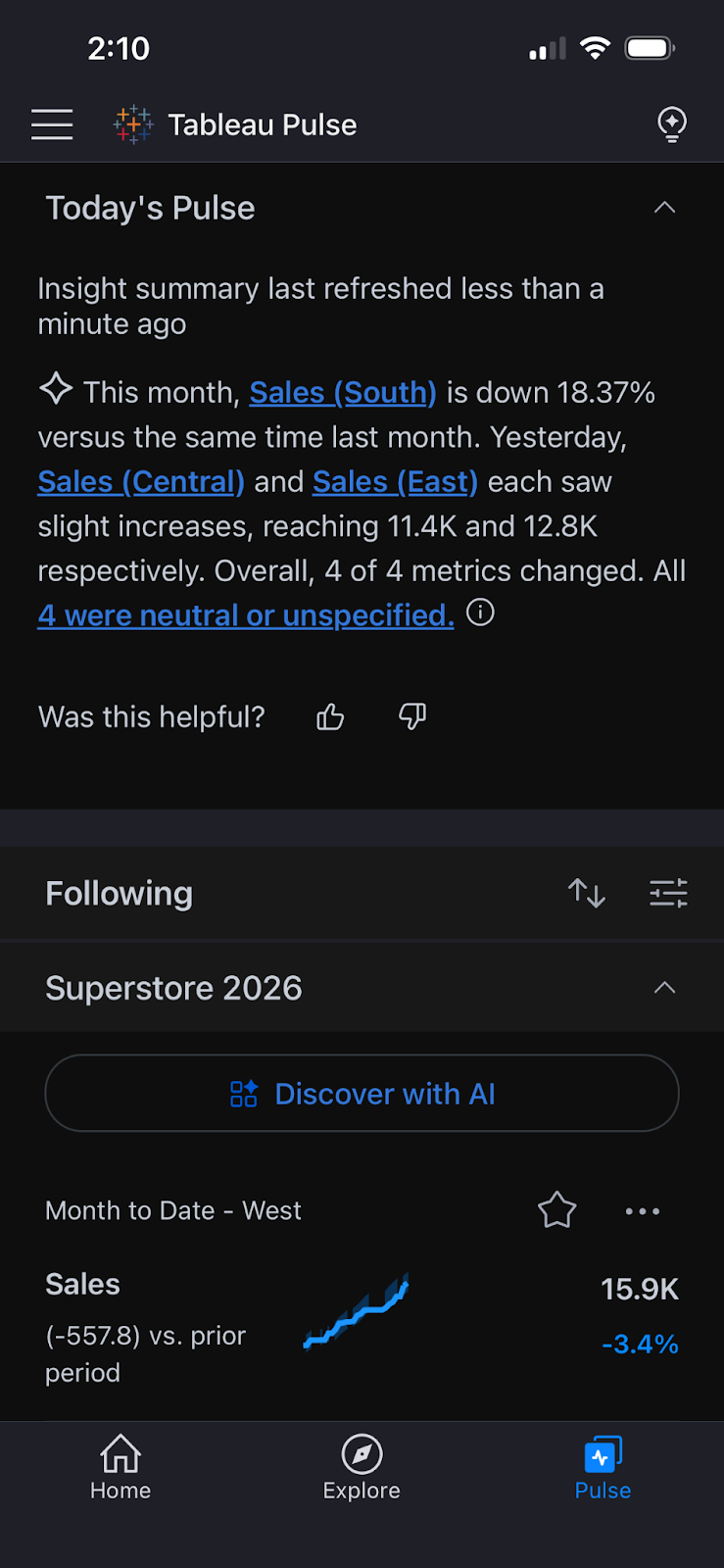
Tableau Mobile: Dark Mode in Tableau Pulse
Work comfortably on Tableau, no matter your theme settings. Tableau Pulse now supports Dark Mode on mobile, increasing accessibility and eliminating the jarring visual transition from other parts of Tableau, where some users have dark mode enabled, to Pulse. Once enabled in your device's settings, Dark Mode applies throughout the entire Pulse mobile UI.
Dark Mode in Tableau Pulse is generally available in Tableau Mobile.
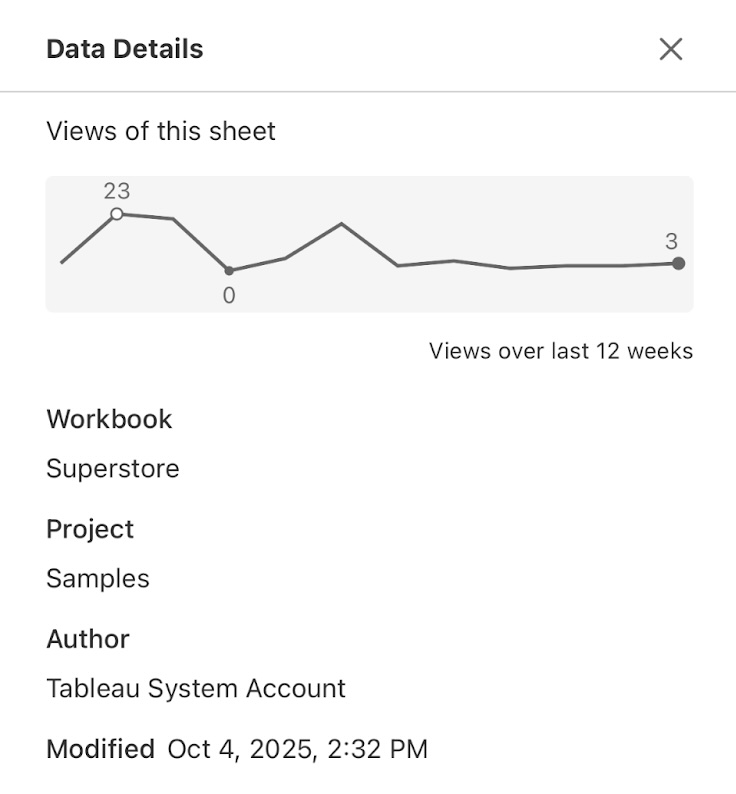
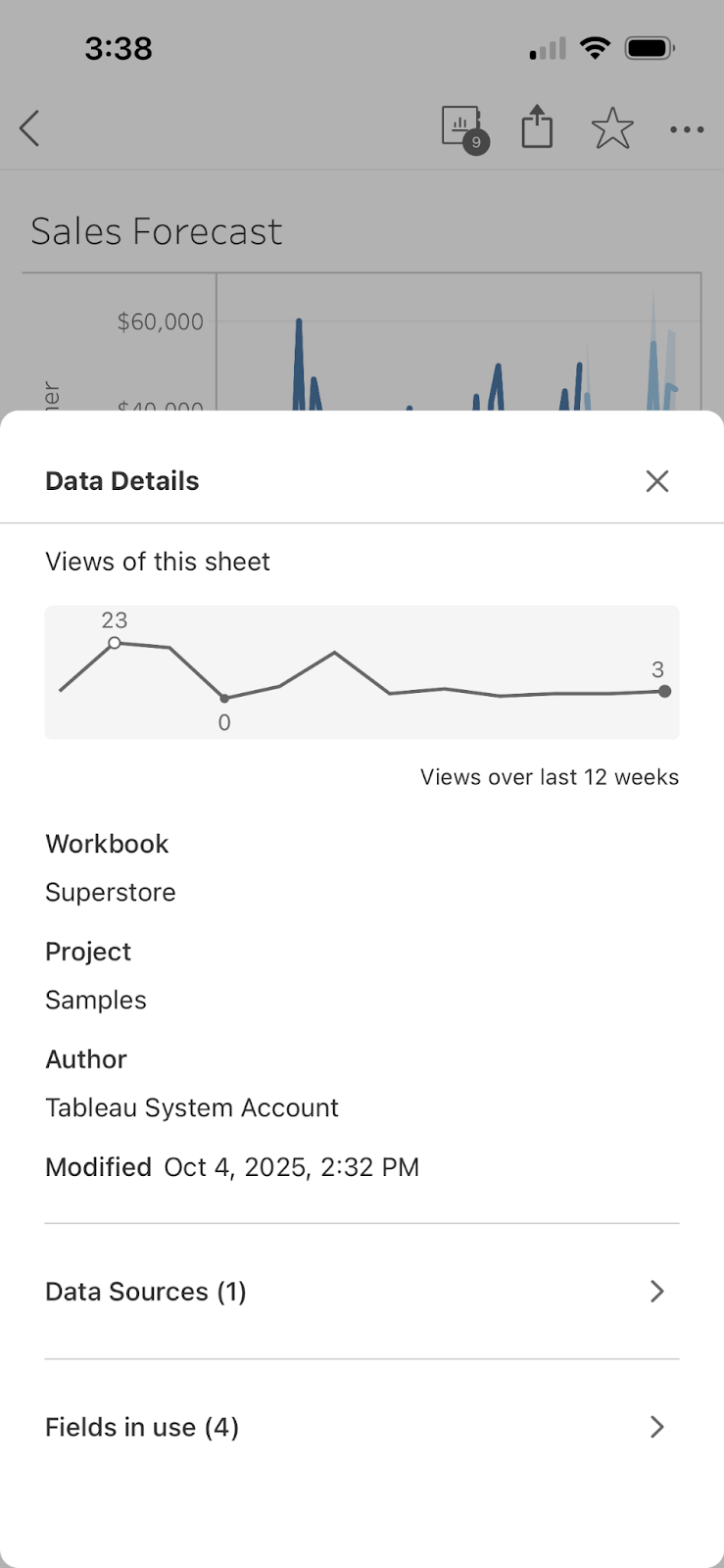
Tableau Mobile: Data Details
Check a viz's data lineage and metadata right from your phone, no desktop browser needed. Just tap 'View Data Details' on any viz to view workbook, project, author details, and more. With Data Details available on mobile, you can surface data provenance information from anywhere, at any time.
Data Details is generally available in Tableau Mobile.
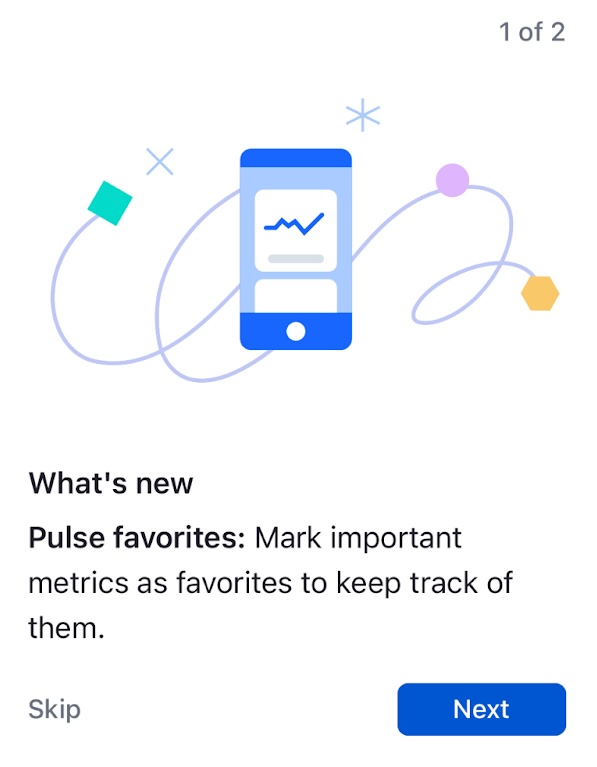
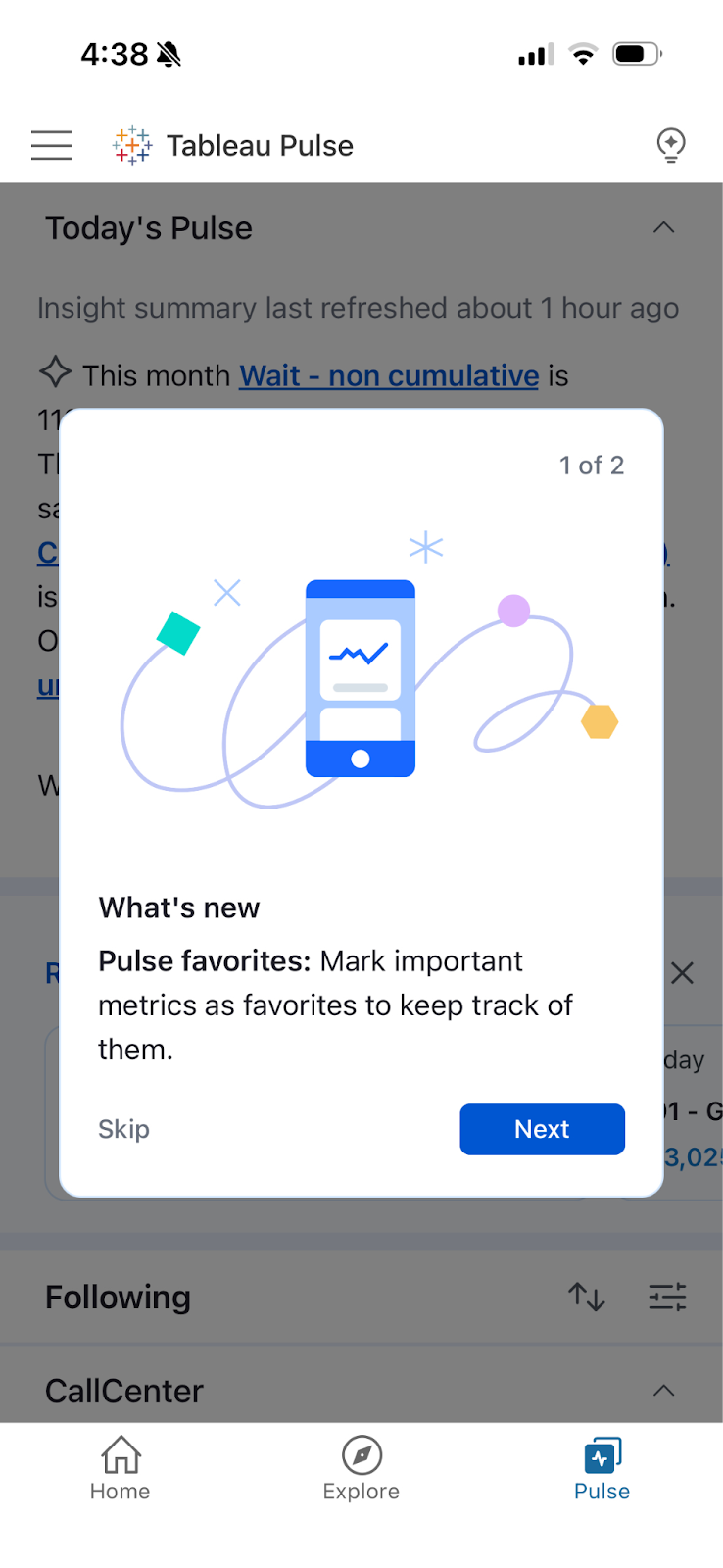
Tableau Mobile: Guided Onboarding Prompts
Getting started on Tableau Mobile is now effortless with guided onboarding prompts on mobile. The prompts automatically introduce mobile users to key features, eliminating the friction of navigating a new app. From an interactive 5-step tour for new users to targeted tips for Pulse features, mobile users can get started faster without sifting through help docs or contacting support..
Guided Onboarding Prompts is generally available in Tableau Mobile.
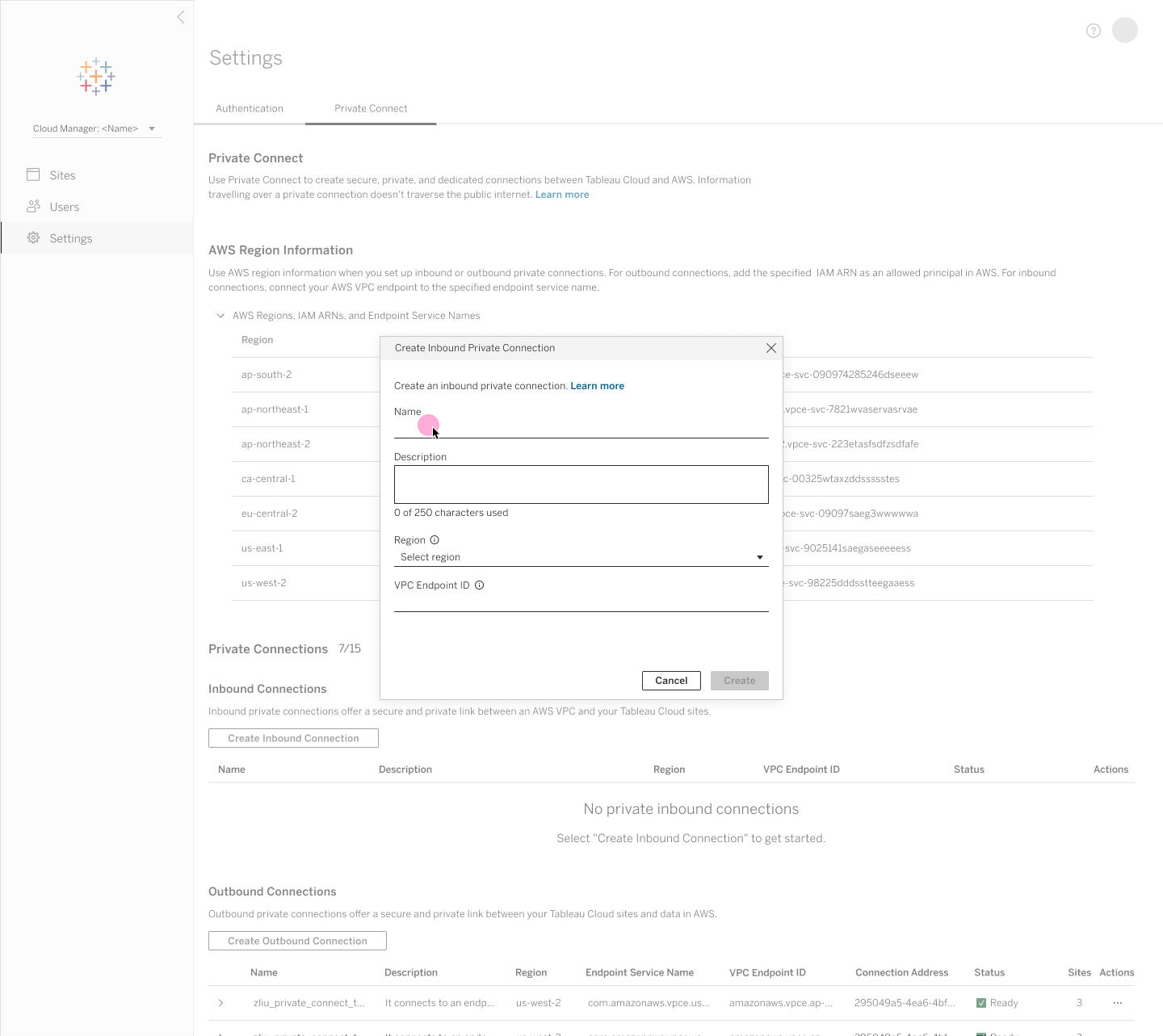
Inbound Private Connect
Establish dedicated, private connections from your corporate network to Tableau Cloud via AWS PrivateLink to protect sensitive analytics traffic. All web sessions, API calls, and publishing workflows route securely across private IP space without traversing the public internet.
Inbound Private Connect is generally available in Tableau Cloud.

External Key Management
Maintain direct control over your encryption key lifecycle by leveraging customer-managed KMS keys for extract encryption at rest. Centralized key management reinforces compliance, security posture, and data sovereignty across enterprise deployments.
External Key Management is generally available in Tableau Cloud.
2026.2

ホスティング型の Tableau MCP
Tableau MCP が、Tableau Cloud で完全クラウドホスティング型のサービスとして実行されるようになり、ユーザーによる独自の MCP サーバーのセルフホスティングと維持が不要になりました。そのため、経費を大幅に抑えながら、信頼できる Tableau 分析環境にあらゆる MCP 対応 AI エージェントをすぐ接続することができます。OAuth 2.1 サポートが組み込まれており、ガバナンスと信頼性も確保されているため、エンタープライズ対応のセキュアな AI インテグレーションがすぐに実現します。この強化された Tableau MCP 機能は、Tableau Cloud の Standard、Enterprise、Tableau+ の各エディションで利用可能です。
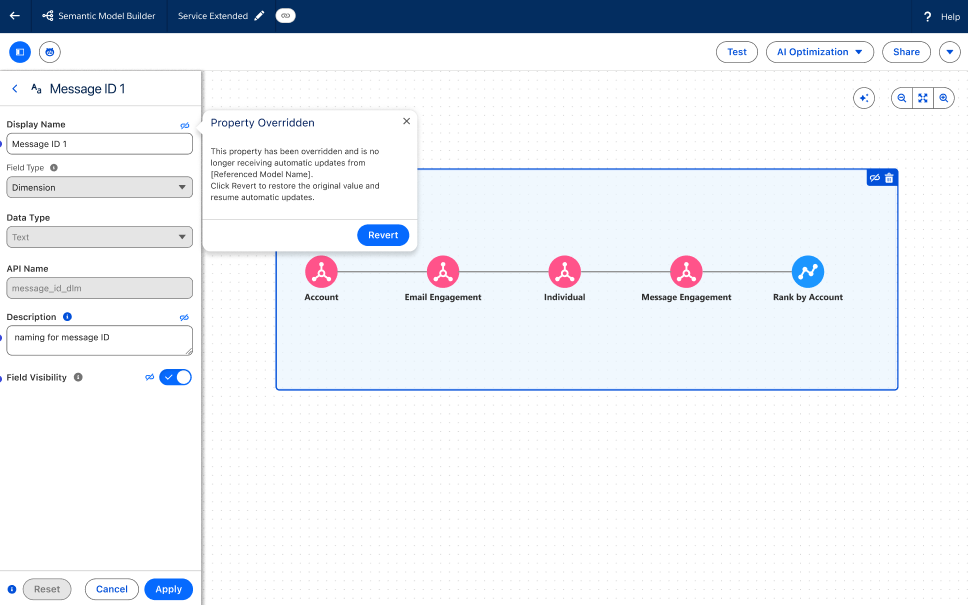
Tableau セマンティク: コンポーザビリティのオーバーライド
拡張したセマンティックモデルで表示名や表示状態などのプロパティを修正して、継承されたビジネスロジックを特定の要件に適合させることができます。この機能を使うと、信頼できる単一の情報源を保持しながら、すぐに使用できる (OOTB) コンテンツで組織に固有のニーズを満たせるようにすることが可能です。
コンポーザビリティのオーバーライド機能は Tableau Next で一般提供されます。
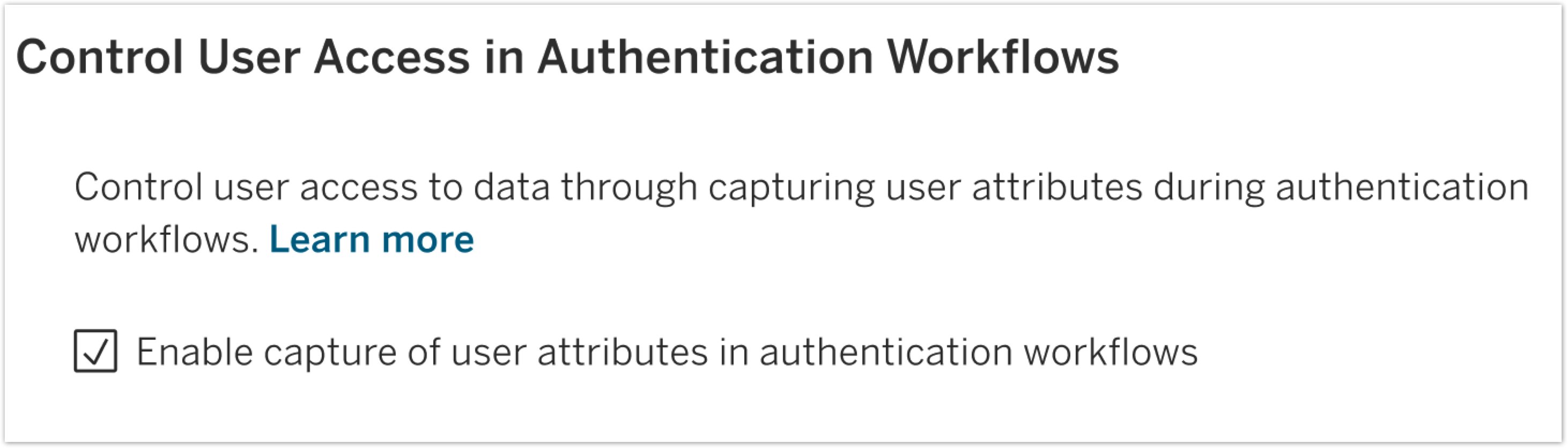
SAML と OIDC のユーザー属性関数
ご利用の ID プロバイダーから直接渡される行レベルのセキュリティ用の属性を使用して、データセキュリティを強化することができます。これにより、ユーザーに各自のロールに関係するデータのみが表示されるようにする、動的な属性ベースのアクセス制御が実現します。
SAML と OIDC のユーザー属性関数は、Tableau Server で一般提供されます。
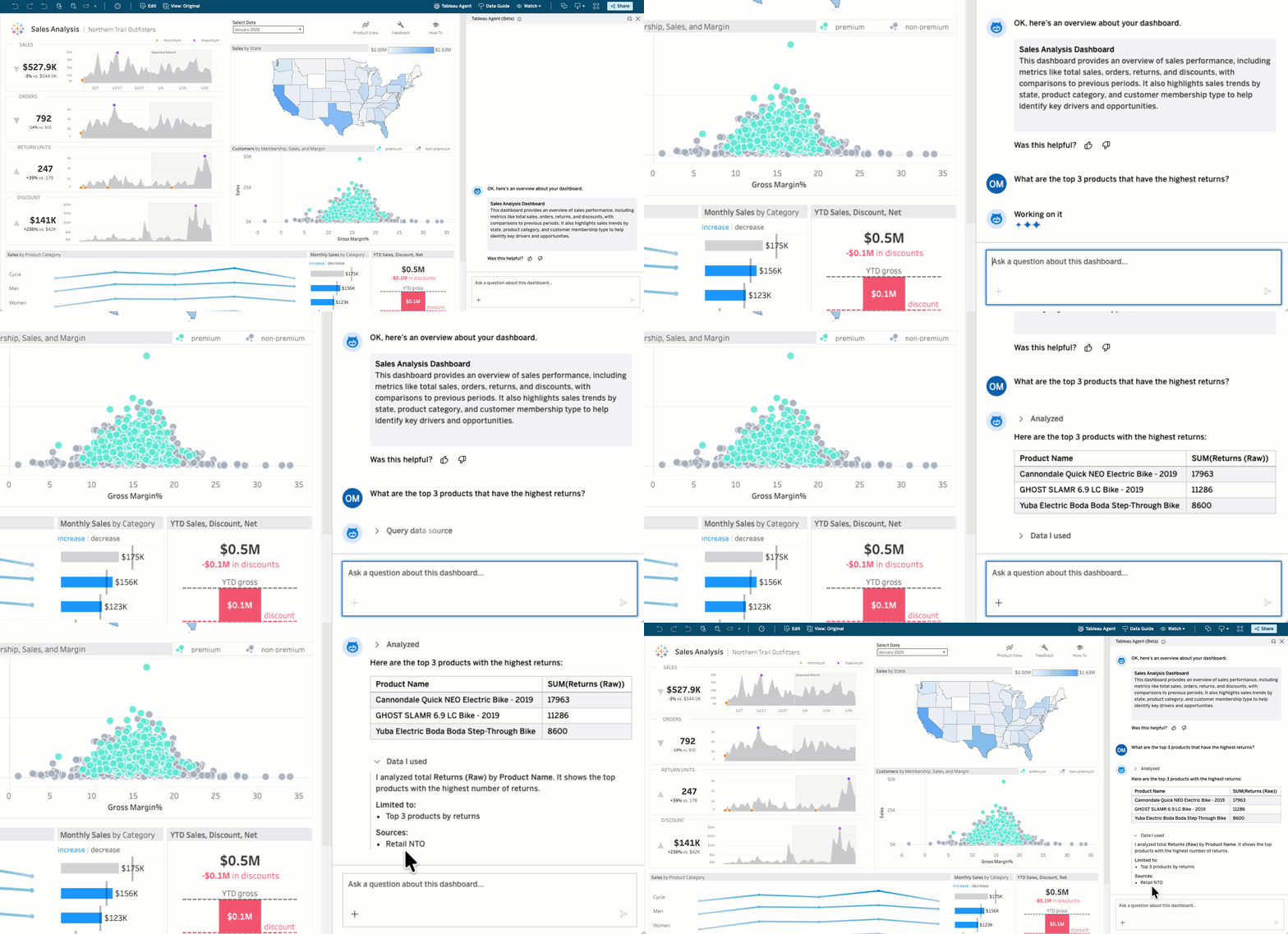
ダッシュボードの Tableau Agent: 会話型分析 (ベータ版/パイロット版)
ビジネスユーザーが、データに関する質問の回答を待たずに得られようになりました。ダッシュボードの Tableau Agent では、誰もがデータに関する質問をわかりやすい言葉で投げかけて、アクションにつながる情報をすぐに得ることができます。このセルフサービス機能により、すべてのユーザーは参照元データソースに対してクエリを直感的に実行して、掘り下げたインサイトをダッシュボードから取得できるようになります。
ダッシュボードの Tableau Agent: 会話型分析の機能は、Tableau Cloud でベータ版として、また Tableau Server ではパイロット版として提供されます。
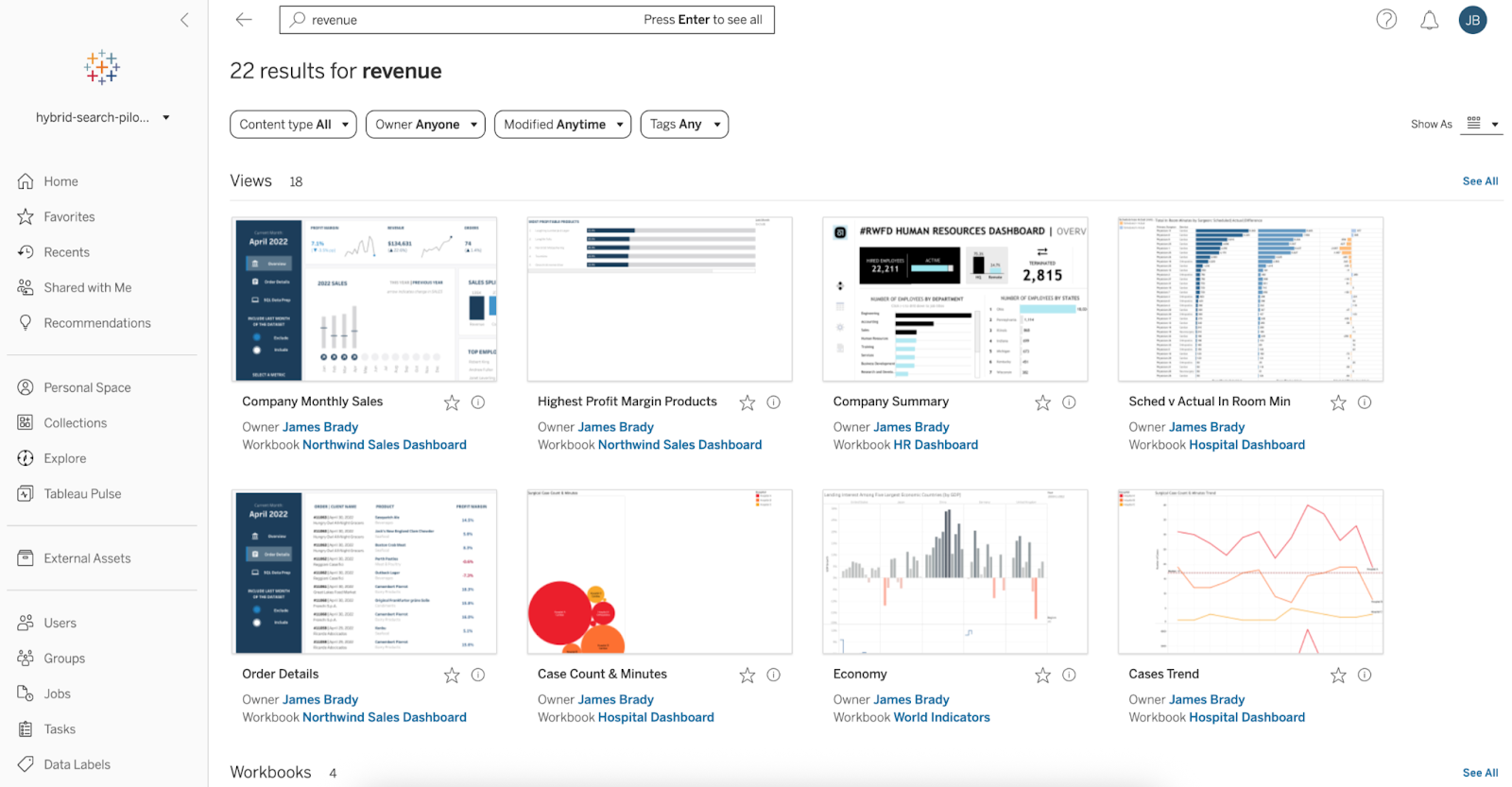
セマンティック検索 (パイロット版)
自然言語を使って、適切な Tableau コンテンツをすぐに見つけることができます。セマンティック検索により、キーワードが完全一致していなくても、わかりやすい言葉とビジネスコンセプトを使って適切なダッシュボードやデータソース、ワークブックが検索できます。この直感的な検索機能で既存のアセットが見つけやすくなり、重複を防げるようになります。
セマンティック検索の機能は、Tableau Cloud でパイロット版として提供されます。
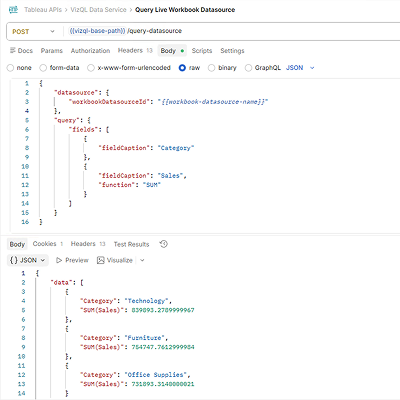
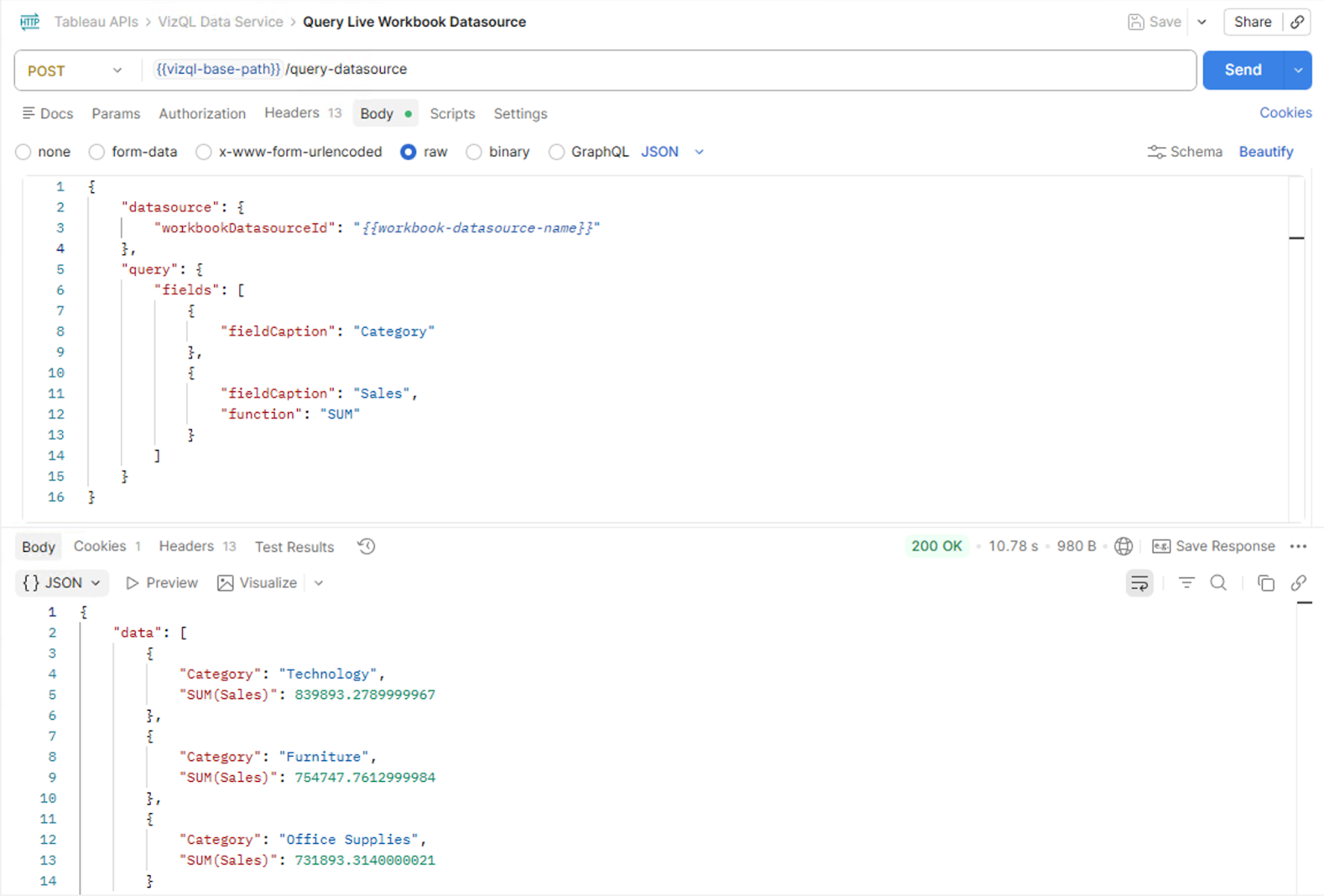
VizQL データサービス: ライブダッシュボードクエリ
パワフルな埋め込み分析エクスペリエンスの構築が、いっそう簡単になりました。VizQL データサービスの新しいライブダッシュボードクエリ機能で、埋め込みアプリケーションから直接、Tableau ワークブックのデータソース (埋め込みデータソースを含む) にクエリを実行することができます。まず、埋め込み API の新しいメソッドが、ユーザーのアクティブなダッシュボードセッションの識別子を提供。この識別子は VizQL データサービスに渡され、閲覧者がダッシュボードで見ているものと完全に一致するデータが返されます。これにより、カスタムのエージェント型エクスペリエンスや、AI を活用した質問と回答のインターフェイスのほか、セッションを認識したライブの Tableau データを利用する高度に統合されたアプリケーションも構築することができます。
VizQL データサービスのライブダッシュボードクエリ機能は、Tableau Cloud と Tableau Server で一般提供されます。
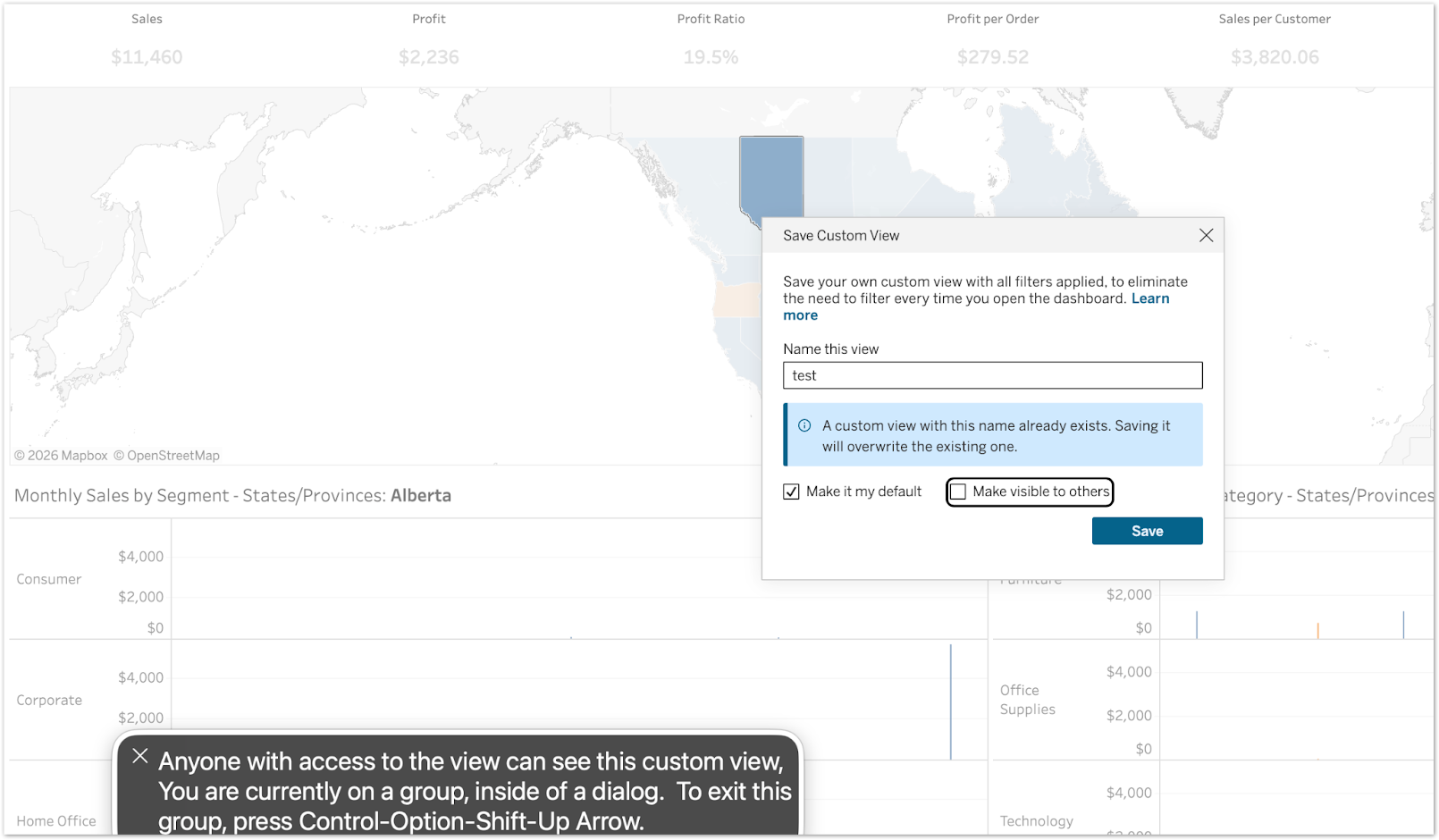
カスタムビューのアクセシビリティ強化
視覚障害を持つユーザーに対して公平なエクスペリエンスを確保するために、重要な構成オプションでスクリーンリーダーをサポートすることが可能です。キーボードフォーカス時に、設定の既定値や共有ビューの説明テキストが読み上げられるようになり、個人データの意図しない流出が防げます。
カスタムビューのアクセシビリティ強化の機能は、Tableau Cloud と Tableau Server で一般提供されます。
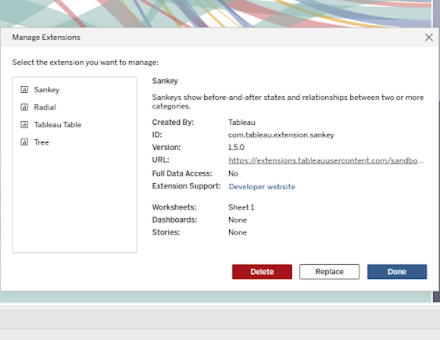
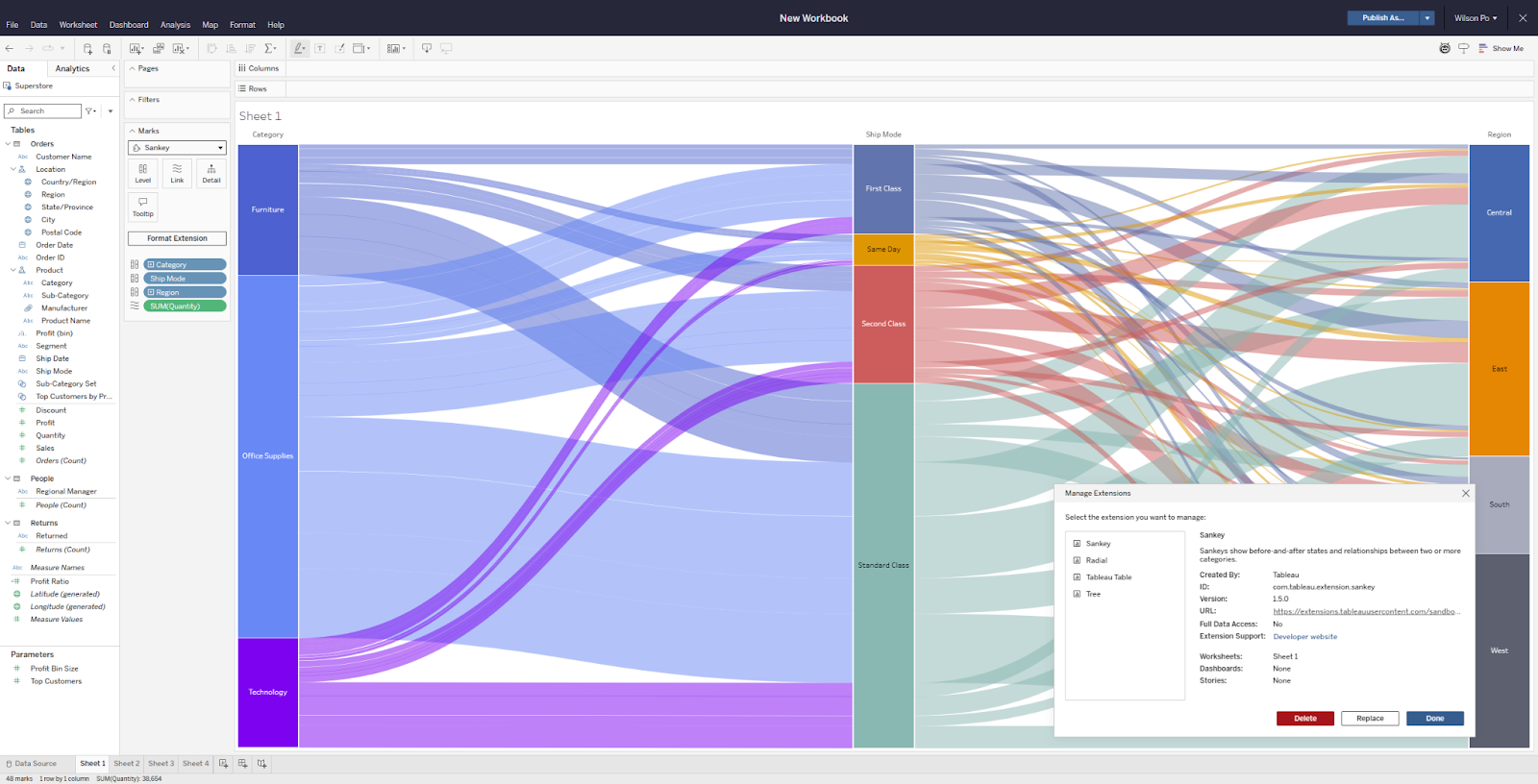
ワークブック拡張機能の管理
ワークブックが複雑になるにつれて、どの拡張機能がどこで使用されているかを把握するのが、非常に難しくなる場合があります。ワークブック拡張機能の管理機能を使用すると、ワークブックで使われているあらゆるダッシュボード拡張機能や Viz 拡張機能を一元的に確認、削除、置換できます。Tableau Exchange で取得した拡張機能、社内向けに開発した拡張機能、ライセンスを取得したパートナーソリューションのいずれも、使用中にすぐ置き換えることが可能です。
ワークブック拡張機能の管理機能は、Tableau Desktop、Tableau Cloud、Tableau Server、Tableau Public で一般提供されます。
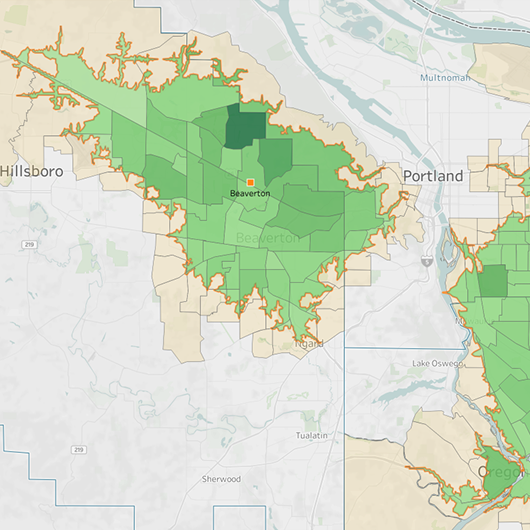
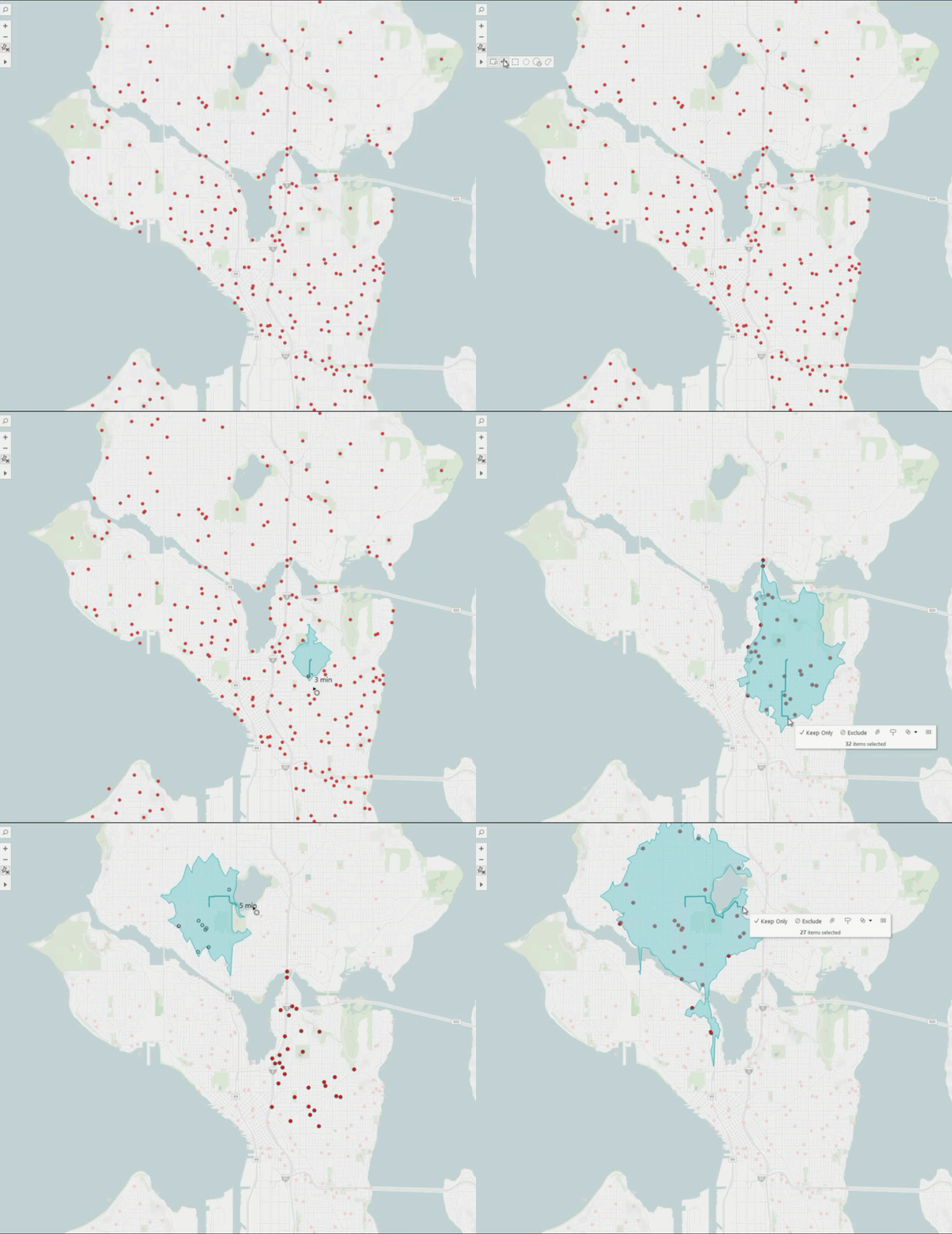
Tableau マップ: 走行時間エリア
従来のマップでは直線距離が前提とされるため、範囲やアクセスしやすさ、距離の想定が不正確になることがあります。Tableau マップの走行時間エリア機能を使用すると、等時線多角形がマップに直接描画され、実際の道路網や交通量に基づいて、任意の時間内にどこまで現実的に移動できるかが示されます。マップのツールバーで走行時間ツールを選択し、地点をクリックして、外側にドラッグするだけで、カバーされる範囲が生成されます。店舗の場所の最適化、配送ゾーンの計画、緊急対応の管理、サービス地域の調整などで、走行時間エリア機能は実際の状況に基づいた意思決定に役立ちます。
マップ: 走行時間エリアの機能は、Tableau Desktop、Tableau Cloud、Tableau Server、Tableau Public で一般提供されます。
SVG 画像のダウンロード
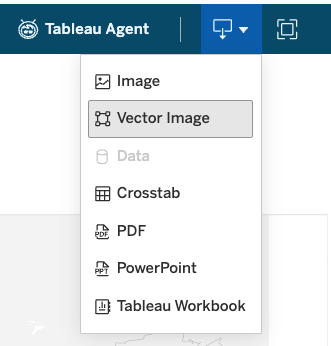
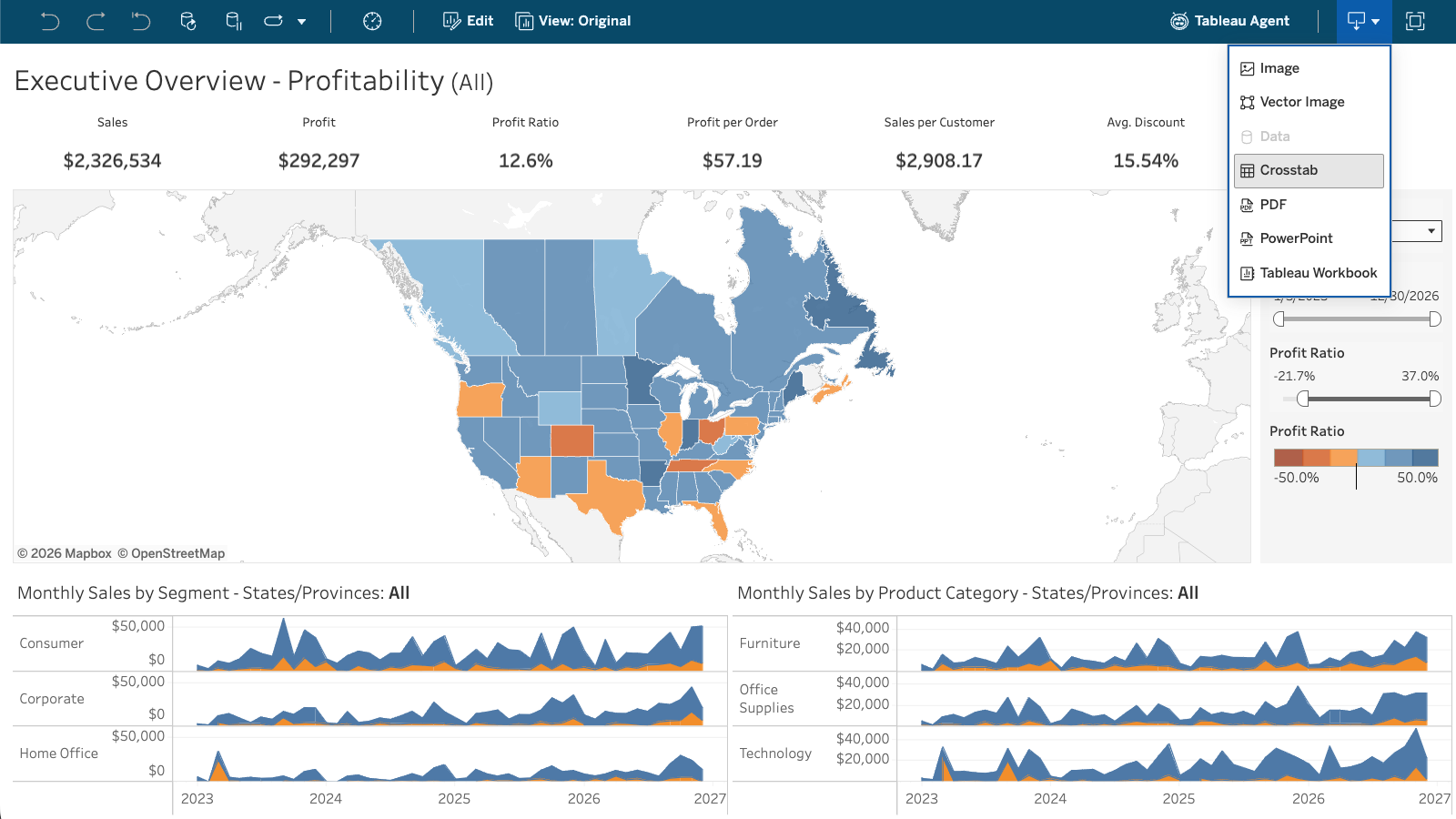
Tableau のダッシュボードやビジュアライゼーションを Tableau の外で共有する場合、重要なのは画質です。SVG 画像のダウンロード機能により、ダッシュボードやビジュアライゼーションを拡大縮小可能なベクター画像としてエクスポートが可能。どのようなサイズに変更しても画像は鮮明なままで、PNG エクスポートで起こりがちなぼやけの問題は発生しません。SVG ファイルは、REST API、Web 表示環境のベクター画像オプション、ダッシュボードのダウンロードボタンで取得することができます。画像の埋め込み先がプレゼンテーションやレポート、その他のコンテンツであっても、Tableau の分析結果を意図した通りに表示できるようになりました。
SVG 画像のダウンロード機能は、Tableau Desktop、Tableau Cloud、Tableau Server、Tableau Public で一般提供されます。

Tableau Bridge: Tableau Cloud 内の通知
Tableau Cloud 内で直接表示される Tableau Bridge ジョブ失敗の通知で、データの更新の状況を把握することができます。この自動アラートにより、サイト管理者とデータ所有者は接続に関する問題を迅速に解決して、データパイプラインを最新の状態に保てるようになります。
Tableau Bridge: 通知機能は、Tableau Cloud で一般提供されます。

Tableau Bridge: Web 作成時のデータソース編集
オンプレミスのデータを使用している作成者が、Tableau Bridge データソースを構築または更新する際に、Tableau Desktop に切り替える必要がなくなりました。作成者は今回の機能強化で、ネイティブコネクタを使用しているパブリッシュされた Bridge データソースを Tableau Cloud で直接作成、編集できるようになったため、ワークフロー全体を 1 か所にまとめられます。
Tableau Bridge: Web 作成時のデータソース編集機能は、Tableau Cloud で一般提供されます。
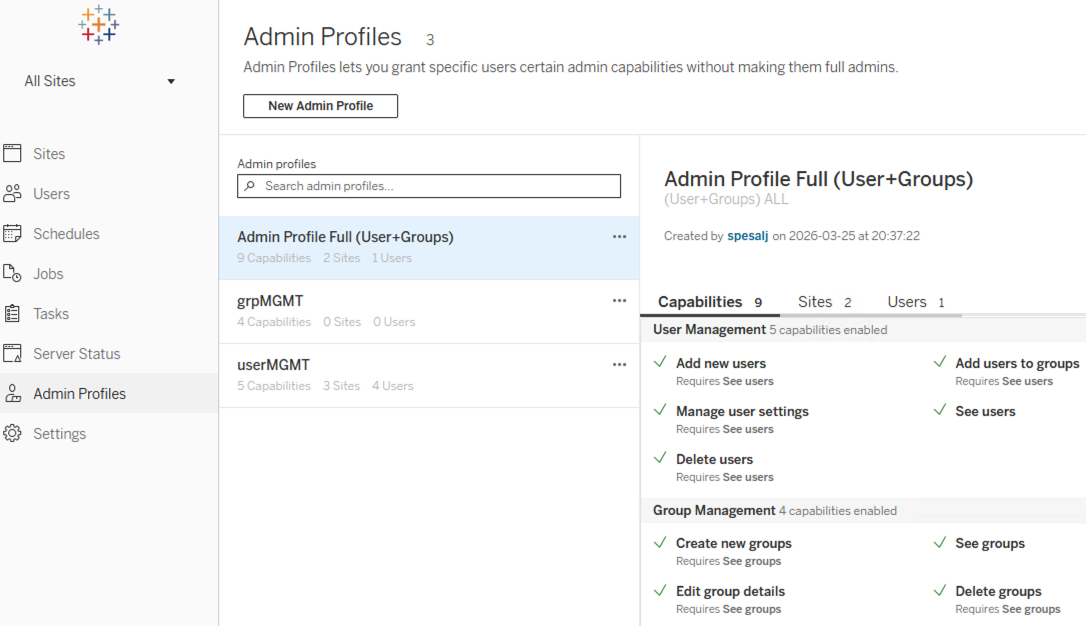
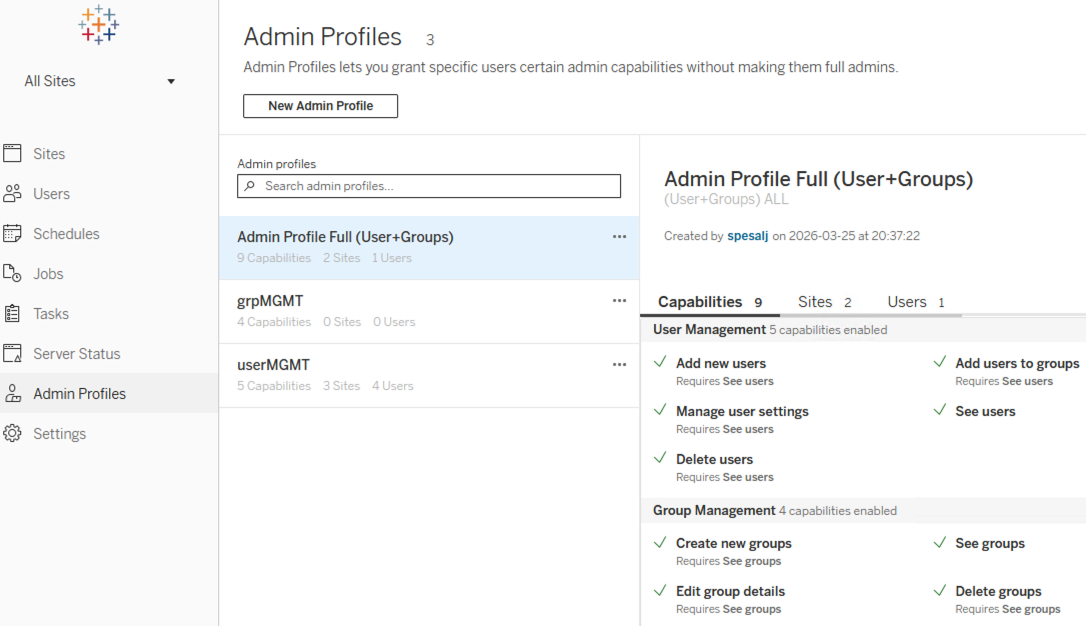
Tableau Server 管理者プロファイル
ユーザーとグループの管理機能を、IT 部門や地域担当責任者などの非管理者ロールに委任することができます。このカスタムプロファイル管理機能により、きめ細かいコントロールとセキュリティを維持しながら、フル権限のサイト管理者の必要性を低減することが可能です。
Tableau Server 管理者プロファイルの機能は、Tableau Server で一般提供されます。
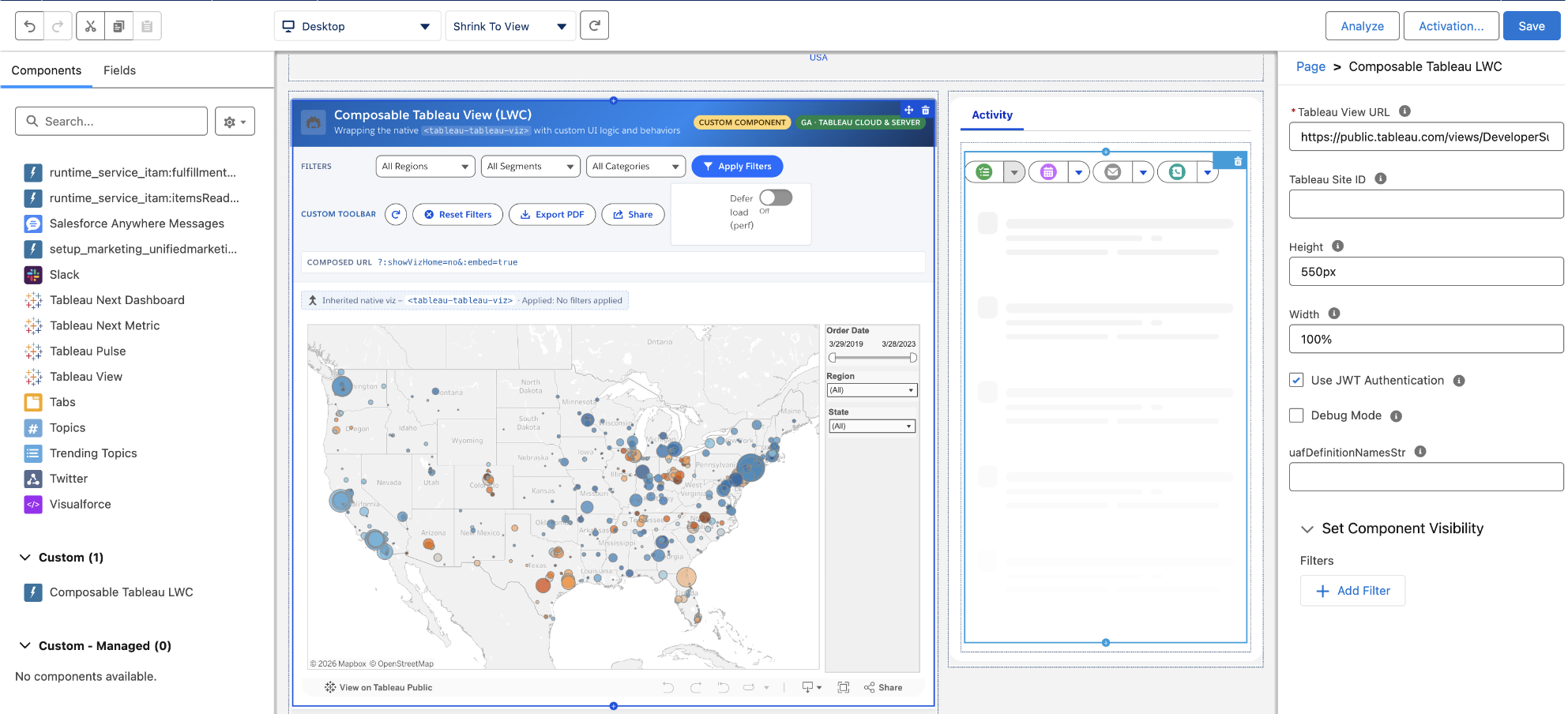
コンポーザブルな Tableau ビューと Tableau Pulse メトリクス (LWC)
独自の UI ロジックと挙動でネイティブコンポーネントをラップすることにより、Tableau ダッシュボードと Pulse メトリクスを Salesforce に埋め込む方法をカスタマイズできます。コンポーザブルな Tableau ビューと Tableau Pulse メトリクスの Lightning Web コンポーネント (LWC) で、開発者はシームレスなインテグレーションを継承しながら、フィルターの設定、カスタムツールバーの追加、パフォーマンスの微調整をプログラムで行うことが可能です。
コンポーザブルな Tableau ビューと Tableau Pulse メトリクス (LWC) は、Tableau Cloud と Tableau Server で一般提供されます。
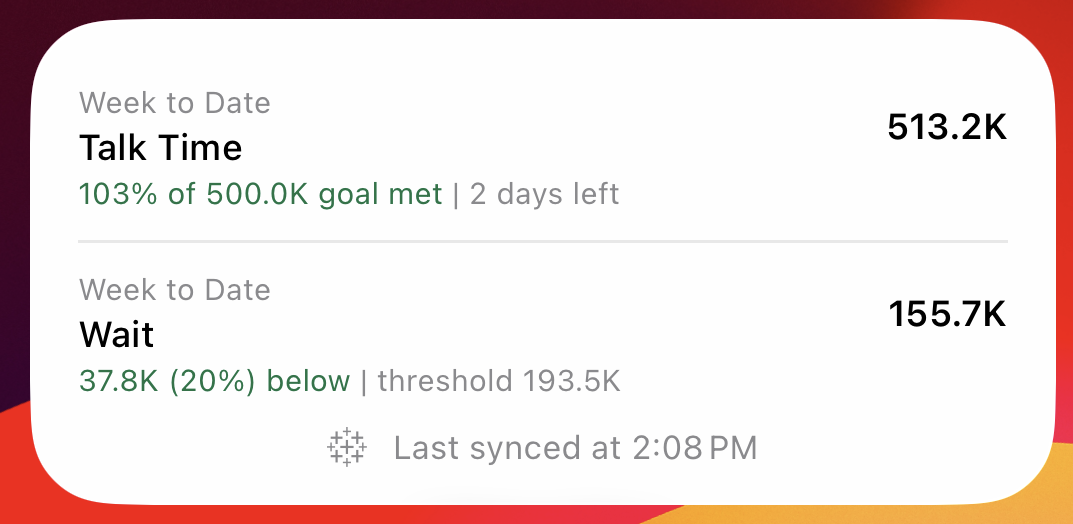
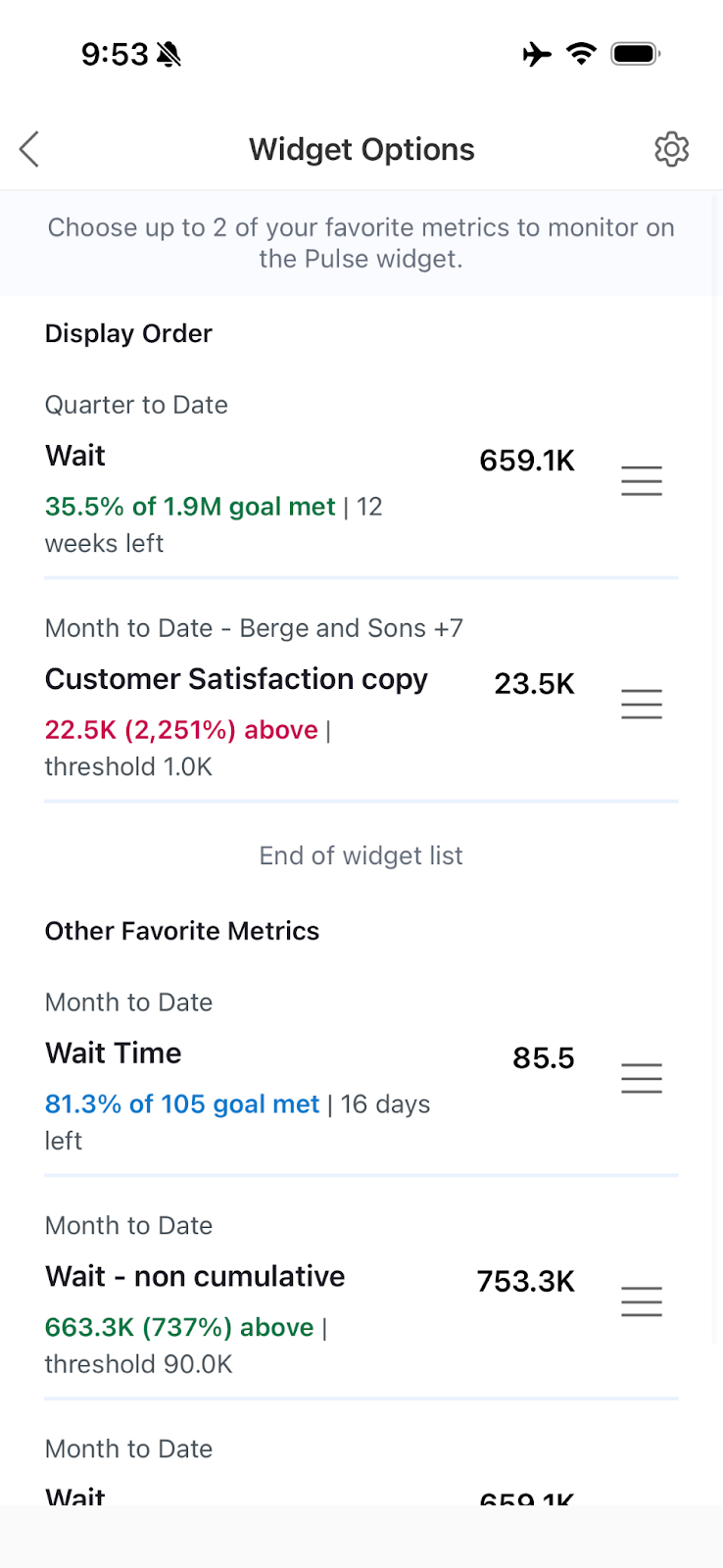
Tableau Pulse: メトリクスのモバイルウィジェット
モバイル機器のホーム画面で直接、重要度の高いデータやインサイトを常に表示することができます。Tableau Pulse メトリクスのモバイルウィジェットでは、優先度の高いどのメトリクスを前面や中心に表示するかをカスタマイズできるため、Tableau アプリを最初に開かなくても情報を常に把握して、スピーディにアクションを起こすのに役立ちます。
Tableau Pulse: メトリクスのモバイルウィジェットは、Tableau Cloud で一般提供されます。
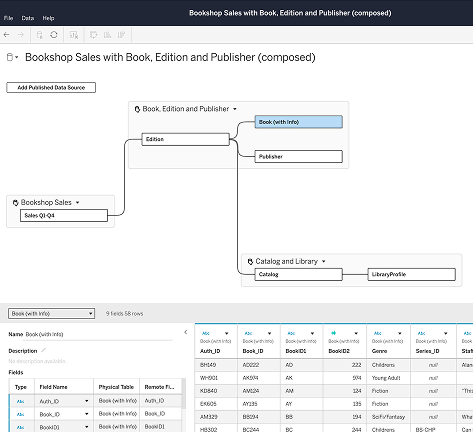
コンポーザブルデータソース
新しいユースケースのたびにデータソースを一から作成し直していると、業務の遅れを招き、組織全体で一貫性がとれなくなります。コンポーザブルデータソースにより、すでにある Tableau のパブリッシュされたデータソースを単一の統合モデルに組み合わせて、ユースケースに必要なビジネスロジックとビジネスコンテキストで拡張した後、ワークブックや Tableau Pulse メトリクス、API で再利用できるようにパブリッシュすることが可能。パブリッシュされたアップストリームデータソースが変更された場合、その変更は更新時に、作成されたデータソースに自動で反映されます。
コンポーザブルデータソース機能は 6 月から 7 月にかけて、Tableau Cloud、Tableau Server、Tableau Desktop に導入されます。
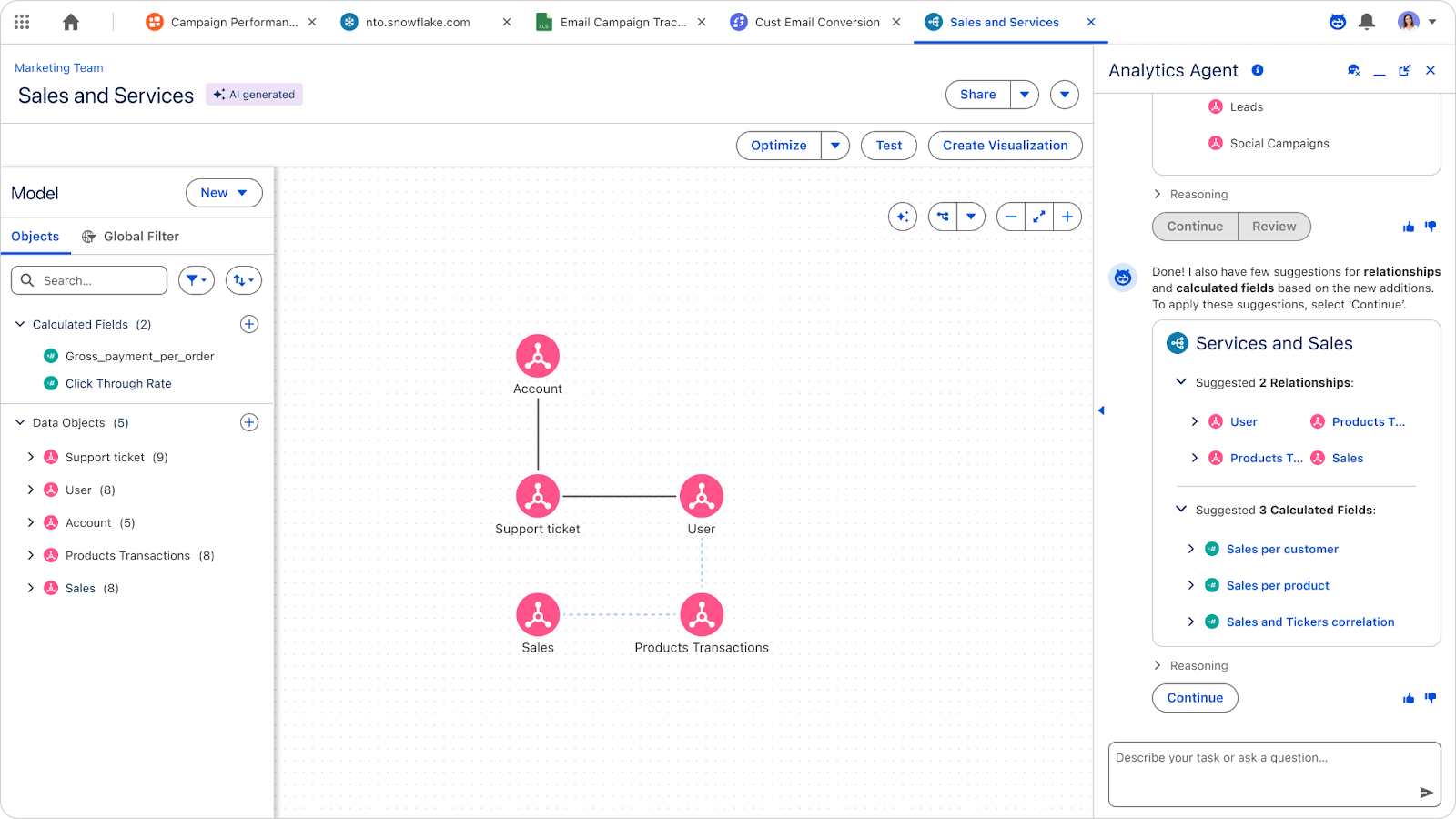
Tableau Next: セマンティックモデルの自動生成 (ベータ版)
AI を使用して、わかりやすい言葉でセマンティックモデルや関係、計算フィールドを自動生成し、インサイトを得るまでの時間を短縮することができます。この機能で、新しいユーザーにとって技術的なハードルが下がるとともに、データプロフェッショナルも複雑なモデリング作業で大きく手間を省いてスタートできるようになります。
セマンティックモデルの自動生成機能は、Tableau Next でベータ版として提供されます。
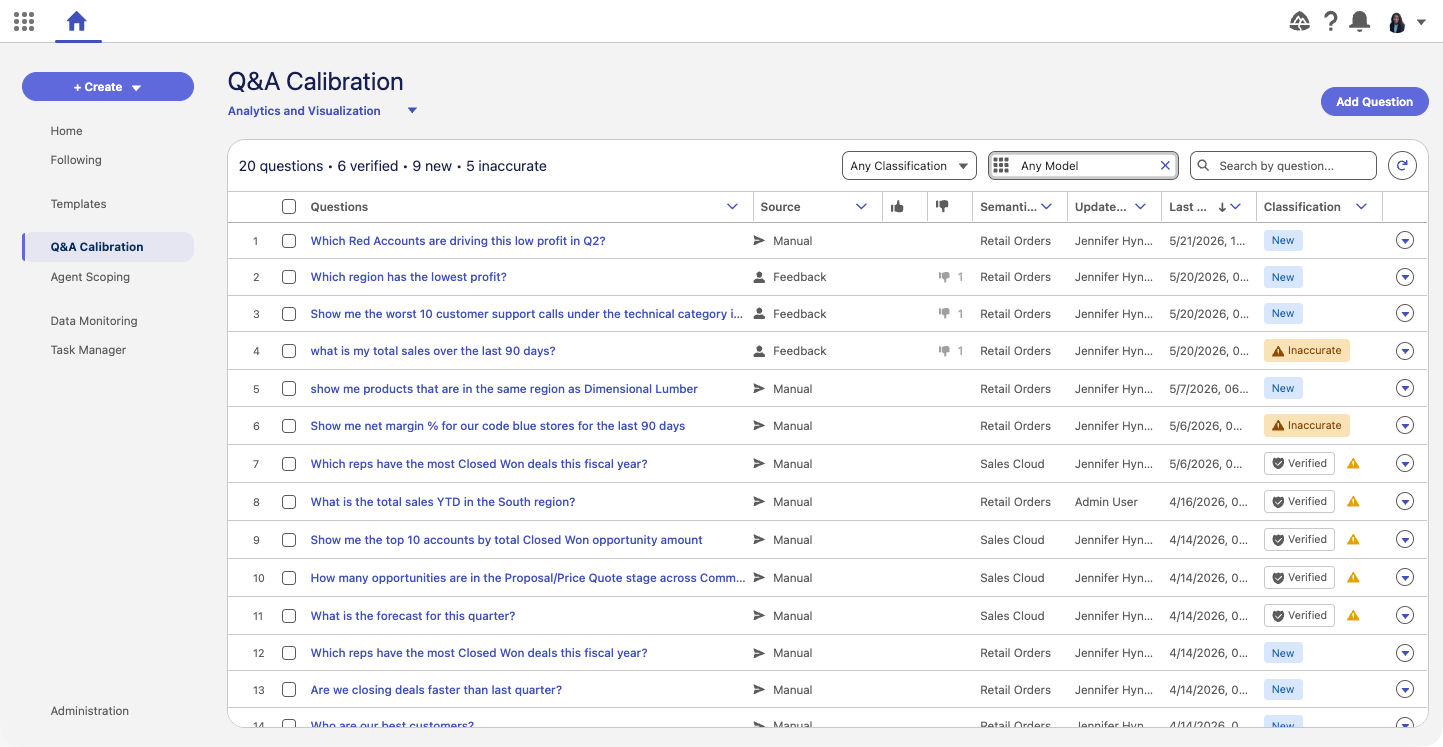
Tableau Next: Q&A キャリブレーション (ベータ版)
データエキスパートが AI 生成の回答を体系的に検証、最適化して、組織に固有の設定に合わせることが可能です。このツールで、一括回帰テストや質問の生成を行うことにより、データモデルの発展に合わせて高い的確性と一貫性を保てます。
Q&A キャリブレーションの機能は、Tableau Next でベータ版として提供されます。
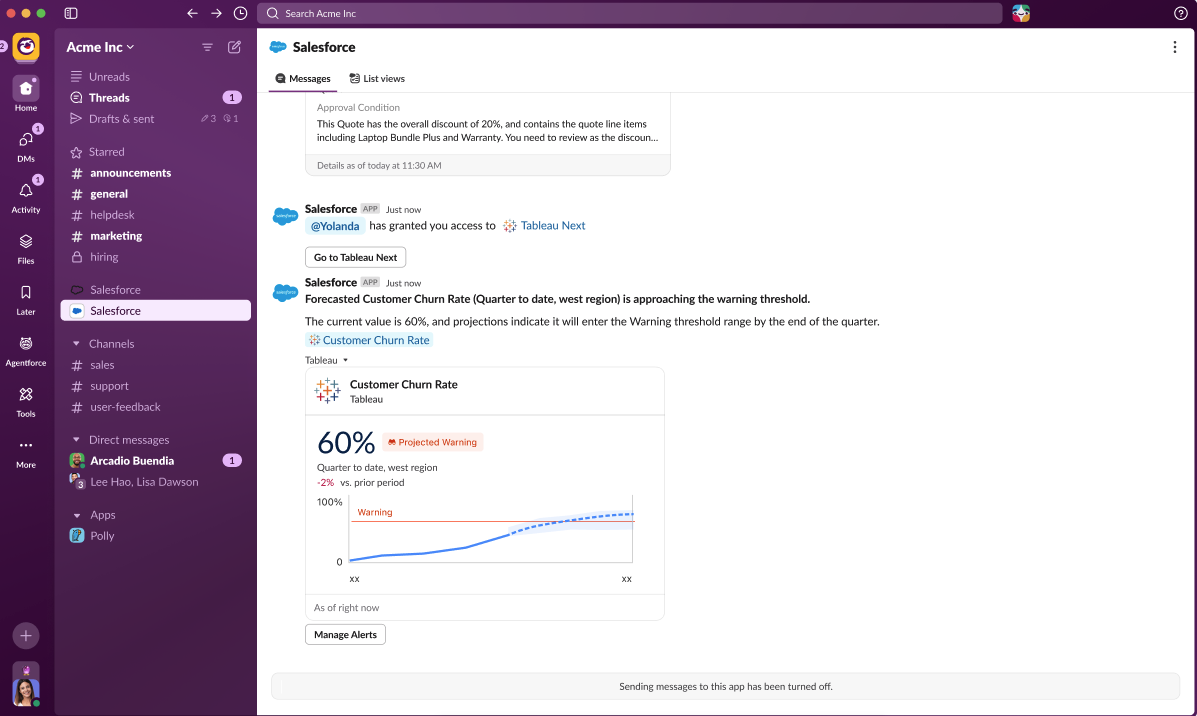
Tableau Next: しきい値到達ペースに関するインサイト (ベータ版)
重要な制限値があるメトリクスをモニタリングしている場合、しきい値をすでに超えたことを知るだけでは不十分です。しきい値到達ペースに関するインサイトにより、選択した時間範囲で、メトリクスが設定済みしきい値に到達するか超えるまで順調に推移しているかを調べて、それがいつ起こるかを予測することが可能です。このインサイトは、しきい値が設定されて予測が有効になっている場合に、メトリクスカードと詳細ページに自動表示されます。利用状況の上限、予算の上限、サービスレベルの目標値などの追跡で、しきい値到達ペースに関するインサイトは制限値を超える前の対処に役立ち、静的なしきい値を事前予防のためのシグナルとして生かせるようになります。
しきい値到達ペースに関するインサイトの機能は、Tableau Next でベータ版として提供されます。
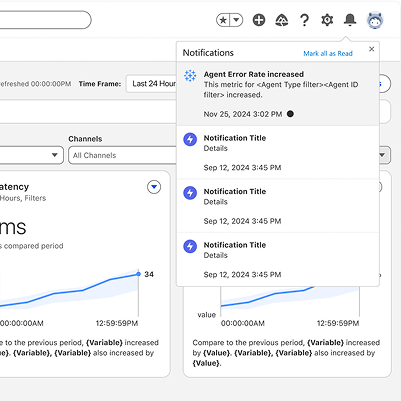
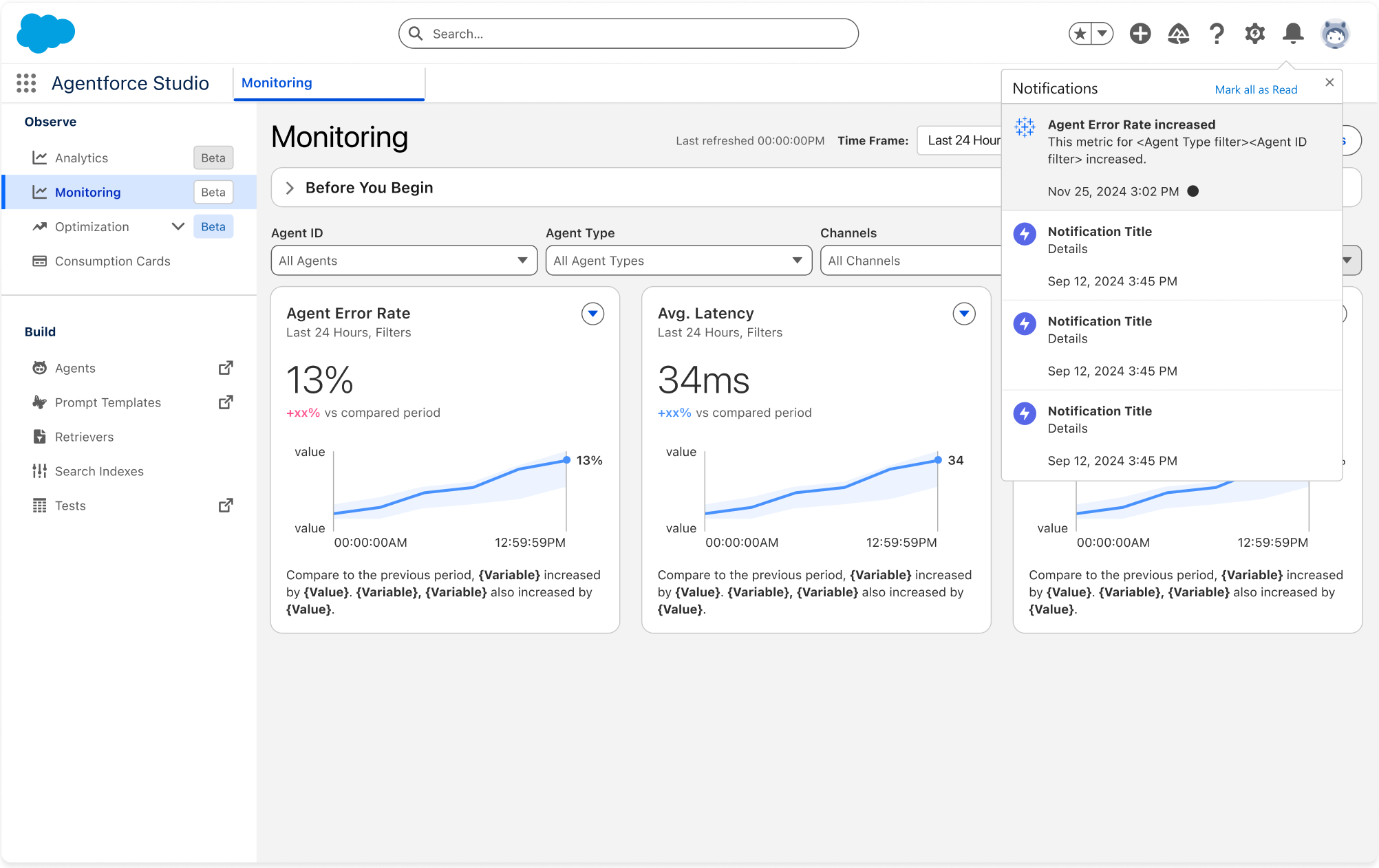
Tableau Next: Agentforce 健全性モニタリングのアラート
導入済みの AI エージェントの管理では、問題の発生をほぼリアルタイムで把握することが欠かせません。Agentforce 健全性モニタリングの非エージェント型データアラートにより、健全性モニタリングダッシュボードで直接、先を見越したアラートを設定して、AI エージェントのエラー率などの重要なシグナルを追跡することができます。条件が合致した場合、ユーザーは数分以内に通知を受け取るため、問題が悪化する前の対処が可能です。
Agentforce 健全性モニタリングのアラート機能は、Tableau Next で一般提供されます。
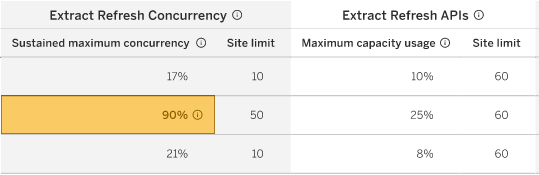
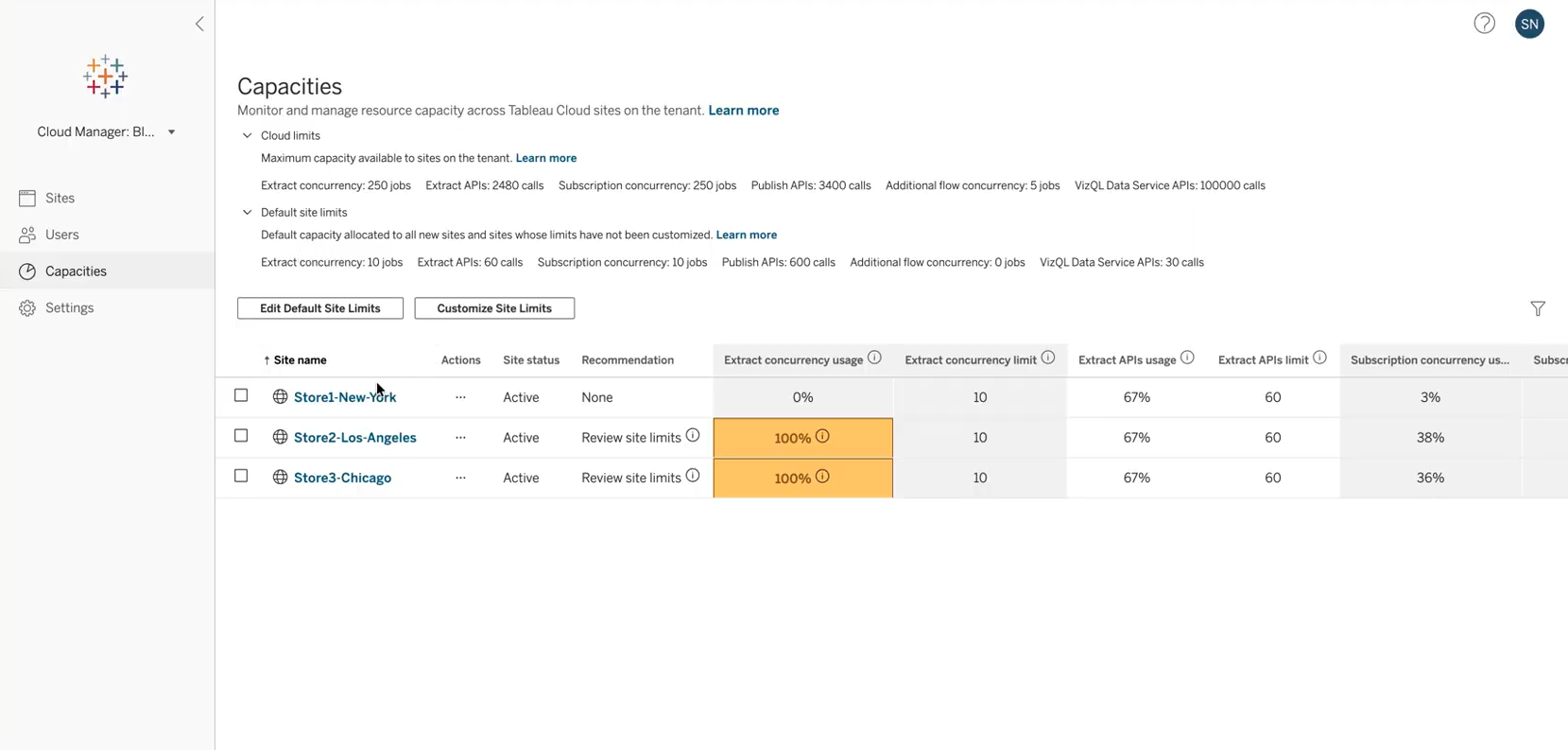
Cloud のキャパシティ管理
Tableau Cloud 管理者向けの柔軟なキャパシティ管理で、抽出更新の並列処理やパブリッシュ API などのキャパシティ制限を表示し、透過的に管理できるようになります。管理者は、キャパシティ制限をサイト間で変更してサイトの実稼働環境の制限を引き上げ、柔軟なプロダクト使用を推し進めることが可能です。
Cloud のキャパシティ管理機能は、Tableau Cloud で一般提供されます。
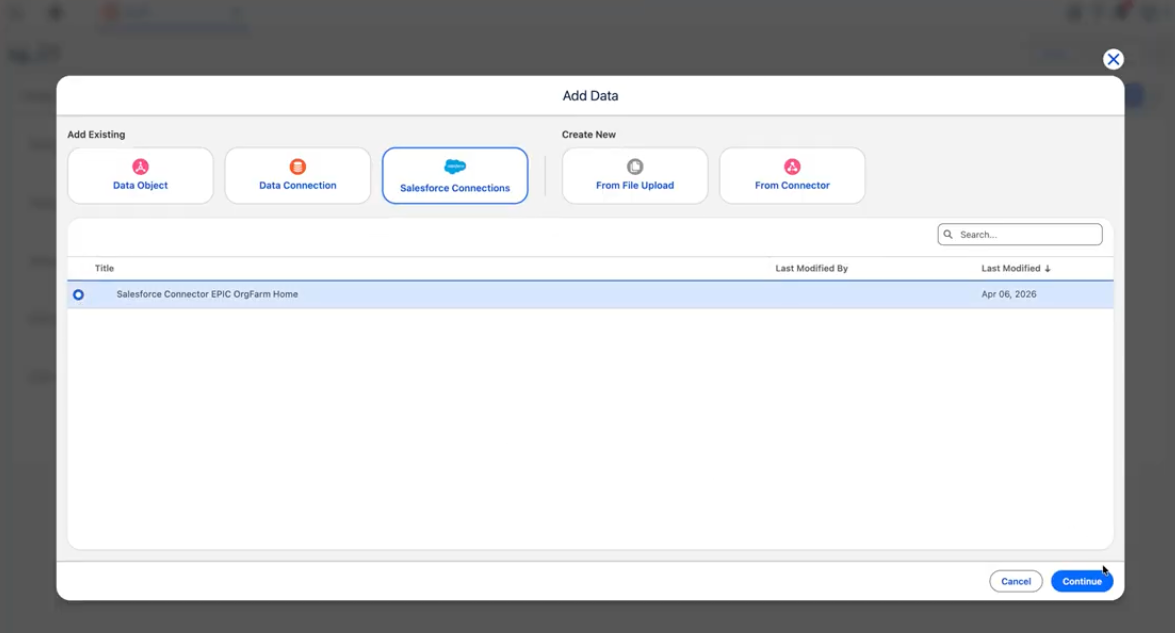
Tableau Next: Salesforce コネクタ (ベータ版)
Tableau から直接、Salesforce の標準オブジェクトやカスタムオブジェクトを参照、接続して、データの取り込みをシンプルに行うことができます。このネイティブ統合により、Tableau プラットフォーム内で、分析のためのプライマリキーとカテゴリをスピーディに設定できるようになります。
Salesforce コネクタは、Tableau Next でベータ版として提供されます。
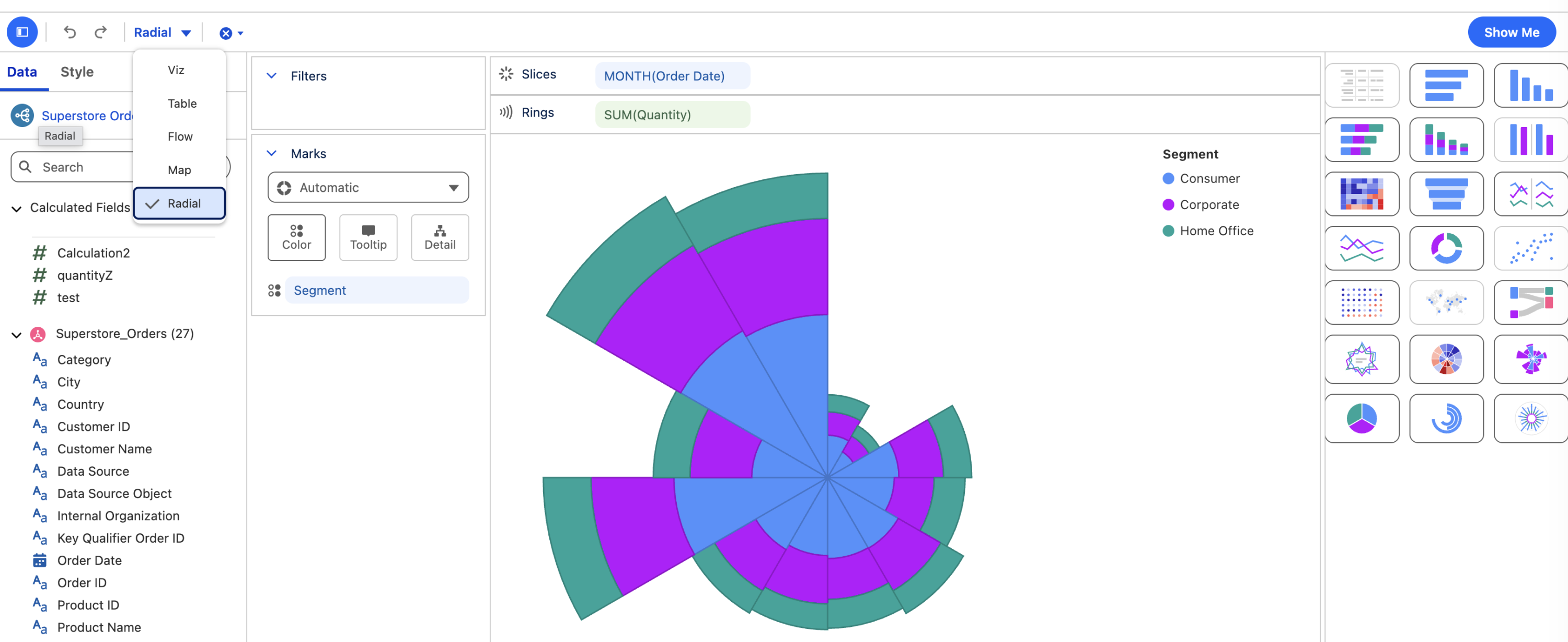
Tableau Next: 円形レイアウト
直線的なチャートでは見逃してしまうパターンを見出しましょう。円形ヒートマップ、棒グラフ、折れ線グラフ、ナイチンゲールチャートなど 6 つの新しいチャートタイプで、円形レイアウトにしてデータをプロットすることができます。コンパクトで視覚に訴えるこうした形式を使うと、アナリストは傾向や割合をいっそう直感的に伝えられるようになります。
円形レイアウト機能は Tableau Next で一般提供されます。
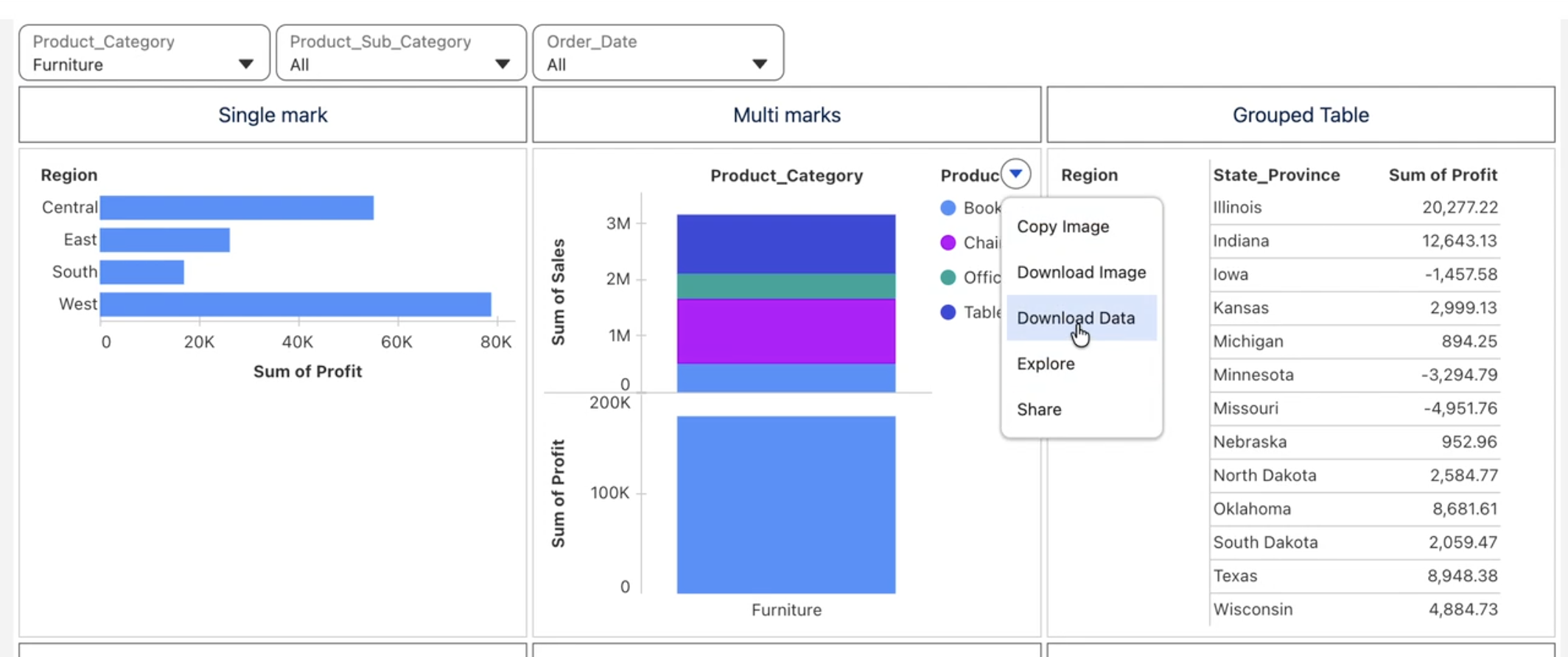
Tableau Next: データ探索の機能強化
CSV 形式でダウンロードする機能でビジュアライゼーションのデータをスピーディにエクスポートして、分析を掘り下げたり、共有したりできます。また、小計付きのグループ化されたテーブルでは、展開と折りたたみが可能な行を使って、全体像を示すサマリーと詳細なデータ表示を簡単に切り替えられます。さらに、ダッシュボード内のテキストウィジェットにメトリクスを表示する機能により、自動更新されるライブのメトリクス値を説明テキストに直接埋め込んで、継続的にナラティブと数値をリンクさせることも可能です。
CSV 形式のダウンロード、小計付きのグループ化されたテーブル、ダッシュボード内テキストウィジェットのメトリクスの各機能は、Tableau Next で一般提供されます。
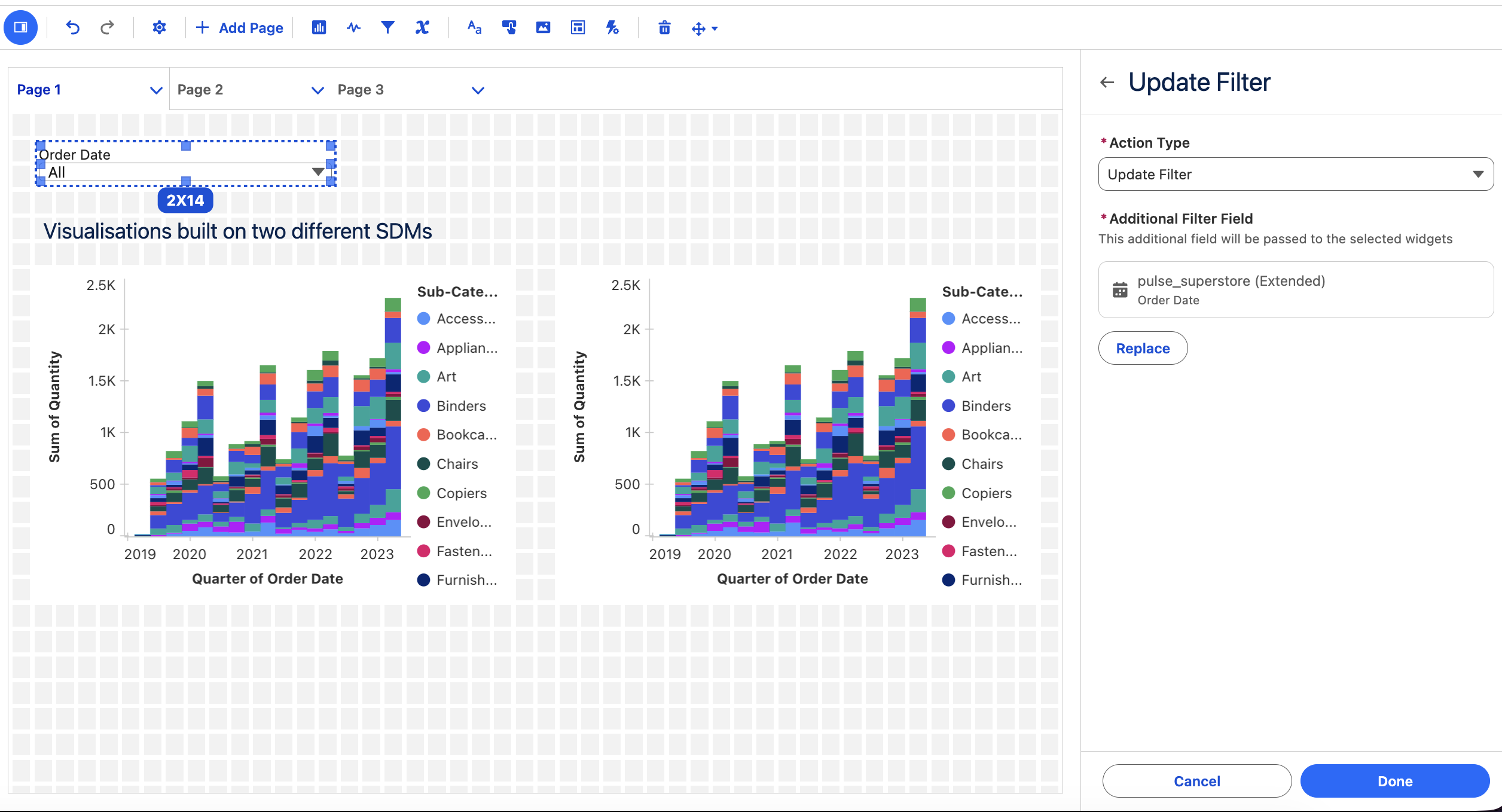
Tableau Next: アクション - フィルター、パラメーター、複数選択
1 か所のセレクターから複数のデータモデルを制御するフィルターアクション、視覚的な操作でパラメーターの変更をトリガーするパラメーターアクション、複数のデータポイントに基づいて一度にアクションを起こせる複数選択の機能が登場。ワークフローが効率化されるとともに、何度もクリックを繰り返す必要もなくなります。また、ターゲットパラメーターの機能では、関係するビジュアライゼーションでのみパラメーターを更新することができ、迅速で的確なインサイトが維持されます。
フィルター、パラメーター、複数選択のアクション機能は、Tableau Next で一般提供されます。
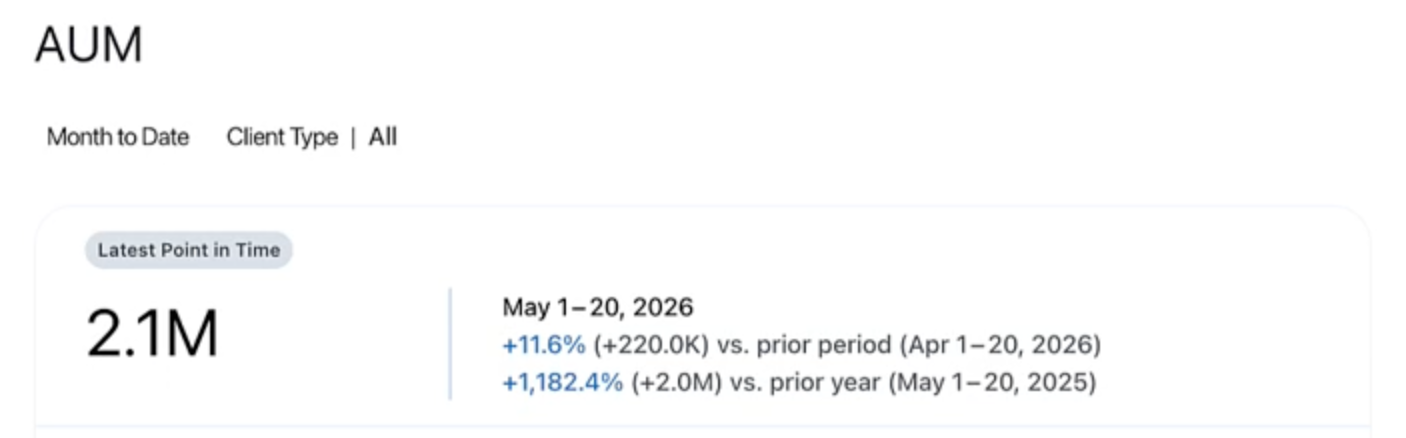
Tableau Pulse: 特定時点のメトリクス
在庫量や社員数などのスナップショットメトリクスに、期間の最終日時点の値を反映させることができます。アナリストは高度なエディターで計算式を作成せずに、Pulse メトリクスを期間全体の集計ではなく、「特定時点」として定義できるようになりました。Tableau Pulse: 特定時点のメトリクスにより、ビジネス運営に適したレポートを作成して、パフォーマンスを確実に追跡することが可能です。
Tableau Pulse: 特定時点のメトリクスの機能は、Tableau Cloud で一般提供されます。
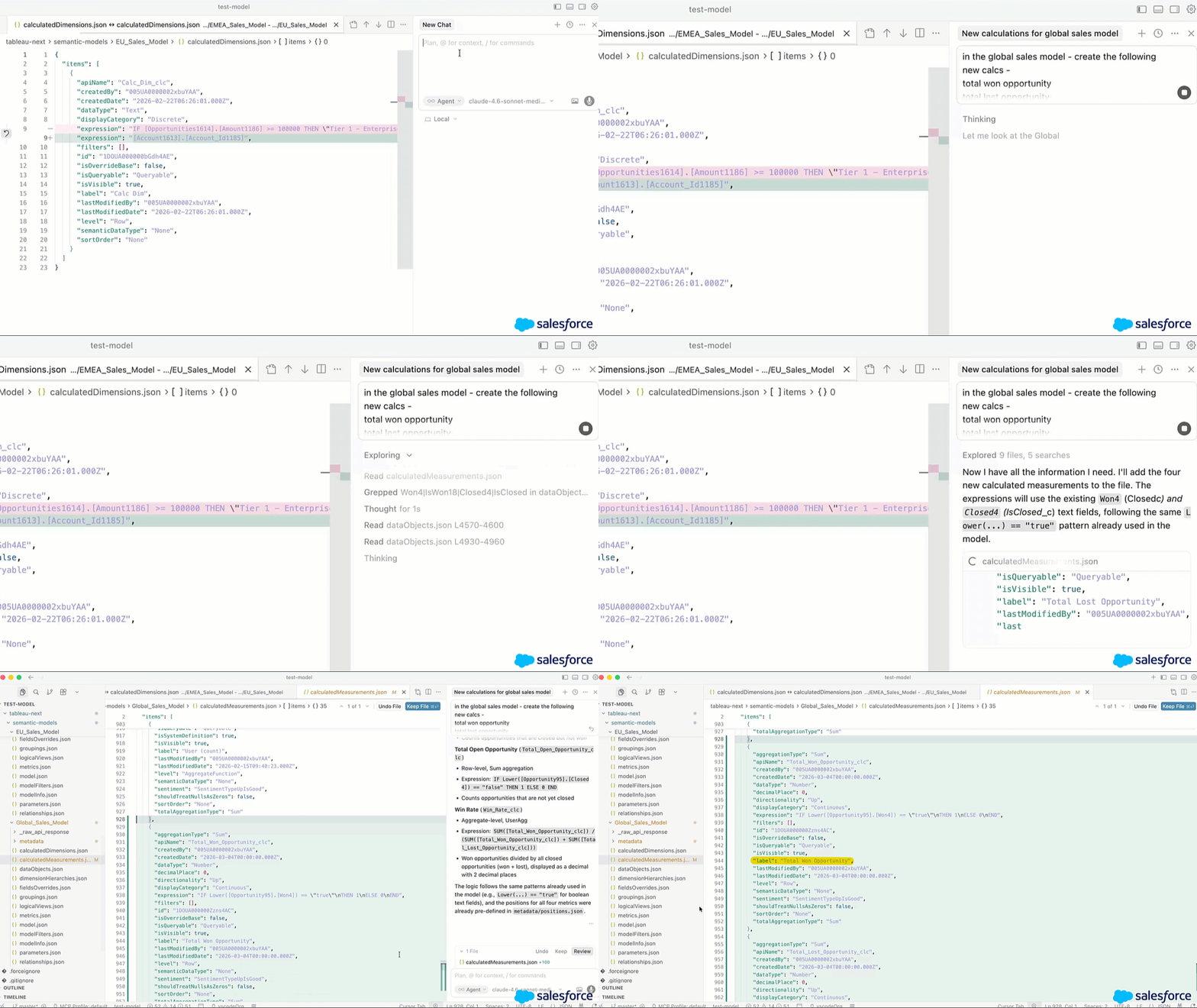
Tableau Next: Tableau セマンティク DX 拡張機能
すでに使用している開発者ツールから、Tableau のセマンティックモデルをコードとして編集、導入できるようになりました。VS Code、Cursor、Agentforce Vibes から直接、セマンティックモデルを作成、編集、一括管理することが可能です。Git 統合と CI/CD のサポートにより、ビジネスロジックのバージョン管理、コラボレーション、Tableau セマンティク全体への一貫した変更導入が実現します。
Tableau セマンティク DX 拡張機能は、Tableau Next で一般提供されます。
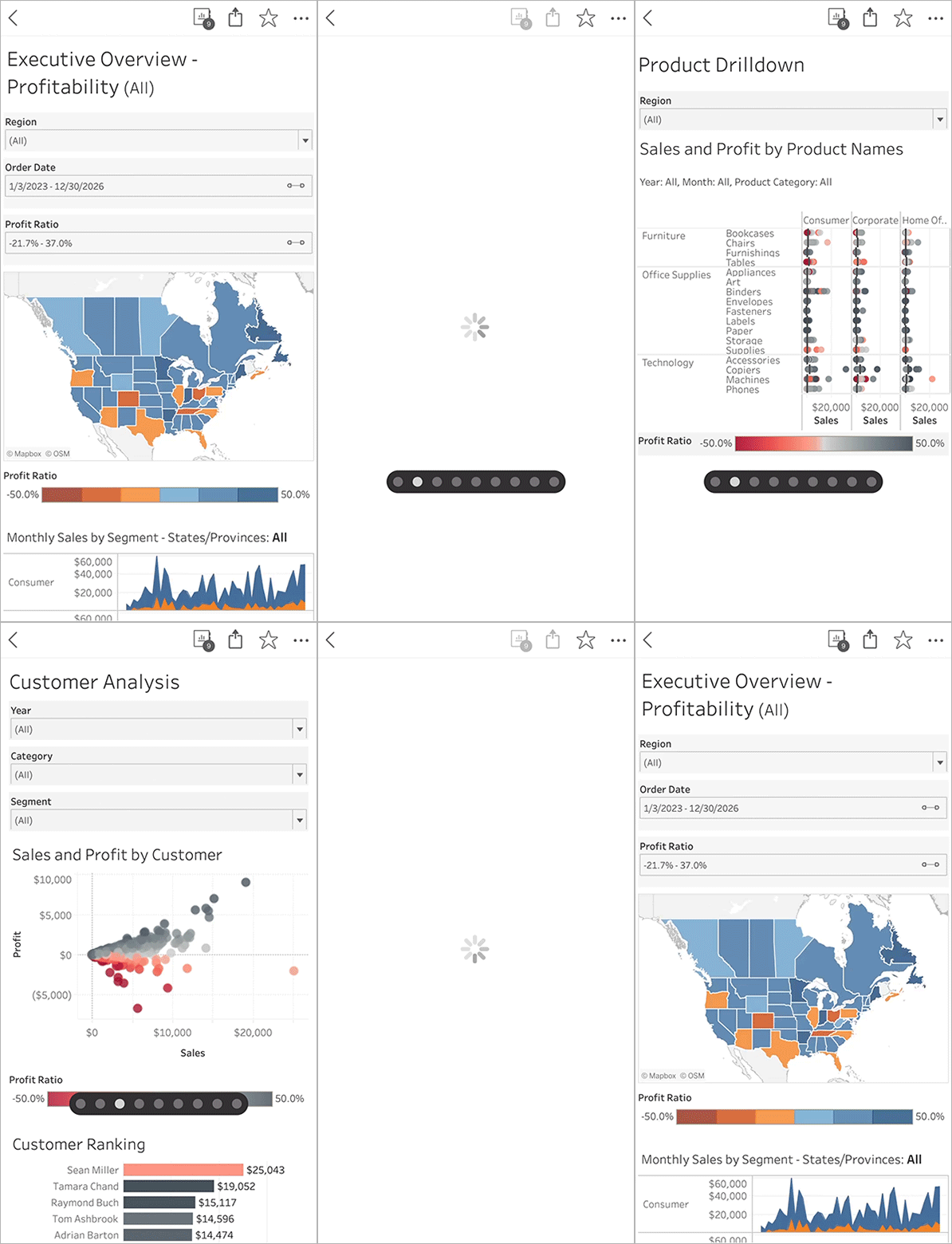
Tableau Mobile: スワイプによるシート切り替え
Tableau Mobile アプリで、複数のシートがあるワークブックをスムーズに操作することができます。個別のシートをドロップダウンメニューから開く操作に加えて、3 本指で左右にスワイプして前後のシートに移動できるようになりました。モバイル機器でシート間を簡単に移動するこの機能により、ビジネスが行われるあらゆる場所で、自信の持てる意思決定を下すのに必要なデータを容易に確認することが可能です。
Tableau Mobile: スワイプによるシート切り替え機能は、Tableau Cloud と Tableau Server で一般提供されます。
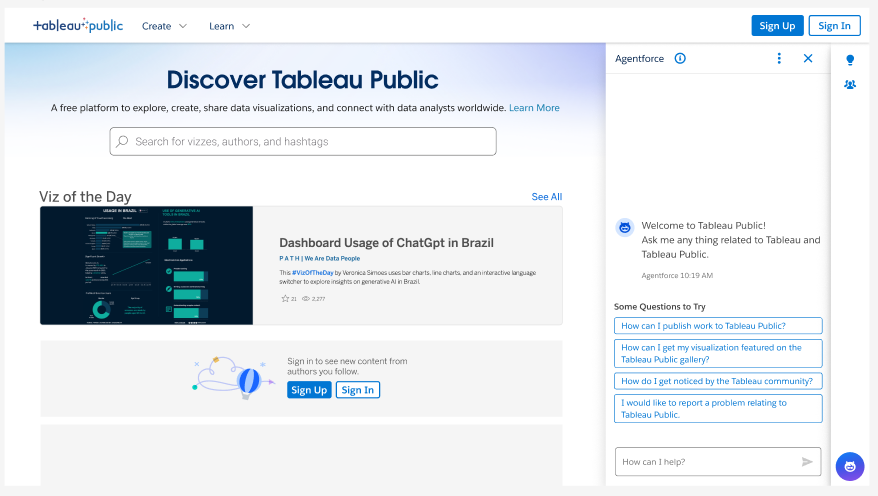
Tableau Public のヘルプエージェント
スピーディな疑問の解決と新機能の習得を支援するインテリジェントな会話型のガイドを利用して、Tableau Public のスキルを高めることができます。ビジュアライゼーションを初めて作成する初心者の方から、Tableau コミュニティのベストプラクティスを求めるエキスパートまで、Tableau Public のヘルプエージェントでニーズに合った学びがすぐに得られます。
Tableau Public のヘルプエージェントは、Tableau Public で一般提供されます。
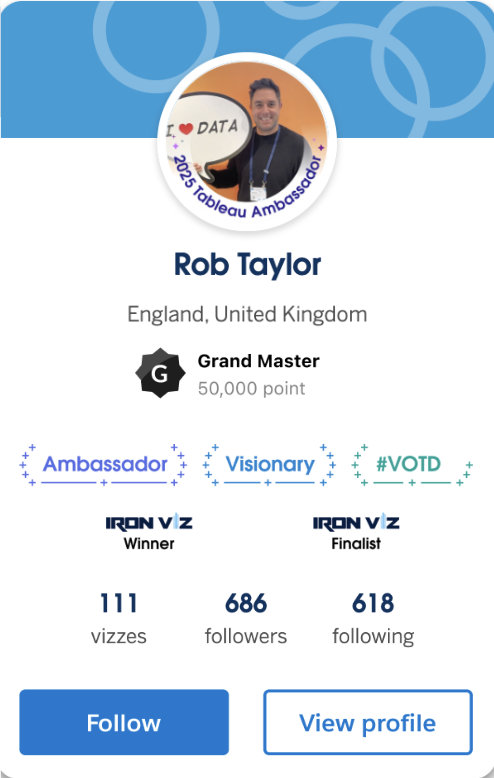
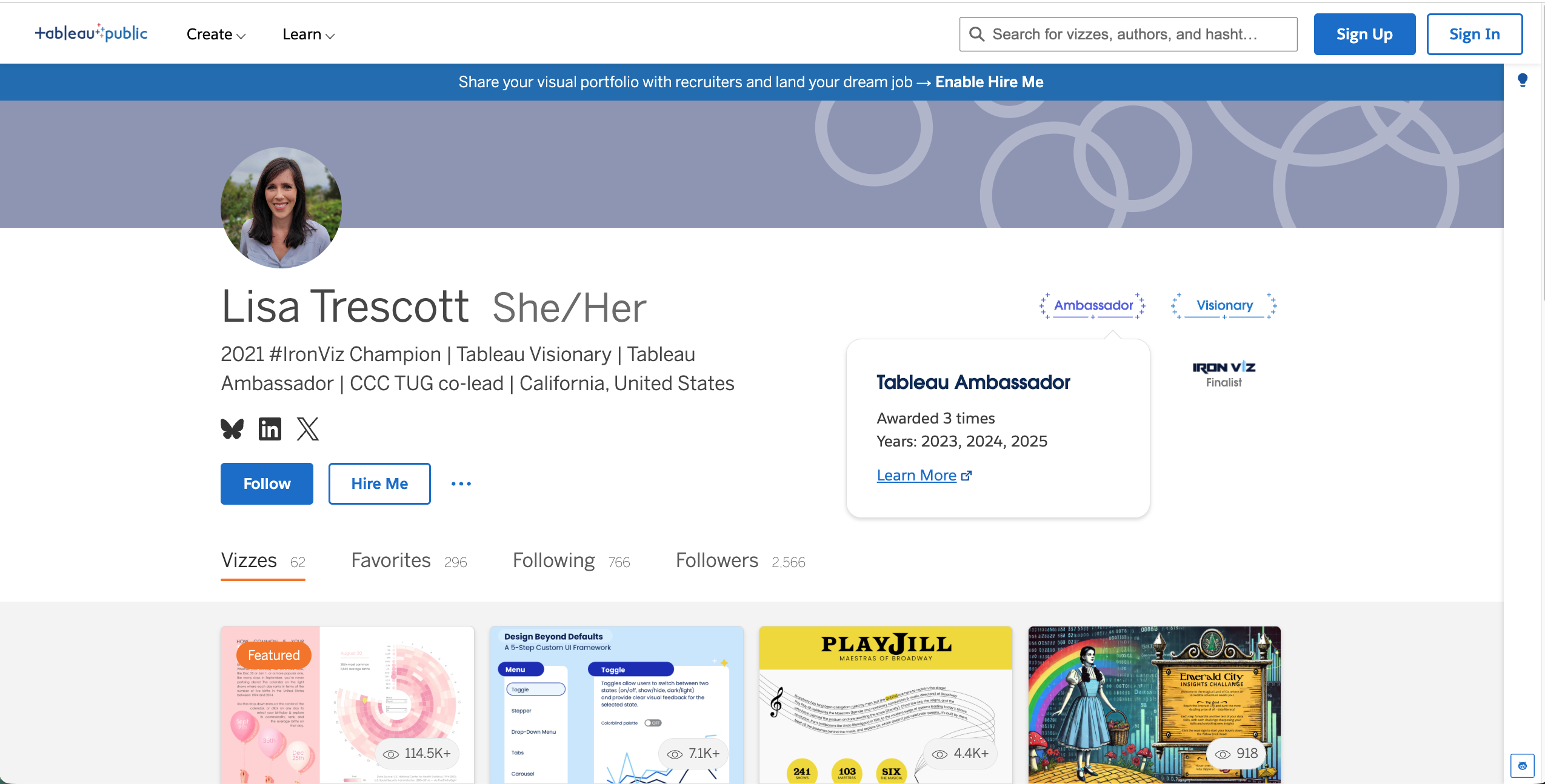
Tableau Public の実績とバッジ
マイルストーンの達成時や持っている専門知識の紹介に利用できる、公式のプラットフォームバッジが登場しました。Tableau Public のバッジは、データスキルの習得やキャリアアップ、Tableau コミュニティとの交流に力を注いでいるユーザーが取得できます。今日の Viz での紹介などの実績を求人企業や DataFam にアピールするために、Tableau が認めたことを示す信頼のバッジが役立ちます。
Tableau Next: ガイド付きのセットアップ
新たに登場したガイド付きのセットアップ機能で、導入にかかる時間を短縮できます。管理者はスムーズな自動セットアッププロセスを通じて、メタデータの組み込み、標準セキュリティポリシーの定義、主な AI 機能の有効化を行うことが可能。ガイド付きのセットアップにより、価値創出までの時間が短縮されるため、データを利用した意思決定という重要な業務に集中できるようになります。
ガイド付きのセットアップ機能は Tableau Next で一般提供されます。
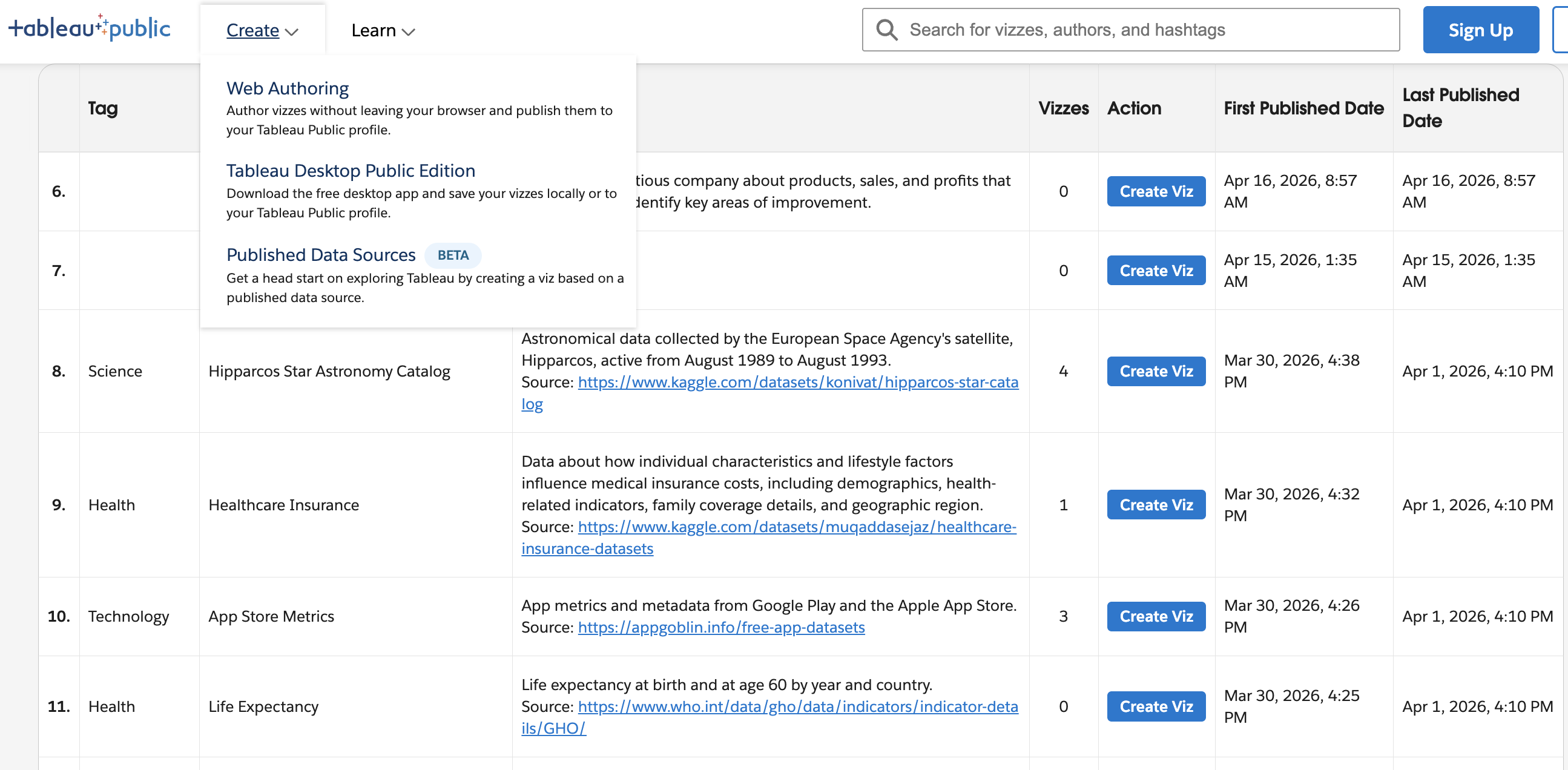
Tableau-owned Published Data Sources on Tableau Public
Discover and connect to data faster with a centralized library of reusable data sources spanning a variety of topics. Published Data Sources reduce manual data imports and gives everyone a faster, more consistent path to exploring data.
The first phase of Published Data Sources is generally available in Tableau Public.