Tableau New Features Released in 2025 from Community Ideas



The Tableau Community has always been a source of inspiration, driving us to continually innovate and enrich the user experience. We thank you for your feedback and collaboration that help us push the boundaries of what’s possible in Tableau.
With every release we celebrate the amazing ideas that have been addressed and come from the Tableau Community in the IdeaExchange. The IdeaExchange is one of the major ways we review, evaluate, and prioritize feature requests. These suggestions are not just heard; they are actively considered and often integrated into the product roadmap. Beyond sharing new ideas, the IdeaExchange is a valuable and effective channel for us to communicate our progress and perspectives on how your ideas align with our strategic initiatives.
Below we’ve highlighted top contributions and submissions, as well as the ideas that have been addressed in releases.
Tableau 2025.3
- Tableau Radial Viz Extension
- Custom Color Palettes
- External Browser Authentication
- Reactions on Tableau Public
- Tableau Public: Spam Moderation
- Platform Data API
Tableau Radial Viz Extension
See this idea submitted as well as [1], [2] and [3]
Tableau Desktop & Web Authoring
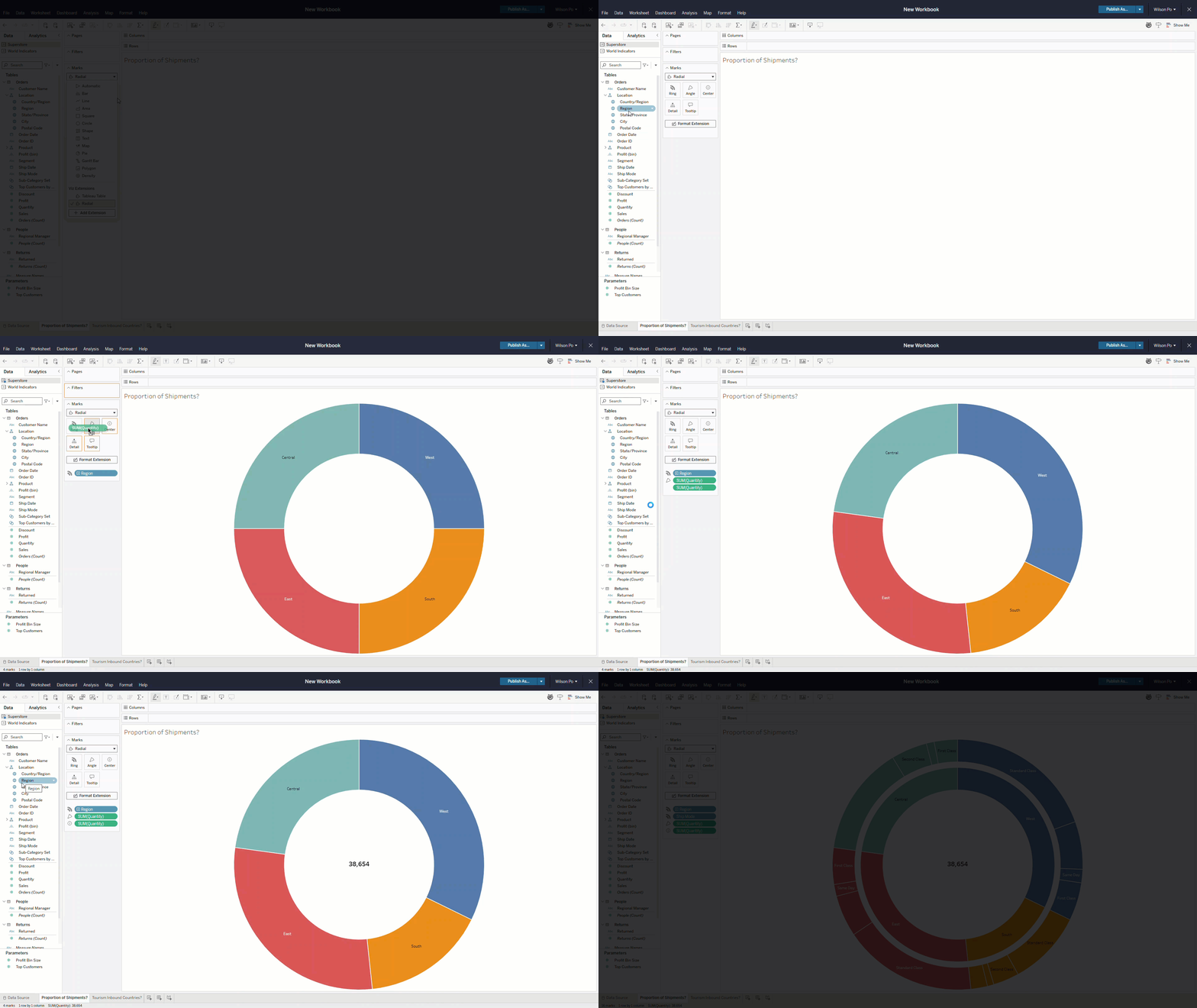
Easily create compelling donut and sunburst charts to visualize part-to-whole relationships. This new viz extension can be added to the workbook directly in the marks card drop-down or via Show Me. Drag and drop to visualize data in radial formats that are popular with stakeholders and can help them understand hierarchical relationships on Tableau Desktop, Cloud, Server, and Public.
Custom Color Palettes
See this idea submitted as well as [1], [2] and [3].
Tableau Desktop & Web Authoring
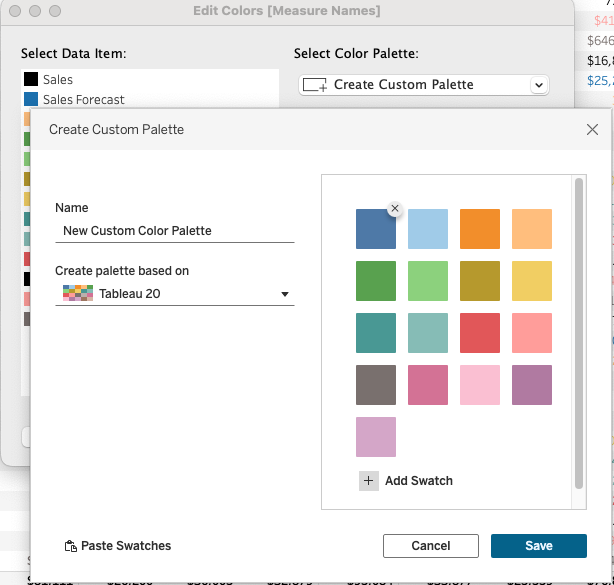
Ensure brand consistency and style your visualizations perfectly by creating and saving custom color palettes directly within Tableau Desktop. This new experience allows creators to build and modify palettes that can be reused across the workbook or multiple workbooks. The Custom Color Palettes are saved out to the preference file and will persist for future Tableau Desktop sessions.
External Browser Authentication
See this idea submitted as well as [1] and [2]
Tableau Prep
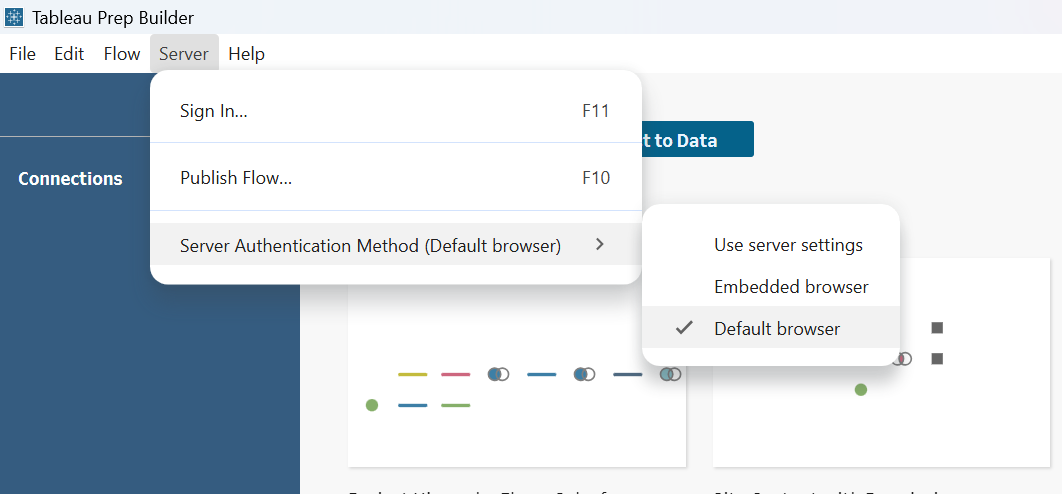
Asked by the Tableau Community, users didn’t want their flow of work to be interrupted. Now ensure secure and uninterrupted access to Tableau Prep, even when embedded browsers are restricted. Users can now choose to authenticate to their server using their default external browser, avoiding security blockers from internal IT departments.
Reactions on Tableau Public
See this idea submitted.
Tableau Public
Engage with visualizations and authors on Tableau Public using a new set of emoji reactions. This feature offers a fun way for viewers to provide feedback, directly to the authors.
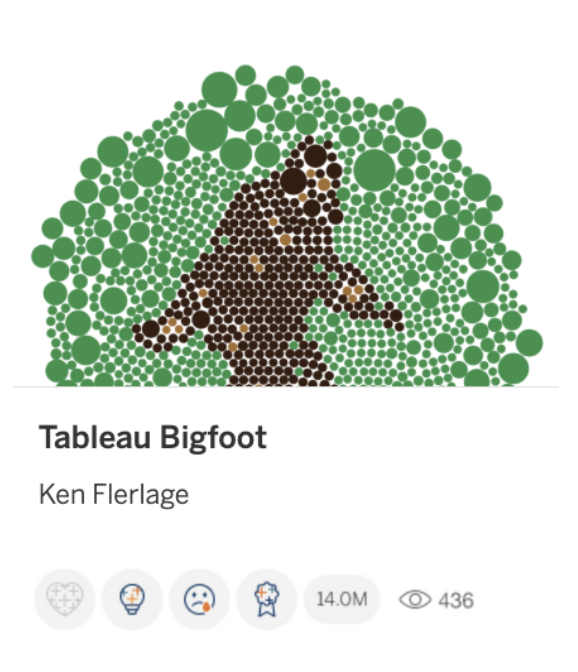
Tableau Public: Spam Moderation
See this idea submitted by Brittany Rosenau as well as [1].
Tableau Public
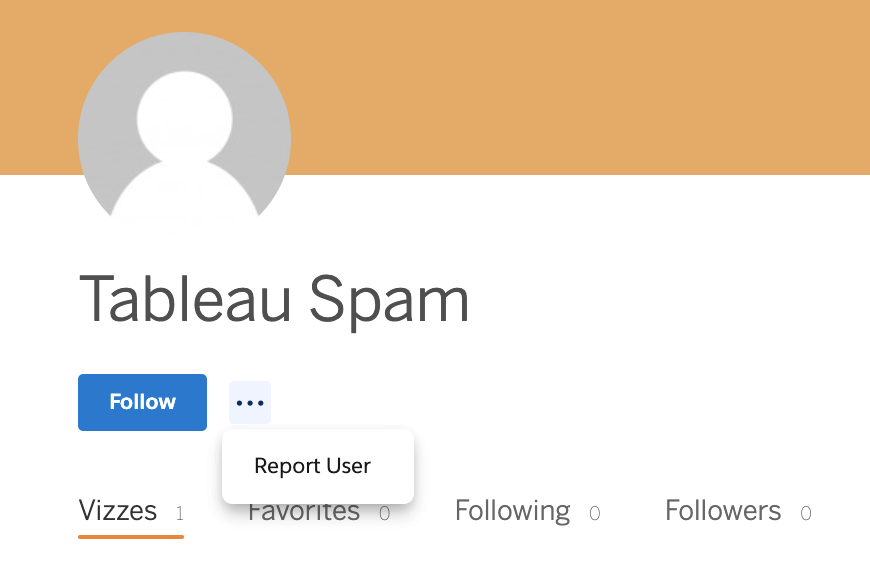
The Tableau Community requested ways to help keep Tableau Public a safe and trusted space. Spam Moderation is now available where you can report suspicious profiles and flagging spam. Must be logged in to report.
Platform Data API
See this idea submitted by Chris Weis
Tableau Cloud
Gain programmatic access to your Tableau Cloud activity and events data without requiring an AWS S3 integration. Use the new API to retrieve unified event logs for custom monitoring, SIEM ingestion, or analytics in your own data warehouse.
Note: Near real-time logs and S3 integration only available with Tableau Enterprise or Tableau+ bundle.
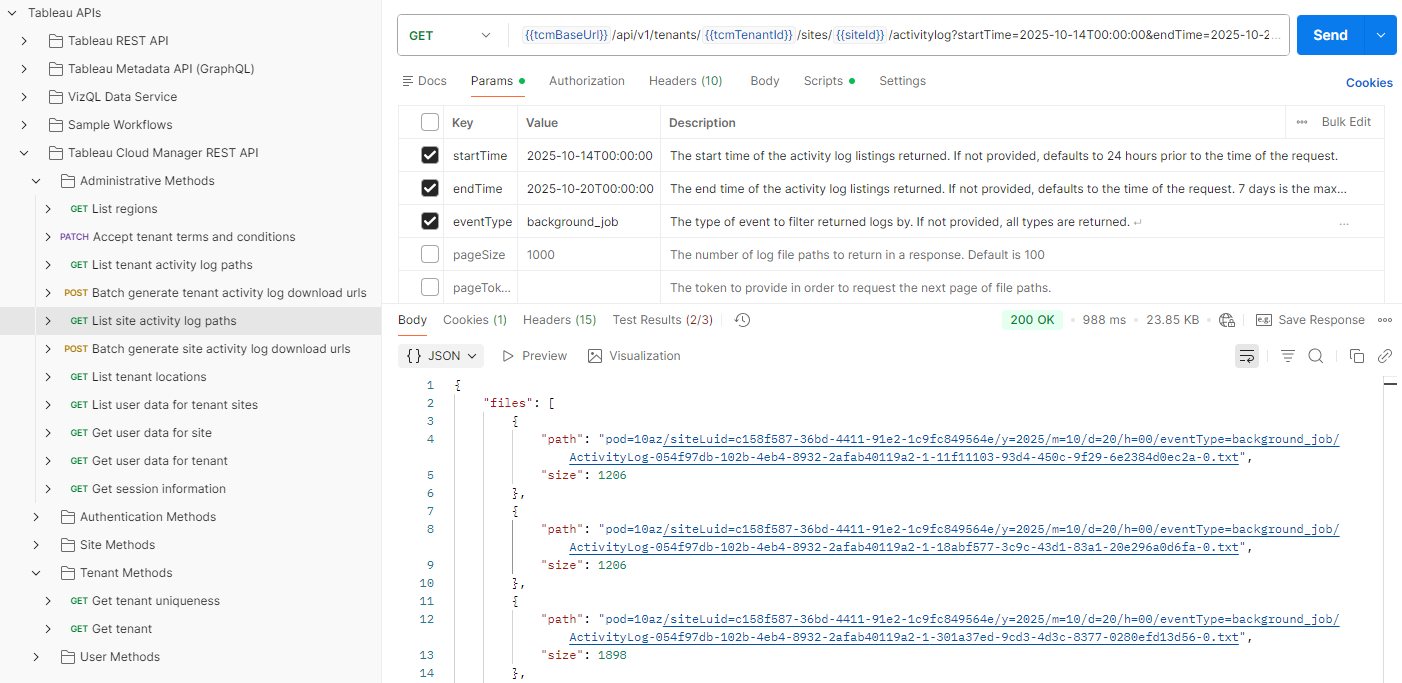
Tableau 2025.2
- Tableau App for Google Workspace
- Dynamic Spatial Parameters
- Dynamic Color Ranges
- Performance Insights Dashboard
- Profile Organization: Manual Categorization
Tableau App for Google Workspace
See this idea submitted by Jaclyn Slobodnik
Tableau Cloud
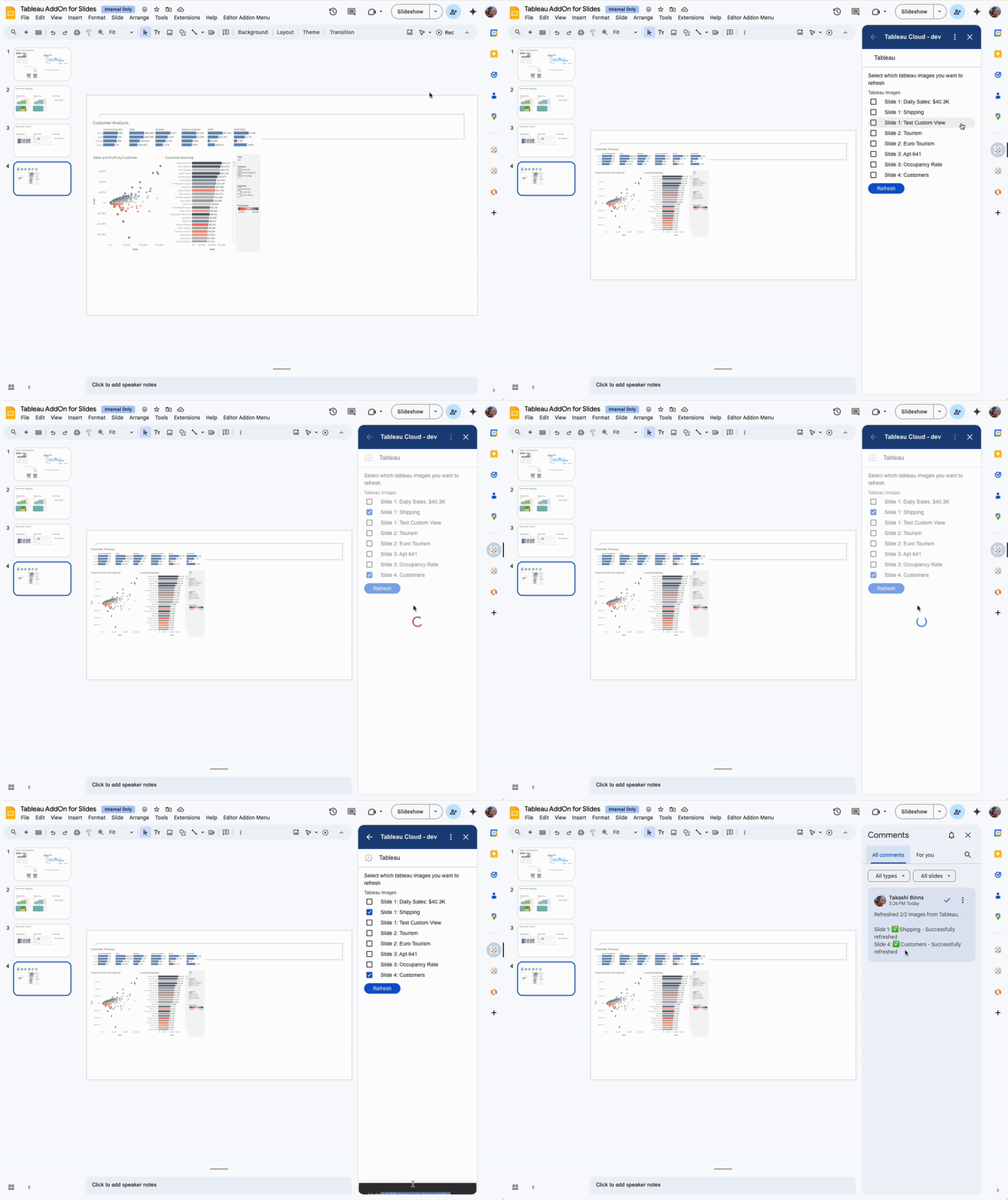
No more constantly bouncing between apps or manually exporting visuals and updating slides. The Tableau Add-on for Google Workspace improves data-driven decision-making by delivering insights where you need them! This feature allows you to embed Tableau Pulse metrics and dashboards directly within Google Slides and Google Docs.
Dynamic Spatial Parameters
See this idea submitted as well as [1], [2], [3]
Tableau Desktop, Tableau Cloud
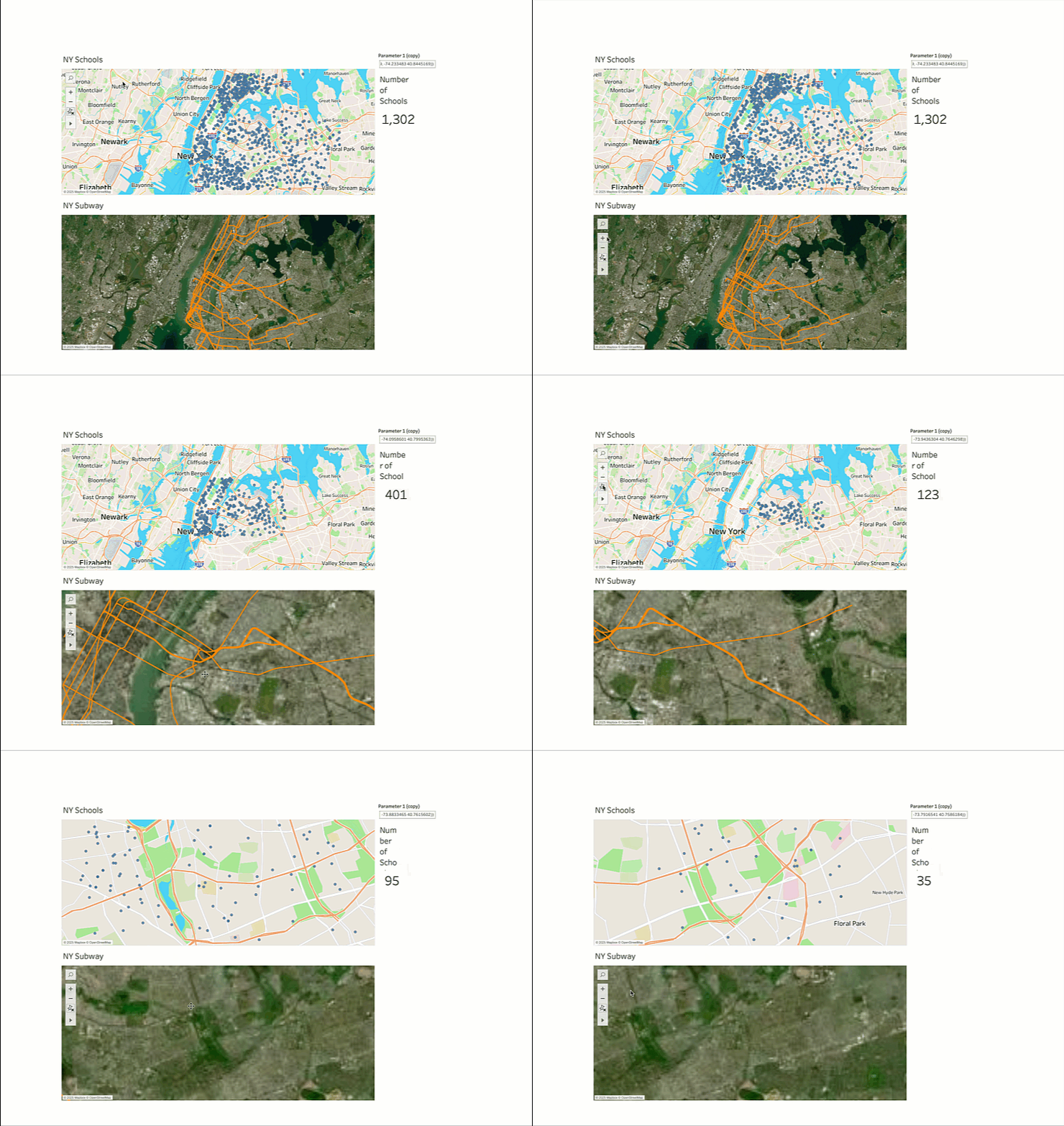
We made enhancements to level up Tableau’s spatial parameters with dynamic capabilities to provide customers more control over map position and scale. Filter data on a map as you zoom/pan, filter data on multiple worksheets as well as zoom and pan up multiple map views on a dashboard at the same time.
Dynamic Color Ranges
Idea submitted by Ken Flerlage
Tableau Cloud, Tableau Desktop, Tableau Public
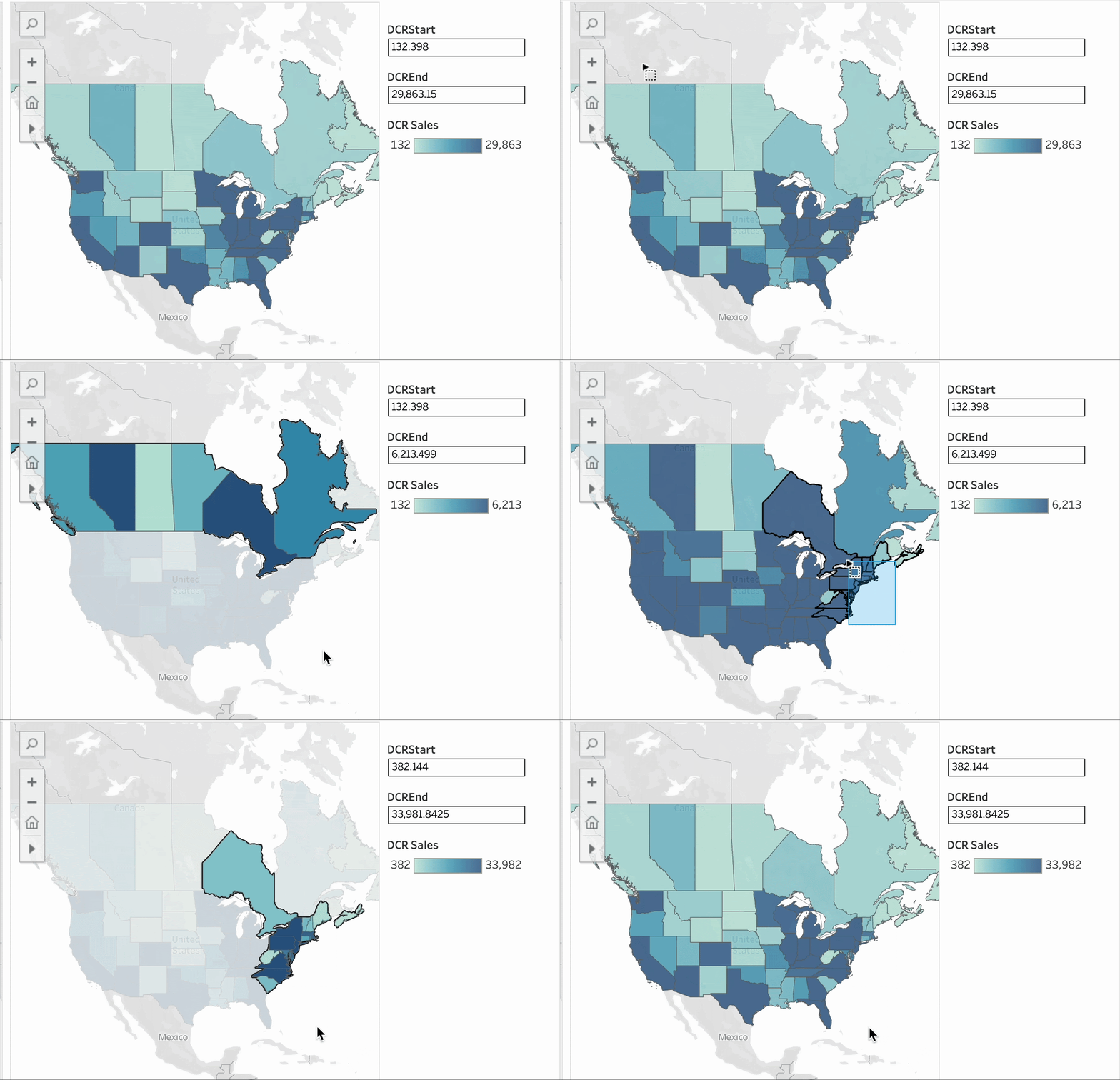
The Tableau Community was thrilled with the release of Dynamic Color Ranges! Highlight what matters and use parameters to adjust your color scale and focus attention where it counts. This feature is a fast, flexible way to keep your charts clear and insightful.
Performance Insights Dashboard
See this idea submitted by Rob Negerman
Tableau Cloud
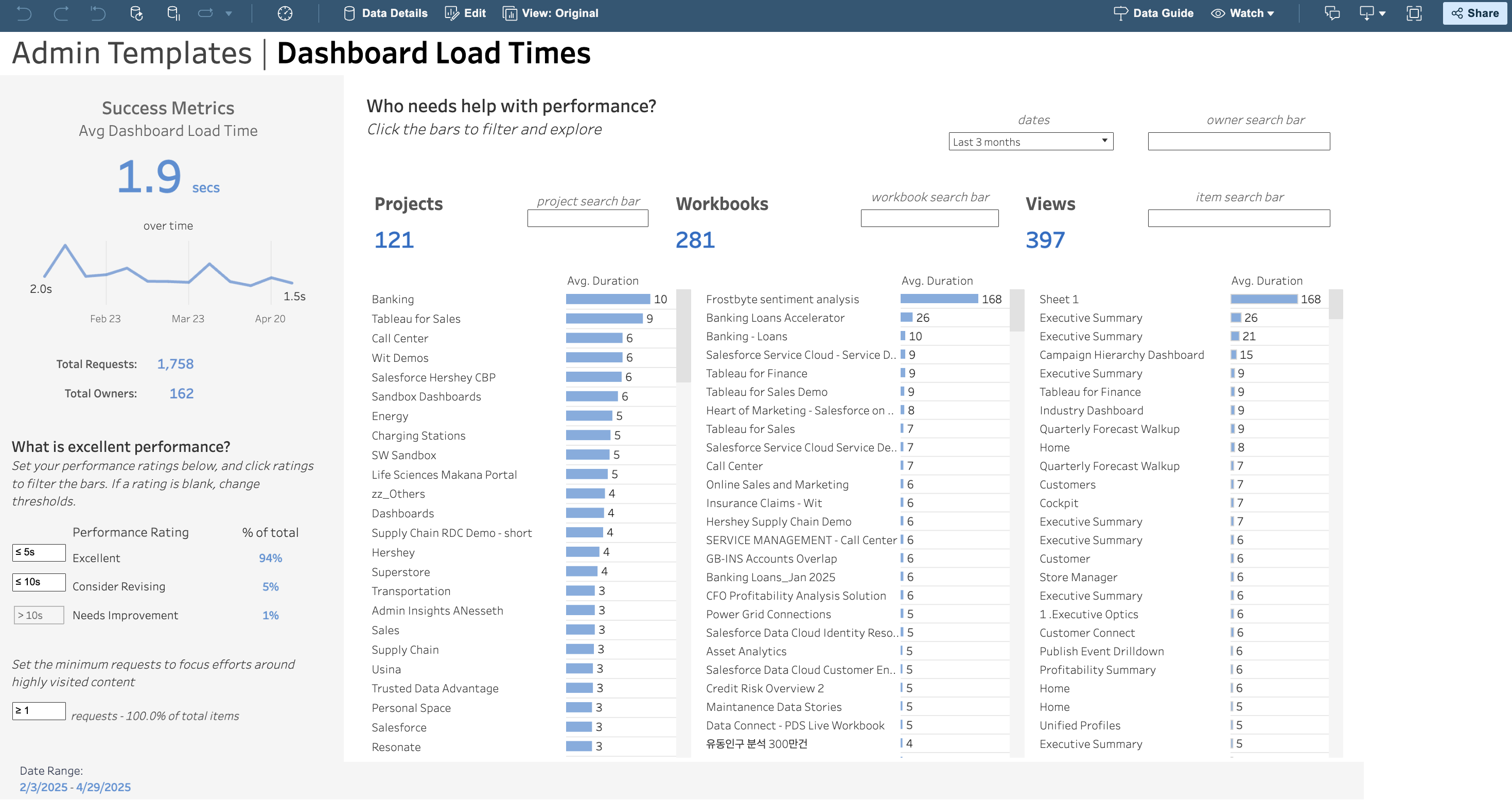
For admins, the Performance Insights Dashboard provides a user-friendly interface to view performance data directly in the Cloud. Troubleshoot issues like latency and slow rendering, causing inefficiencies and delays easily. This feature allows you to filter by specific workbooks and analyze which visualizations are impacting load times.
Profile Organization: Manual Categorization
See this idea submitted by Chris McClellan
Tableau Public
Your Tableau Public profile is your digital portfolio, and we believe you should have complete control over how it looks and feels to truly reflect your brand. That's why giving you full control over your profile's organization is such a big win! You can now: create, delete, and rename categories, add or remove vizzes from any category, and add vizzes to multiple categories.
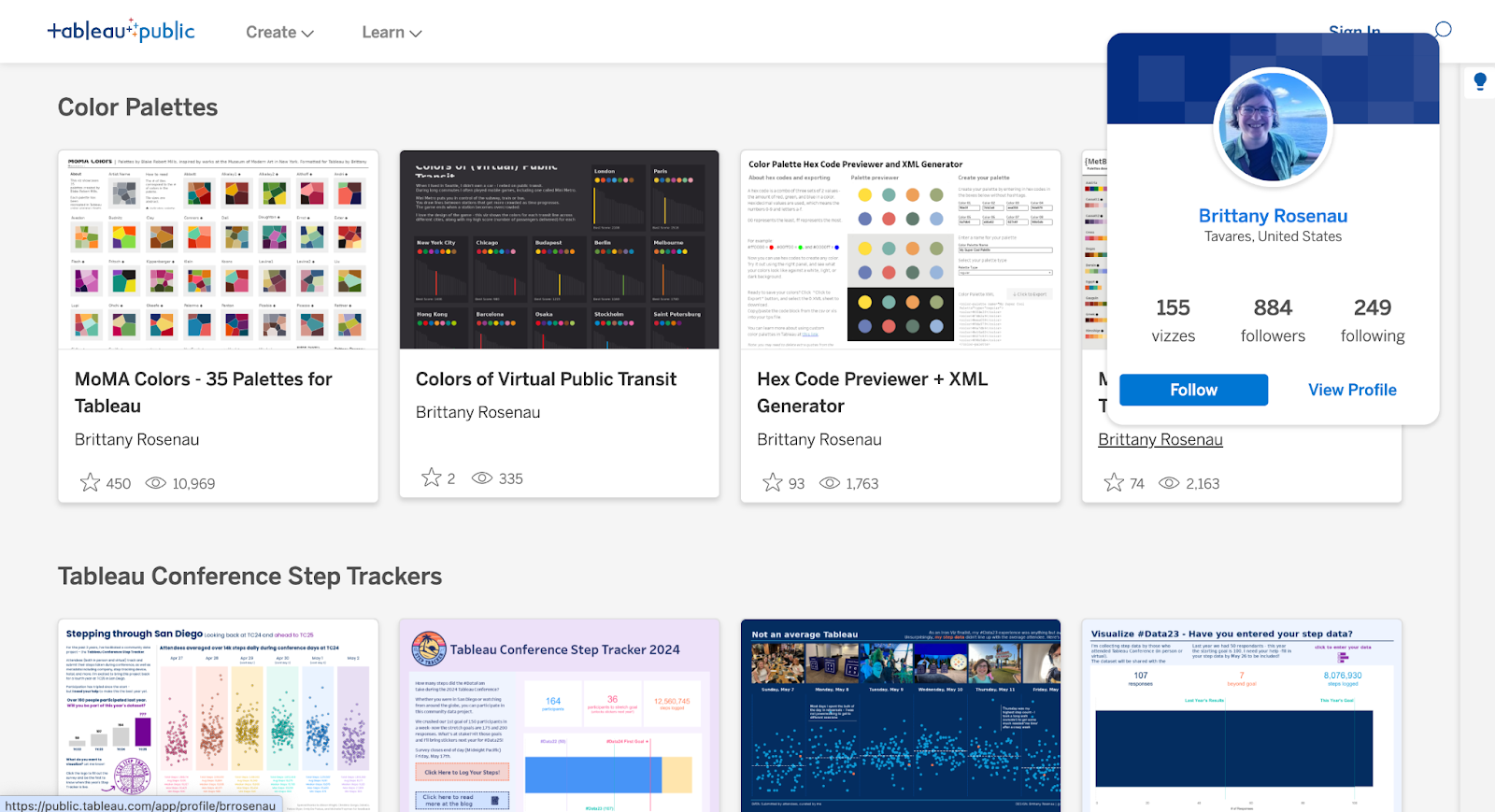
Tableau 2025.1
- Custom Themes
- Project Tree in VizPortal
- Keyboard Accessible Interactivity
- Logical Table Data Source Filter
- Recycle Bin
Custom Themes
See this idea as well as [1], [2], [3], [4]
Tableau Desktop
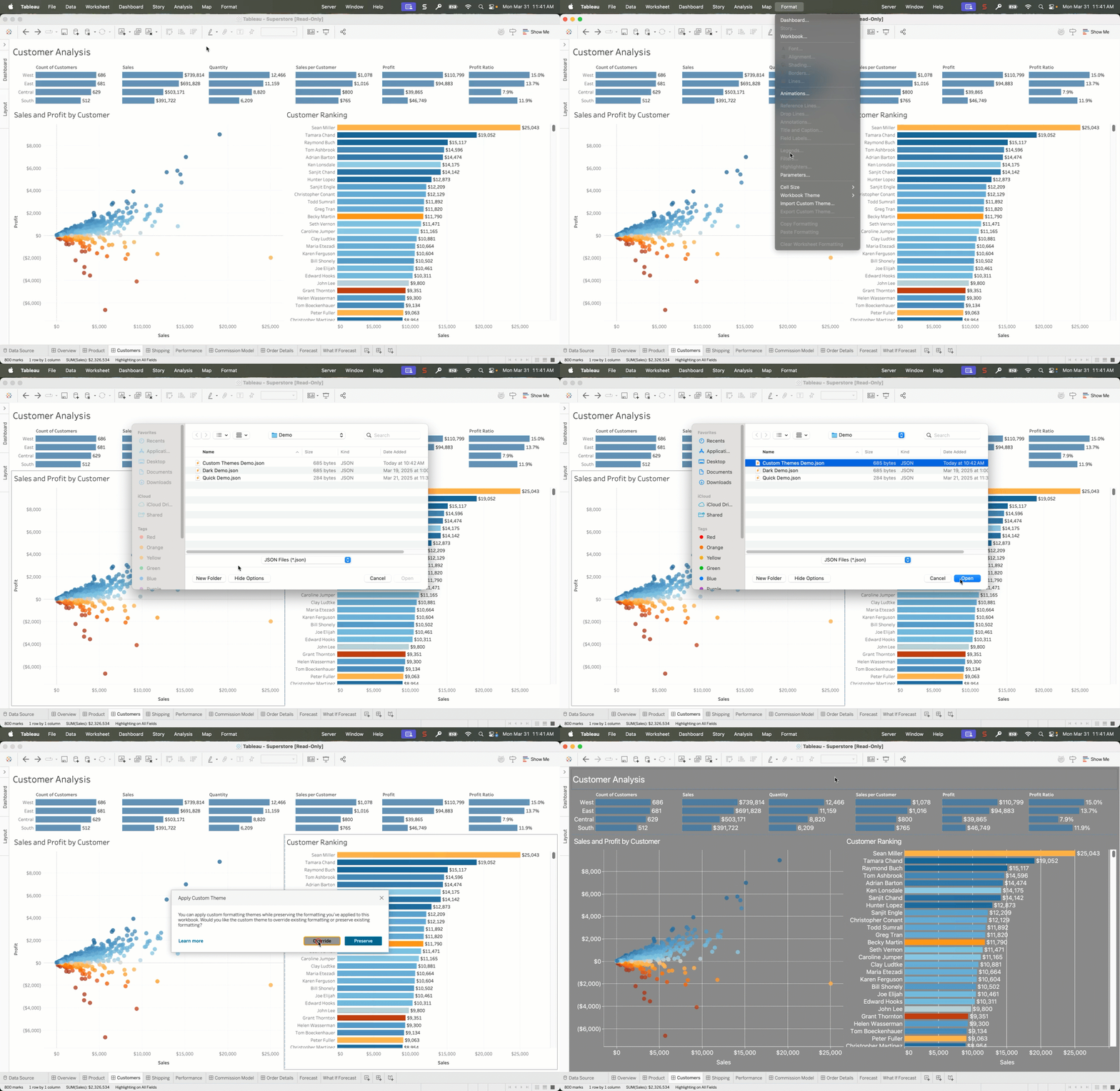
Setting the formatting for fonts, font color, font size, background colors, etc. in a new workbook can be time consuming and cumbersome. After a few requests, we’ve developed Custom Themes so you can easily create a theme once and reuse it when building new workbooks or simply apply it to existing workbooks to quickly update them. It’s as simple as using any existing workbook as the template and 'export' the styling as a theme.
Project Tree in VizPortal
See this idea submitted by Masatsugu Nishimura
Tableau Cloud, Tableau Server
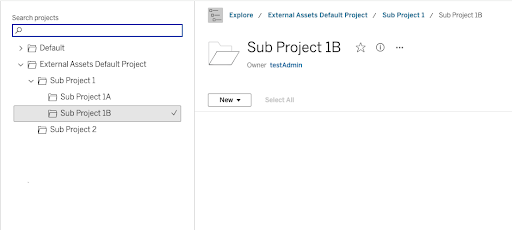
When browsing through Tableau Cloud or Server, it can get very overwhelming very quickly if you have hundreds of projects and subprojects. Now with Project Tree view there is an optional navigation style that has been added to the Vizportal interface so users can now see project hierarchy in a glance, and navigate quickly to the desired project.
Keyboard Accessible Interactivity
See this idea submitted by Lisa Cornish and this idea submitted by Chris DeMartini
Tableau Cloud, Tableau Server, Tableau Public
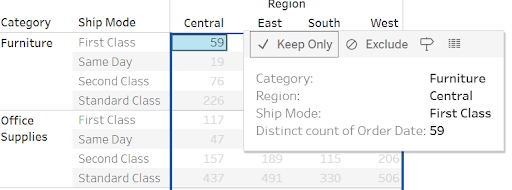
Our Keyboard Accessible Interactivity feature empowers everyone to engage with their data, regardless of how they navigate. Now, you can perform key actions directly from a tooltip—keep, exclude, and sort data, plus select and highlight marks—all without a mouse. This expanded keyboard functionality, utilizing the space, enter, and arrow keys, opens up data exploration and understanding to more users than ever before.
Logical Table Data Source Filter
See this idea submitted by Jacqui Moore
Tableau Cloud, Tableau Server, Tableau Desktop, Tableau Public
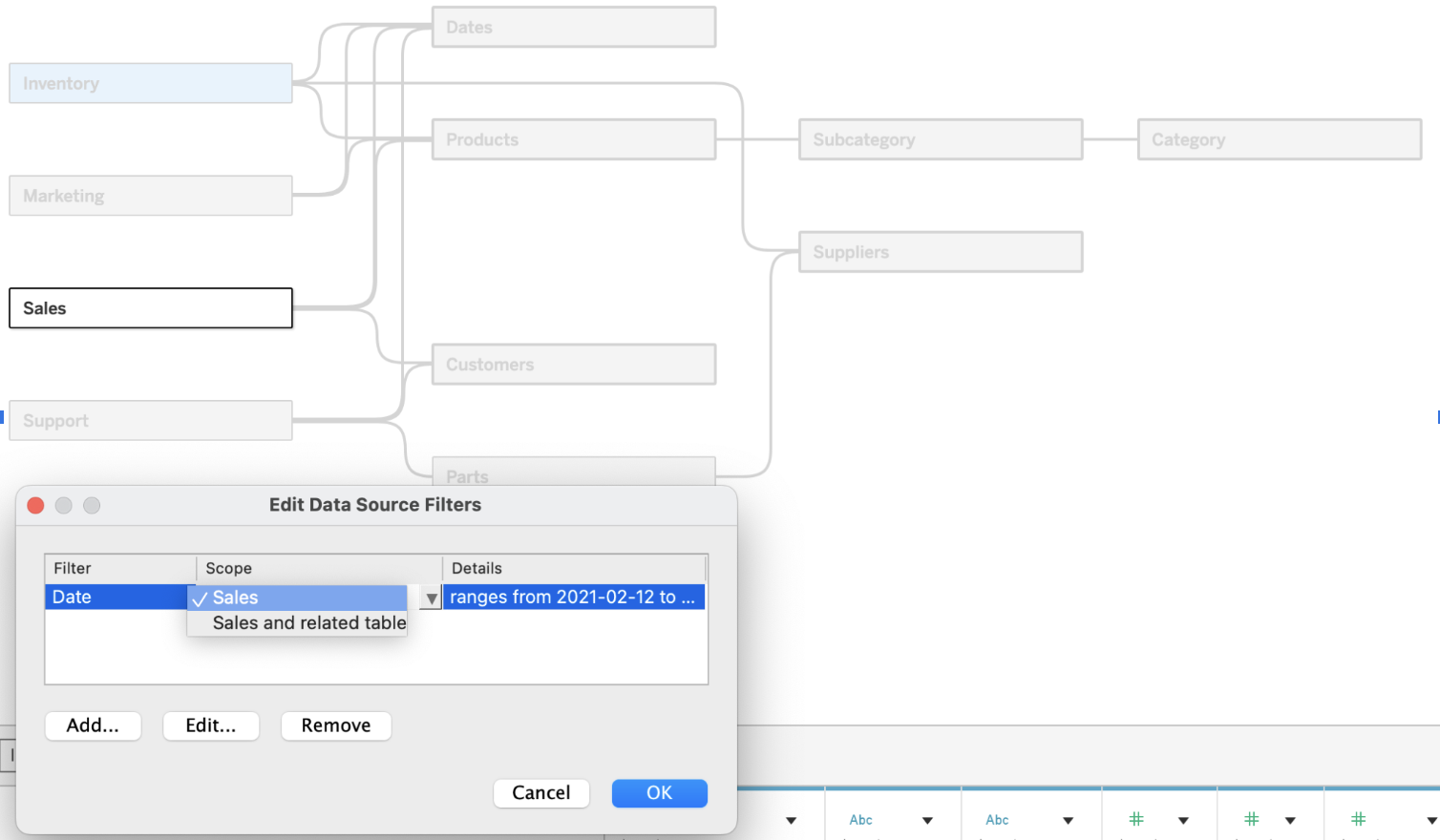
When using robust and flexible data models it can often include many tables related together. To improve query performance you can now use Logical Table Data Source Filter to reduce the number of rows by each table without using CustomSQL! e.g. a historical table of 30 years can be reduced to the last 5 years using this table filter.
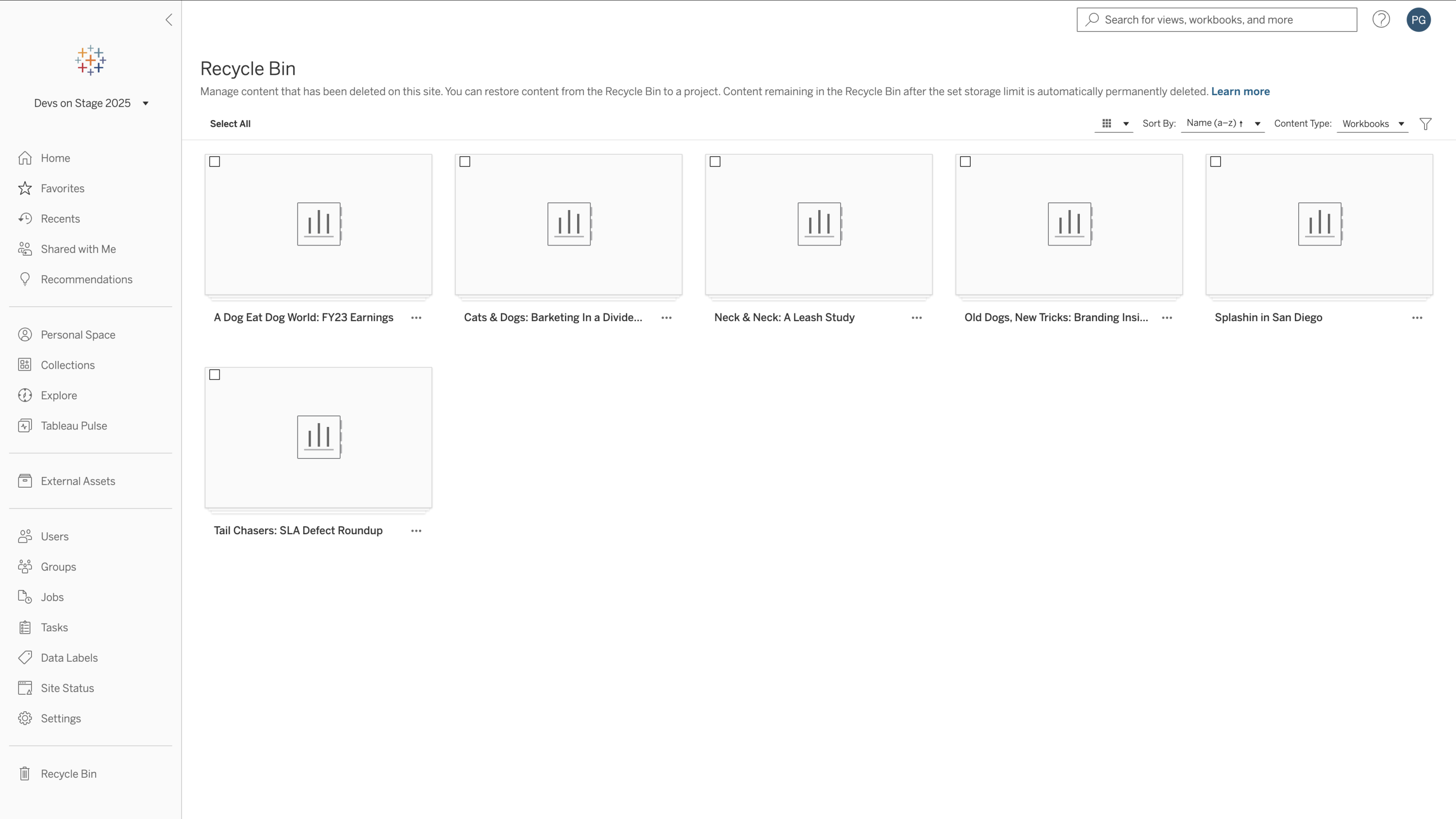
Recycle Bin
See this idea submitted by Stephen
Tableau Cloud, Tableau Server
Have you ever deleted something by accident, and wanted to get it back? We all have! Now when you delete a workbook, datasource, or project, that deleted content is moved into the Recycle Bin area for 30 days. Review and restore deleted content via the Recycle bin section of the site settings page.
How the Tableau Community can help us innovate
If you’ve got an idea on how to improve the user experience or would like to see what others have submitted visit the IdeaExchange. You can submit and upvote on other ideas.
In addition to sharing your ideas, here are other ways for you to get involved and help us shape our products below. We want to hear from you!
- Submit ideas (or vote up ideas) on the Salesforce Idea Exchange.
- Join the conversation in the Tableau Community Slack Workspace.
- Join our Tableau Research Program, where you can provide feedback on UX, design, and pricing & packaging directly to our product teams.
- Join the Tableau Developer program to provide feedback on our APIs and work with our team on building the solutions on the Tableau platform.
- Join the monthly virtual event the Inside Track where Tableau Product Managers demo and show the latest in Tableau releases.
Thank you for your unwavering support and for being an integral part of our journey. We can’t wait to continue to deliver features you'll love in the year ahead!
Articles sur des sujets connexes
DataFam Roundup September 2026

Congratulations and welcome to the 2026 Tableau Ambassadors
 septembre 9, 2026