Let's talk about sets


Sets have been an evolving part of Tableau Desktop and that remains true in 8.0. Our New Features page offers an excellent overview of the new possibilities available to you using sets in 8.0.
With this blog post, I wanted to get a little deeper into two ways that sets can help you make your data more meaningful and useful in dynamic ways: adding sets to hierarchies and using sets in calculations.
Sets in hierarchies
Let’s start by taking a look at sets in hierarchies as a more customized way to drill down through data. We want to view our data in different ways through hierarchies we have already built.
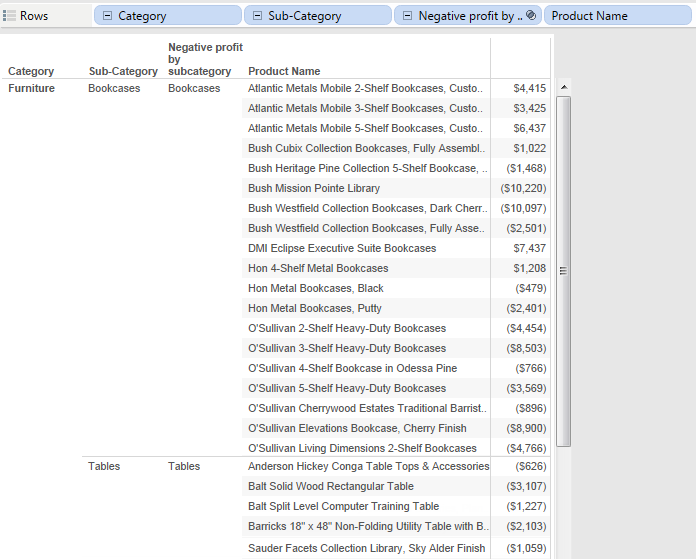
Let’s say you’re the CEO for this superstore and you’re considering retooling your inventory offering. You want to adjust this hierarchy to let you view the products that are returning negative profits. Tableau 8.0 lets you do just that by creating a set and adding it to your existing hierarchy.

Dan Hom - Data Freak
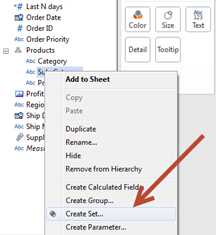
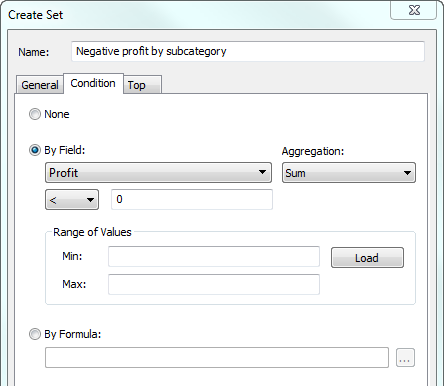
We can use the condition tab to create a set based on “Profit."
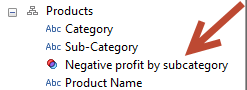
Now we can drag the set we just created into the hierarchy of “Products.”
As with all hierarchies, we can easily drill up and down to see the data at varying levels of detail. Here is a higher level view:
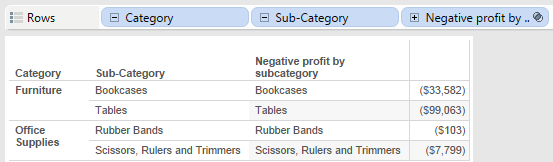
And here is the more detailed view:
Sets in calculations
Another great new feature of sets in Tableau 8 is the ability to use sets in calculations, such as “If, Then” statements.
I want to create a dynamic calculation that will lump together groups of customers within the same sales ranges. And I want to create a calculation that will dynamically change based on how my sales fluctuate over time.
First I will create condition sets (Similar to the one in the example above) for each of the following scenarios:
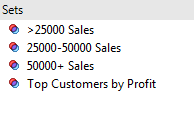
Now we want to create a calculation that will dynamically change the contents of the sets based on how sales change over time. We also want it to show customer sets in “Low” “medium” and “large” groups respectively.
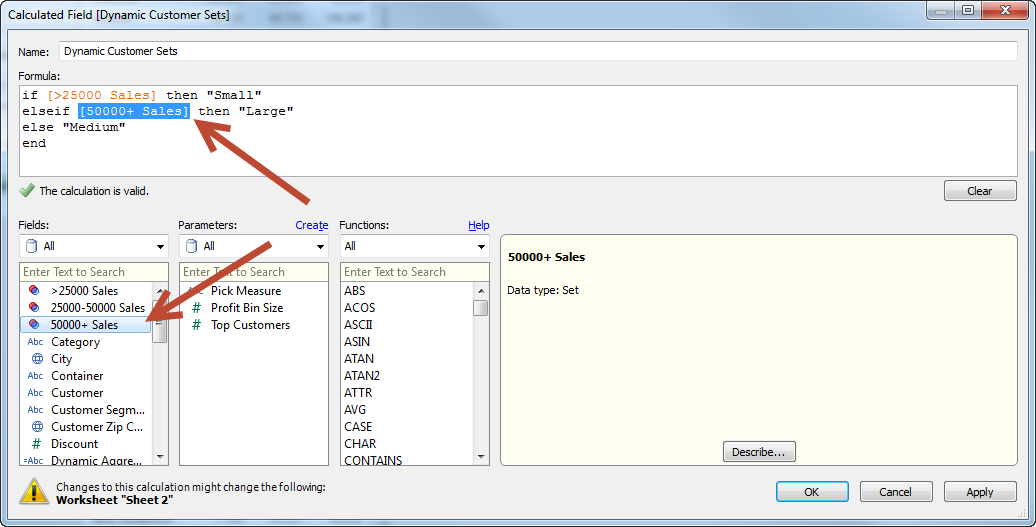
I can easily create an “If, Then” statement to use our dynamic sets to define how customers are segmented differently into each of the three bins listed above.
And we can see our customers in different bins based on the calculation we just created.
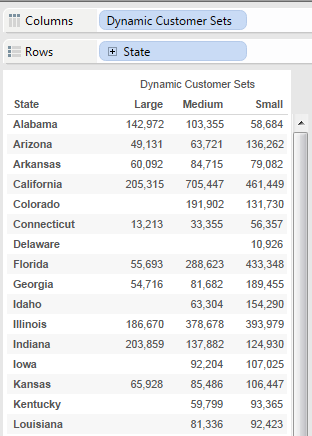
This calculation will continue to dynamically reflect my store’s sales changes, making it a valuable view that I can use again and again.
เรื่องราวที่เกี่ยวข้อง
VizQL Data Service from Tableau: Use Your Data, Your Way
 สิงหาคม 8, 2024

When and How to Use Multi-fact Relationships in Tableau
 สิงหาคม 1, 2024

Top data books of 2021
 ธันวาคม 12, 2021