Better data management with Tableau Catalog


Have you ever needed to migrate your data from one database to another, deprecate a field in the data, or add a column to a table? Finding out who is using the data and which workbooks or dashboards will be affected can sometimes be the hardest part. What about when you need to let users know that a data source is under maintenance for the next two hours, but you don’t want to send out a mass communication? Or when you hear that people can’t find the right data to connect to for analysis? These are issues we hear people run into every day. And we’re excited that Tableau Catalog is here to help make these problems of the past!
Tableau Catalog helps everyone, from business users to IT, feel more confident in the data being used to make critical business decisions. By providing a complete picture of the data in your Tableau environment, IT can track, manage, and communicate to users about the various updates and changes on data assets. End users can not only find the data they’re looking for, but also know it’s the right data, without any second guessing.
Tracking, managing, and communicating
Tableau Catalog removes the guesswork and manual efforts in getting a complete picture of your analytics environment. This includes automatically taking stock of your data assets, visually surfacing the relationships between your sources of data, analytics content, and users, and simplifying the process of communicating with users about data quality. Let’s walk through some of the major components of Tableau Catalog.
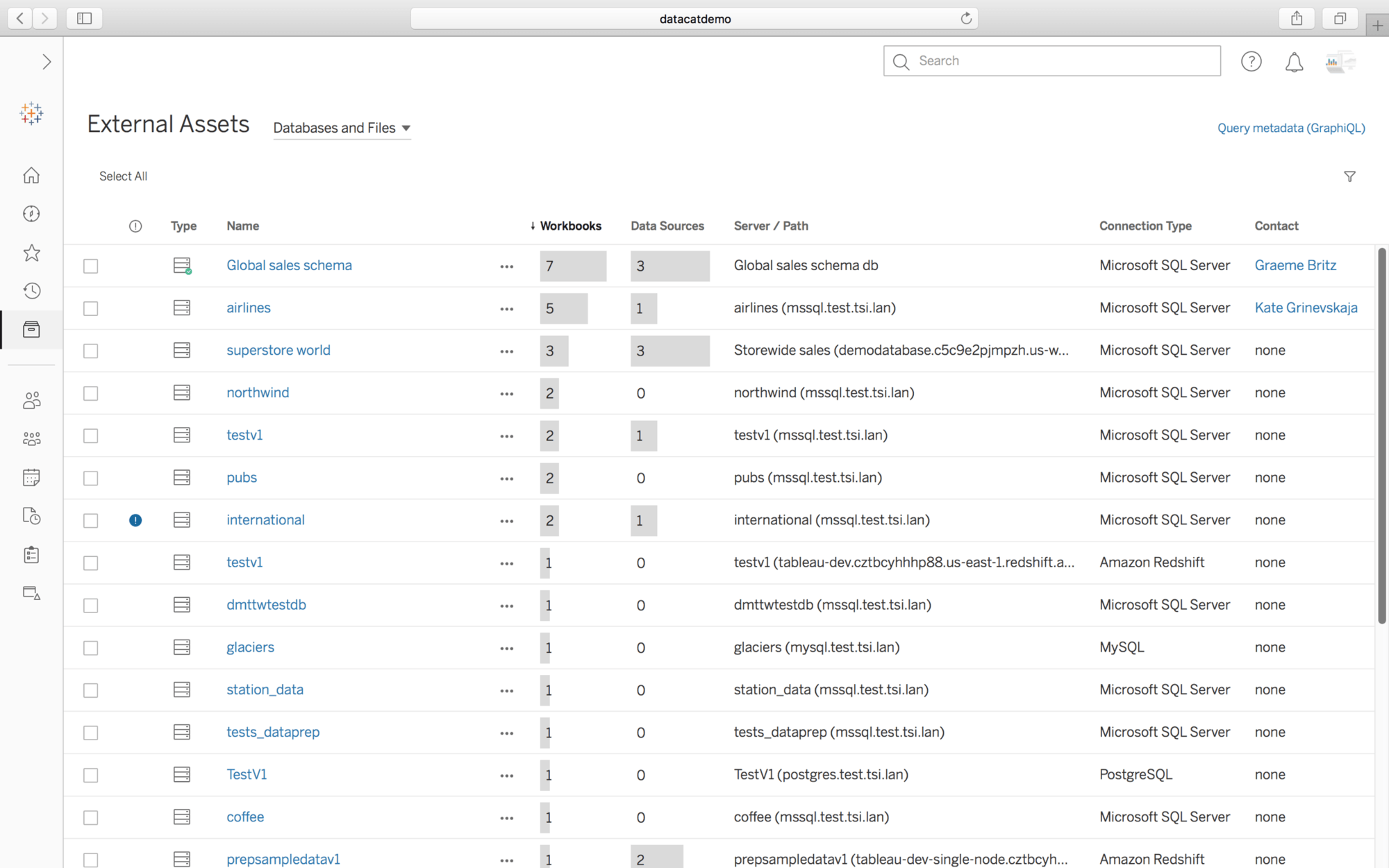
External Assets list
Tableau Catalog makes it easy to see what data resides in your Tableau environment. With automatic ingestion, there’s no indexing or configuration needed to get up and running. The External Assets list lets you see an inventory of all the databases, files, and tables within your environment, while also providing you some quick usage metrics so you can easily see if there is redundant data that can be removed.
Lineage and impact analysis
In self-service environments, IT struggles to manage changes in their data environments because they cannot see how those changes would affect existing content and users. With the lineage graph, Tableau Catalog enables IT to see the relationships between databases, tables, Prep flows, columns, and workbooks so they can find all the workbooks connecting to a specific table or column and notify users of changes to those tables or columns.
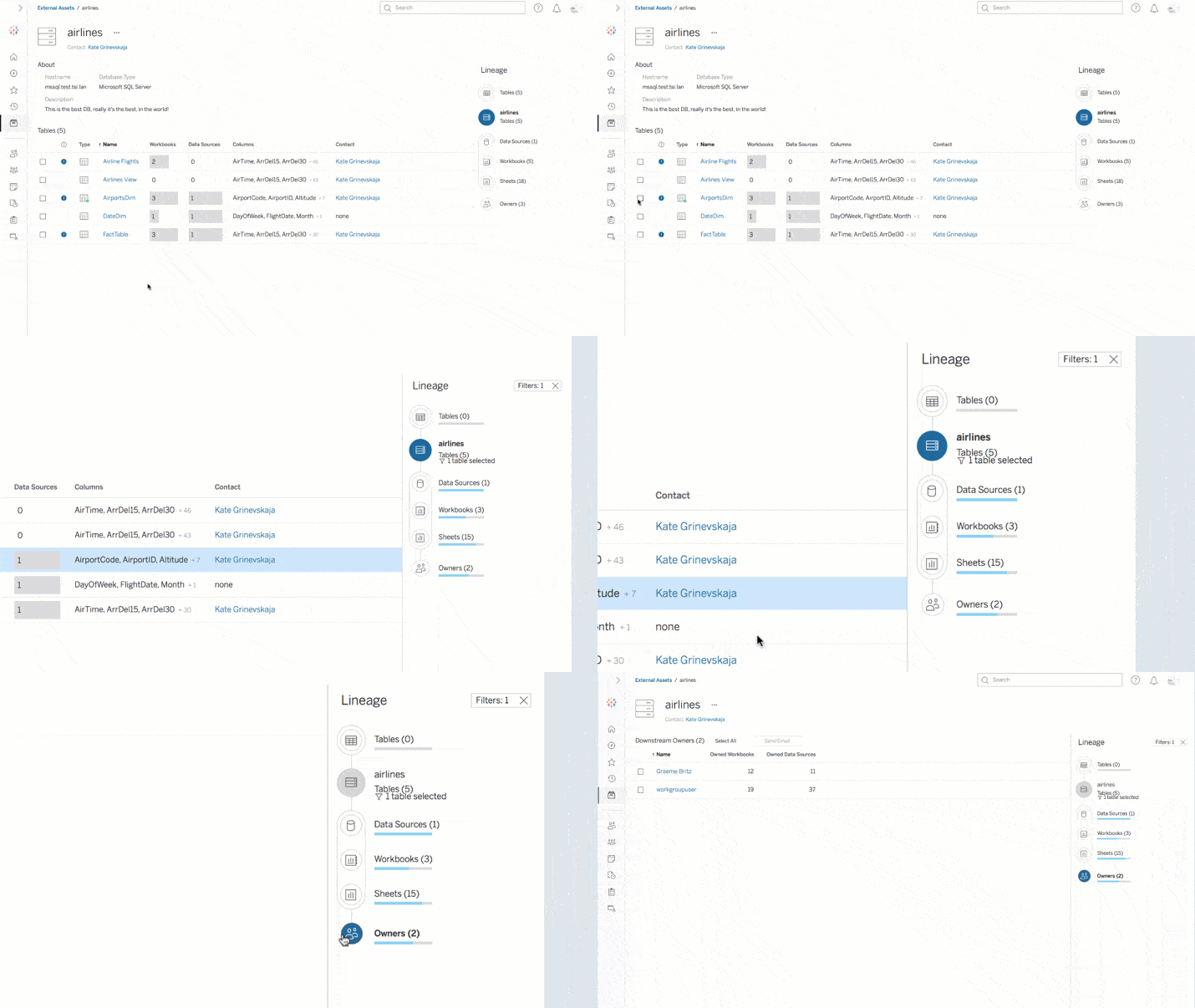
Take the scenario of needing to depreciate a column in your database. In the past, knowing who was using that particular column was a shot in the dark—you might send an all-company email and hope the right people saw it. With Tableau Catalog’s lineage and impact analysis, you can not only see who is using the column, but you can also see which sheets or dashboards in a workbook are using that column. With just a couple of clicks, you can quickly see who is impacted and contact them directly from within Tableau Server or Online, saving you time, avoiding breakages, and reducing noise for the organization.
Data Quality Warnings
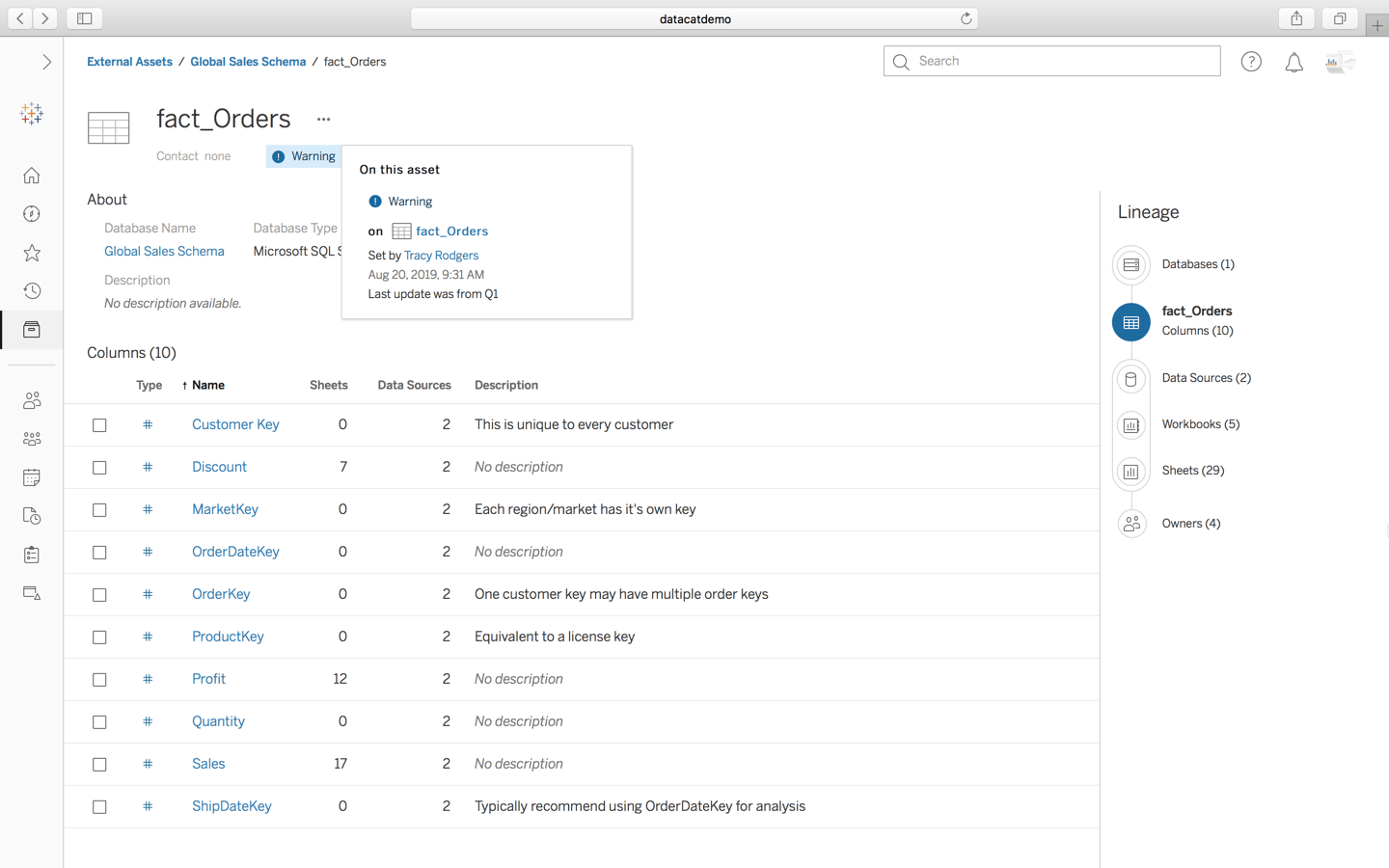
It’s imperative to let users know when a data source is under maintenance or is out of date so they don’t use it for making critical decisions while in a degraded state. With data quality warnings, you can quickly add a warning on your asset and it will propagate down to all the content using it. Simply go to a data asset and add a Quality Warning—select the type of warning and add a description to give your users the context they need.
Metadata in more places
Part of what makes Tableau Catalog unique is how it surfaces metadata where users need it most, building trust in the data across the organization.
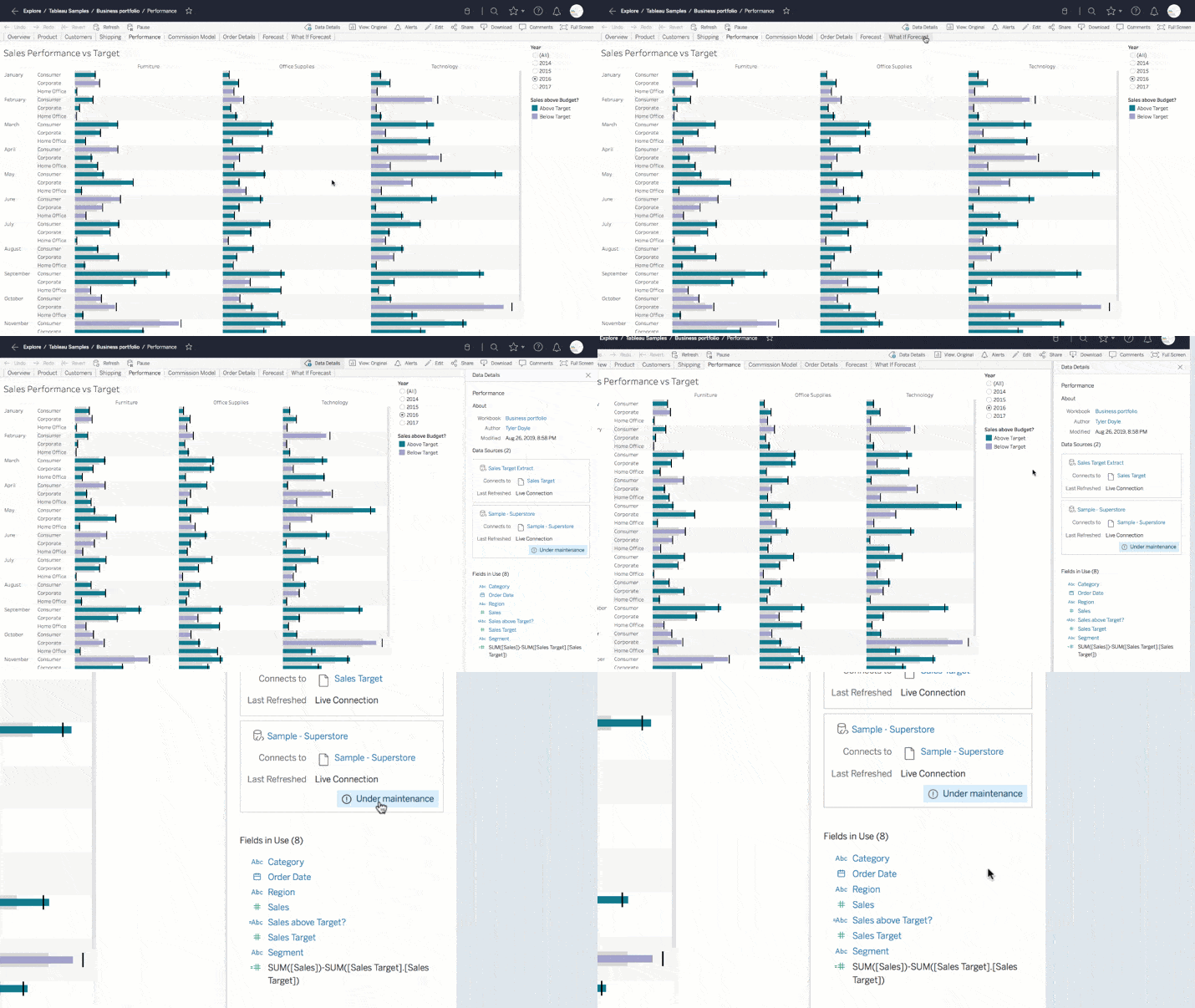
Data Details
While viewing a dashboard, a user can click on Data Details to see a window of metadata—including workbook metadata, like the author and last modified date, as well as more information about the data source itself, like data quality warnings. With this information, anyone viewing the dashboard can make their own, educated decision on whether or not to trust the data they’re analyzing.
Enhanced search
Discovering data is made even easier with Tableau Catalog. A more powerful search leverages tags, descriptions, fields and even external tables. Tableau Catalog also enables a new experience to connect to data, both in Tableau Desktop and while web authoring in Tableau Server or Online. This helps everyone see more metadata about the data they’re using before they connect to or explore it, so they know they’re analyzing the right data from the get-go.
Metadata API
Because Tableau Catalog leverages the new Metadata API, all of the metadata behind the features above is available through a new a GraphQL-based API endpoint. Combined with updates to the Server REST API, Tableau Catalog can integrate with existing metadata solutions by synchronizing metadata such as descriptions, scripting Data Quality Warnings, and more. (See what some of our partners with enterprise data catalogs had to say about it.)
Get Tableau Catalog with the Data Management Add-on
We’re excited to bring new levels of visibility, trust, discoverability, and governance to organizations through Tableau Catalog as part of the Data Management Add-on. To learn more about our unique data management approach and capabilities, including why we built our solution the way we did, check out our new whitepaper.
เรื่องราวที่เกี่ยวข้อง

The Tableau+ Bundle with Premium AI, Enterprise Capabilities, and Premier Success
 ตุลาคม 1, 2026
Extend Access to Embedded Tableau Content with On-Demand Access
 กรกฎาคม 22, 2026
What is Tableau Prep?
 เมษายน 30, 2026