Easily manage secure data access and sharing with virtual connections in Tableau



As Tableau usage has grown across many enterprises, sharing and maintaining access to data has become more complex. Database access must be shared widely with everyone who needs to connect to data for modeling or creating vizzes. If database credentials can’t be shared for security reasons, the burden of creating and maintaining shareable content (like published data sources) falls on whoever has the credentials—whether they’re the best person for the job or not.
Tableau 2021.4 introduces a new solution to this problem, as part of the Data Management Add-on: virtual connections.
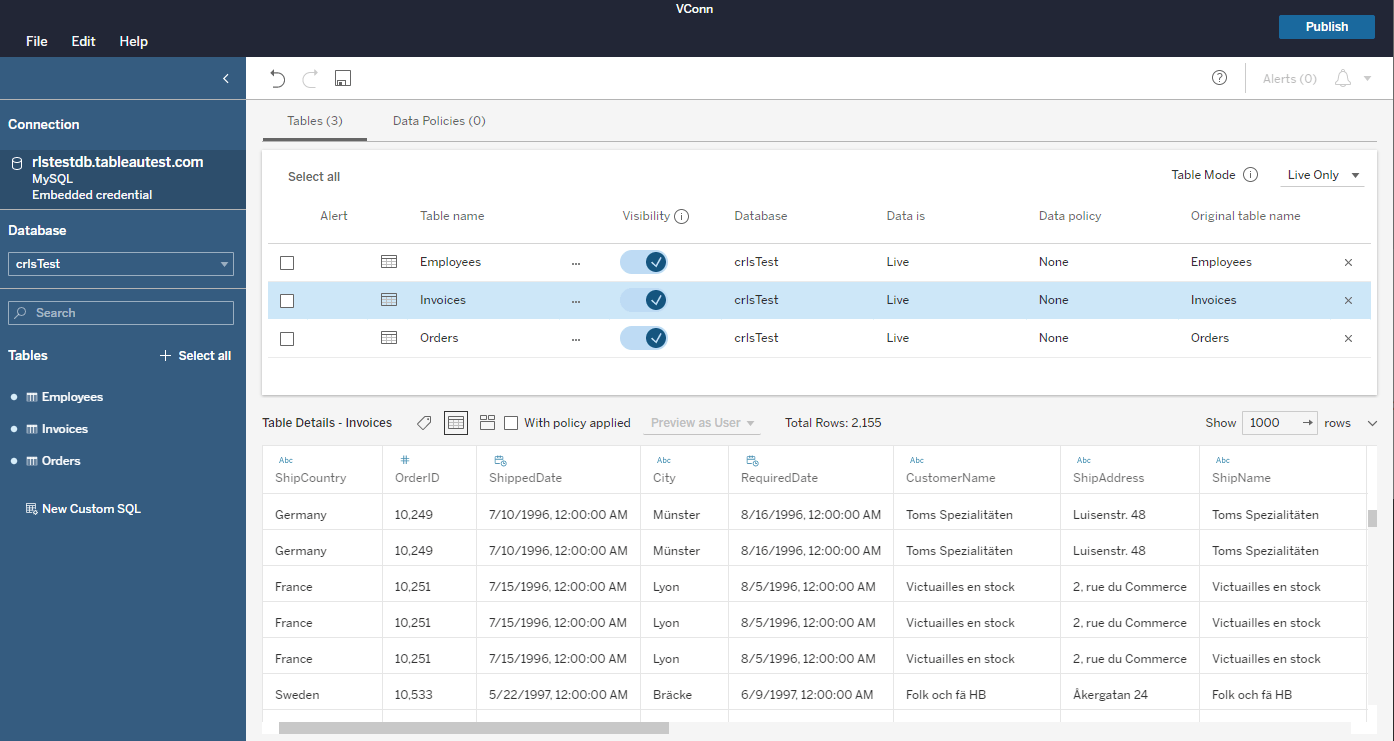
What are virtual connections in Tableau?
Virtual connections (“VConns” if you’re in a hurry) are a content type that lets data owners share access to groups of tables that can be used across many different workbooks, data sources, or prep flows. These tables are accessed using credentials stored in the VConn, so users of those tables don't need direct access to the database.
With virtual connections, instead of one connection per piece of Tableau content (data source, workbook, flow), and each connection requiring its own extract and security management, you can create one common managed connection that can access multiple tables in the same database. You can manage extracting the data and the security in one place—at the connection level.
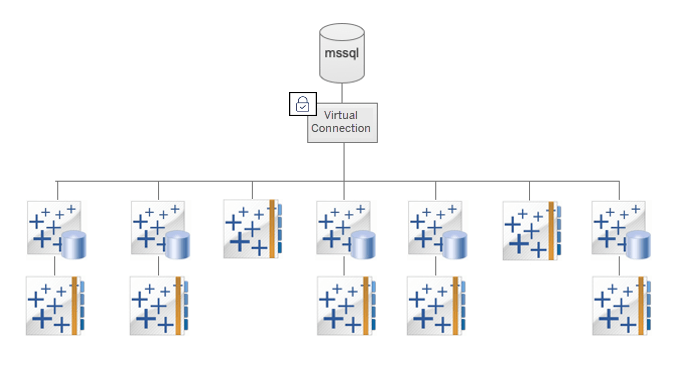
Simplify sharing access to tables
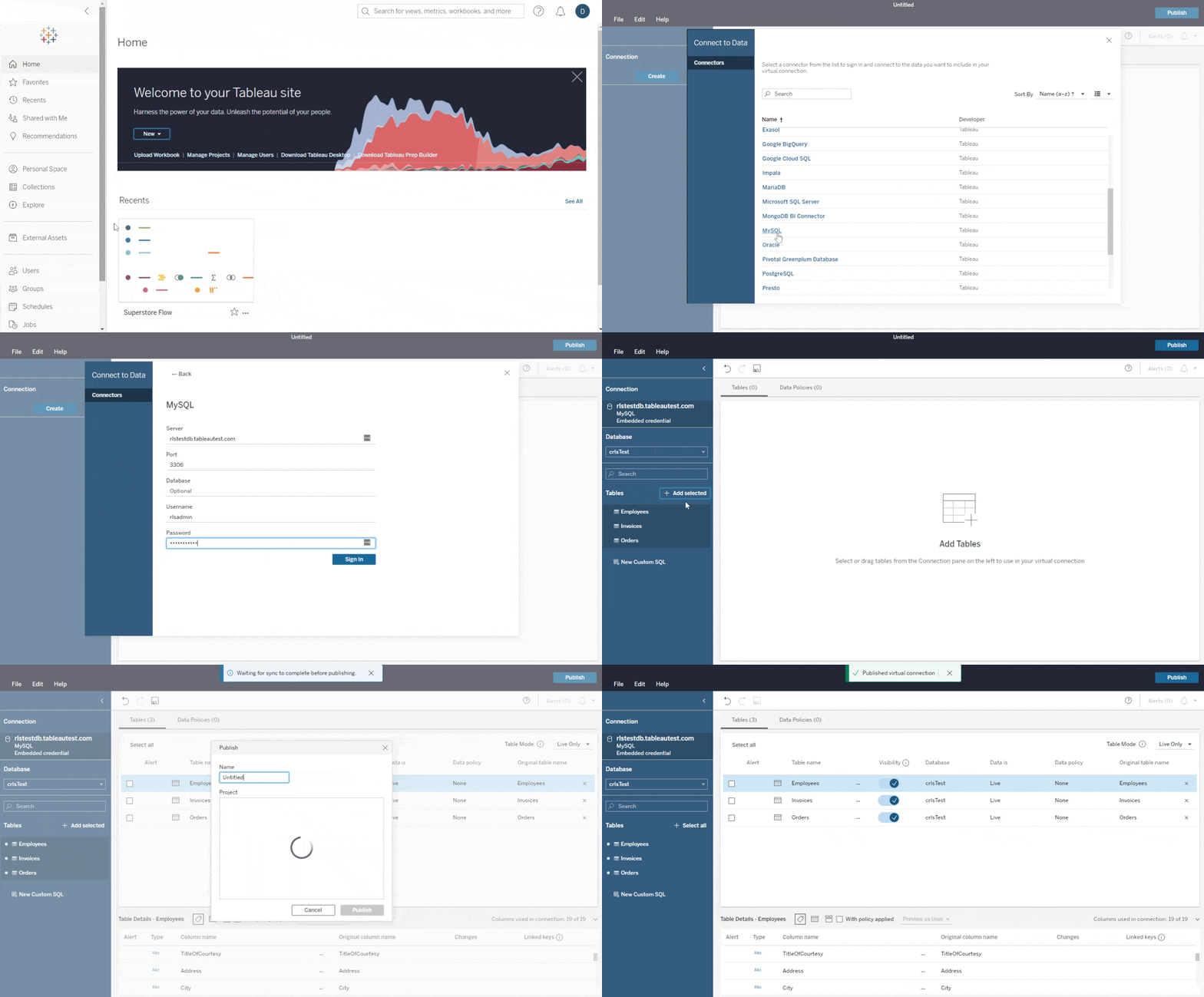
You can create a virtual connection from Tableau Server or Tableau Online (VConn creation is a web-only feature, but you can still use them in Tableau Desktop). Here's how:
- From the Home or Explore page, click New > Virtual Connection.
- Connect to your database of choice.
- Choose the tables you want to include in the VConn.
- Publish the VConn and set the appropriate permissions.
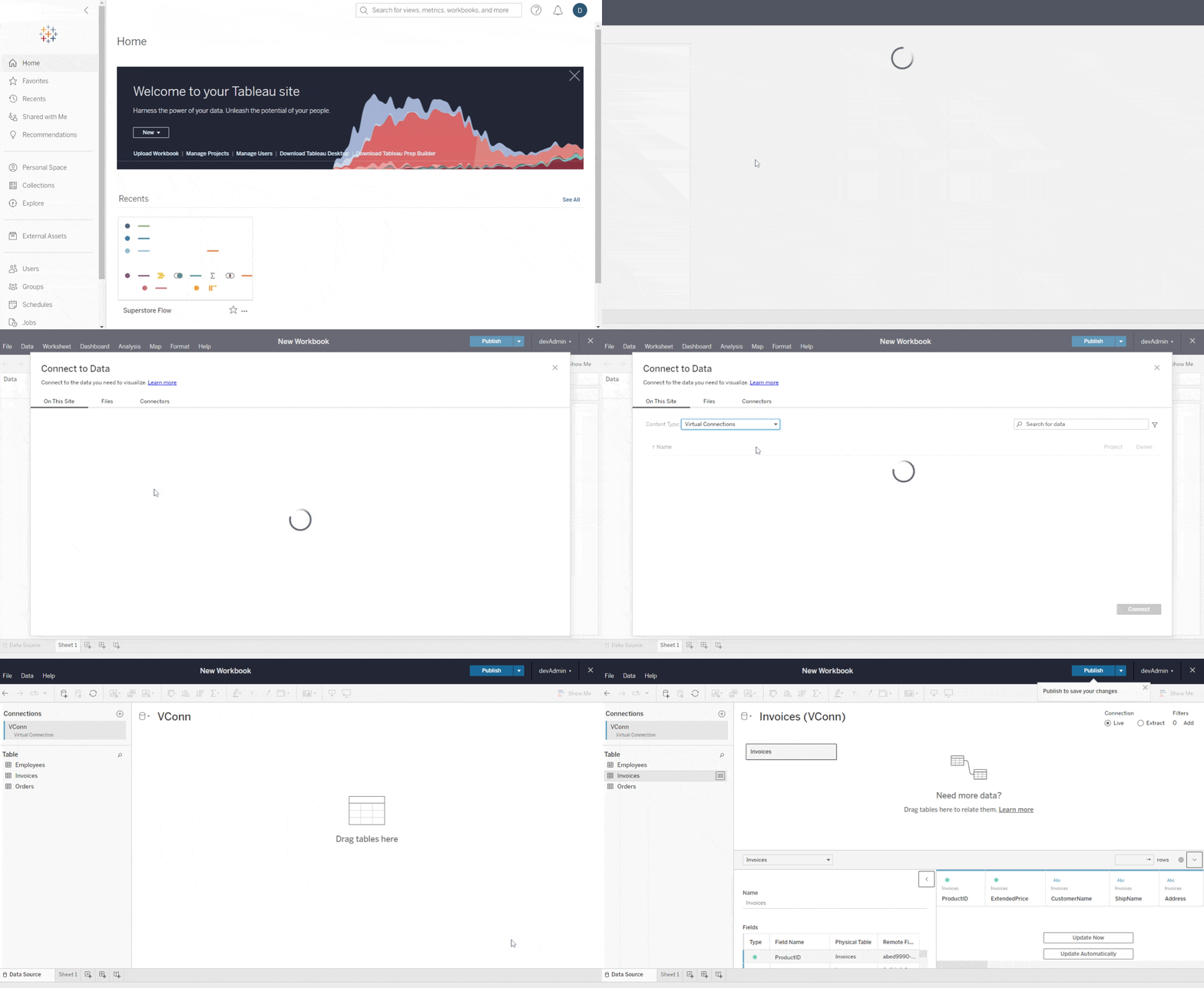
Once a virtual connection exists, you can use it in your data sources and workbooks like any other content in Server or Online.
Keep your data secure with centralized permissions and data policies
Since a virtual connection enables a single point of access to your database (though it doesn’t have to be—you’re free to make more than one if you want), it’s the best place to define and enforce security on that data. You can apply permissions and policies to make sure that the data is only available to the right people and groups. And it’s all enforced by Tableau—no need to keep track of who knows the password to your database.
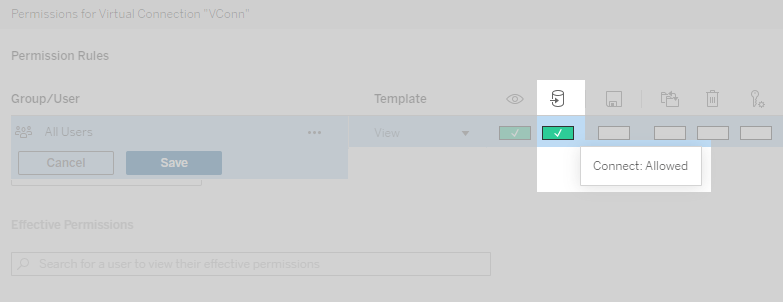
Like all Tableau content, virtual connections have permissions. You can allow or deny access to users, groups, or projects. Note: for security reasons, the “Connect” permission is not globally granted by default on new VConns, so make sure you add it before other people use your VConn.
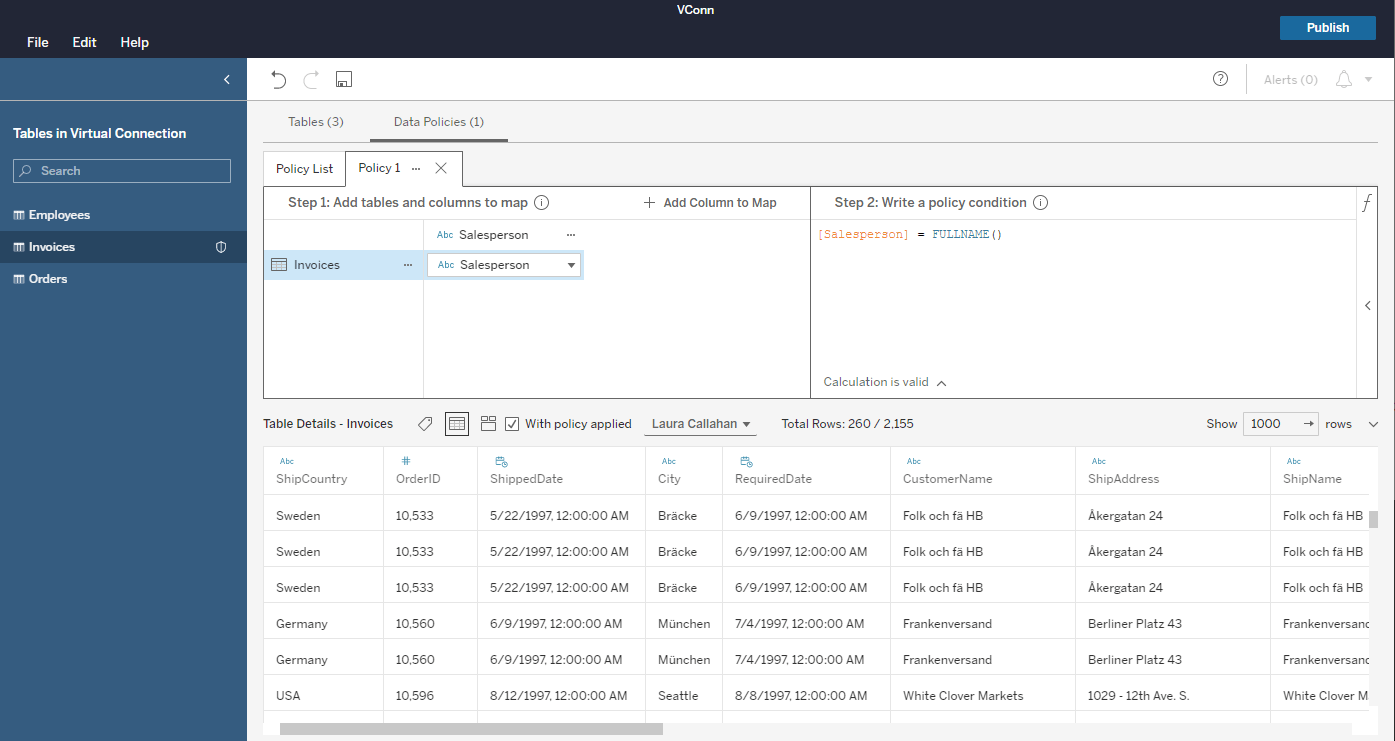
Along with virtual connections, we introduced data policies for centralized row-level security. This is a big feature that’s worth its own blog post, so watch for that in the near future!
Maintain databases and tables with ease
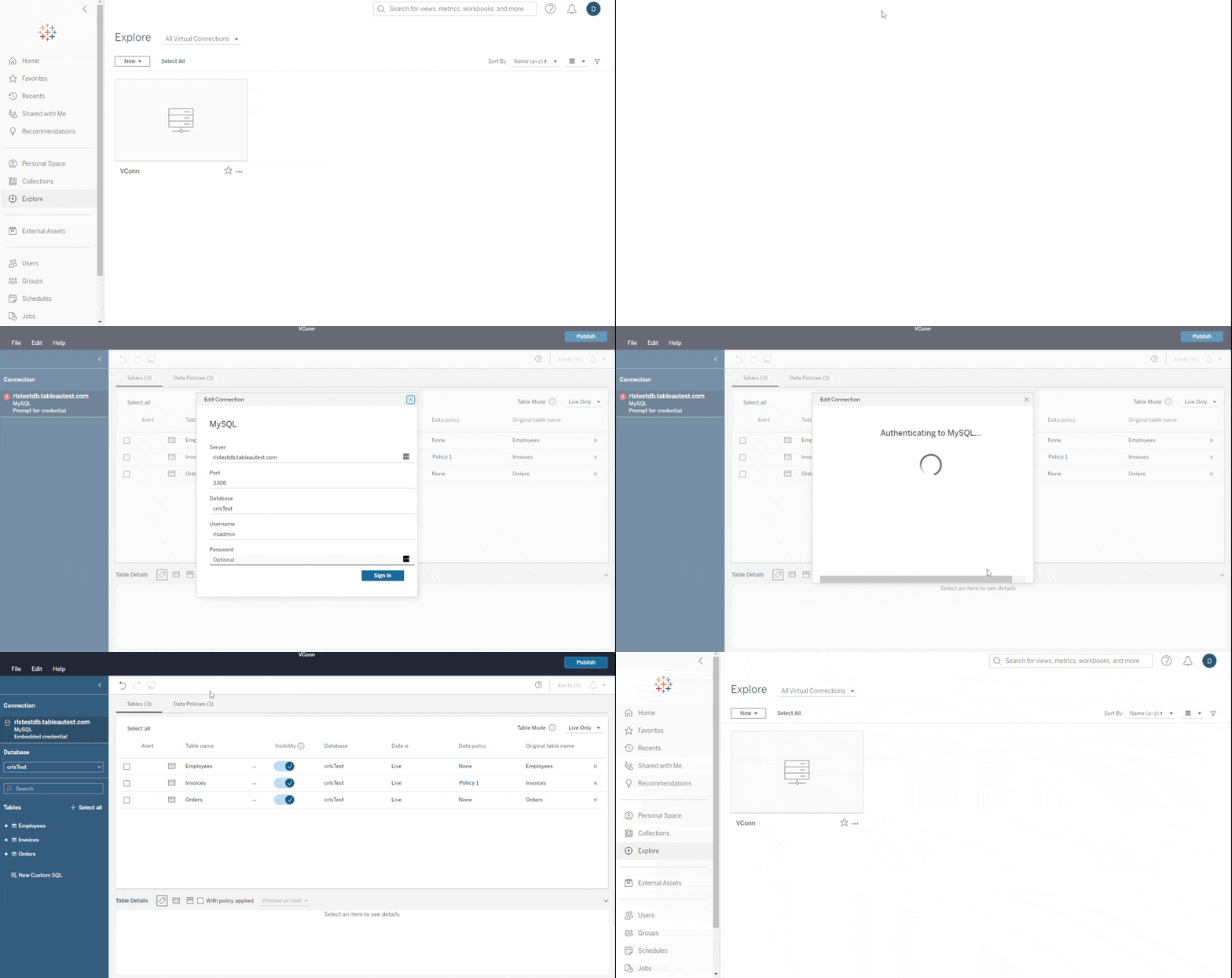
Since virtual connections eliminate the need for workbooks and published data sources to connect directly to databases, owners of that content no longer need to worry about changes to the database schema, credentials, or connection information. For maintenance tasks such as password rotations, you would only update the VConn and all downstream content would continue working with no disruption. Instead of coordinating every password change across your entire Tableau community, you can just edit the VConn, enter the new password, and publish the update.
How do virtual connections benefit your Tableau users?
Virtual connections will make life easier for everyone in your Tableau community:
- Data owners (such as database administrators, data stewards, and Tableau Admins) can create and manage VConns to exercise more flexible control over the data they’re responsible for.
- Creators and some Explorers can use tables from VConns in their data sources, workbooks, and flows. They’ll be able to connect directly to the data they need without having to find connection information and credentials.
- Viewers and most Explorers will not notice any changes. They'll keep using existing data sources or workbooks that may or may not use VConns behind the scenes. (But they’ll probably enjoy knowing that their coworkers are happier.)
Learn more about virtual connections and centralized security with Tableau
Virtual connections are your key to easily sharing secured data in Tableau, and we can’t wait to learn about all the ways our customers are taking advantage of this content type.
Want to learn more?
- Read up about VConns and row-level security in Tableau Help.
- Explore what else we released in Tableau 2021.4.
- Don’t forget to upgrade to Tableau 2021.4 today!
Articles sur des sujets connexes

The Tableau+ Bundle with Premium AI, Enterprise Capabilities, and Premier Success
 octobre 1, 2026
Extend Access to Embedded Tableau Content with On-Demand Access
 juillet 22, 2026
What is Tableau Prep?
 avril 30, 2026