Stay in the flow with Tableau Online 9.3


Update: Tableau 9.3 is here! Download now to try out the feature outlined below.
In Tableau 9.3, it’s even easier to work across desktop, web, and mobile. We keep you in the flow so that you can focus on what really matters: your data. Let’s take a look.
A connected experience across devices
Stay connected to your Tableau Online sites with Tableau 9.3. When you close Tableau Desktop, we now save your connection and automatically sign you in to the same Tableau Online site when you next open Tableau Desktop.
For more details on Tableau Desktop’s ability to manage connections to Tableau Online and Tableau Server, check out our post on auto sign-in.
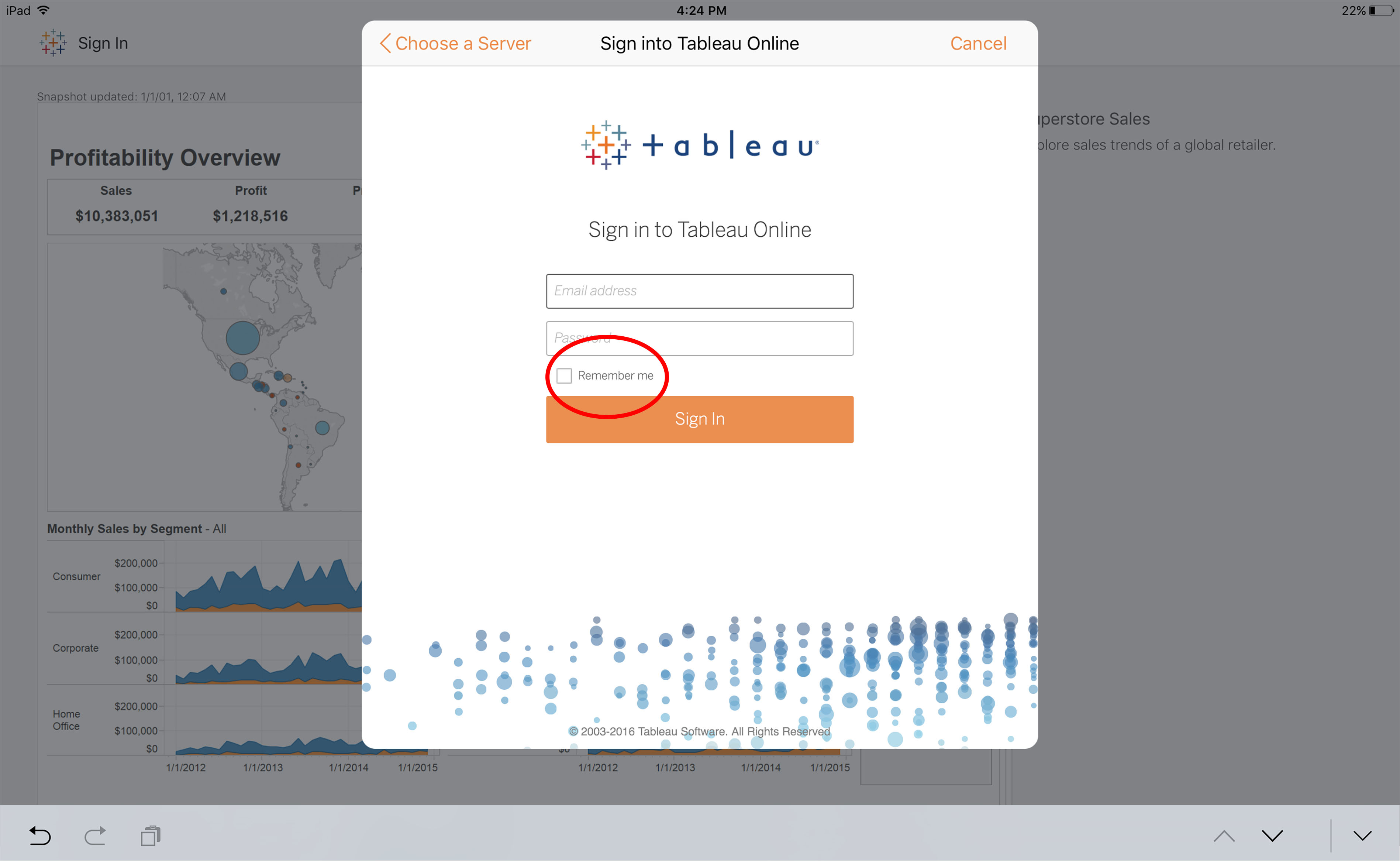
Our iOS app also remembers Tableau Online connections. When initially signing in, check the “remember me” option and you’ll be sent directly to your content each time you fire up the app.
Simplified data-source publishing
Share data with your team in just a few clicks using published data connections. After connecting to a data source in Tableau Desktop, you can publish the connection to Tableau Online for other users to access, just like they would a published workbook.
In Tableau 9.3, a new interface guides you through the process of publishing these data source connections.
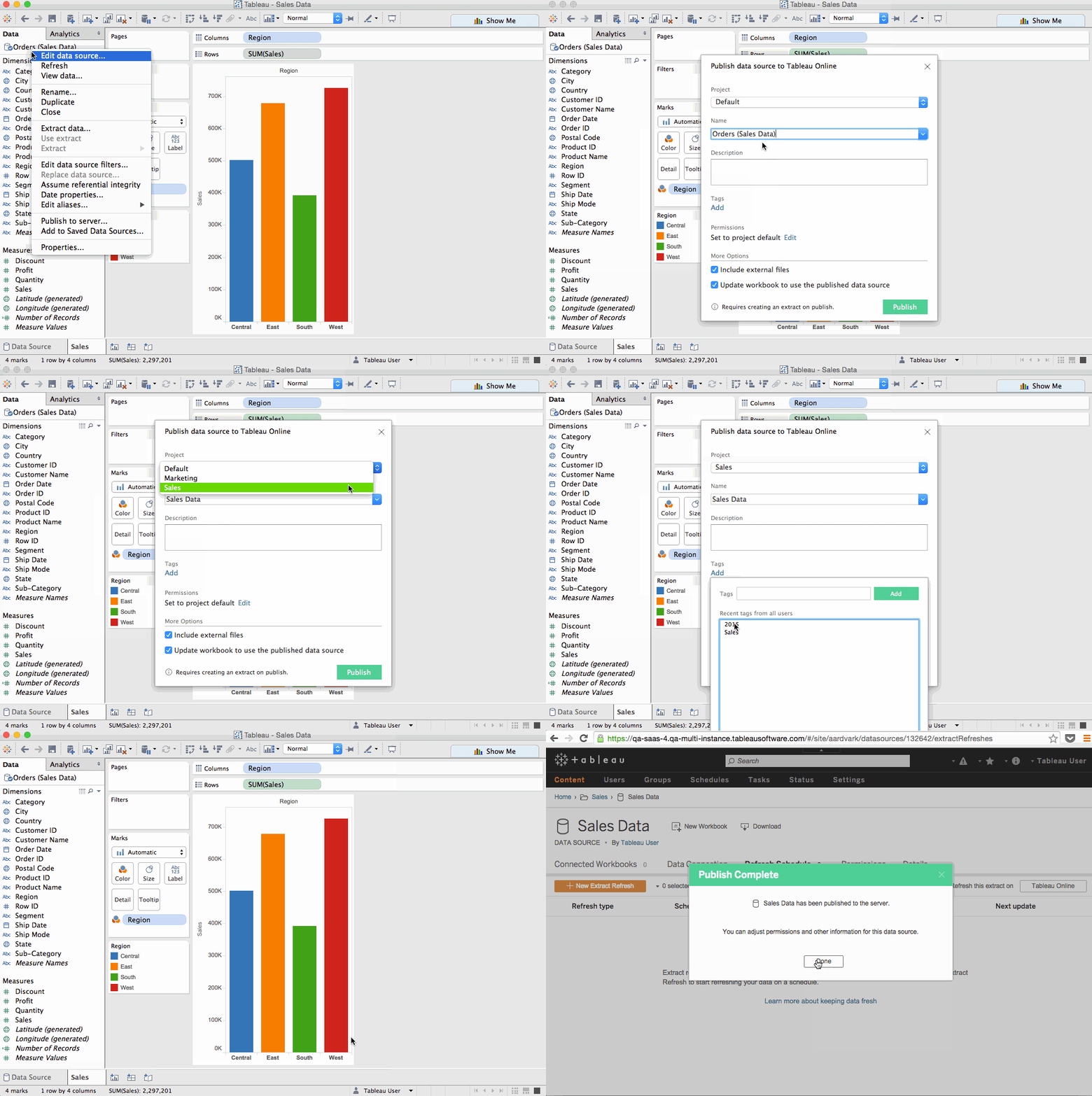
The new workflow also simplifies the publishing process. If your data source requires an extract to work with Tableau Online, Tableau automatically creates the extract. If you’re replacing an existing data source connection, simply check a box in the new interface and Tableau reconnects all workbooks that use the data source.
Once published, your Tableau Online site will open and guide you to set up a refresh schedule to keep your data connection fresh. If your data is located on-premise, Tableau’s sync client will automatically launch.
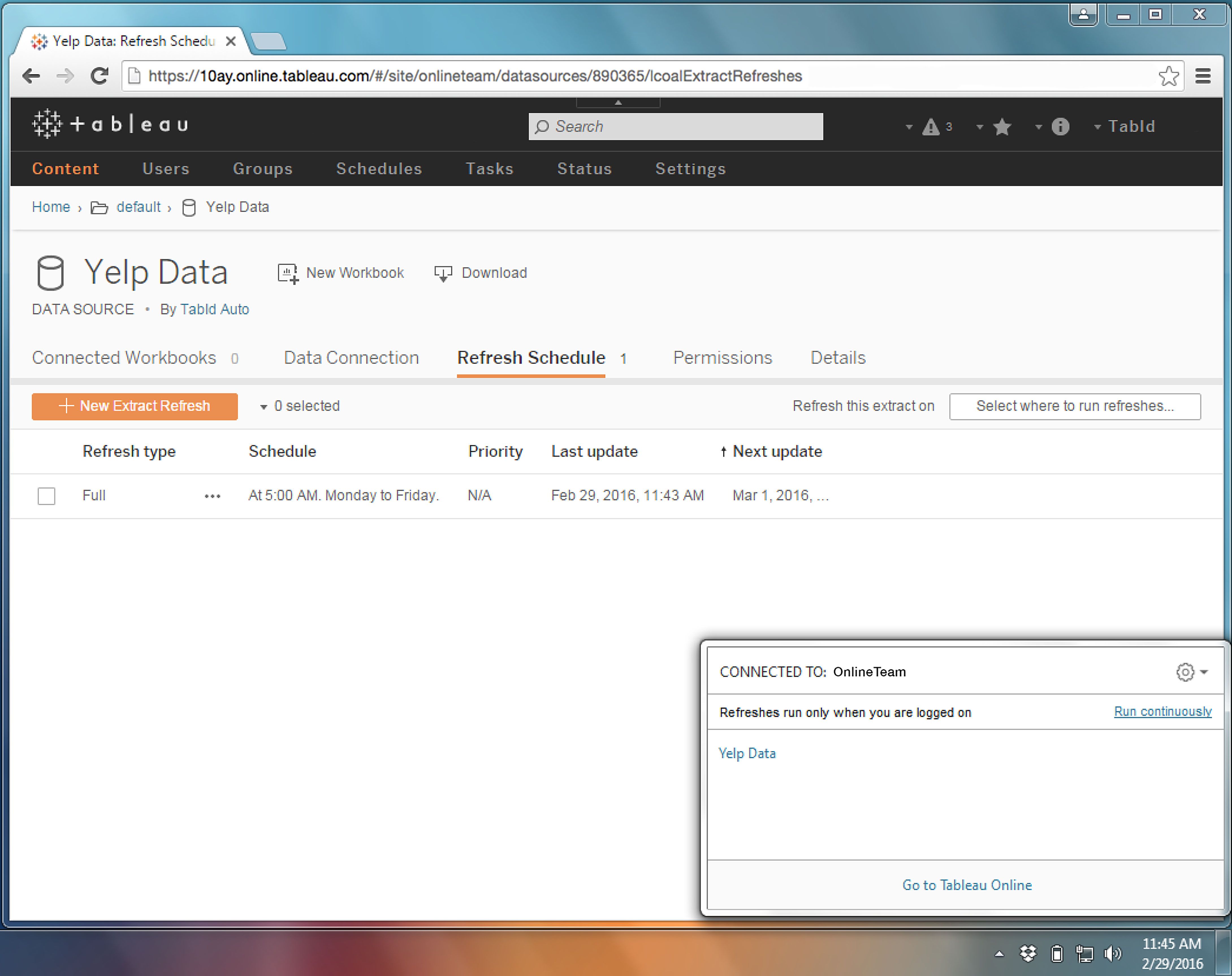
We’ve added a number of under-the-hood improvements to the sync client in Tableau 9.3. When setting refresh schedules, sync checks for any additional information needed to run refreshes, including user credentials and updated file paths. Sync also now runs as a service and can be configured to be “always on.” When set up, sync runs continuously so that your data stays fresh even when you’re signed out of the sync computer.
For more details on Tableau 9.3’s new publish workflow, check out our blog post.
Powerful content discovery
Tableau Online’s in-app search helps you quickly find views, workbooks, and users. But what if you don’t know exactly what you’re looking for? In Tableau 9.3, search helps you discover new content and see what’s popular in your organization.

Inline thumbnails show you snapshots of views and workbooks as you type. Integrated usage metrics—including number of views, recent activity, and favorites—return the most relevant results first. And an option to view results as a list allows you to sort content by views, projects, owners, and more.
For more on Tableau 9.3’s search and discovery features, check out our blog post.
Join the beta
Tableau 9.3 is currently in beta and is available for existing Tableau customers. Check out our beta program to learn more and sign up.
As with anything in beta, your feedback is important. So do let us know what you think. Visit the Ideas Forum and share your ideas for features you’d like to see in Tableau. If you have a question or feedback about the current functionality, please leave us a comment below.
Follow the blog for more news about Tableau 9.3, including an in-depth look our new Snowflake connector.
Learn more about Tableau 9.3
Tableau 9.3 has arrived
We sweat the small stuff in Tableau 9.3
In Tableau 9.3, start interacting with your dashboard while it loads
Publishing data sources just got easier in Tableau 9.3
Stay connected with auto sign-in in Tableau 9.3
Say hello to versioning in Tableau 9.3
Dude, where's my workbook?
Introducing initial SQL with parameters in Tableau 9.3
See the new server management tools in Tableau 9.3
Combine your data with Union in Tableau 9.3
Tableau 9.3 beta is here
เรื่องราวที่เกี่ยวข้อง

The Tableau+ Bundle with Premium AI, Enterprise Capabilities, and Premier Success
 ตุลาคม 1, 2026
What is Tableau Knowledge?
 กันยายน 30, 2026
How Tableau is Expanding Access to Agentic Analytics Across the Enterprise
กันยายน 30, 2026